> For the complete documentation index, see [llms.txt](https://docs.infraon.io/product-help/llms.txt). Markdown versions of documentation pages are available by appending `.md` to page URLs; this page is available as [Markdown](https://docs.infraon.io/product-help/explore-more/release-notes/2026-releases/v7.5.1-july-2026-1.md).
# v7.5.1 - July 2026
**Release Cycle:** 6th July 2026
**Build:** Pre-Release Documentation
## Overview
This release introduces enhancements across Dashboard, Procurement, Project Management, IT Asset Management, Mobile Applications, Business Rules, AI Ops, and the Self-Service Portal. The updates focus on improving operational visibility, procurement workflows, project governance, asset management, automation, and mobile usability.
## Key Updates
### Dashboard
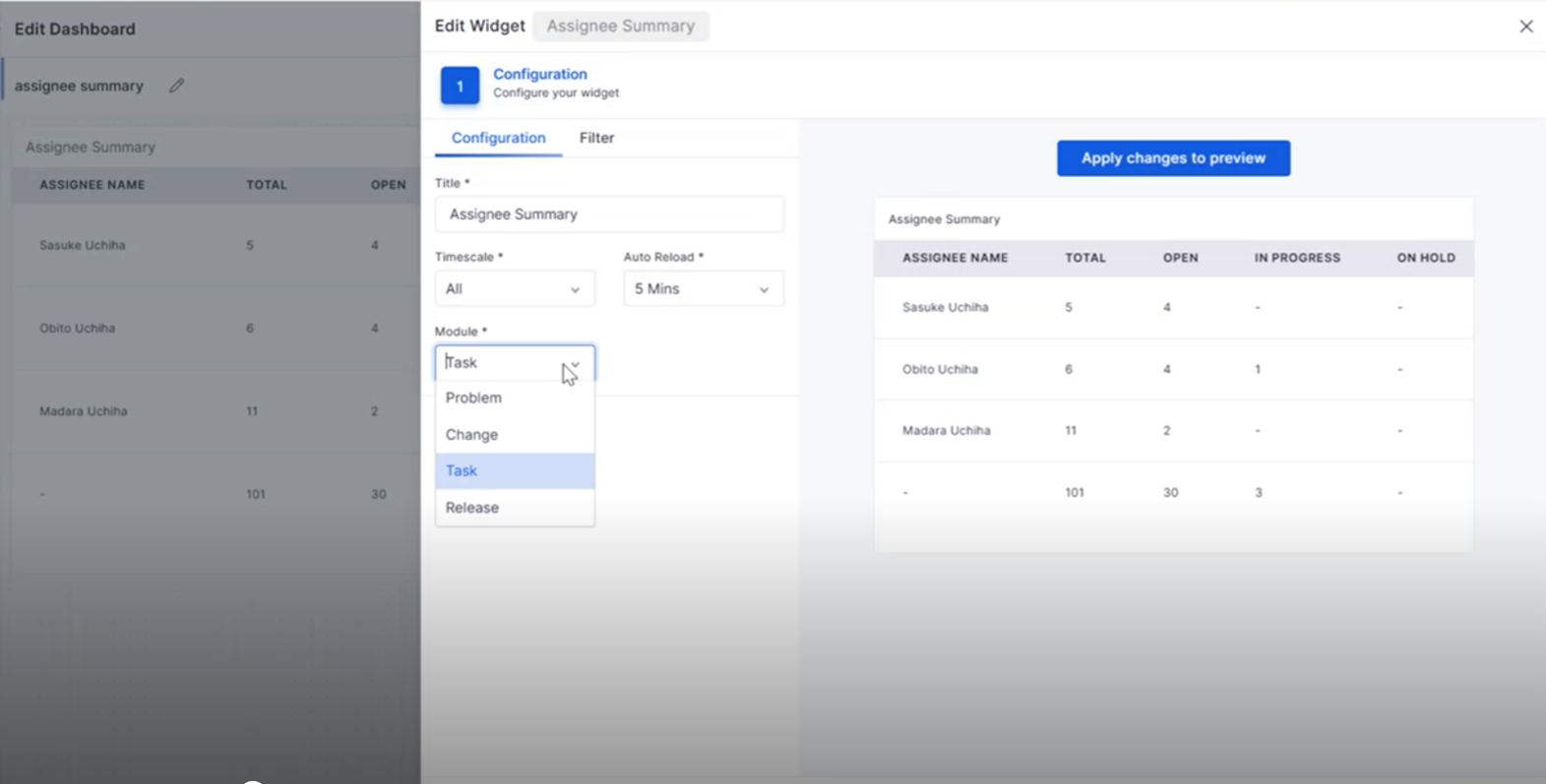
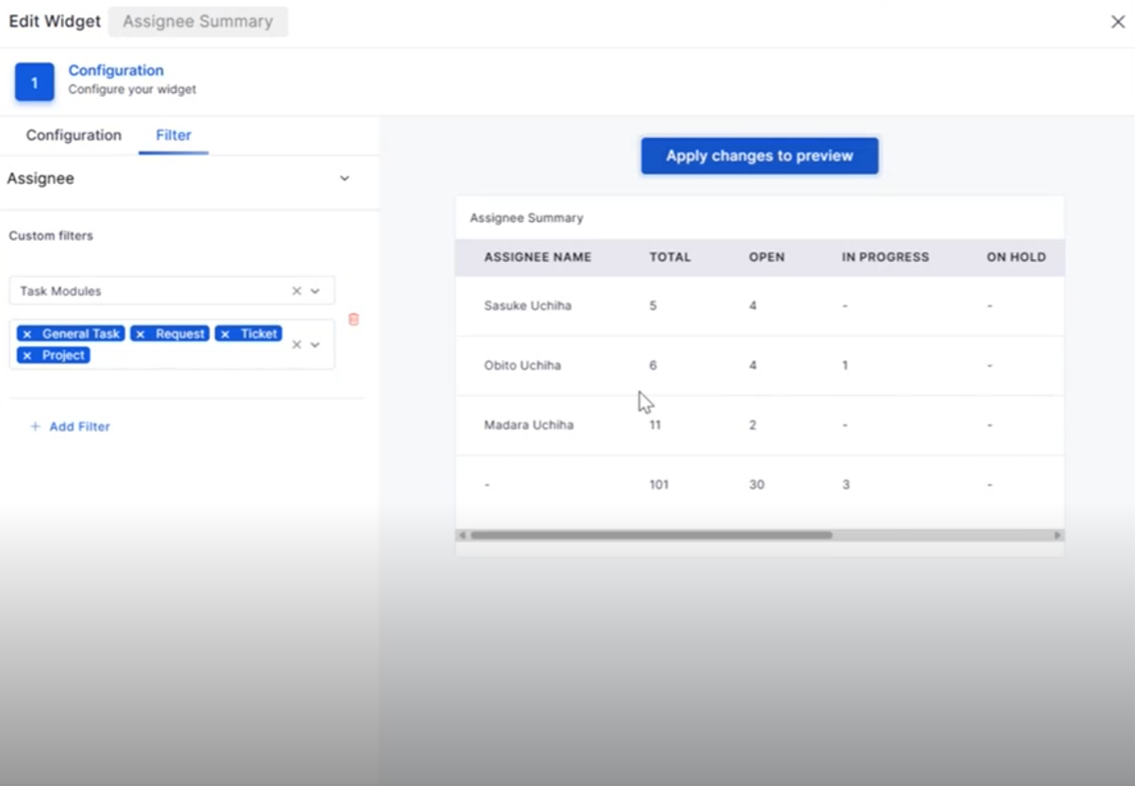
Assignee Summary: Task Module Integration
The Assignee Summary widget now includes Task Management, providing better visibility into task assignments and workload distribution.
* View task assignments directly from the dashboard.
* Filter tasks based on workflow status and assignee.
* Drill down into task details from widget counts.
* Improve workload monitoring across teams.
### Purchase Requisition
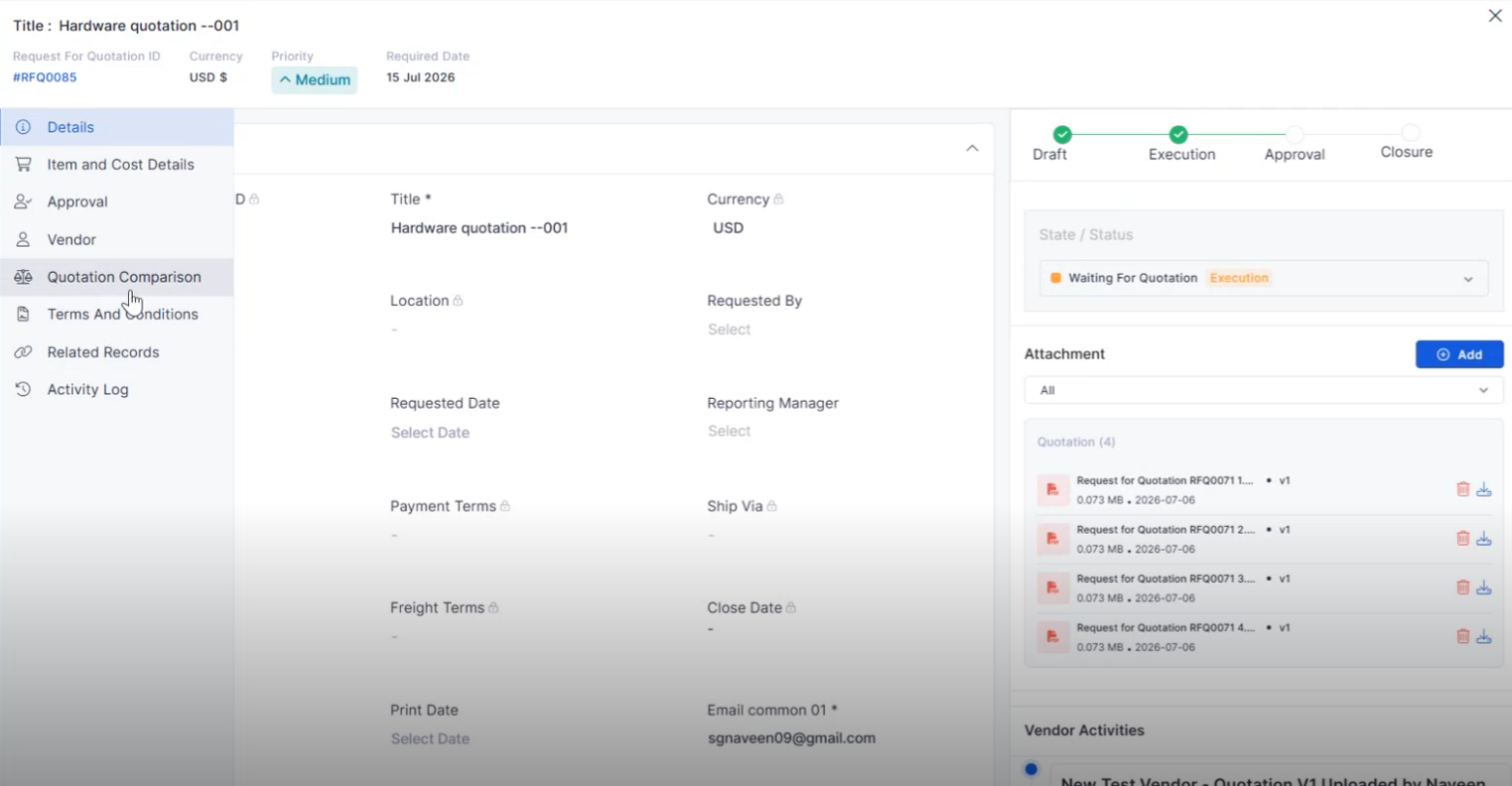
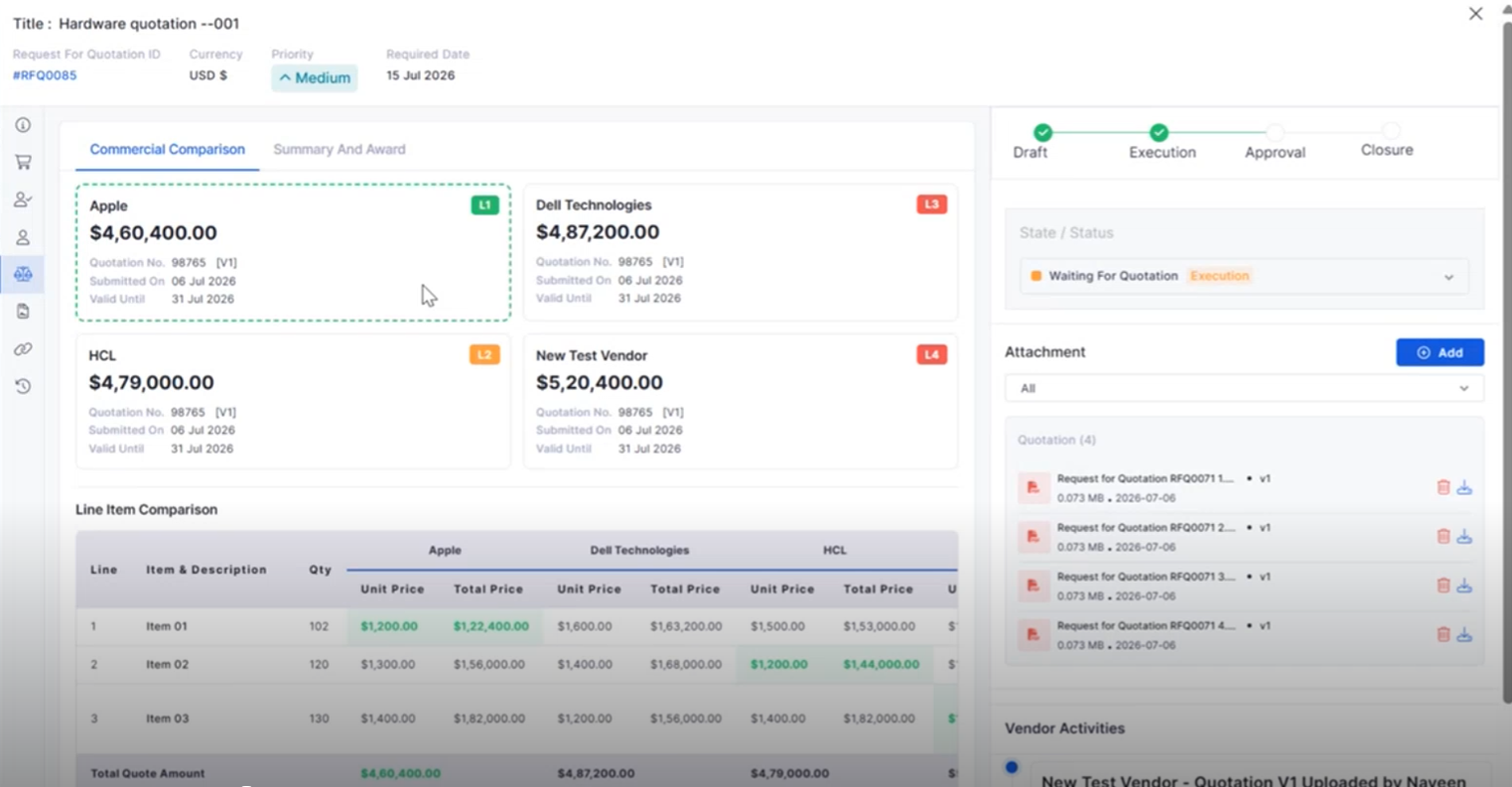
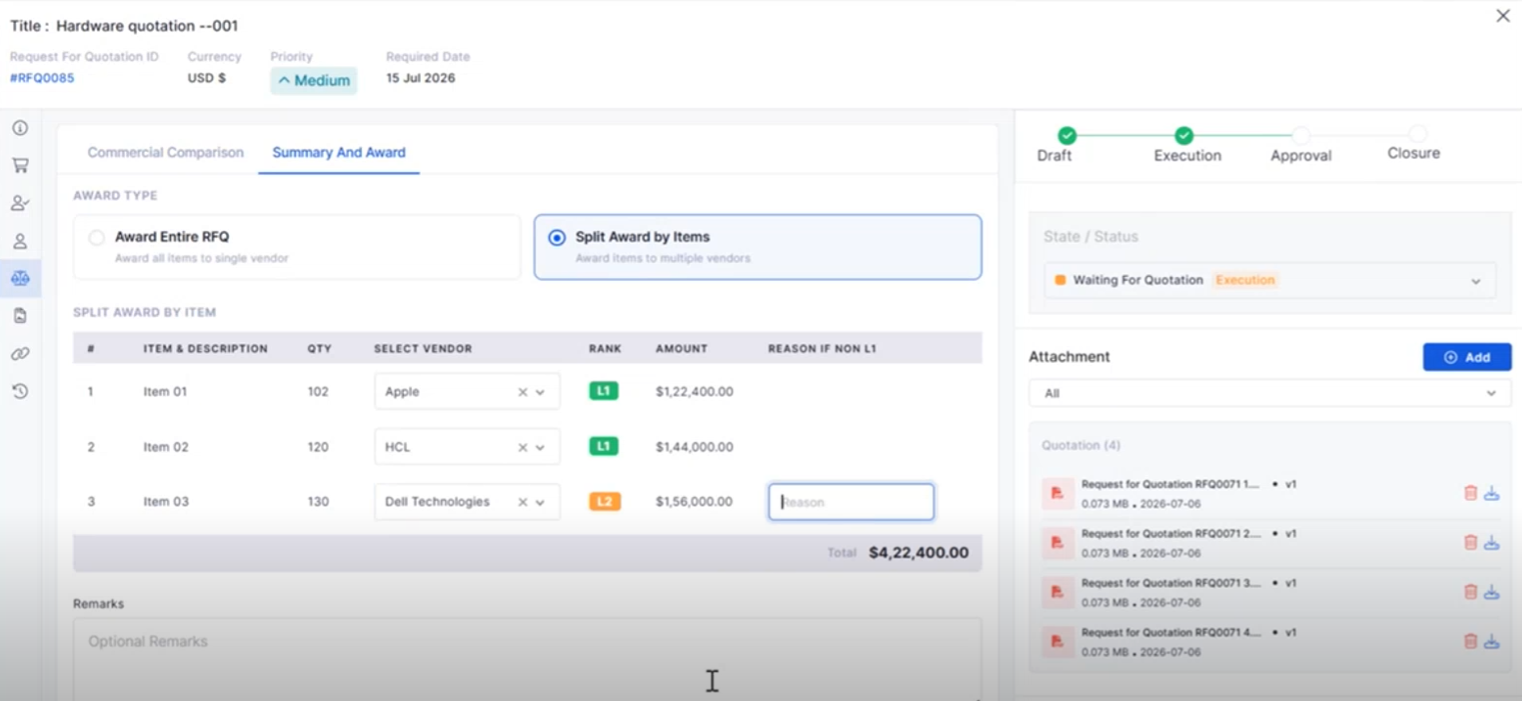
RFQ Vendor Quotation Comparison
Compare vendor quotations from a single interface to simplify procurement decisions.
* View quotations from multiple vendors side by side.
* Compare pricing and procurement details efficiently.
* Simplify vendor evaluation before creating a Purchase Order.
* Improve procurement decision-making.
### Business Rule
Notification on Asset Add/Delete
Business Rules can now automatically trigger notifications whenever assets are added or removed.
* Notify stakeholders about asset lifecycle events.
* Improve visibility into asset changes.
* Reduce manual communication efforts.
* Support automated asset notifications.
### Self-Service Portal
Attachments While Reopening Tickets and Requests
Users can now upload supporting files when reopening Tickets or Requests from the Self Service Portal.
* Attach documents while reopening records.
* Provide additional context for faster resolution.
* Improve collaboration between users and technicians.
* Streamline the reopening process.
### AI Ops
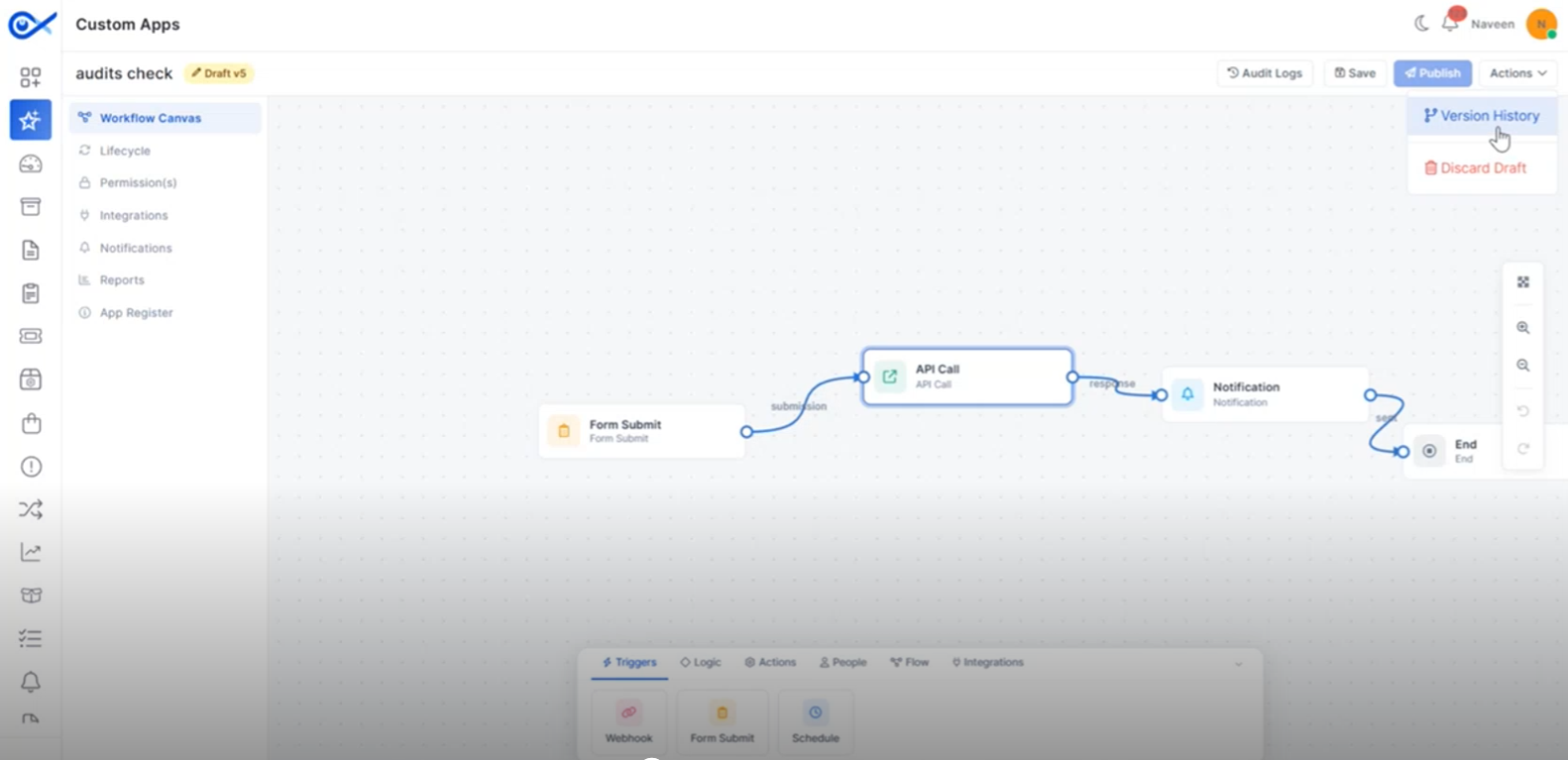
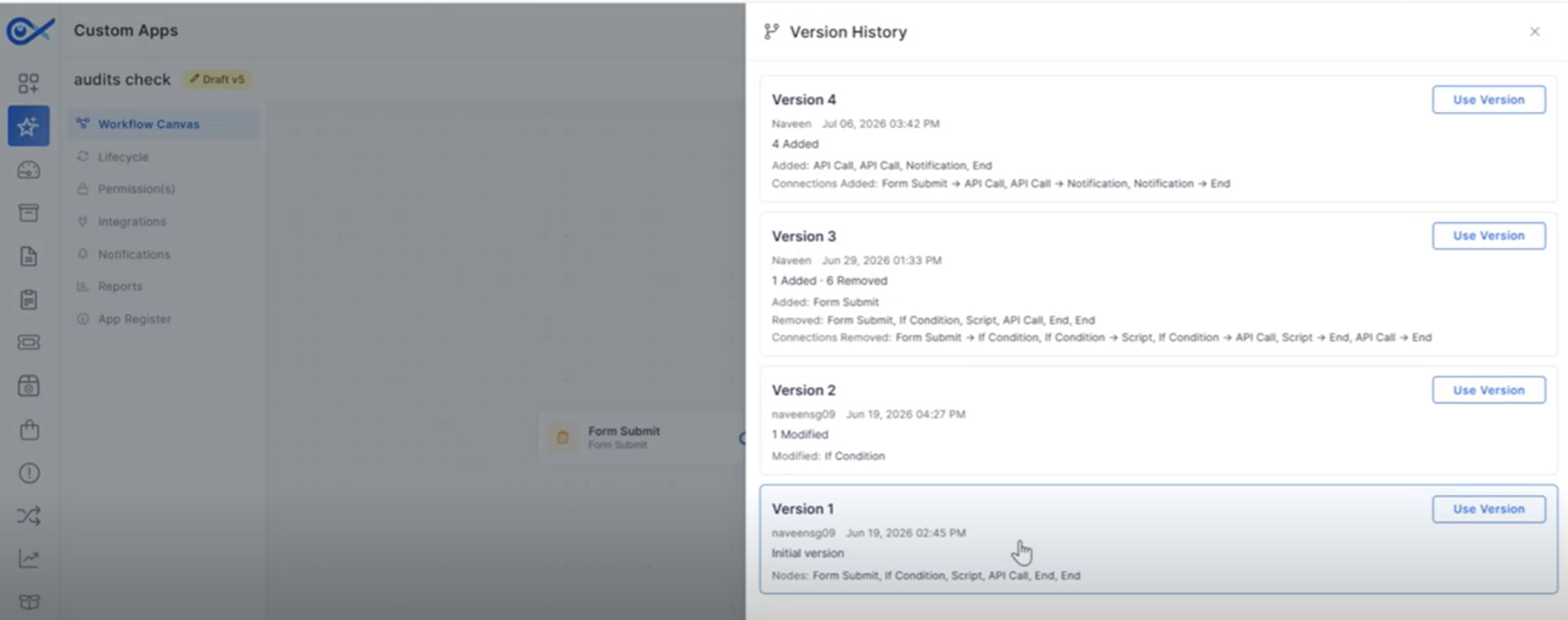
Audits and Versioning Enhancements for Custom Apps
Enhanced audit and version management improve visibility into Custom App changes.
* Track changes made to Custom Apps.
* Maintain version history for application updates.
* Improve governance and audit visibility.
* Simplify application maintenance.
### Project Management
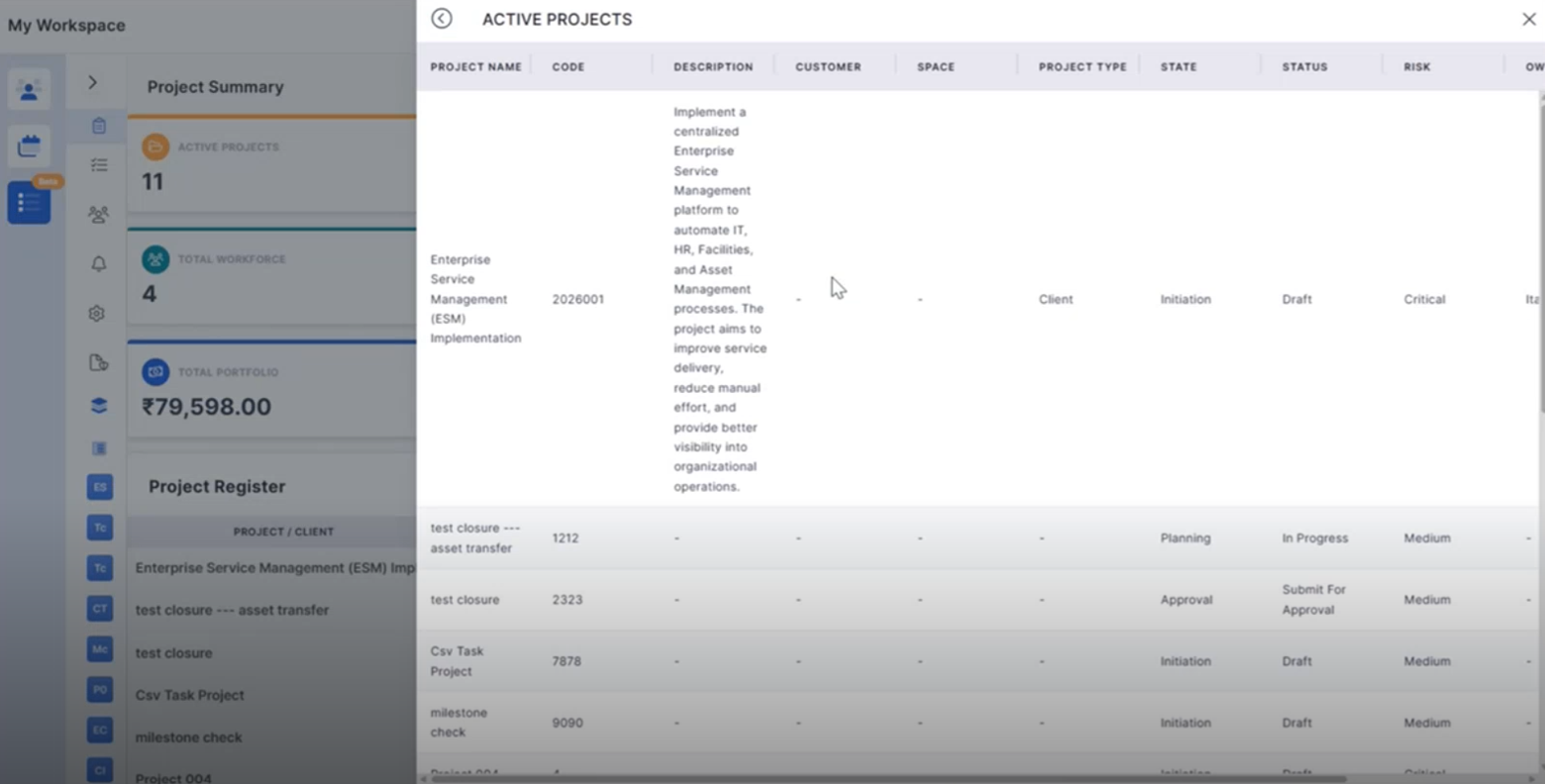
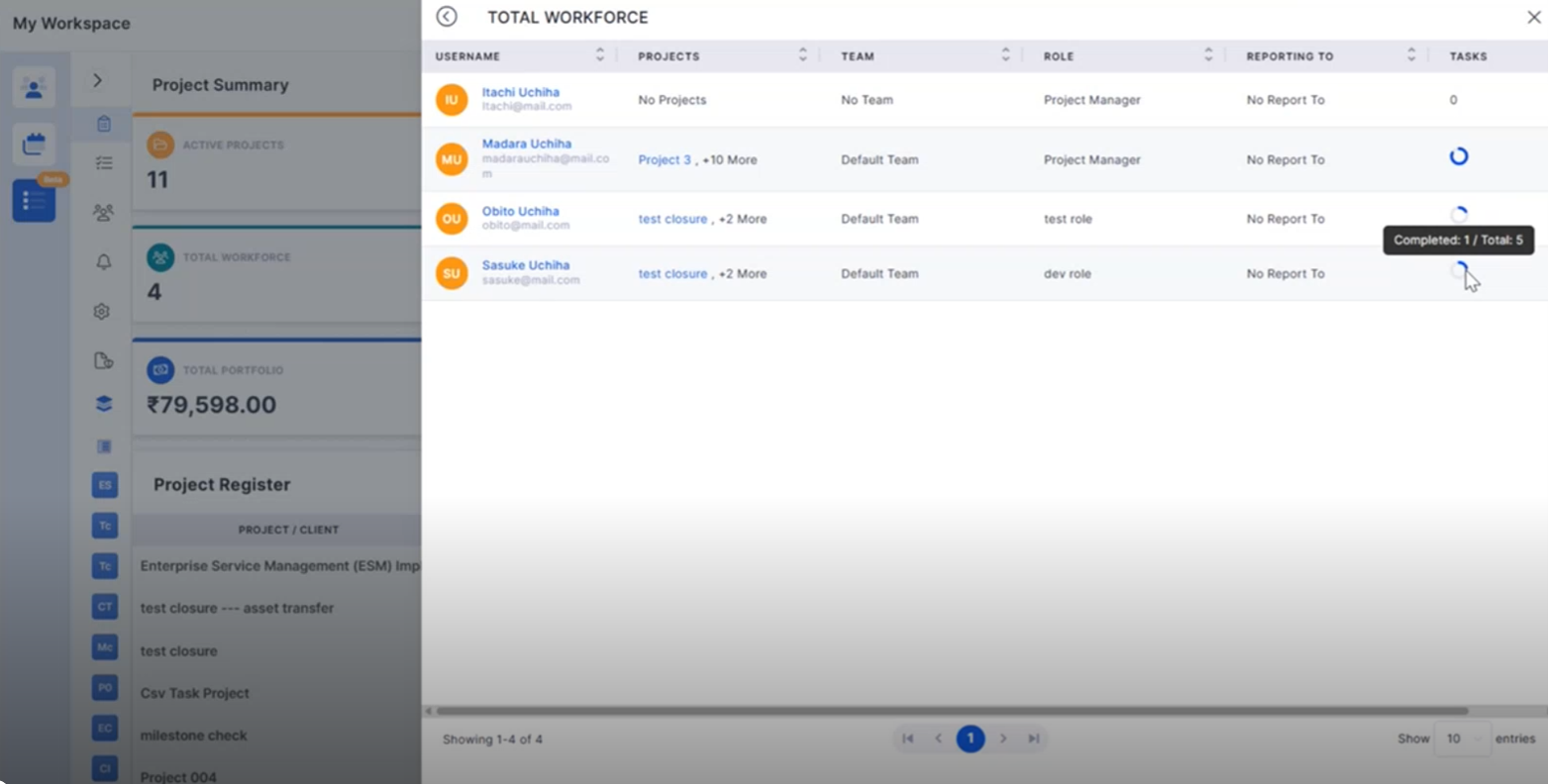
Project Summary Widget Click Functionality
Project Summary widgets now support direct navigation to detailed project information.
* Open filtered project lists directly from dashboard widgets.
* View relevant project information based on selected metrics.
* Improve navigation across project summaries.
* Simplify project monitoring.
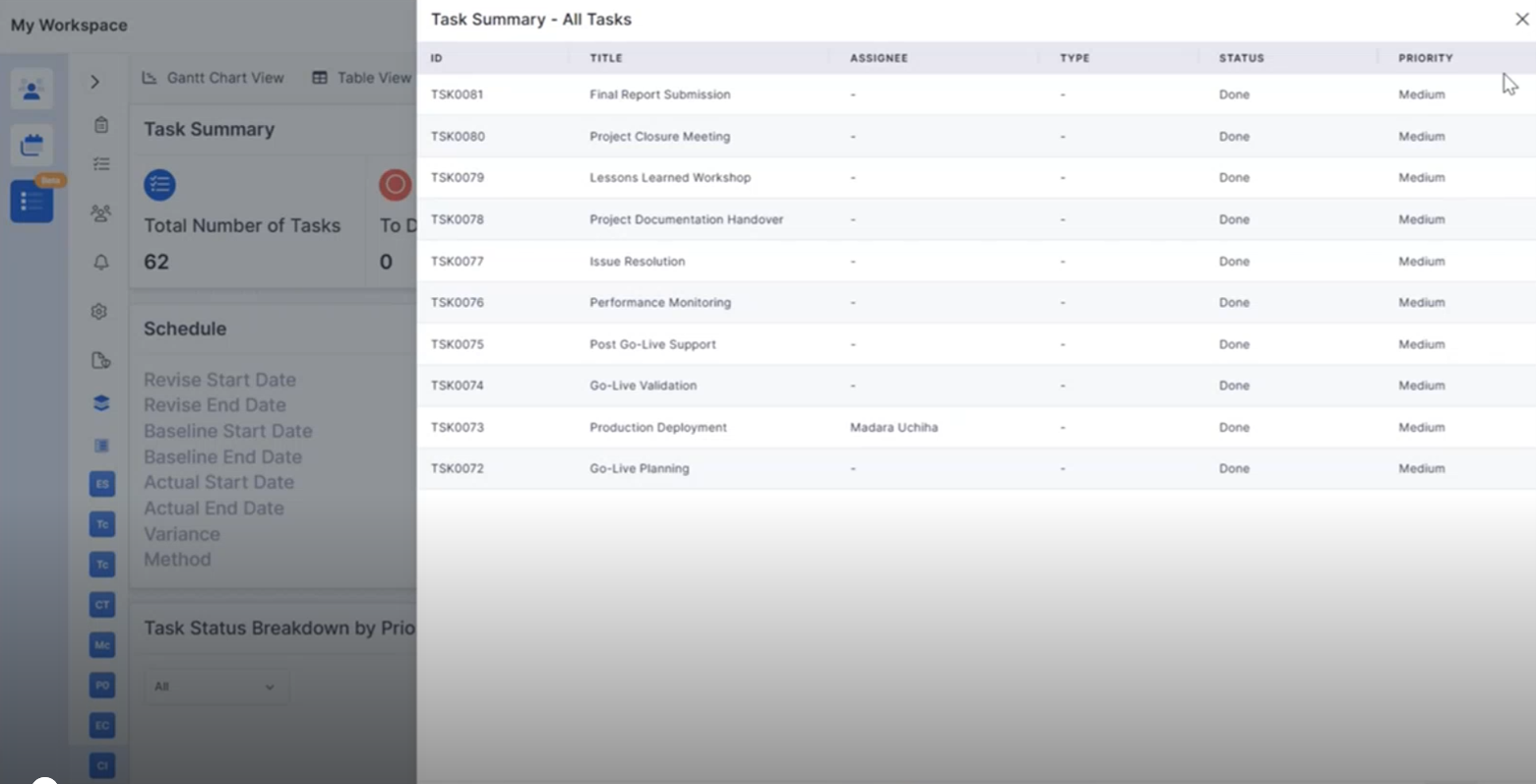
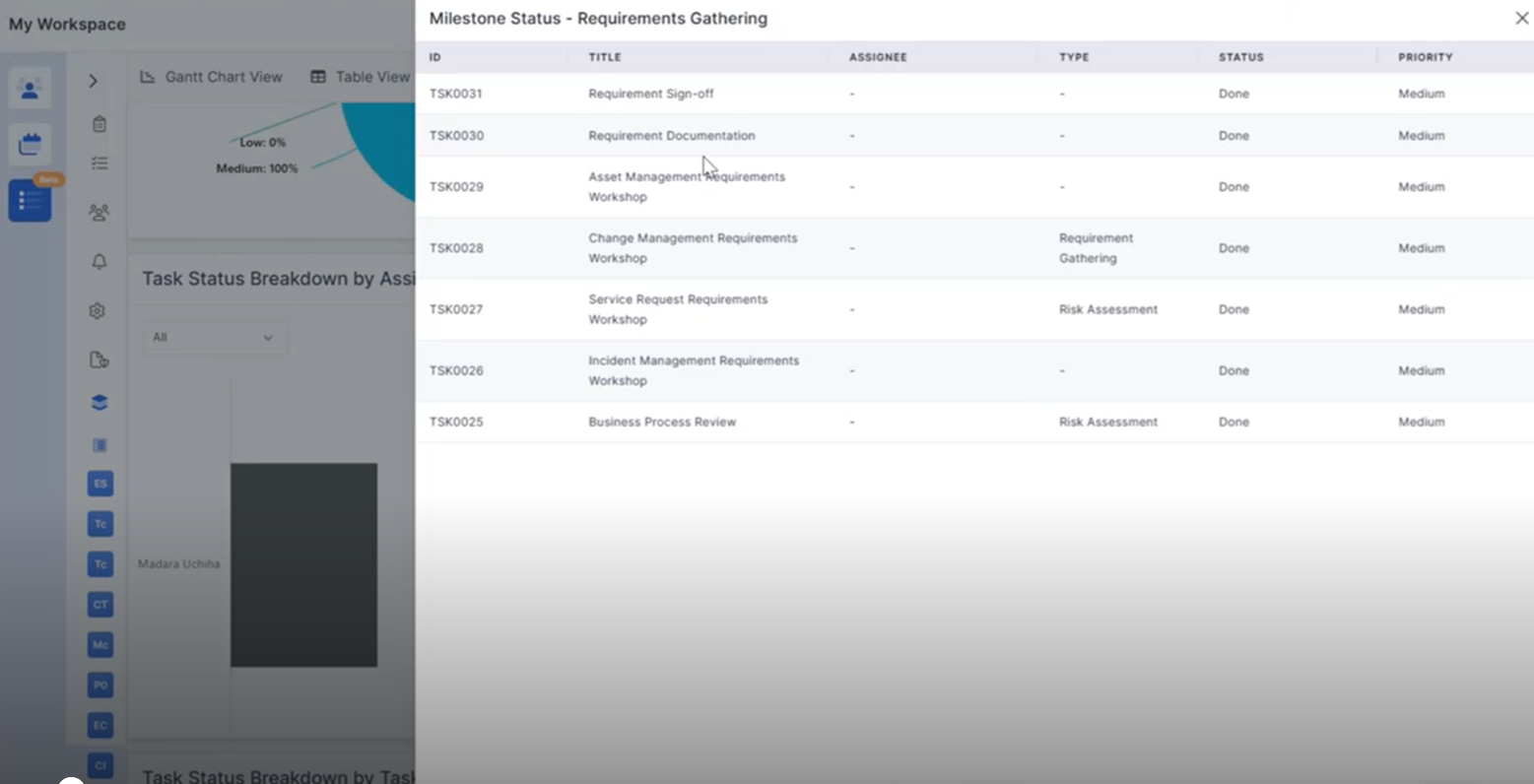
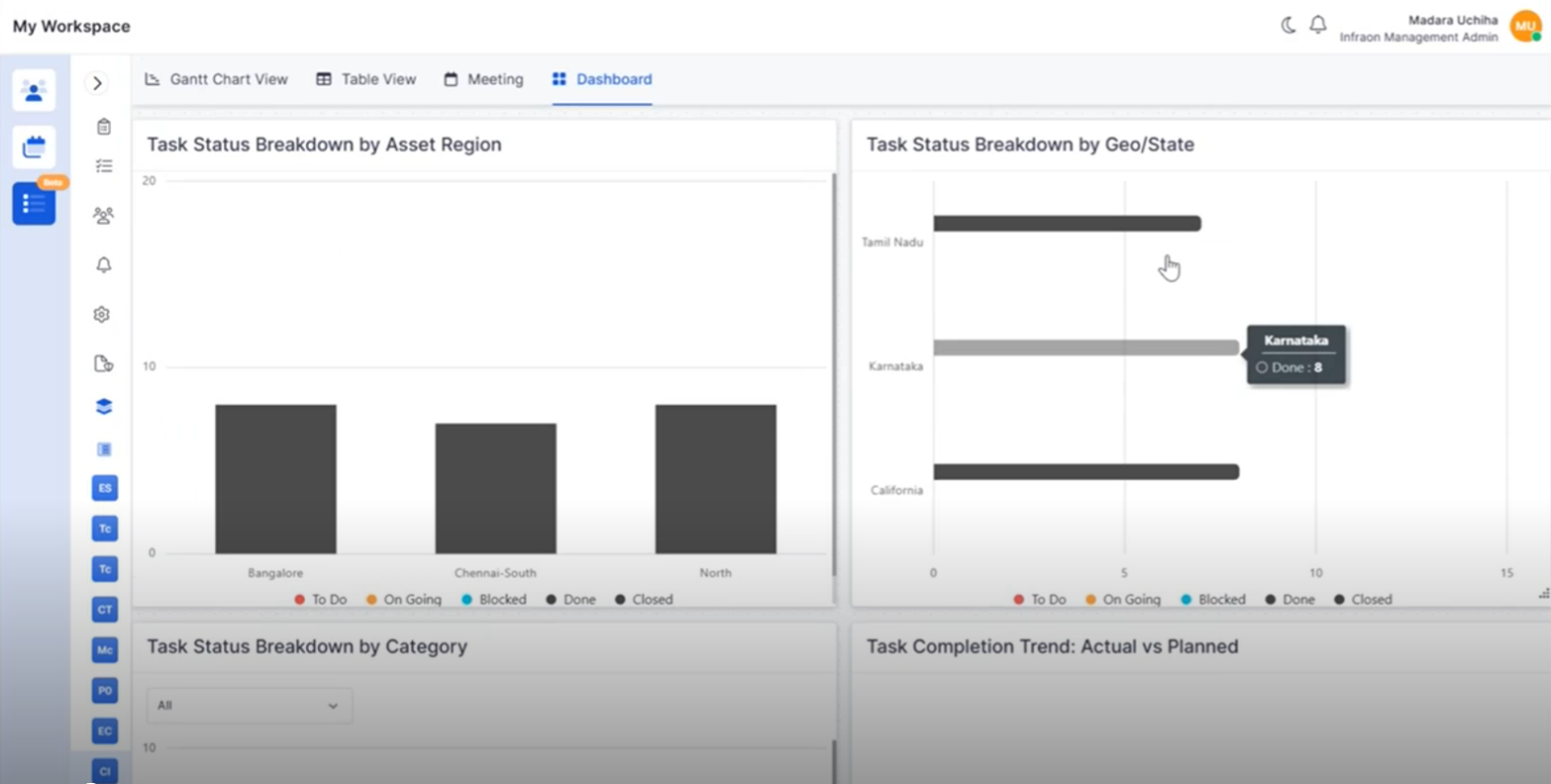
Project Widget Click Functionality
Interactive project dashboard widgets provide quick access to related project records.
* Drill down into task and milestone information.
* Open filtered project views directly from dashboard charts.
* Improve dashboard usability and analysis.
* Enable faster access to project data.
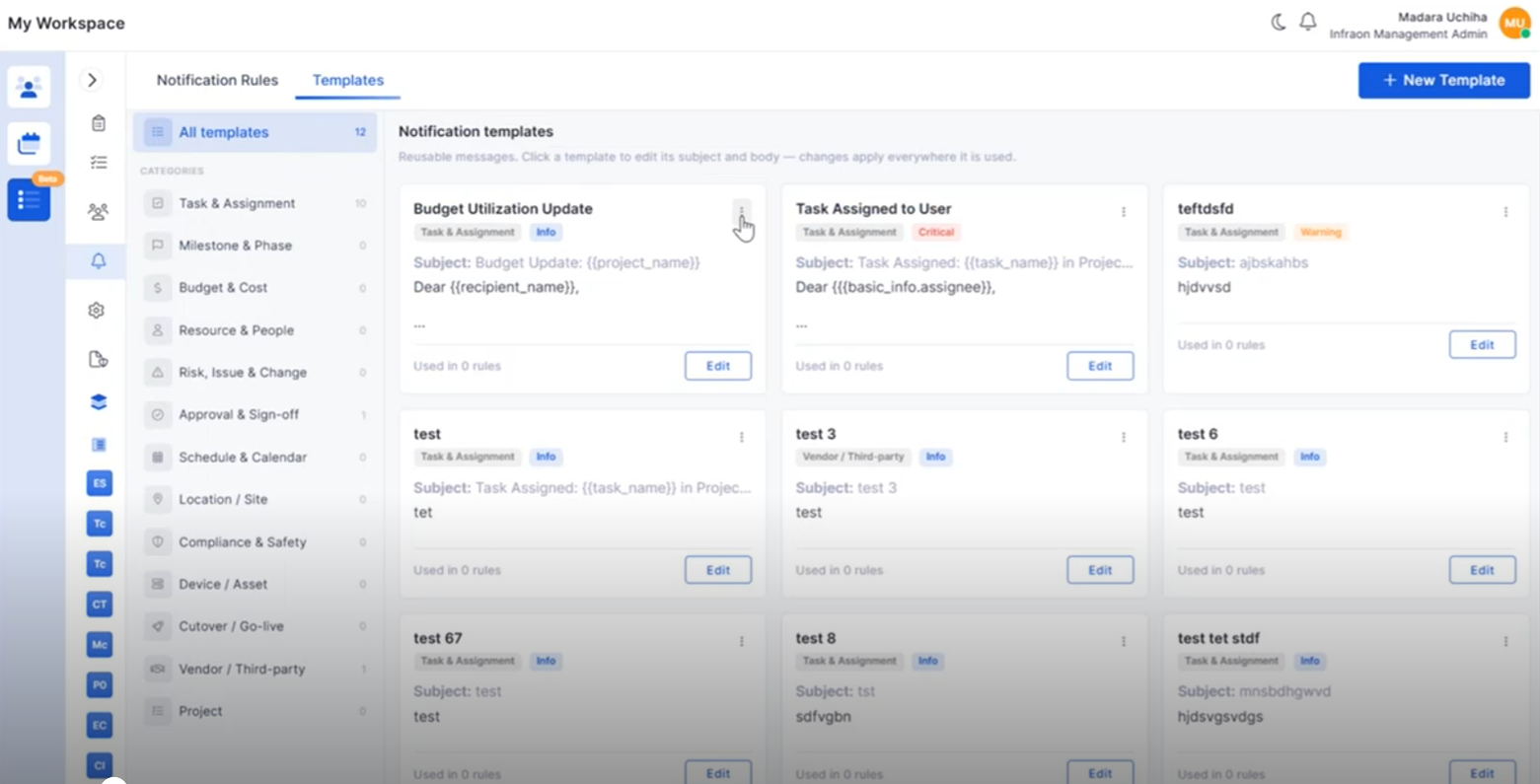
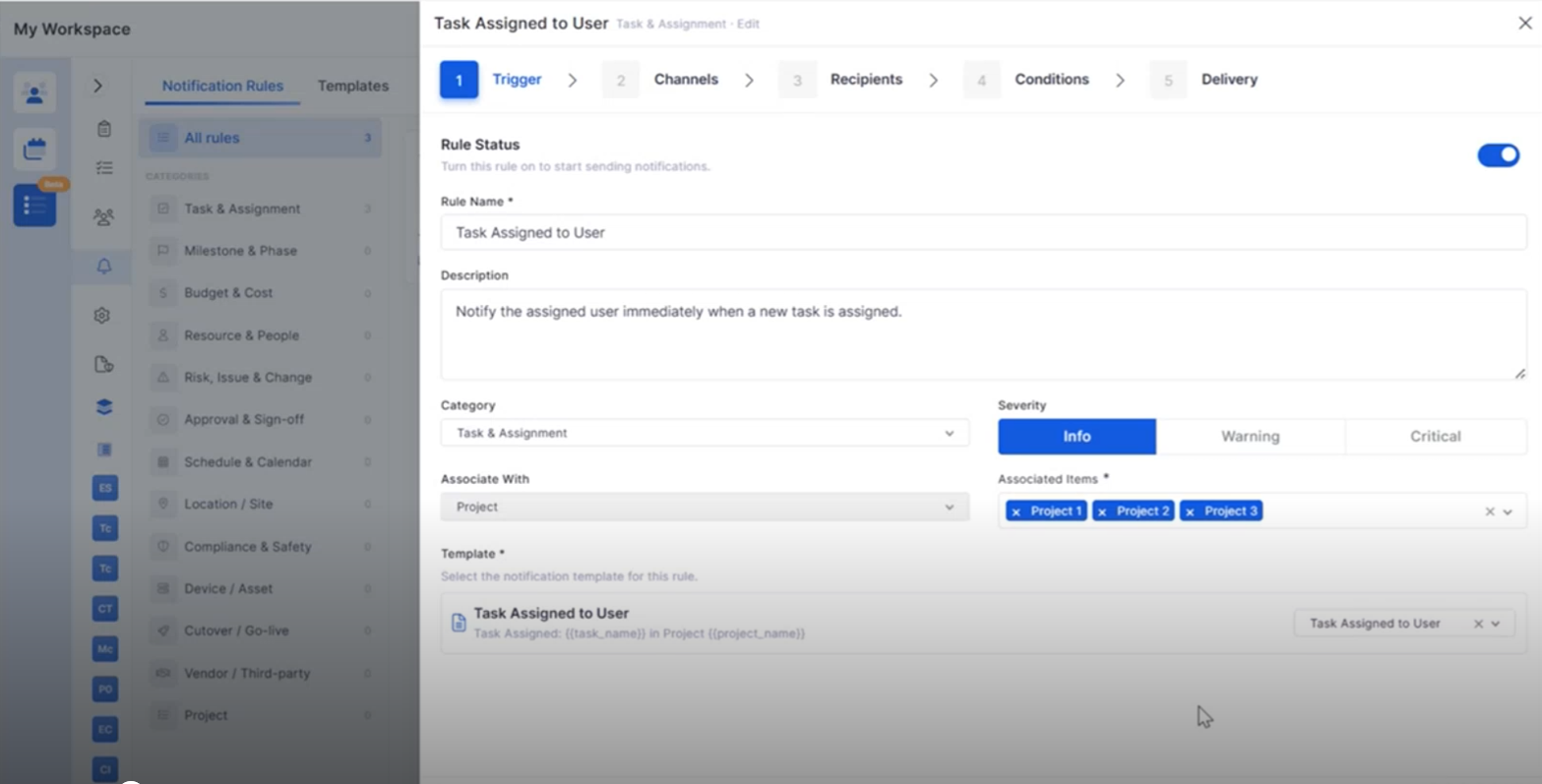
Project Notification Template Management
Notification Templates can now be created and managed within Project Management.
* Create reusable notification templates.
* Configure project-specific notification content.
* Edit and organize templates from a centralized view.
* Improve notification consistency across projects.
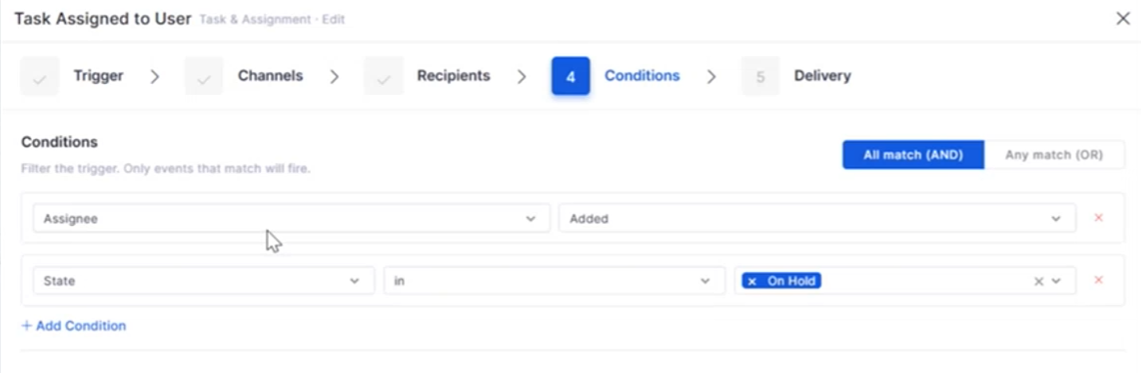
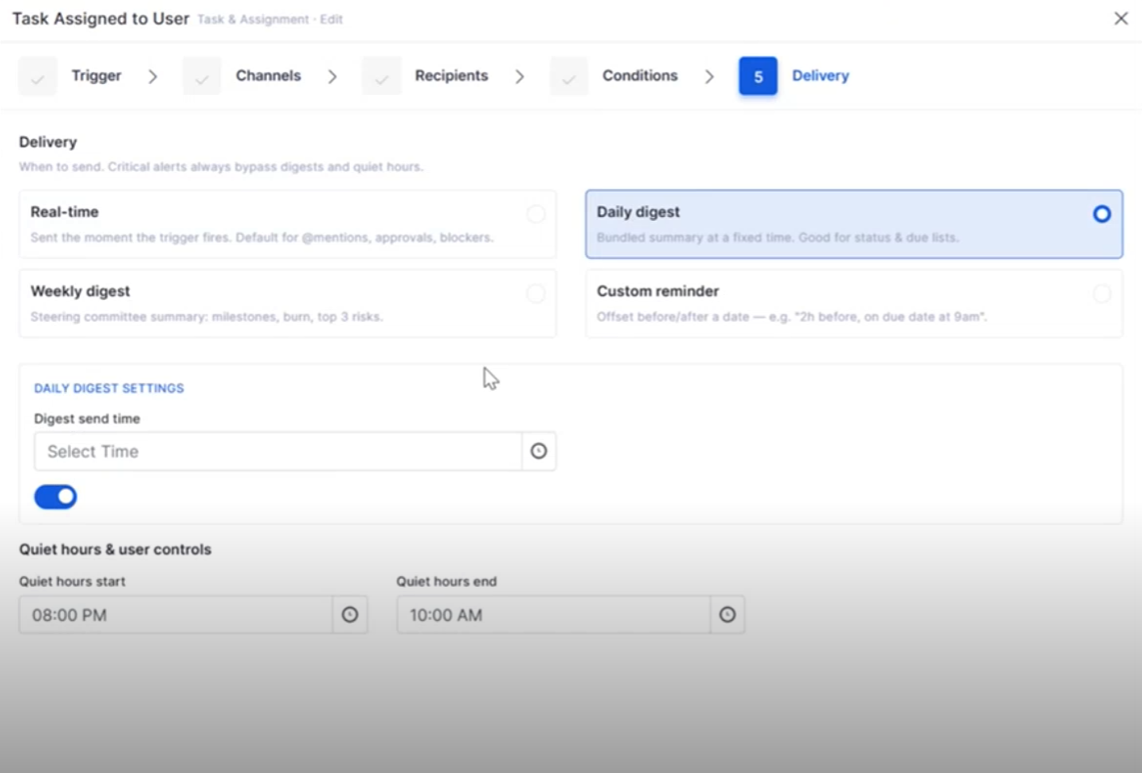
Project Notification Rules
Notification Rules provide greater flexibility for project communications.
* Configure automated project notifications.
* Associate templates with project events.
* Simplify notification management.
* Improve communication throughout the project lifecycle.
Project Closure Enhancements
Project Closure now includes additional capabilities for completing project activities.
* Transfer project teams and associated assets during closure.
* Review project financial summaries.
* Capture project completion details.
* Improve project handover and documentation.
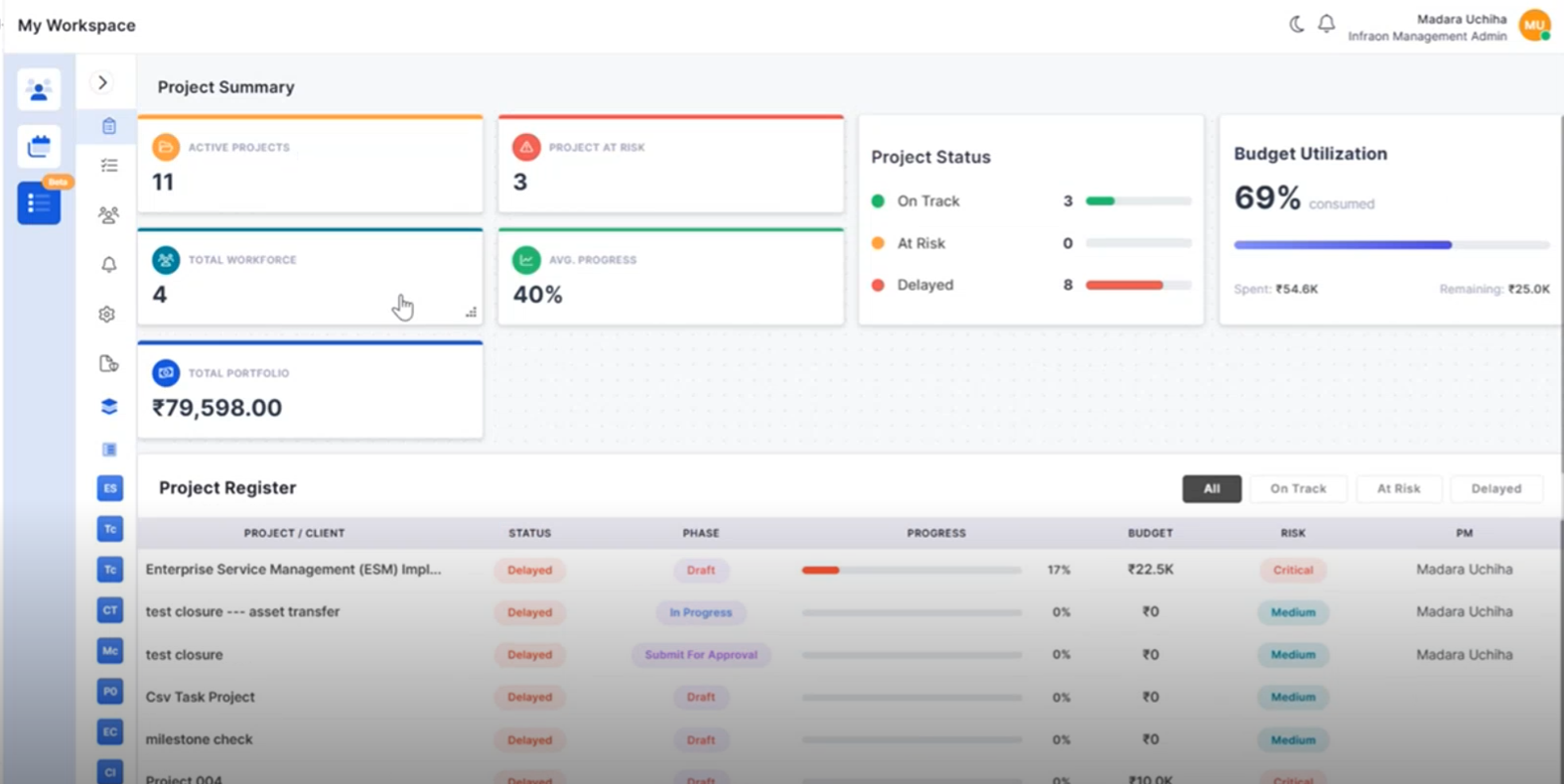
Portfolio Overview Enhancements
Additional portfolio insights help monitor project performance more effectively.
* Track project registers from the portfolio view.
* Monitor budget utilization across projects.
* Improve portfolio-level reporting.
* Support informed project decisions.
Milestone CSV Enhancements
Milestone identification has been improved during CSV editing.
* Highlight milestone rows within CSV files.
* Improve visibility of milestone-task relationships.
* Simplify bulk project updates.
* Reduce editing errors.
### IT Assets
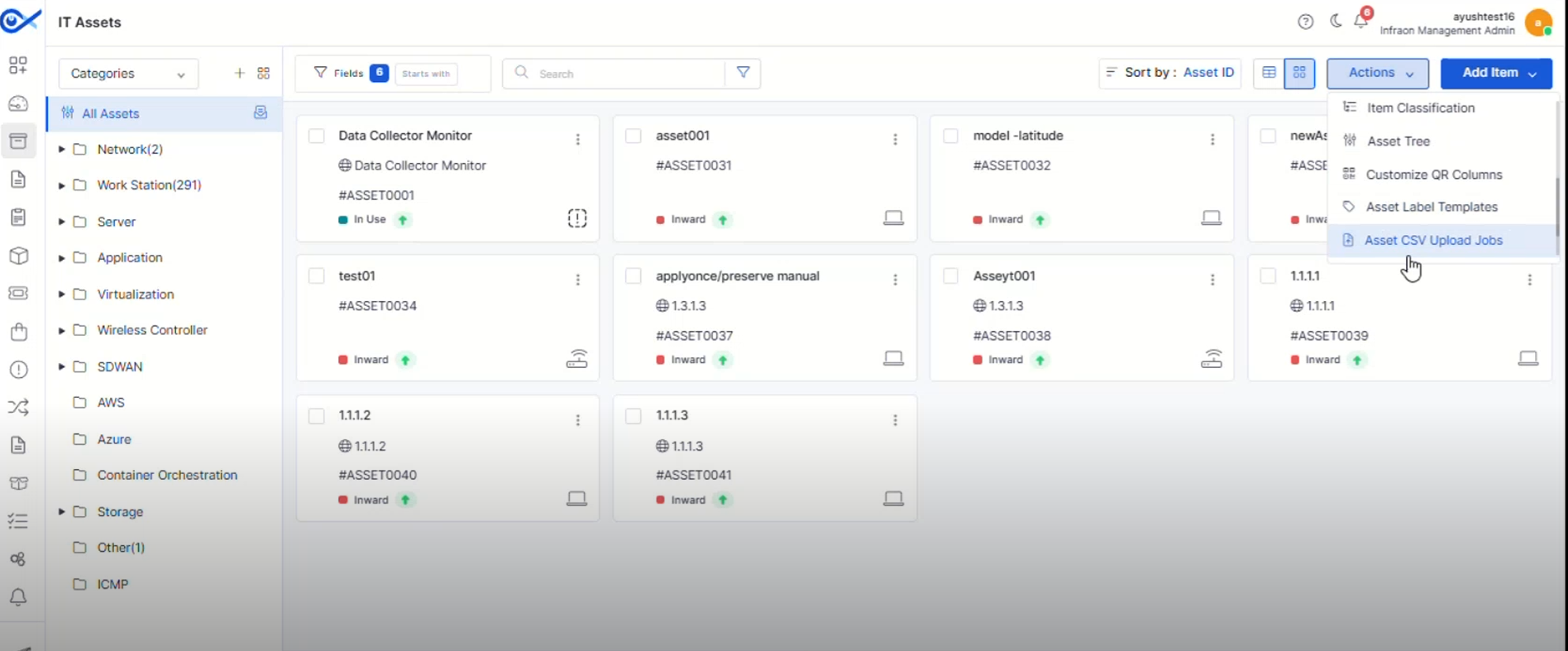
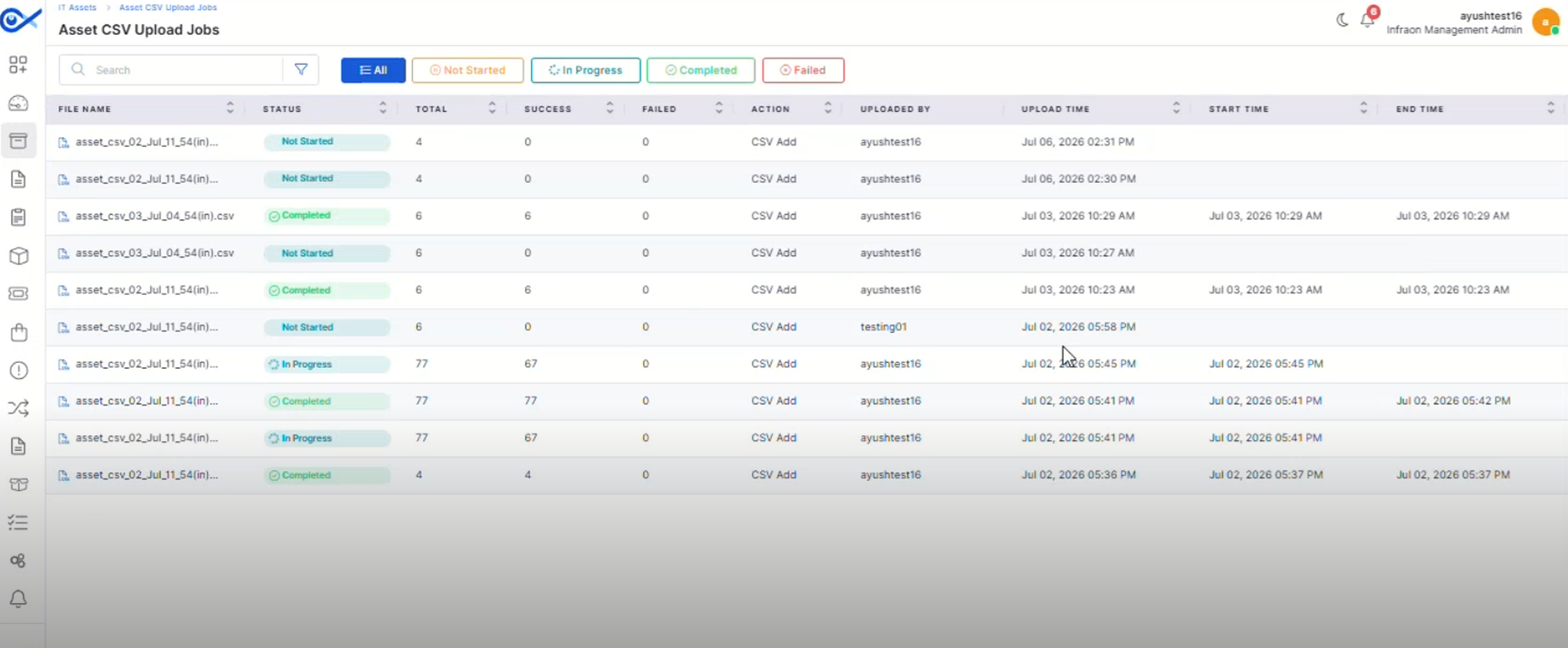
Asset CSV Upload Jobs
A dedicated page now provides visibility into Asset CSV upload and bulk edit activities.
* Track upload progress and job status.
* View successful and failed records.
* Search and filter upload jobs easily.
* Improve monitoring of bulk asset operations.
Asset QR Code Print Custom Template
Create reusable QR and barcode label templates for different asset types.
* Design customizable print templates.
* Configure headers, footers, logos, and asset fields.
* Support multiple label layouts and paper formats.
* Generate QR and barcode labels using saved templates.
Hardware Change Notification Optimization
Hardware change notifications have been refined for improved accuracy.
* Reduce unnecessary hardware change alerts.
* Improve notification relevance.
* Enhance hardware monitoring.
* Minimize false notifications.
Asset Bulk Edit Optimization
Bulk editing has been enhanced to improve efficiency when managing assets.
* Improve processing of bulk updates.
* Reduce execution time for large operations.
* Simplify asset administration.
* Enhance overall performance.
### Mobile Enhancements
Android – Multi-View for Impact Service
Android users can now switch between multiple Impact Service views for improved visibility.
* Access different Impact Service layouts.
* Improve navigation between related services.
* Enhance service monitoring.
* Provide a more flexible mobile experience.
iOS – Multi View for Impact Service
The iOS application now supports multiple Impact Service views.
* Switch between different service views.
* Improve visibility into impacted services.
* Simplify navigation.
* Enhance usability on iOS devices.
## 🐛 Bugs Fixed
* General stability and performance improvements across modules.
* Fixed UI inconsistencies and validation issues.
* Improved synchronization and workflow handling.
* Minor fixes across reports, dashboards, and integrations.
 ### Dashboard