> For the complete documentation index, see [llms.txt](https://docs.infraon.io/product-help/llms.txt). Markdown versions of documentation pages are available by appending `.md` to page URLs; this page is available as [Markdown](https://docs.infraon.io/product-help/explore-more/use-cases/asset/it-and-fixed-asset.md).
# IT & Fixed Asset
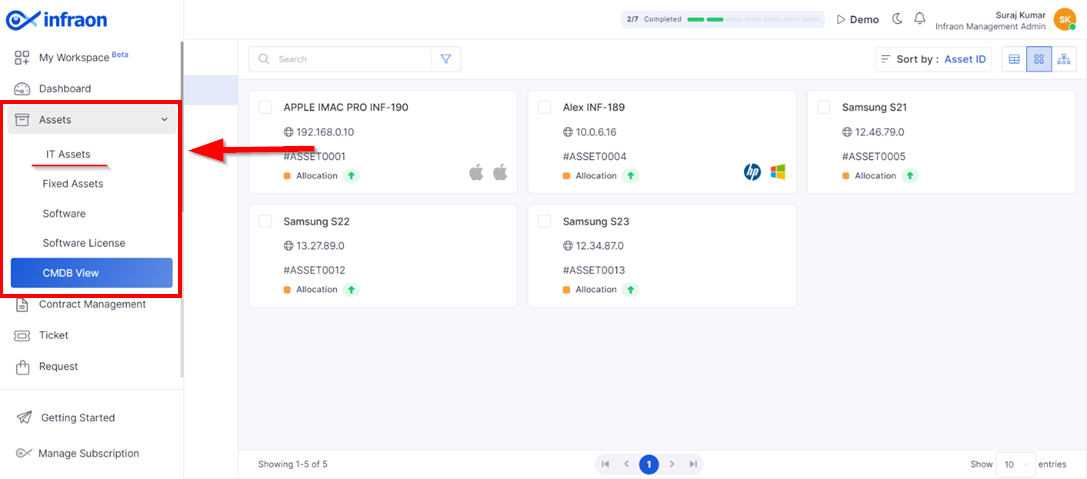
This guide explores the sub-modules of the Infraon Infinity platform's Assets.
**IT assets**, or IT nodes, are devices with an IP address. These encompass servers, routers, storage devices, transport devices, wireless controllers, and access points.
On the other hand, **Fixed assets** are tangible devices used in an organization's operations. Examples include scanners, fax machines, printers, modems, hubs, and air conditioners.
### IT Assets
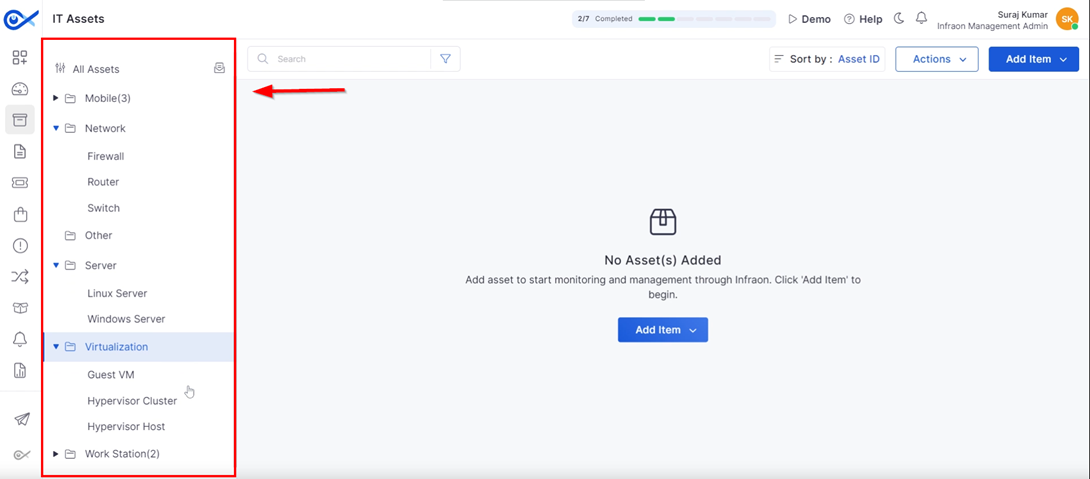
Clicking on the **IT asset** will display categories on the left panel, sorted by device type. Infraon maintains a comprehensive inventory of each asset. These categories help differentiate and filter assets based on their type.
The system employs a hierarchical structure to categorize IT assets.
Primary categories include:
* Network
* Other
* Server
* Virtualization
* Workstation
Certain categories contain subcategories for more detailed classification.
* Network: firewalls, routers, switches
* Server: Linux servers, Windows servers
* Virtualization: guest VM, hypervisor cluster, hypervisor host
* Workstation: desktops, laptops, Macs
Subcategories inherit properties from their parent categories.
### Fixed Assets
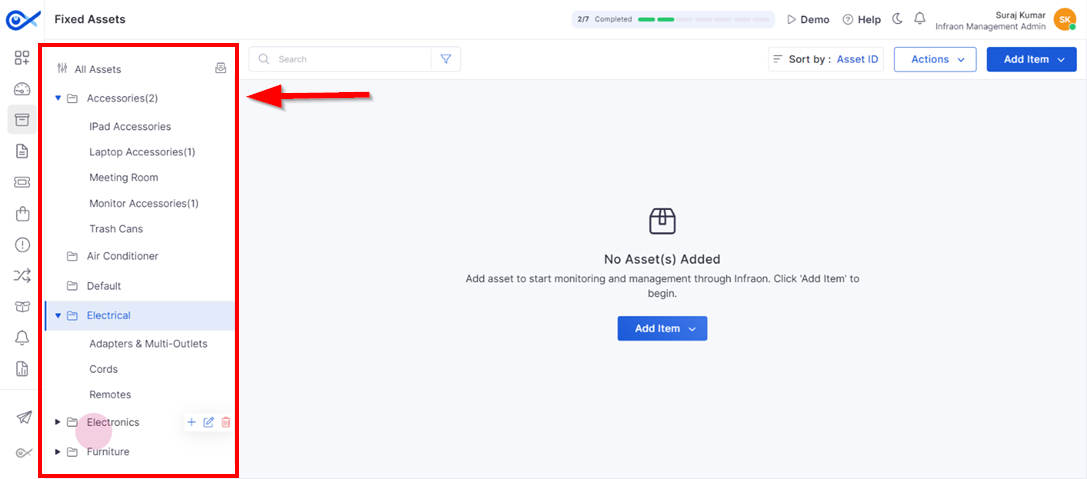
The Fixed Assets section on the left panel features pre-defined categories for organizing and filtering your assets by type. These categories include:
* Accessories: iPad accessories, laptop accessories, meeting room equipment, monitor accessories, trash cans
* Air Conditioners
* Electrical: adapters, multi-outlets, cords, remotes
* Electronics: iPads, laptops, phones, projectors, screens
* Furniture: chairs
Users can further refine their asset search by exploring the subcategories within each category.
The next guide will demonstrate how to add categories.