Browse all Infraon releases published during 2026, including new features, enhancements, and bug fixes delivered across the platform.
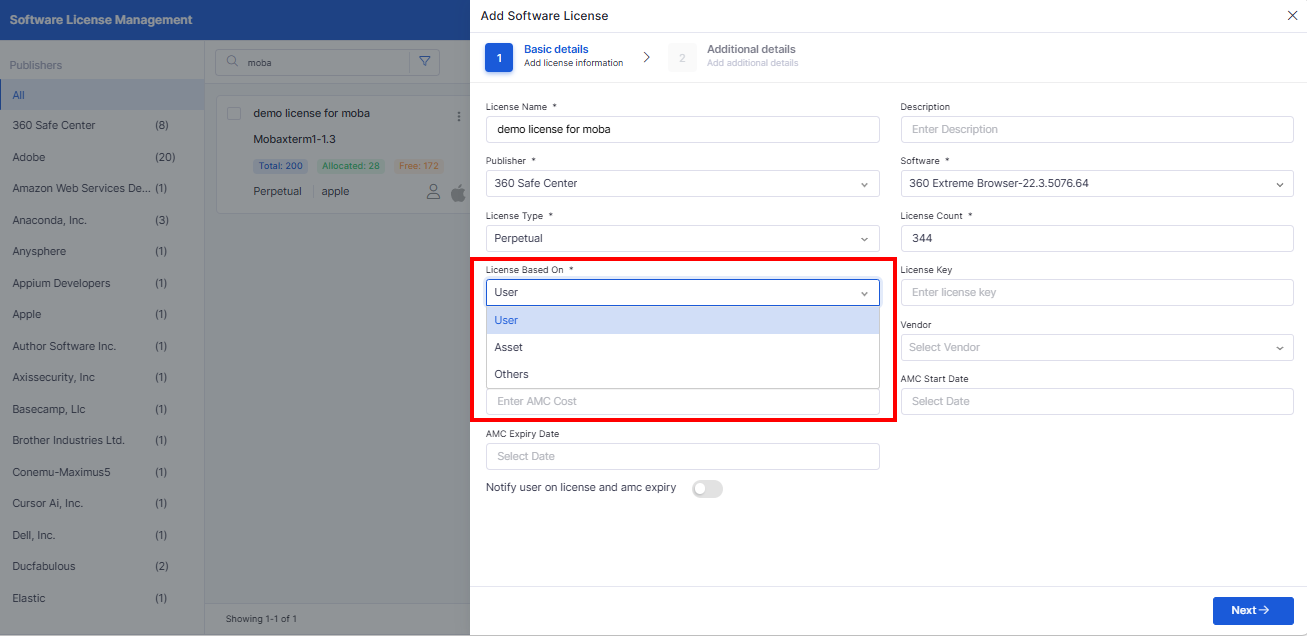
v7.5.4 - October 2026
[8th October 2026] · 11 modules · 15 updates
New
Track reconciliation campaign progress in one place.
Completion, overdue, and response-time insights
Campaign Performance table with CSV and PDF export
Two new dashboard widgets for reconciliation
Improved
Control which non-admin users can see each asset.
Nine visibility rules, each with its own toggle
New Location rule based on the user's location
Applied across assets, reports, and dashboards
New
Staff projects and tasks from more than one team.
Enable multi-team selection in Project Settings
Choose assignees from any selected task team
Single-team behavior when the setting is off
Improved
Keep multi-team work private, and everyone informed.
Visible only to members of assigned teams
Task Assignee as a Send Email recipient
Team selections logged in Recent Activity
Improved
Exclude specific outage windows, not just whole tickets.
Select Down-to-Up windows across tickets
Partial overlaps exclude only the overlapping time
Same approval workflow as ticket exclusions
Improved
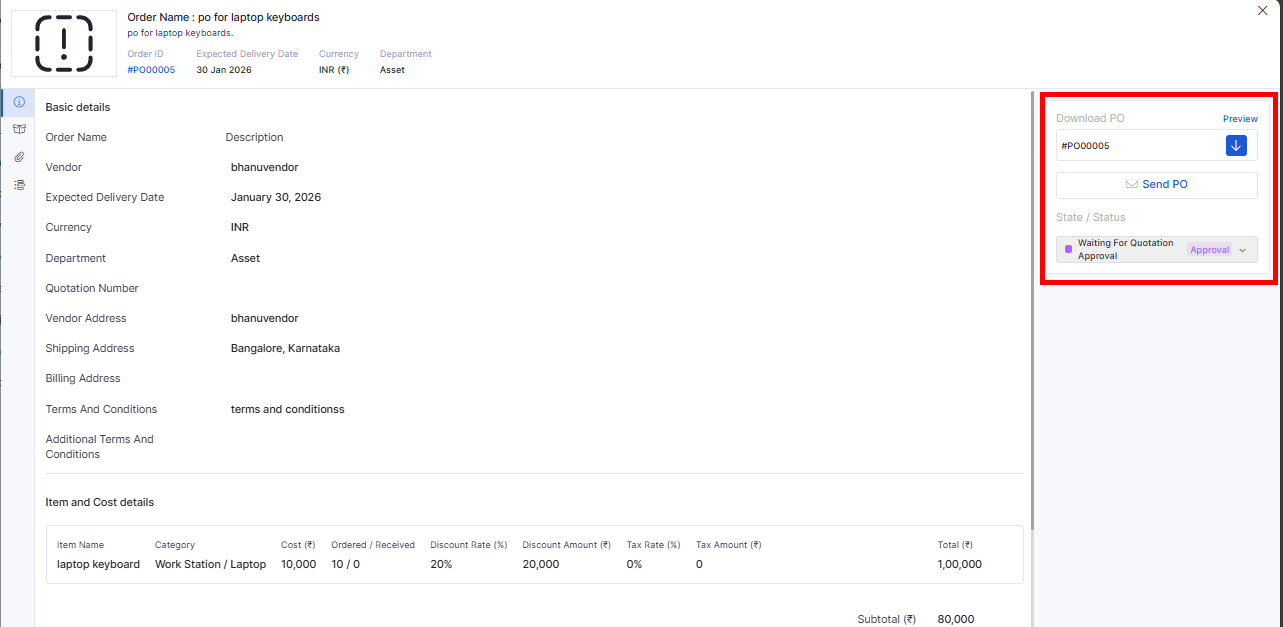
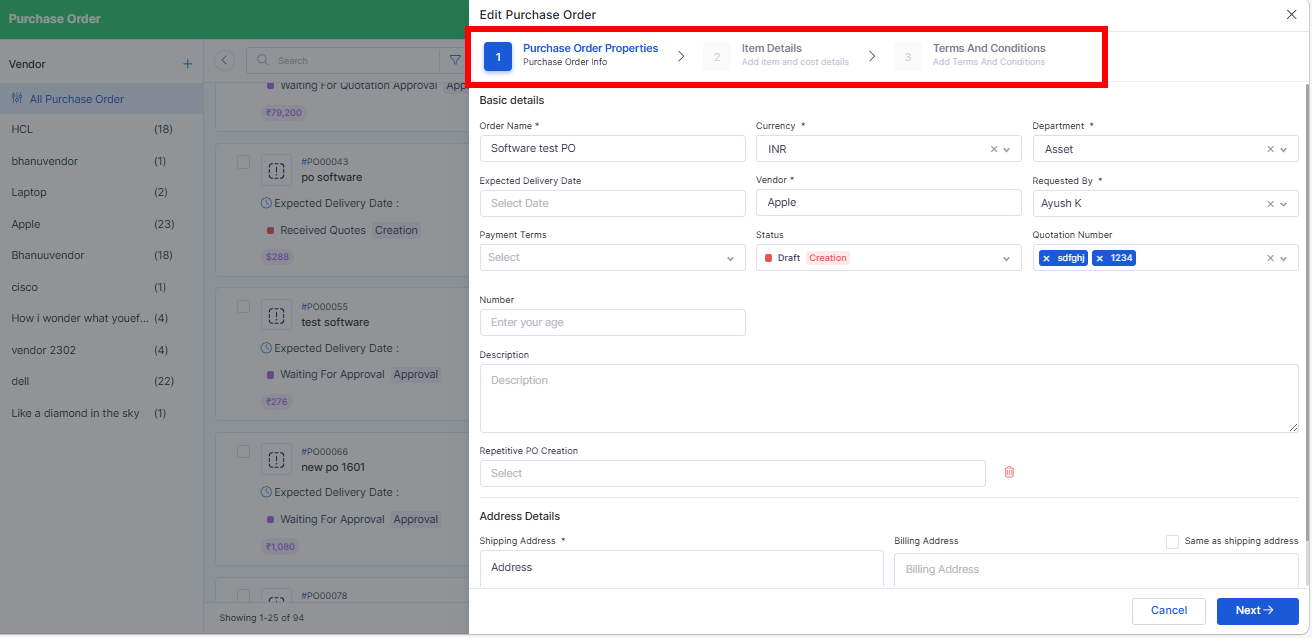
Pick PO addresses directly from the Address Book.
Searchable shipping and billing location lists
Addresses auto-filled and still editable
Add a new location without leaving the PO
Improved
Capture richer details for every location.
Zone, Circle, Type, and Office Name fields
Optional bank-branch fields where enabled
Included in CSV import, export, and filters
Improved
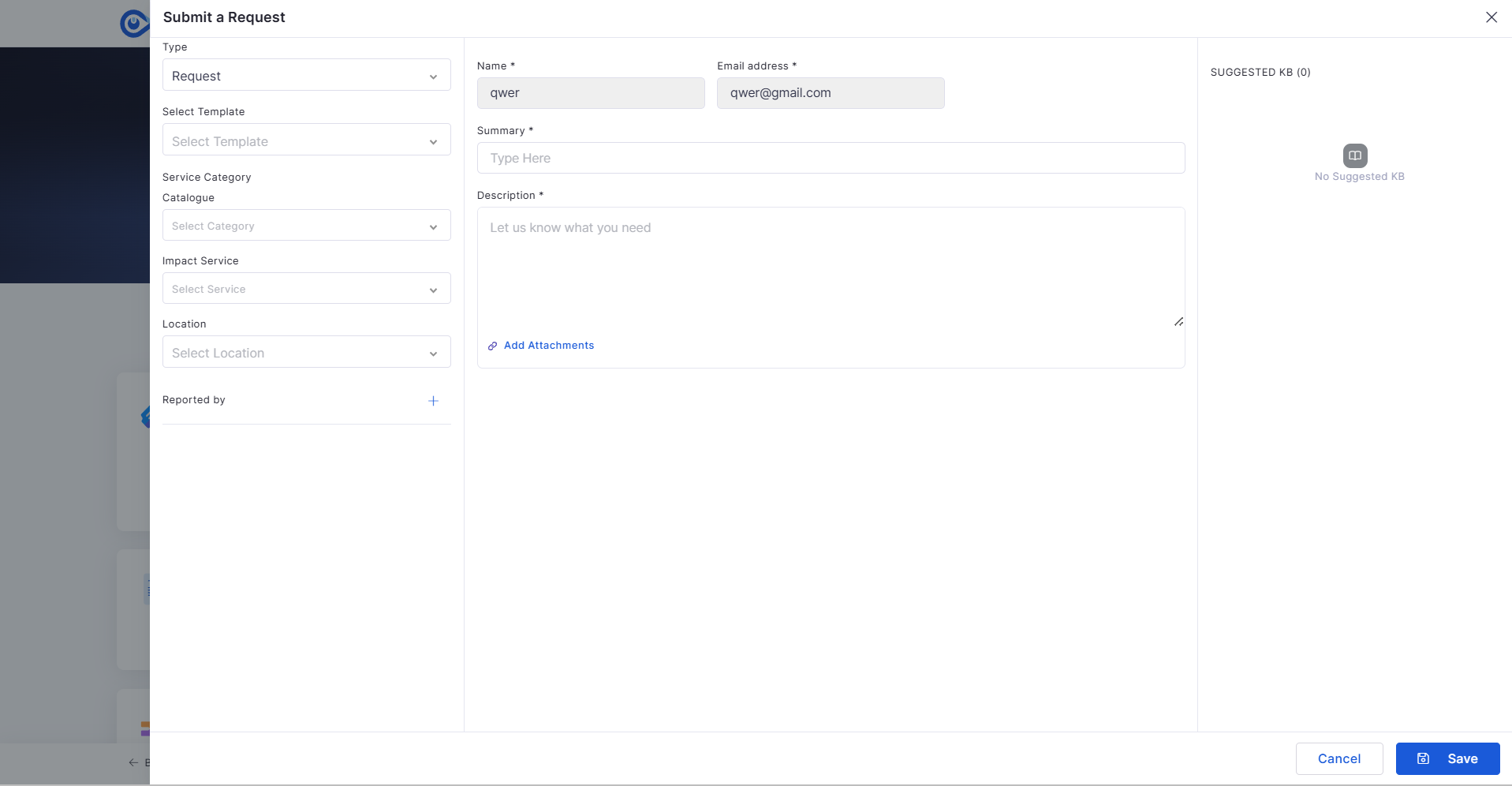
Request template rules now apply in the Self-Service Portal.
Field value and row-count limits enforced
Policy acceptance required before submission
Row limits apply to CSV imports too
Improved
Review full Problem and Release details before approving.
Details open in a new tab from My Approvals
Summary, service, priority, and requester details
Attachments grouped by category
Improved
Duplicate-free, accurately categorized asset sync from BMC.
Duplicate prevention for repeated or parallel syncs
Exact type matching with new sub-categories
Hourly or daily schedules that keep running
Improved
An optional, faster upload method for attachments.
Multipart/form-data uploads where enabled
Base64 JSON remains the default
Covers ITSM, CMDB, EAM, and procurement modules
Improved
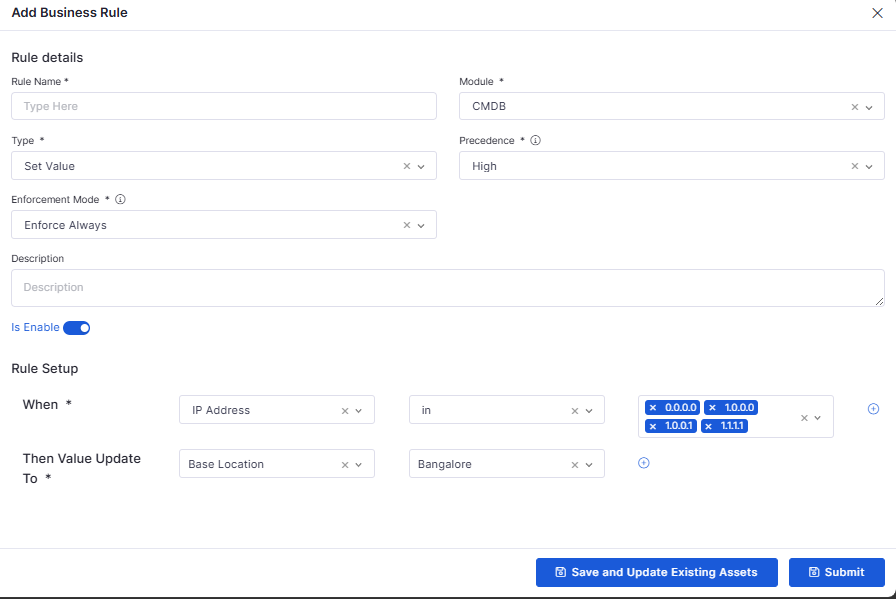
Every business rule edit is now recorded in the audit log.
Audit entry for each saved edit
Old and new values side by side
Covers name, module, type, and rule settings
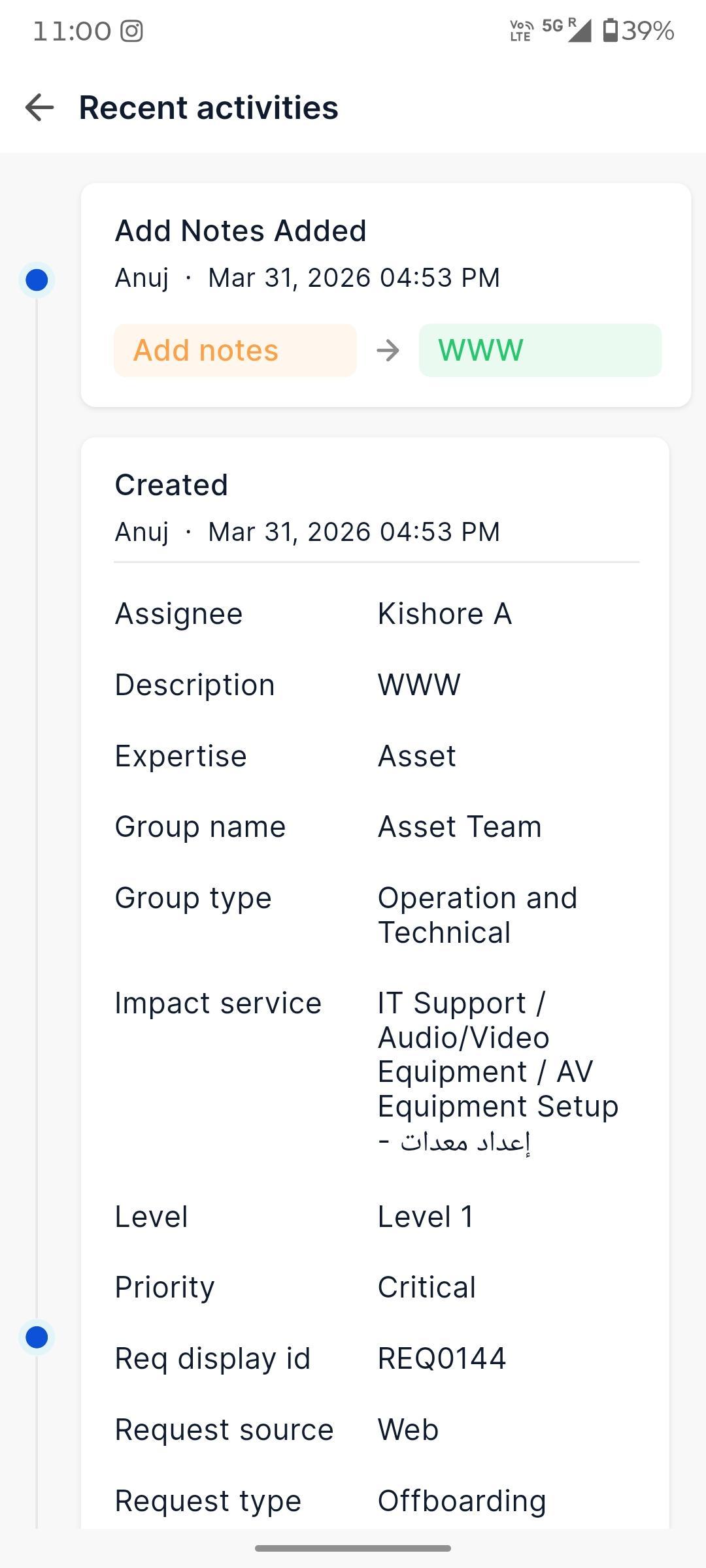
Request Details Edit
New · Edit requests directly from the Android app.
Update status, priority, urgency, and impact
Edit followers, tags, location, and custom fields
Validation before changes are saved
SSP Knowledge Base
New · Full Knowledge Base access in the Self-Service Portal.
All KB types, attachments, and comments
Article search with history
Complete article details
New · Update existing tasks from iOS.
Open a task with its details prefilled
Edit only the fields you are permitted to change
Mandatory fields validated before saving
Upcoming Release: October 2026
Pre-release documentation. Availability may vary by subscription, feature enablement, and role permissions.
Highlights
IT Assets
Asset Reconciliation Reports and Widgets
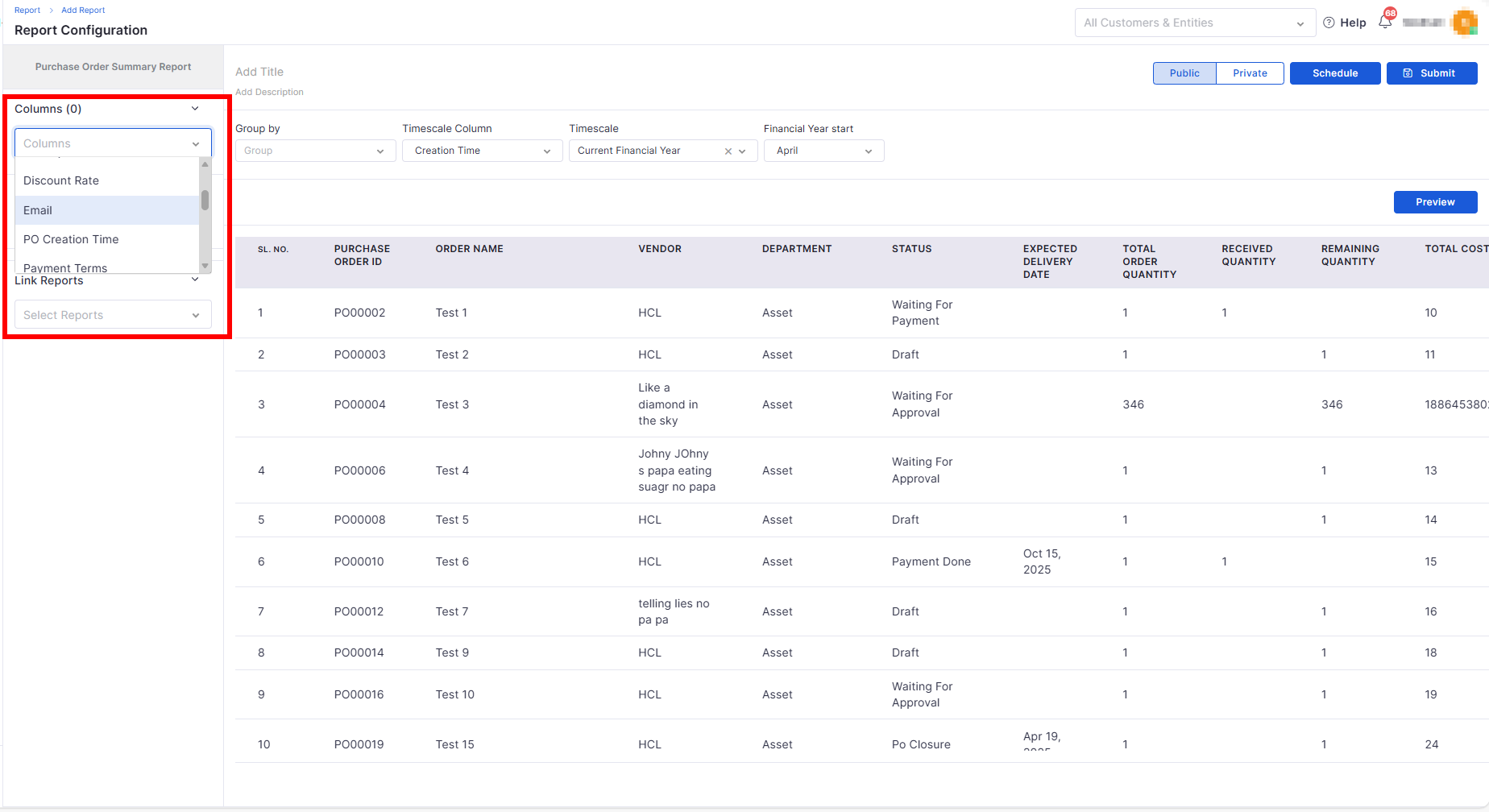
Asset Reconciliation Reports
Campaign insights in reports and dashboards.
v7.4.5 - April 2026
View the latest features, enhancements, and fixes by release.
Release Cycle: 10th April 2026
Build: Pre-Release Documentation
This upcoming release introduces enhancements across Mobile, Asset, Request, Project Management, Configuration, Purchase Order, Dashboard, Marketplace, and Feature Configuration. The focus is on improving AI-driven workflows, project planning, procurement usability, dashboard insights, and data privacy controls.
Fixed the missing scroll in the Help slider
Resolved blank Help slider on navigation
Multi-Team Projects
Assign work across several teams.
Window-Based SLA Exclusion
Exclude only the outage that matters.
Configurable Asset Visibility Rules
Project Management
Multiple Teams and Assignees in Projects
Team-Based Visibility and Assignee Emails
SLA
Window-Based SLA Exclusion
Purchase Order
Shipping and Billing Addresses from the Address Book
Address Book
New Location Fields
Request Management
Request Template Rules and Policies in SSP
Self-Service Portal
Approval Details for Problem and Release
Marketplace
Reliable BMC Helix Discovery Sync
Common Module
Faster Attachment Uploads
Business Rule
Audit Trail for Business Rule Edits
Mobile Apps
Fixes
Service Management
Changing the ticket requester returned a server error.
Incident approvals did not proceed.
Self-assignment did not apply when creating ITSM records.
Panel View blocked ticket-to-request conversion until the ticket was resolved.
Duplicate asset cards appeared when converting a ticket to another module.
Approval buttons did not respect ticket privileges in the communication view.
Impact service conditions in assignment rules did not apply to tickets.
Business rules did not load after an upgrade, affecting ticket assignment.
The Status dropdown stayed open while scrolling.
Resized tables reverted to their original size when editing a problem.
The Release Task Assignee field loaded all users.
Follower names appeared as [object Object] in the Request list.
Images added in About Task were missing after the task was created.
The system did not enforce mandatory additional fields on tasks created from a form template.
The task edit icon was missing in grid view.
IT Assets
Product images were not displayed on the asset detail and edit pages.
CSV Bulk Edit did not update the asset state.
Field visibility settings were not applied to IT Asset and Fixed Asset CSV import and export.
CMDB business rules in Enforce Always mode did not update existing assets.
Return-by dates changed to the 2nd of the month after submitting an IMACD process.
IMACD module visibility was inconsistent for non-admin users.
The logo was not retained in the IMACD Gate Pass preview and download.
Filters did not work in the Asset Level Size Metric.
Property field names appeared in Configure Columns when permissions were disabled.
An empty Common Properties section appeared when the property was disabled.
The system did not calculate the total amount for selected assets in Support & Maintenance contracts.
The Save button did not work on Software License alerts.
SLA and Reports
The Asset SLA Penalty Report showed an incorrect report duration when downloaded.
Counts did not match in the Incident SLA Aging Summary.
SLA mapping did not apply correctly after a build upgrade.
Some tickets showed an incorrect SLA Breached status.
The SLA profile edit page took more than 9 seconds to load.
Ticket creation time did not sort correctly in SLA reports.
SLA Exclusion showed ticket creation time in UTC instead of the user's time zone.
Reports showed only the first impacted asset for records with multiple assets.
The Status filter did not work in Ticket and Request reports.
The Change Summary Report showed blank columns.
Tags were listed incorrectly in ITSM widget details and exports.
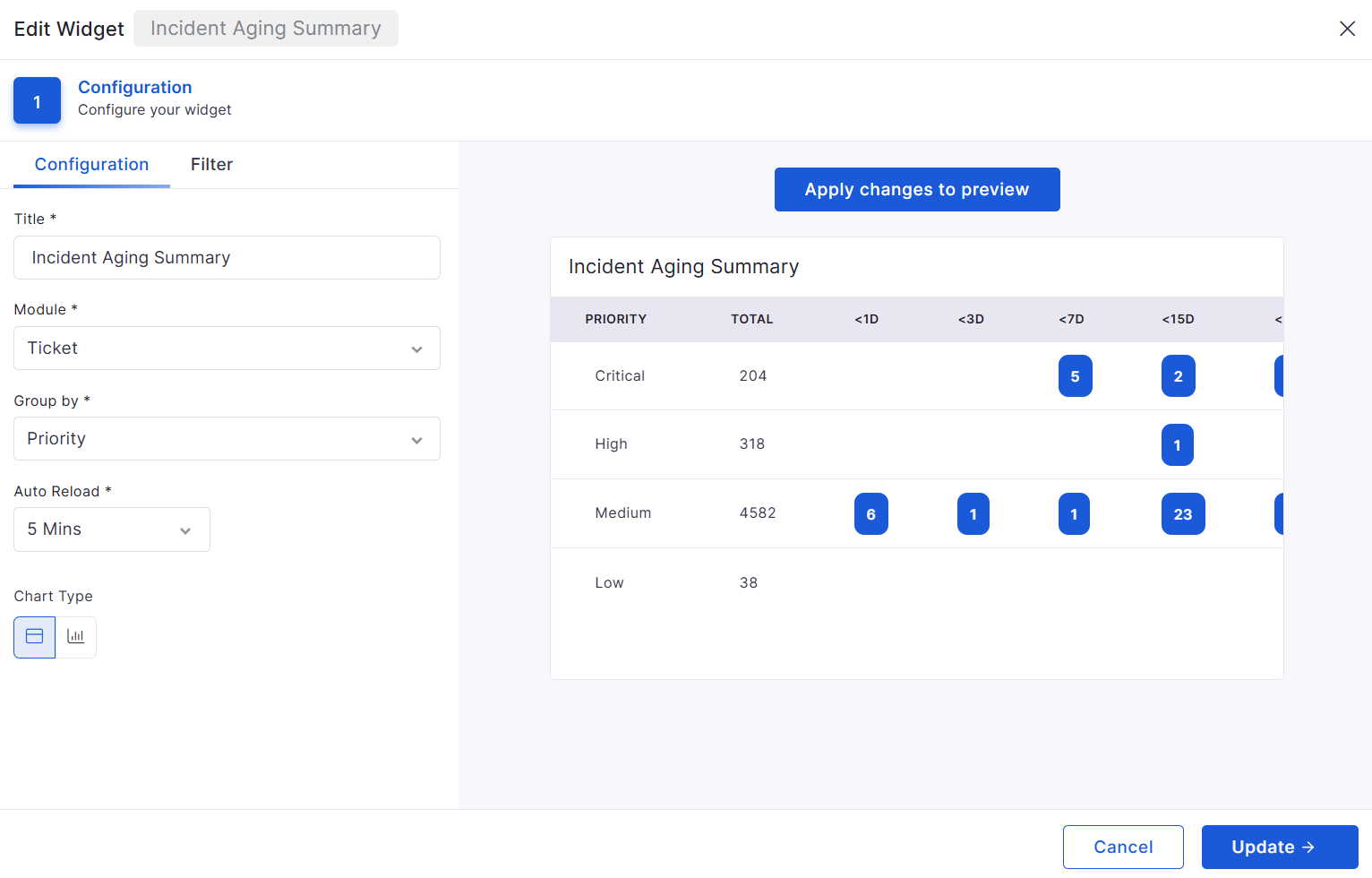
Counts overlapped in the Ticket Aging Summary widget's bar chart view.
Self-Service Portal
The Customer/Entity dropdown and action controls overlapped the banner.
The portal displayed the technician notification count.
The ticket source icon was missing.
Platform and Administration
GET API requests were counted towards API usage.
Scheduled LDAP sync did not update the Last Sync Time.
Scheduled Active Directory sync did not run.
An incorrect error message appeared for an invalid SMTP port.
The Unique toggle was missing for some custom fields.
The Mandatory toggle was disabled for existing categories when adding a new category.
Mandatory custom fields were not validated when updating a purchase order.
The Submit button stayed disabled after correcting fields following a CSV upload.
The tag deletion warning showed an incorrect module name.
The page froze after closing the Keyboard Shortcuts panel.
Grid columns froze after applying a filter and scrolling horizontally.
Some labels, messages, and tooltips appeared in English when Arabic was selected.
General stability and UI consistency improvements.
Update Task
Fixed ticket creation issue for assigned device groups
Corrected SSP showing disabled modules on homepage
Includes details, line items, addresses, and activity logs
Supports timeline and grid-based activity tracking
PR Search and Filter Enhancements
Added keyword-based search across PR records
Supports advanced filters and saved filters
Includes validation and empty-state handling
Dashboard
Project Relation Summary
Displays project-wise relation counts across modules
Supports custom filters and drill-down
CSV export available
Project Meetings Widget
Displays meeting count based on filters
Supports drill-down and CSV export
Project Milestone Summary
Displays milestone progress (Open, Closed, Total)
Includes completion percentage metrics
Supports filters and drill-down
Marketplace
Gen AI Enhancements
Improved API key handling with round-robin logic
Skips failed keys and prioritizes working keys
No fallback to default key for on-premise setups
Deprecated models removed from selection
Improved AI audit error visibility
Feature Configuration
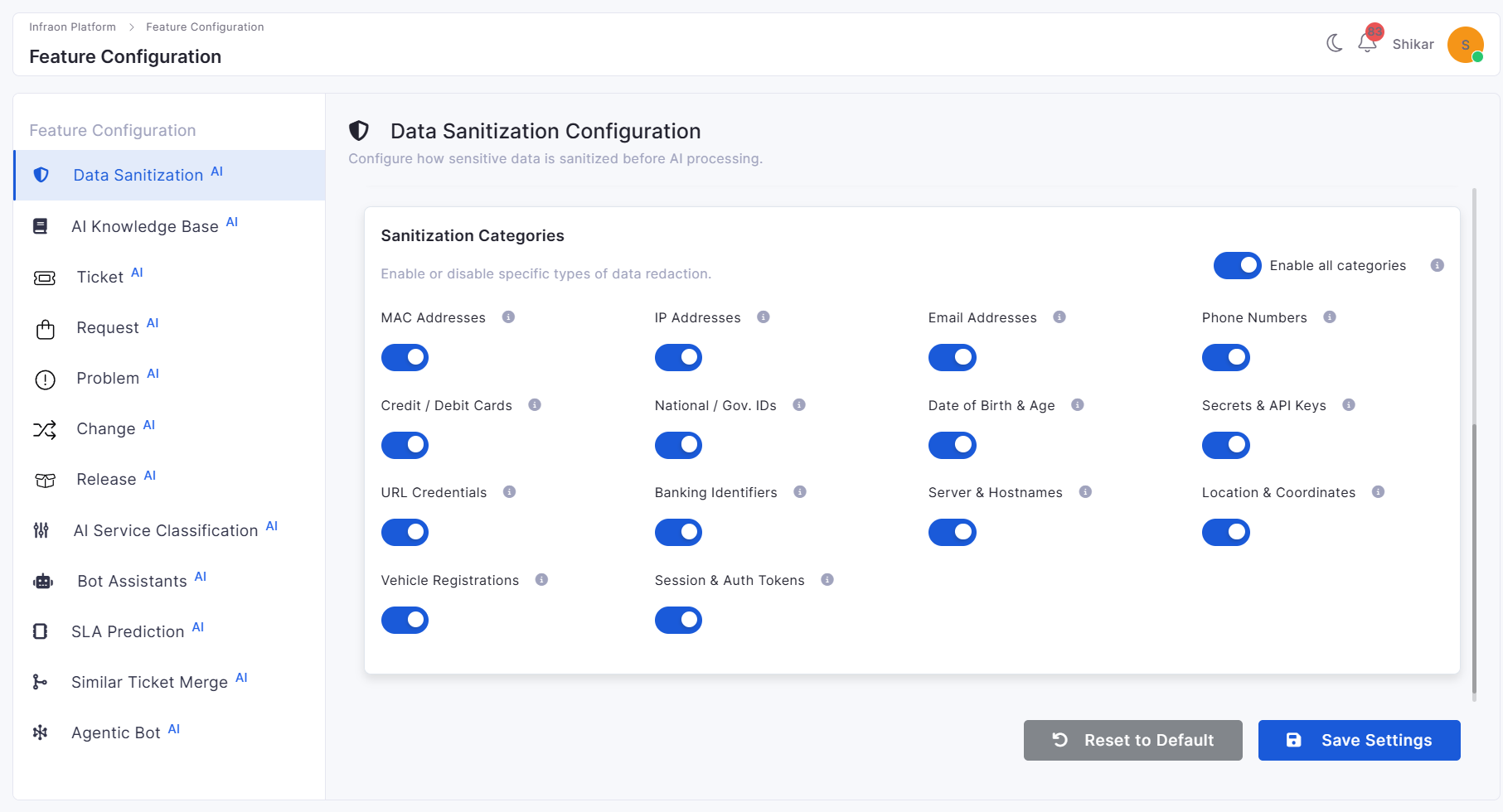
Data Sanitization Before AI Processing
Introduced automatic sanitization of sensitive data
Detects and masks emails, phone numbers, IPs, and credentials
Supports configurable privacy controls
Ensures only sanitized data is sent to AI
Bugs Fixed
v7.4.4 - March 2026
View the latest features, enhancements, and fixes by release.
Release Cycle: 13th March 2026
Build: Pre-Release Documentation
This upcoming release introduces enhancements across Dashboard analytics, Cost Center management, Mobile application capabilities, Self Service Portal workflows, Project Management tools, Purchase Order configuration, Asset lifecycle tracking, Reporting, and Software License management. The update also includes multiple stability and performance improvements across modules.
Resolved issues with Windows inventory agent discovery.
Fixed asset CSV export failures in large environments.
Corrected captcha validation during user registration.
Addressed SSP dashboard visibility issues for requesters.
Fixed status update issues across ticket, request, and problem modules.
Corrected team and location mapping issues in ticket assignments.
Resolved UI alignment issues in the Inventory Agent Installation Report.
Overview
Key Updates
Dashboard
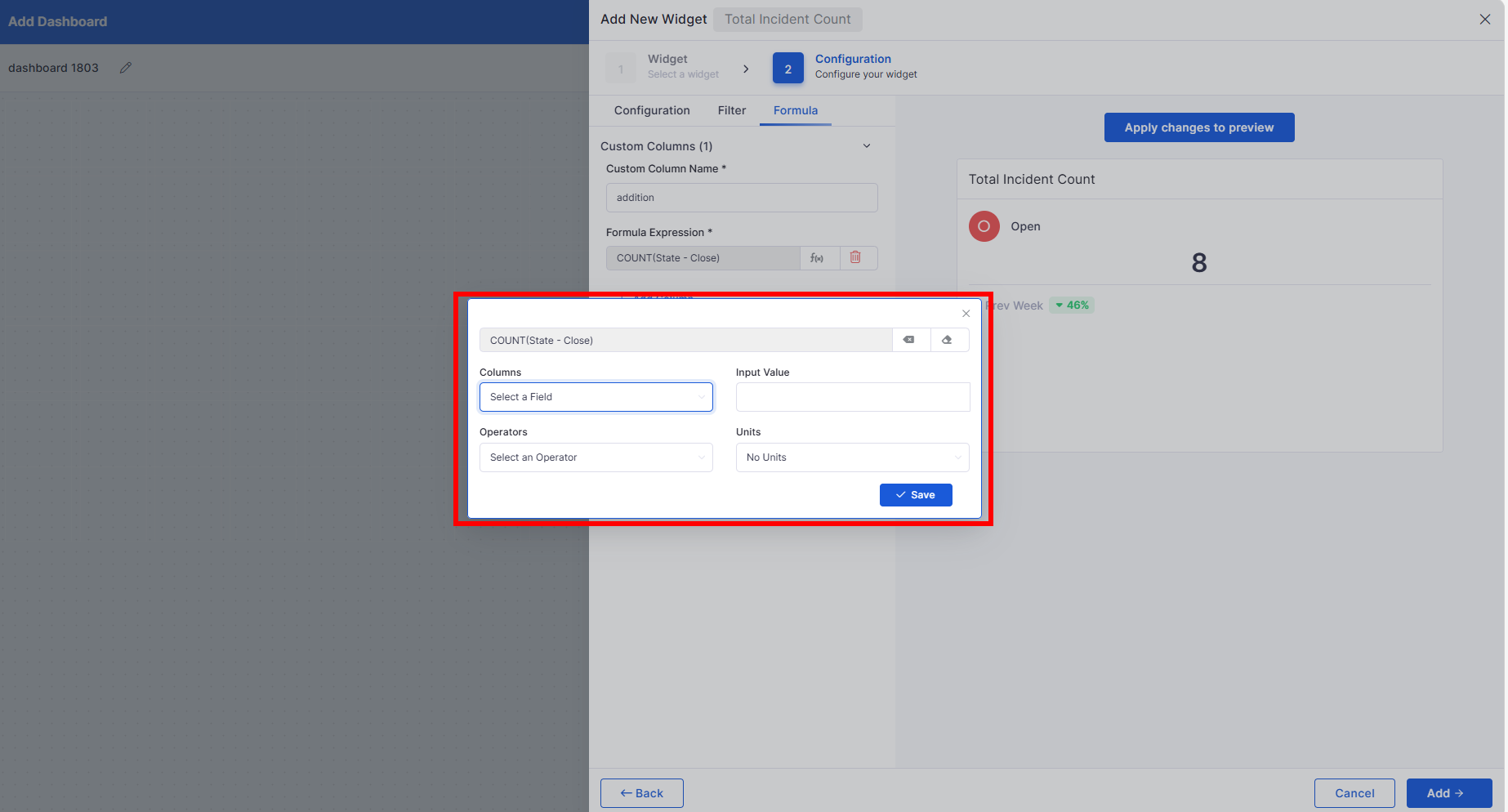
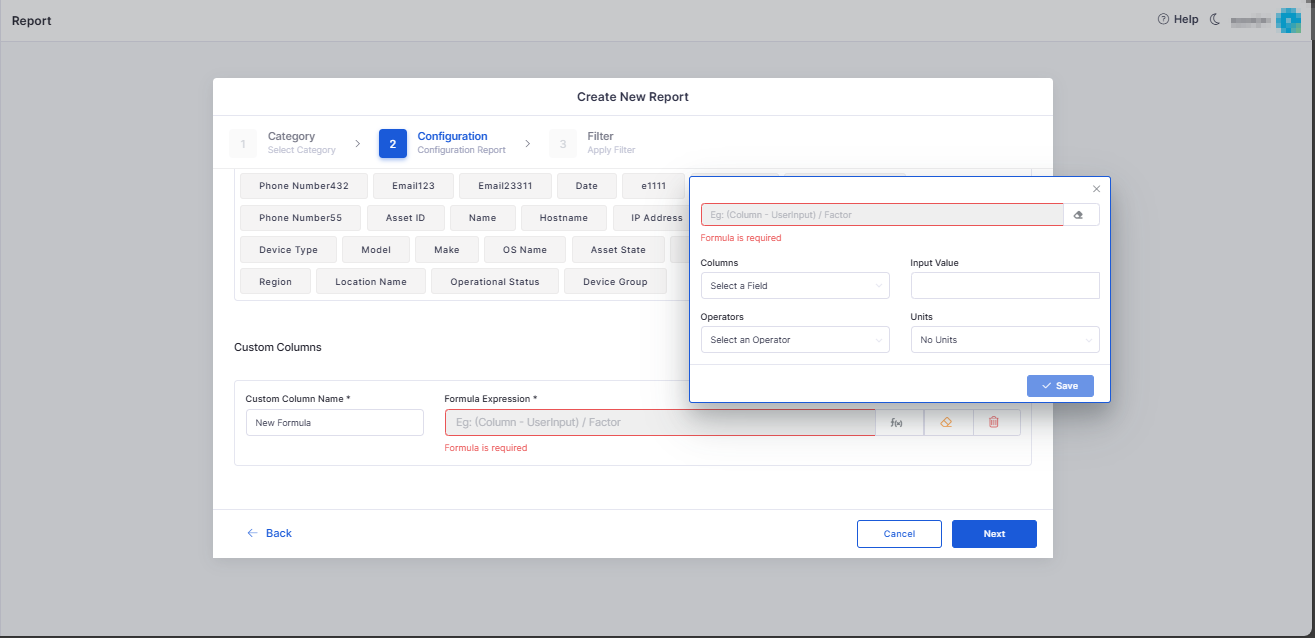
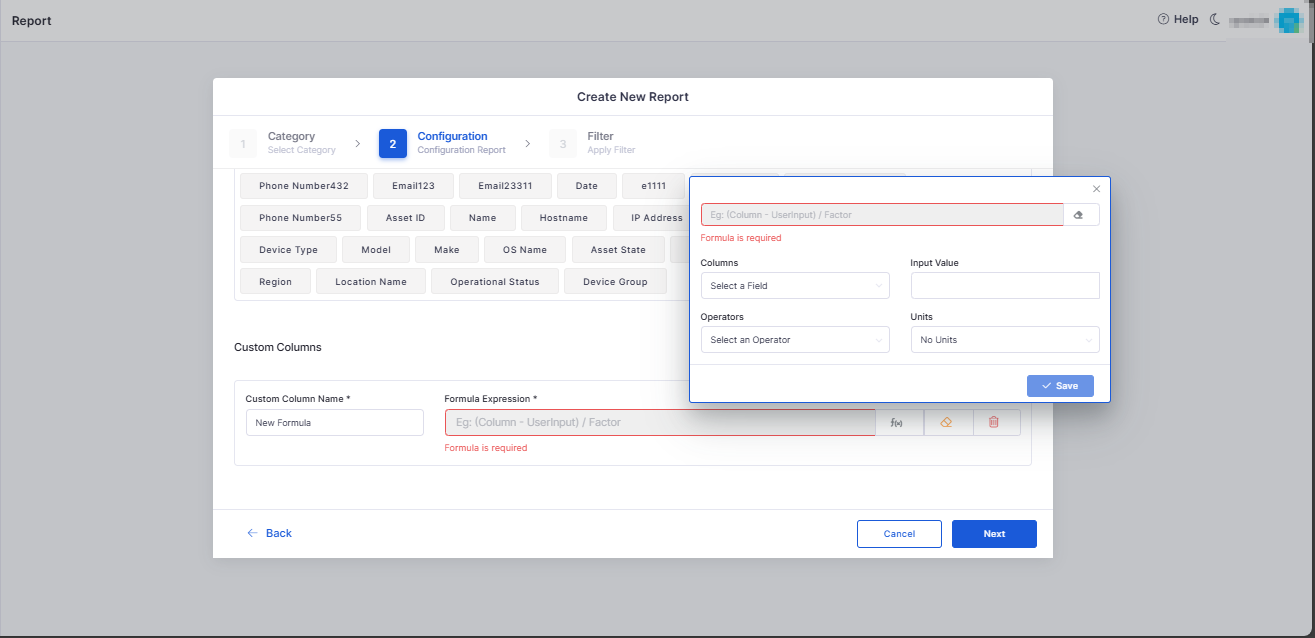
Custom Formula Column for Ticket Count Widget
Introduced a custom formula builder for supported dashboard widgets.
Allows users to define KPI columns using ticket attributes and mathematical expressions.
Supports BODMAS-based calculations for advanced reporting and analysis.
Cost Center
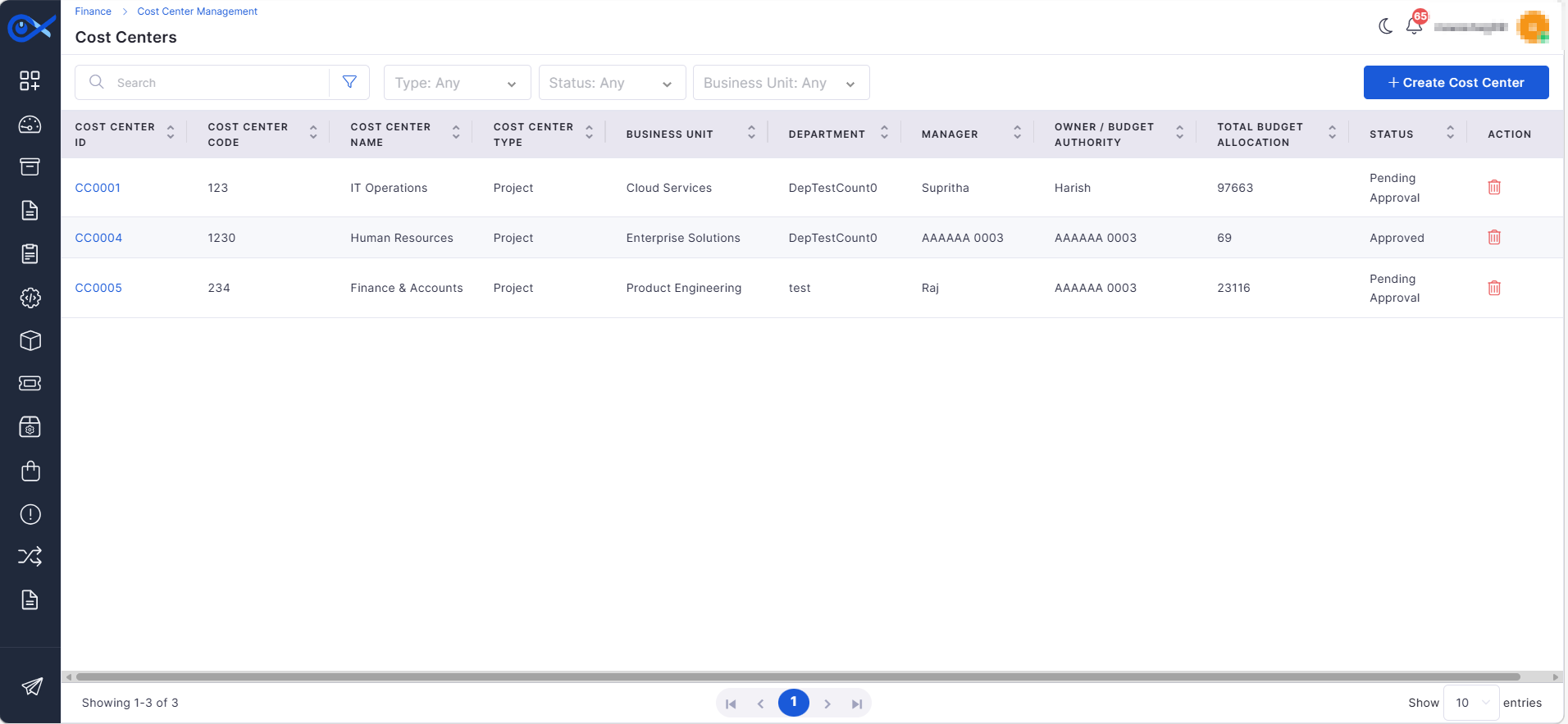
Cost Center Grid View and Creation Wizard
Added Cost Center management with a grid view and creation wizard.
Supports structured creation with validation and duplicate prevention.
Enables linking Cost Centers with Business Units, Departments, and Managers.
Mobile
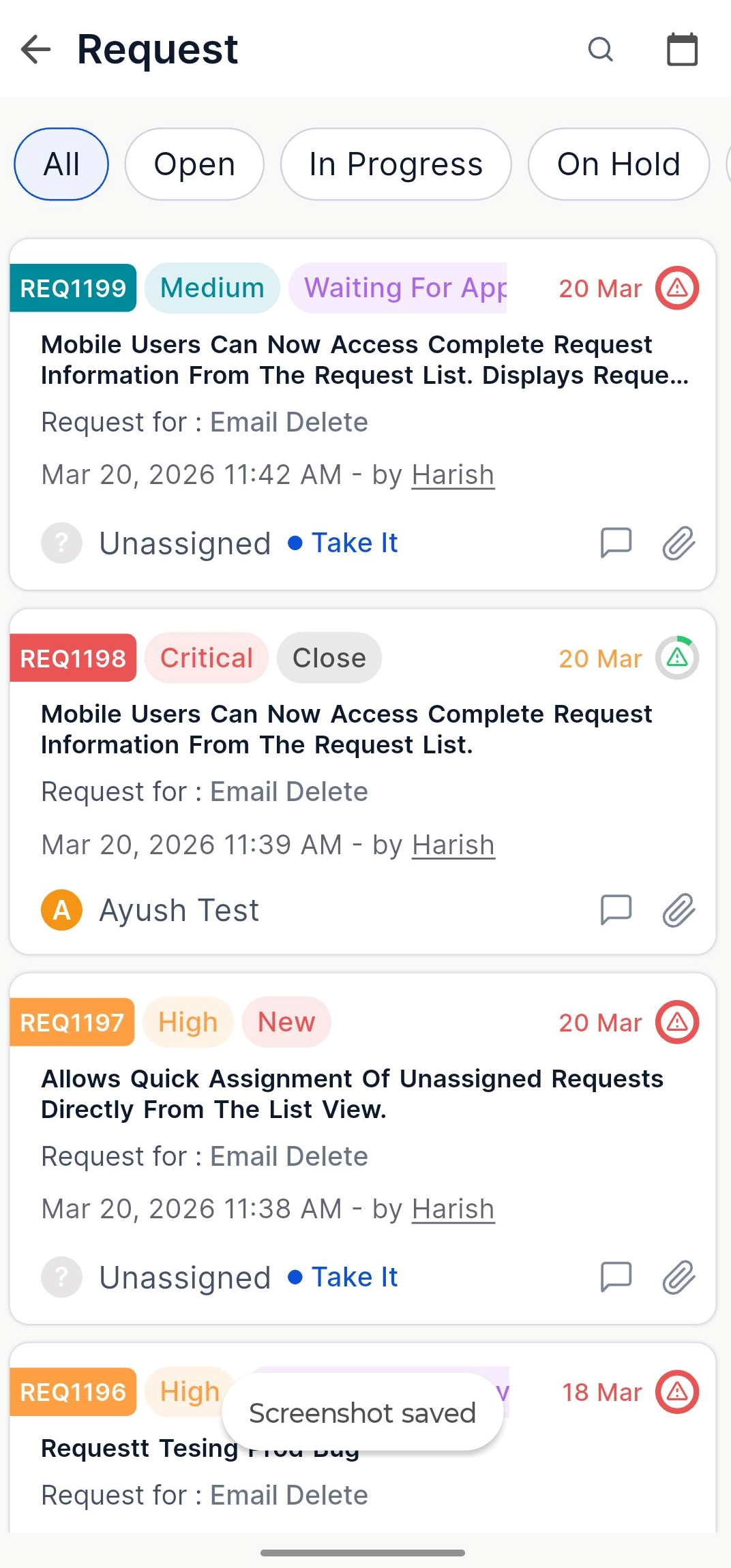
Request Details View
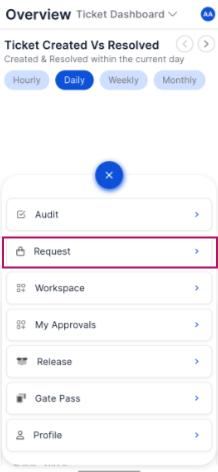
Mobile users can now access complete request information from the request list.
Displays request metadata, SLA details, attachments, activities, and related records.
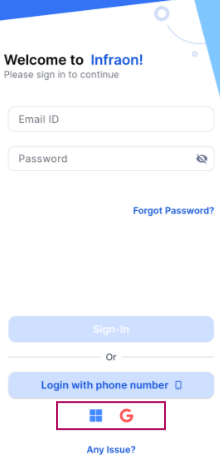
Microsoft SSO Login
Added Microsoft and Google SSO login support for mobile applications.
Enables secure authentication using organization accounts.
Request List Improvements
Added search, filters, and pagination support for request lists.
Allows quick assignment of unassigned requests directly from the list view.
Self Service Portal
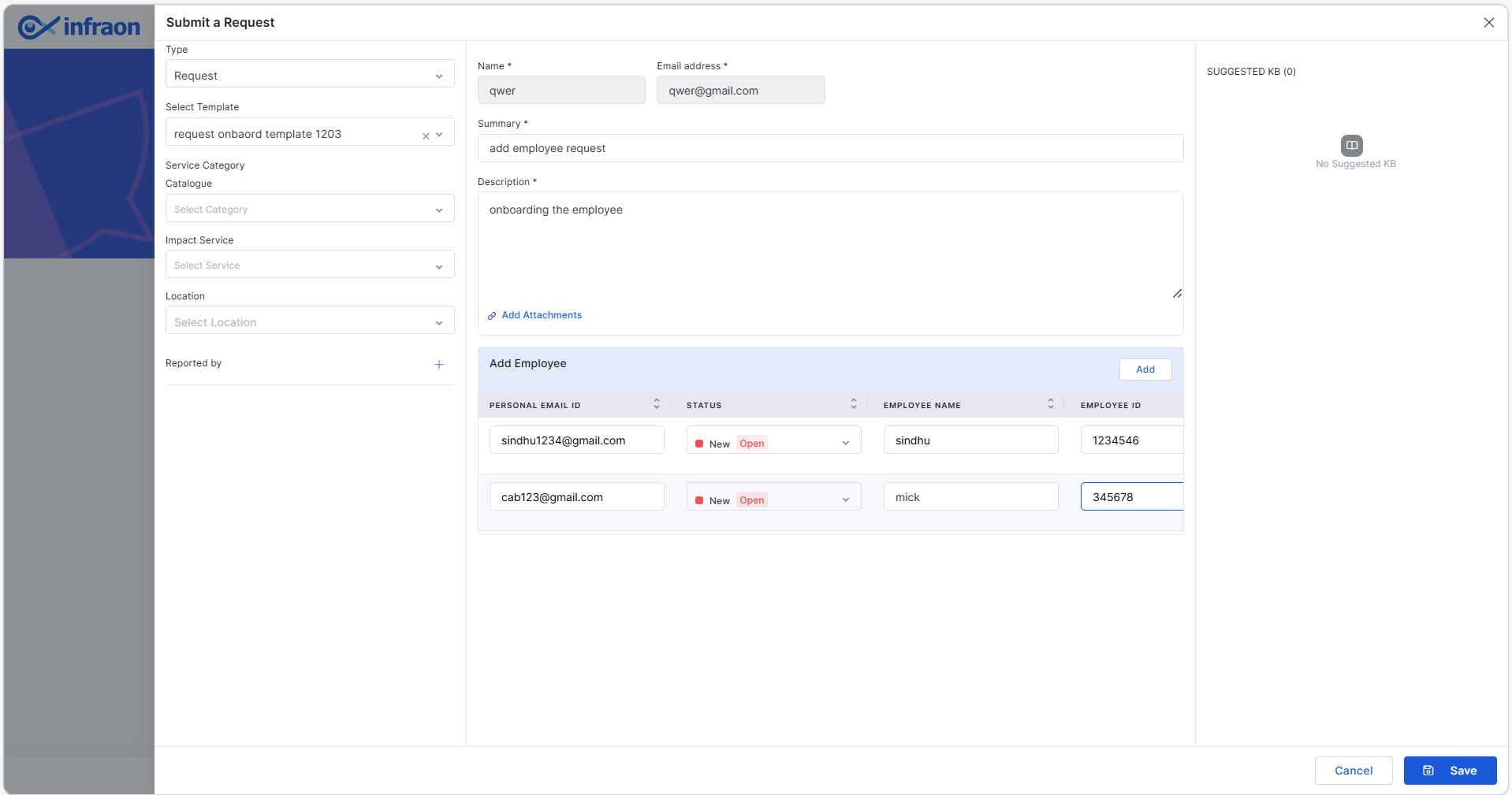
Employee Form for Request Templates
Introduced employee entry grid for request templates, such as onboarding/offboarding.
Supports adding multiple employees with validation and duplicate checks.
Employee details are captured and reflected in the technician portal after submission.
Project Management
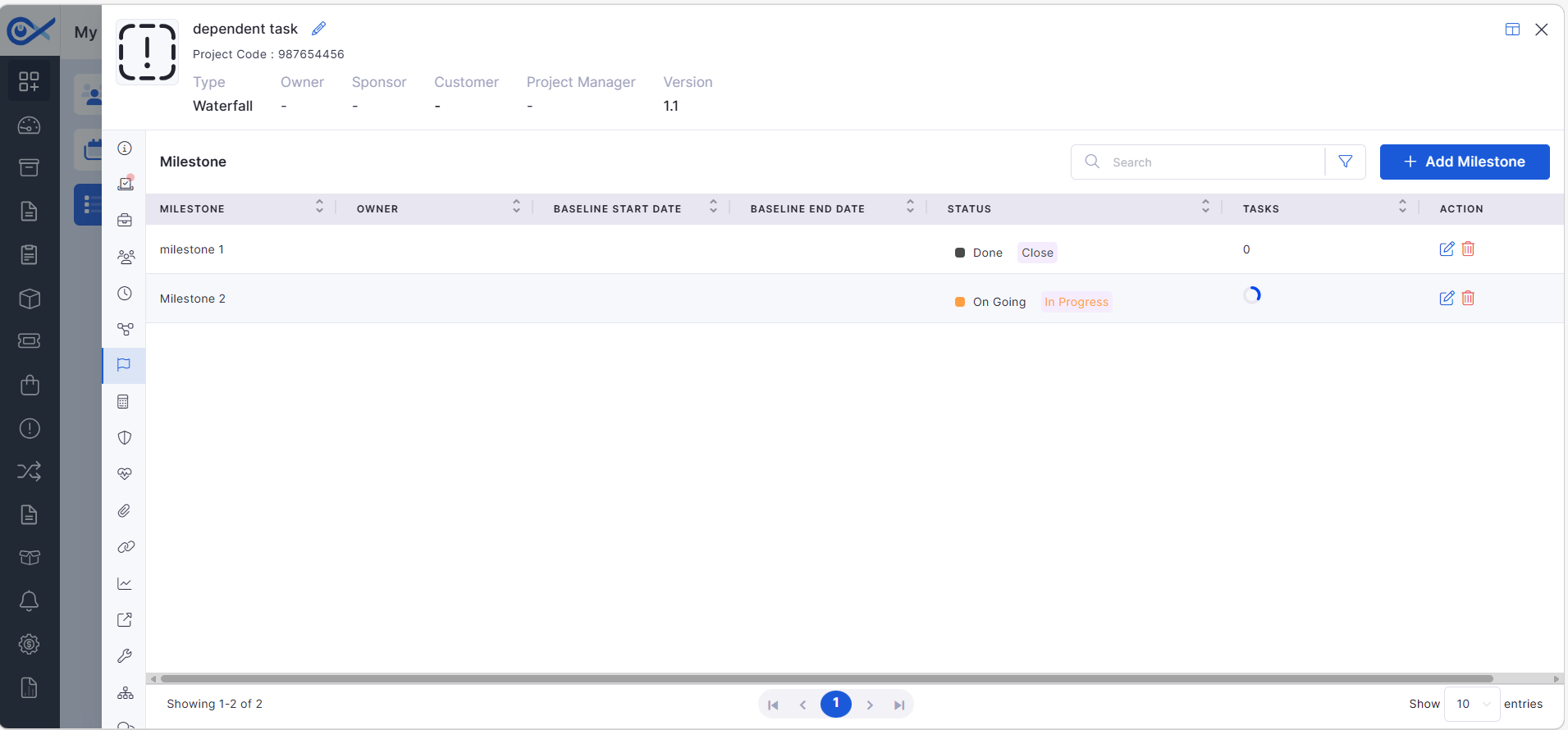
Milestone Search and Filtering
Added page search capability in the milestone grid.
Enables filtering milestones using field-based conditions.
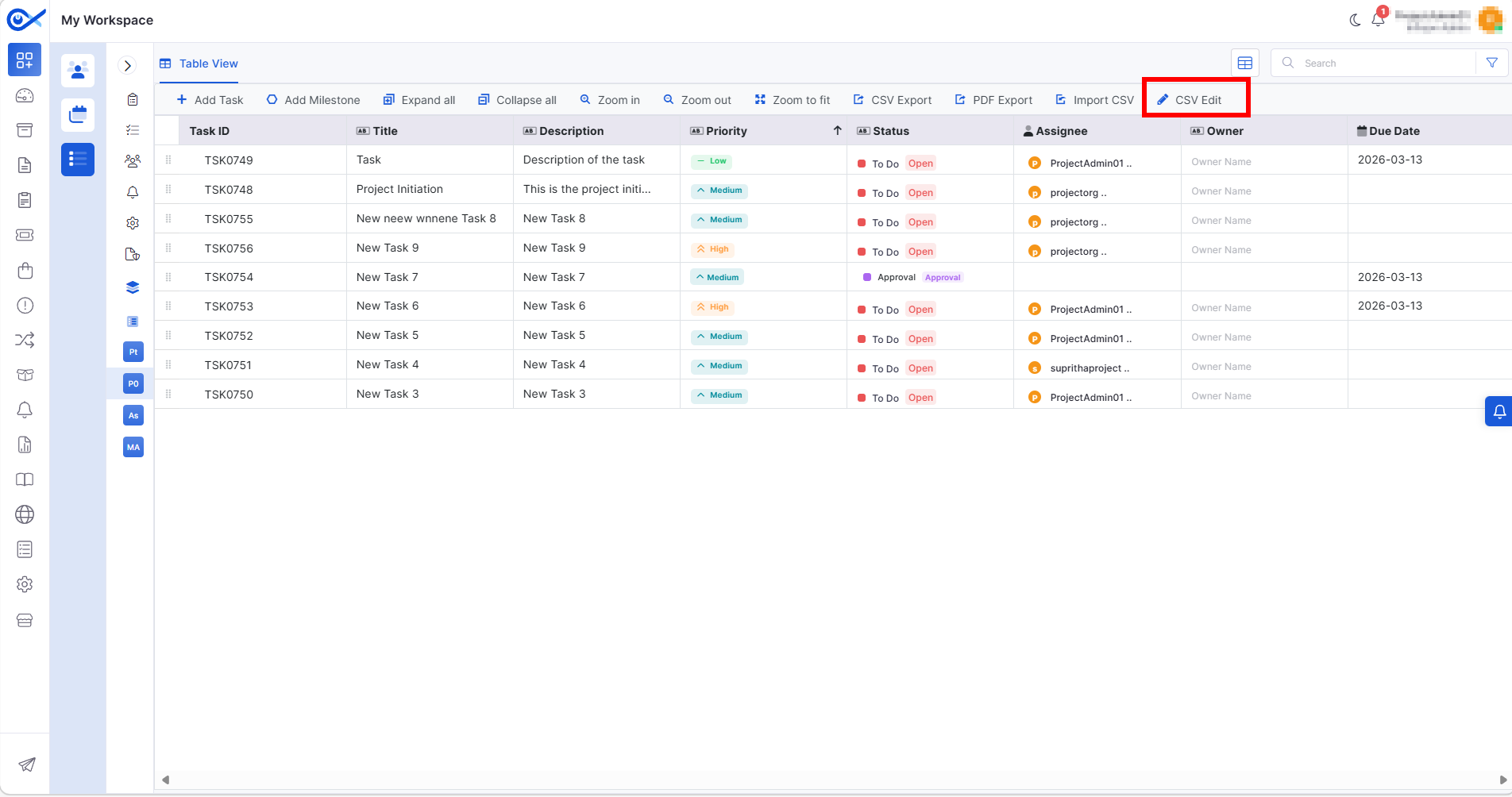
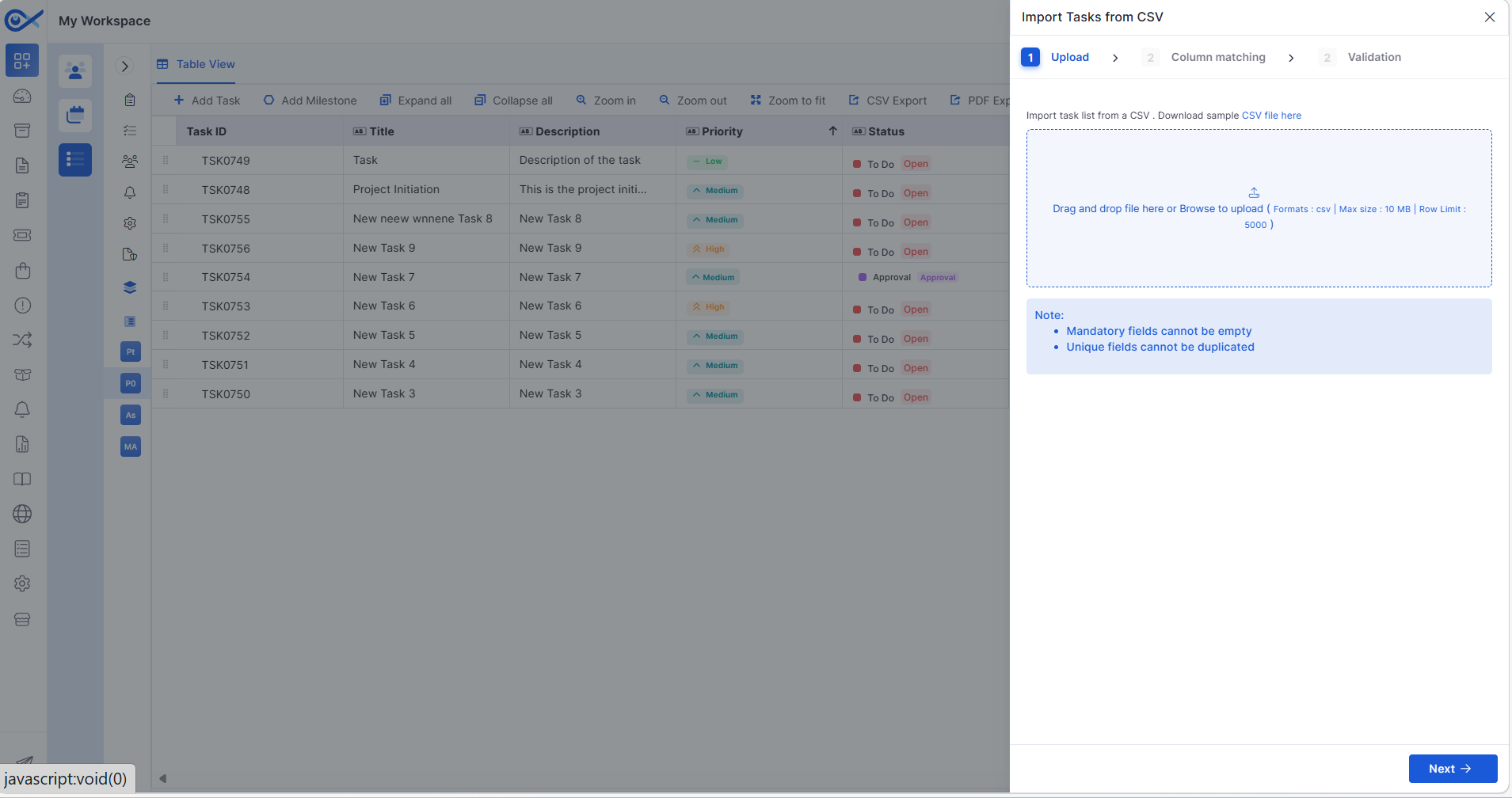
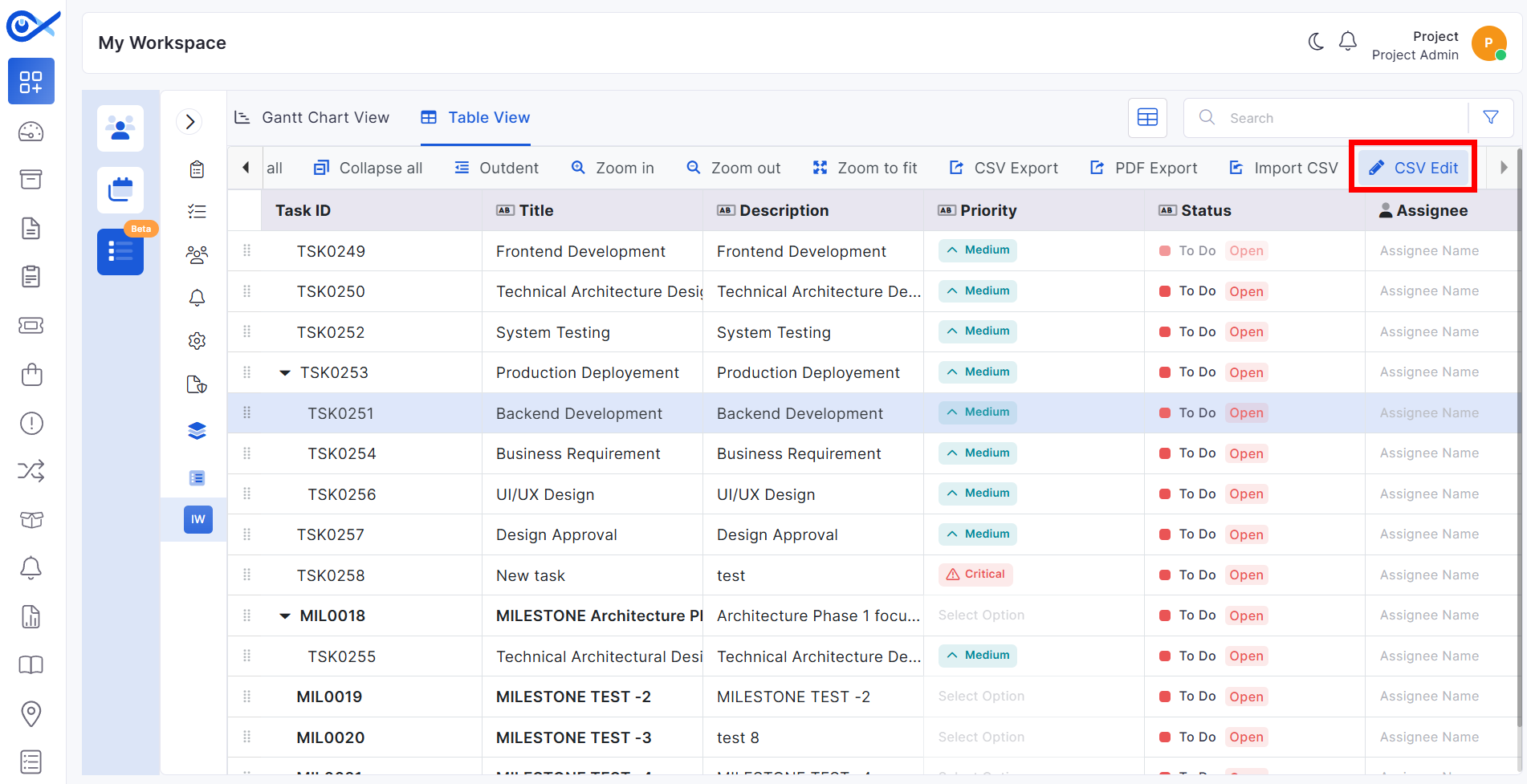
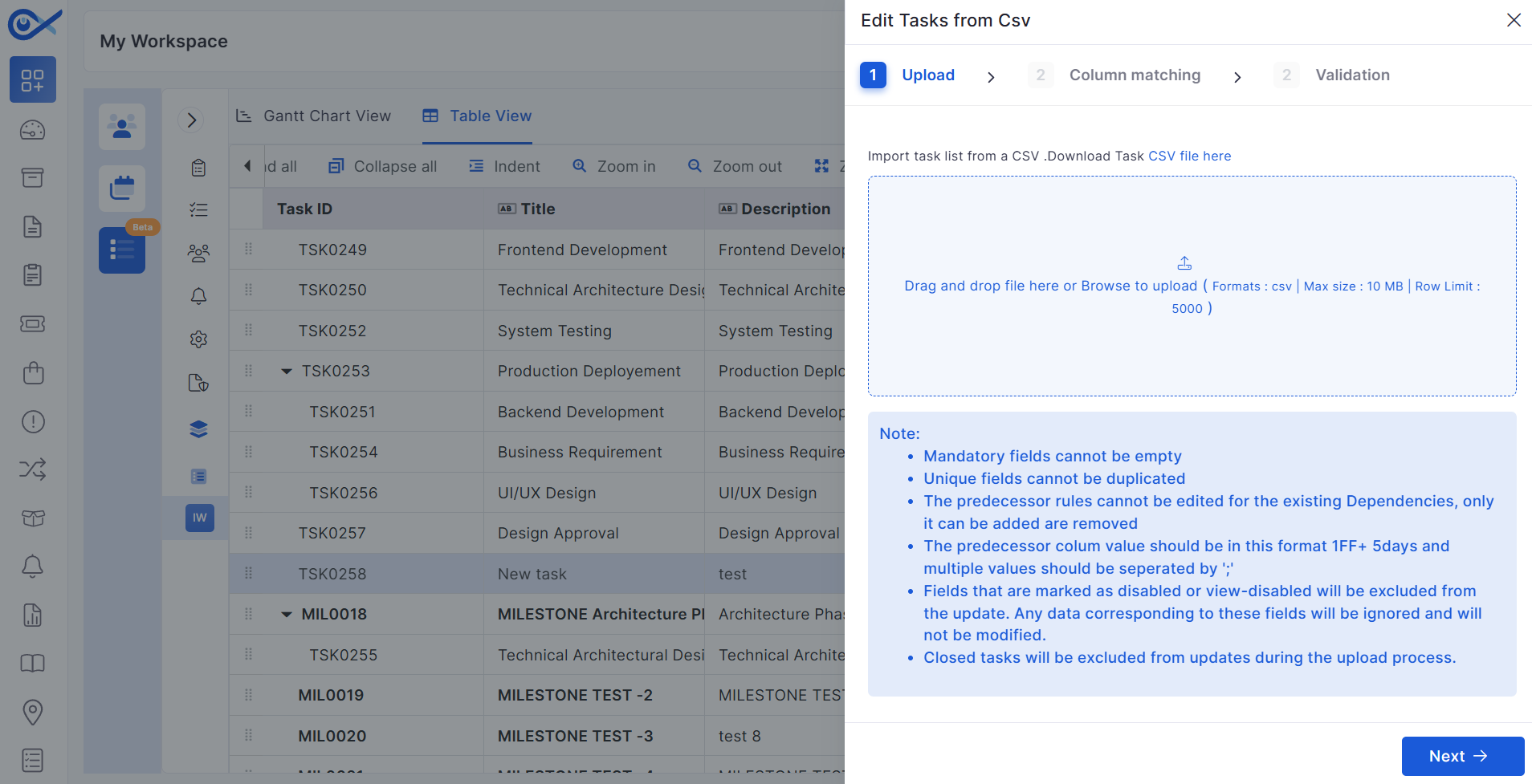
Project Task CSV Editing
Users can export tasks, modify them via CSV, and re-upload for bulk updates.
Includes validation for incorrect or missing field values before applying updates.
Purchase Order
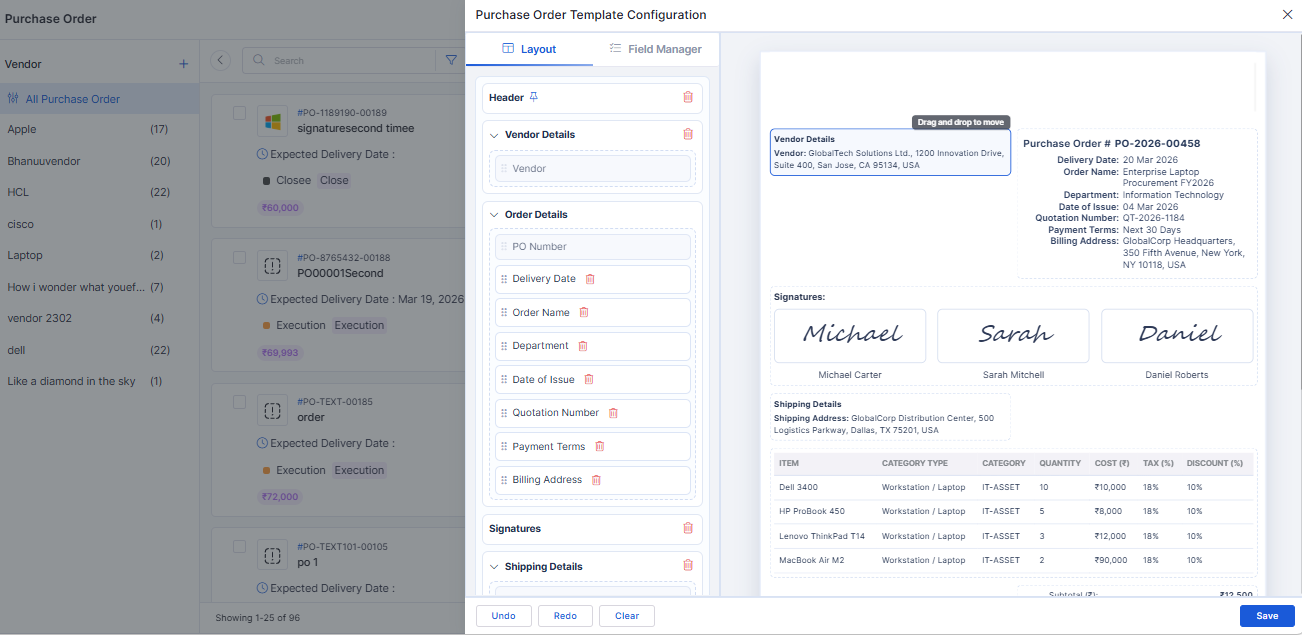
PO Template Customization
Introduced configurable Purchase Order template layout.
Allows rearranging sections and fields for consistent PO document generation.
The customized template is automatically applied during PO creation and download.
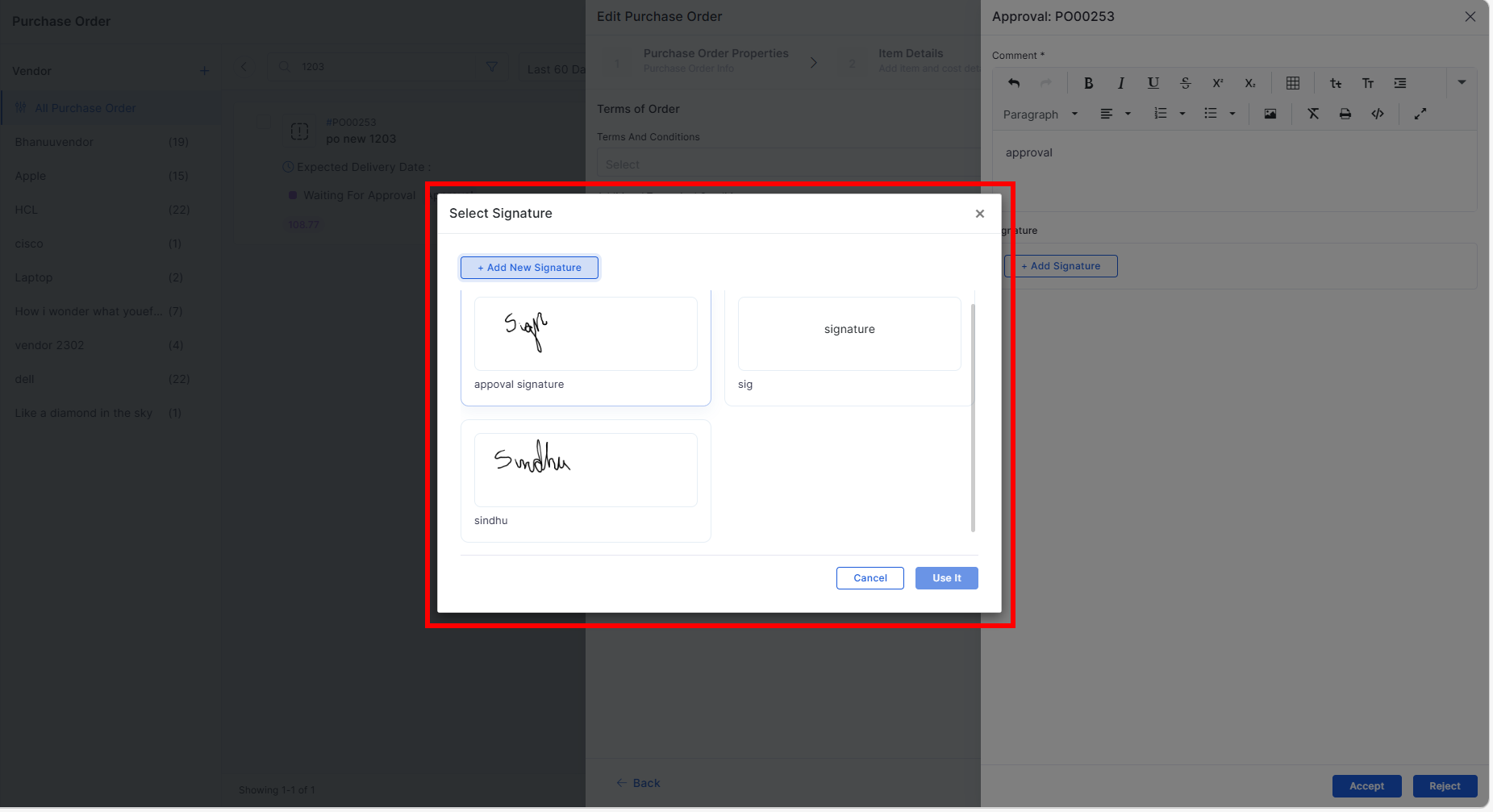
Approval Signature Support
Approvers can add signatures during the PO approval process.
Supports both email-based approval and in-application approval workflows.
Asset
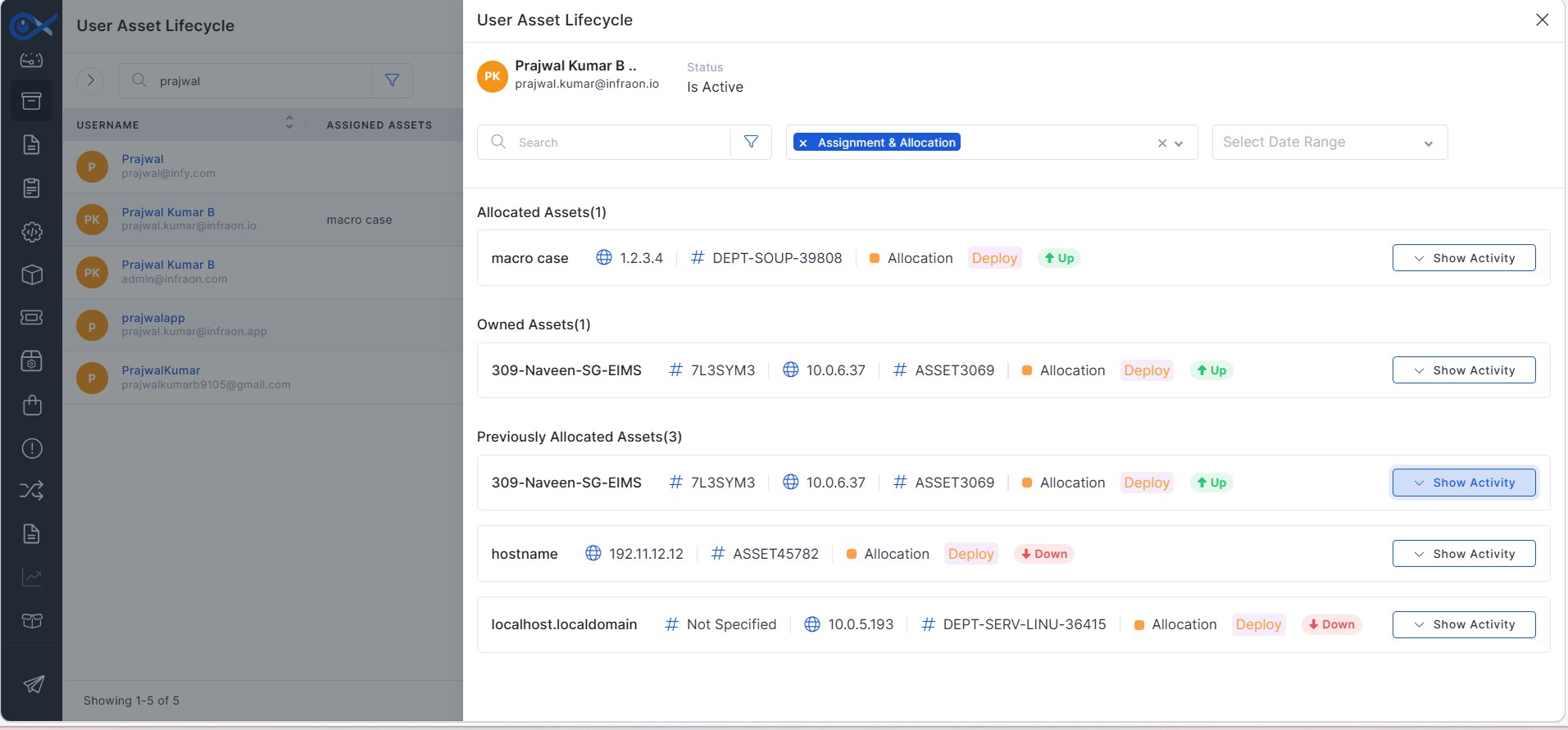
User-Based Asset Lifecycle Tracking
Enhanced asset lifecycle tracking to display serial numbers of previously allocated assets.
Improves visibility of asset history for user-based tracking.
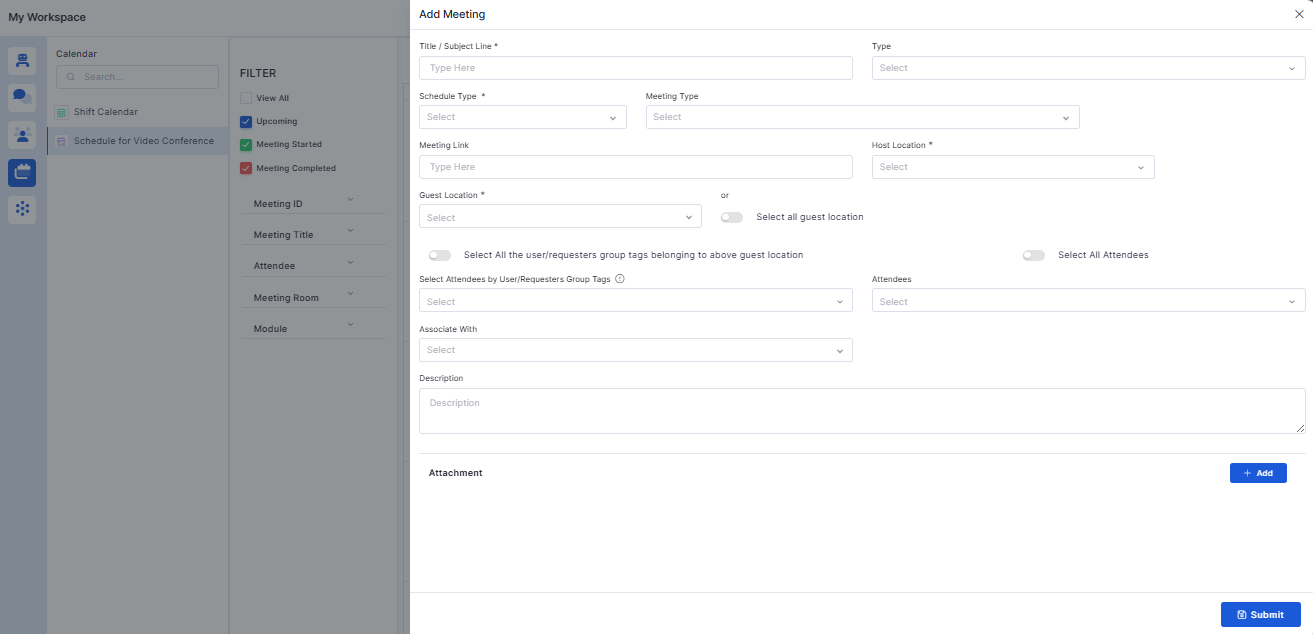
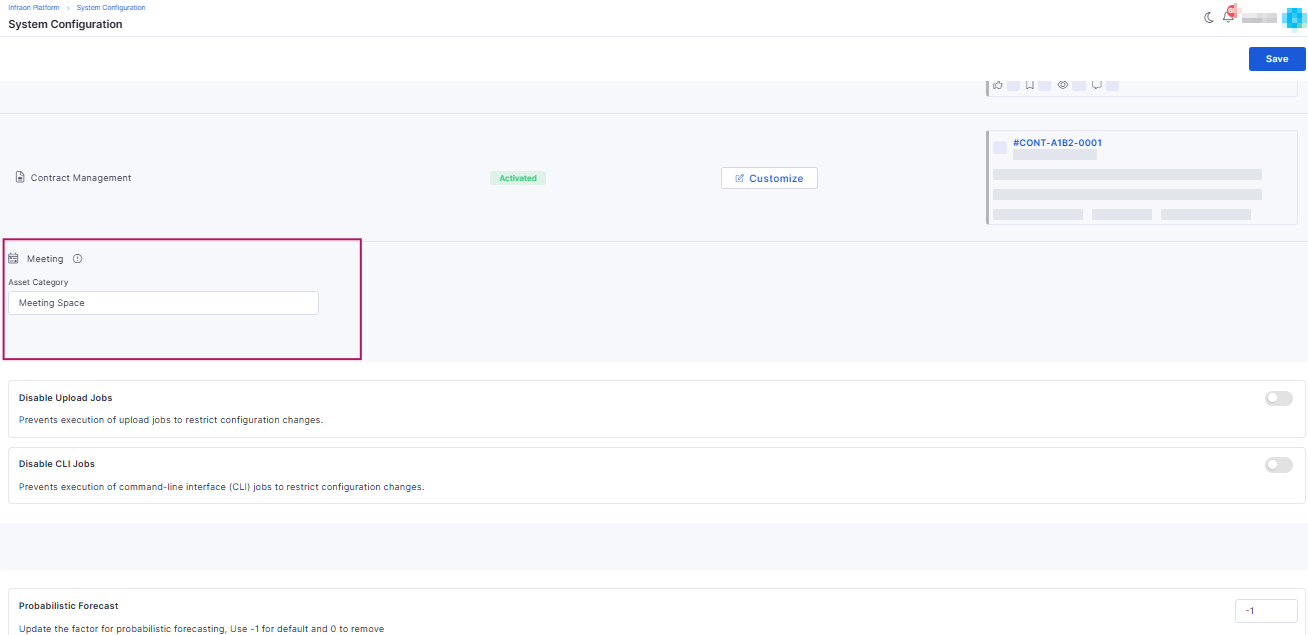
Meeting Scheduling Enhancements
Improved video conference scheduling experience.
Added meeting types, attachment support, and enhanced notification details.
Supports selecting attendees from both users and requesters.
Reports
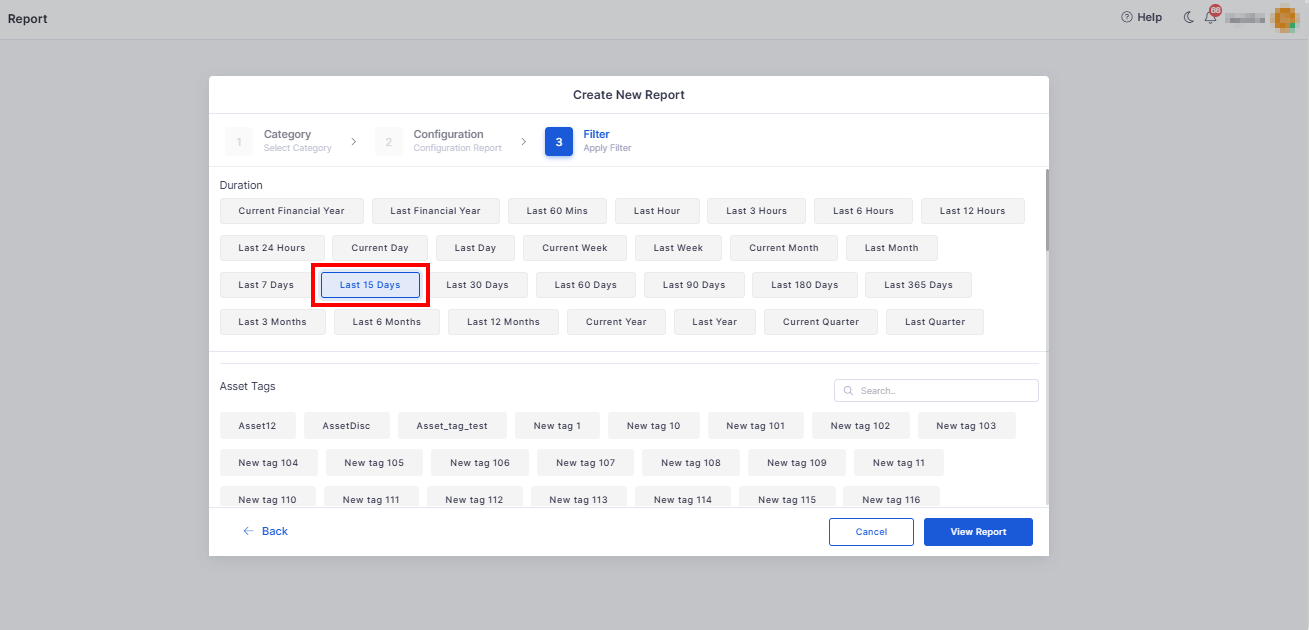
Last 15 Days Filter
Added predefined Last 15 Days time range filter for supported reports.
Enables faster reporting for recent activity.
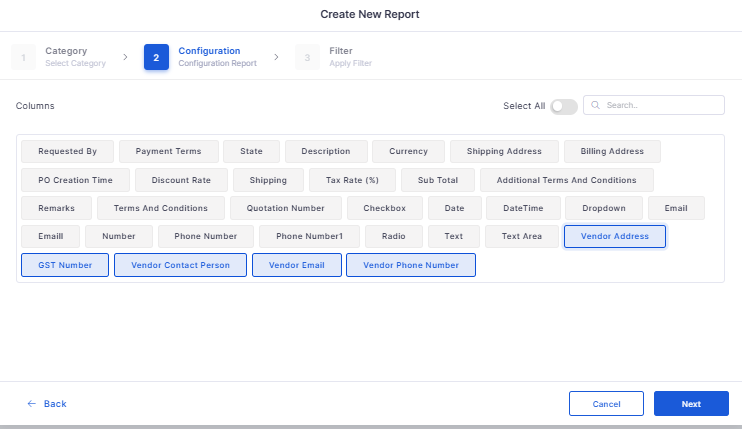
Custom Fields Support in Reports
Reports and dashboards now support filtering and column selection using custom ticket fields.
Software License
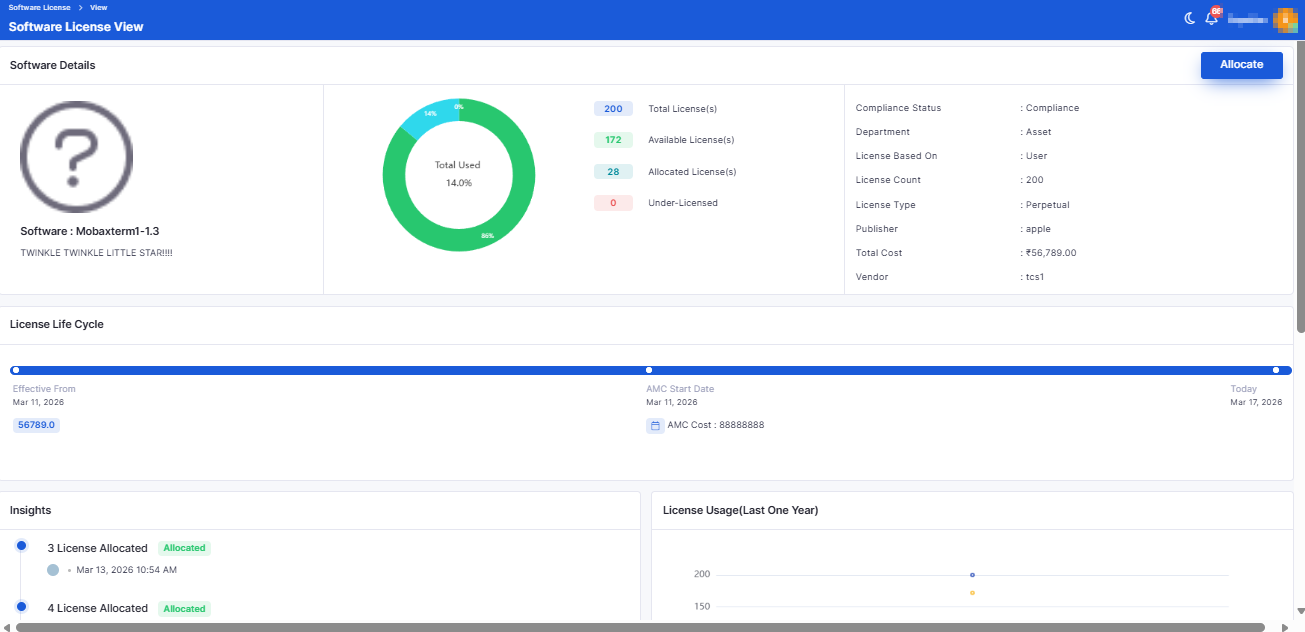
Software License Distribution
Introduced license allocation across users, departments, locations, and organizations.
Supports multiple license keys for a single license.
Enables bulk deallocation and improved license tracking.
Bugs Fixed
v7.4.3 - February 2026
View the latest features, enhancements, and fixes by release.
Version: v7.4.3
Date: 12th February
Overview
This release introduces enhancements across Project Management, Marketplace integrations, Change Management, Purchase Order customization, AI configuration, Mobile audit capabilities, and advanced Dashboard analytics.
The update also includes a broad set of stability, performance, and reporting fixes across ITSM, ITAM, Marketplace, and SLA modules.
Key Updates
Project Management
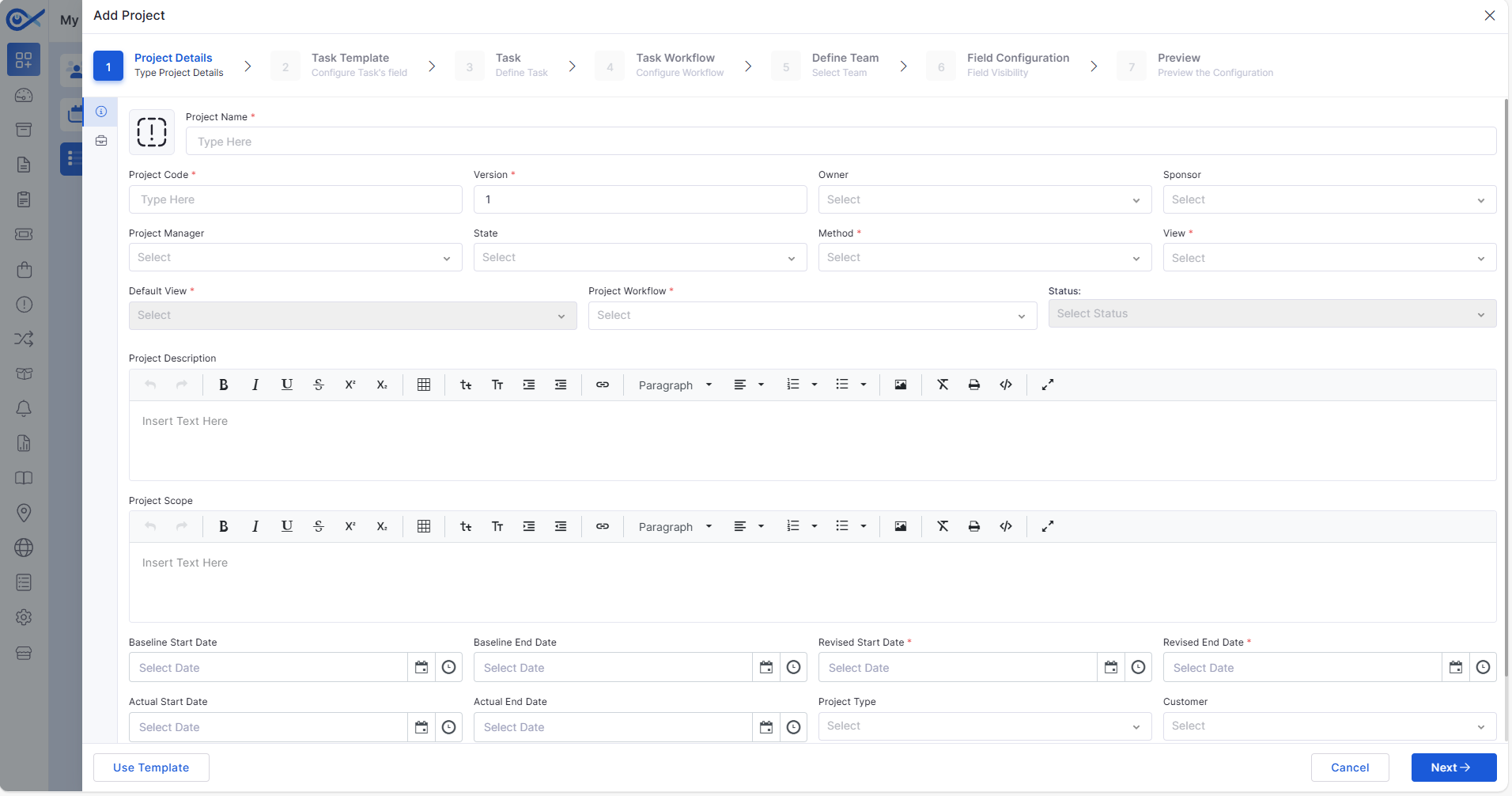
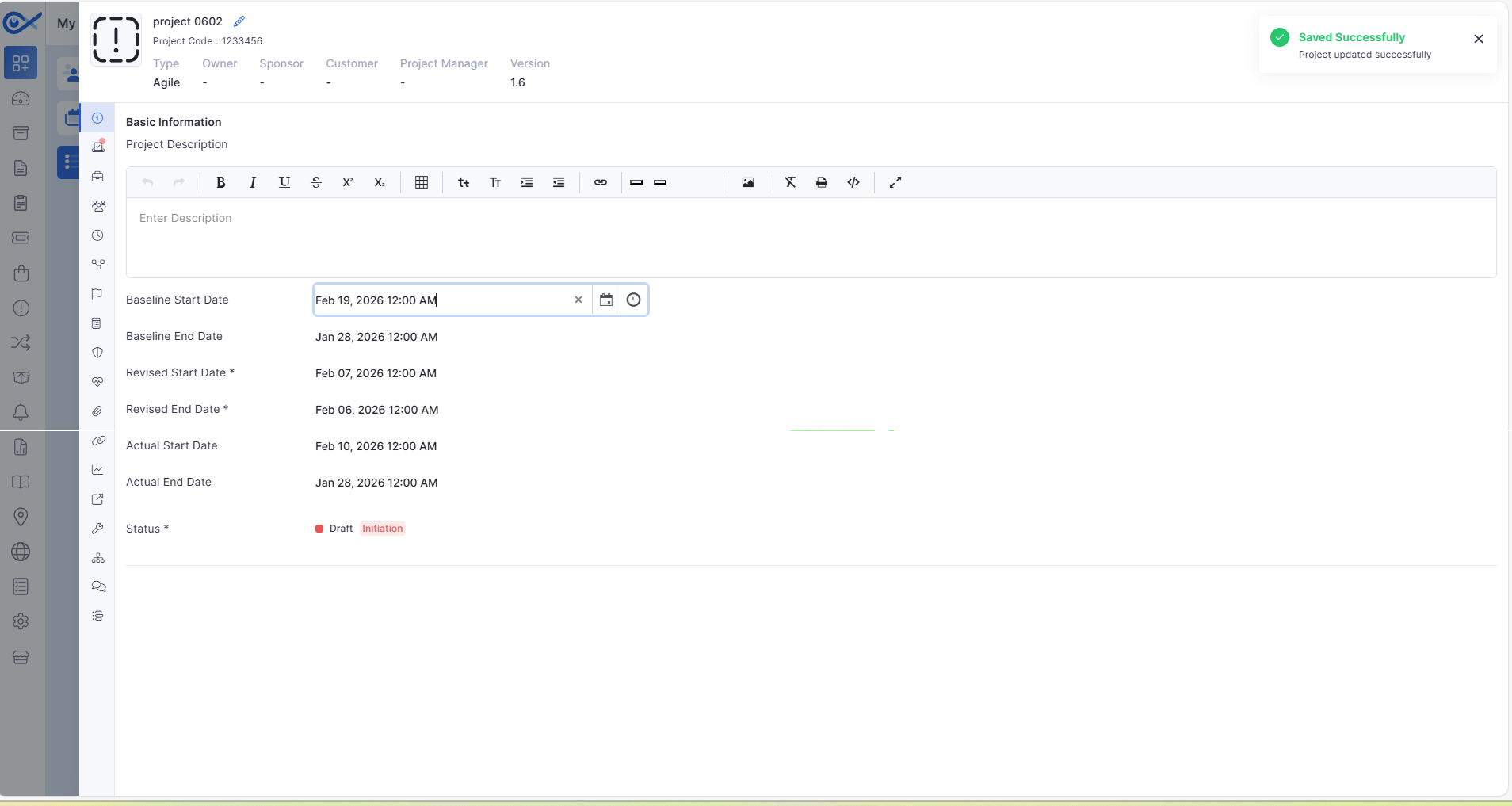
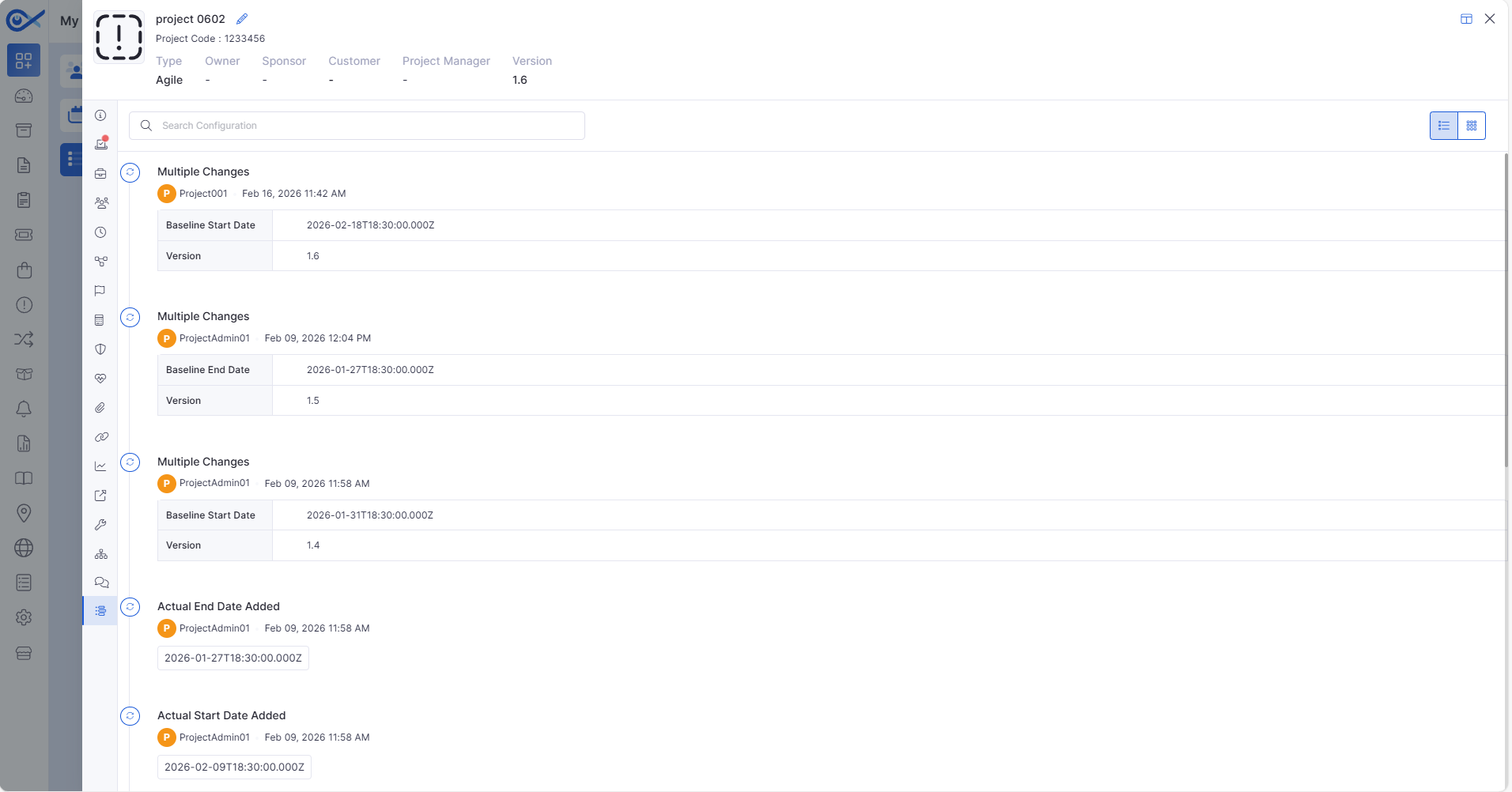
Project Versioning & History
Introduced automatic project versioning with default version initialization.
Version increments automatically when baseline dates are modified.
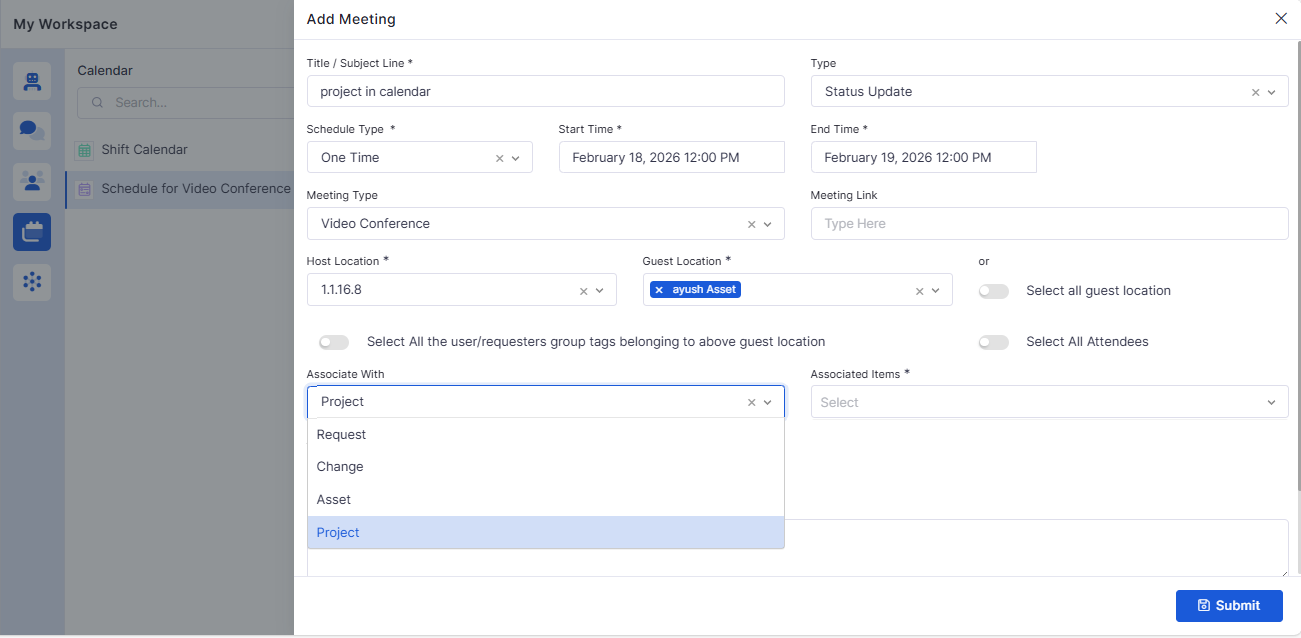
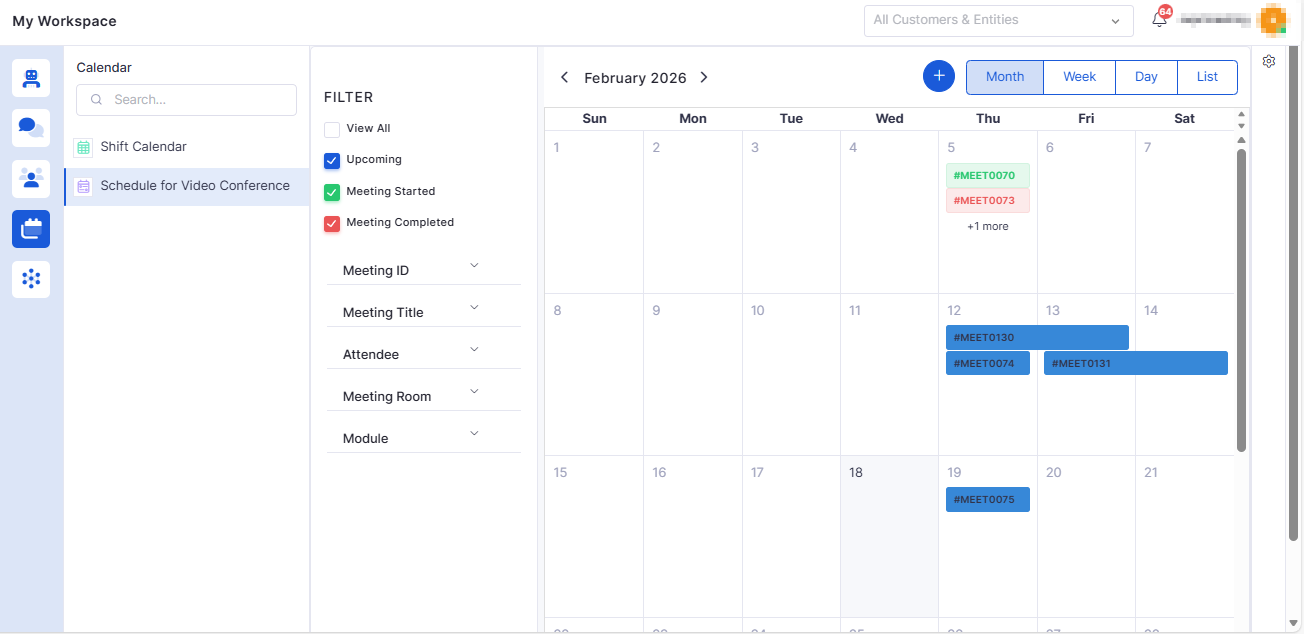
Project Integration in Meeting Module
Added “Project” as an option in the Associate With dropdown.
Supports selecting single or multiple projects when creating a meeting.
Change Management
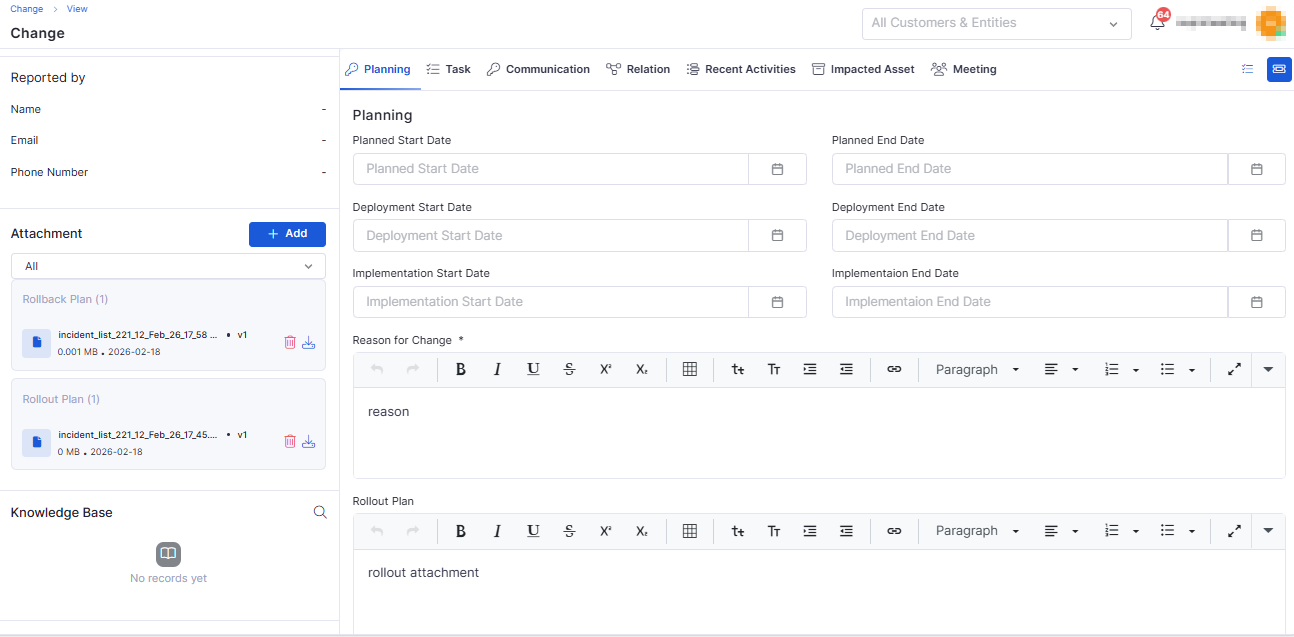
Attachment Categorization for Rollout & Rollback
Added attachment support in Planning, Rollout, and Rollback editors.
Attachments are categorized automatically (Default, Rollout, Rollback).
Deleting attachments in one section does not impact others.
Marketplace
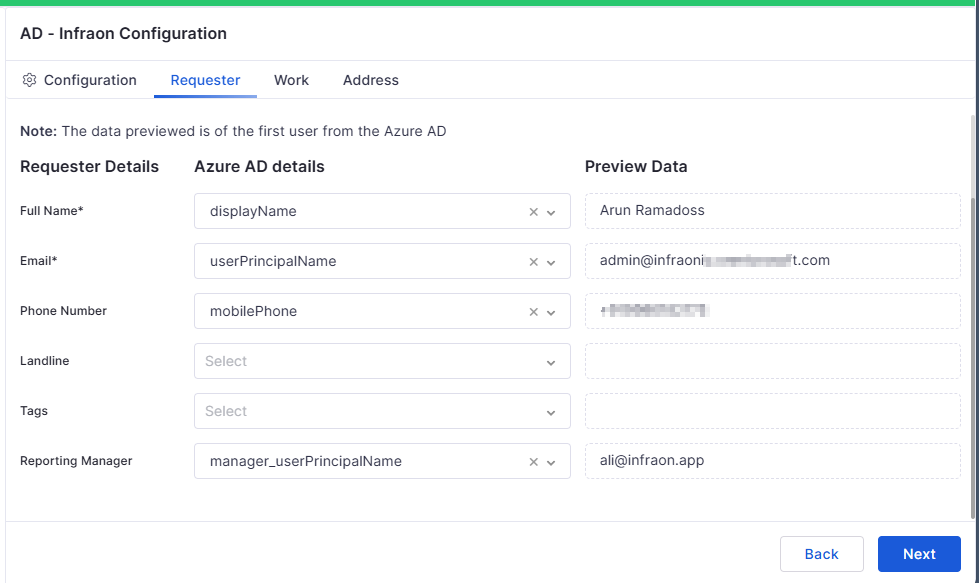
Azure AD – Reporting Manager Sync
Enabled sync of Reporting Manager details from Azure AD.
Reporting manager fields are available in requester details and exports.
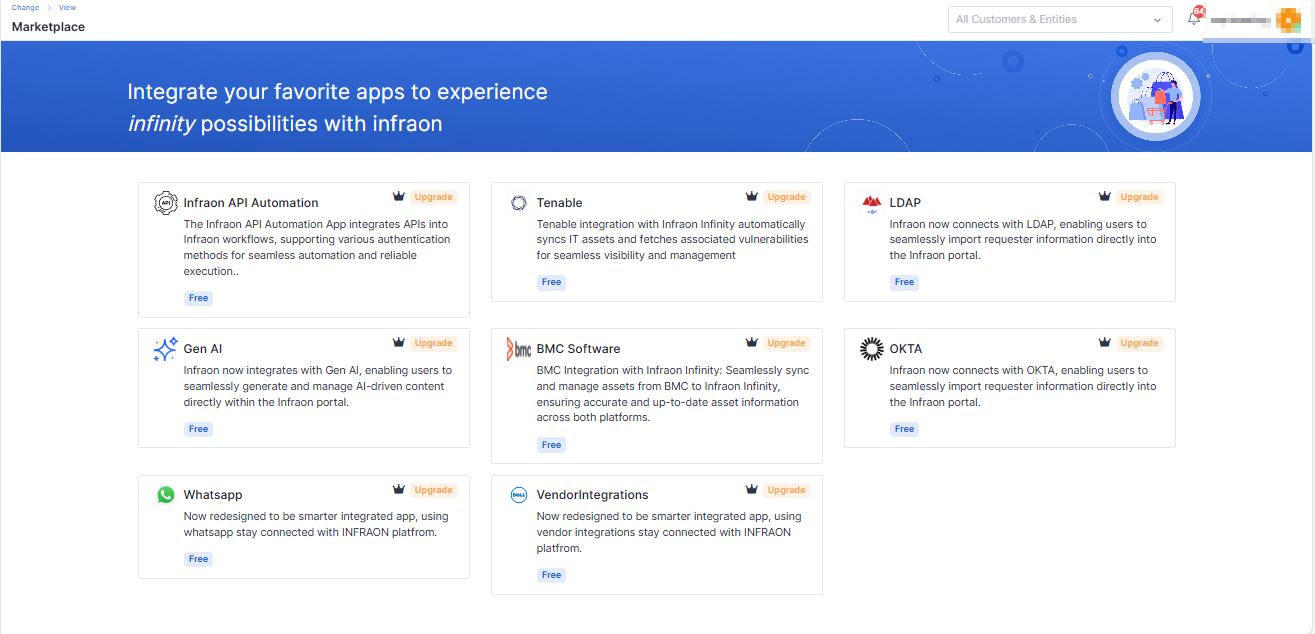
Marketplace Individual App License Management
AI features and long-standing feature-flag items are now enabled by default for eligible plans.
Marketplace app access is controlled by product plan (Essential, Standard, Professional, Enterprise).
Upgrade badges are shown for restricted apps.
Feature Configuration
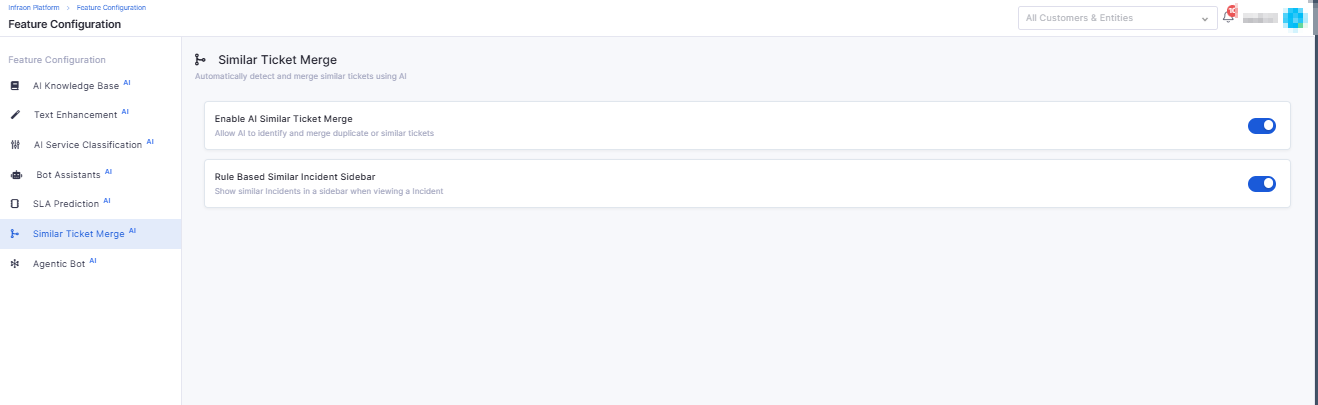
Rule-Based Similar Incident Control
Introduced the Similar Ticket Sidebar on the ticket detail view.
Admins can enable/disable via AI configuration settings.
Reset to Default restores the original configuration.
Mobile
iOS – Audit Detail Page
Added detailed audit view with device-level entries.
Supports filtering (All, Pending, Completed).
Displays audit status, due dates, and device information.
Purchase Order
Custom Fields for Purchase Order Management
Admins can create configurable custom fields for PO.
Custom fields are supported in Create, Edit, View, Filters, Reports, and Widgets.
Dashboard
My Project Task Widget
Added a personalized widget to display tasks assigned to the logged-in user.
Supports project, status, priority, and due date filters.
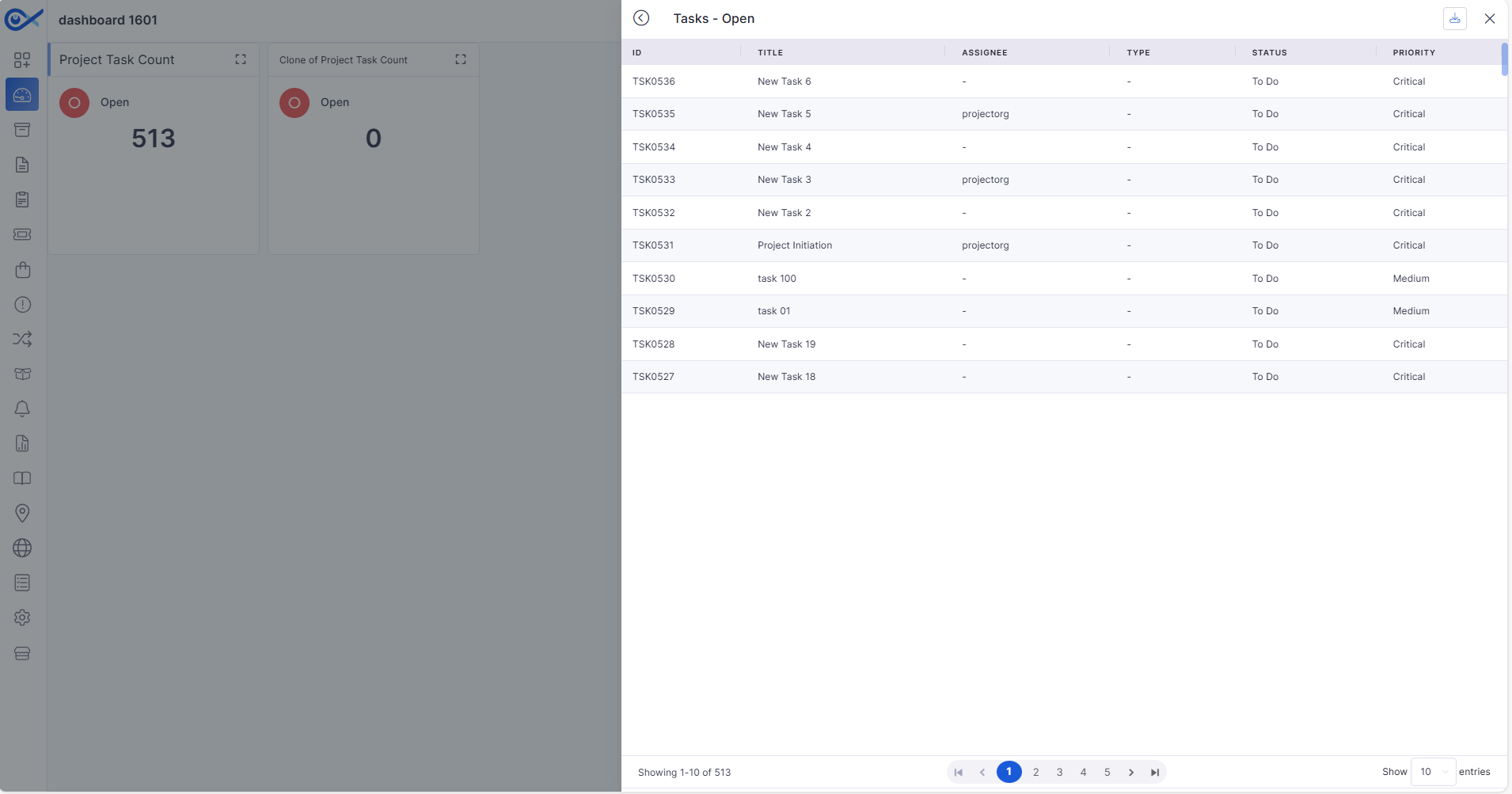
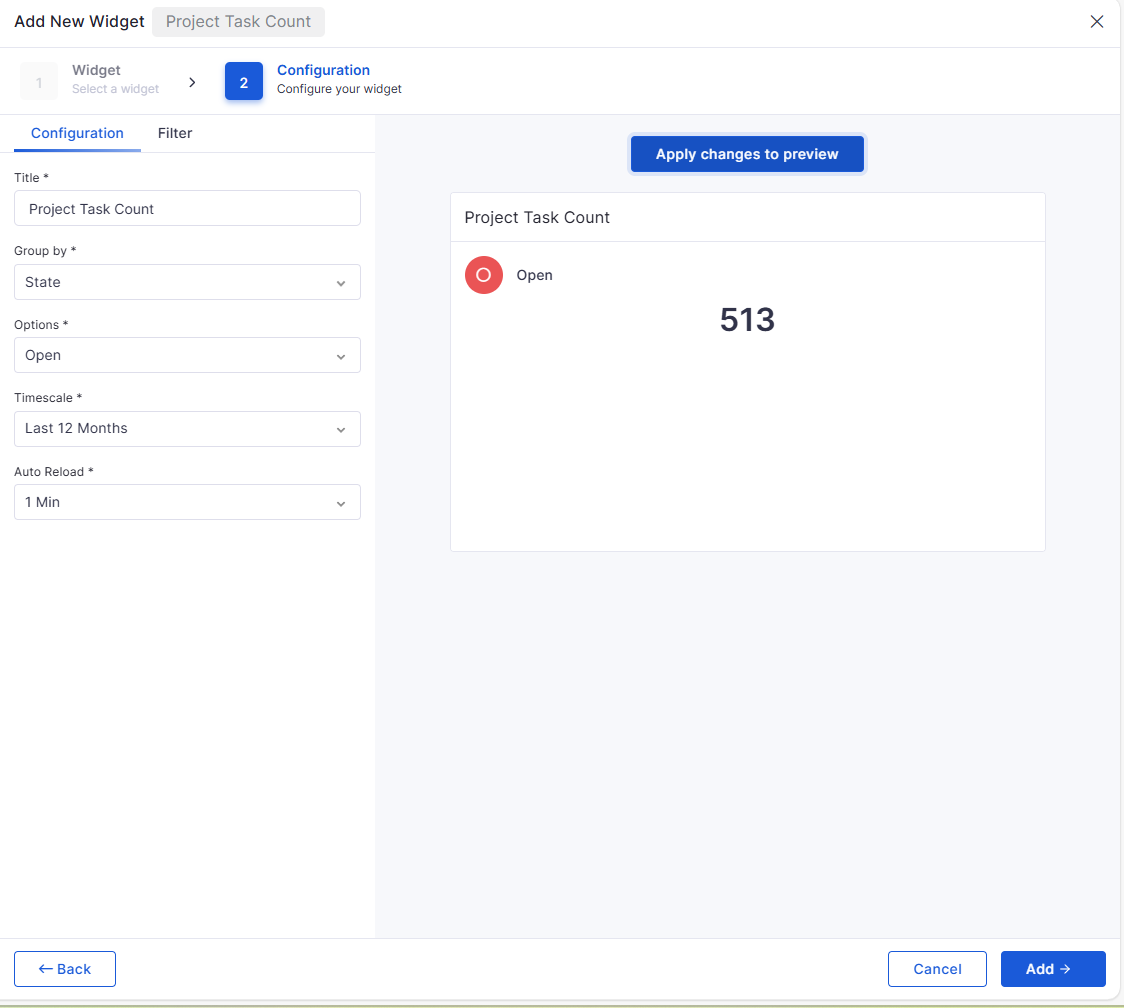
Project Task Count Widget
Displays task counts based on configurable criteria.
Supports time filters, drill-down view, CSV export, clone, and delete.
Dynamic field-option dependency for Status, Priority, and Category.
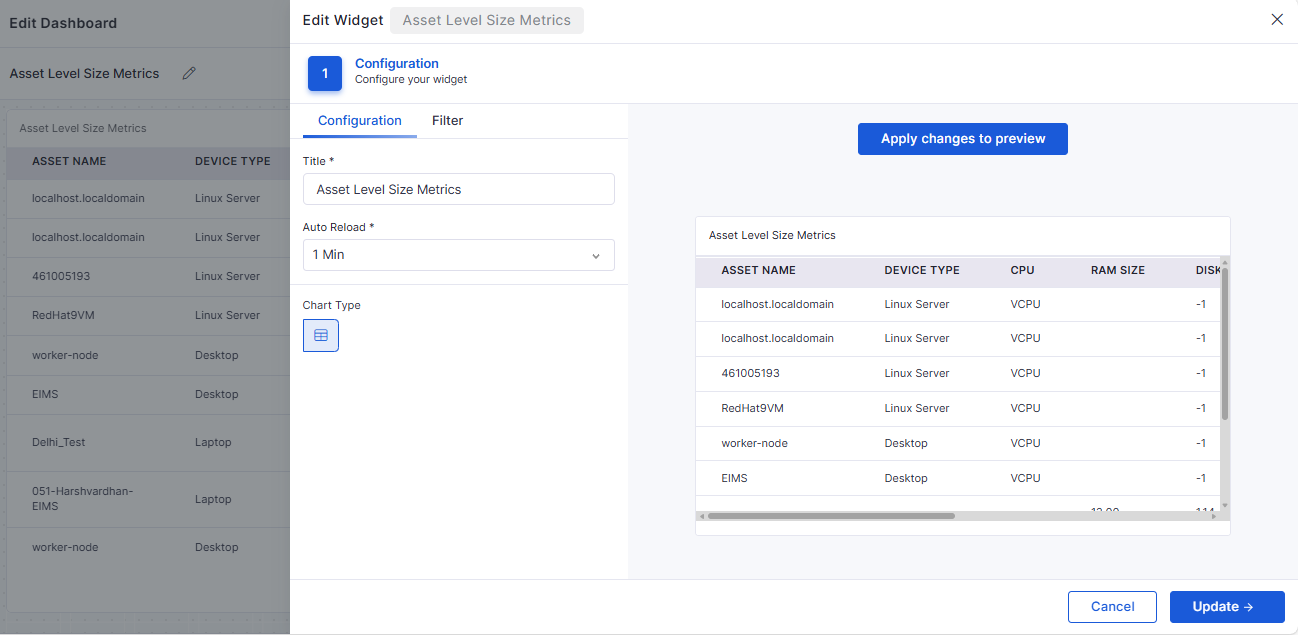
Asset-Level Size Metrics Table Widget
Displays CPU, RAM, and Disk metrics per asset.
Supports role-based visibility and dynamic filtering.
Auto-refresh maintains applied filters and pagination state.
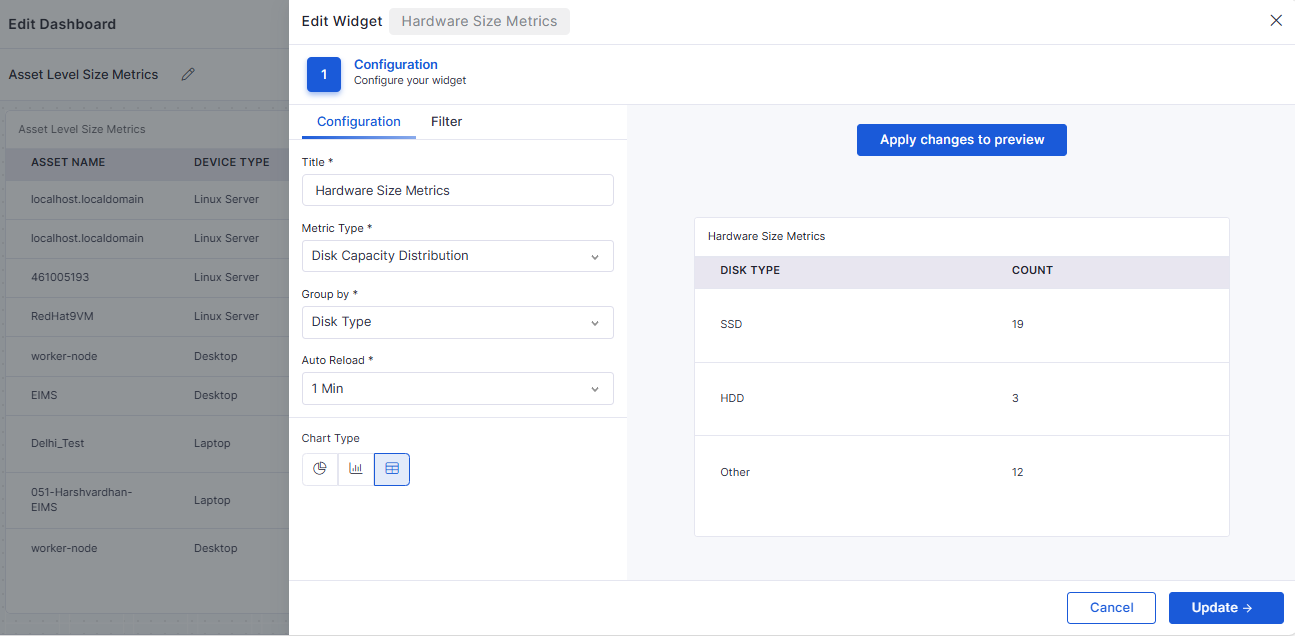
Hardware Size Metrics Widget
RAM Distribution, CPU Configuration, and Disk Capacity Distribution views.
Supports Bar, Pie, and Tabular views.
Enables drill-down to asset list with CSV export.
🐛 Bug Fixes and Improvements
This release resolves multiple issues across ITSM, ITAM, Dashboard, Marketplace, and Reporting modules, including:
Fixed SLA attachment inconsistencies and penalty configuration issues.
Resolved Asset lifecycle, allocation/deallocation, and vendor sync discrepancies.
Corrected multiple Dashboard widget calculation and filter issues.
Addressed LDAP, Azure AD sync, and login validation problems.
Fixed UI alignment, dropdown loading, tooltip, and sidebar rendering issues.
v7.4.2 – January 2026
View the latest features, enhancements, and fixes by release.
Version: v7.4.2
Date: 29th January
Overview
This release introduces enhancements across API Metering, SLA management, Asset performance, Purchase Orders, Project Management, Mobile audits, and AI-assisted Incident handling.
The updates focus on improved visibility, enhanced validation, performance optimizations, and enhanced operational workflows.
Key Updates
API Metering
API Metering Data Report
Introduced a dedicated report to track API usage across users and endpoints.
Provides visibility into total calls, methods, endpoints, and usage patterns.
Supports filtering and column selection for flexible analysis.
Mail Automator
Restrict Ticket Creation by Allowed Requesters
Added an option to allow only selected requester email IDs within a domain to create tickets.
Improves control over email-to-ticket creation and reduces unwanted requests.
SLA
Bulk Operations for SLA Breach Prediction
Enables bulk actions on tickets predicted to breach SLA.
Allows managers to apply or ignore AI recommendations for multiple tickets at once.
Improves efficiency in handling large volumes of SLA-sensitive tickets.
Mobile
Audit Detail Page (iOS & Android)
Introduced a detailed audit view for mobile users.
Displays device-level audit items with status, progress, and due dates.
Supports filtering, search, pagination, and error handling for large audit sets.
Change Management
Change Manager Approval
Added support to submit changes for Change Manager approval.
Approval links are sent via email and available in the technician portal.
Applies to Standard, Normal, Emergency, and Retrospective changes.
Asset
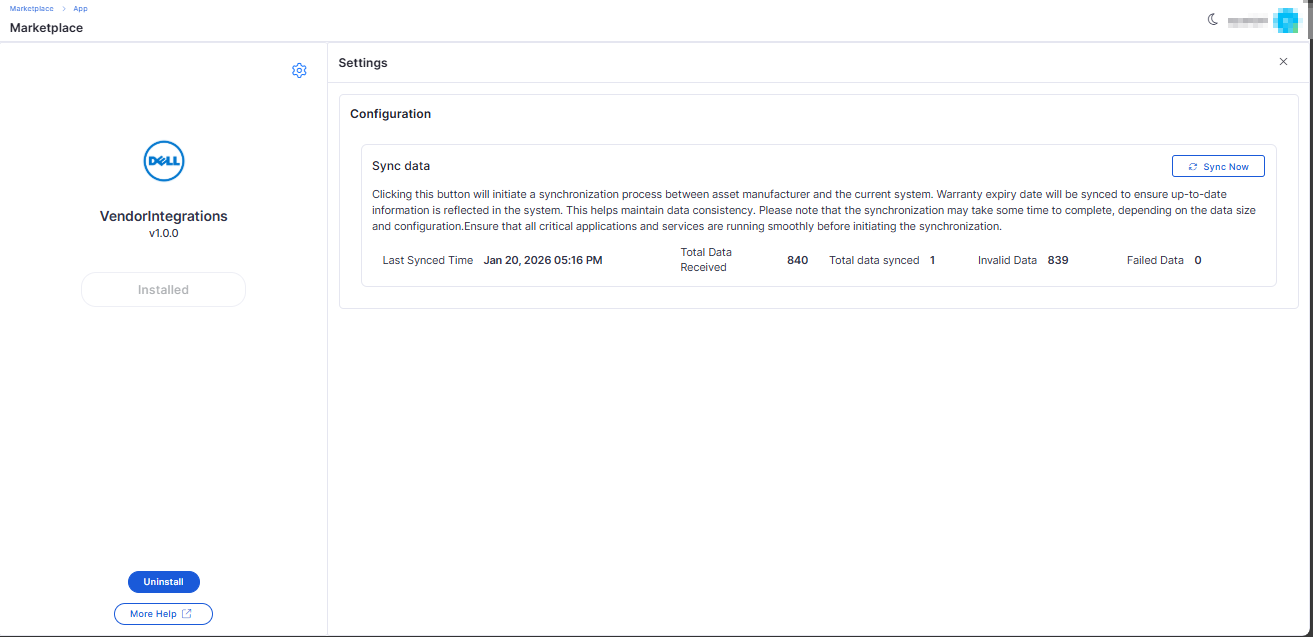
Vendor Sync Count Accuracy
Corrected vendor sync counts for assets with invalid serial numbers.
Sync summary now correctly reflects valid, duplicate, invalid, and failed records.
Optimized Asset Filter Loading
Improved asset grid performance by loading filter values dynamically.
Reduces initial page load time, especially for large asset datasets.
Purchase Order
PO Download During Approval Stage
Purchase Orders can now be downloaded while awaiting approval.
Enables approvers to review official PO documents before approval.
Software Selection in Purchase Orders
Added support for selecting software items during PO creation.
Enables license creation or updates during the receiving process.
Task
Common Task Creation
Introduced enhanced task creation with recurring options.
Supports form templates, attachments, notifications, and audit tracking.
Improves task standardization and automation.
Reports
Additional Asset Columns in SLA Reports
Added asset-related fields, including Category, Device Type, Serial Number, and Hostname.
Improves SLA analysis with asset context.
Custom Columns & Formula Engine for SLA Reports
Introduced custom computed columns using a BODMAS-based formula builder.
Supports time-based calculations, unit conversions, previews, and exports.
Project Management
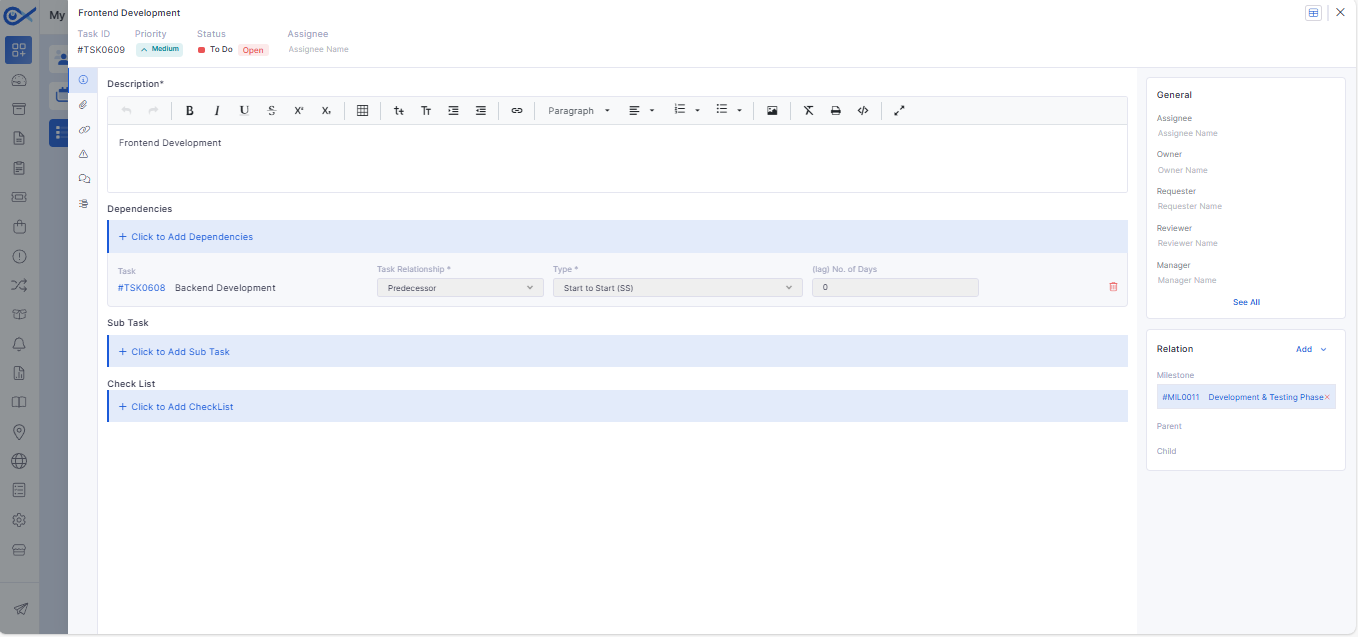
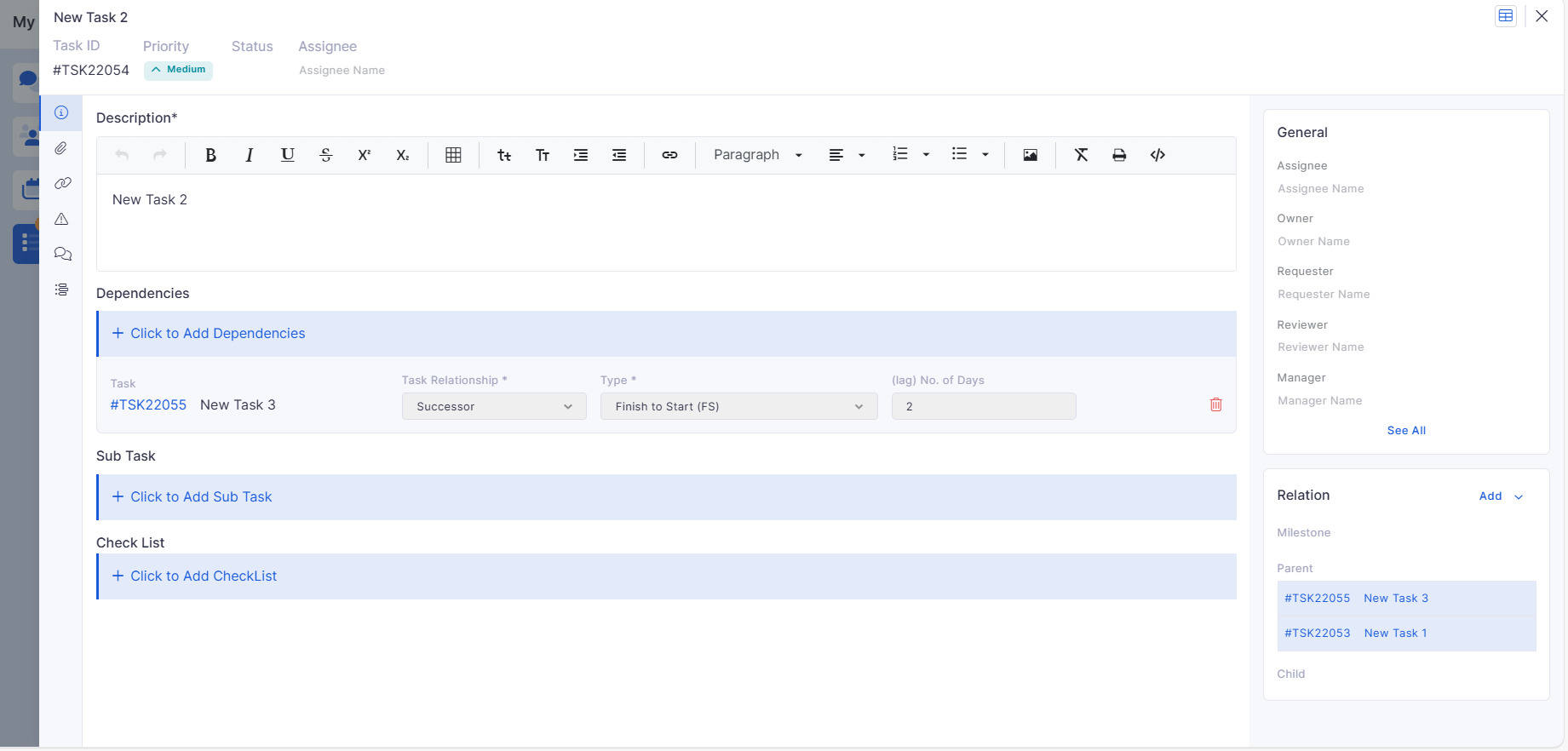
Dependent Task Controls
Added validations to enforce dependency rules between tasks.
Prevents invalid task progression based on dependency configuration.
Task View – Basic Details
Improved task summary view for faster access to key task information.
Incident
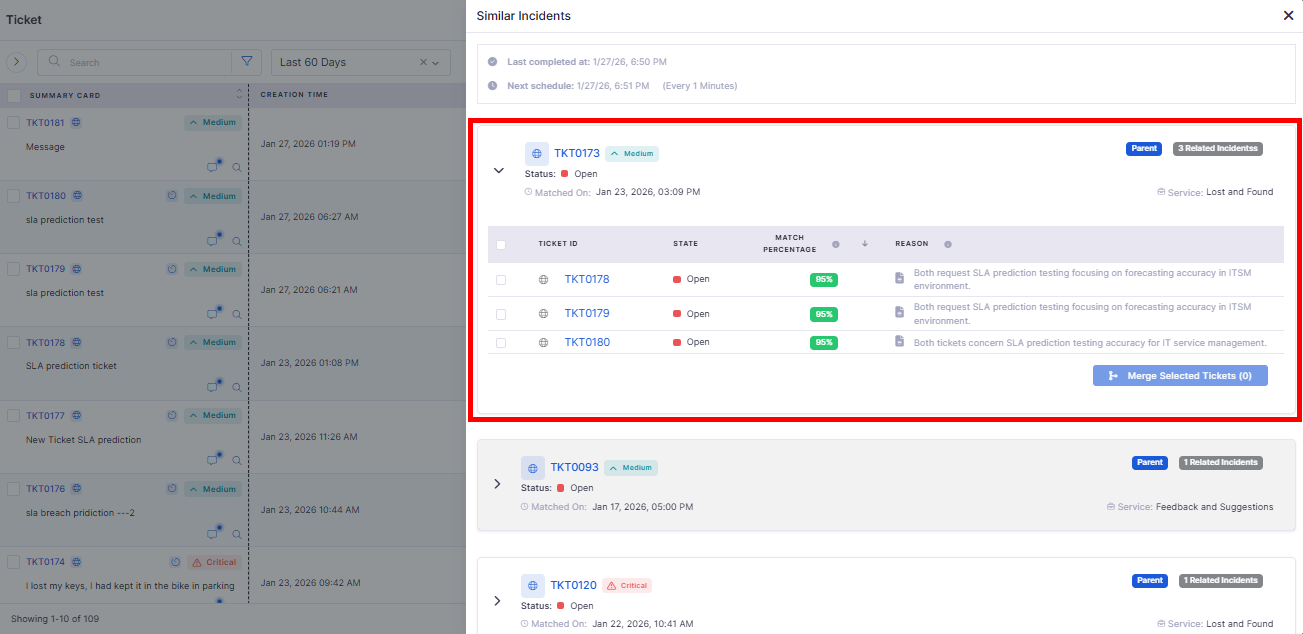
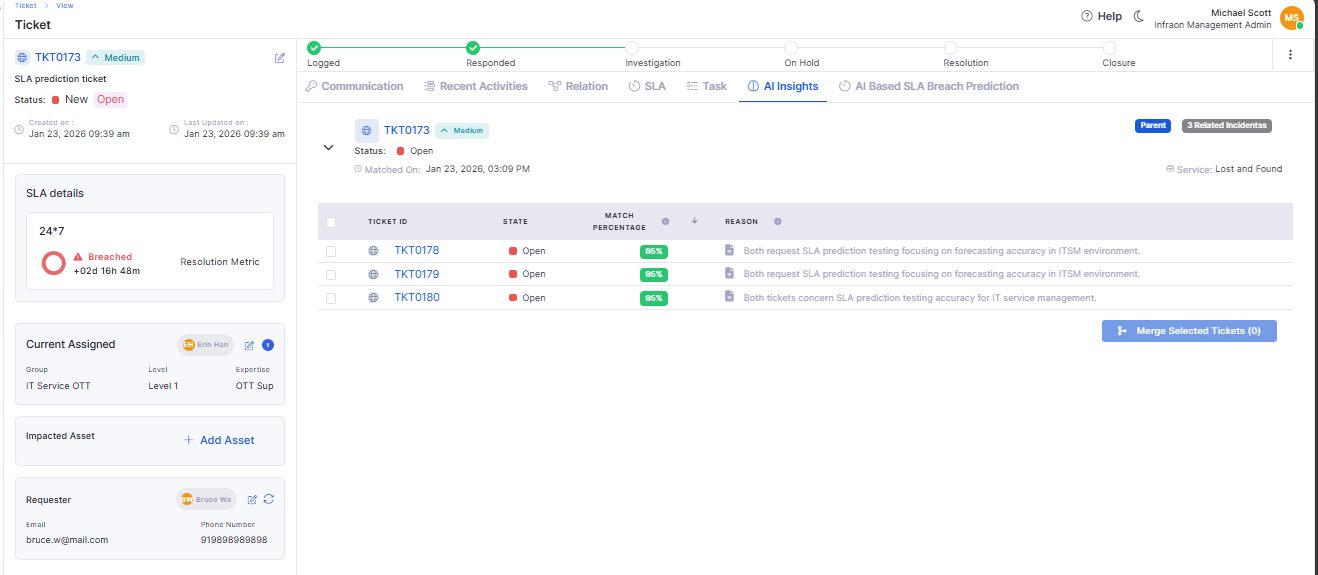
AI-Based Similar Incident Matching
Introduced AI-powered similarity matching for incidents.
Helps technicians identify related or recurring incidents faster.
🐛 Bug Fixes and Improvements
Improved accuracy and stability across Asset Vendor Sync and SLA Reports.
Fixed performance issues in Asset grid filtering for large datasets.
Resolved inconsistencies in PO downloads and approval workflows.
Addressed UI and data refresh issues in mobile audit views.
General performance, validation, and reliability improvements across modules.
v7.3.16 – January 2026
View the latest features, enhancements, and fixes by release.
Version: v7.3.16
Date: 14th January
Overview
This release focuses on strengthening Project Management visualization, improving reporting flexibility, enhancing Purchase Order configuration, refining request and task ownership, and expanding mobile and service catalogue capabilities.
Several stability fixes have also been applied across ITSM, ITAM, dashboards, workflows, and integrations.
Key Updates
Software License
Improved Software License Summary Report
Added missing License Name and Description fields in the summary report.
Updated default column selection to include Free and Allocated licenses.
Introduced additional date-based time filters such as End Date, AMC dates, and Invoice Date.
Project Management
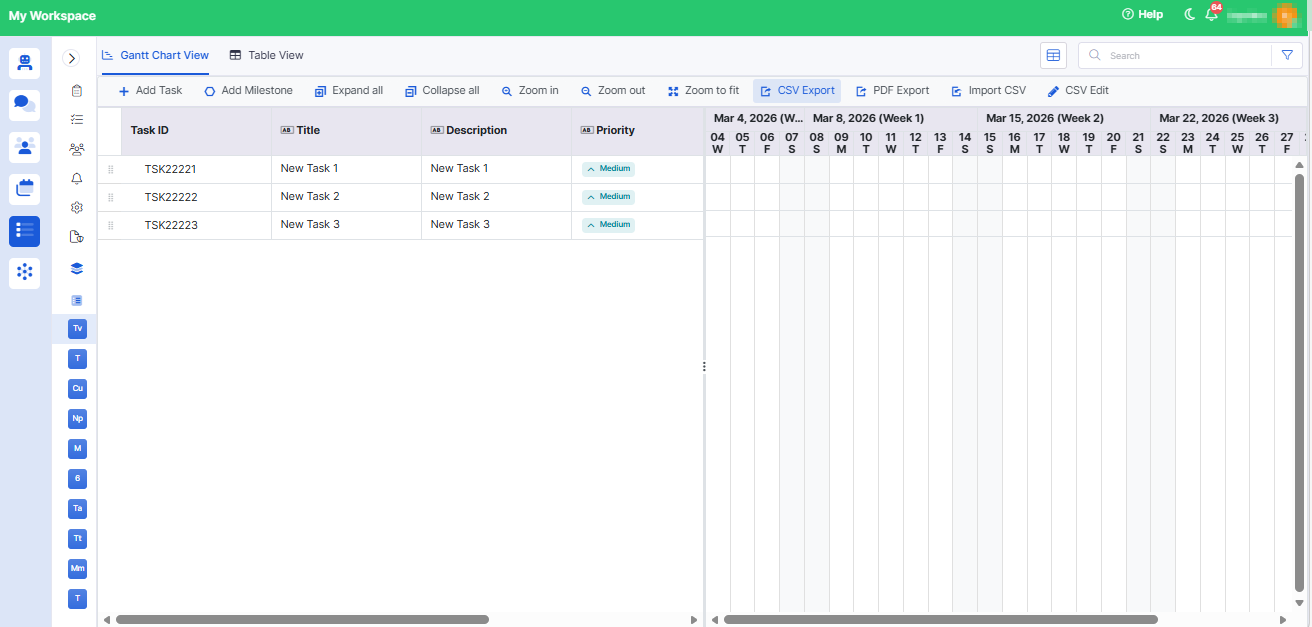
Project Gantt Chart
Introduced an interactive Gantt Chart view for projects.
Displays all tasks and milestones with accurate start and end dates.
Automatically updates when project timelines, tasks, or milestones are modified.
Kanban Board View for Project Tasks
Added a Kanban-style board view within Project Task View.
Tasks are displayed as cards grouped by status.
Supports drag-and-drop movement between columns.
Milestone Update Enhancements
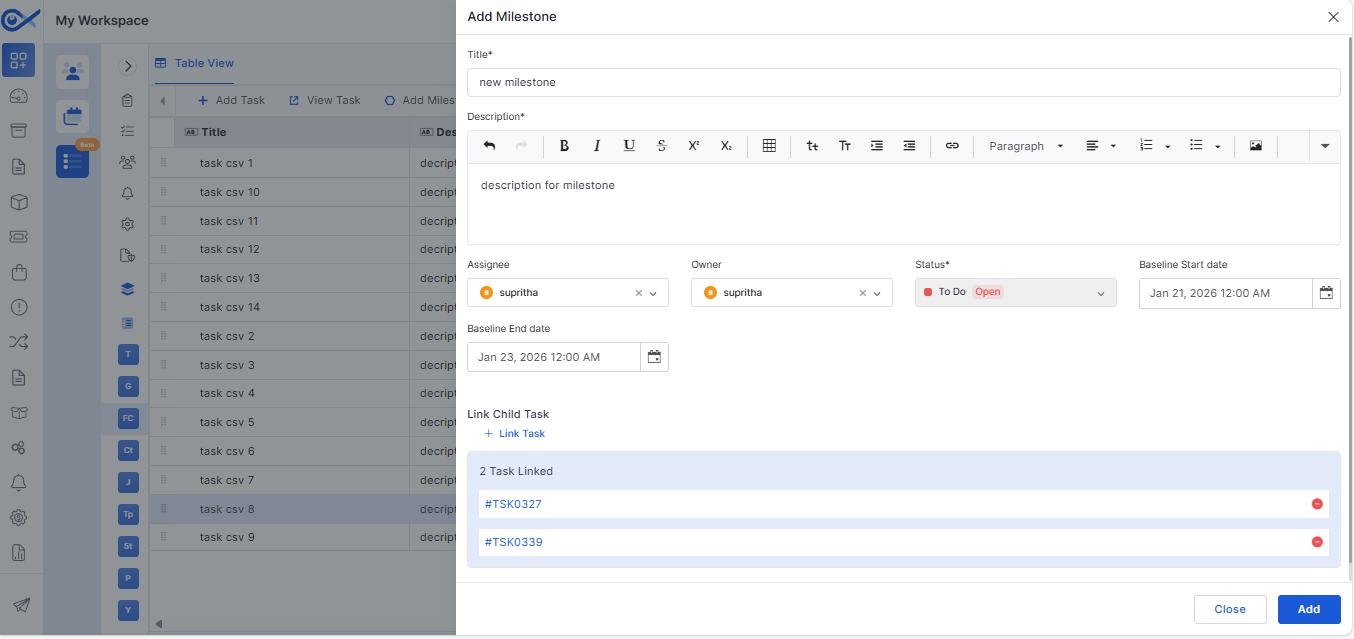
Introduced structured milestone creation with fixed mandatory fields.
Milestones can only be closed once all child tasks are completed.
Dependent Task Validation
Enforced dependency rules between tasks based on dependency type and lag.
Supports Finish-to-Start, Start-to-Start, Finish-to-Finish, and Start-to-Finish validations.
Prevents incorrect task start or completion based on dependency constraints.
Role, Team, and Member Validation
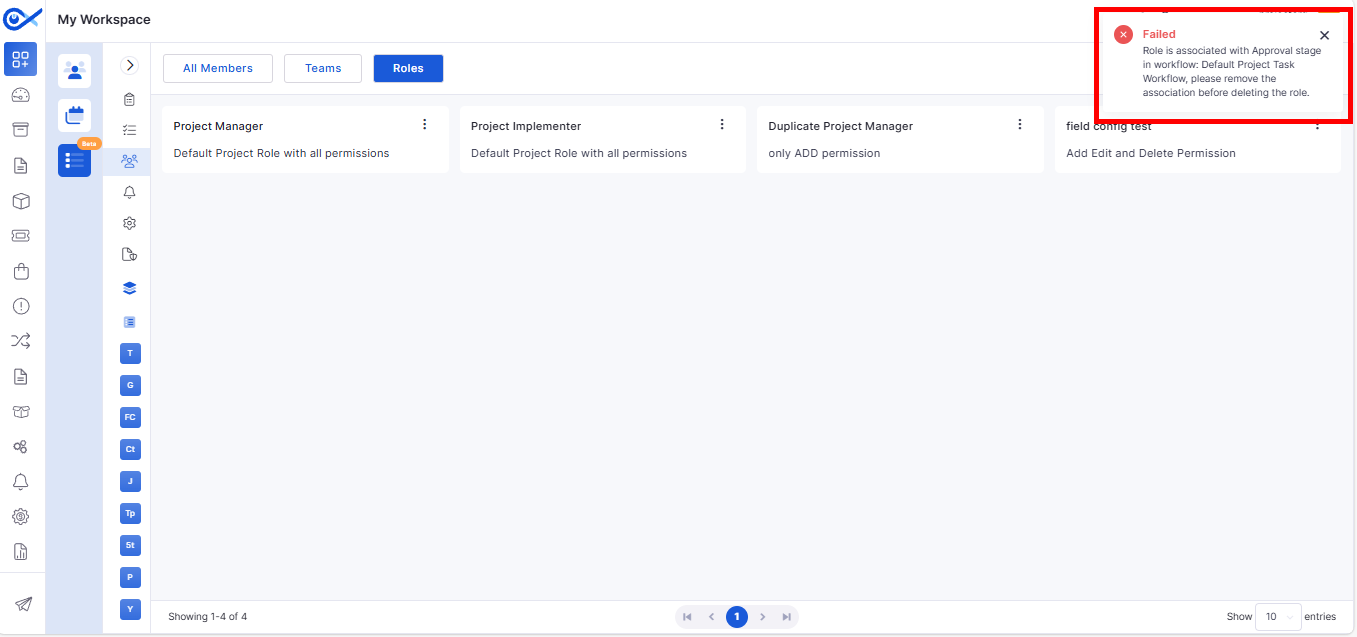
Prevents deletion of roles, teams, or members that are already in use.
Displays clear toaster messages when deletion is restricted.
Request Management
Created By Tracking for Auto-Created Request Tasks
Auto-created tasks now retain the Created By value of the request initiator.
Ensures non-admin users can view tasks generated from their requests.
Reports
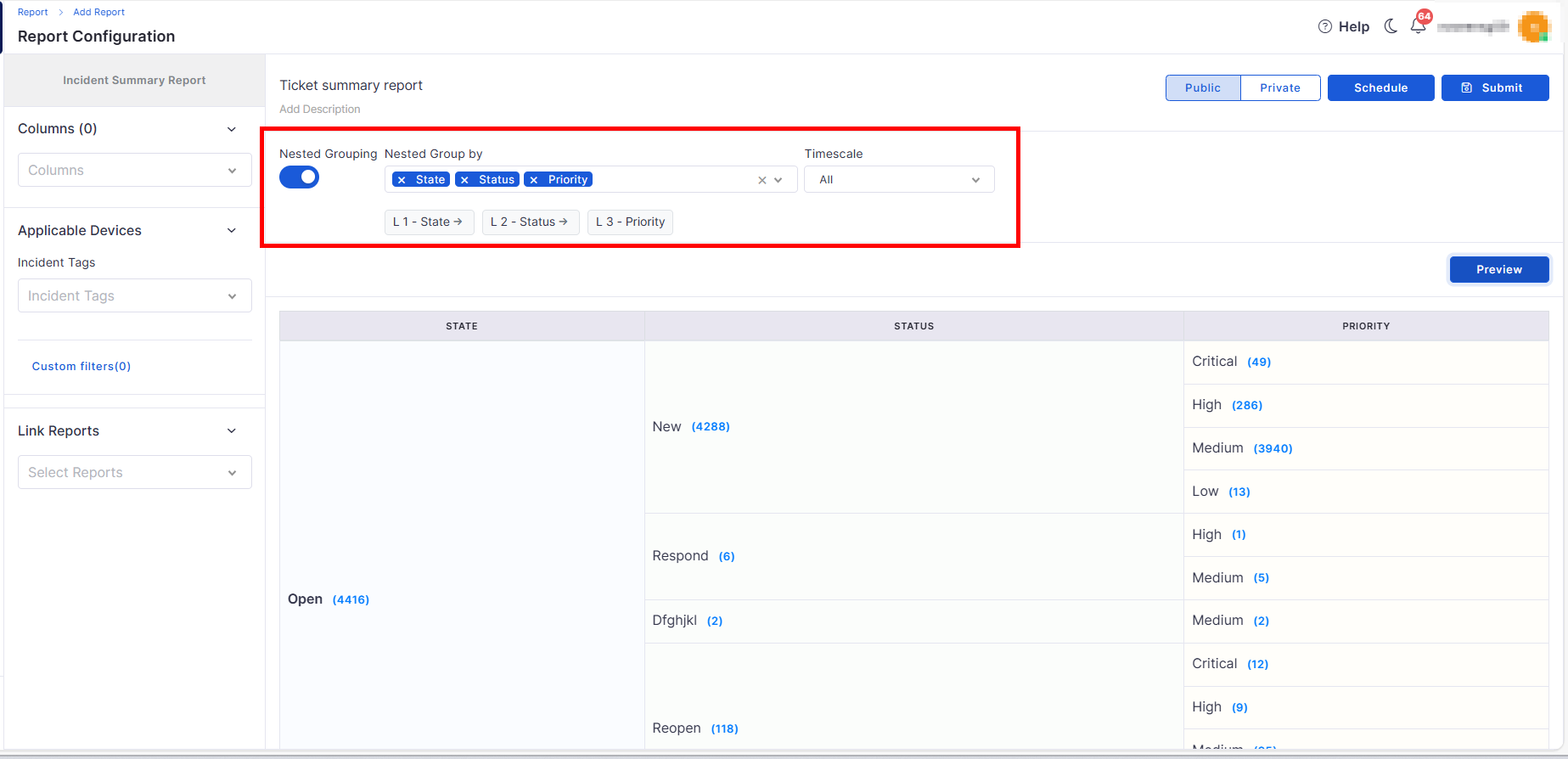
Multiple Group-By Options in Ticket Summary Report
Enhanced Ticket Summary Report with nested group-by capability.
Supports up to four hierarchical grouping levels.
Users can switch between Flat View and Drill-Down View.
Purchase Order
Enhanced PO Template Configuration
Introduced feature-flag–controlled PO template configuration.
The default PO template loads automatically if no custom template is configured.
Supports setting a default template for consistent usage.
Mobile
Android – Secure Cross-App Auto-Pairing
Added secure auto-pairing between Infinity Agent and Infraon Infinity client app.
Uses OS-level security, encrypted storage, and explicit intent handling.
Eliminates manual key entry for organization and improves setup reliability.
Service Catalogue
Enhanced Add Items / Services Design
Introduced type-based UI behavior for Service and Package creation.
Service type supports optional add-ons and SLA selection.
Package type supports primary item selection, asset mapping rules, and fulfillment configuration.
🐛 Bug Fixes and Improvements
Fixed issues with notification count updates and sidebar refresh behavior.
Resolved inconsistencies in dashboard widgets and ticket report values.
Addressed validation issues during status changes and panel-based updates.
Fixed asset audit display inconsistencies and duplicate audit timestamps.
Resolved CSV import issues caused by case sensitivity.
Fixed issues in Self Service Portal related to change types and requester visibility.
Addressed workflow sidebar display issues when configurations were missing.
Improved agent stability and resolved startup issues across supported platforms.
General UI, performance, and stability improvements across modules.
v7.4.5 - April 2026
Release Cycle: 23rd April 2026
Build: Pre-Release Documentation
Overview
This upcoming release introduces enhancements across Cost Center Management, Templates, Software License, Feature Configuration, Project Management, Purchase Requisition, and Dashboard modules. The focus is on improving approval workflows, automation, project tracking, data privacy, and reporting capabilities.
Key Updates
Use these pages to go deeper into the modules covered in this release:
Cost Center Management
Cost Center Approval Process
Introduced approval lifecycle: Draft → Pending → Active → Closed
Finance Owner can approve/reject via UI or email
Approval triggered on creation or budget increase
Template
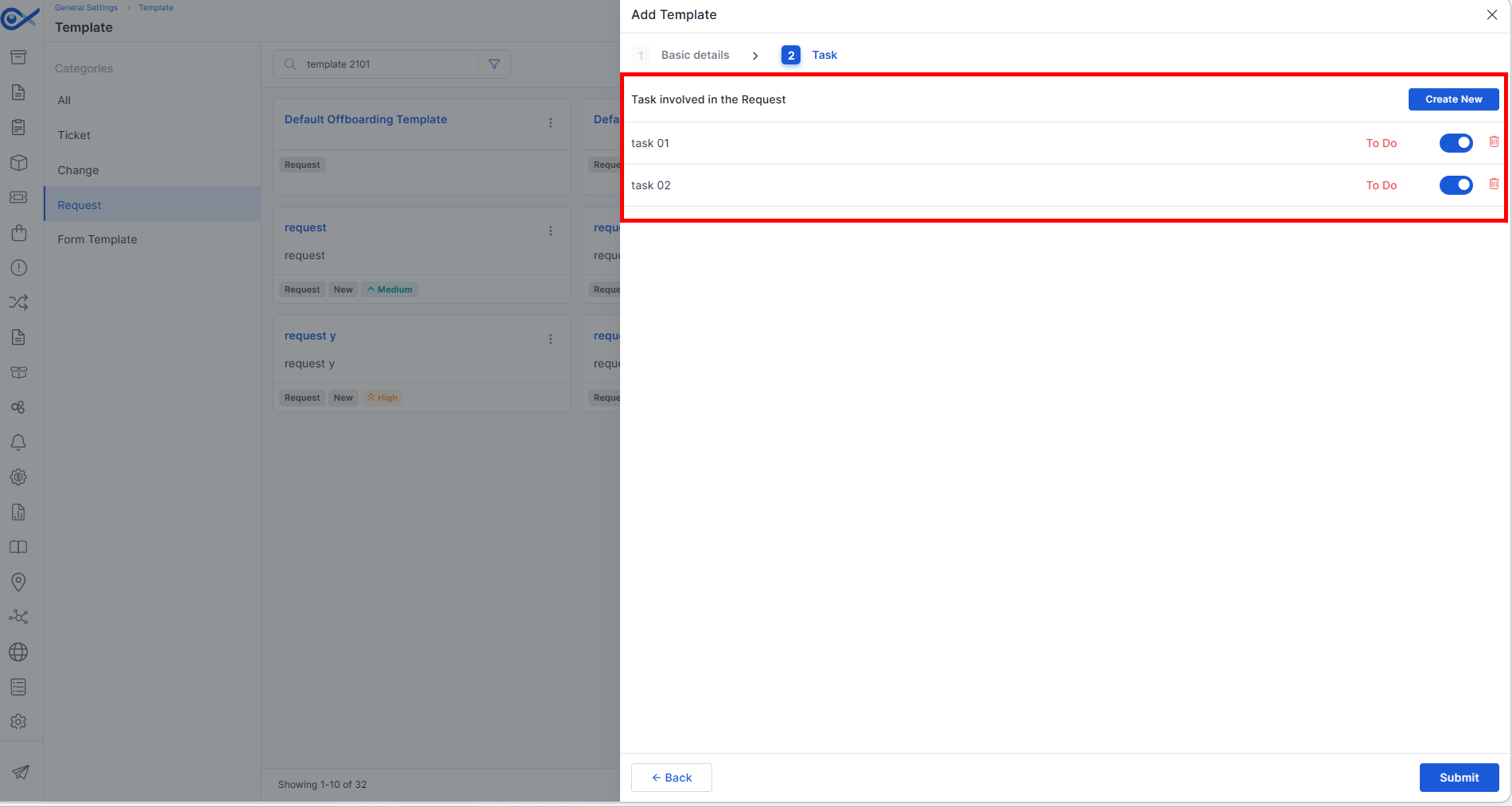
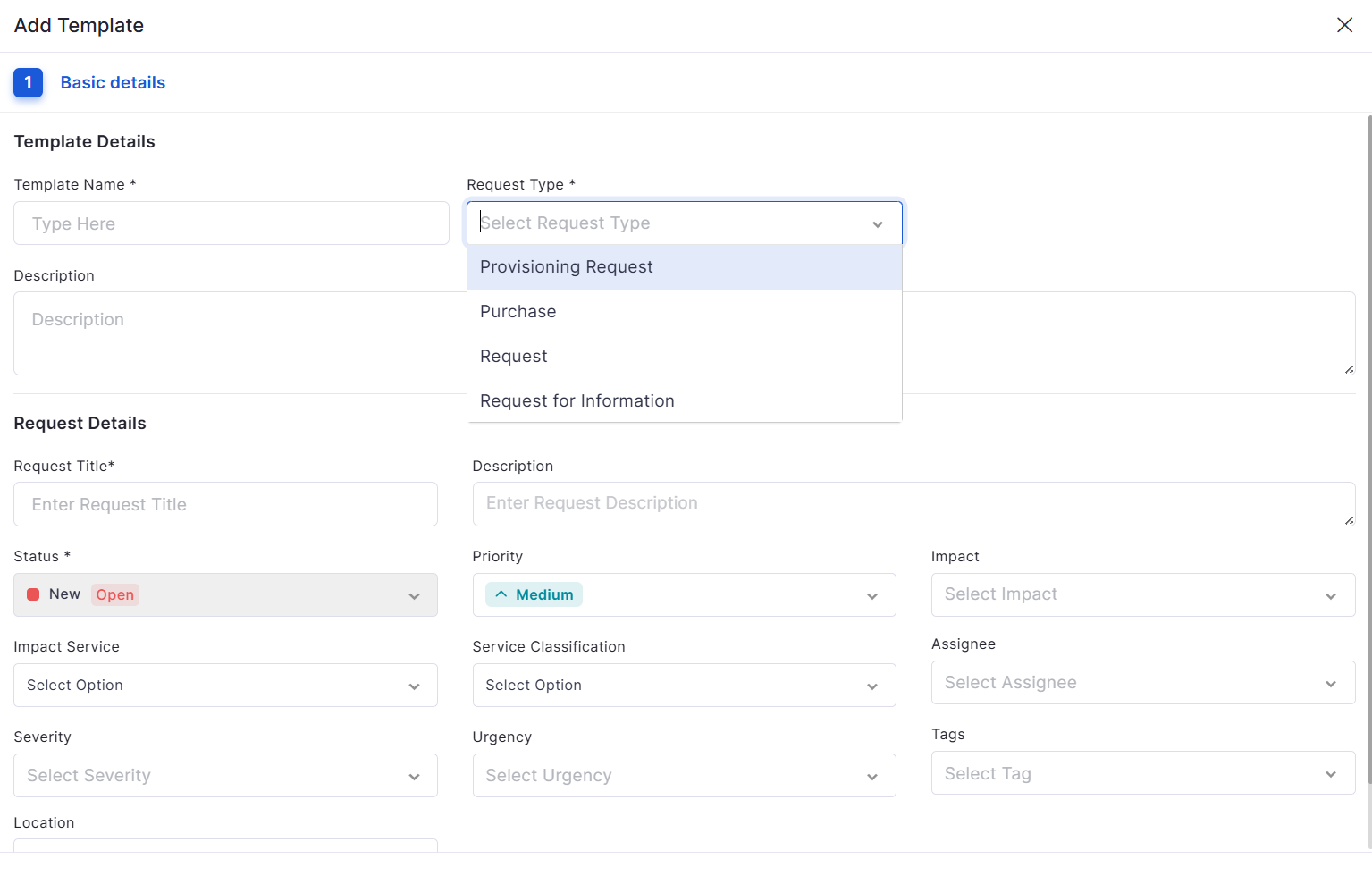
Custom Template for All Request Types
Supports custom form configuration for all request types
Retains all configurations during edit (fields, order, properties)
Allows marking a single unique field
Software License
Auto Allocation for Software License
Automatically allocates licenses based on software discovery
Deallocates licenses on uninstall or version change
Controlled via “Auto License Management” toggle
Feature Configuration
Reversible Faker Data Mapping for AI Privacy
Replaces sensitive data with realistic synthetic values before AI processing
Restores original data in the final response
Prevents exposure of sensitive information to AI systems
Project Management
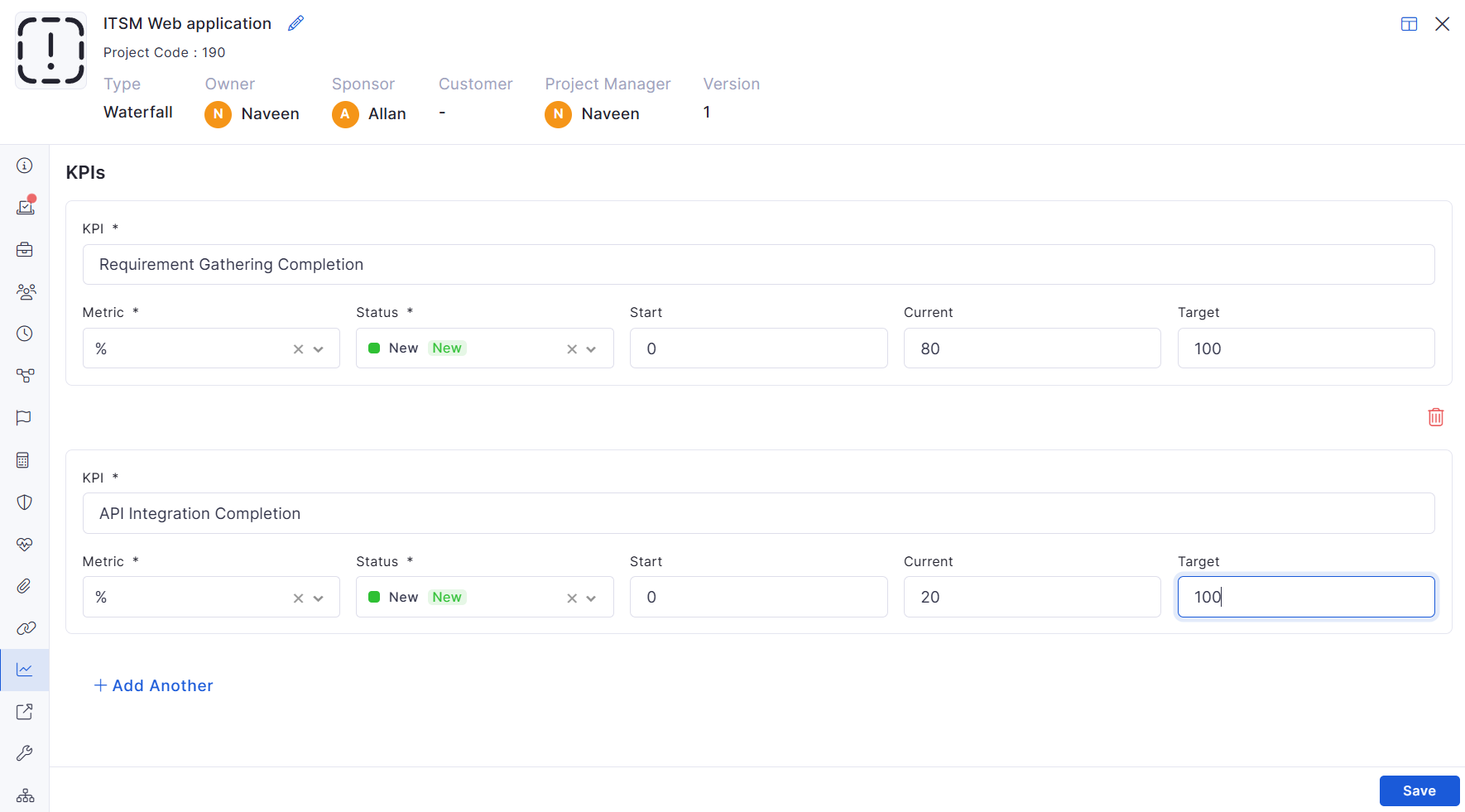
Project KPIs
Added KPI tracking within project details
Supports multiple KPI entries
Includes validation for required fields
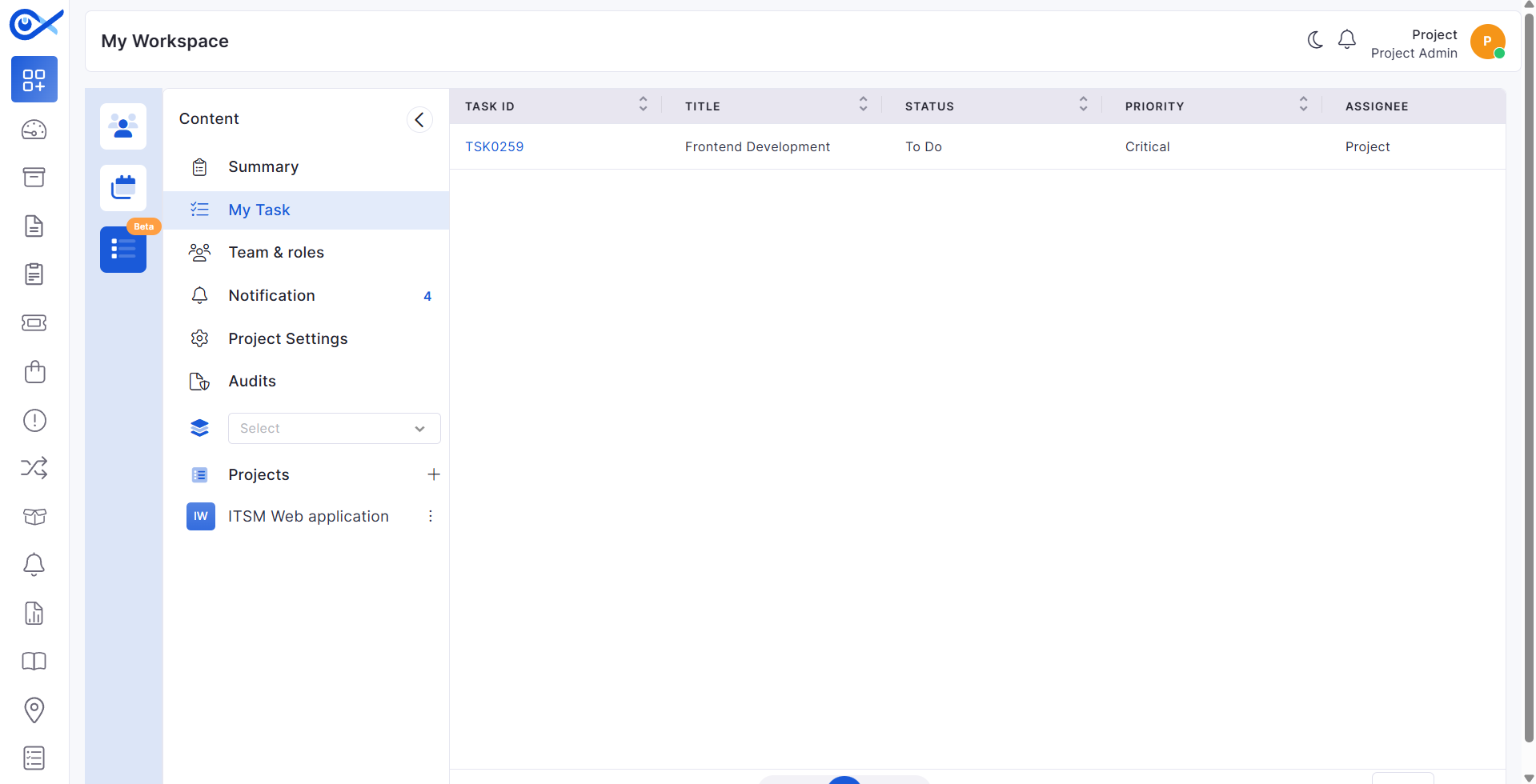
My Task in Project Management
Added “My Task” view for logged-in users
Displays all assigned tasks in a grid
Includes key task details like status, priority, and dates
Task CSV Edit Control
CSV editing respects field configuration rules
Mandatory fields must be filled out
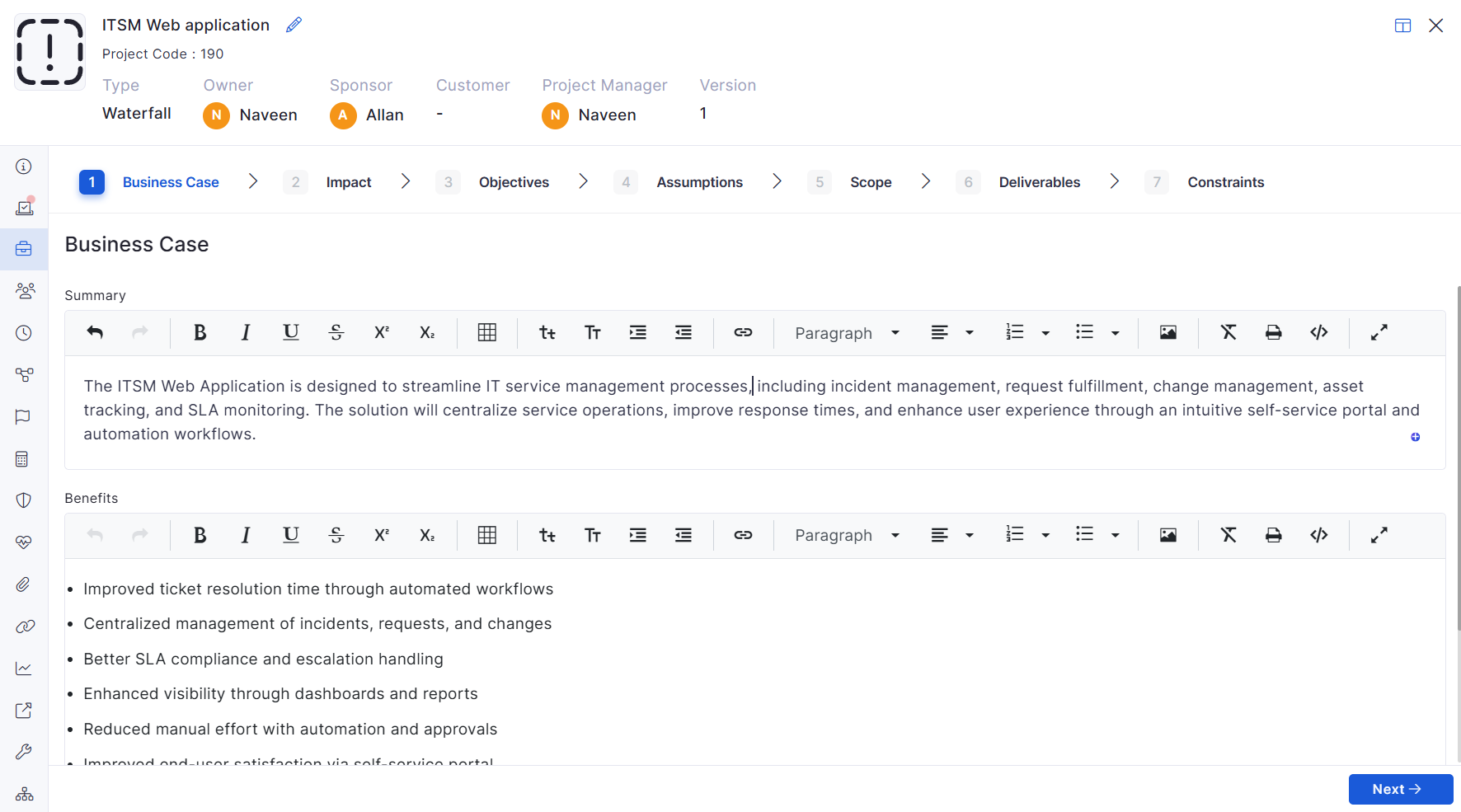
Project Business Case History
Tracks changes across Business Case, Scope, Deliverables, and related sections
Logs add, update, and delete actions
Captures old vs new values with the user and timestamp
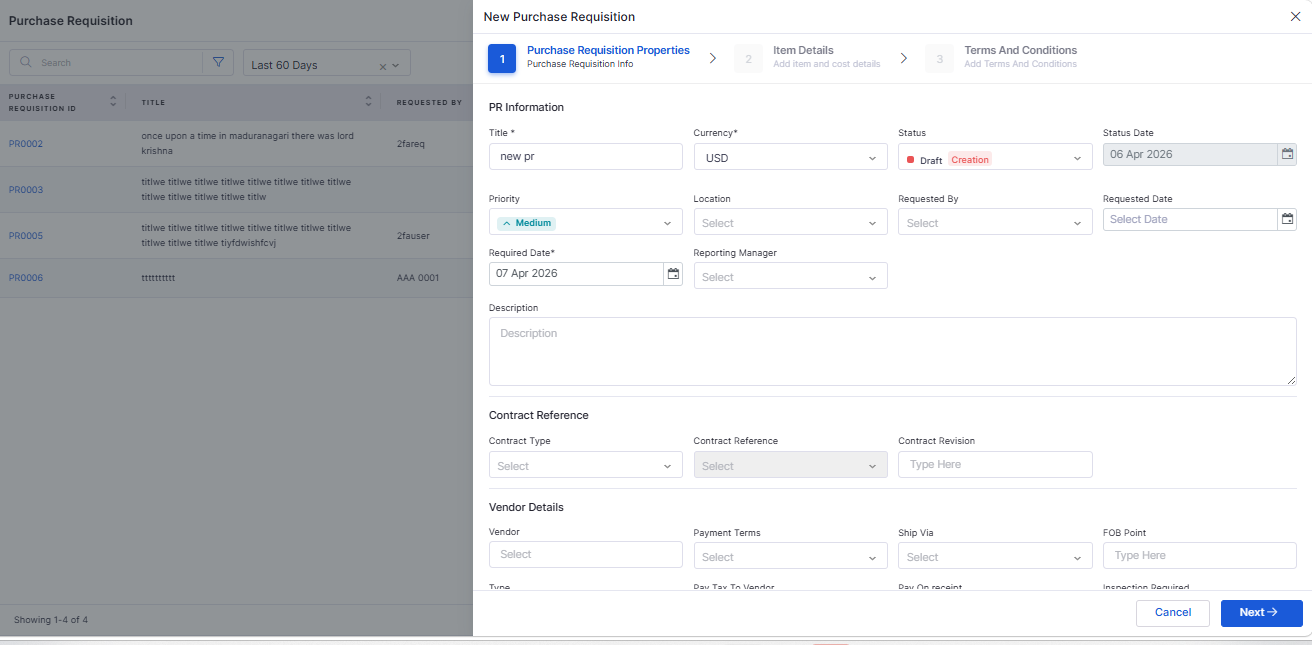
Purchase Requisition
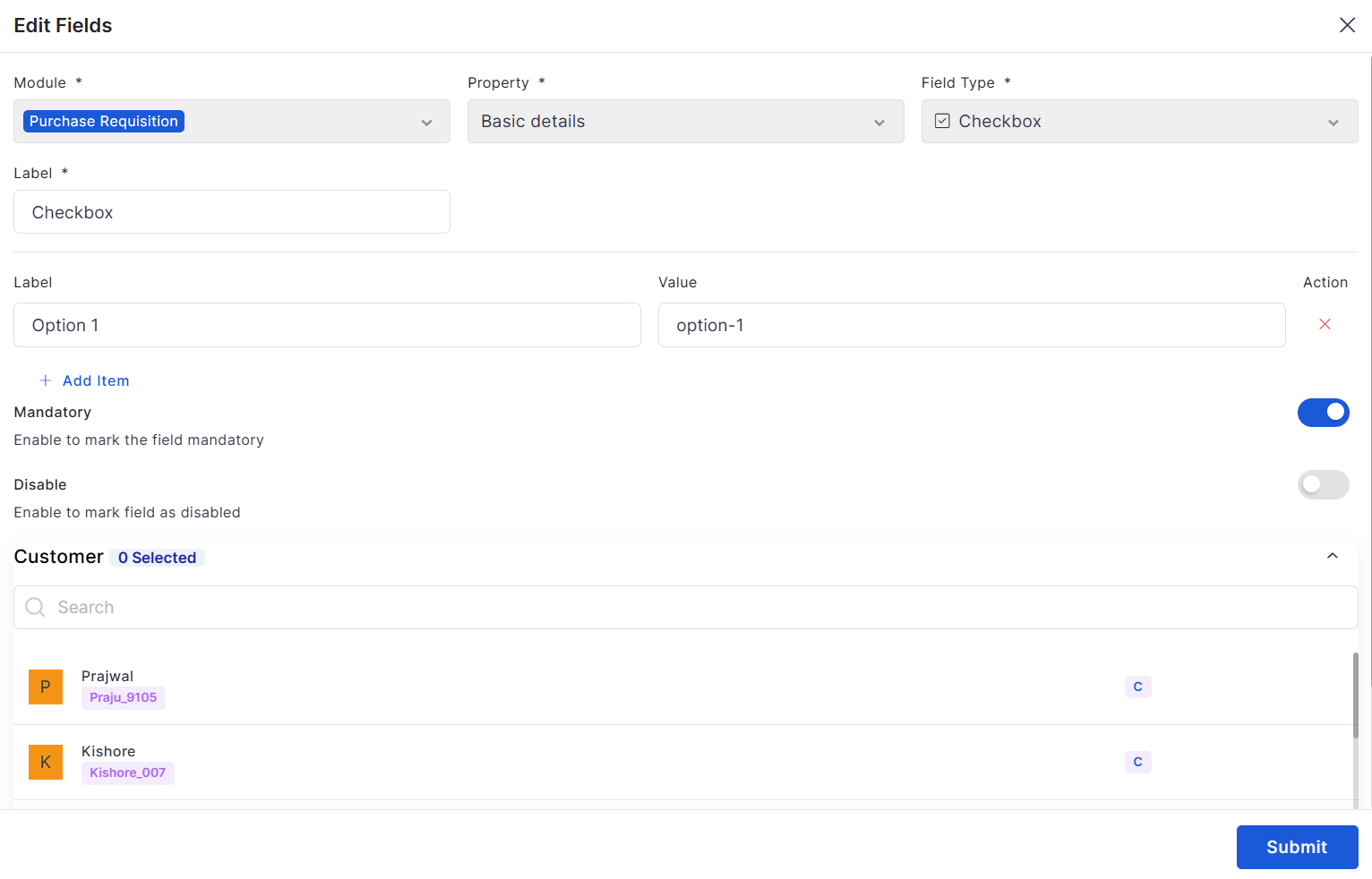
Custom Field Creation
Supports custom fields across PR forms
Enables validation, filtering, and visibility control
PR Approval Process with View
Introduced a complete PR approval workflow
Supports approval teams and threshold-based routing
Approvers can act via inbox, grid, or view page
Dashboard
Ticket and Request per Month Widget
Added monthly and weekly grouping options
Supports toggling between Created and Closed data
Automatically adjusts labels for clarity
Module-wise Aging Widget (Summary & Count)
Extended aging widget to support Incident, Request, and Change modules
A single widget can be reused across modules
Bugs Fixed
General stability improvements across modules
Fixes in approval workflows and data consistency
UI corrections for better usability
Performance optimizations in reporting and dashboards
v7.4.6 - June 2026
Release Cycle: 5th June 2026
Build: Pre-Release Documentation
This release introduces enhancements across AI Operations, Project Management, Reporting, Procurement, Asset Management, Mobile Applications, Workflow Automation, and Enterprise Asset Management. The updates focus on improving usability, reporting flexibility, workflow customization, and operational visibility across the platform.
Use these pages to go deeper into the modules covered in this release:
General stability and performance improvements across modules.
Fixed UI inconsistencies and validation issues.
v7.4.4 - February 2026
View the latest features, enhancements, and fixes by release.
Release Cycle: 26th February 2026
Build: Pre-Release Documentation
This upcoming release introduces enhancements across Inventory Agents, Dashboard monitoring, API Metering & License enforcement, Purchase Order workflow improvements, AI-powered Ticket interactions, Asset export optimization, and advanced grid/search capabilities.
The update also includes multiple stability, reporting, and integration fixes across modules.
Improved performance in the Ticket sidebar and Account Settings.
Resolved Azure AD sync, user count, and license validation issues.
Version details are displayed in the Project Detail view.
Version changes are logged in Recent Activity for audit tracking.
Automatically syncs project members into meeting attendees.
Displays associated projects in Meeting details and edit mode.
Ensures proper attachment visibility in the Change Detail view.
Re-sync updates, manager changes, or removals automatically.
Manager fields are read-only when synced from Azure AD.
Added improved sync statistics and retry options.
Improved Marketplace UI behavior and app access control.
Improves duplicate detection and incident analysis.
Supports pagination, search, retry handling, and real-time updates.
Supports validation rules, RBAC control, unique constraints, and CSV import/export.
Custom fields can be included in PO ID formatting.
Enables drill-down view and CSV export.
Supports cloning, editing, deleting, and auto-reloading.
Enhances flexibility in SLA reporting and analytics.
Improves resolution speed and knowledge reuse.
Improved report preview, export, clone, and schedule behavior to retain selected filters and columns consistently.
Supports direct date updates from the Gantt view with real-time synchronization.
Allows inline editing and task creation directly from the board.
Works seamlessly in both light and dark modes.
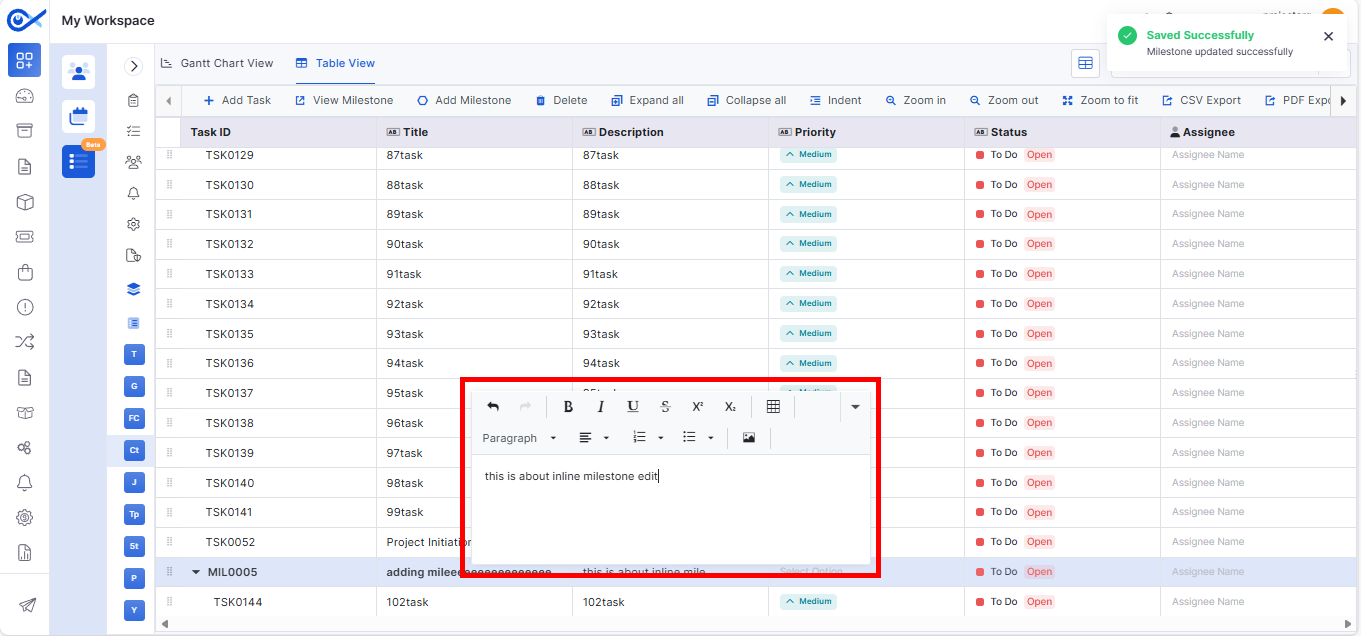
Supports inline editing, validation messages, and audit logging.
Milestones are visually highlighted in the task table.
Improves project governance and avoids configuration inconsistencies.
Additional field visibility controls were added in project templates and task views.
Improves ownership tracking, reporting accuracy, and auditability.
Improves operational analysis across teams, priorities, services, and assignees.
Quotation Number is now included in the downloadable PO document.
Improved clarity and usability during service and package definition.
Rejection moves the record back to Draft with remarks
All actions captured in audit logs
Prevents data loss with full form persistence
Supports bulk enable/disable via grid and CSV
Tracks all actions in audit logs
Controlled via configuration toggle
Supports multiple data formats and structures
Displays KPI metrics with start, current, and target values
Supports sorting and multiple project visibility
Disabled fields cannot be edited
Restricted fields are masked for security
Ensures full auditability of project updates
Ensures proper handling of unique and disabled fields
Displays current and upcoming approval stages
Restricts editing during the approval process
Maintains a full approval audit trail
Provides dynamic chart updates
Updates filters and grouping dynamically based on the module
Supports drill-down and export functionality
Improved synchronization and workflow handling.
Minor fixes across reports, dashboards, and integrations.
Overview
Key Updates
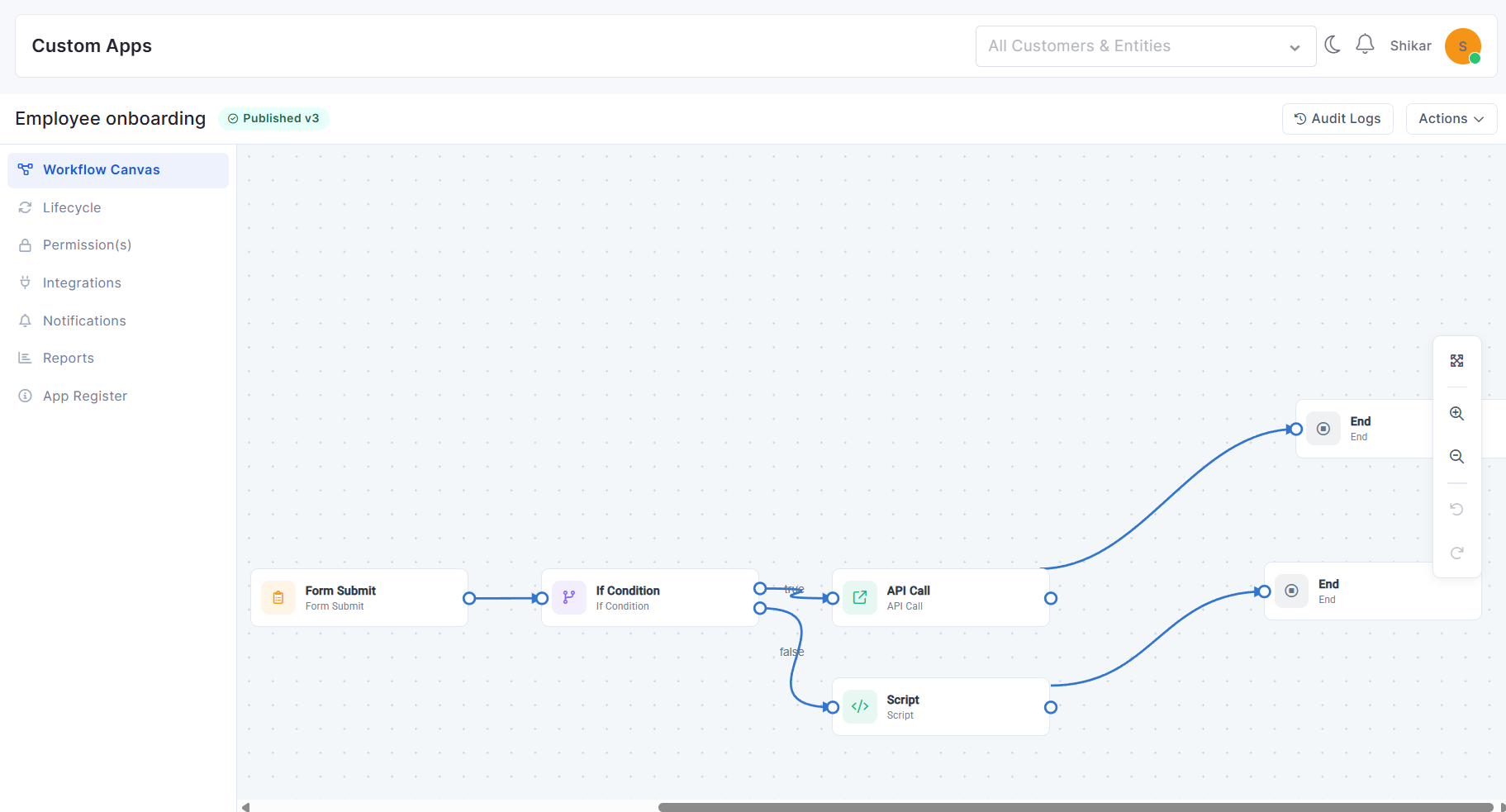
AlOps
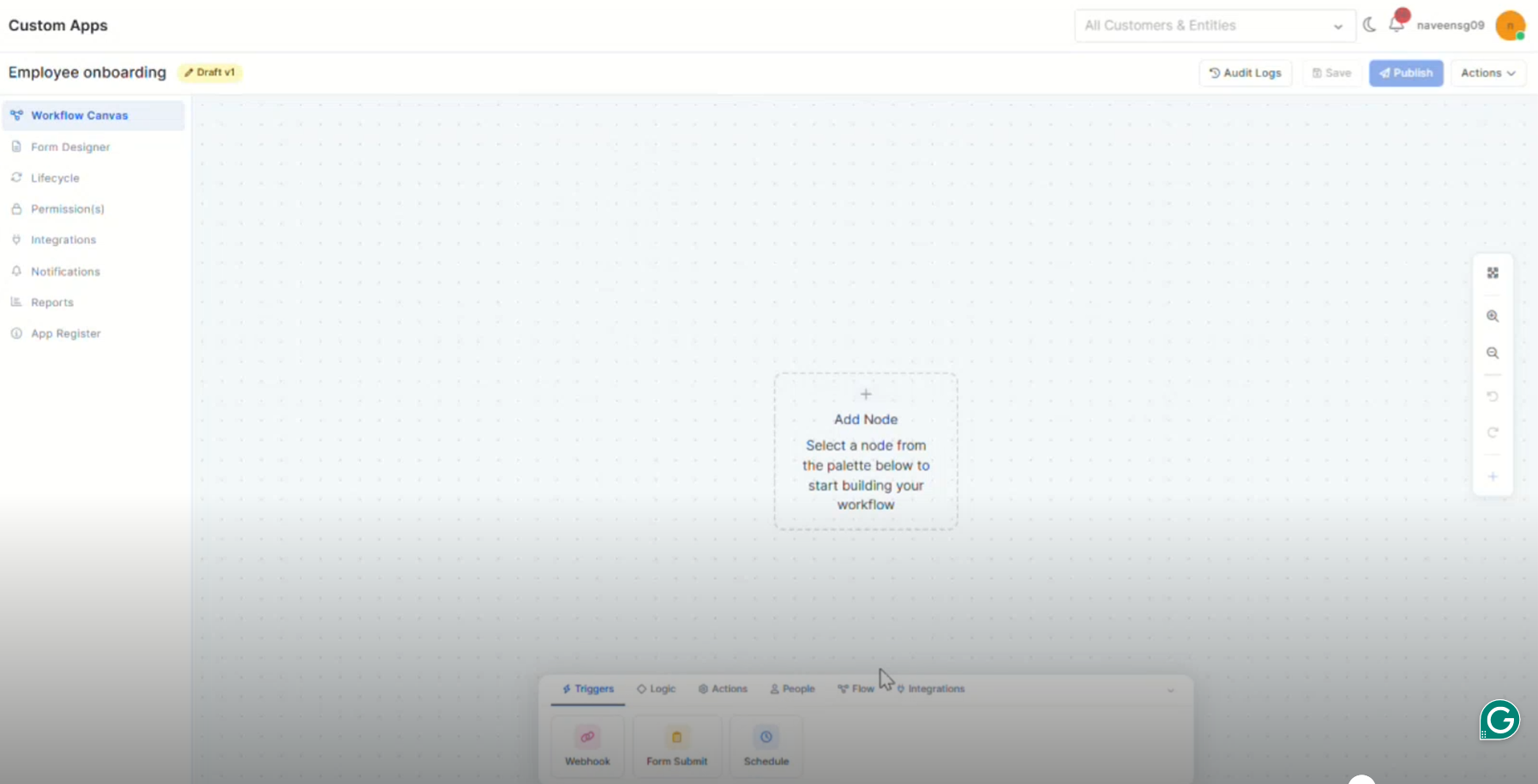
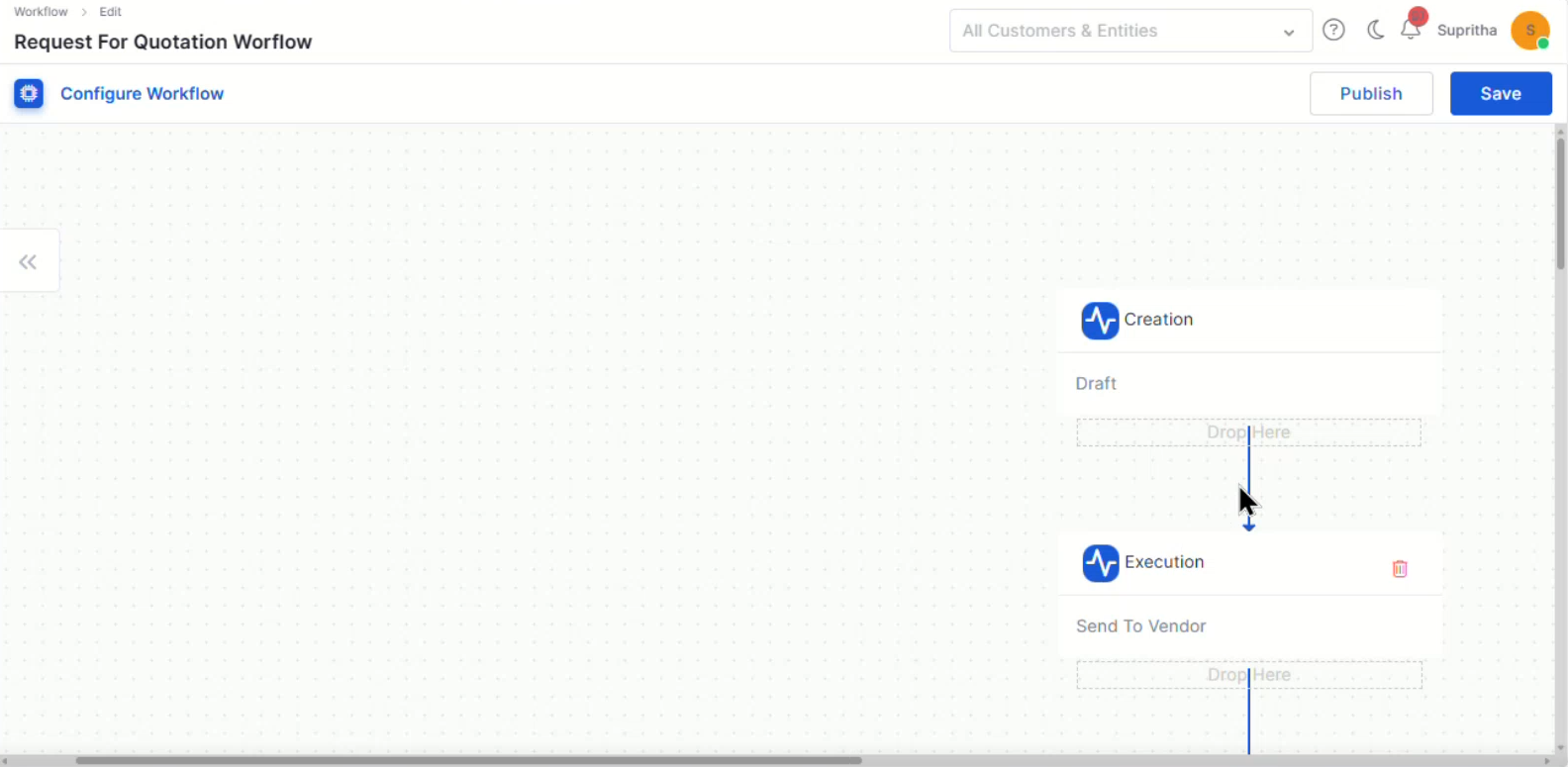
Workflow Canvas and Node Behavior UI Enhancements
Improved workflow canvas interaction for creating and managing node connections.
Added guided connection behavior to simplify workflow design.
Enhanced visual feedback for valid workflow paths and node relationships.
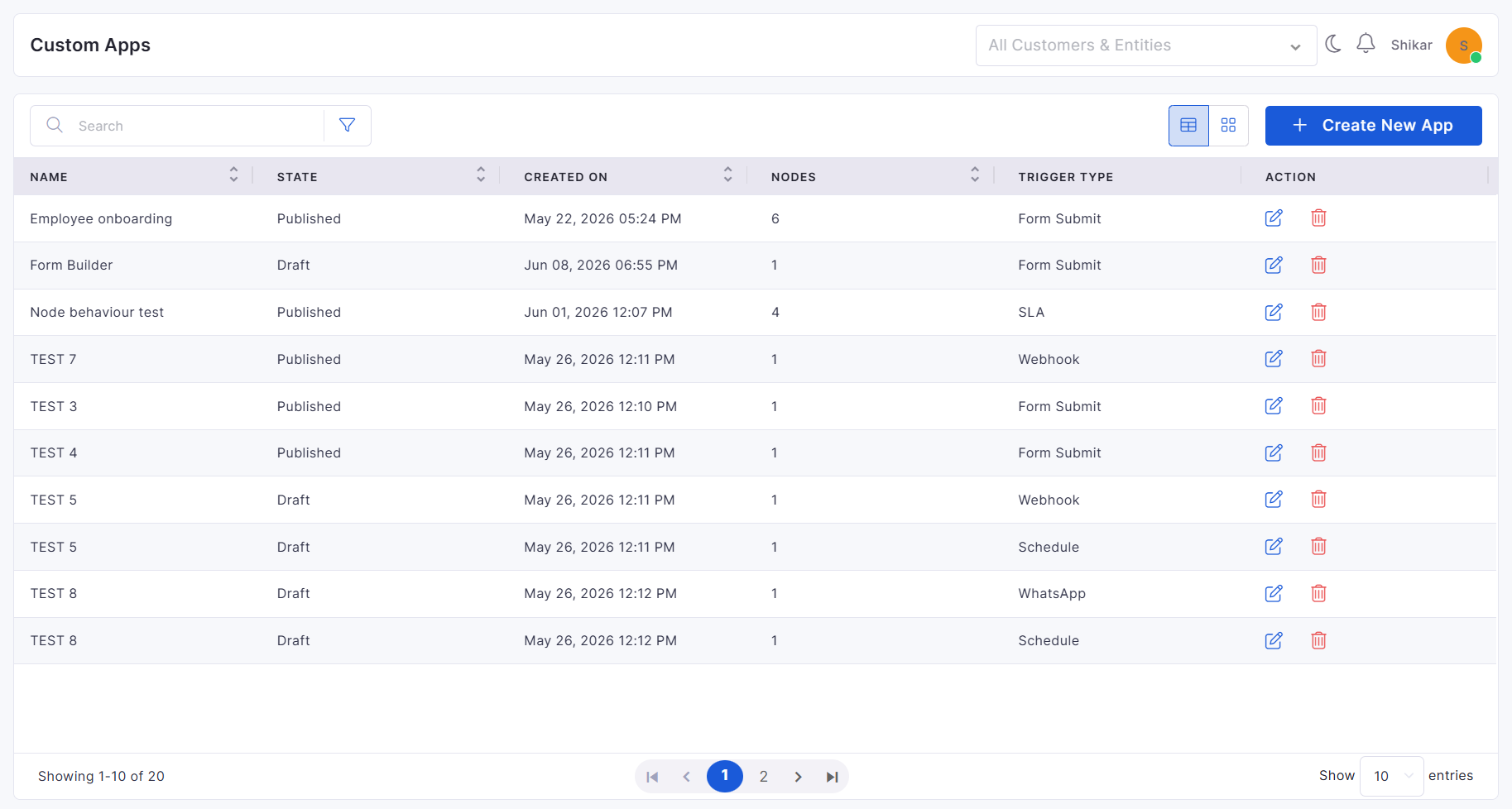
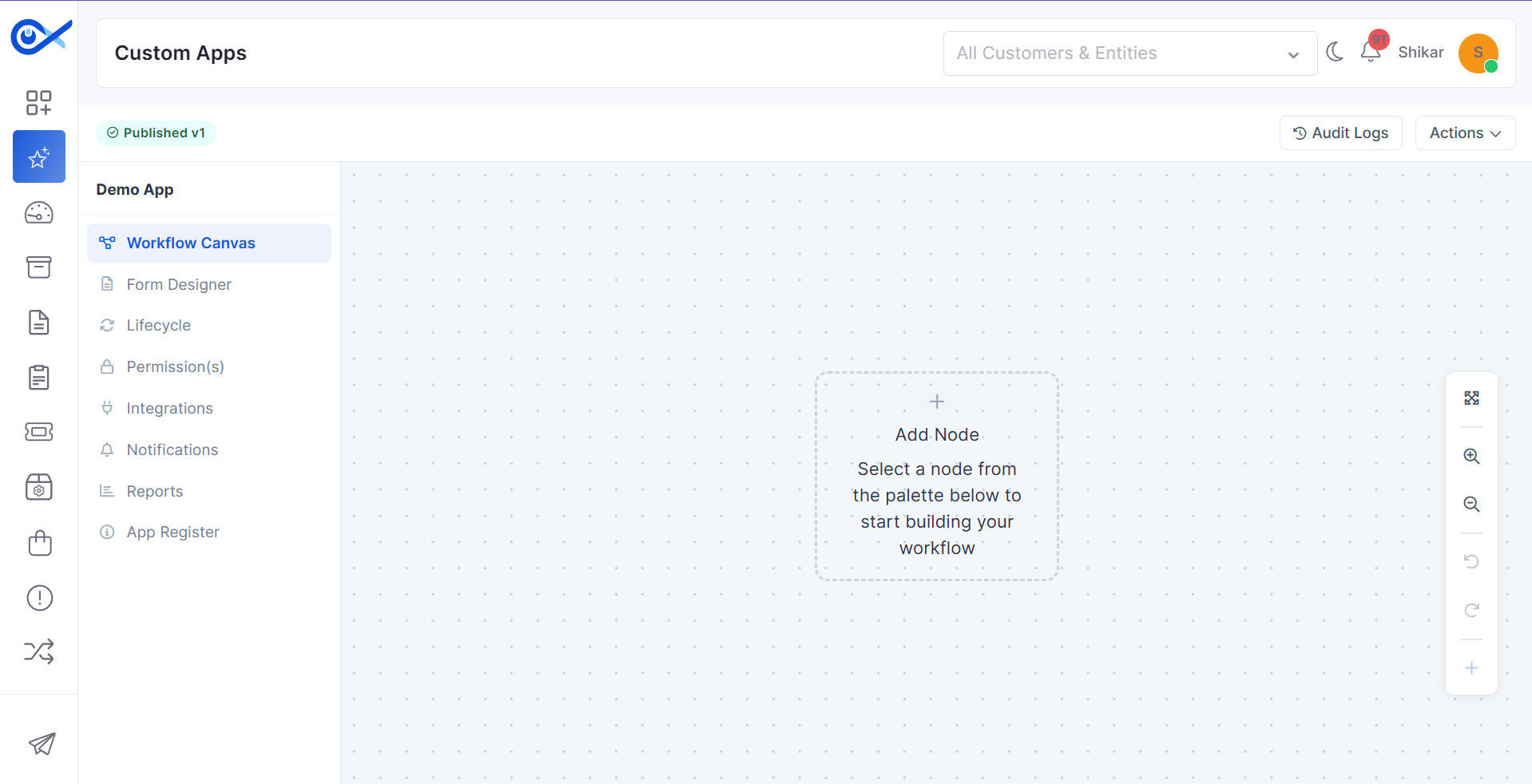
Custom Apps Configuration and View Management
Added support for creating, editing, and managing custom applications.
Enhanced grid and card views for improved application visibility.
Improved search, permissions, and application management experience.
CMDB View
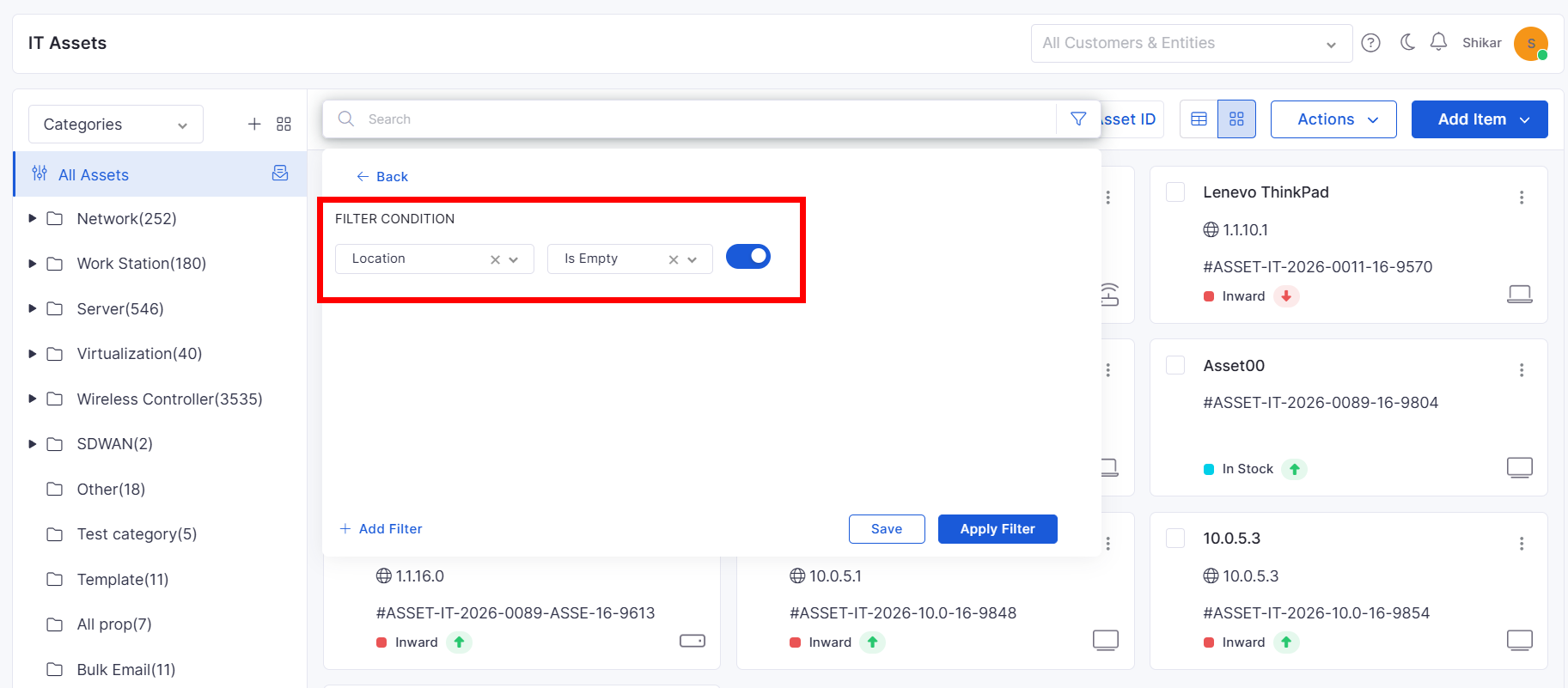
Empty Value Filtering in Asset Views
Added support for filtering assets with empty field values.
Improved asset discovery and data quality analysis.
Simplifies identification of incomplete asset records.
Report
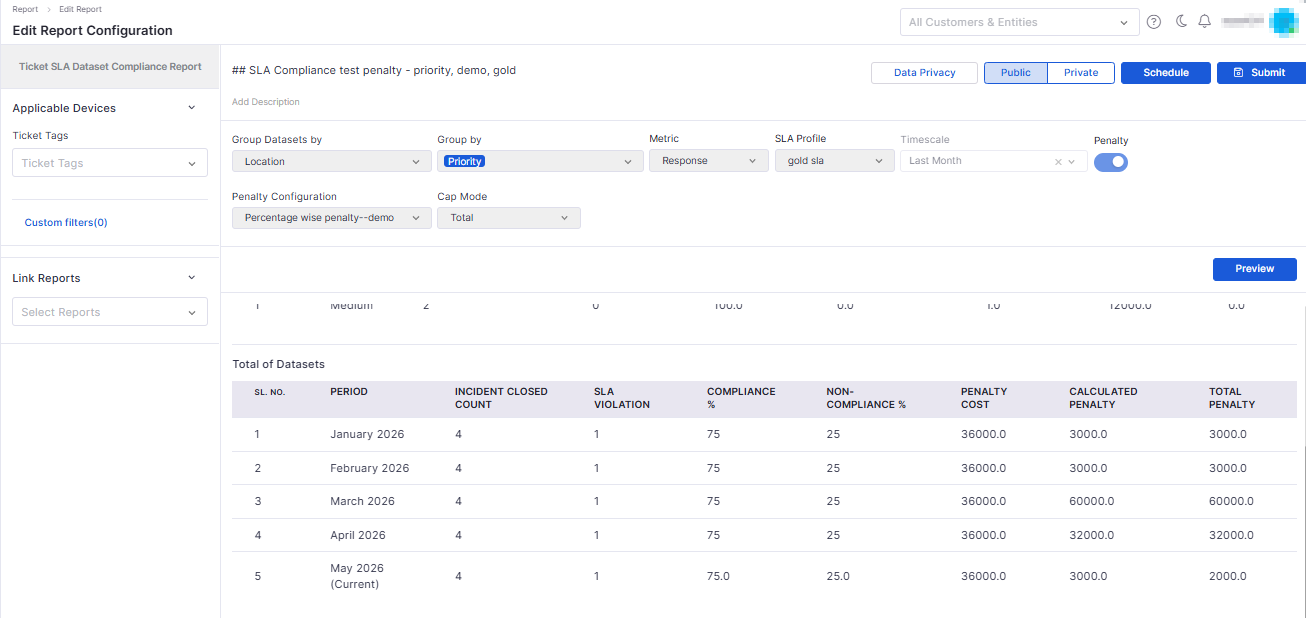
SLA Compliance Penalty Reporting
Added advanced SLA compliance reporting with dataset-level analysis.
Supports grouped SLA performance tracking across locations.
Provides enhanced visibility into compliance and penalty calculations.
Asset Audit and Allocation Report Enhancements
Added flexible Excel export options for asset-related reports.
Supports consolidated and grouped export formats.
Improves reporting and audit analysis capabilities.
Business Rule
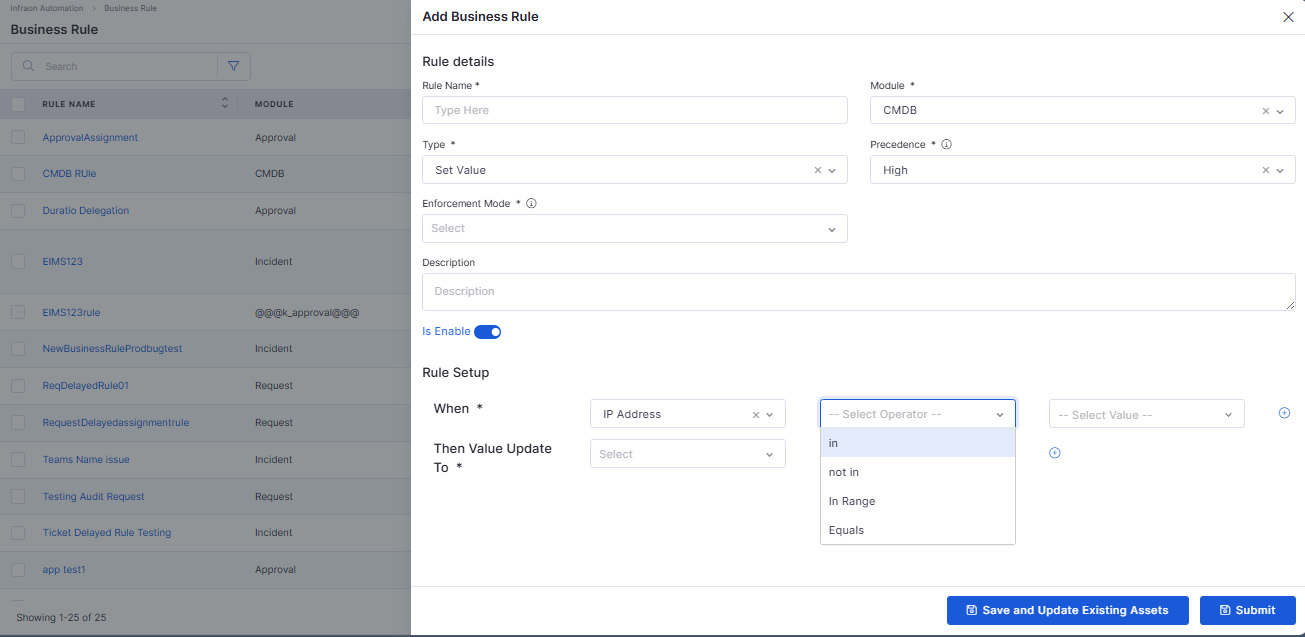
Enhanced Rule Conditions
Added support for In, Not In, Equal To, and Not Equal To conditions.
Improves business rule flexibility and precision.
Simplifies rule creation for asset and software processes.
Agentic AI
Tag Module MCP Agent
Added AI-powered tag management capabilities through Agentic AI.
Supports tag discovery, creation, and management using natural language.
Improves categorization and organization across supported modules.
Mobile Enhancements
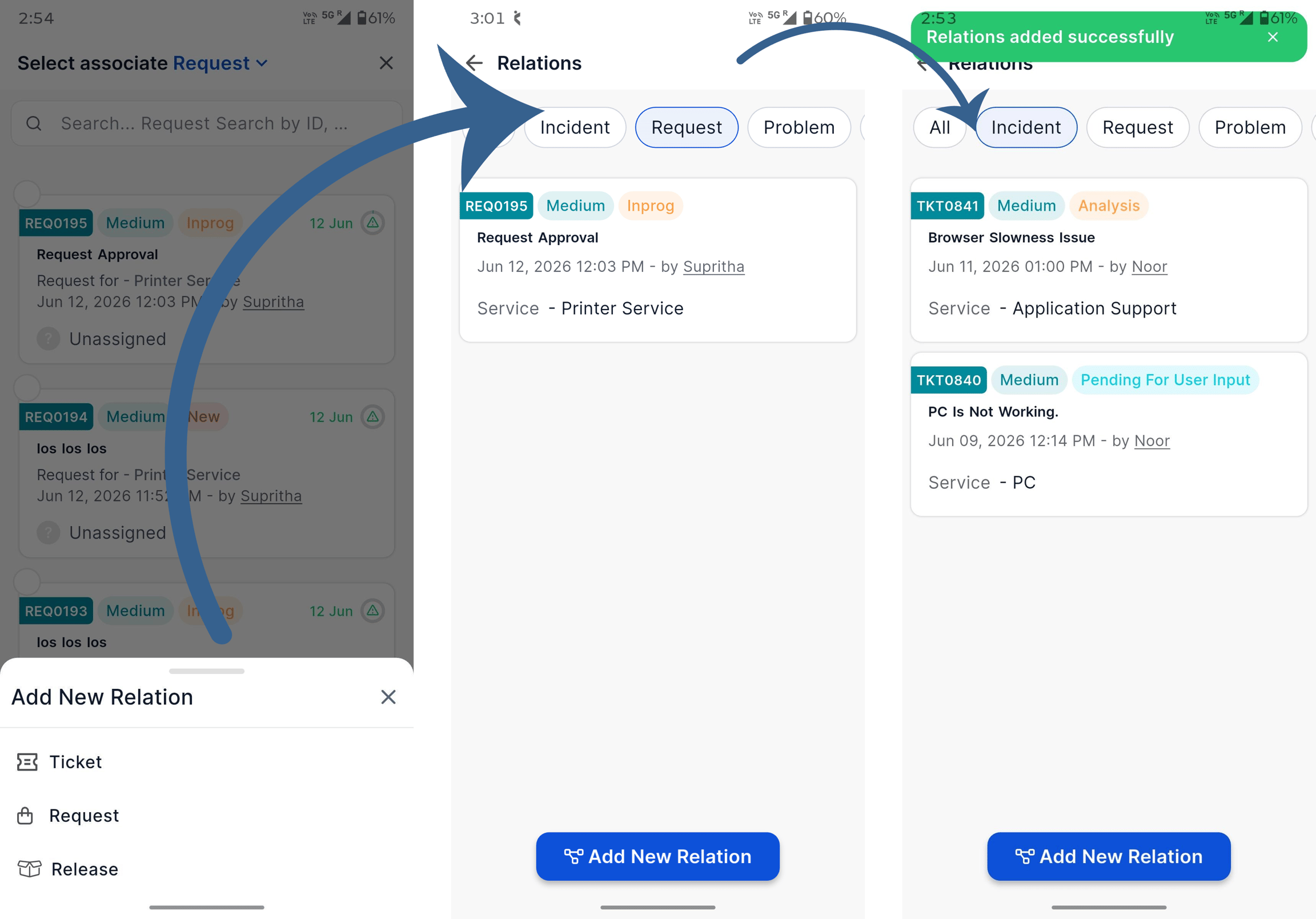
iOS – Relation Association
Added support for associating related records from mobile devices.
Simplifies relationship management while working on the go.
Improves visibility into connected records.
iOS – Relation View and Filtering
Added relation viewing and filtering capabilities for Tickets, Requests, and Releases.
Improves navigation across related records.
Provides a more consistent mobile experience.
Purchase Order
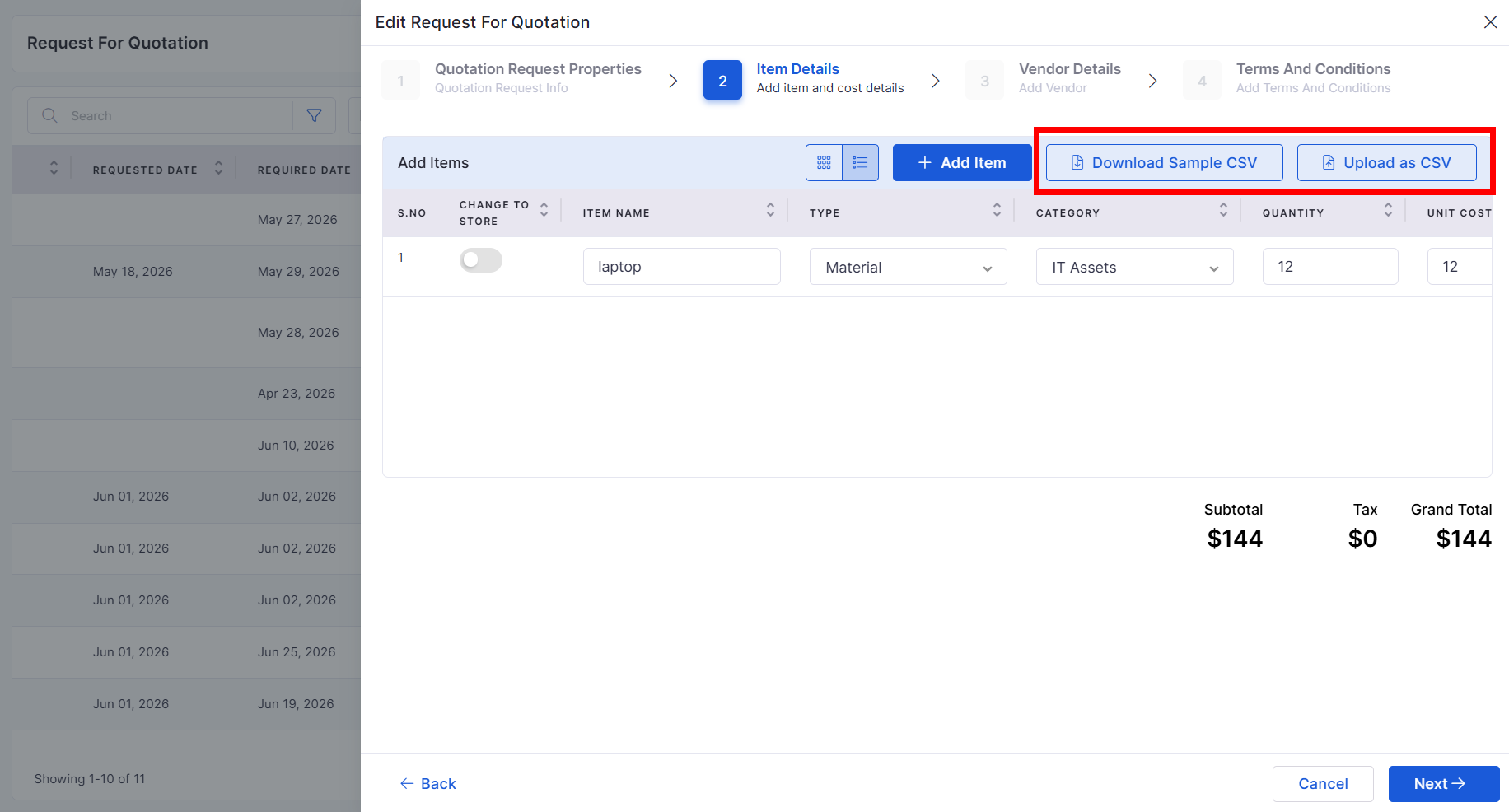
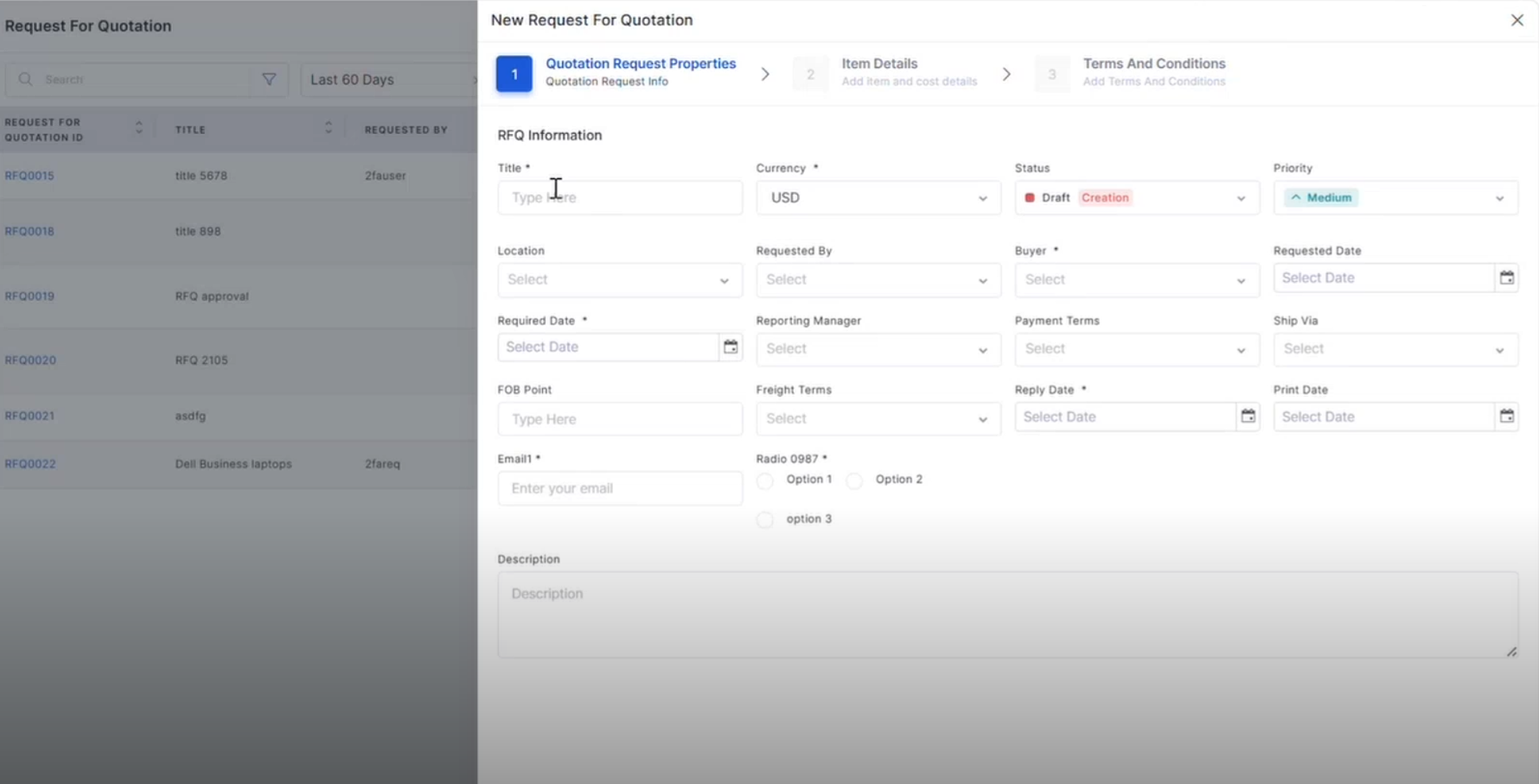
RFQ Line Item CSV Upload
Added CSV import support for RFQ line items.
Reduces manual data entry effort.
Simplifies RFQ creation for large procurement requests.
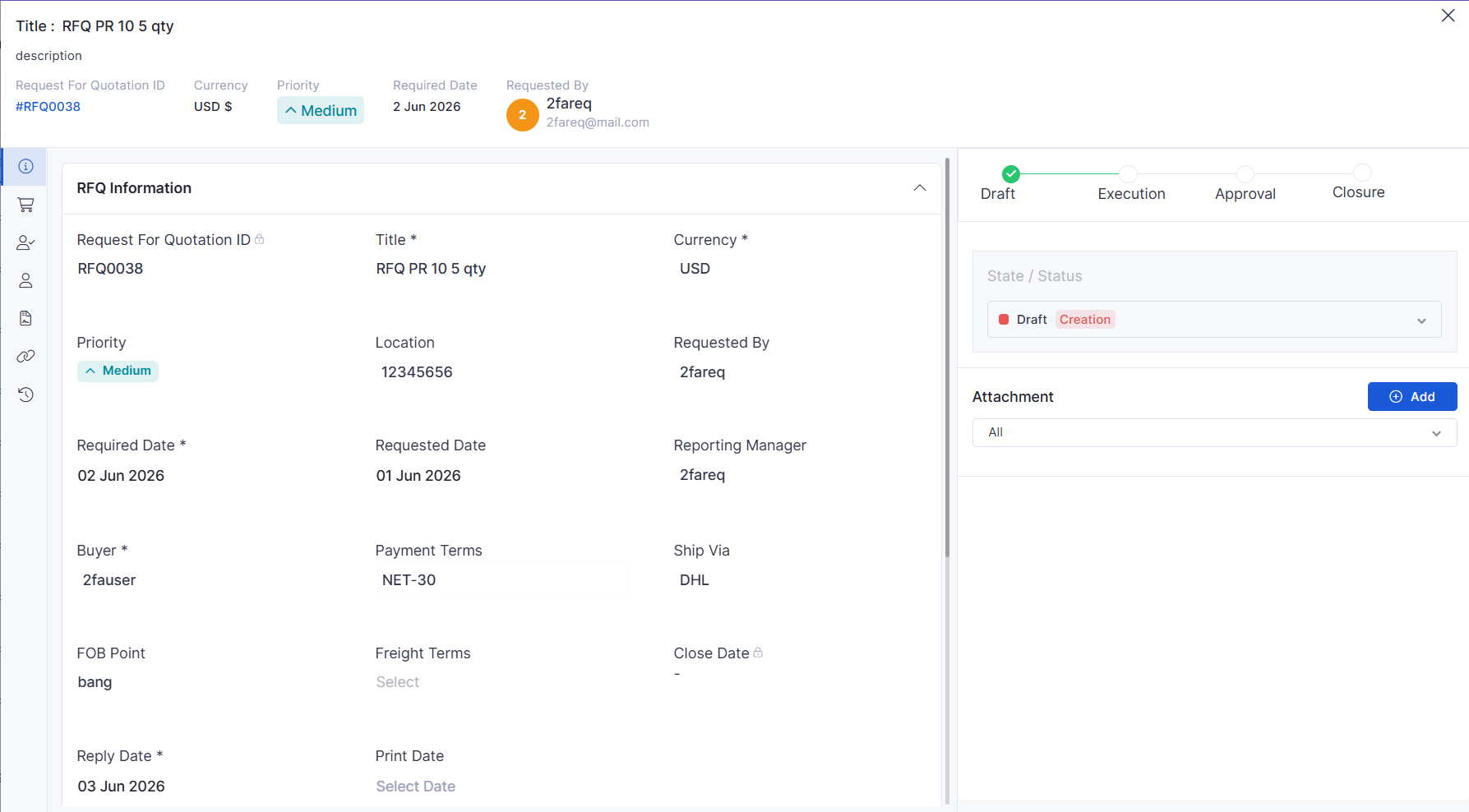
RFQ View Page
Introduced a dedicated RFQ view page.
Provides improved visibility into RFQ details and status.
Enhances procurement tracking and review processes.
Purchase Requisition
PR Actions for PO and RFQ Creation
Added direct actions to create Purchase Orders and RFQs from Purchase Requisitions.
Streamlines procurement workflows.
Reduces manual processing steps.
Dashboard
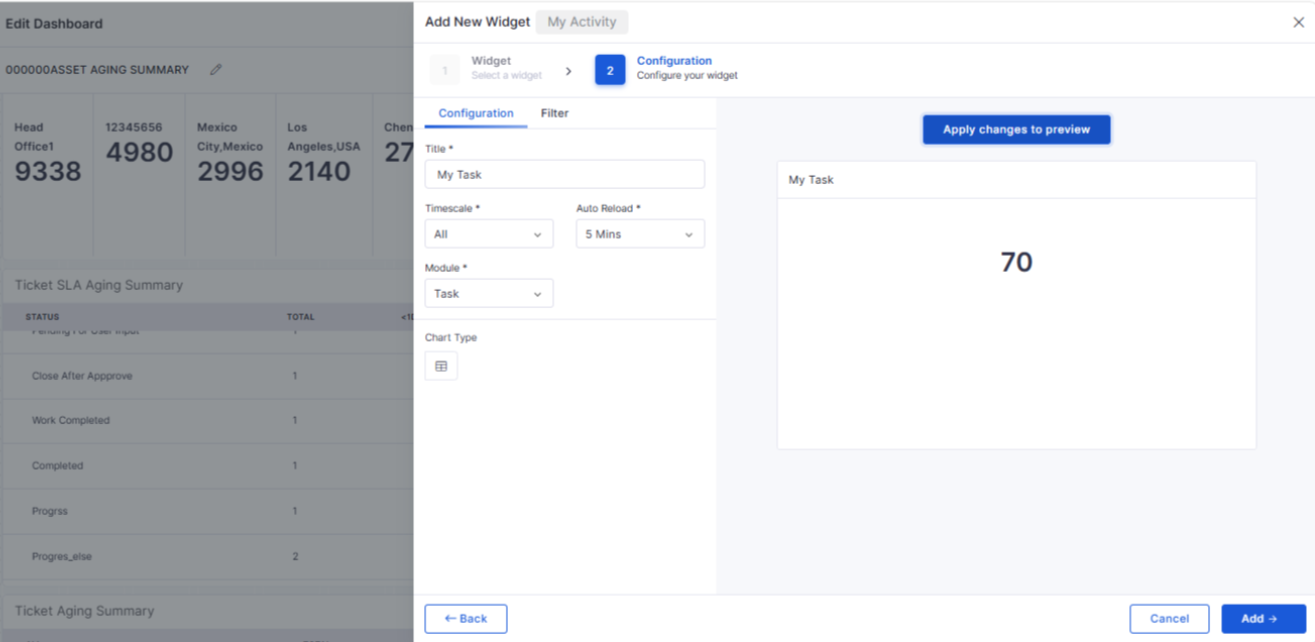
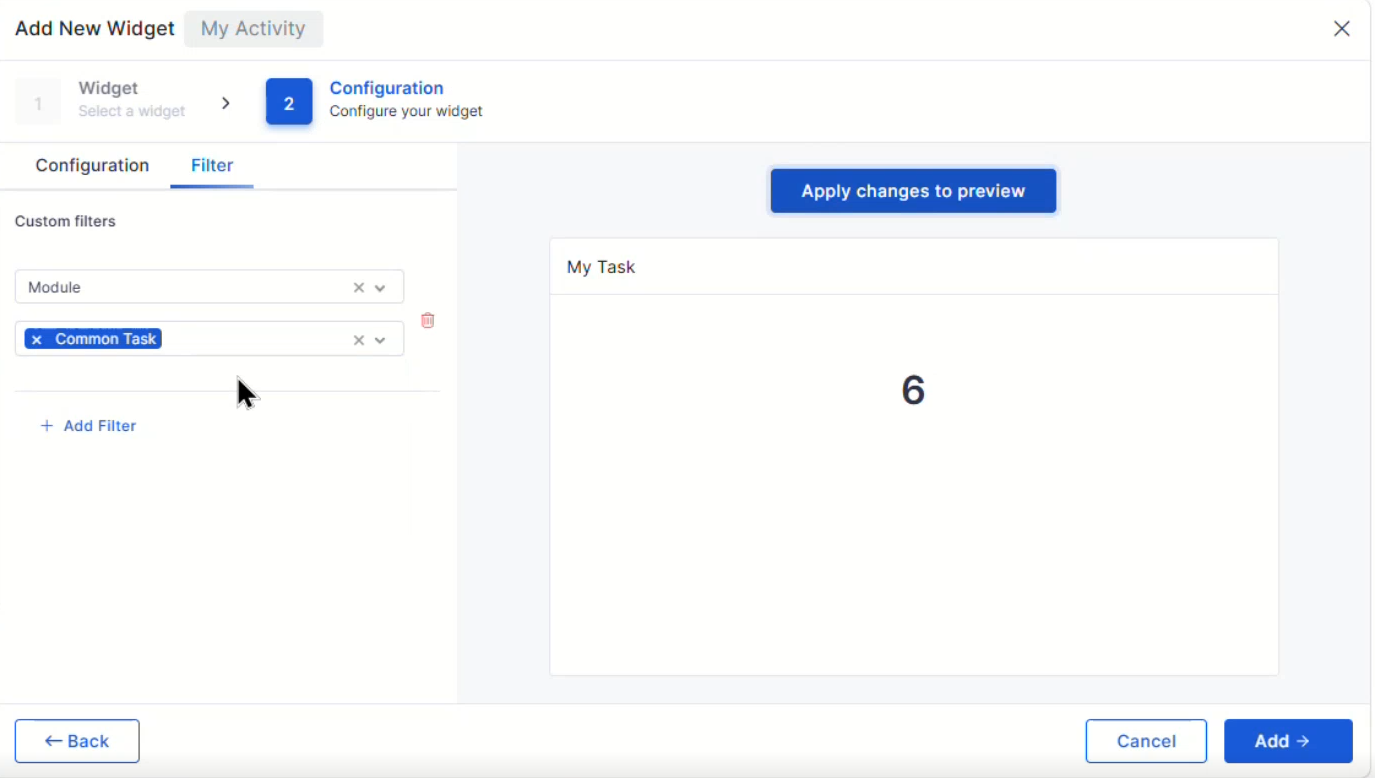
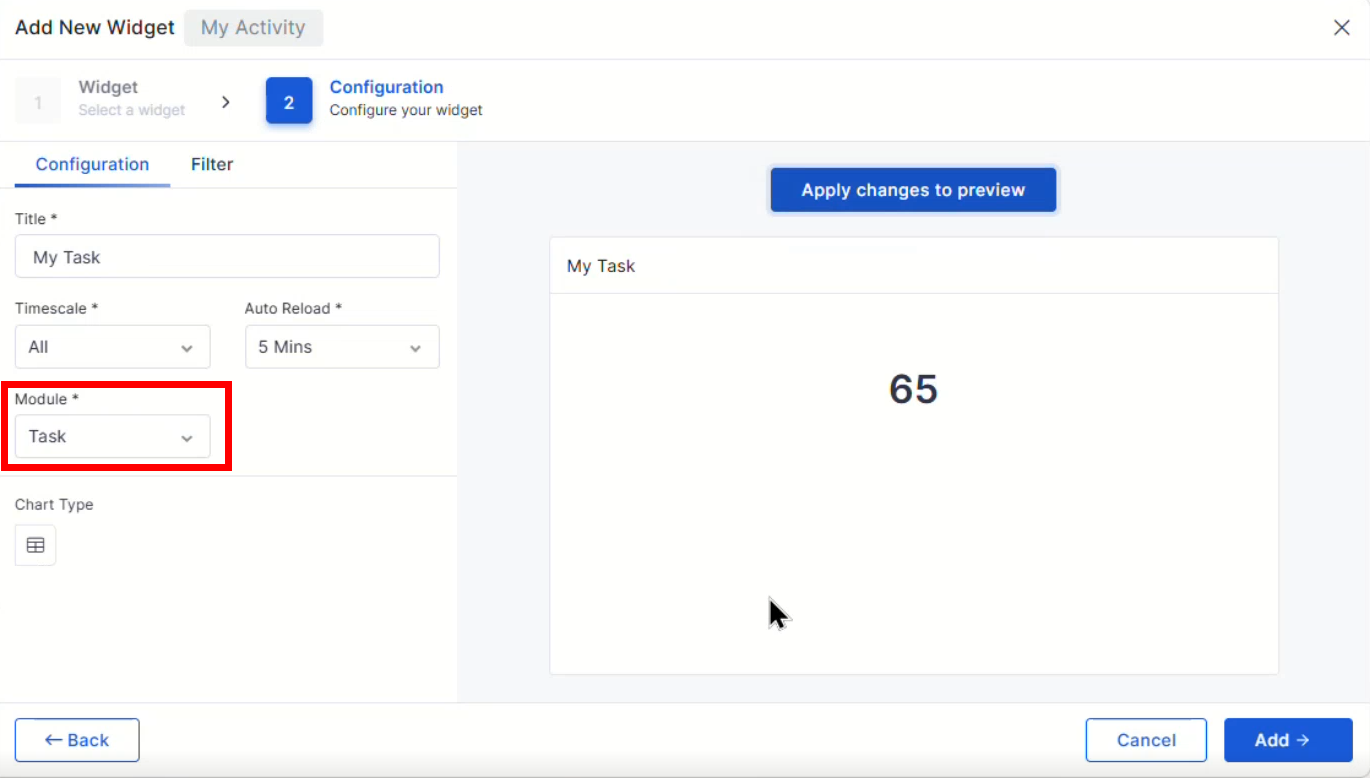
My Task in My Activity Widget
Added task visibility within the My Activity widget.
Provides quick access to assigned work items.
Improves personal workload tracking.
Contract and Purchase Order Widget Enhancements
Added nested grouping and drill-down capabilities.
Enables deeper analysis of contract and procurement data.
Improves dashboard reporting flexibility.
Request Management
Service Request Template Visibility
Improved visibility of service request template fields in panel views.
Ensures important request information is displayed consistently.
Enhances request handling and review.
Workflow
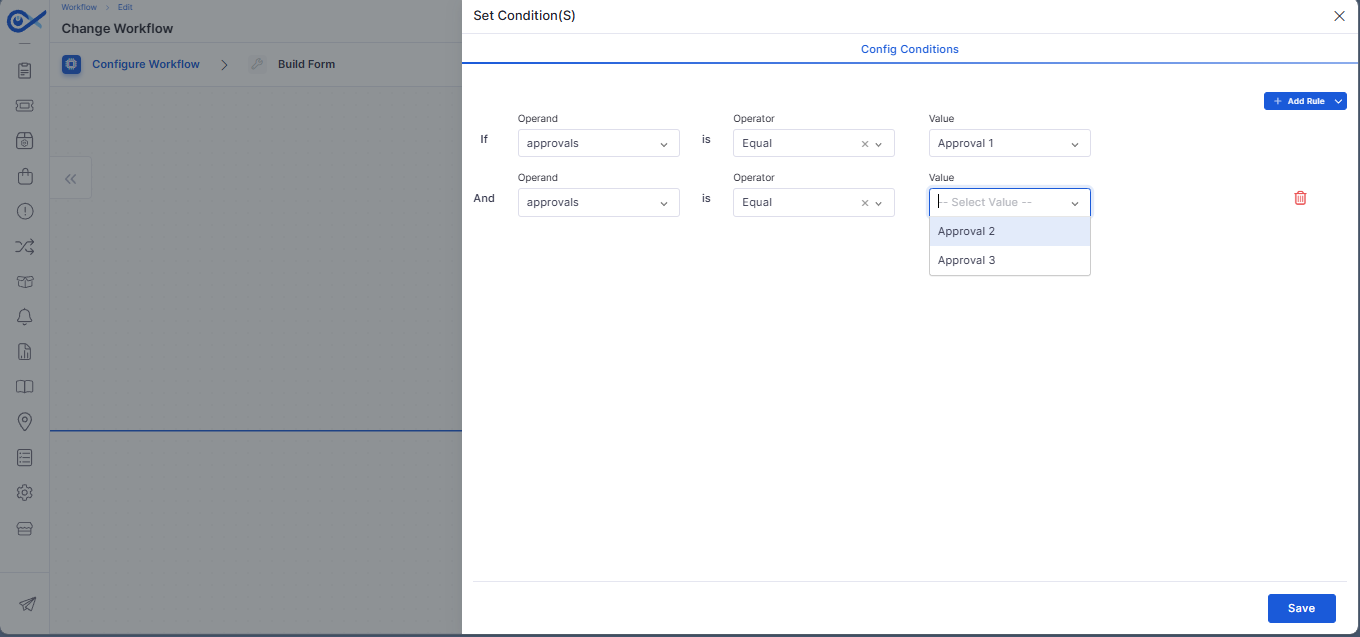
Custom Conditional Approvals for Change Workflows
Added support for configurable approval conditions within change workflows.
Enables more flexible approval processes.
Improves workflow automation and governance.
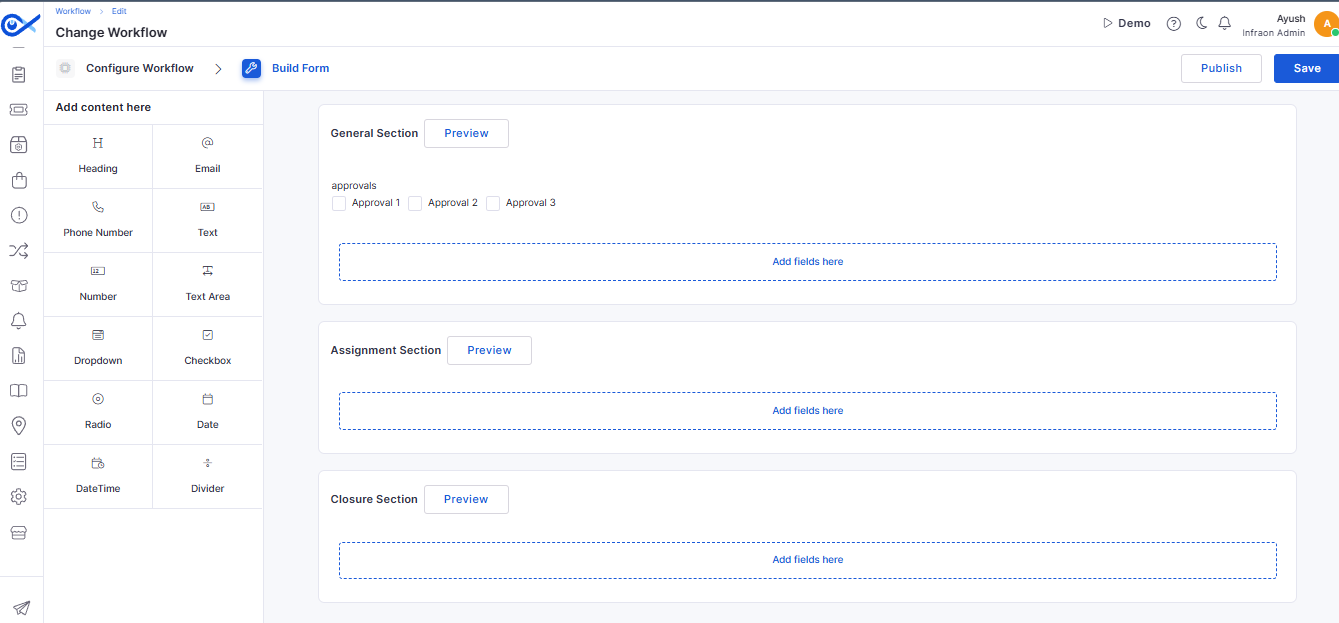
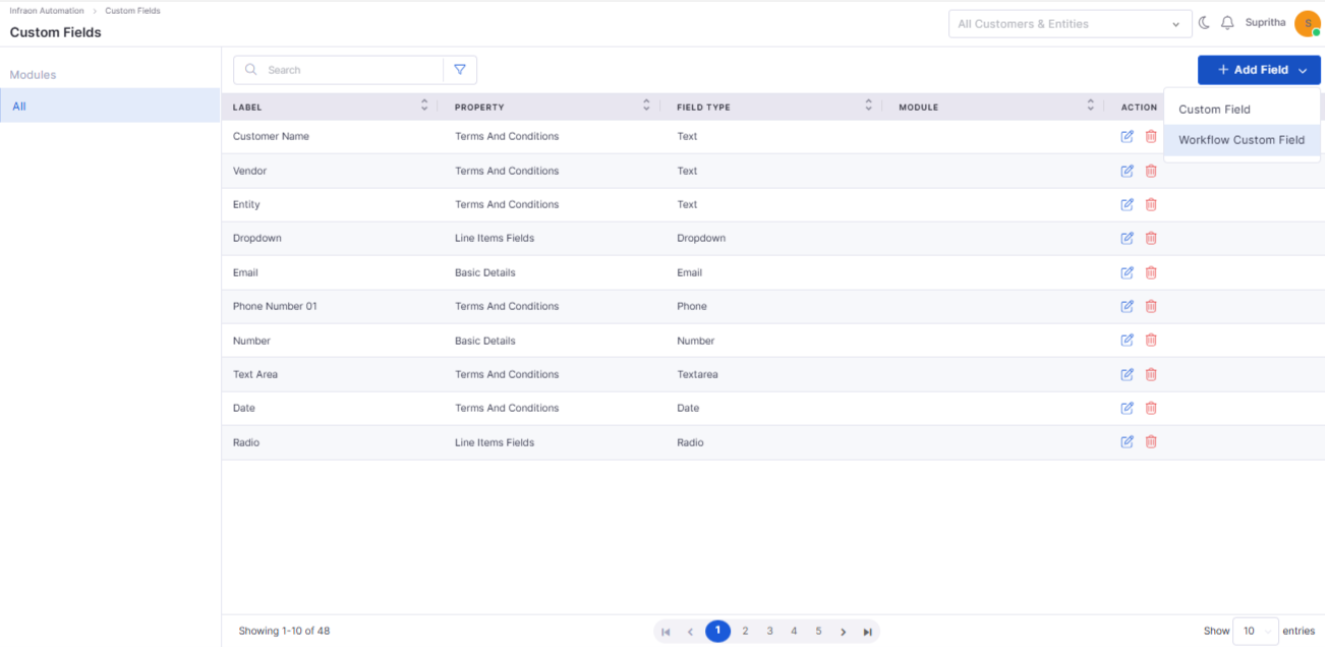
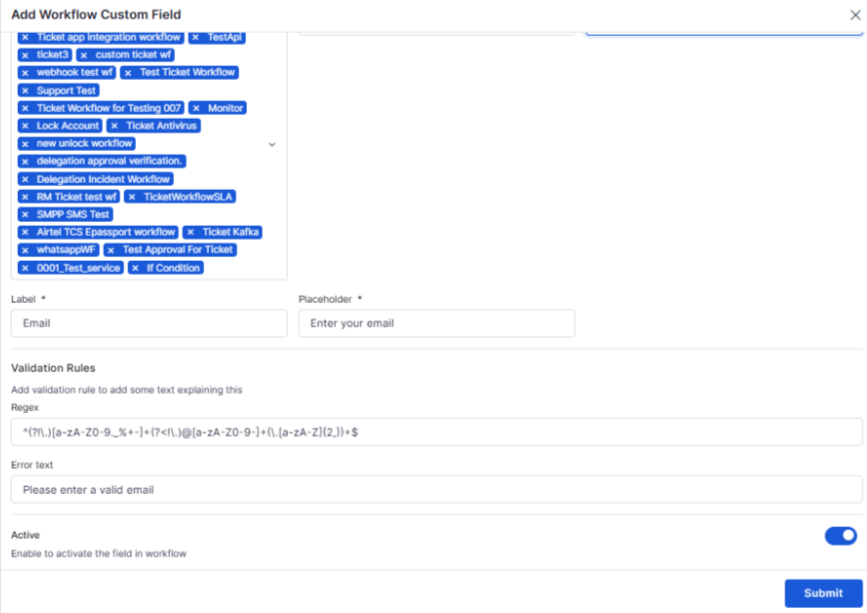
Common Custom Fields Across Workflows
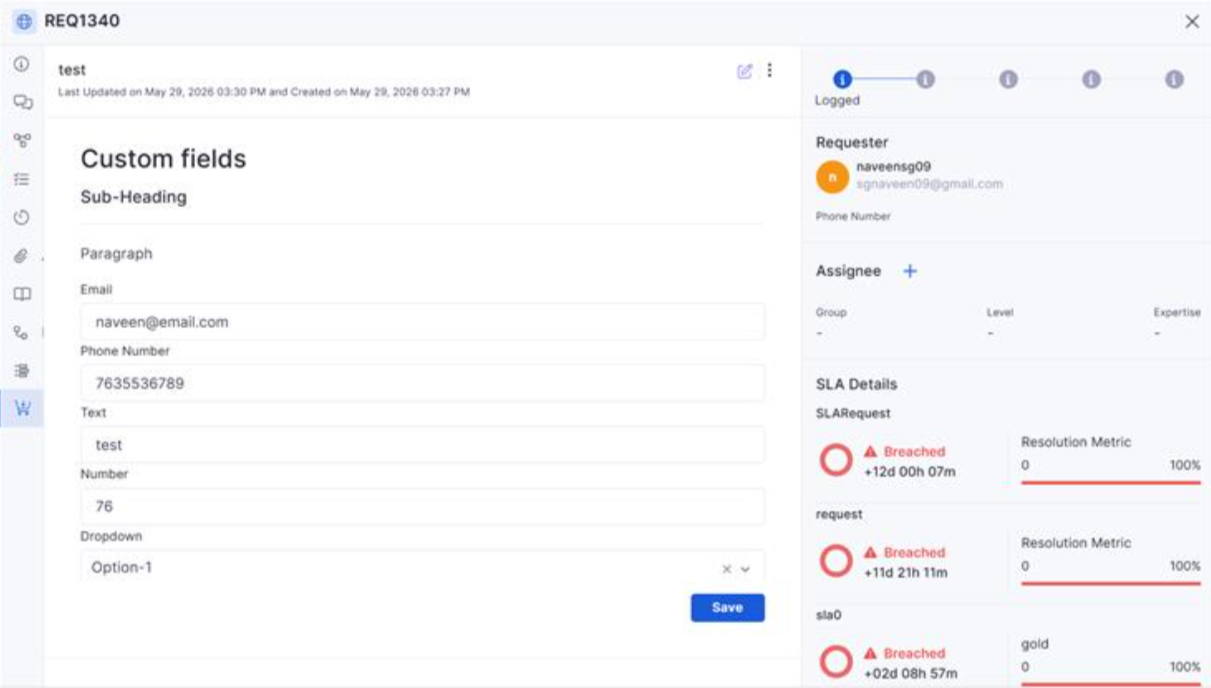
Added support for common custom fields across ITSM workflow configurations.
Improves consistency across modules.
Simplifies workflow administration.
Enterprise Asset Management
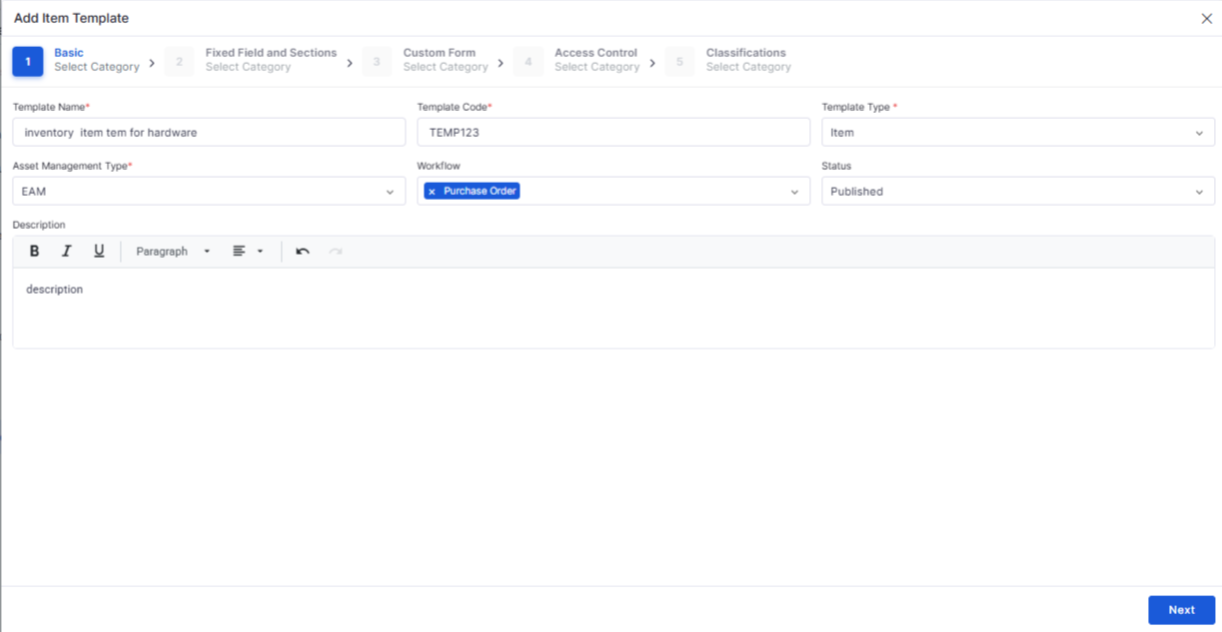
Inventory Item Templates
Added configurable item templates for inventory management.
Standardizes inventory record creation.
Improves inventory administration efficiency.
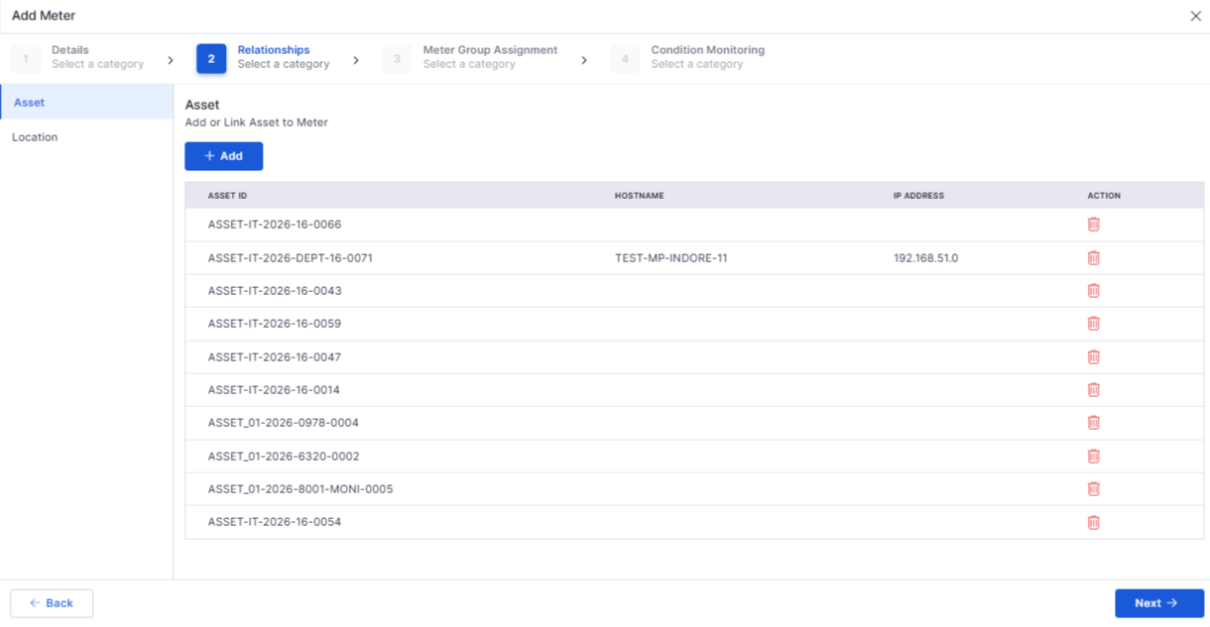
Inventory Meter Management
Introduced meter management capabilities within inventory configuration.
Supports improved tracking and measurement of inventory assets.
Enhances operational visibility.
Project Management
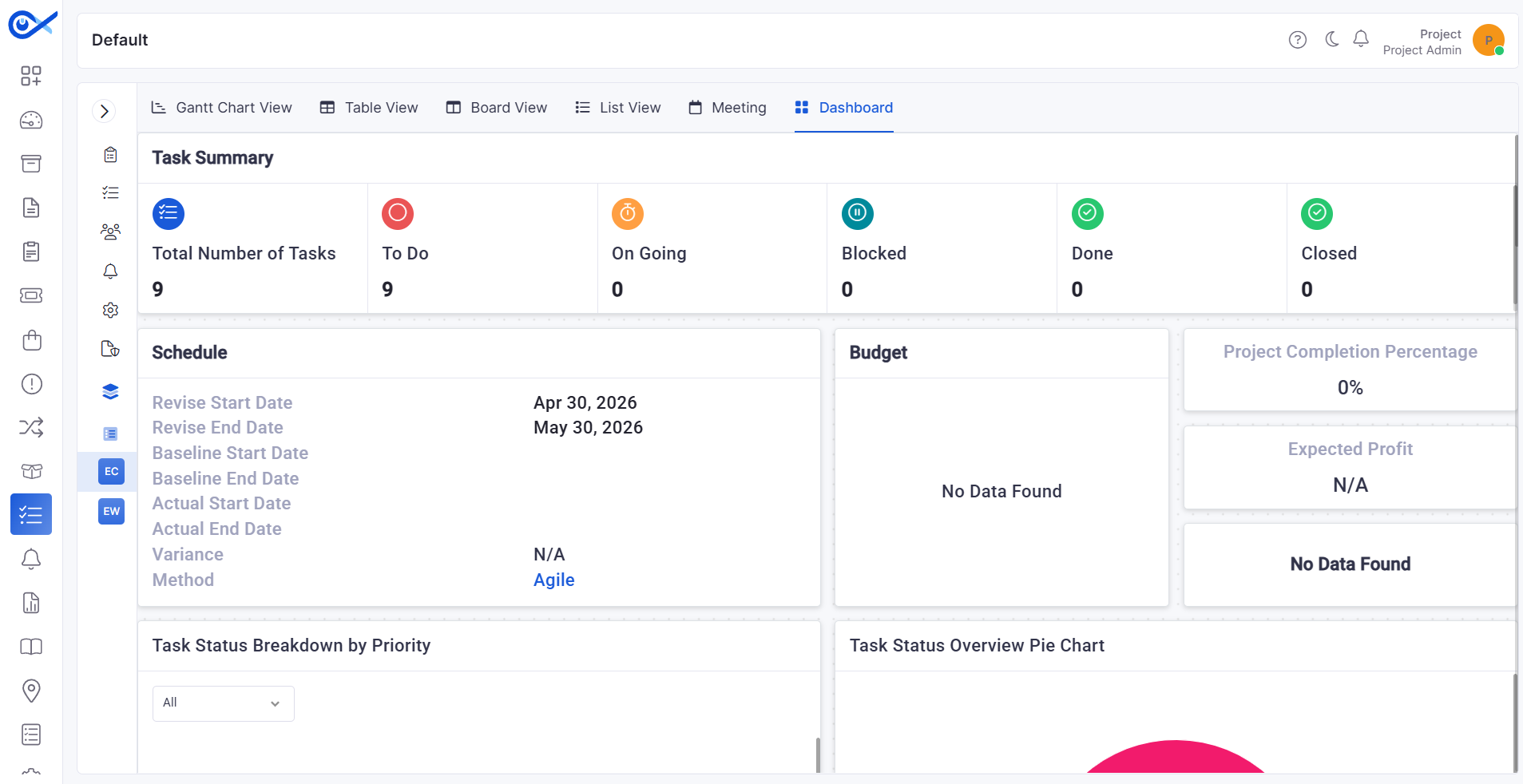
Project Dashboard Enhancements
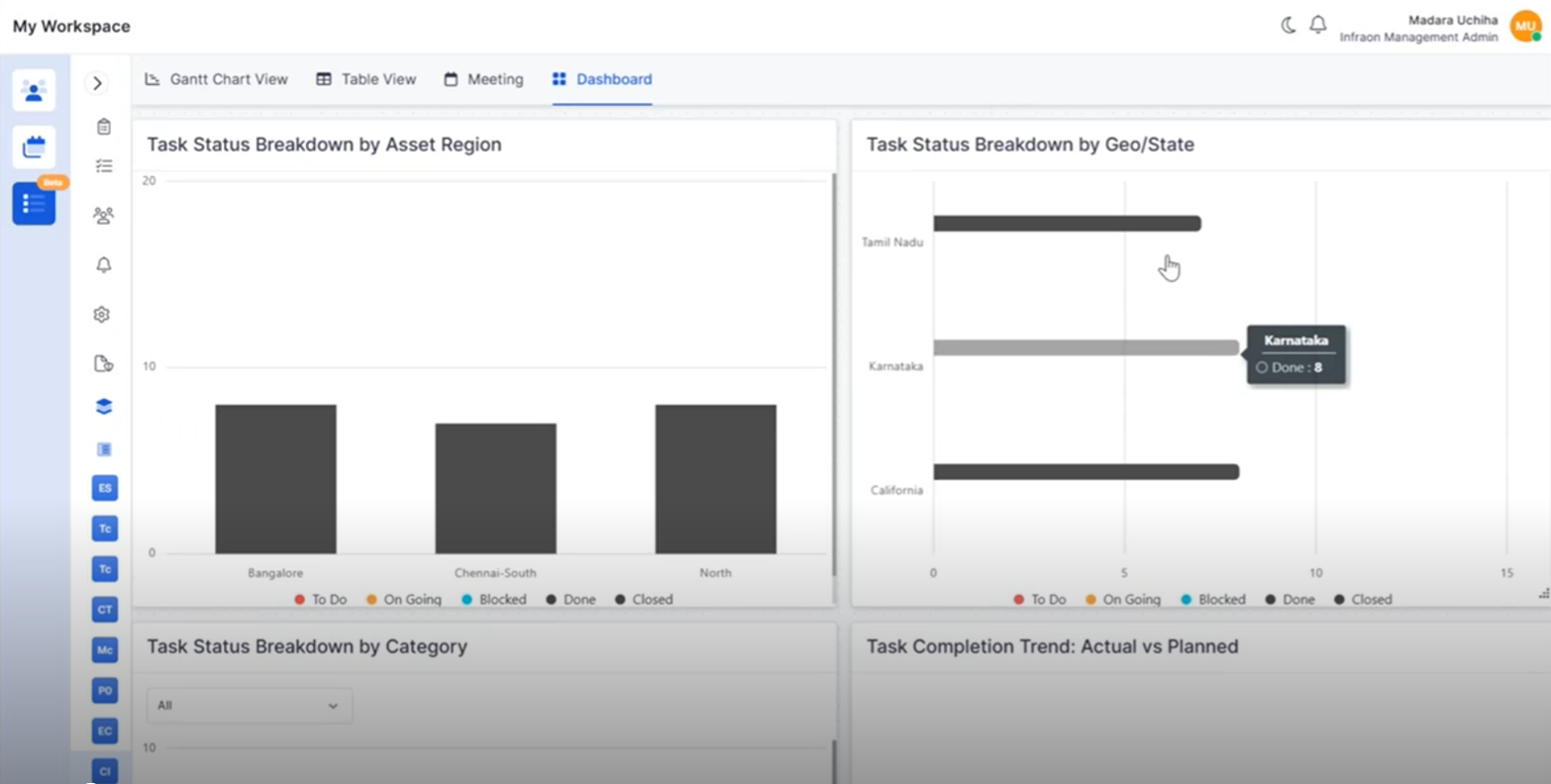
Added project completion, profitability, priority, and task status widgets.
Provides improved project performance visibility.
Supports better project monitoring and decision-making.
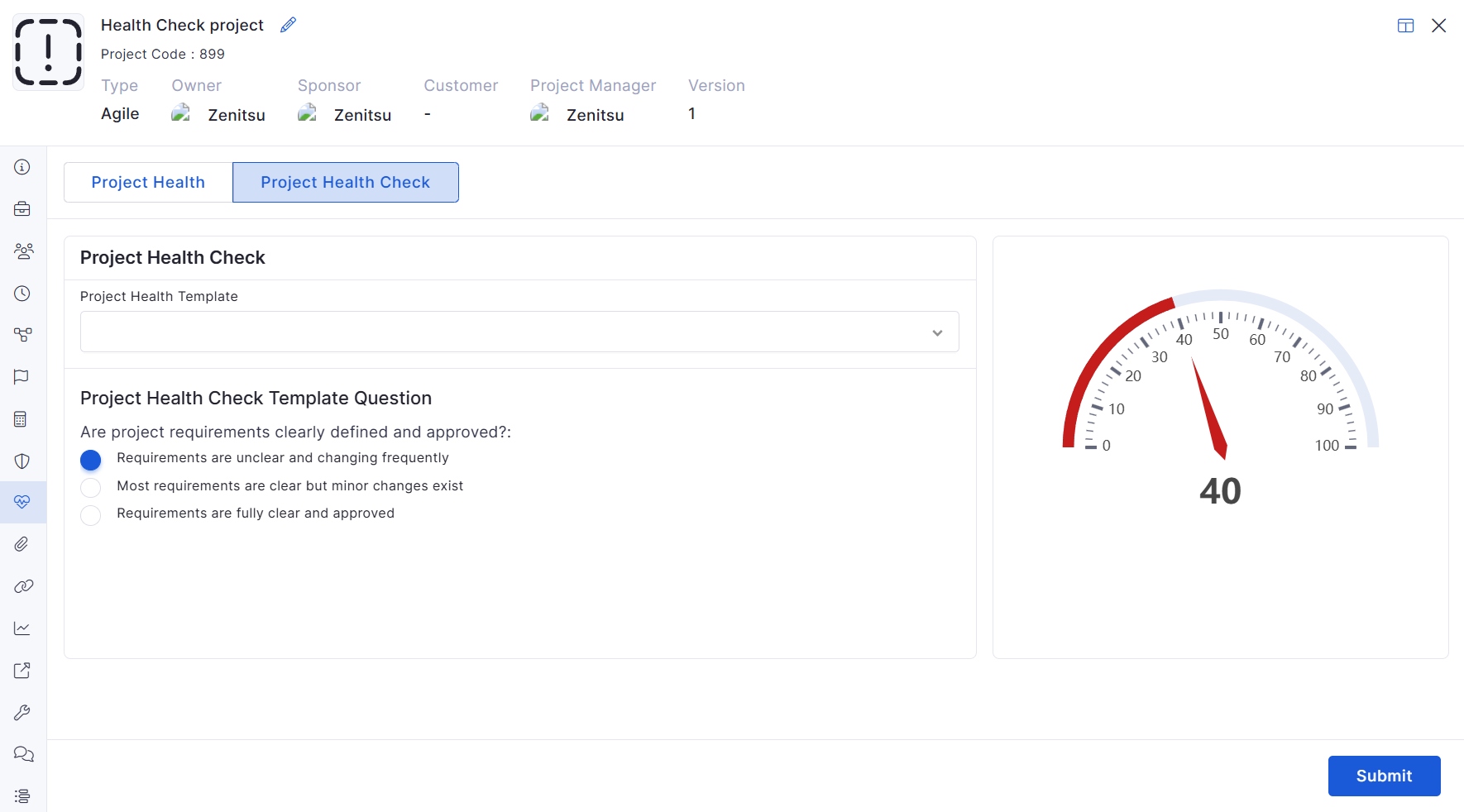
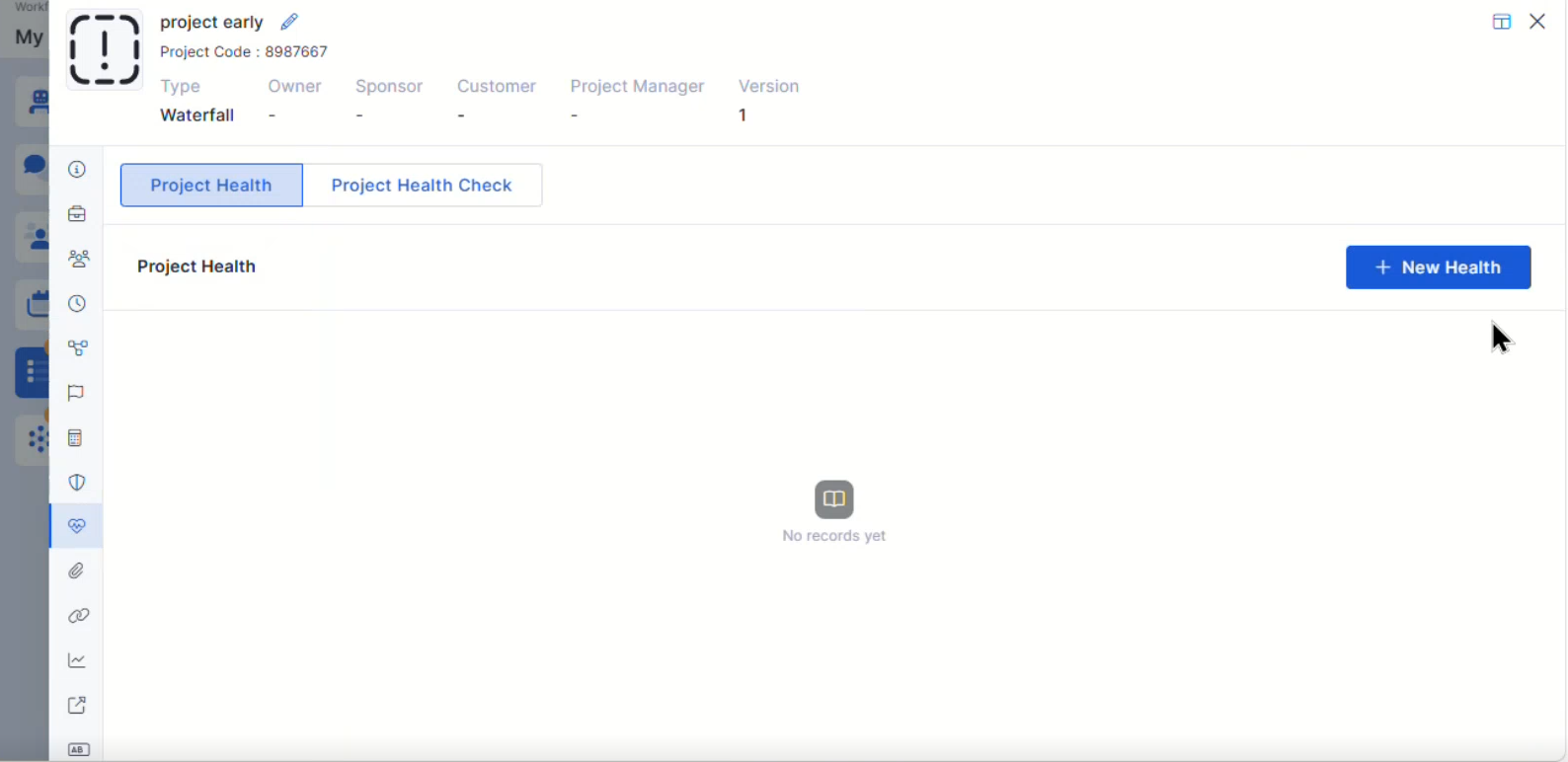
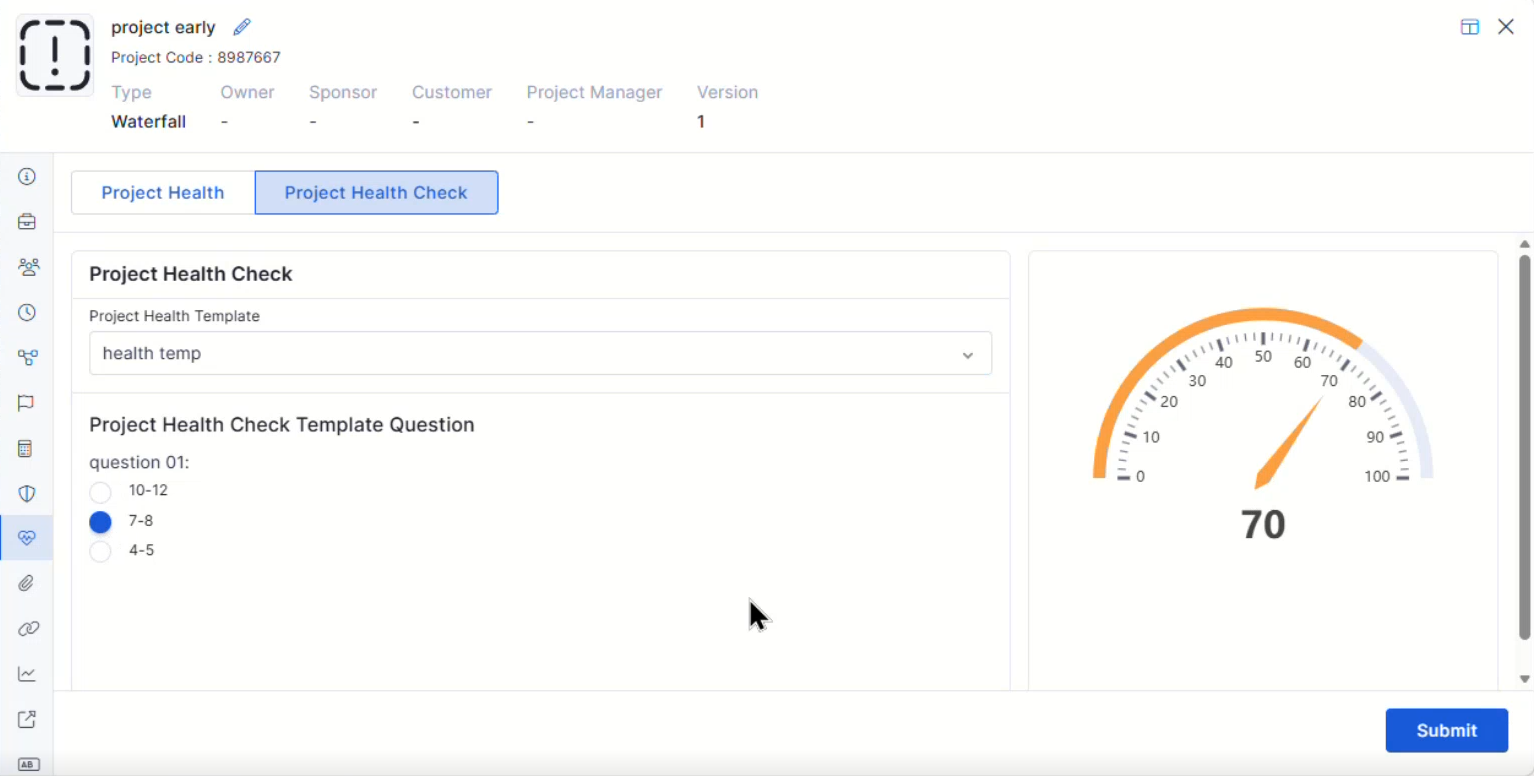
Project Health Assessment
Introduced project health assessment capabilities.
Helps track overall project status and performance.
Improves project governance and reporting.
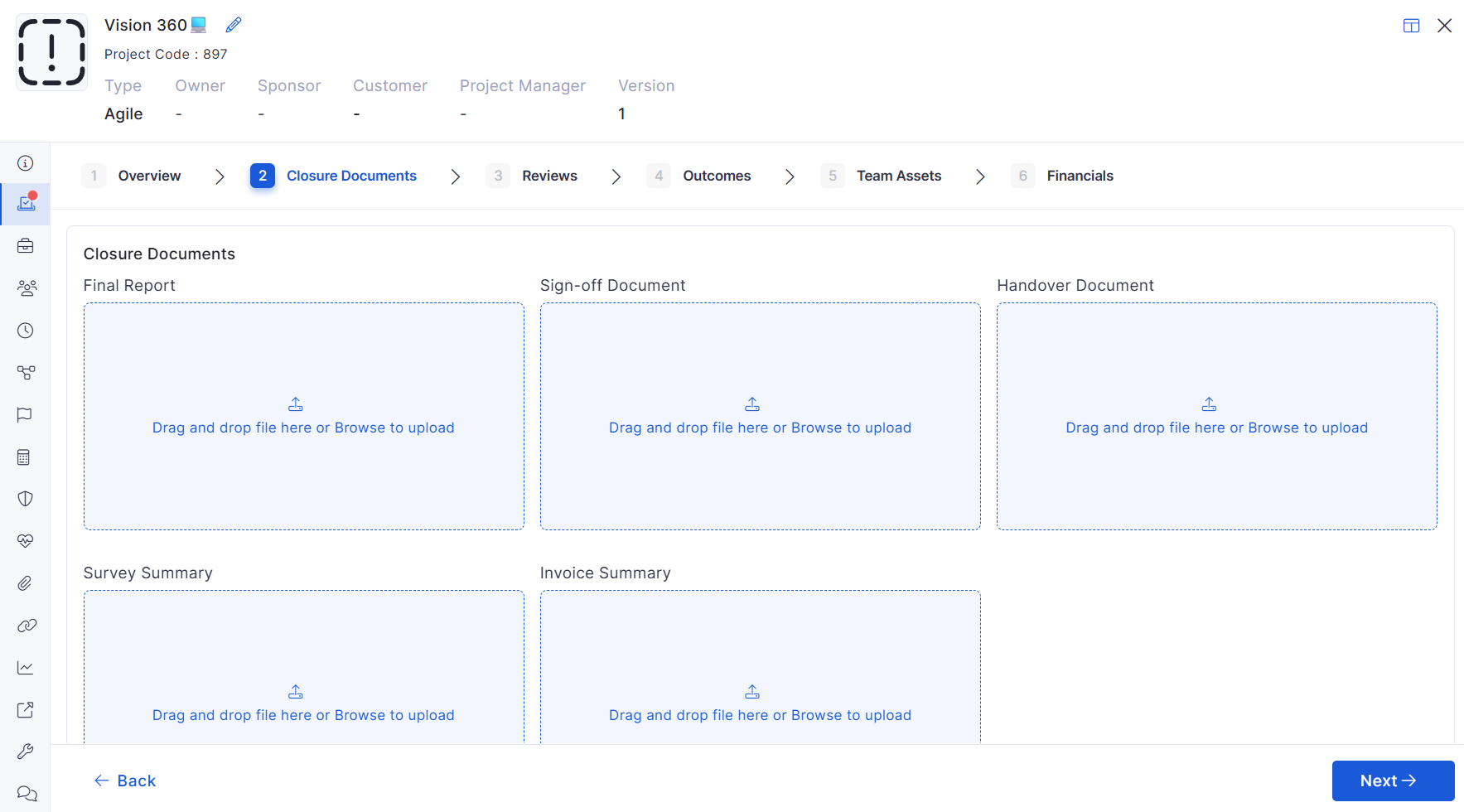
Project Closure Enhancements
Added overview and attachment management during project closure.
Improves project completion documentation.
Simplifies project handover activities.
Custom Fields for Projects
Added support for custom fields within project records.
Enables organization-specific project data capture.
Improves project flexibility and reporting.
Bugs Fixed
Fixed SLA report inconsistencies and missing metric fields.
Corrected approval workflow and notification-related issues.
Addressed asset visibility and search discrepancies.
General stability, UI, and integration fixes across modules.
Overview
Key Updates
Inventory Agents
Persistent Device Identity
Introduced a persistent, agent-generated Device GUID for reliable asset identification.
Prevents duplicate asset creation during agent reinstallation.
Eliminates asset collisions caused by invalid or duplicate hardware serial numbers.
Ensures consistent reconciliation even with dynamic IP environments.
Dashboard
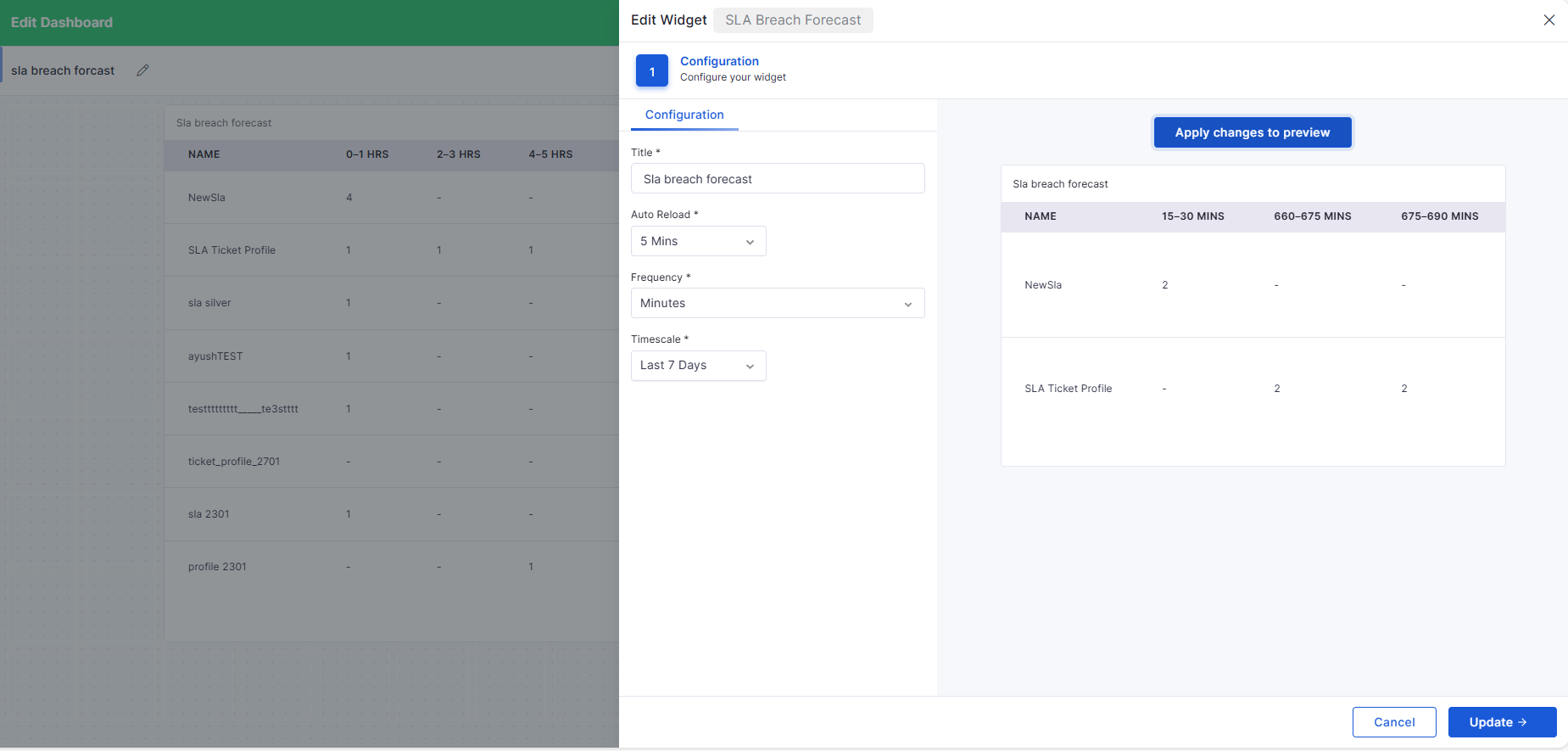
SLA Breach Time Dashboard
Added SLA Breach Forecast widget.
Displays upcoming SLA breaches grouped by configurable time intervals (minutes/hours/daily).
Enables proactive monitoring of tickets that are nearing a breach.
Fully configurable within Dashboard settings.
API Metering
API Metering & License Usage
Introduced comprehensive API usage tracking and auditing.
Captures endpoint, method, IP, organization, timestamp, and status.
Enforces API call limits based on licensed thresholds.
Sends automated alerts at 90% and 100% usage.
Blocks API calls when usage exceeds allowed limits.
Automatically resets enforcement when the license cycle renews.
Self Service Portal
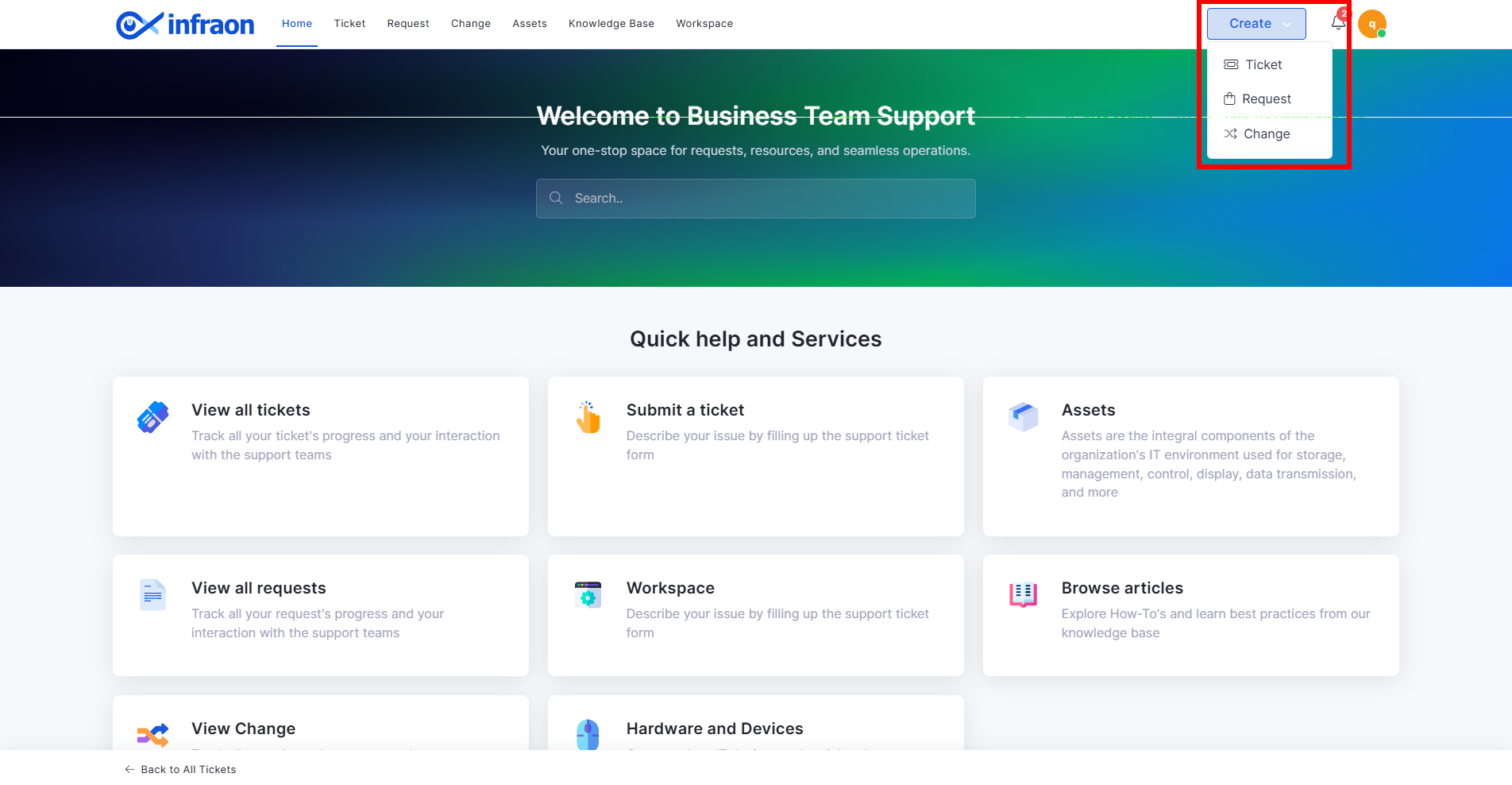
Enhanced “Create” Dropdown for Ticket Submission
Replaced static “Submit a Ticket” button with dynamic Create dropdown.
Supports Ticket, Request, and Change initiation from a single entry point.
Sidebar auto-selects the chosen module type.
Improves submission flow and reduces user navigation steps.
Automatic redirection to the active section after successful submission.
Purchase Order
Stepper-Based PO Creation with Grid Line Items
Converted PO Add page into structured stepper workflow:
Basic Details
Items
Additional Details
Introduced grid-based line item management with inline editing.
Automatic calculation of totals, discounts, and taxes.
Improved validation and navigation control across steps.
Enhanced performance for large line item datasets.
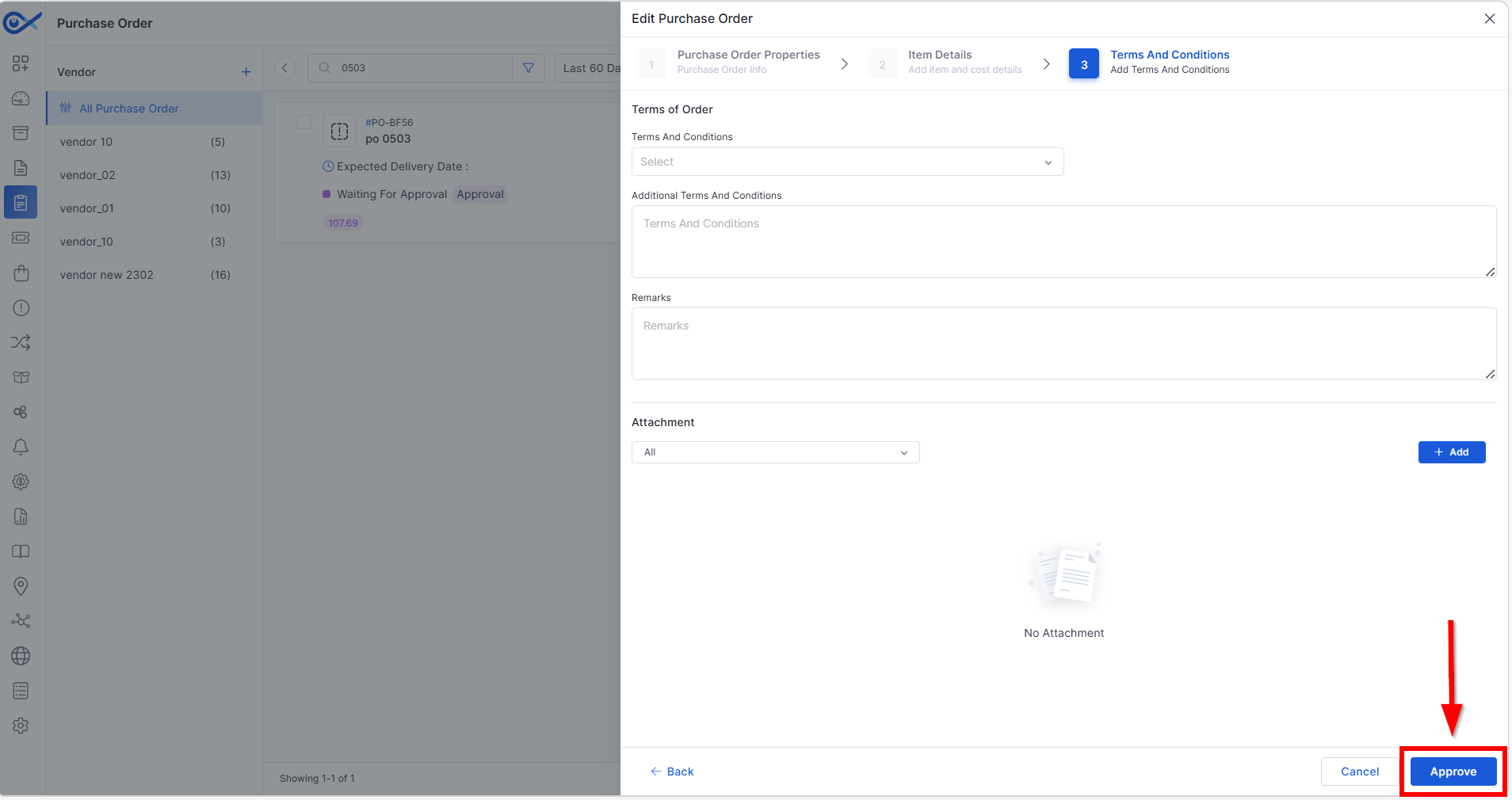
Approval from PO Edit Page
Approvers can approve/reject directly from PO Edit page.
Eliminates dependency on email-based approval.
Supports multi-level approval workflows.
Approval history captured with comments.
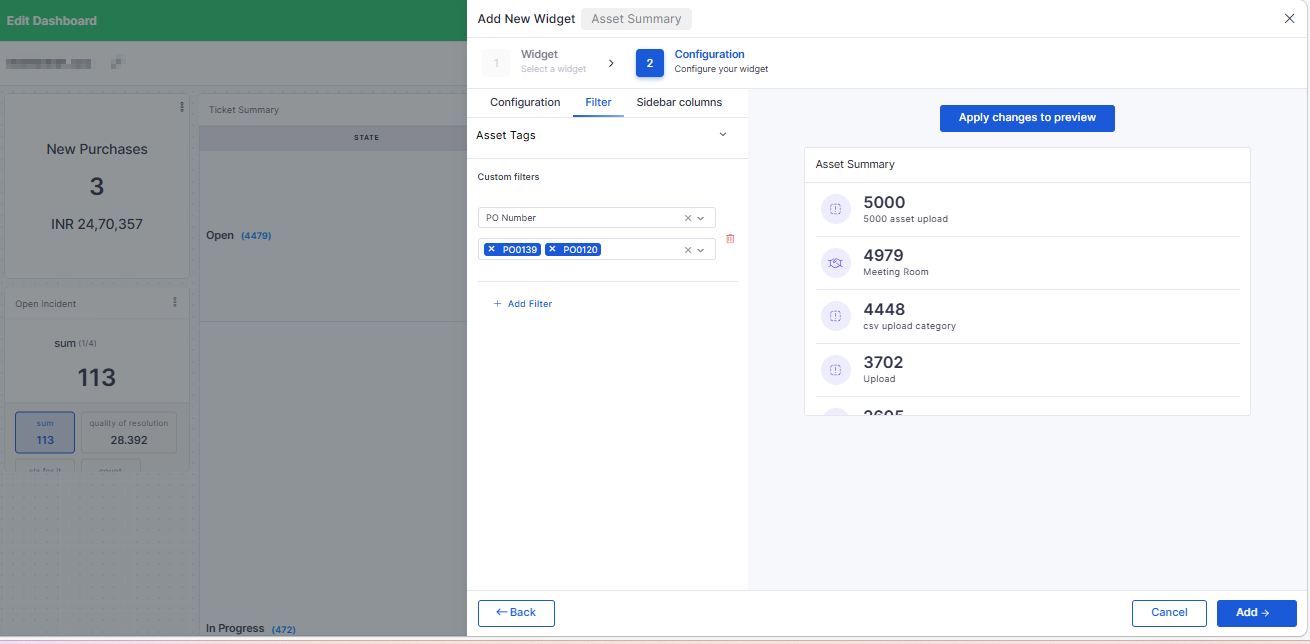
PO Number Filter for Asset Widgets
Added PO Number as a filter in the Asset and License Usage widgets.
Enables filtering assets linked to specific Purchase Orders.
Improves dashboard data visibility and tracking.
Project Management
Project Meeting View
Added Meeting section in Project View.
Meetings can be associated directly with Projects.
Displays only meetings linked to the selected project.
Supports role-based visibility.
Meeting creation auto-selects the associated project.
Project Task Export with Start & End Variance
CSV export now includes:
Start Variance (Baseline Start – Actual Start)
Final Variance (Baseline End – Actual End)
Respects column configuration.
Ensures variance values are calculated and exported accurately.
Reflects the latest task updates in the exported file.
Ticket Management
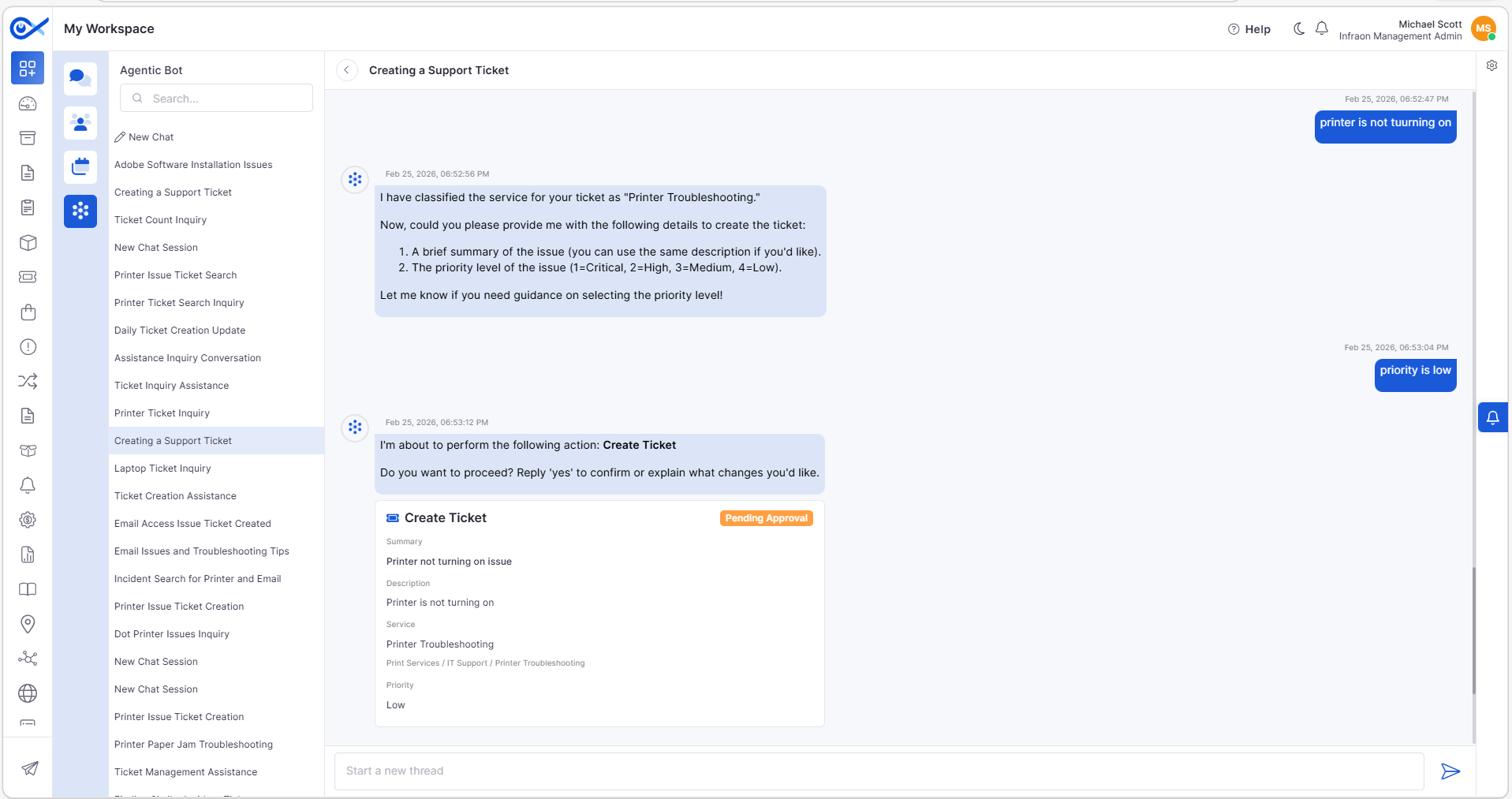
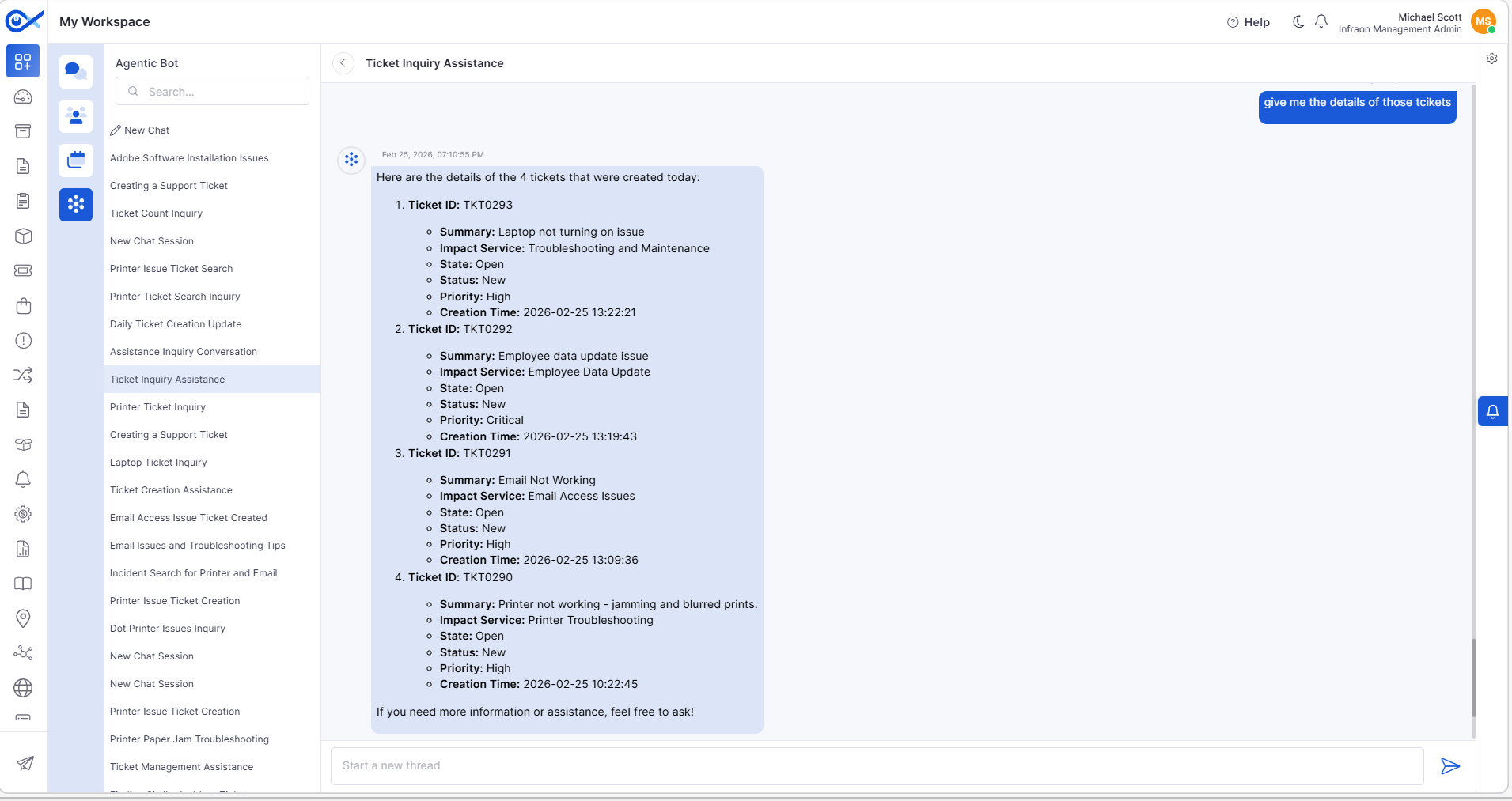
Chat with AI Agent
Introduced an AI-powered conversational interface for ticket operations.
Supports actions like Create, View, and Update Tickets.
Displays thinking/processing indicators.
Handles unknown queries gracefully.
Stores chat history securely.
Response latency optimized for real-time interaction.
Incident Grid – Custom Fields in Column & Search
Workflow-specific custom fields are now available in:
Handles duplicate field labels with workflow tagging.
Dashboard drill-down reflects custom field selections.
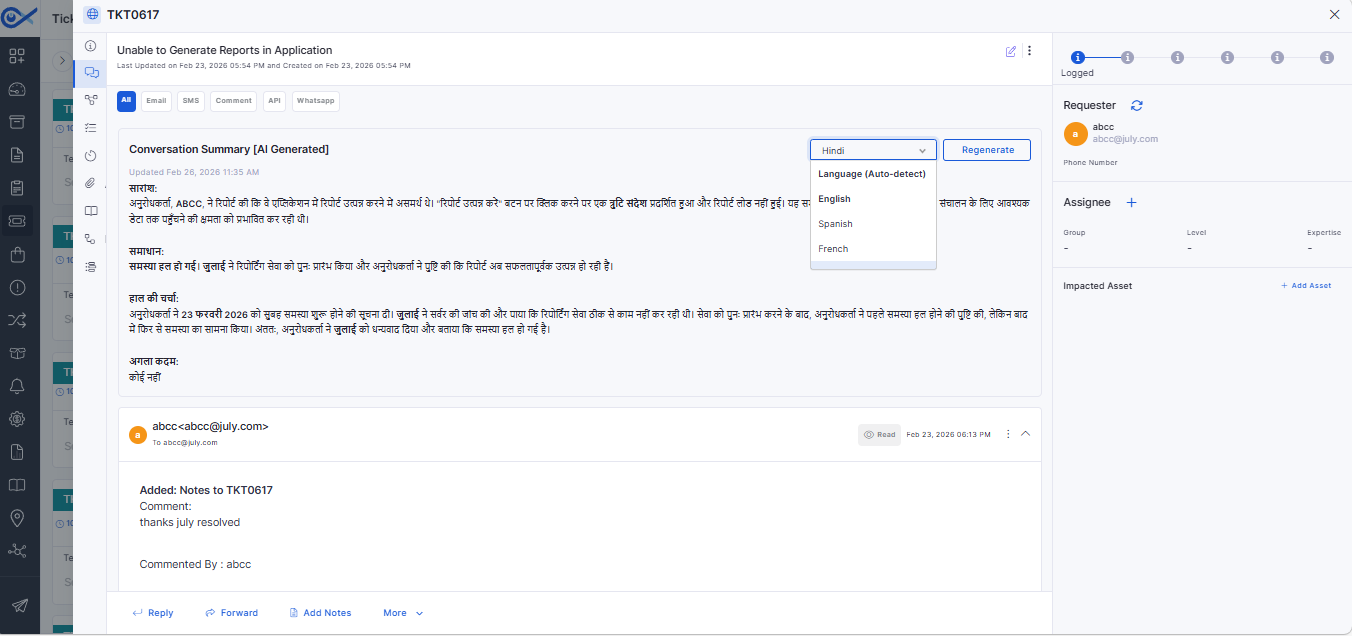
Conversation Summary (AI-Powered)
Generates an AI-based summary of ticket/request communications.
Configurable per module via Feature Configuration.
Supports multi-language summary generation.
Allows regeneration of summaries.
Displays the last updated timestamp.
Available in Edit view and Panel view.
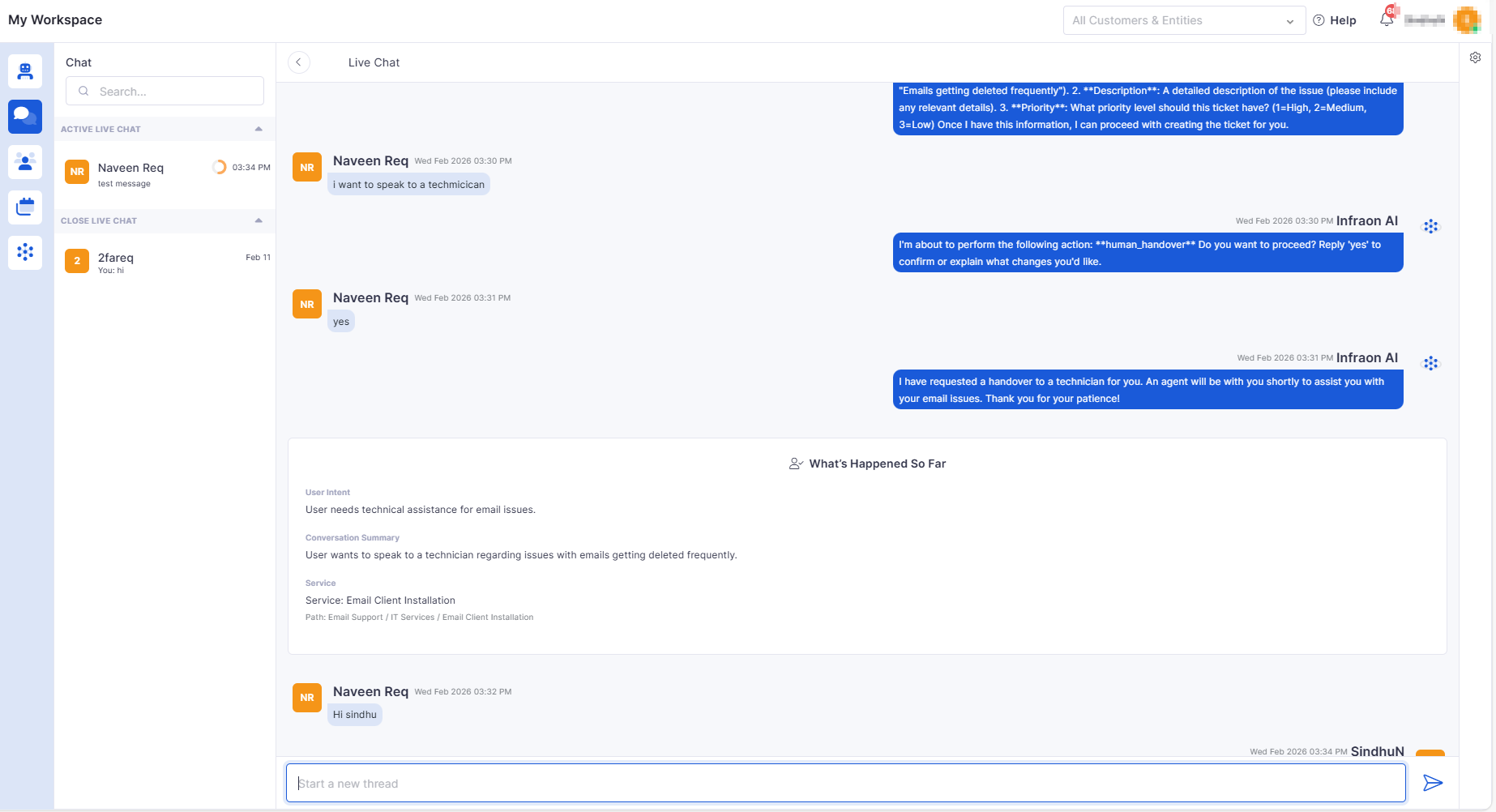
Handover Chat to Technician
Enables the requester to transfer the AI chat to a technician.
Preserves full chat history and issue context.
Validates technician availability before handover.
Notifies technician upon assignment.
Maintains role-based access control.
Provides a smooth AI-to-human transition experience.
🐛 Bug Fixes and Improvements
v7.4.5 - March 2026
View the latest features, enhancements, and fixes by release.
Release Cycle: 27th March 2026
Build: Pre-Release Documentation
Overview
This upcoming release introduces enhancements across Request, Asset, Marketplace, Workflow, Purchase Order, Dashboard, Inventory Agents, Cost Center, Self Service Portal, Project Management, Incident, Reporting, Customer Satisfaction, and AIOps. The focus is on improving usability, reporting flexibility, automation, and AI-driven capabilities.
Key Updates
Request
Android - Request Activities, More Details, Interaction
Added detailed request view with activities, interactions, and additional information.
Supports timeline-based activity tracking with expand/collapse behavior.
Handles empty, error, and loading states for a better user experience.
Asset
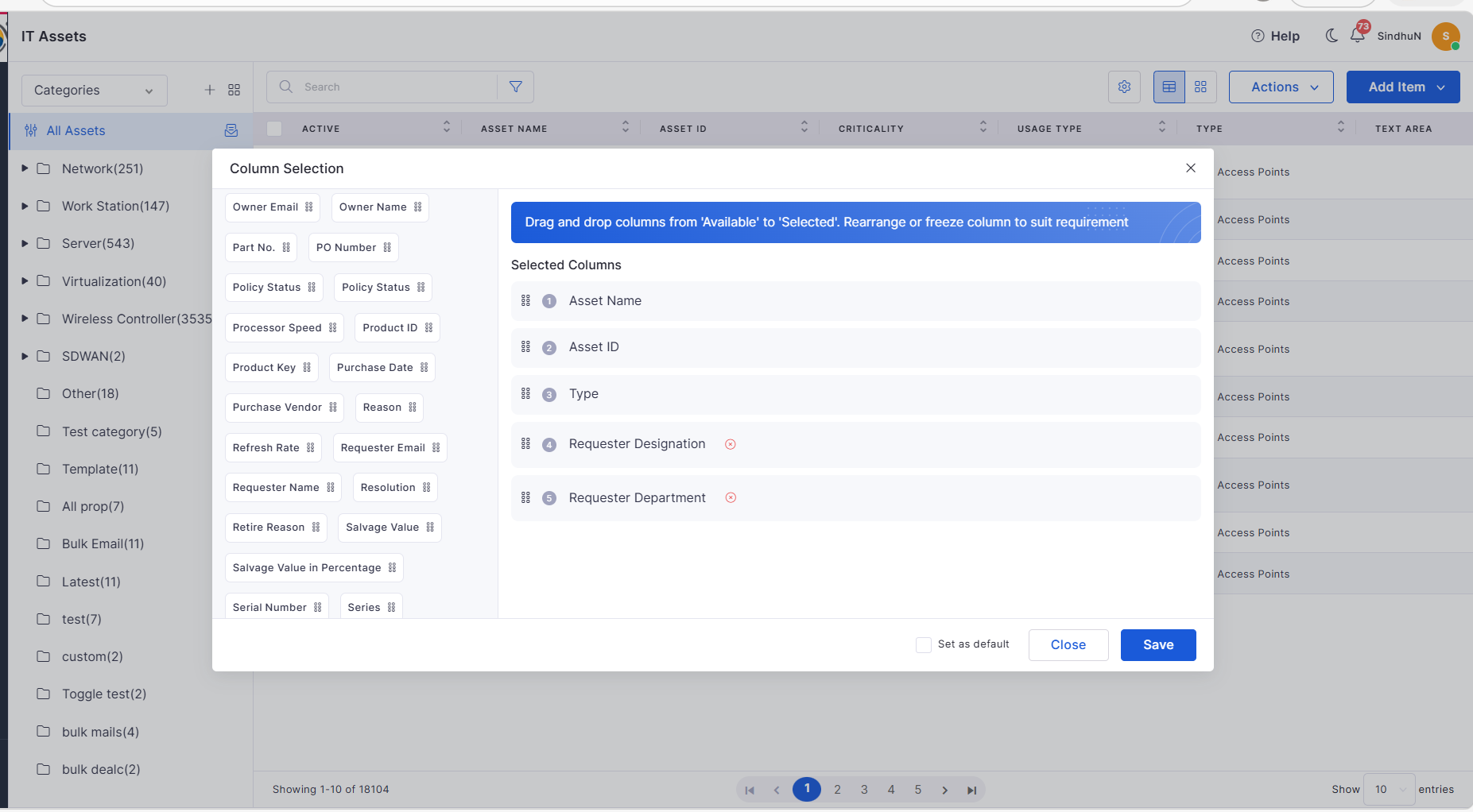
Requester Designation & Department in Asset Columns
Added Requester Designation and Department fields in column selection.
Enables better asset visibility and user context in grid view.
Marketplace
Azure AD User Sync
Introduced Azure AD integration for automated user synchronization.
Supports manual and scheduled sync (hourly, daily, weekly, monthly).
Provides export reports for users with failed sync.
Workflow
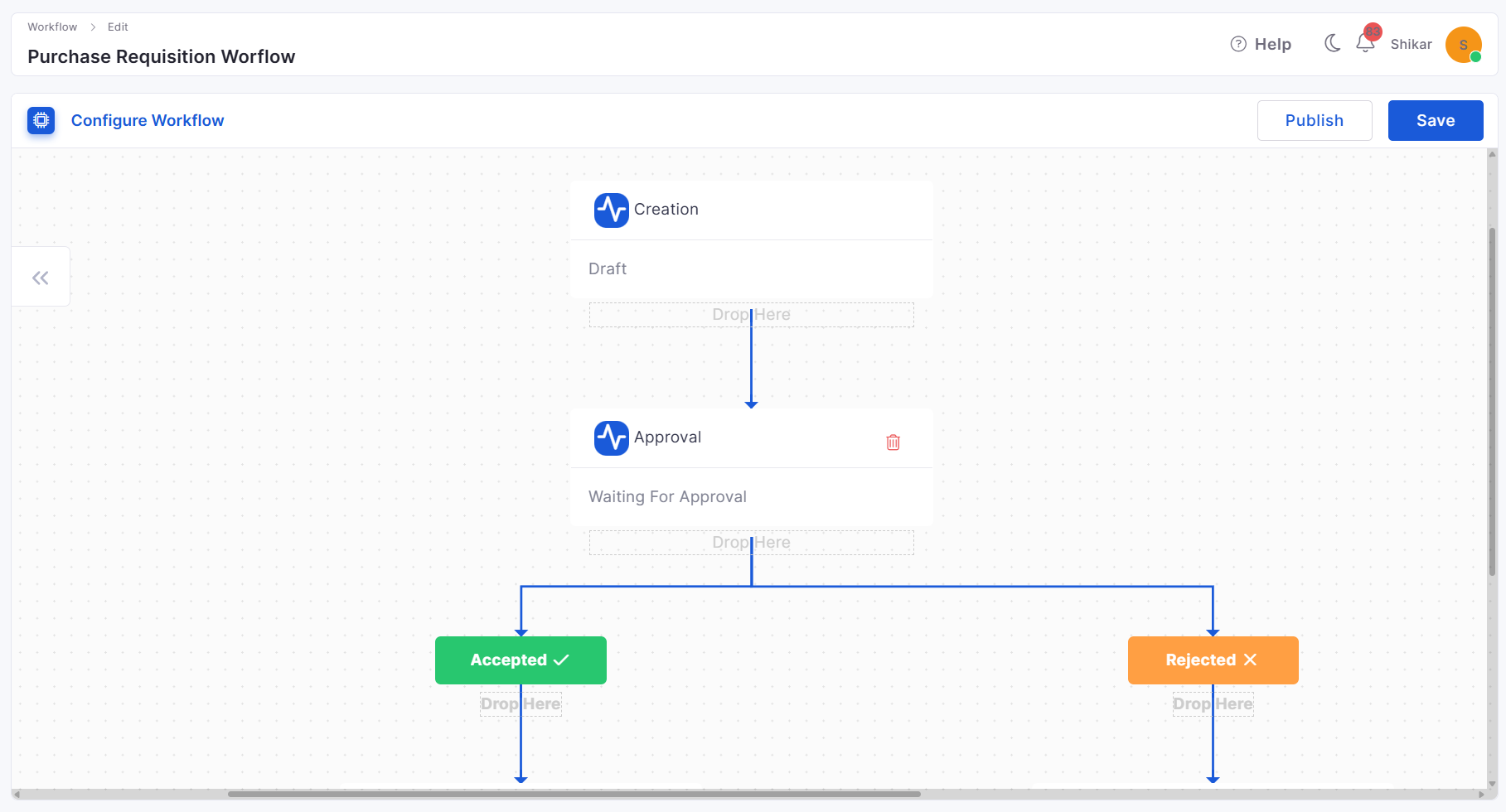
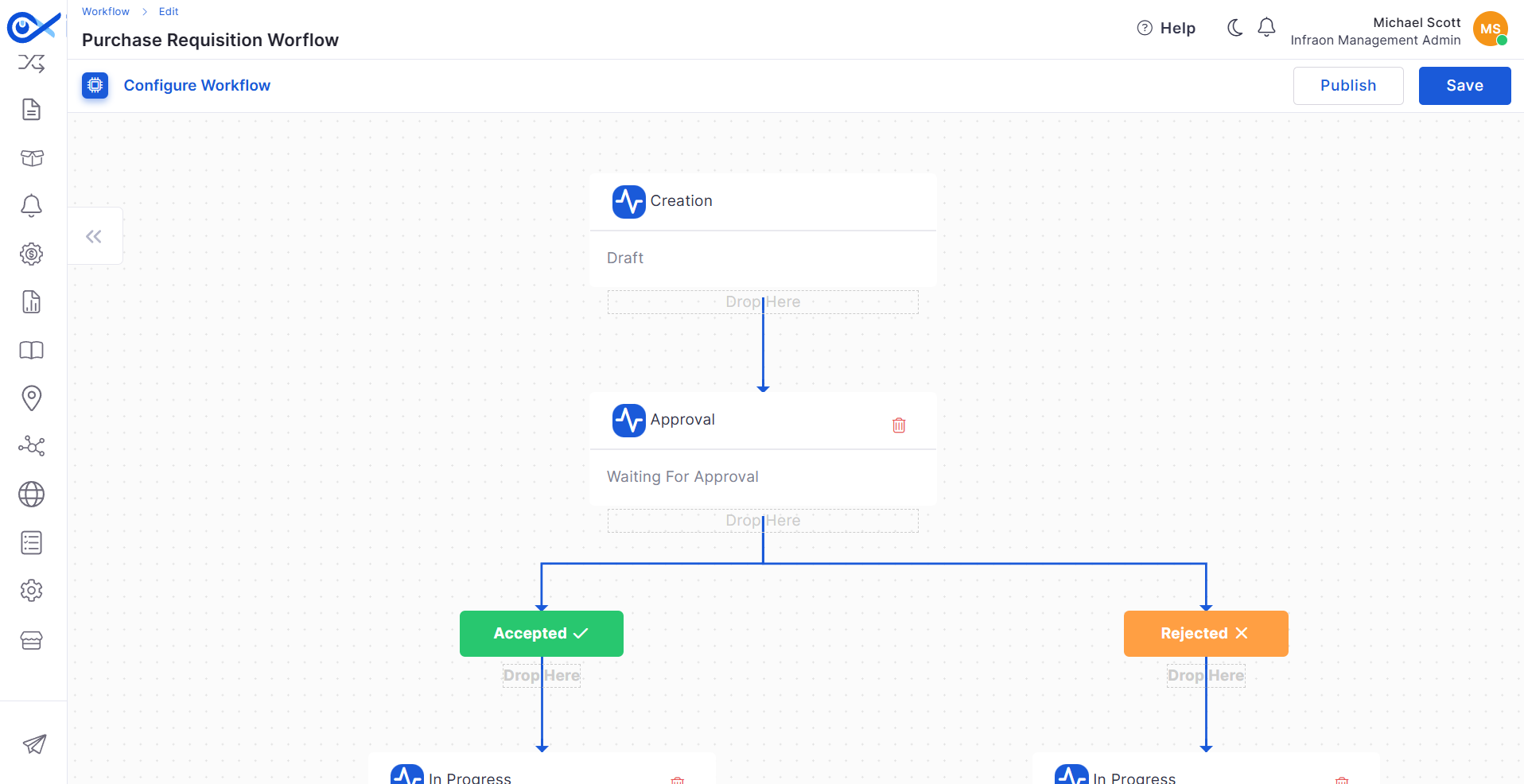
Default Workflow for Purchase Requisition (PR)
Added default workflow for PR with predefined statuses and transitions.
Supports customization of approval steps and workflow configuration.
Purchase Order
Purchase Requisition (PR) Creation
Introduced full PR lifecycle management (create, view, update, delete).
Includes validation, audit tracking, and grid-based listing.
Vendor Details in PO Report
Improved PO reports to include vendor-related details.
Ensures better reporting and procurement visibility.
Dashboard
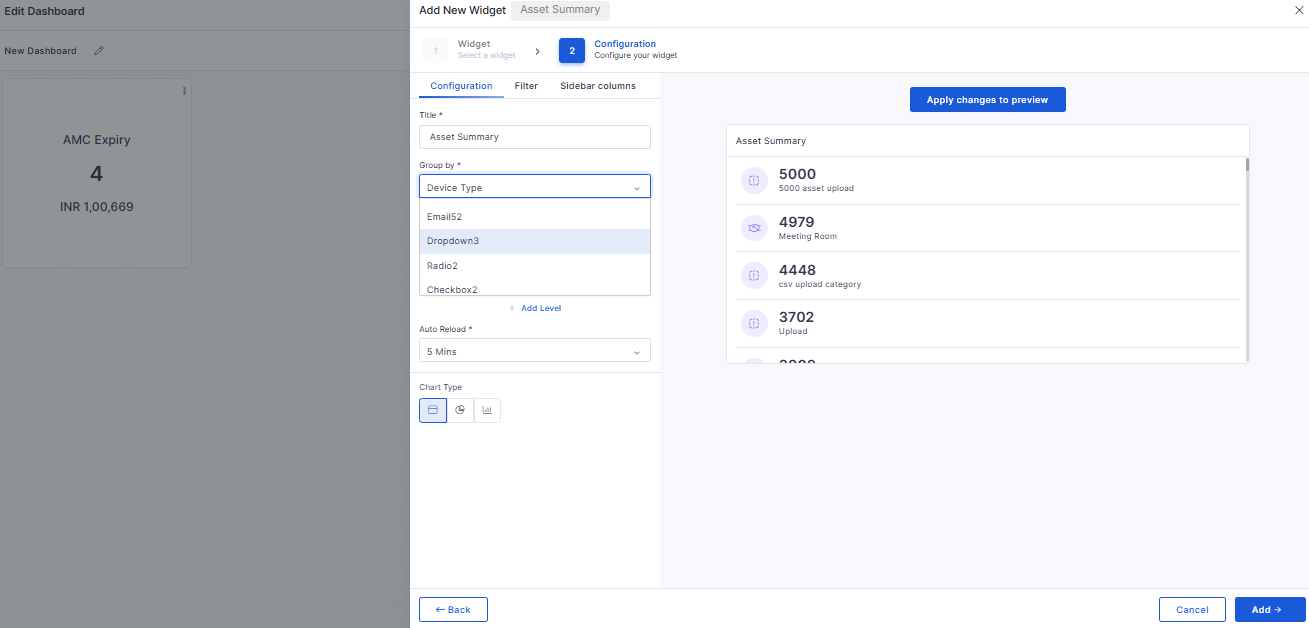
Custom Fields in Group By
Enabled custom fields in Group By for Ticket and Request widgets.
Supports drop-down, checkbox, and radio-type custom fields.
Allows dynamic grouping based on the selected module.
Inventory Agents
Agent Node Enhancement
Improved agent registration and duplicate handling.
Enhanced validation using primary and secondary passkeys.
Optimized performance with indexing and improved logging.
Cost Center
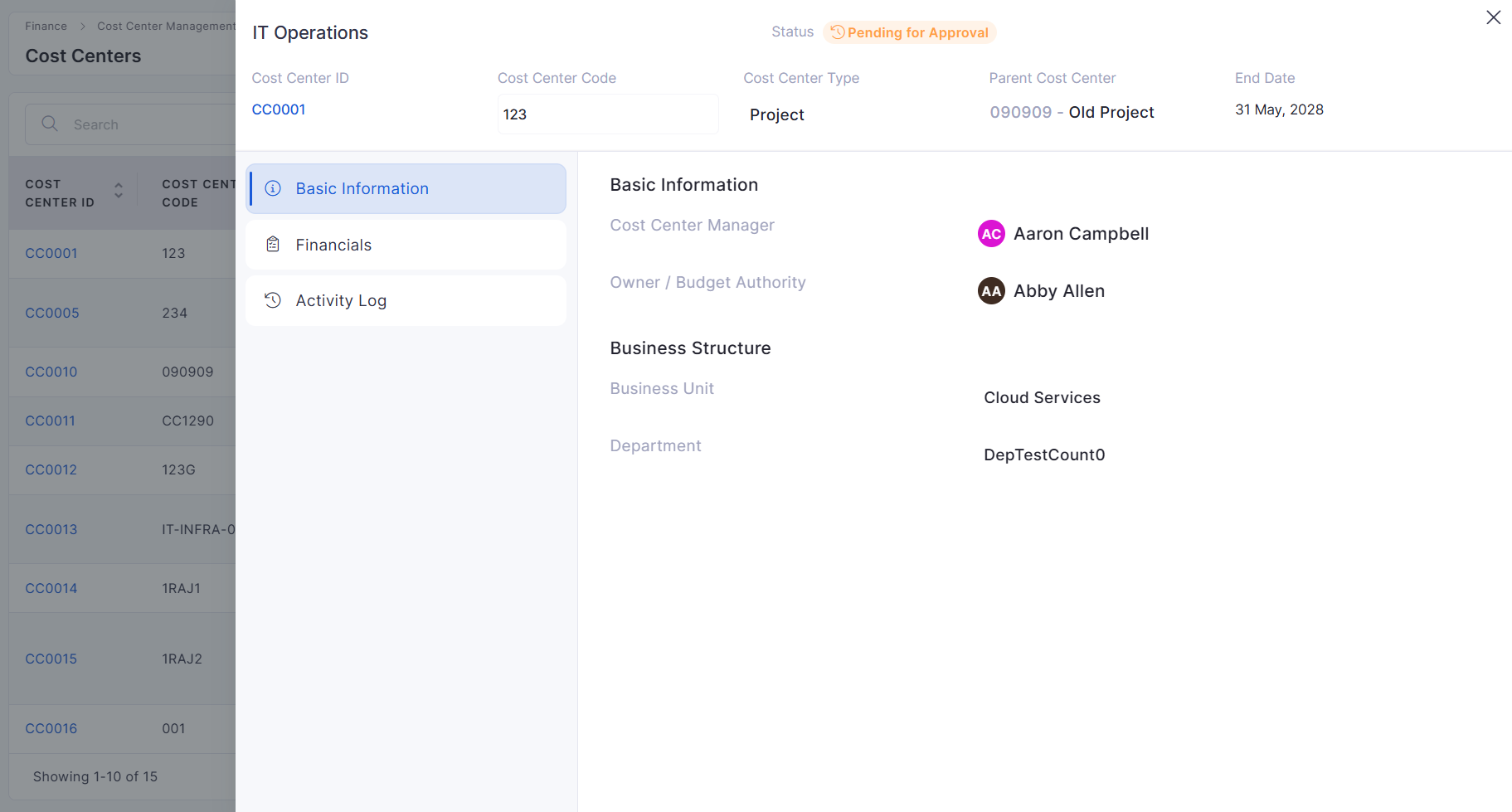
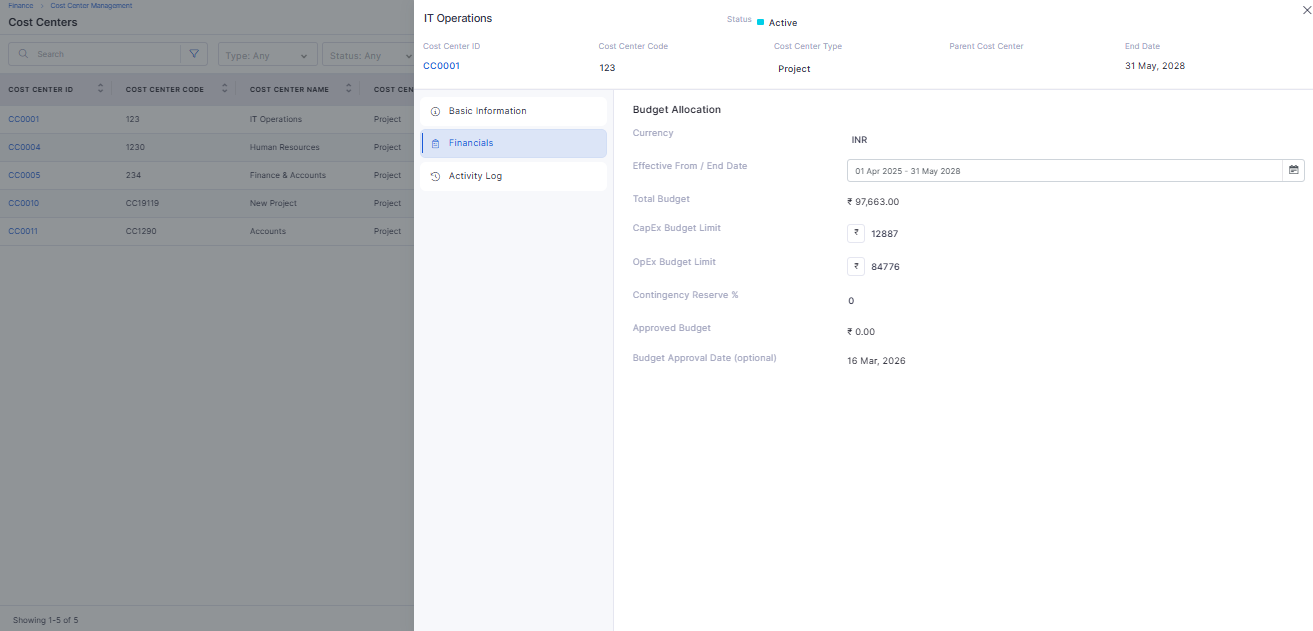
Cost Center View / Edit
Introduced slide-out panel with inline editing and auto-save.
Includes tabs for Basic Info, Financials, and Activity Logs.
Cost Center Search & Filter
Added search and advanced filtering in the Cost Center grid.
Supports combined filters with pagination and reset options.
Project Management
Predecessor & Successor via CSV Edit
Added support to define task dependencies through CSV updates.
Enables bulk updates for task relationships.
Includes validation of dependency formats and error handling.
Incident
Agentic AI Feature Settings
Introduced configurable settings for AI agent behavior.
Supports bot visibility, human handover, and internet search control.
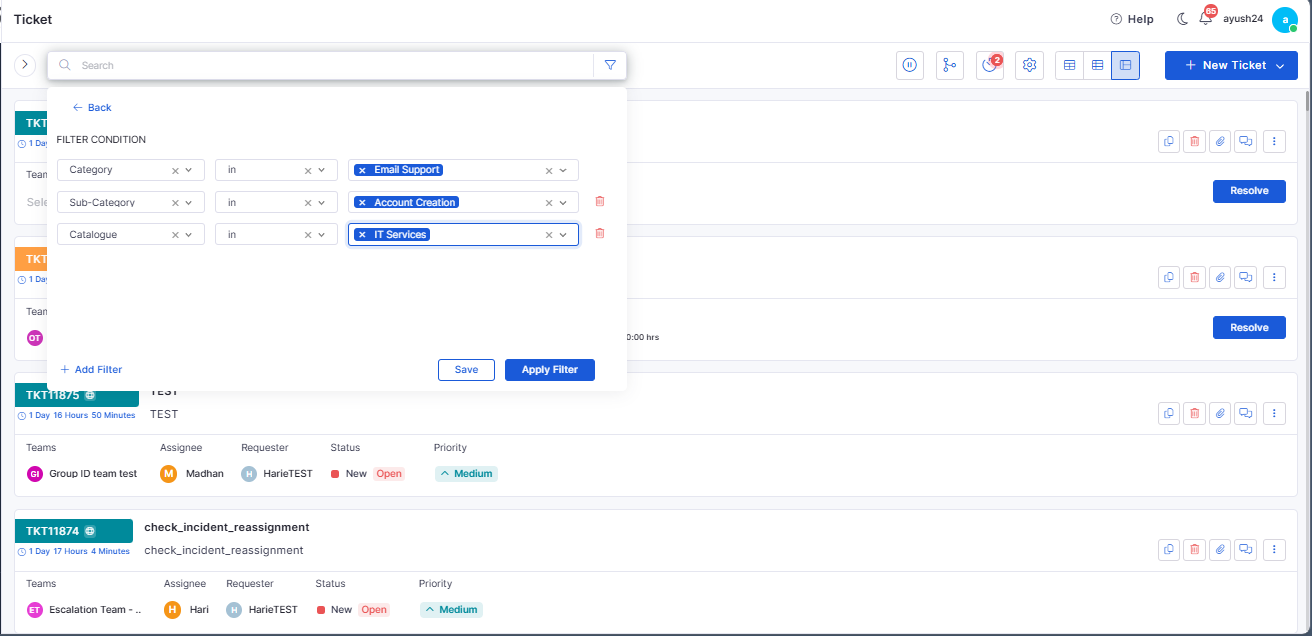
Category & Subcategory Filters
Added filtering in the incident grid using category and subcategory.
Enables refined incident search and analysis.
Report
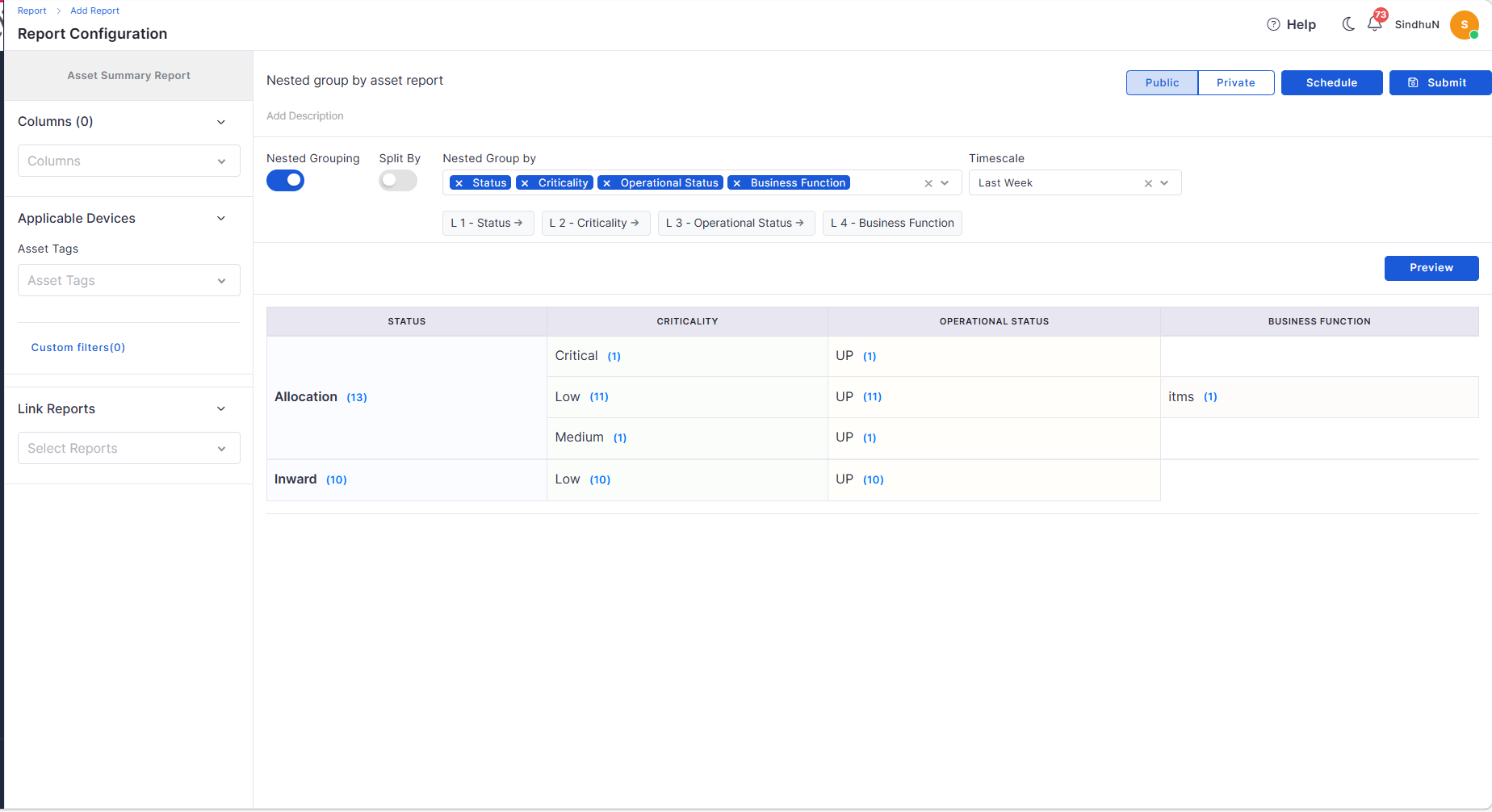
Nested Group By in Asset Summary
Supports up to 4 levels of hierarchical grouping.
Enables detailed drill-down analysis in reports.
Asset Summary Split View
Introduced the Split By option for detailed asset breakdown.
Maintains consistency across preview, view, and export.
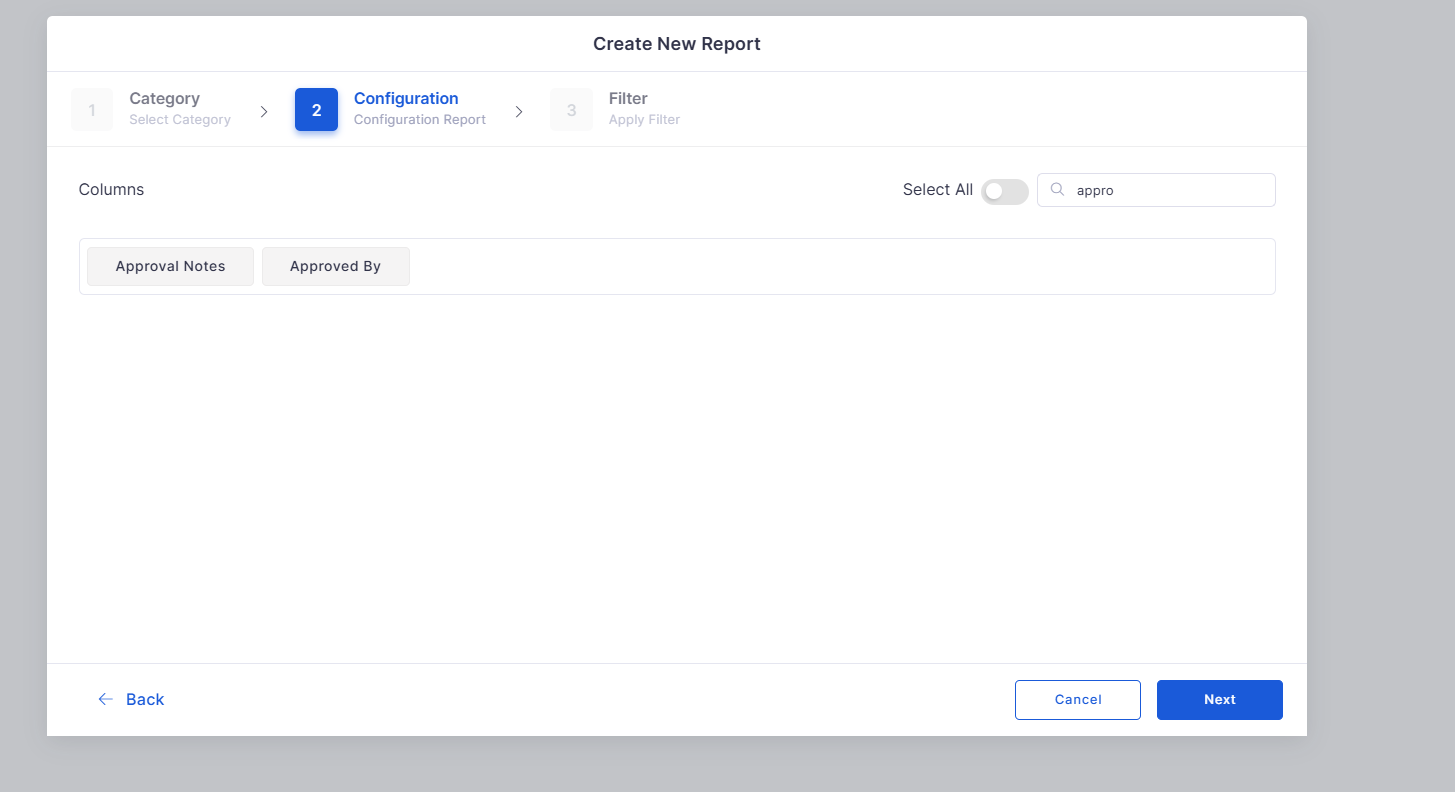
Approval Columns in Reports
Added “Approved By” and “Approval Comment” columns.
Enhances visibility of approval data in reports.
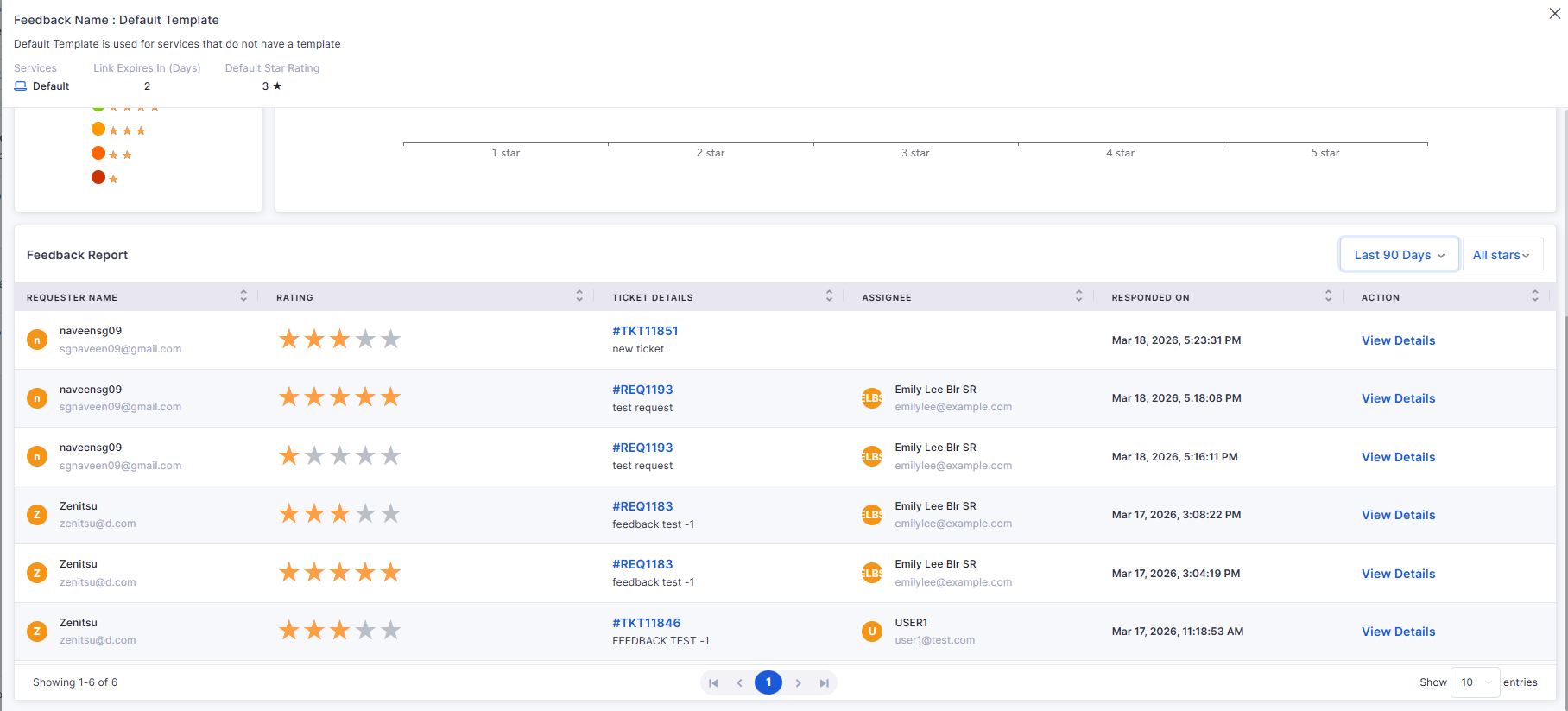
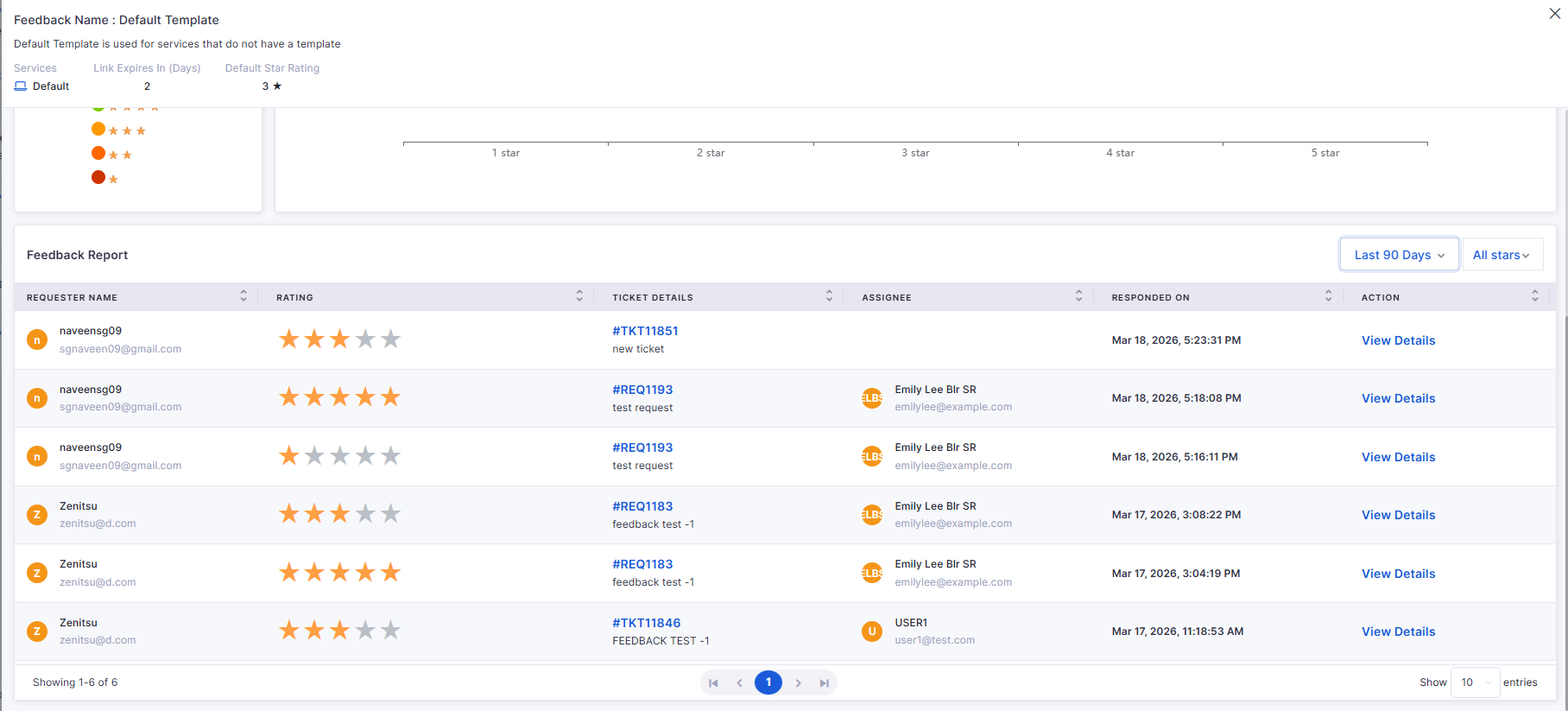
Customer Satisfaction
CSAT for Request Process
Enabled feedback collection for resolved/closed requests.
Sends feedback links via email to requesters.
AIOps
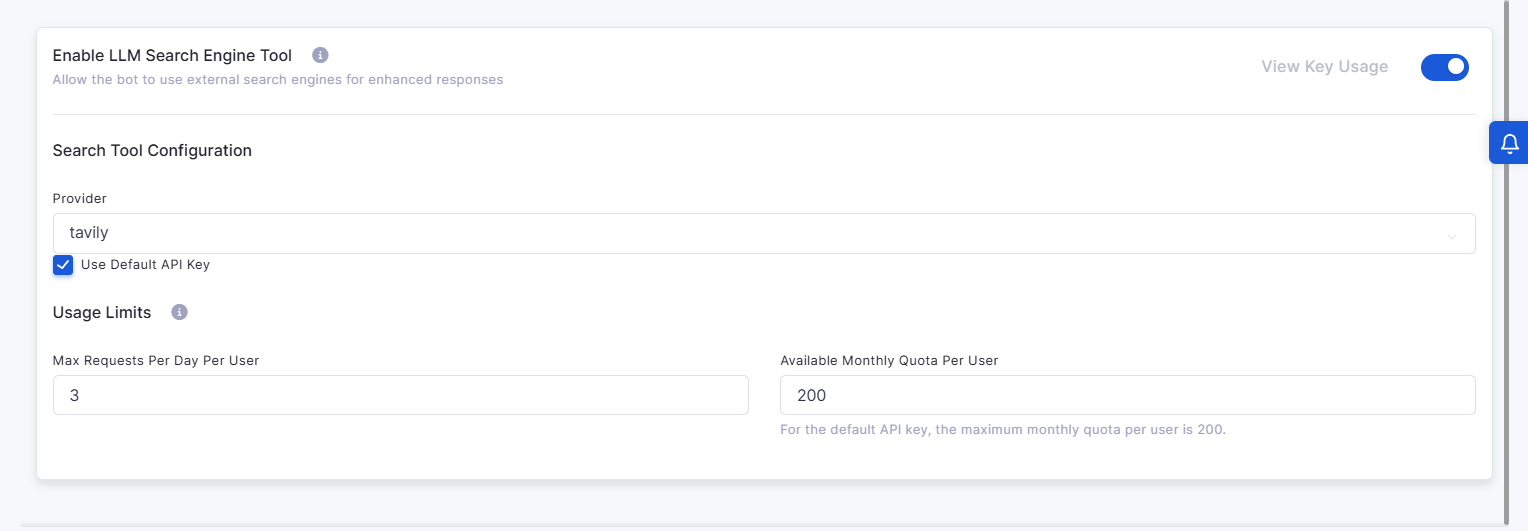
AI Bot Internet Search Engine
Added LLM-based internet search capability for the AI bot.
Provides external solutions with reference links.
Includes usage limits, quotas, and admin configuration.
Self Service Portal
Redirect to SSP from Technician Portal
Added option to switch between Technician and Self-Service Portal.
Maintains session without re-login.
Ensures role-based access control during switching.
Bugs Fixed
Stability improvements across Request, Asset, and Reporting modules.
Fixes for data inconsistencies in reports and dashboards.
UI corrections for better usability and navigation.
Performance optimizations in agent and backend processing.
v7.5.1 - July 2026
Release Cycle: 6th July 2026
Build: Pre-Release Documentation
This release introduces enhancements across Dashboard, Procurement, Project Management, IT Asset Management, Mobile Applications, Business Rules, AI Ops, and the Self-Service Portal. The updates focus on improving operational visibility, procurement workflows, project governance, asset management, automation, and mobile usability.
General stability and performance improvements across modules.
Fixed UI inconsistencies and validation issues.
v7.4.6 - June 2026
Release Cycle: 19th June 2026
Build: Pre-Release Documentation
This release introduces enhancements across Mobile Applications, Project Management, Enterprise Asset Management, Workflow Automation, Procurement, Reporting, Business Rules, Agentic AI, and Notifications. The updates focus on improving user experience, workflow flexibility, project visibility, asset management, and operational efficiency across the platform.
General stability and performance improvements across modules.
Fixed UI inconsistencies and validation issues.
Ensures structured lifecycle from draft to closure.
Settings are persistent and configurable by admins.
Supports CSAT tracking across the Request module.
Improved synchronization and workflow handling.
Minor fixes across reports, dashboards, and integrations.
Overview
Key Updates
Dashboard
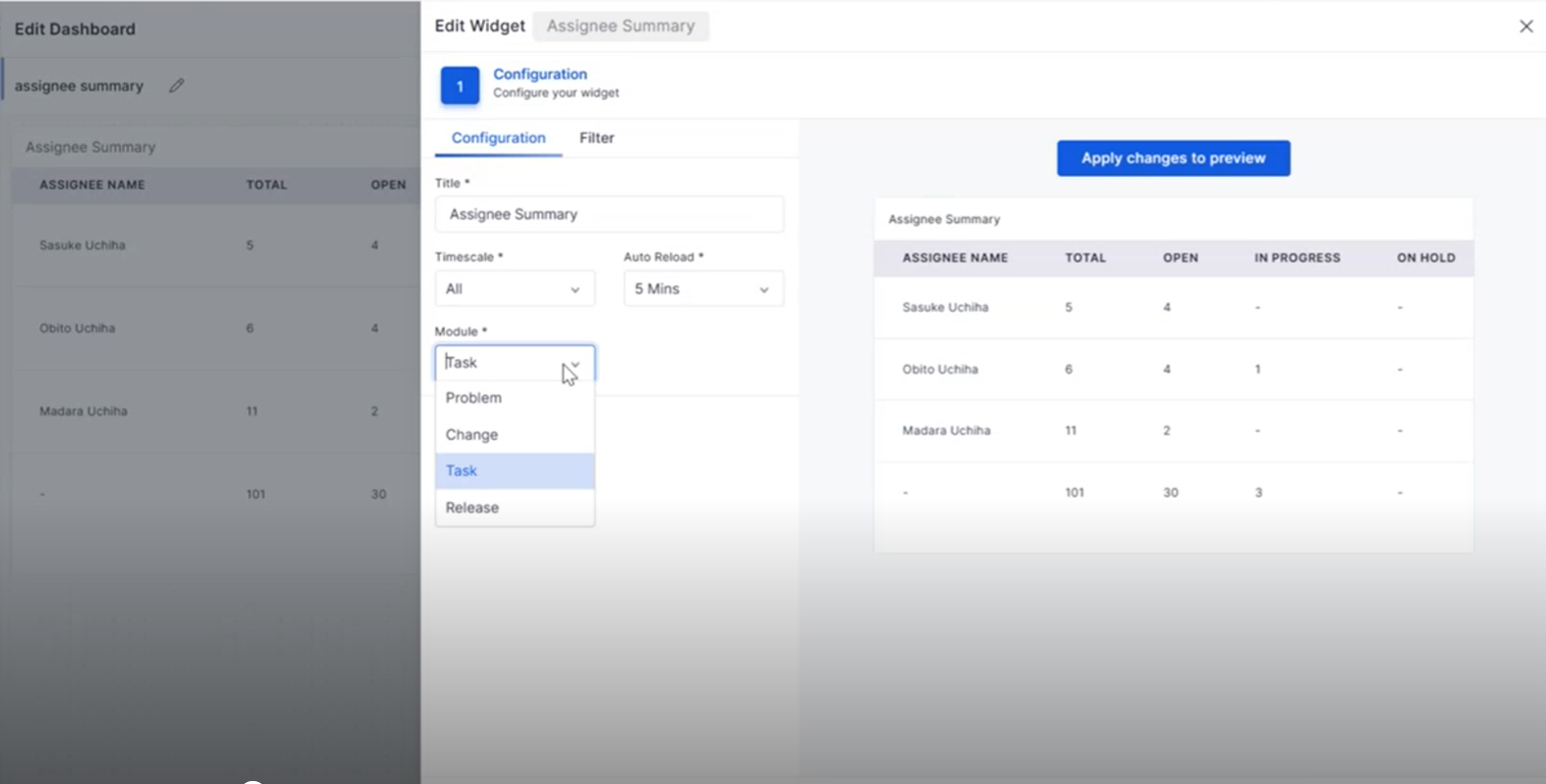
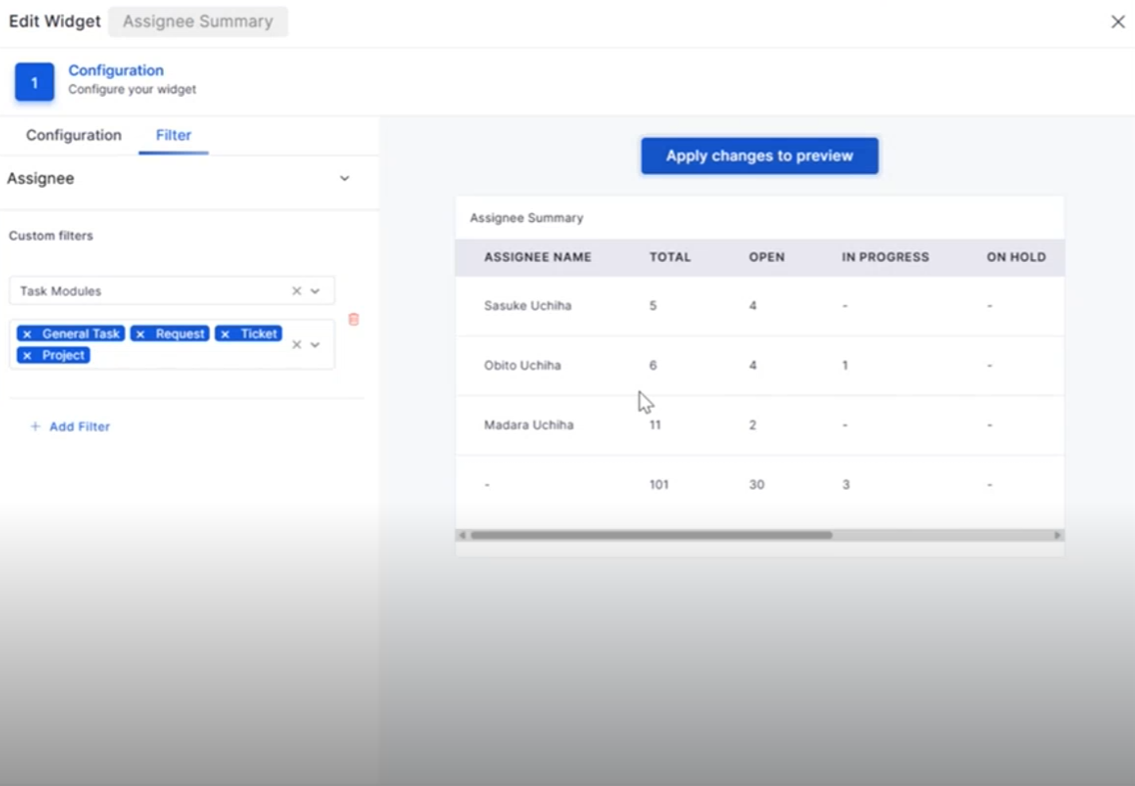
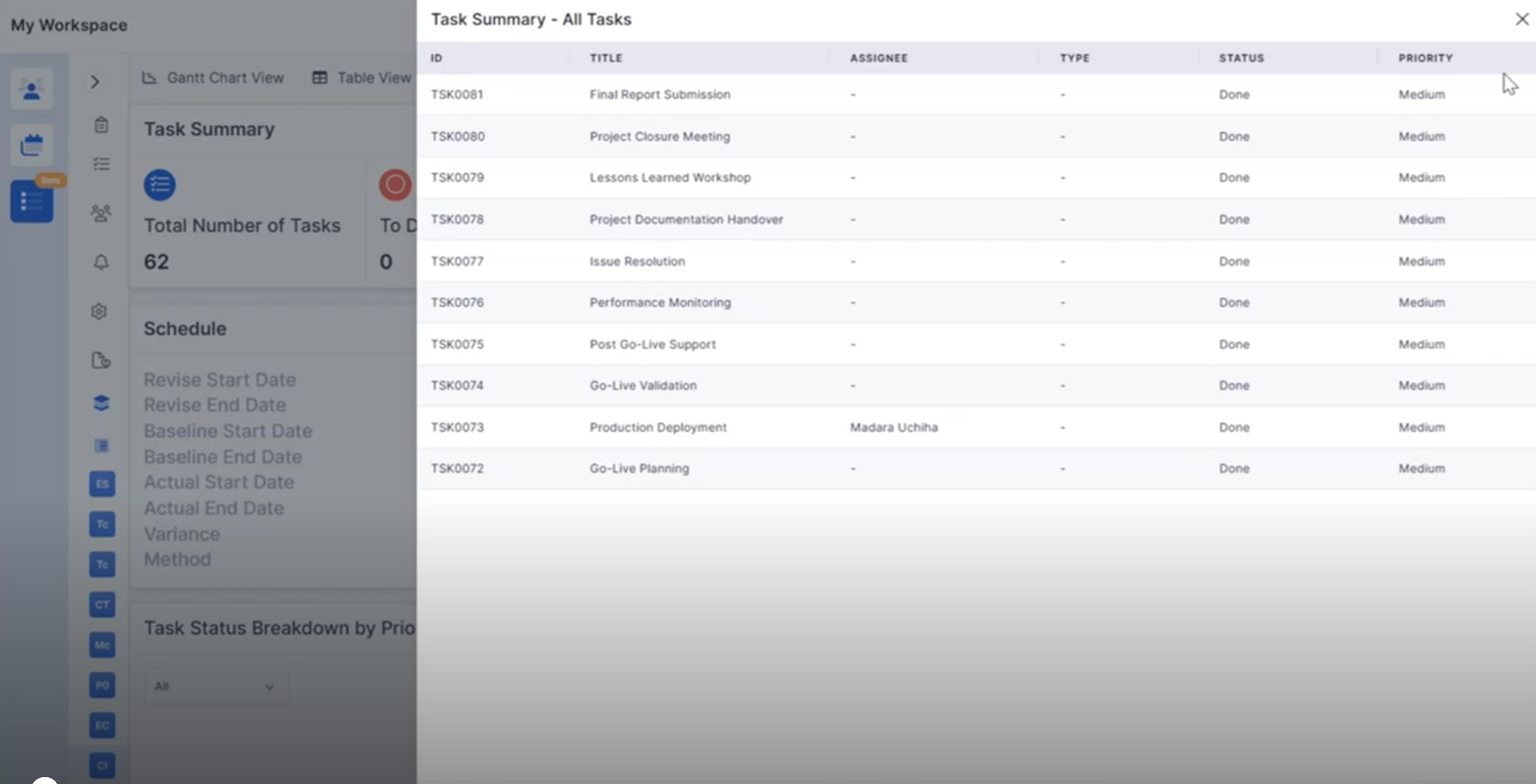
Assignee Summary: Task Module Integration
The Assignee Summary widget now includes Task Management, providing better visibility into task assignments and workload distribution.
View task assignments directly from the dashboard.
Filter tasks based on workflow status and assignee.
Drill down into task details from widget counts.
Improve workload monitoring across teams.
Purchase Requisition
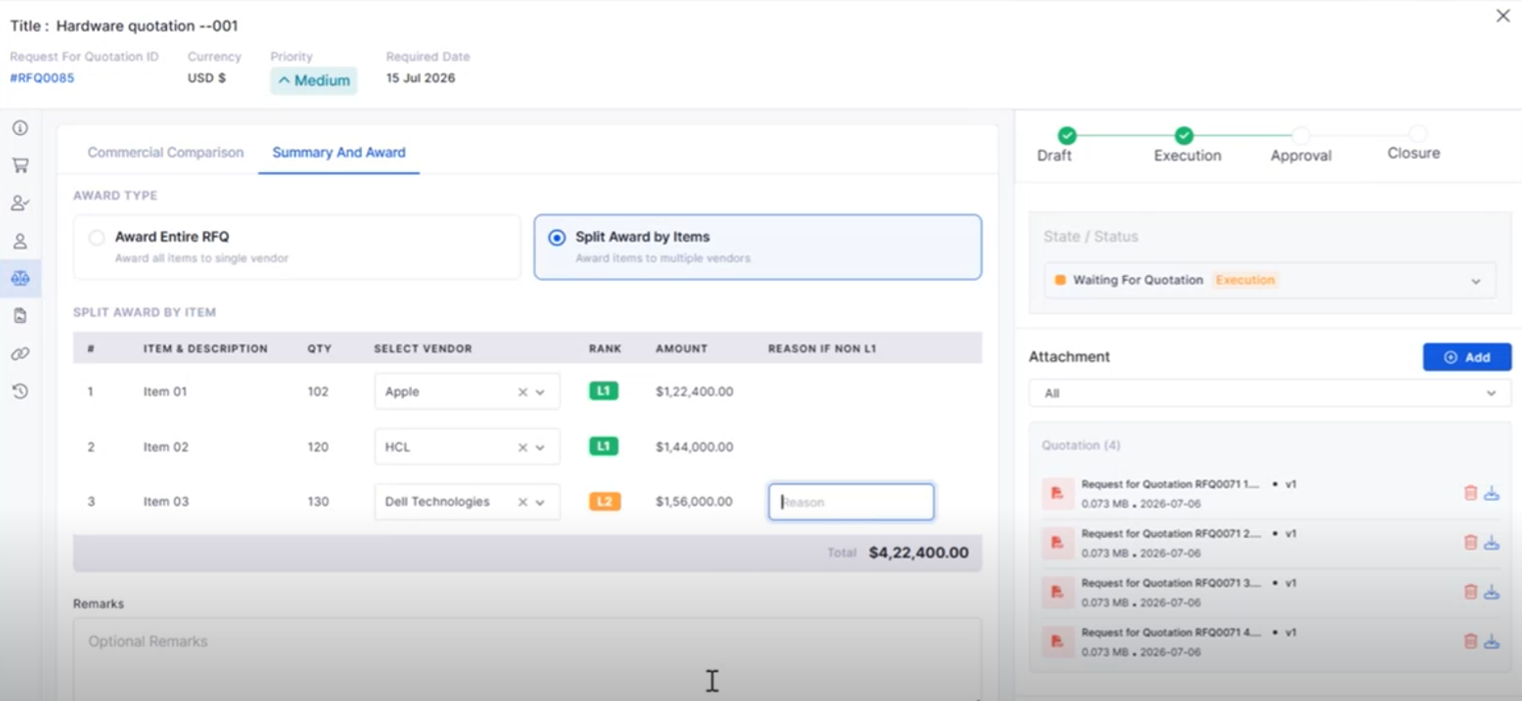
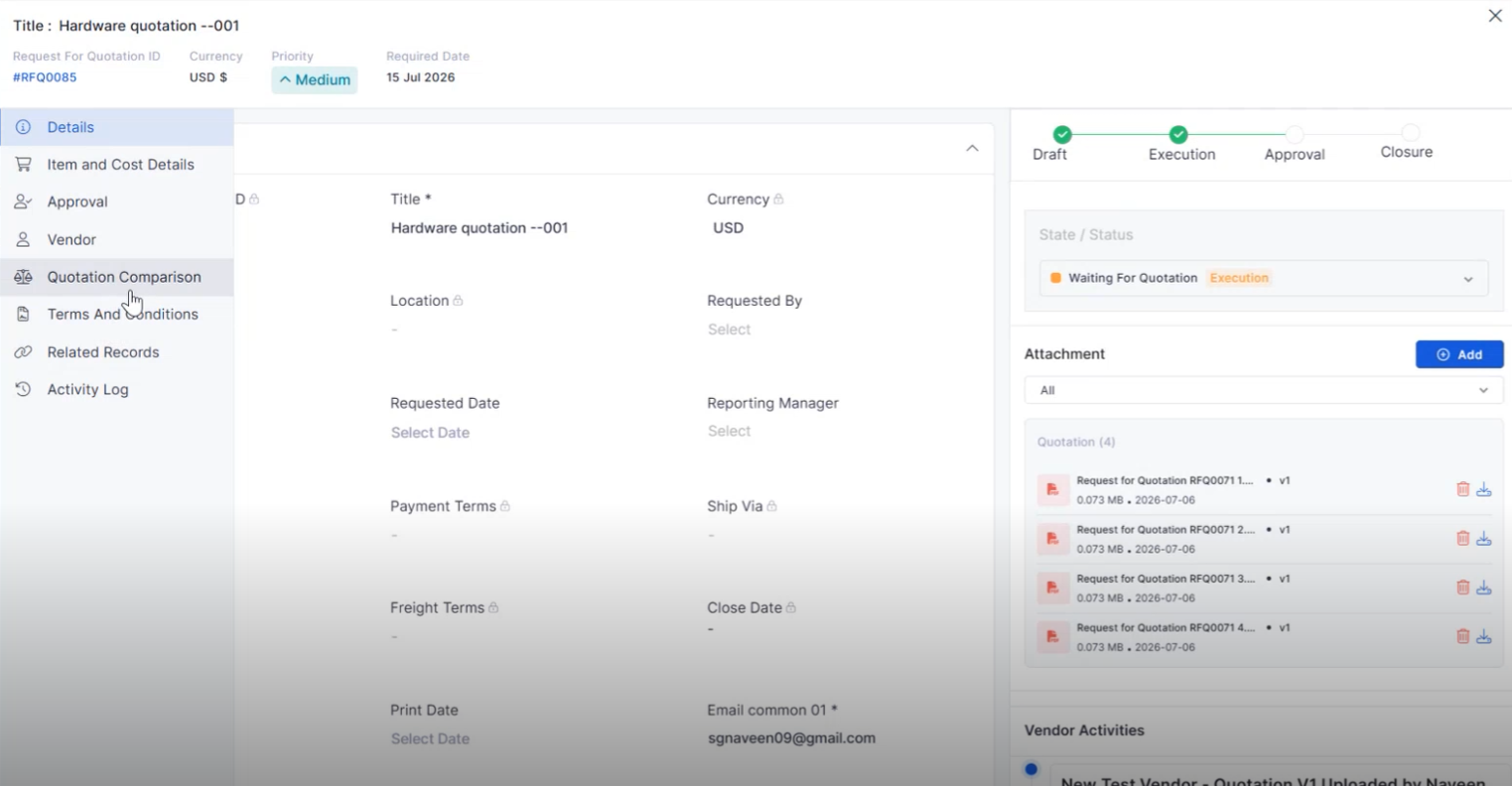
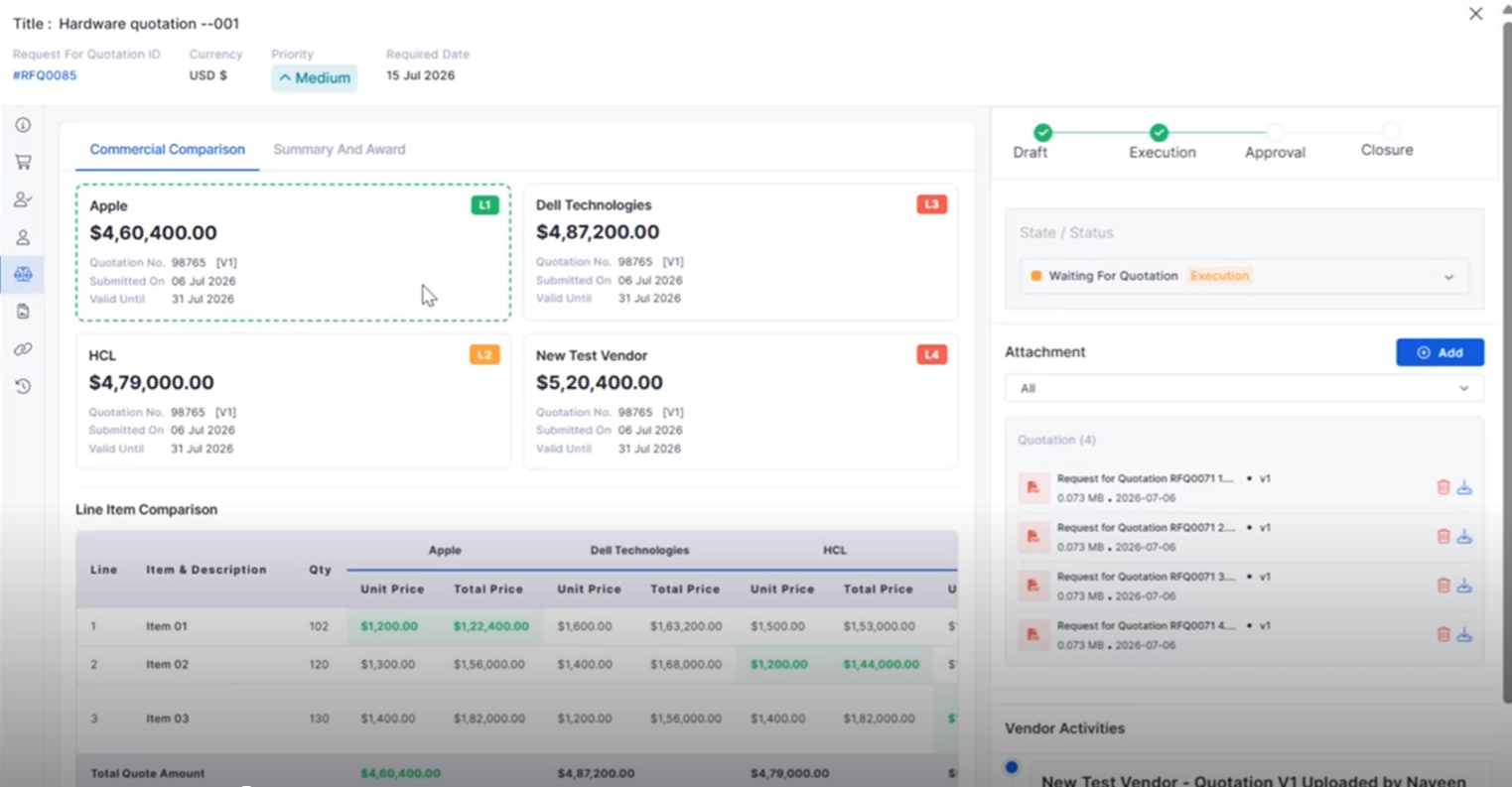
RFQ Vendor Quotation Comparison
Compare vendor quotations from a single interface to simplify procurement decisions.
View quotations from multiple vendors side by side.
Compare pricing and procurement details efficiently.
Simplify vendor evaluation before creating a Purchase Order.
Improve procurement decision-making.
Business Rule
Notification on Asset Add/Delete
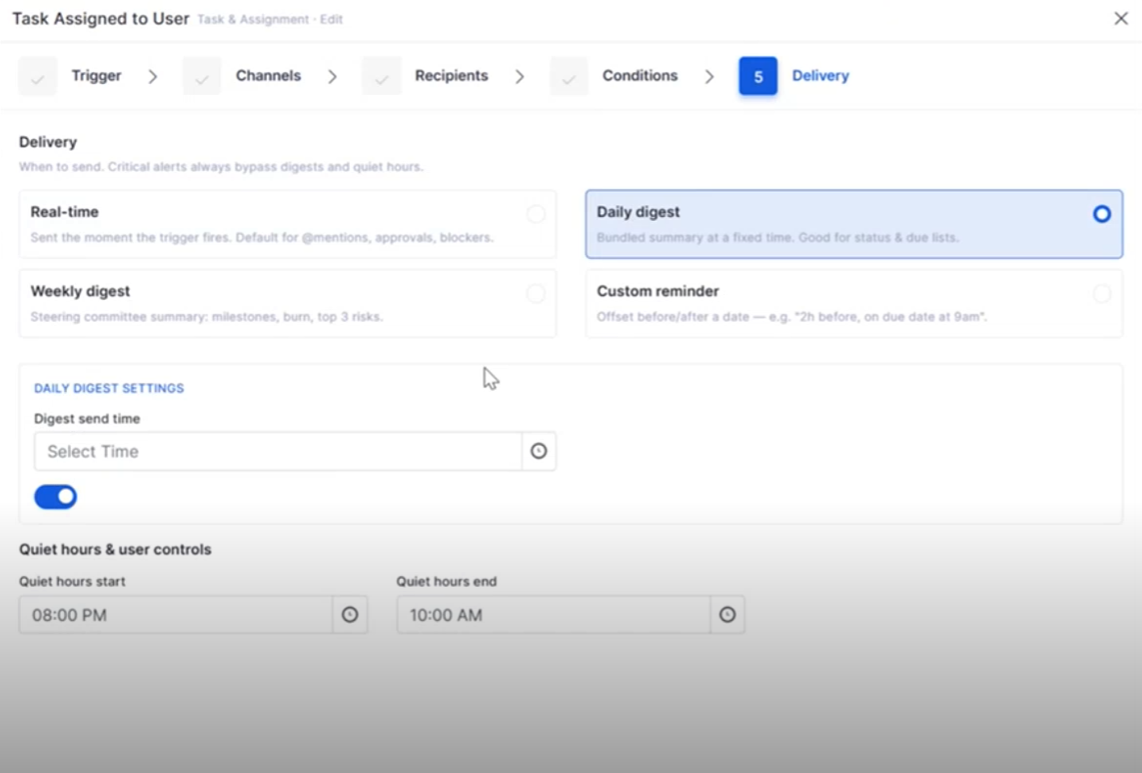
Business Rules can now automatically trigger notifications whenever assets are added or removed.
Notify stakeholders about asset lifecycle events.
Improve visibility into asset changes.
Reduce manual communication efforts.
Support automated asset notifications.
Self-Service Portal
Attachments While Reopening Tickets and Requests
Users can now upload supporting files when reopening Tickets or Requests from the Self Service Portal.
Attach documents while reopening records.
Provide additional context for faster resolution.
Improve collaboration between users and technicians.
Streamline the reopening process.
AI Ops
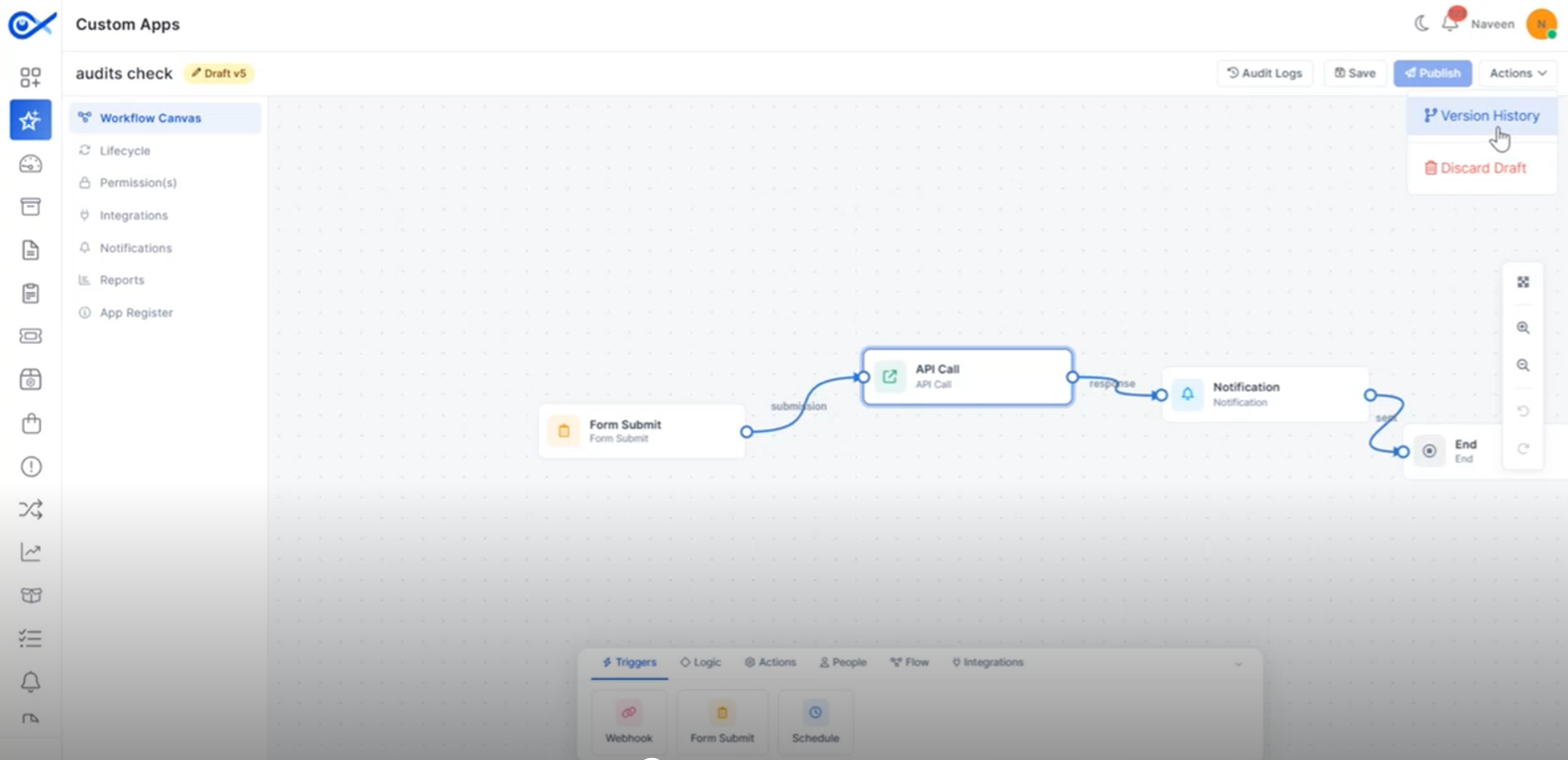
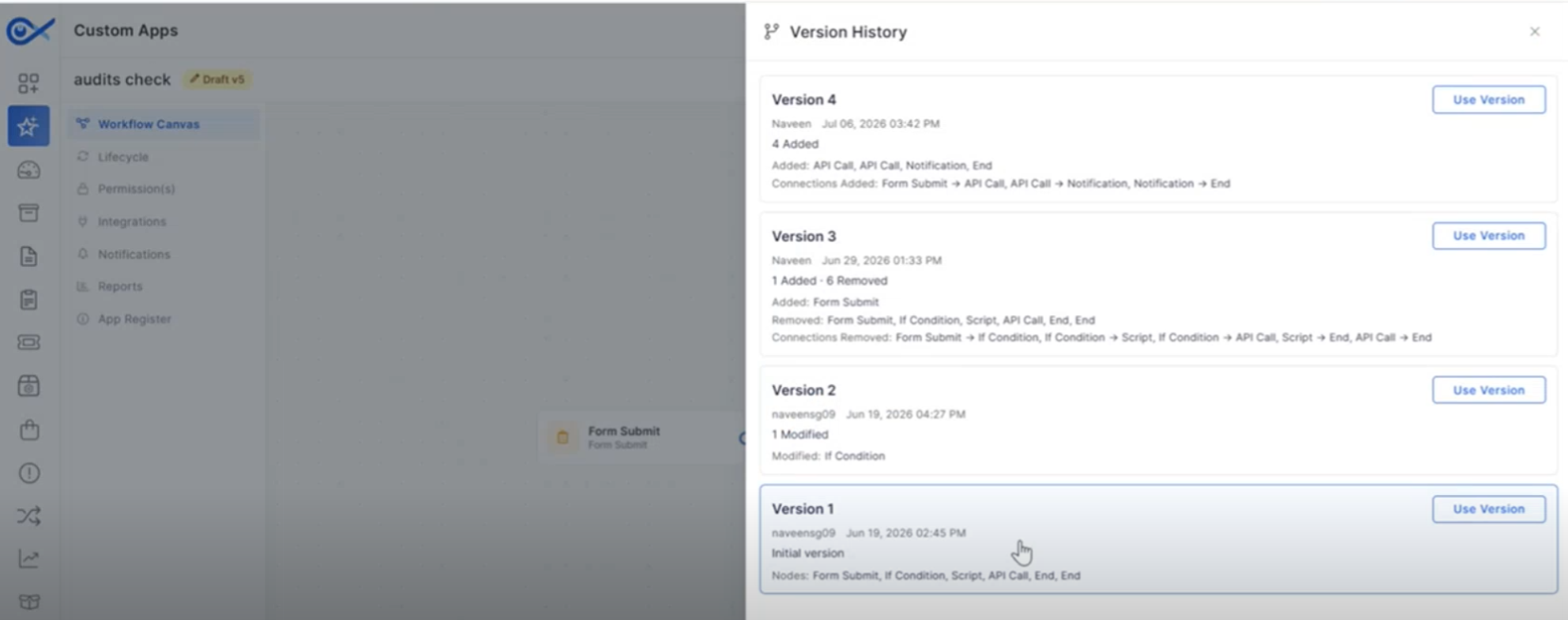
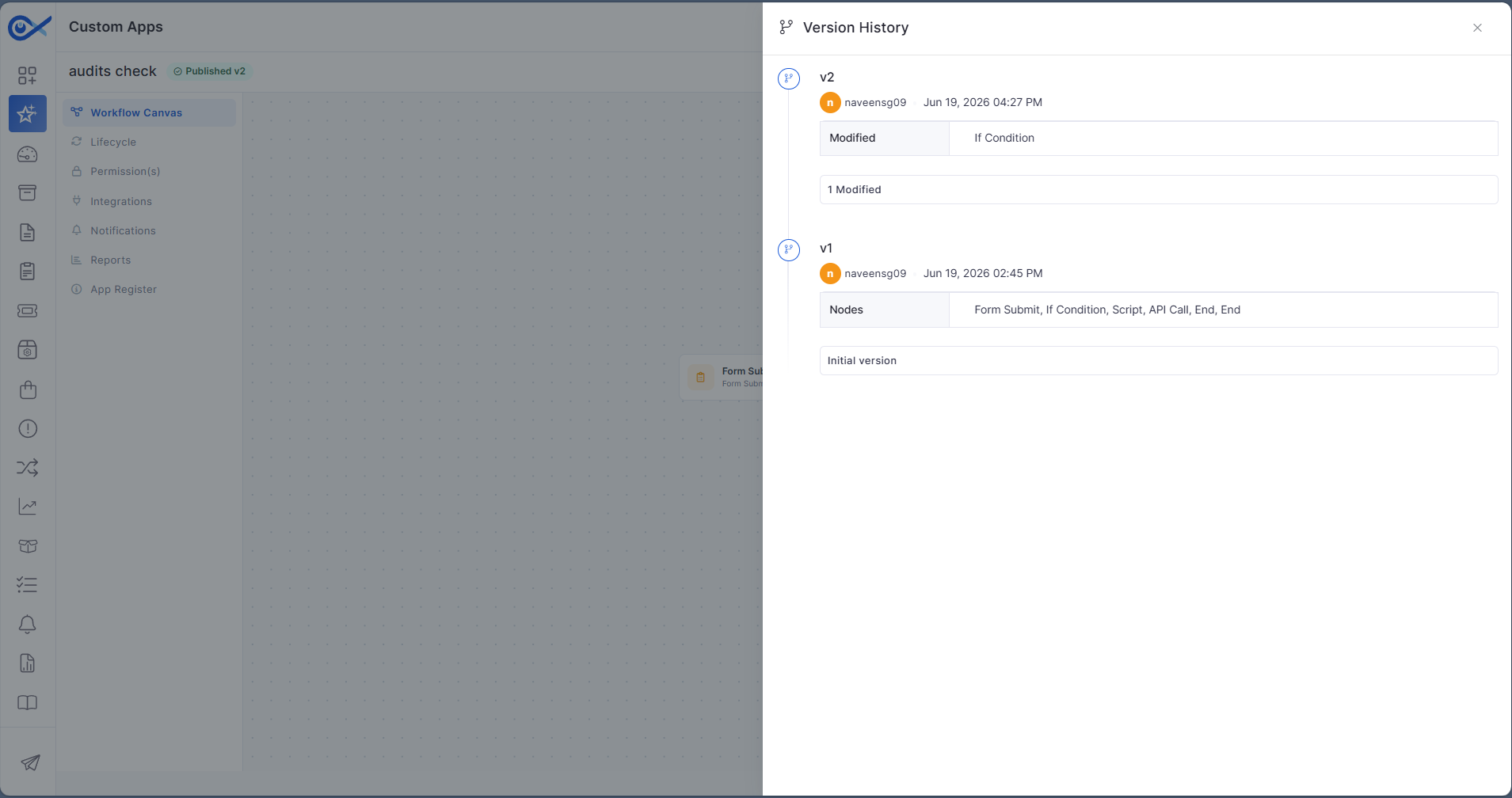
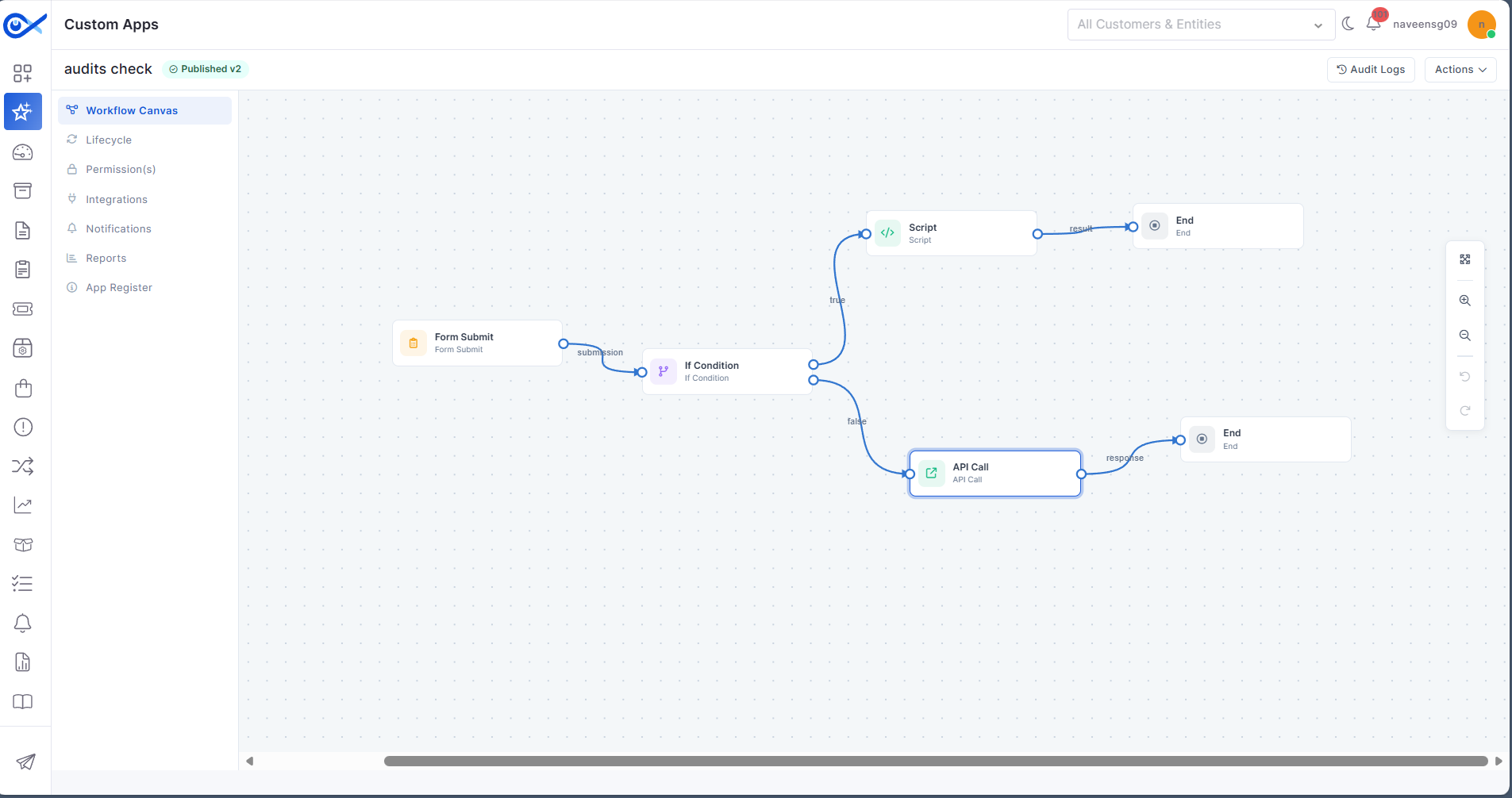
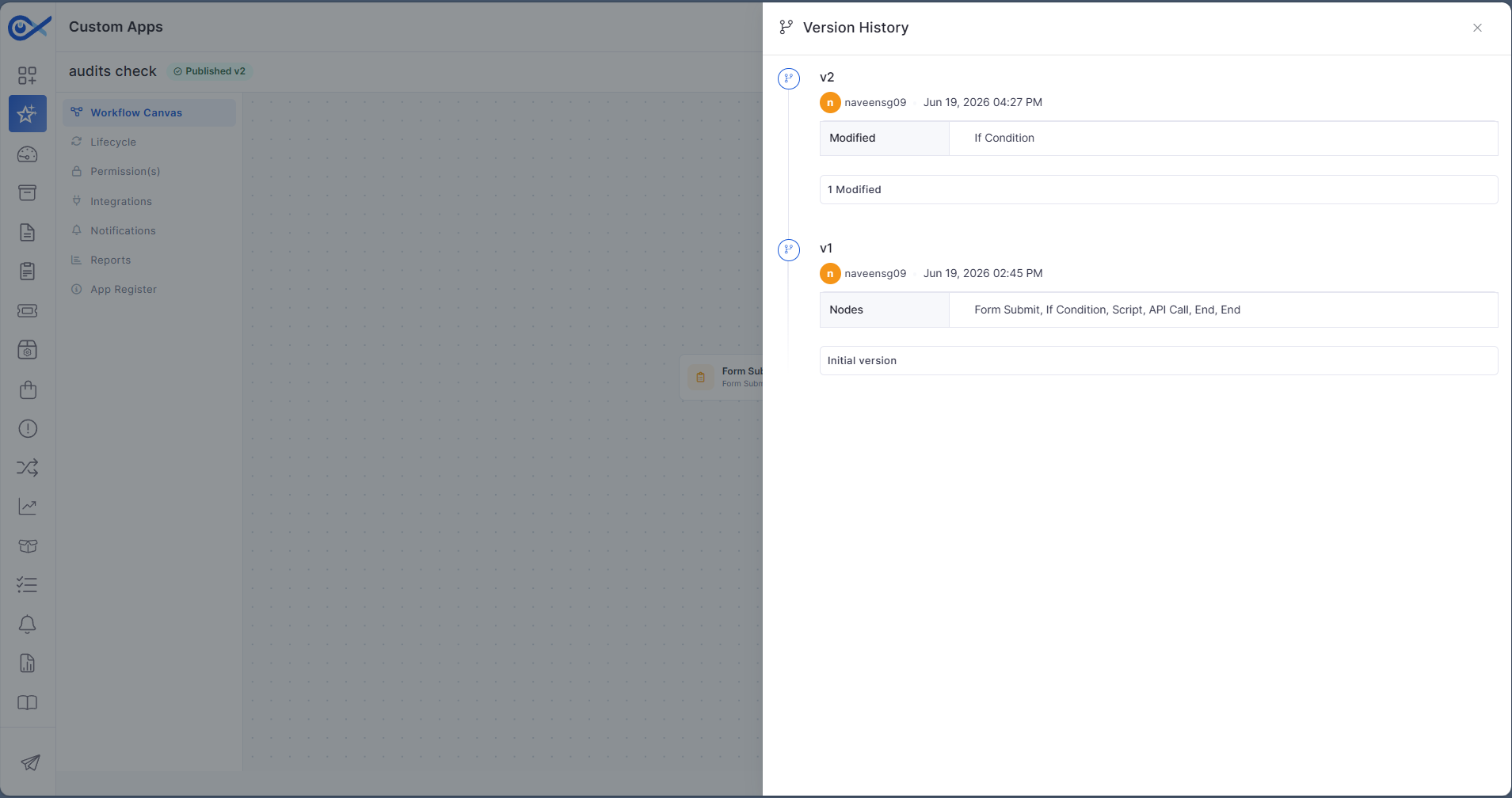
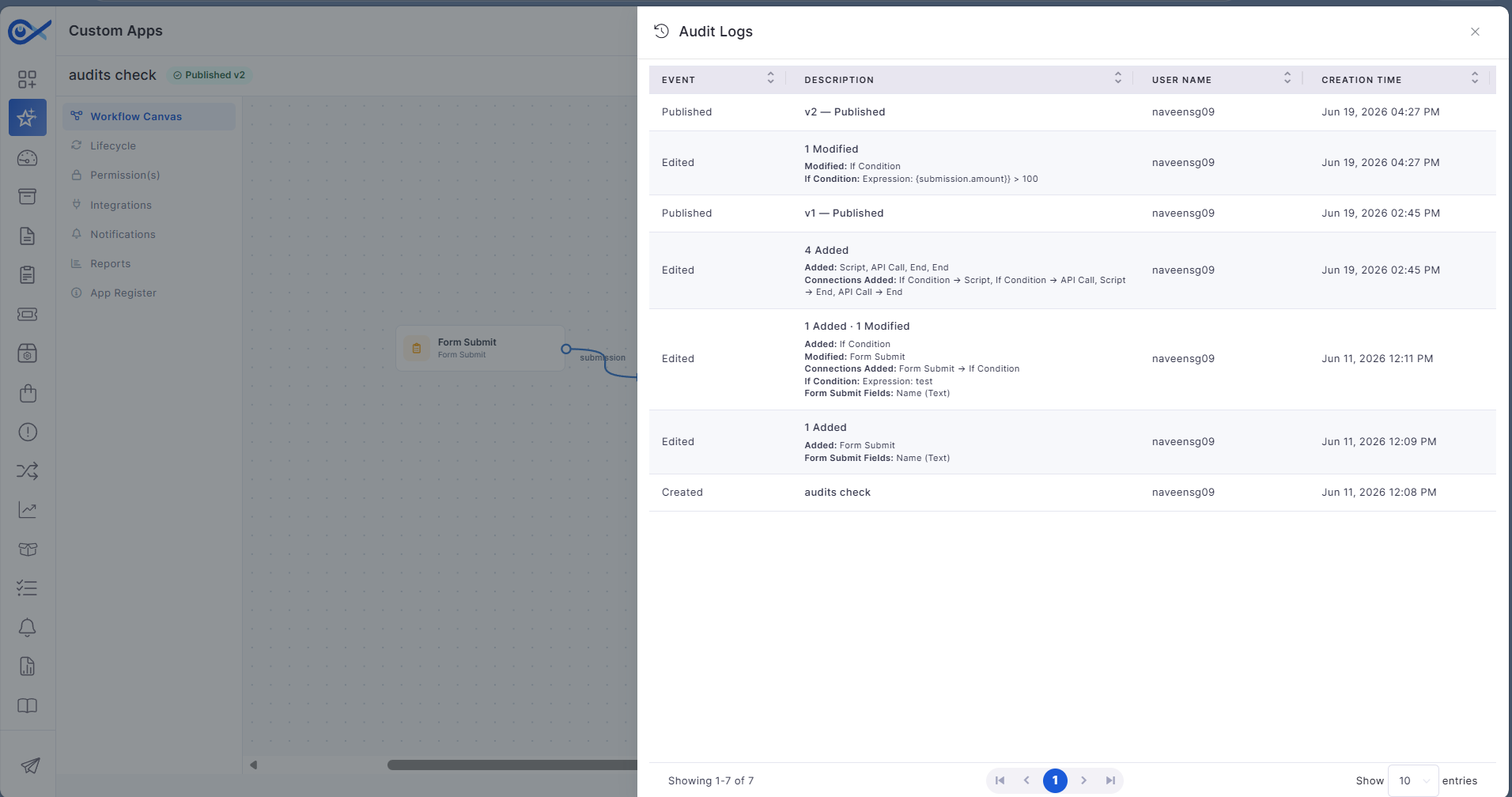
Audits and Versioning Enhancements for Custom Apps
Enhanced audit and version management improve visibility into Custom App changes.
Track changes made to Custom Apps.
Maintain version history for application updates.
Improve governance and audit visibility.
Simplify application maintenance.
Project Management
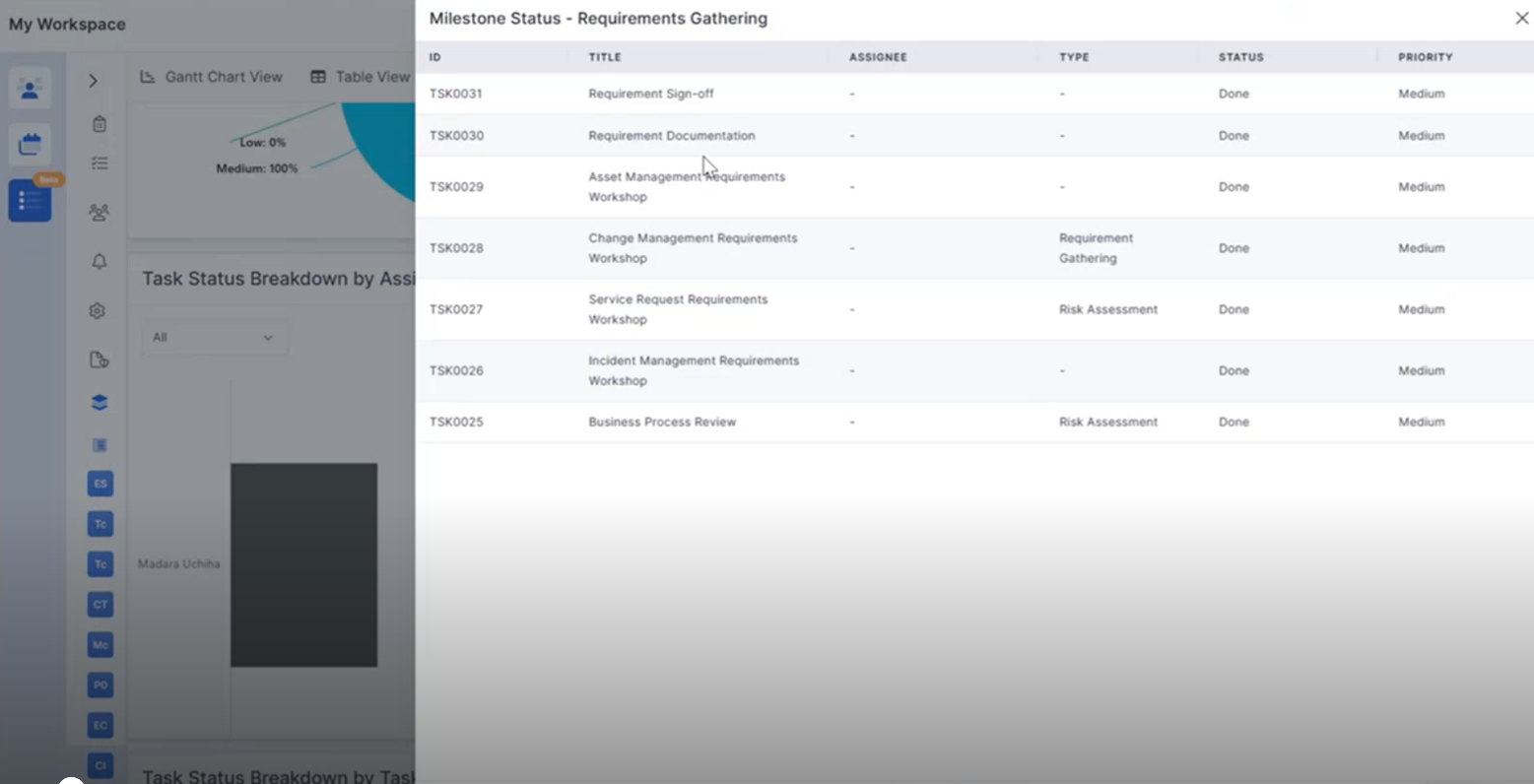
Project Summary Widget Click Functionality
Project Summary widgets now support direct navigation to detailed project information.
Open filtered project lists directly from dashboard widgets.
View relevant project information based on selected metrics.
Improve navigation across project summaries.
Simplify project monitoring.
Project Widget Click Functionality
Interactive project dashboard widgets provide quick access to related project records.
Drill down into task and milestone information.
Open filtered project views directly from dashboard charts.
Improve dashboard usability and analysis.
Enable faster access to project data.
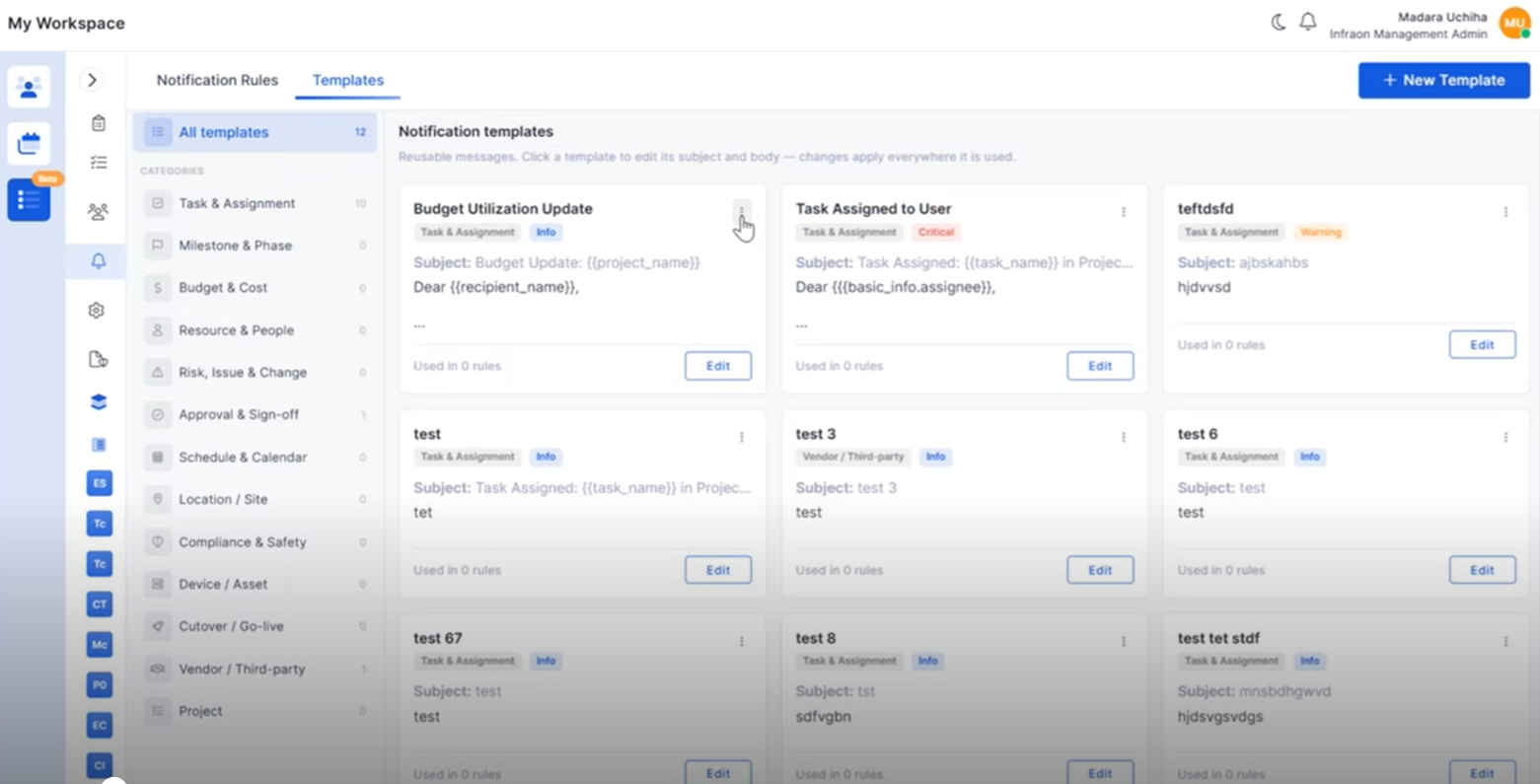
Project Notification Template Management
Notification Templates can now be created and managed within Project Management.
Create reusable notification templates.
Configure project-specific notification content.
Edit and organize templates from a centralized view.
Improve notification consistency across projects.
Project Notification Rules
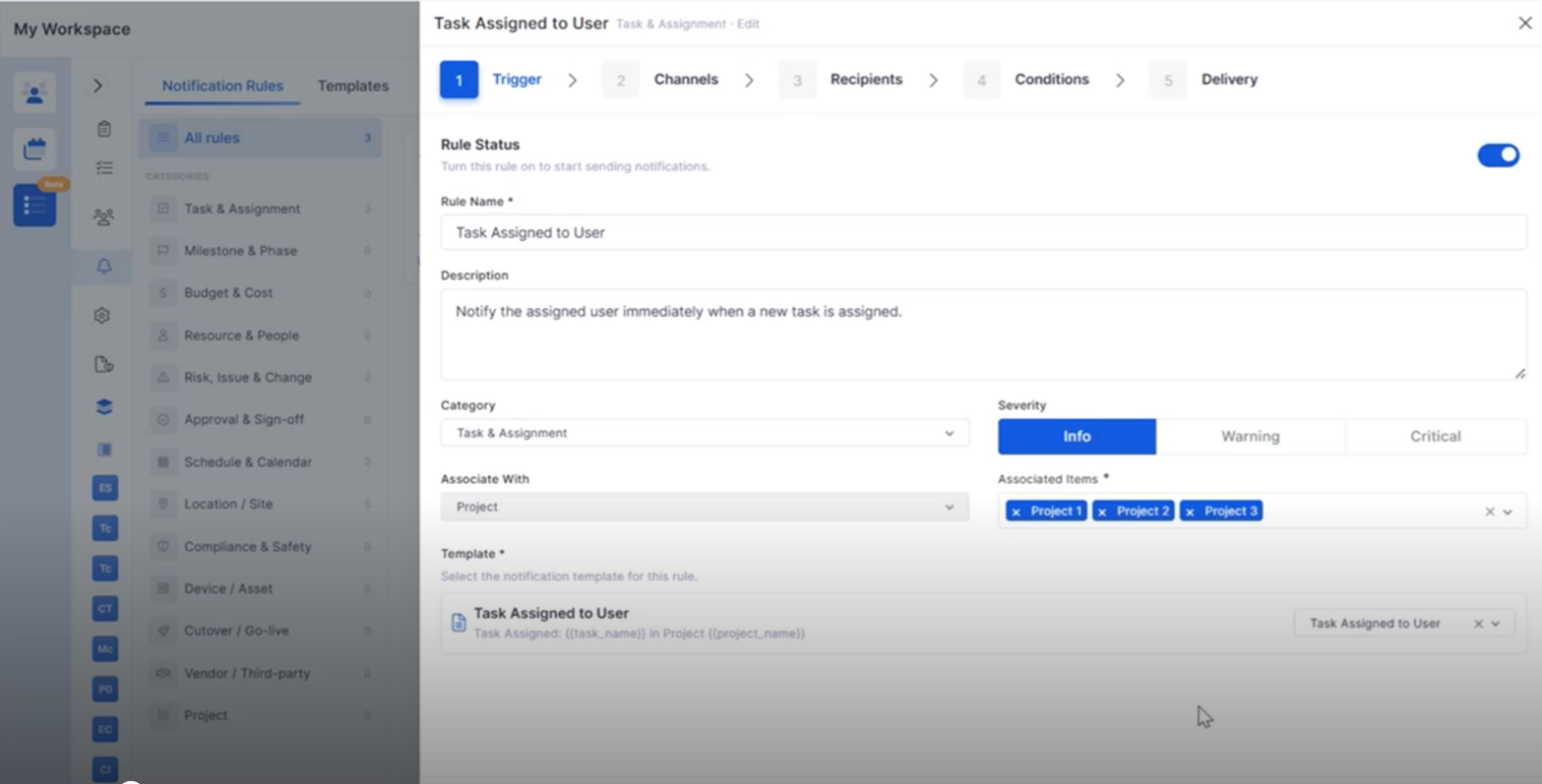
Notification Rules provide greater flexibility for project communications.
Configure automated project notifications.
Associate templates with project events.
Simplify notification management.
Improve communication throughout the project lifecycle.
Project Closure Enhancements
Project Closure now includes additional capabilities for completing project activities.
Transfer project teams and associated assets during closure.
Review project financial summaries.
Capture project completion details.
Improve project handover and documentation.
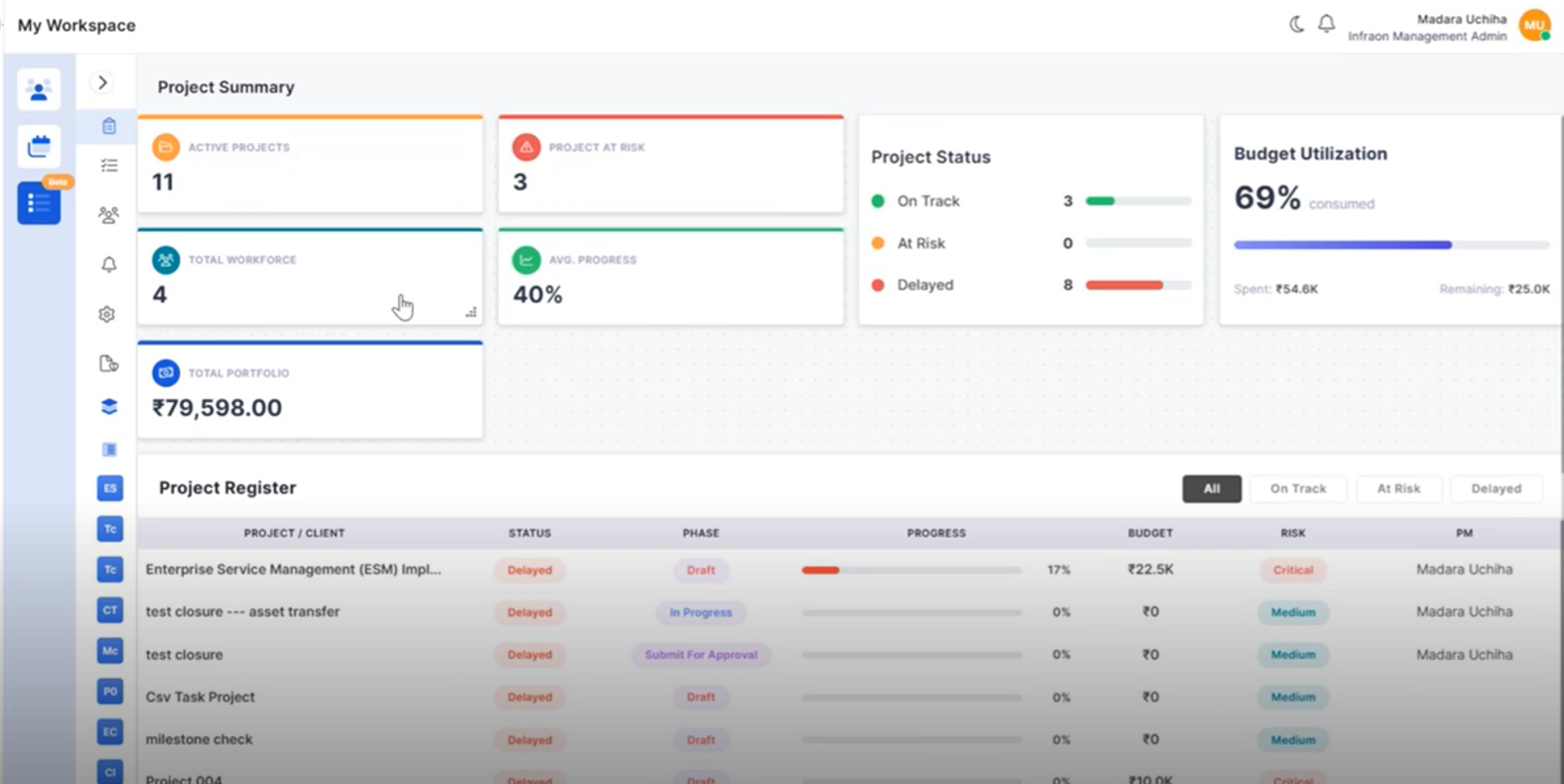
Portfolio Overview Enhancements
Additional portfolio insights help monitor project performance more effectively.
Track project registers from the portfolio view.
Monitor budget utilization across projects.
Improve portfolio-level reporting.
Support informed project decisions.
Milestone CSV Enhancements
Milestone identification has been improved during CSV editing.
Highlight milestone rows within CSV files.
Improve visibility of milestone-task relationships.
Simplify bulk project updates.
Reduce editing errors.
IT Assets
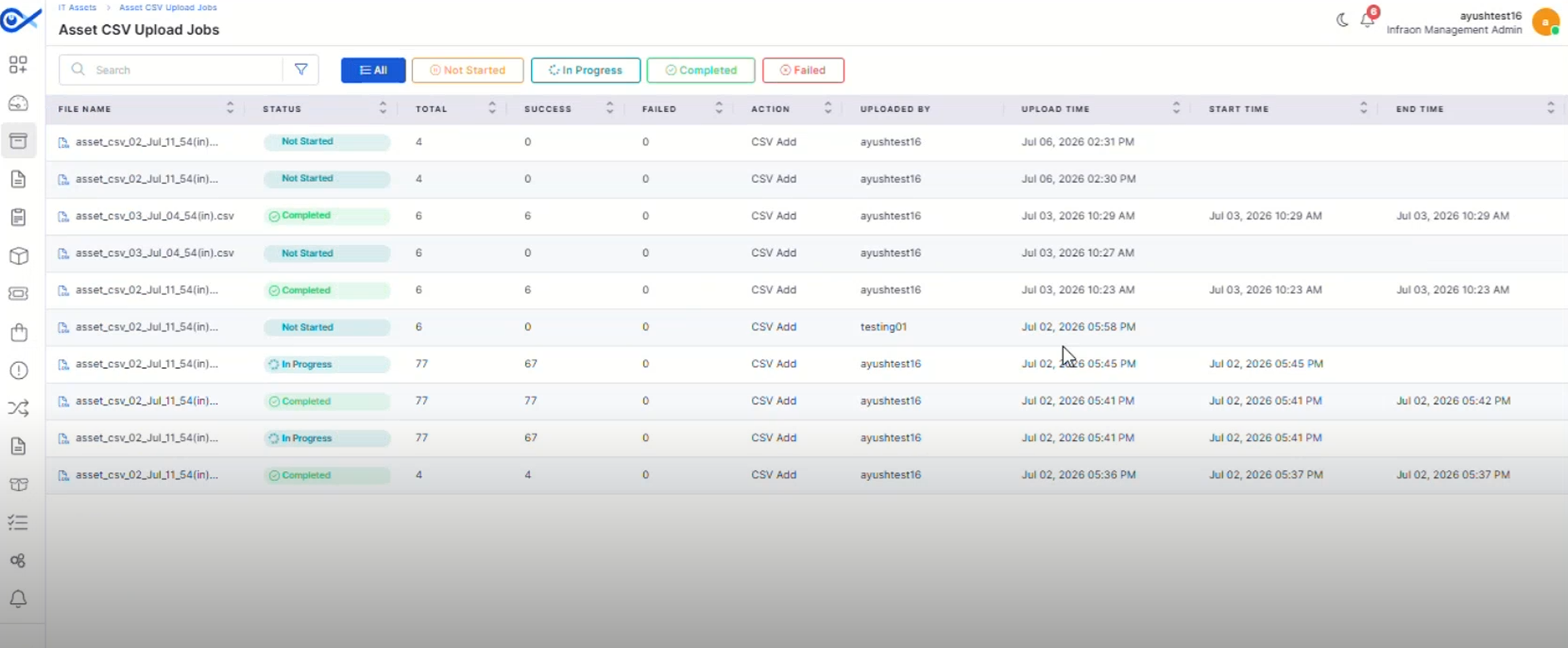
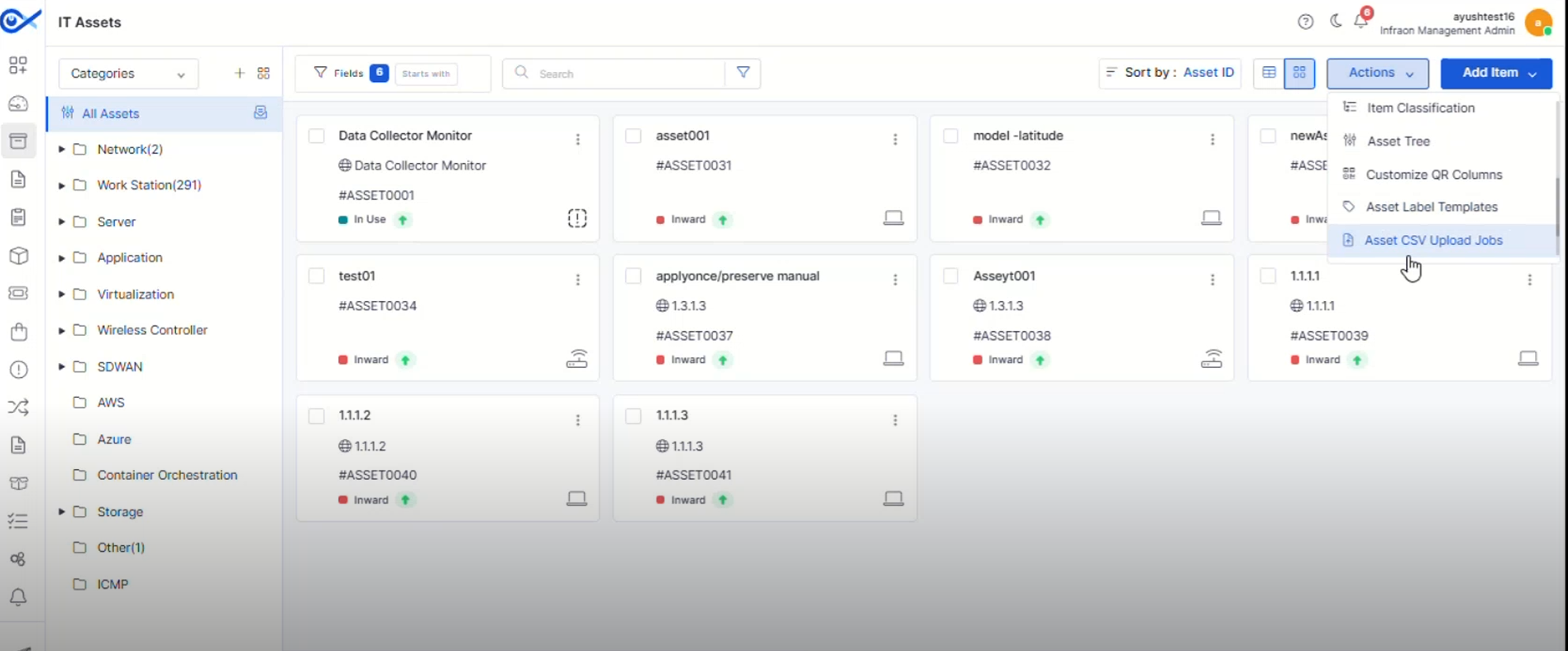
Asset CSV Upload Jobs
A dedicated page now provides visibility into Asset CSV upload and bulk edit activities.
Track upload progress and job status.
View successful and failed records.
Search and filter upload jobs easily.
Improve monitoring of bulk asset operations.
Asset QR Code Print Custom Template
Create reusable QR and barcode label templates for different asset types.
Design customizable print templates.
Configure headers, footers, logos, and asset fields.
Support multiple label layouts and paper formats.
Generate QR and barcode labels using saved templates.
Hardware Change Notification Optimization
Hardware change notifications have been refined for improved accuracy.
Reduce unnecessary hardware change alerts.
Improve notification relevance.
Enhance hardware monitoring.
Minimize false notifications.
Asset Bulk Edit Optimization
Bulk editing has been enhanced to improve efficiency when managing assets.
Improve processing of bulk updates.
Reduce execution time for large operations.
Simplify asset administration.
Enhance overall performance.
Mobile Enhancements
Android – Multi-View for Impact Service
Android users can now switch between multiple Impact Service views for improved visibility.
Access different Impact Service layouts.
Improve navigation between related services.
Enhance service monitoring.
Provide a more flexible mobile experience.
iOS – Multi View for Impact Service
The iOS application now supports multiple Impact Service views.
Switch between different service views.
Improve visibility into impacted services.
Simplify navigation.
Enhance usability on iOS devices.
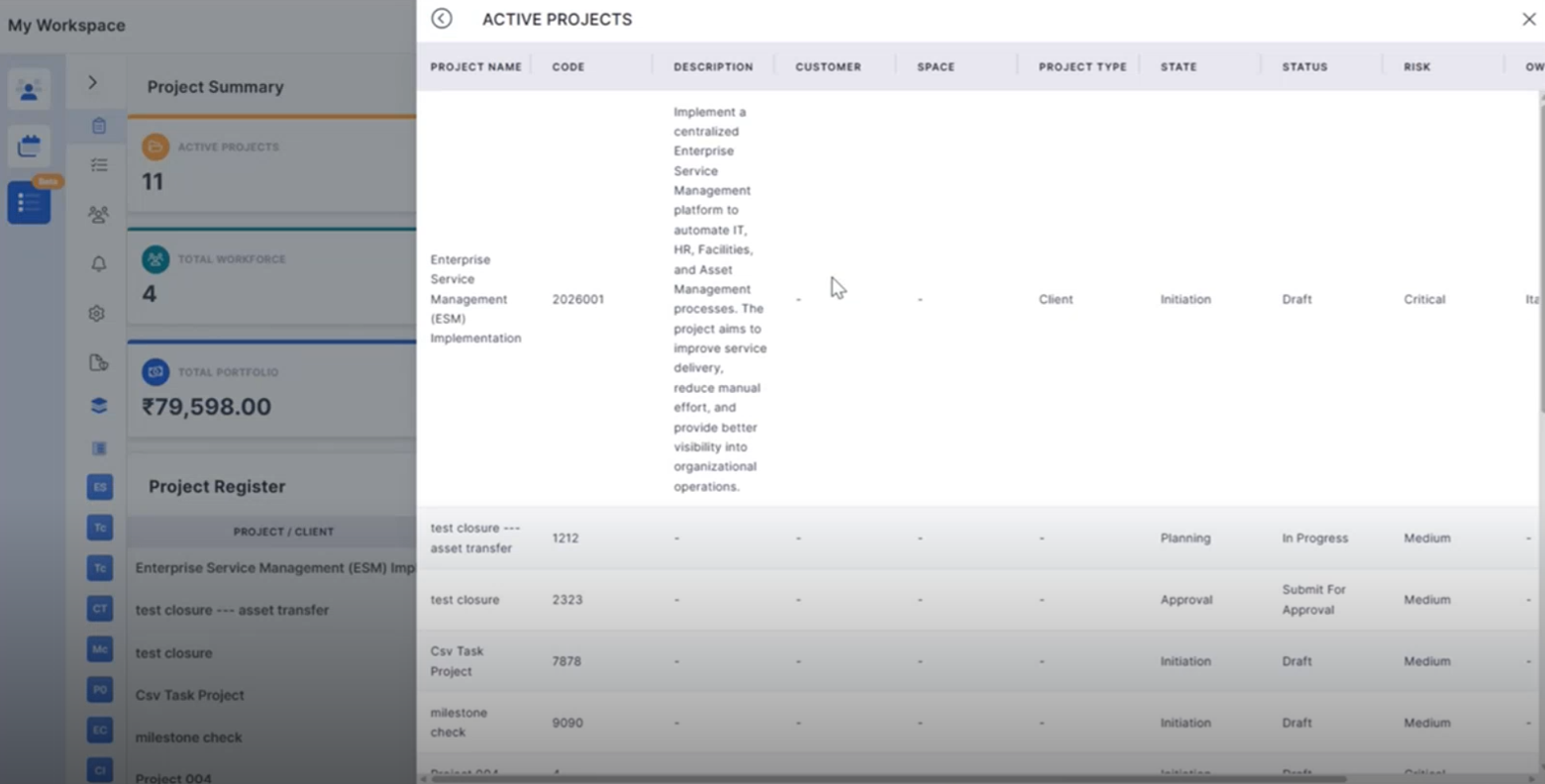
🐛 Bugs Fixed
Improved synchronization and workflow handling.
Minor fixes across reports, dashboards, and integrations.
Overview
Key Updates
Mobile Applications
Mobile users can now approve or reject requests directly from the application, enabling faster decision-making and request processing.
Approve and reject requests directly from mobile devices.
Improves response time for approval workflows.
Provides a seamless approval experience on the go.
Ensures consistent request status updates.
A dedicated Request Dashboard provides better visibility into request performance and trends.
View request status distribution and summaries.
Track request creation and resolution trends.
Supports multiple time-based views for analysis.
Improves operational visibility and monitoring.
Enhanced request creation with improved support for images and attachments.
Add images directly within request descriptions.
Upload and manage multiple attachments when creating a request.
View and remove attachments with ease.
Improves collaboration and information sharing.
Custom fields are now displayed consistently throughout the request lifecycle.
Supports custom fields during request creation and updates.
Displays relevant fields during assignment, resolution, and closure stages.
Improves access to request-specific information.
Enhances workflow consistency.
Business Rule
Business Rules can now dynamically respond to asset updates and changes.
Automatically re-evaluates rules when asset data changes.
Supports configurable enforcement behaviors.
Improves automation accuracy and consistency.
Enhances asset data governance.
Report
Enhanced SLA reporting provides improved visibility into compliance and penalty calculations.
Improves accuracy of SLA penalty calculations.
Enhances compliance reporting visibility.
Supports detailed performance analysis.
Simplifies SLA auditing and tracking.
Notifications
Notifications are automatically marked as read when viewed.
Reduces manual notification management.
Improves notification tracking.
Provides a cleaner user experience.
Helps users focus on pending actions.
Agentic AI
The Agentic AI experience has been refined to provide a more intuitive and user-friendly interaction model.
Improved AI conversation experience.
Enhanced visibility of AI-generated responses.
Better presentation of AI actions and outcomes.
Improves overall usability of Agentic AI features.
Enterprise Asset Management
New template-based configuration simplifies storeroom setup and standardization.
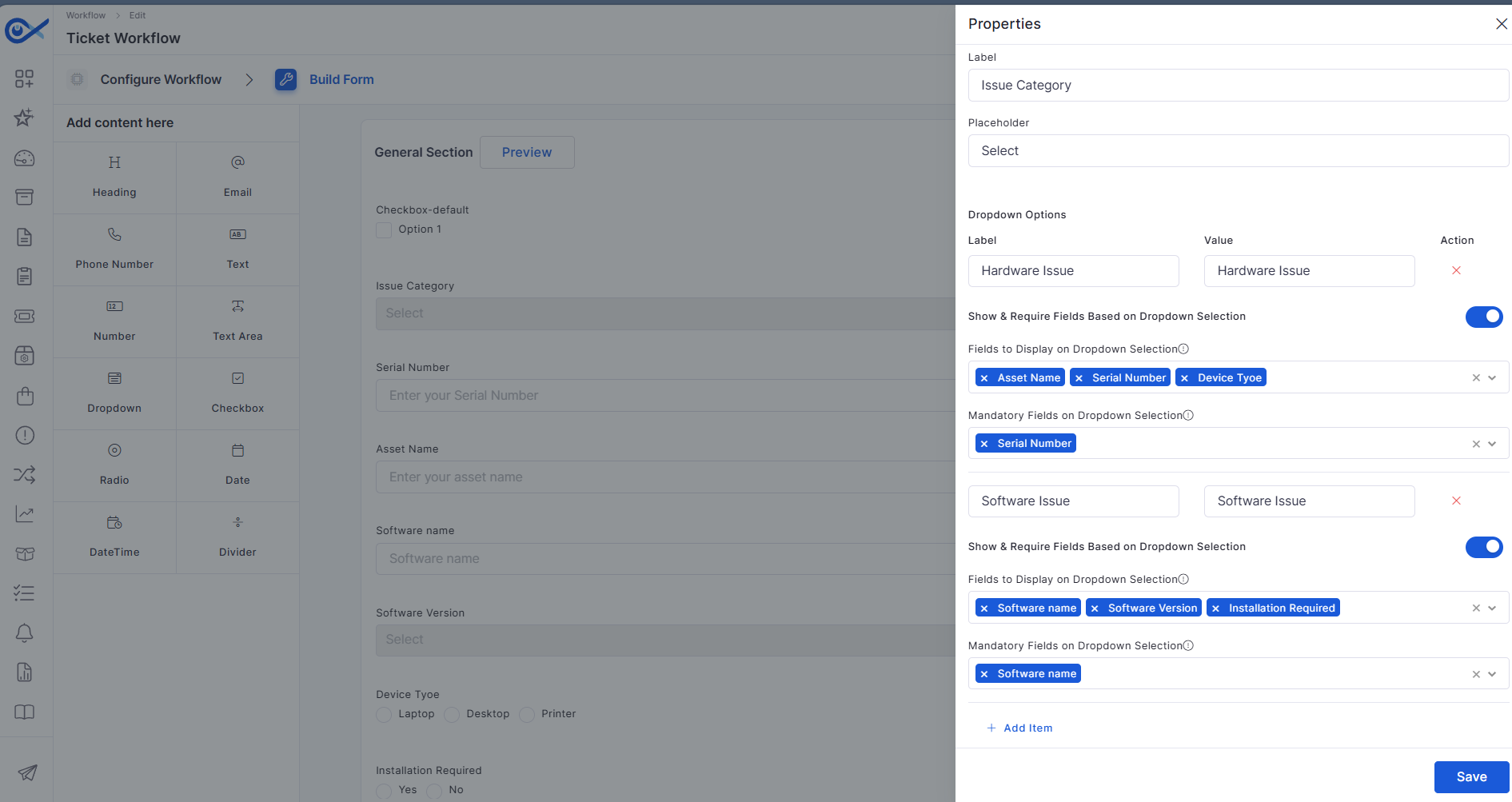
Workflow forms now support dynamically visible dependent dropdown fields.
Displays fields based on user selections.
Simplifies service request forms.
Reduces unnecessary field visibility.
Improves user experience and form completion.
Purchase Requisition
Procurement workflows are enhanced with integrated vendor communication capabilities.
Centralize RFQ communication activities.
Improve collaboration with vendors.
Simplify procurement tracking.
Enhance procurement workflow efficiency.
Project Management
New portfolio-level widgets provide greater visibility into project performance.
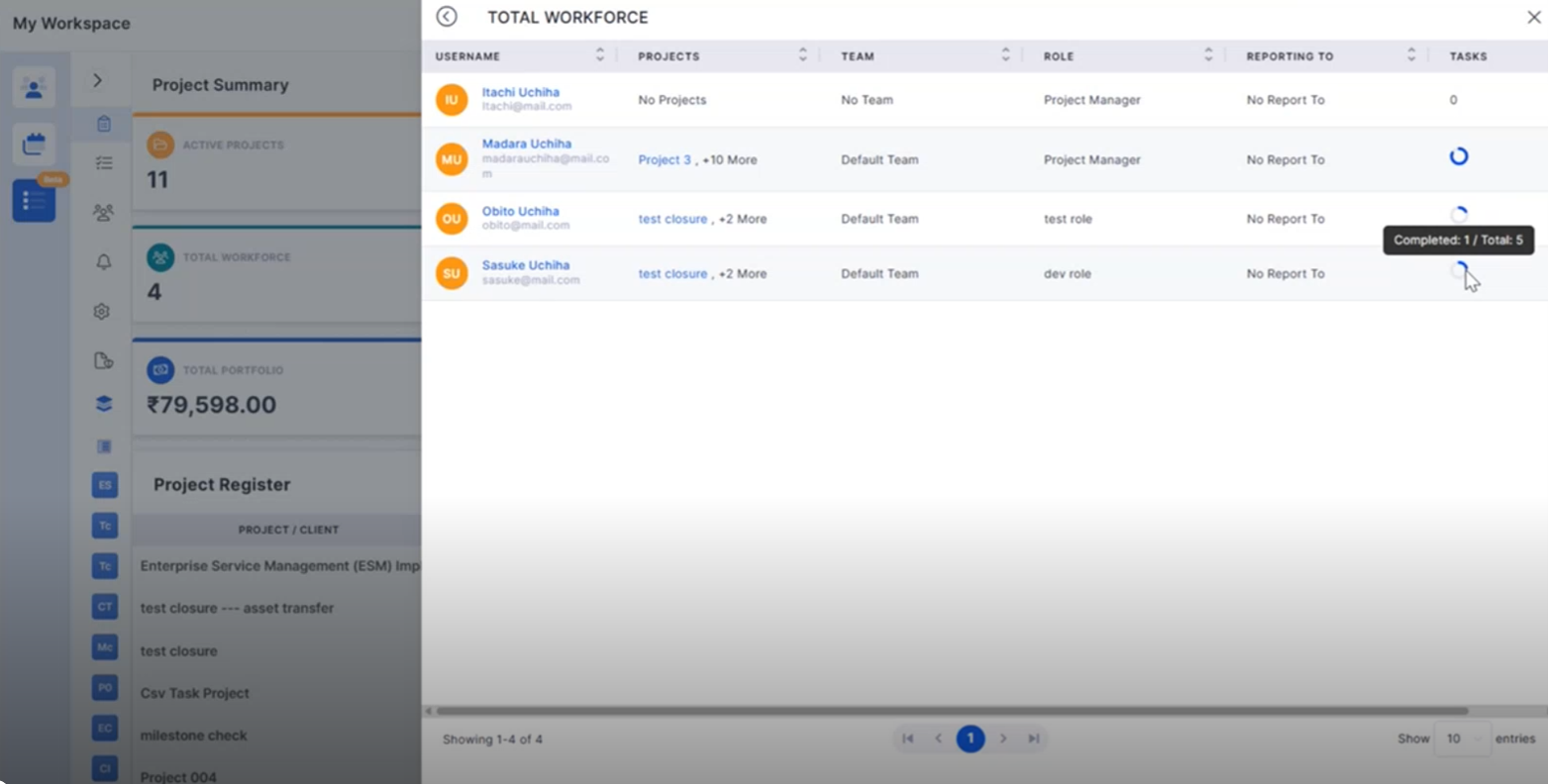
Monitor active projects across the portfolio.
Track workforce utilization and project progress.
Identify projects requiring attention.
Improve portfolio-level decision-making.
Project milestones can now be managed through CSV-based updates.
Update milestone relationships in bulk.
Reduce manual project administration effort.
Improve project data maintenance.
Simplify large-scale milestone updates.
Project dashboards now include asset-related reporting and visualizations.
Analyze projects using asset-related insights.
Improve visibility into asset-linked activities.
Support location and asset-based reporting.
Enhance project monitoring capabilities.
Expanded dashboard widgets provide deeper project insights.
Monitor project budgets and utilization.
Track project status distributions.
Improve project governance visibility.
Support informed project decisions.
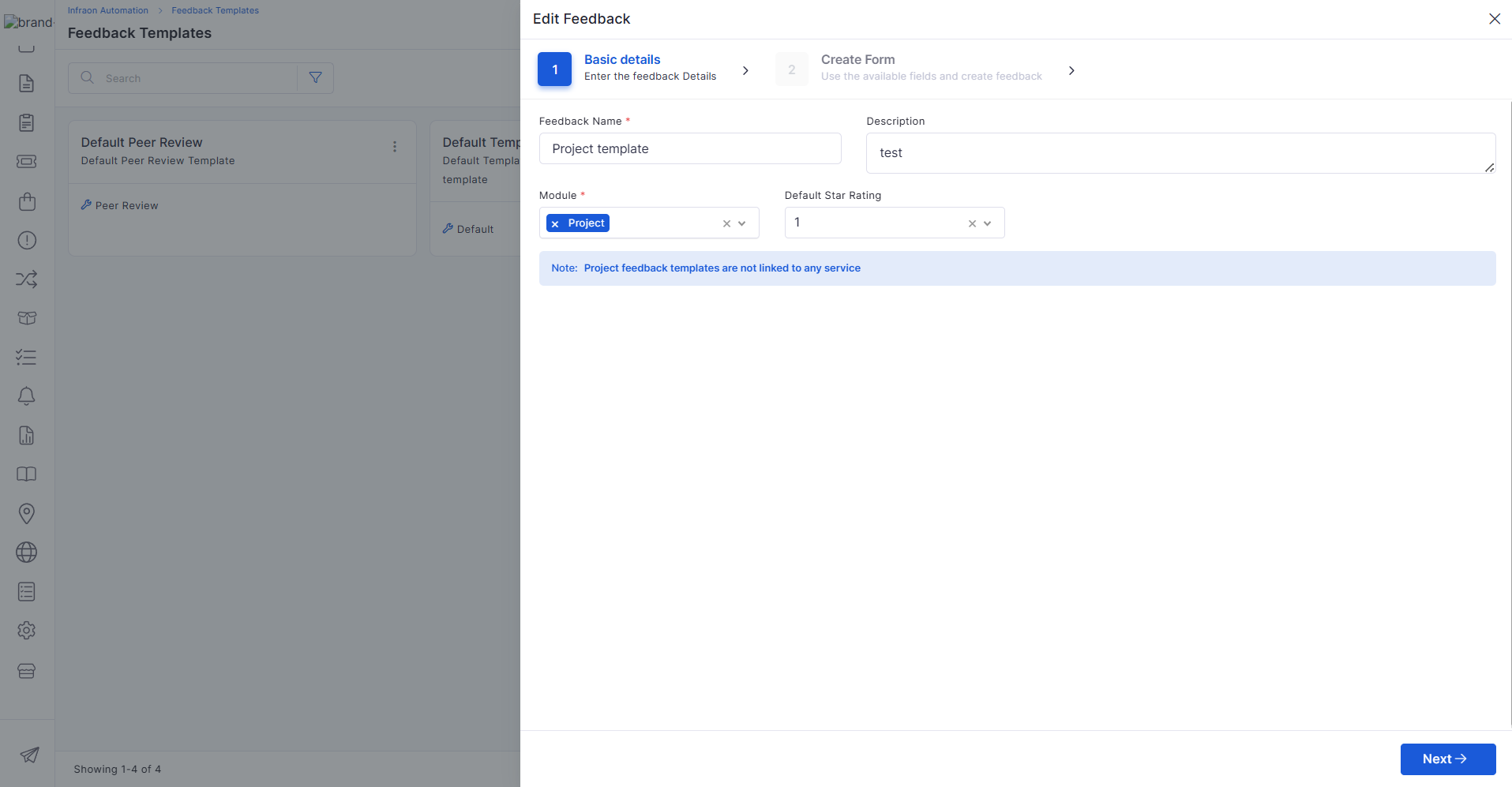
Configurable feedback templates help standardize project review processes.
Create reusable feedback templates.
Improve project evaluation consistency.
Support structured stakeholder feedback.
Simplify review management.
Project closure activities now include enhanced review and reporting capabilities.
Capture project outcomes during closure.
Support project review processes.
Generate final project reports.
Improve project completion documentation.
Additional widgets improve project tracking and visibility into performance.
Monitor task and milestone progress.
Track deliverables and completion trends.
Improve project performance analysis.
Enhance dashboard reporting capabilities.
AI Ops
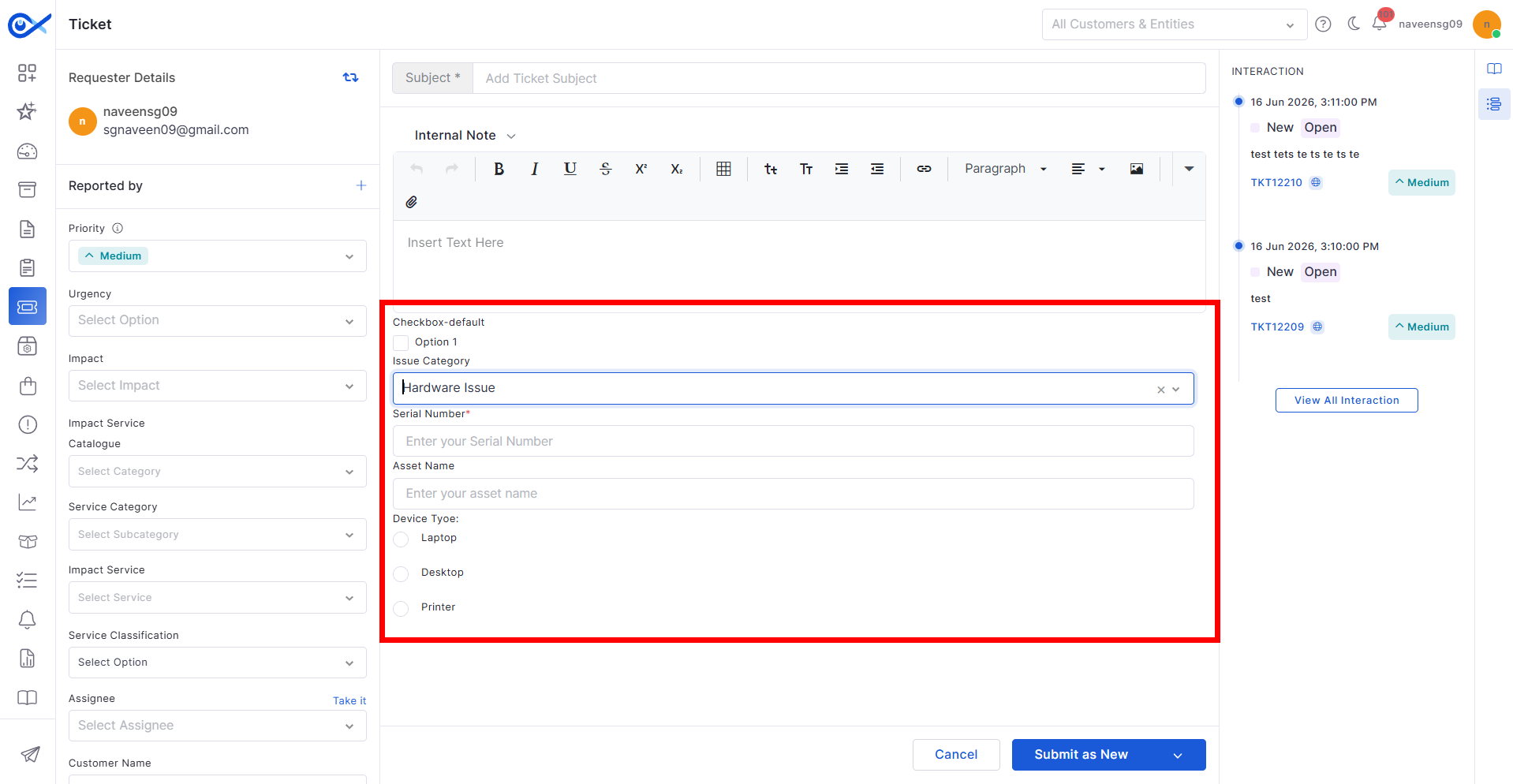
Custom Apps now support configurable form-building capabilities within workflows.
Simplifies custom application creation.
Supports dynamic data collection.
Enhances workflow flexibility.
Improves low-code customization capabilities.
Enhanced lifecycle management capabilities provide better control over custom applications.
Maintain version history for custom apps.
Improve audit visibility and tracking.
Support governance and compliance requirements.
Simplify application maintenance activities.
🐛 Bugs Fixed
v7.4.6 - May 2026
Release Cycle: 22nd May 2026
Build: Pre-Release Documentation
This release introduces enhancements across Self Service Portal, Reports, AIOps, Inventory Agents, Software, Purchase Order, Dashboard, Project Management, and Mobile modules. The update focuses on improving configurability, reporting, workflow flexibility, asset visibility, and procurement operations.
Use these pages to go deeper into the modules covered in this release:
General stability and performance improvements across modules
Fixed UI inconsistencies and validation issues
Improved report rendering and synchronization handling
Minor fixes across workflow and dashboard operations.
Overview
Key Updates
Self Service Portal
Configurable SSP Home Page
Added configurable SSP Home page settings from SSP Configuration
Supports customization of Banner Title, Quick Help, and Quick Access sections
Added support for Old Design and New Design layouts
Allows visibility control for SSP home page components
Report
Service Hub Field in Asset Reports
Added Service Hub field support in Asset Reports
Supports column selection and reporting visibility
Removed default Location grouping for simplified asset visibility
Users can apply manual grouping when required
NABARD – SLA Compliance Report Enhancement
Added new Partial Threshold options:
Round Down
Round Up
Exact
Added Exemption (%) column support in reports
Improved SLA penalty calculation flexibility
Added Location filter support in SLA Compliance Reports
AIOps
Custom Apps – Node Builder and Palette Configuration
Added workflow node builder support for Custom Apps
Supports drag-and-drop node configuration
Added node palette and property configuration support
Improved workflow testing and publishing controls
Inventory Agents
Asset Creation ACK from Server
Added ACK-based asset creation tracking for Inventory Agents
Improved discovery synchronization reliability
Added retry handling for failed asset creation requests
Prevents duplicate asset creation using object tracking
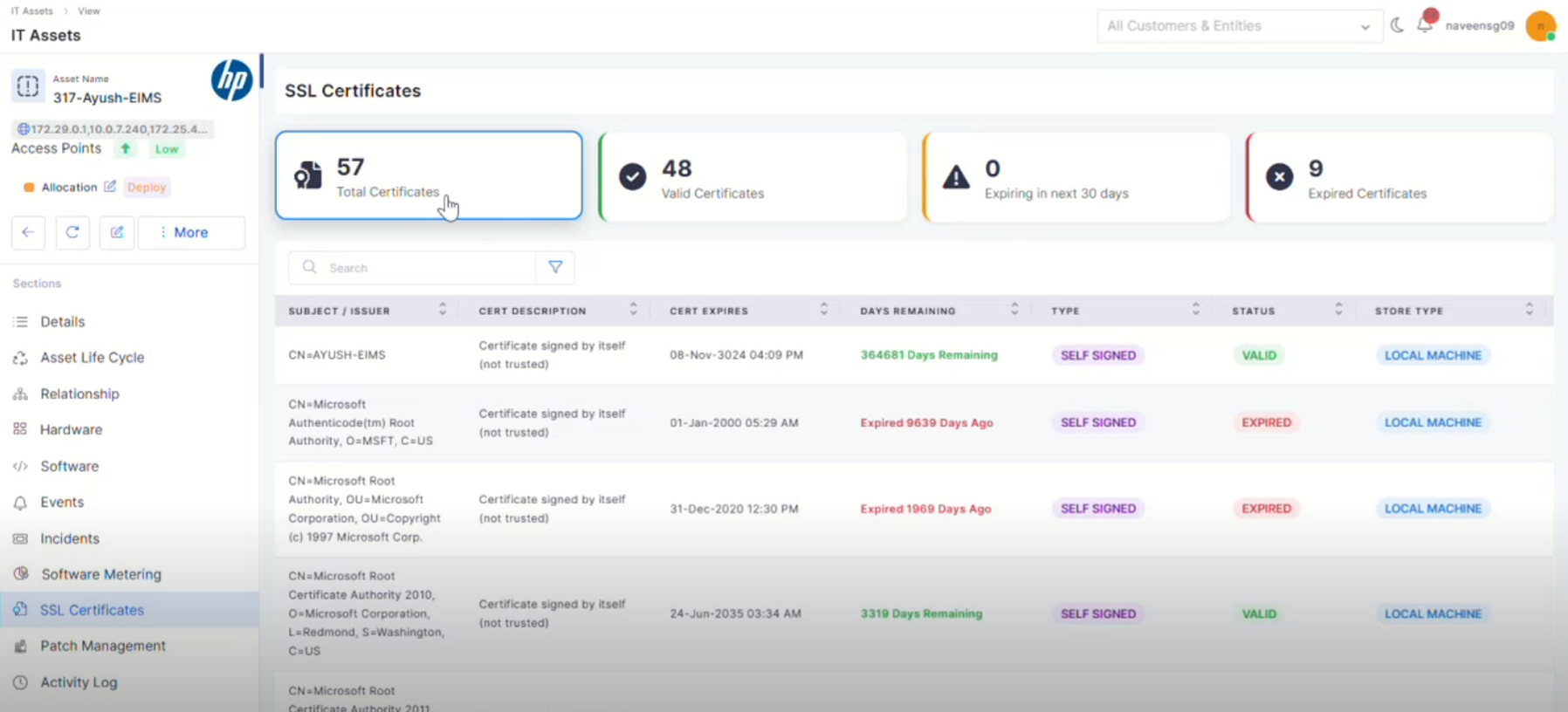
SSL Certificate Discovery in Windows Devices
Added SSL Certificate discovery support for Windows devices
Displays certificate details in Asset View
Added SSL dashboard with:
Valid
Expiring
Expired certificate visibility
Supports certificate search, filter, and expiry tracking
Software
Software License – Expiry Date Renaming
Renamed “End Date” to “Expiry Date” across Software License modules
Updated references in reports, filters, lifecycle, and audit sections
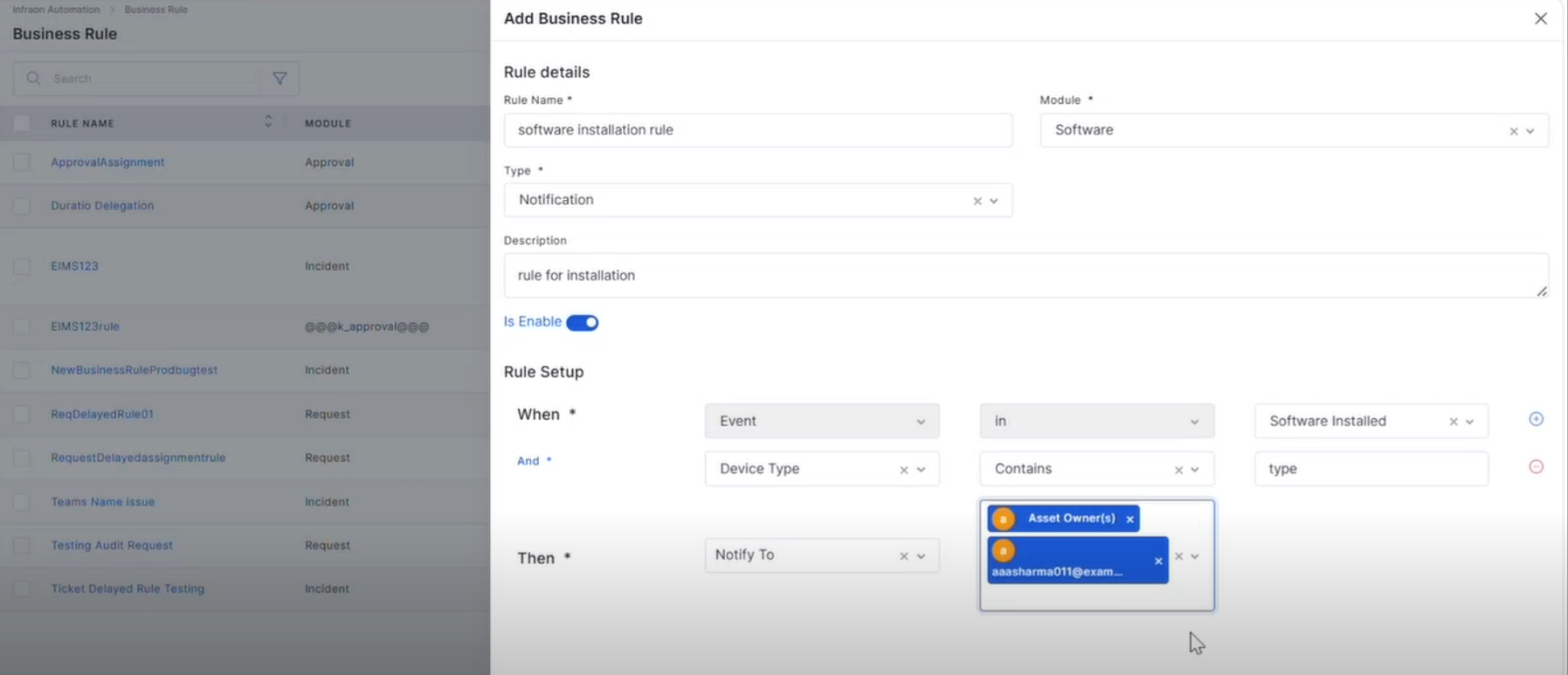
Software-Based Notification Rules
Added event-based notification rules for software activities
Supports events such as:
Software Installed
Software Uninstalled
Blacklisted Software Detection
Supports software and asset-based filtering conditions
Added configurable notification recipient options
Purchase Order
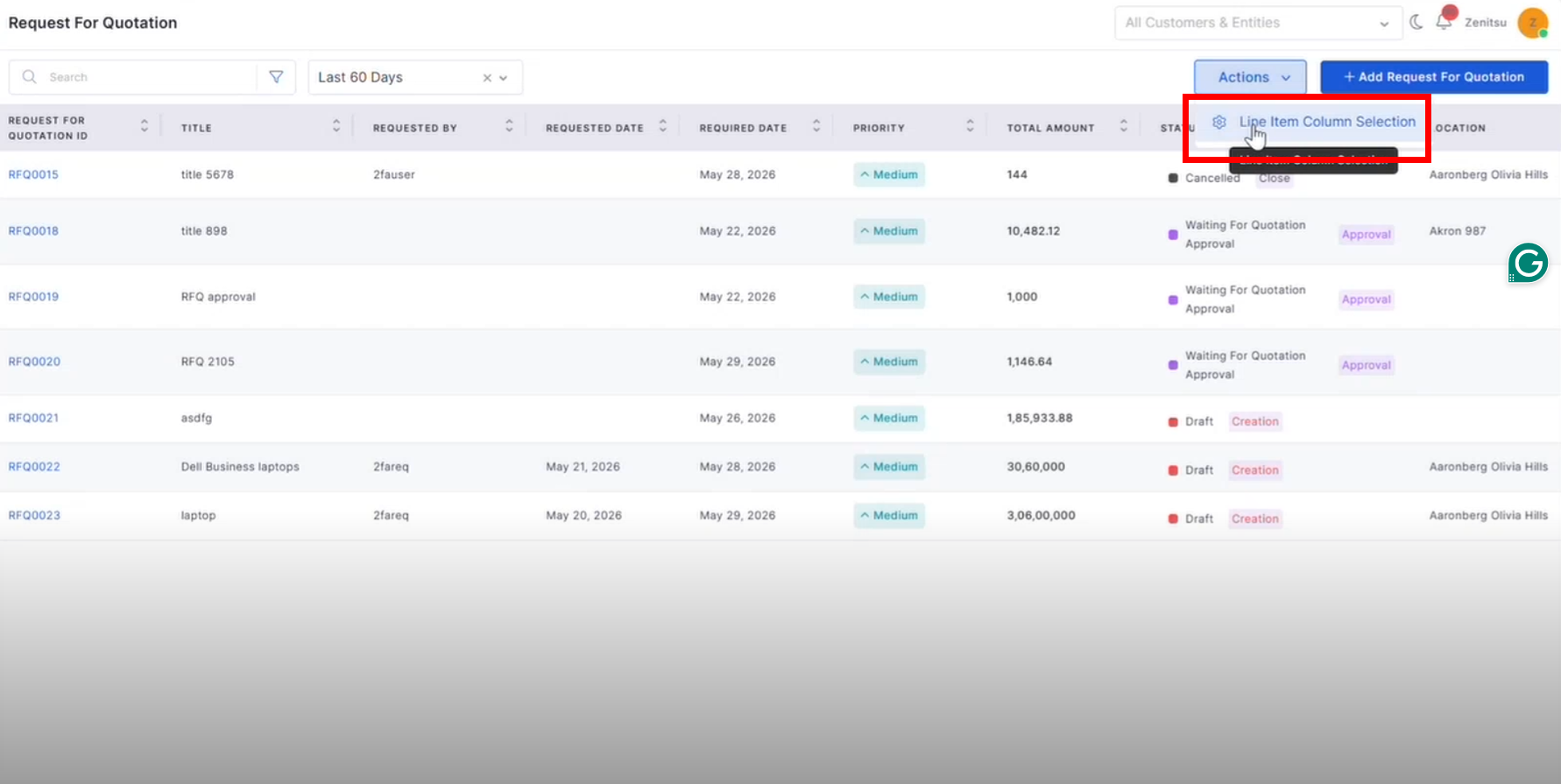
RFQ – Column Selection, RBAC, and Custom Fields
Added RBAC and custom field support for the RFQ module
Supports configurable field visibility and permissions
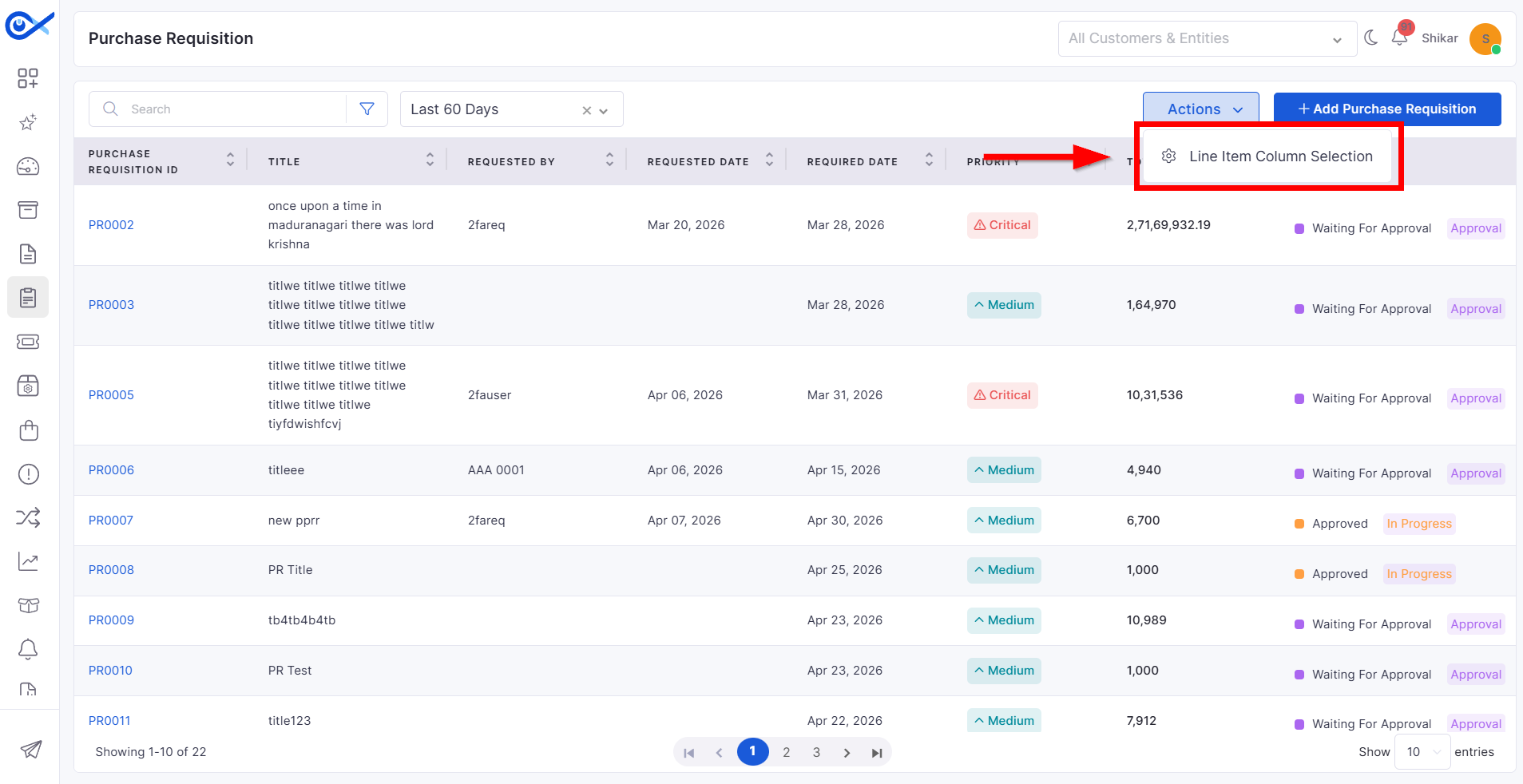
Added line item column selection support
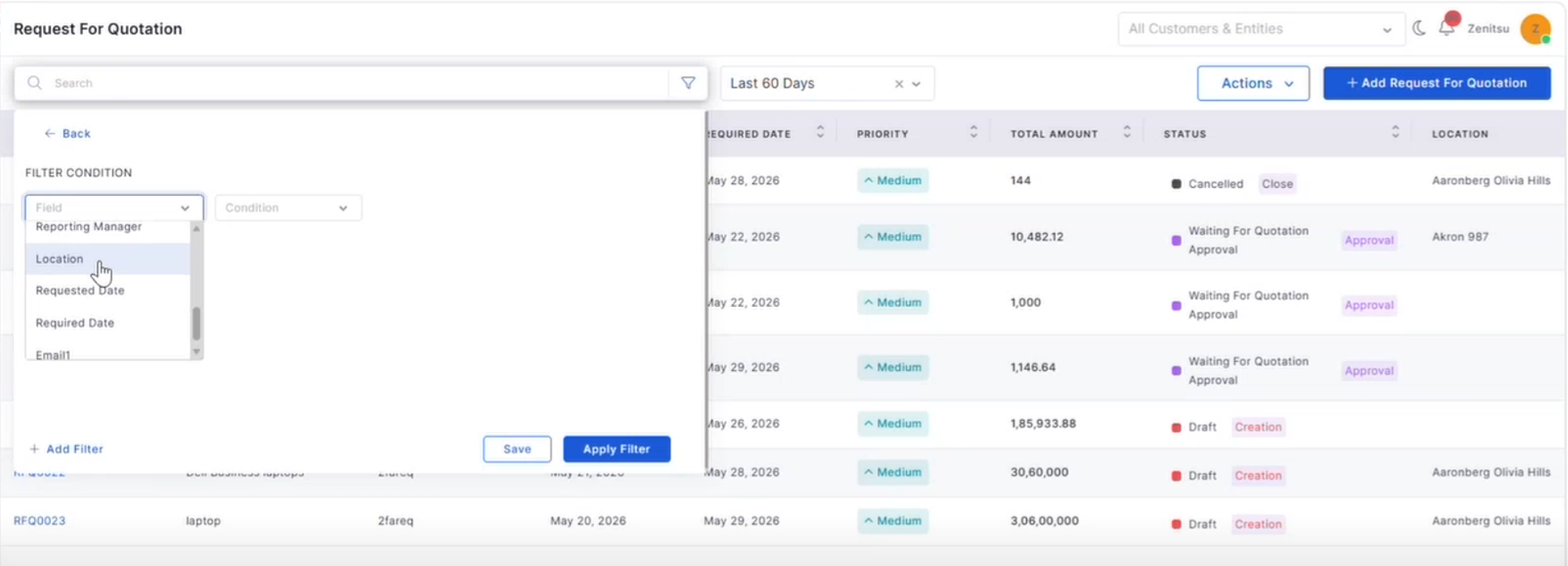
RFQ – CRUD Operations with Grid and Filter
Added complete RFQ lifecycle management
Supports search, filters, pagination, and grid view
Added Saved Filters and Recent Filters support
Improved RFQ data handling and validation
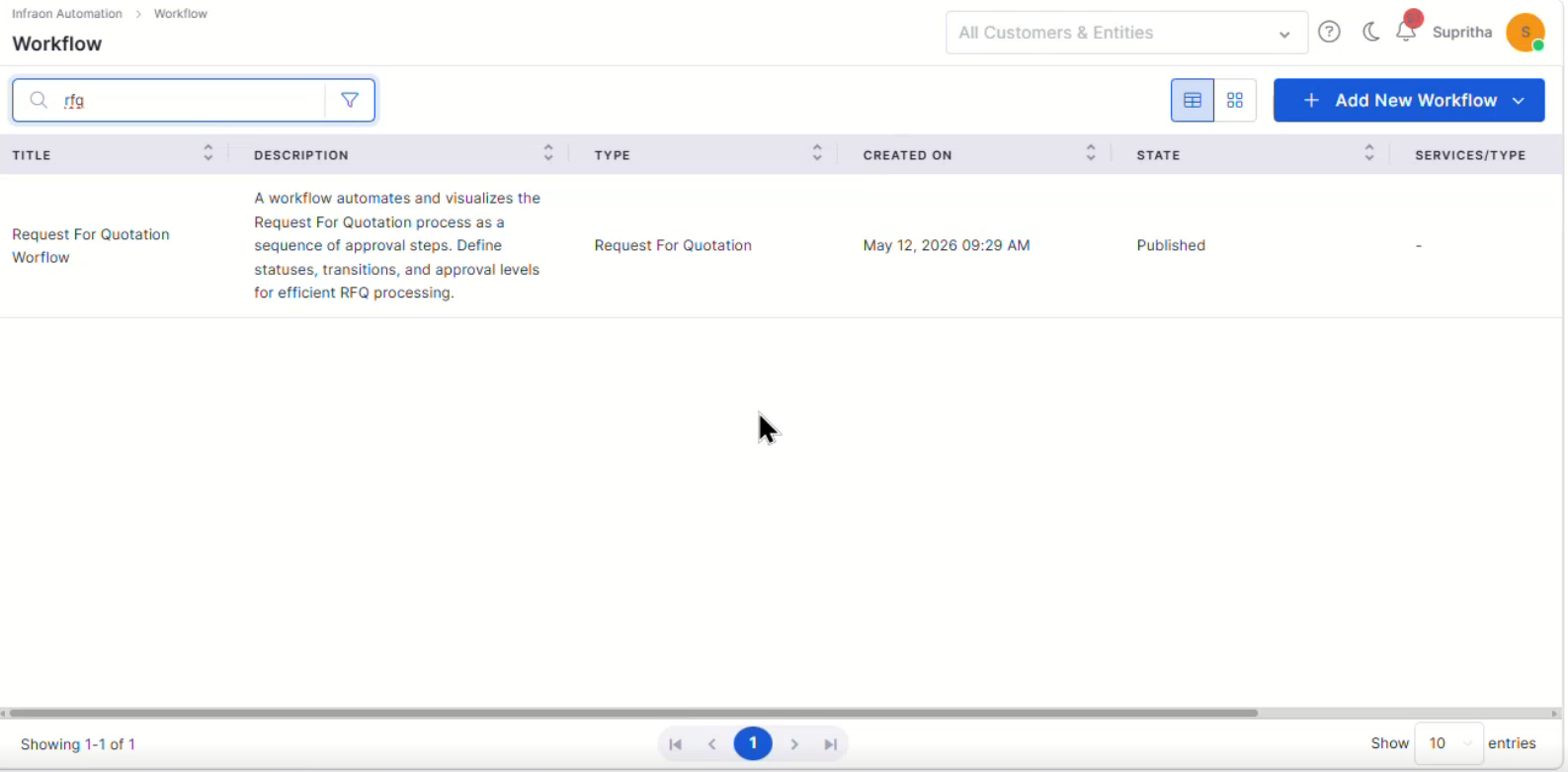
RFQ Workflow
Added configurable default RFQ workflow
Supports workflow status, transitions, and approvals
Added workflow publishing support
CSV Upload for PR Line Items
Added CSV upload and download support for PR line items
Supports validation for mandatory and duplicate fields
Uploaded records are reflected across PR views
Dashboard
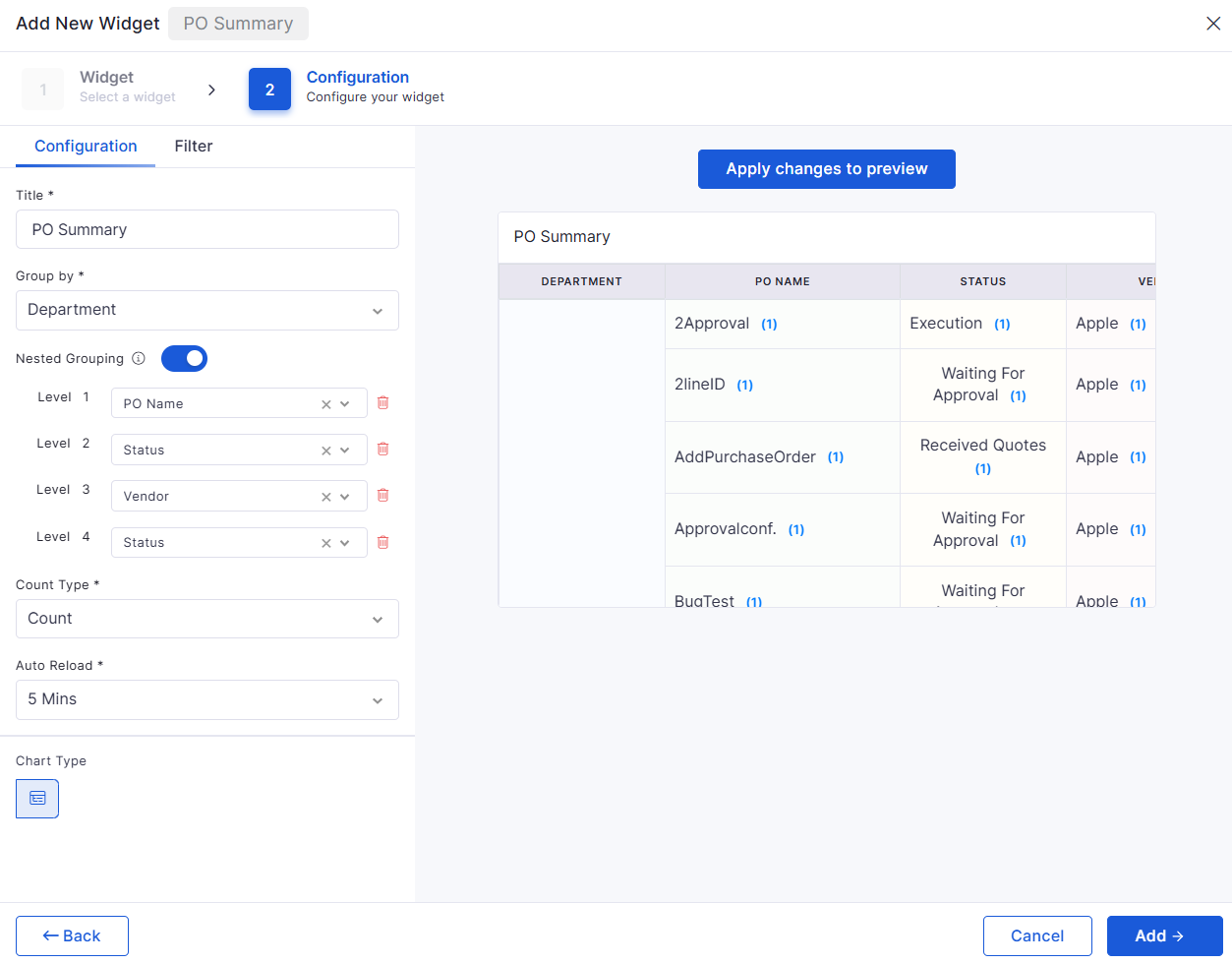
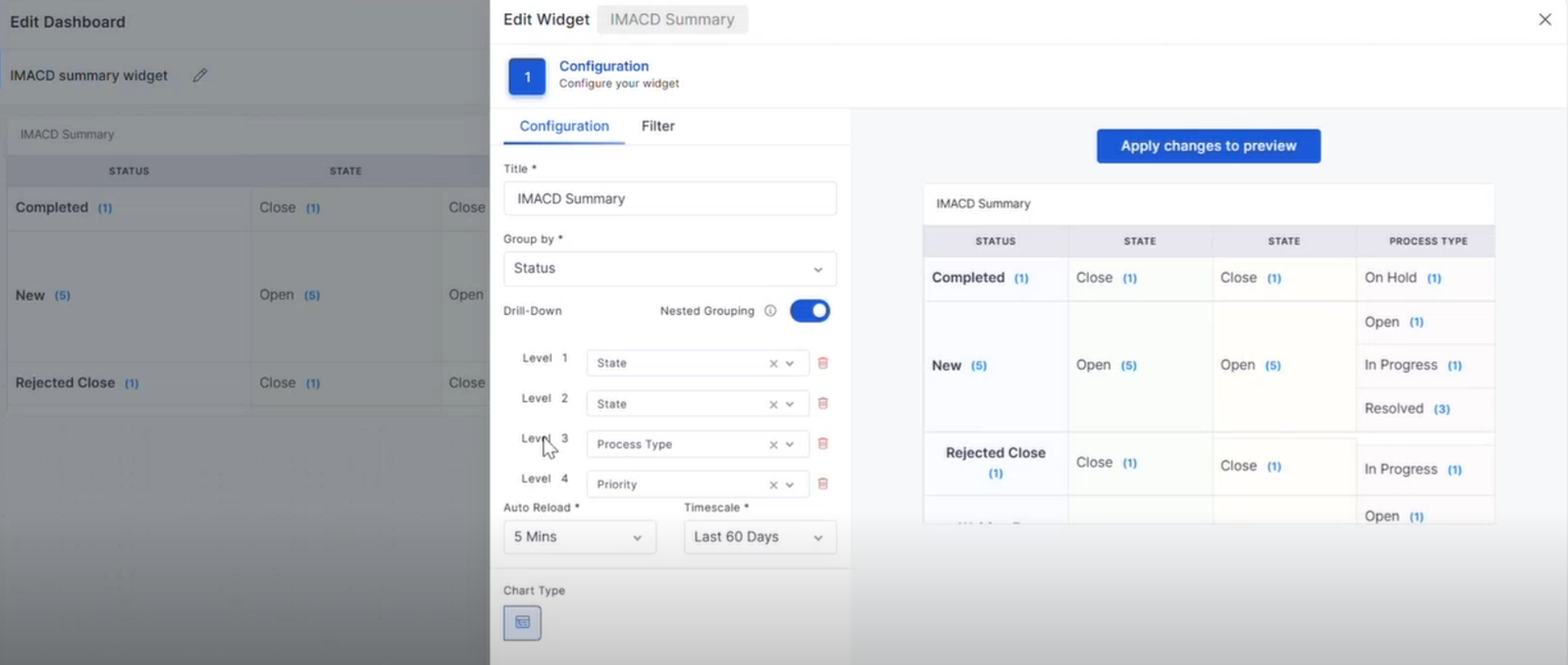
Nested Group By and Drilldown in Summary Widgets
Added Nested Group By support in:
Consumable Summary
Contract Summary
IMACD Summary
PO Summary widgets
Supports up to 4 levels of hierarchical grouping
Added expandable tree-based widget view
Export retains the grouping hierarchy structure
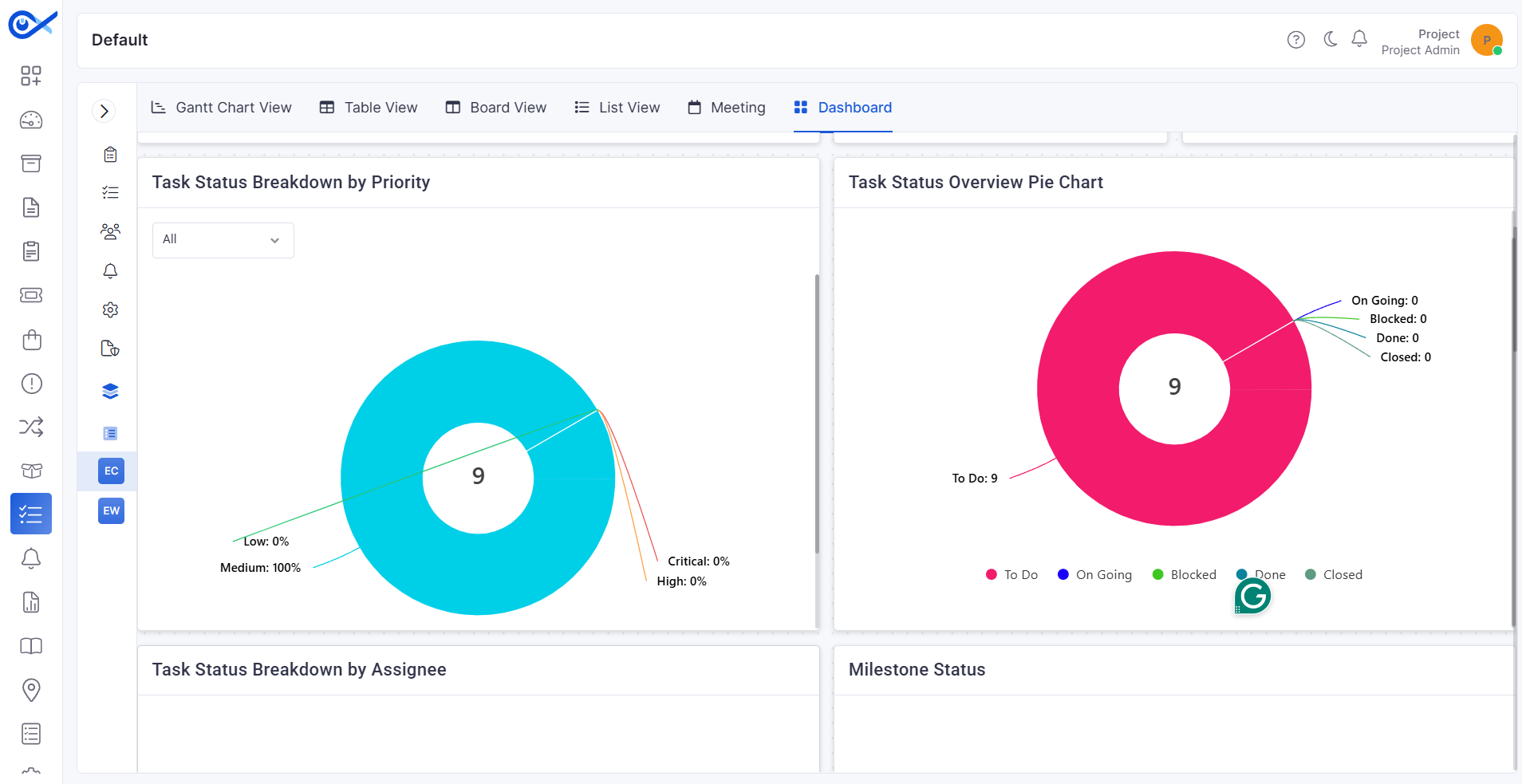
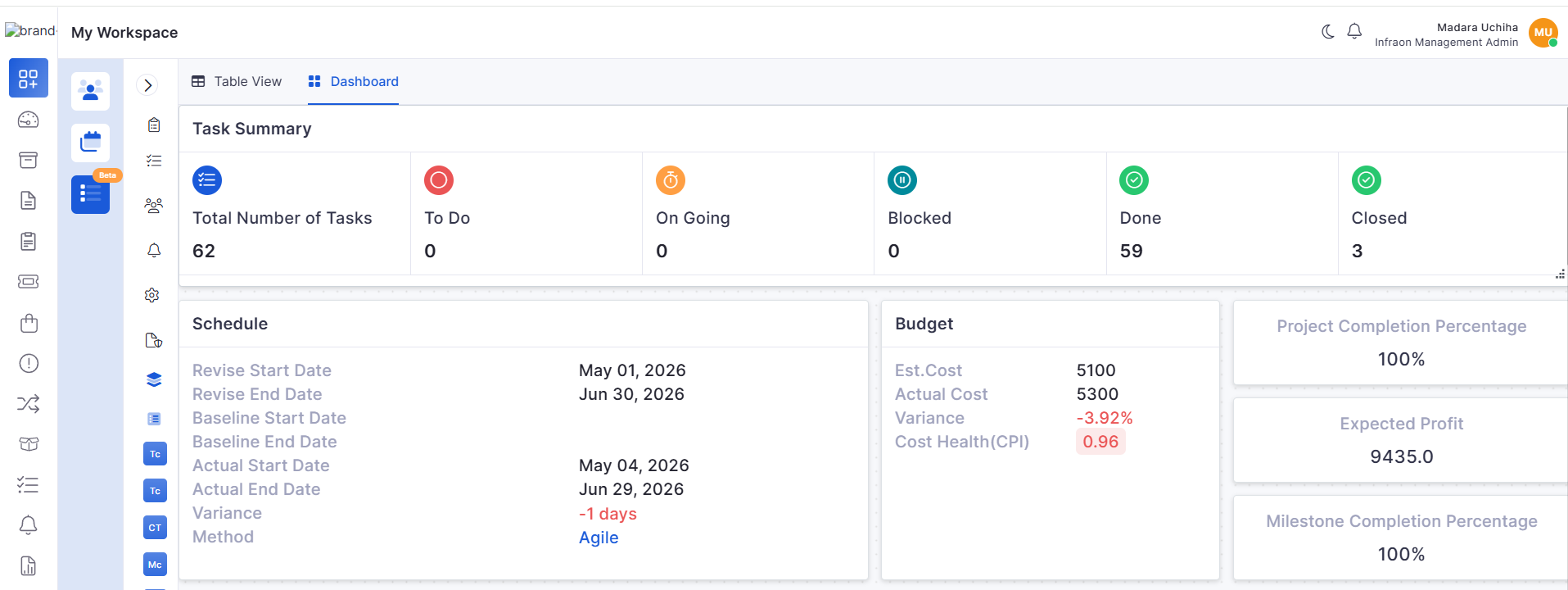
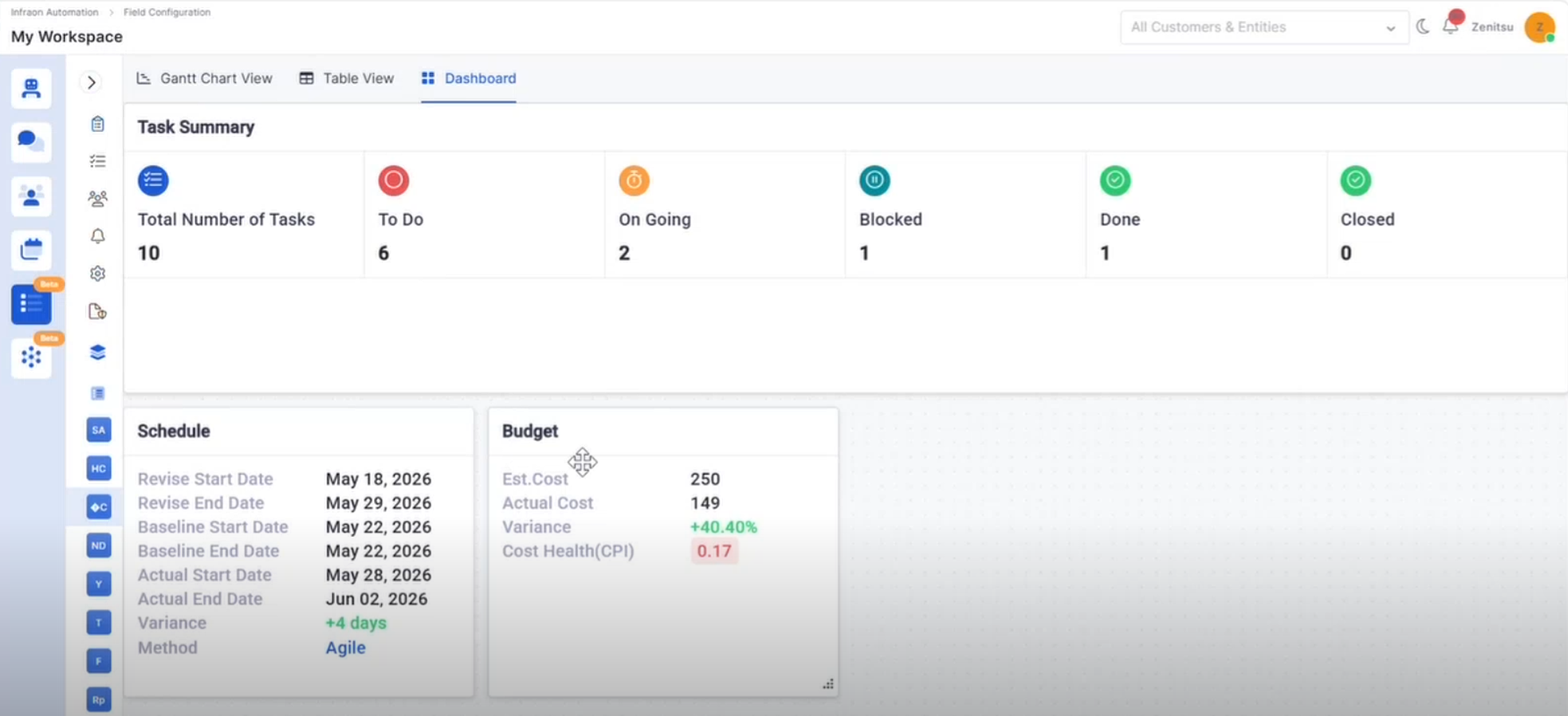
Project Dashboard – Task Summary Widget
Added the Task Summary widget in the Project Dashboard
Displays total task count and workflow status-wise counts
Updates dynamically based on task status changes
Project Management
Project Dashboard – Schedule & Budget Widgets
Added Schedule and Budget widgets in Project Dashboard
Displays:
Budget variance
Cost health
Project schedule variance
Supports Agile and Waterfall project visibility
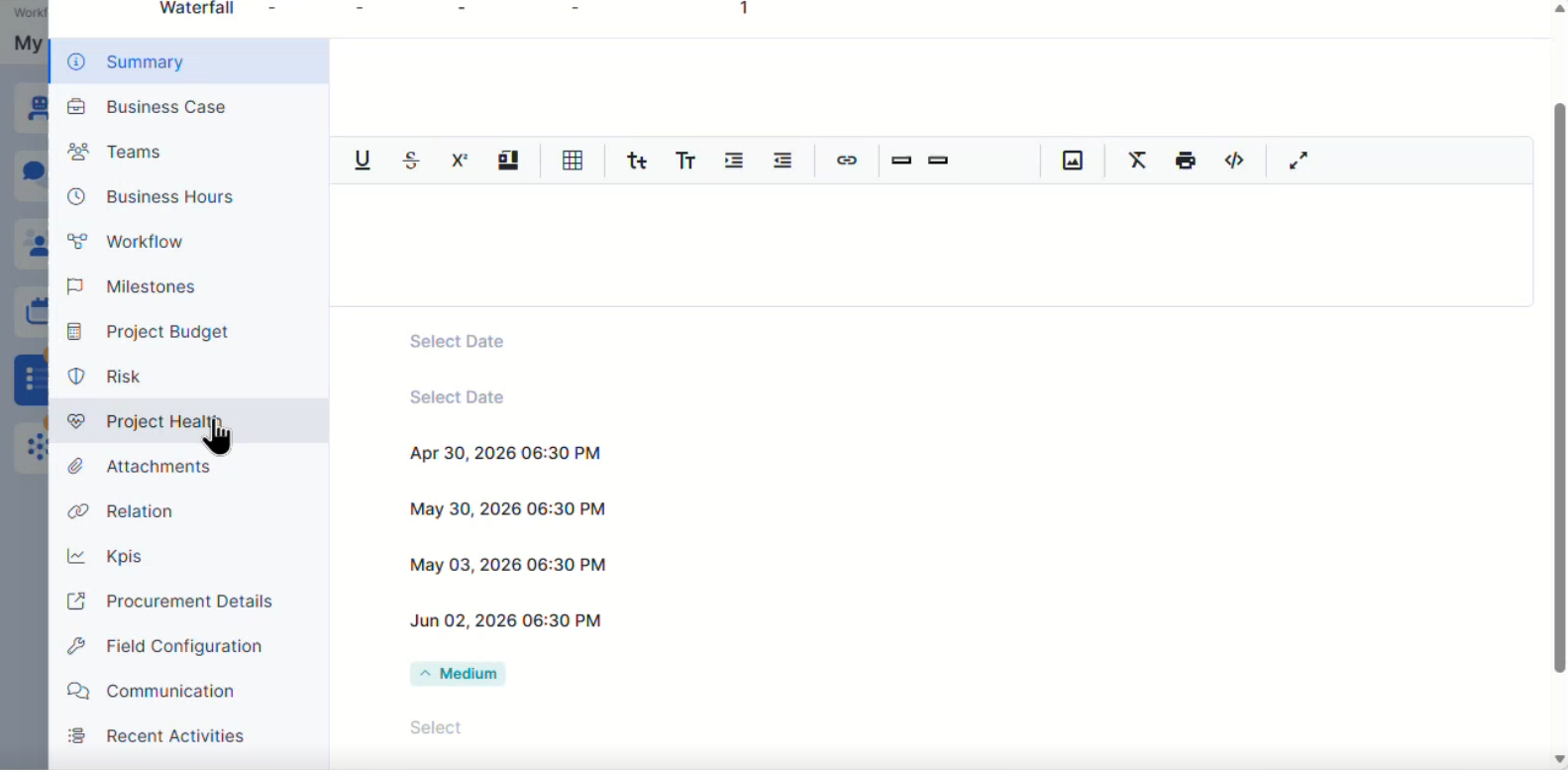
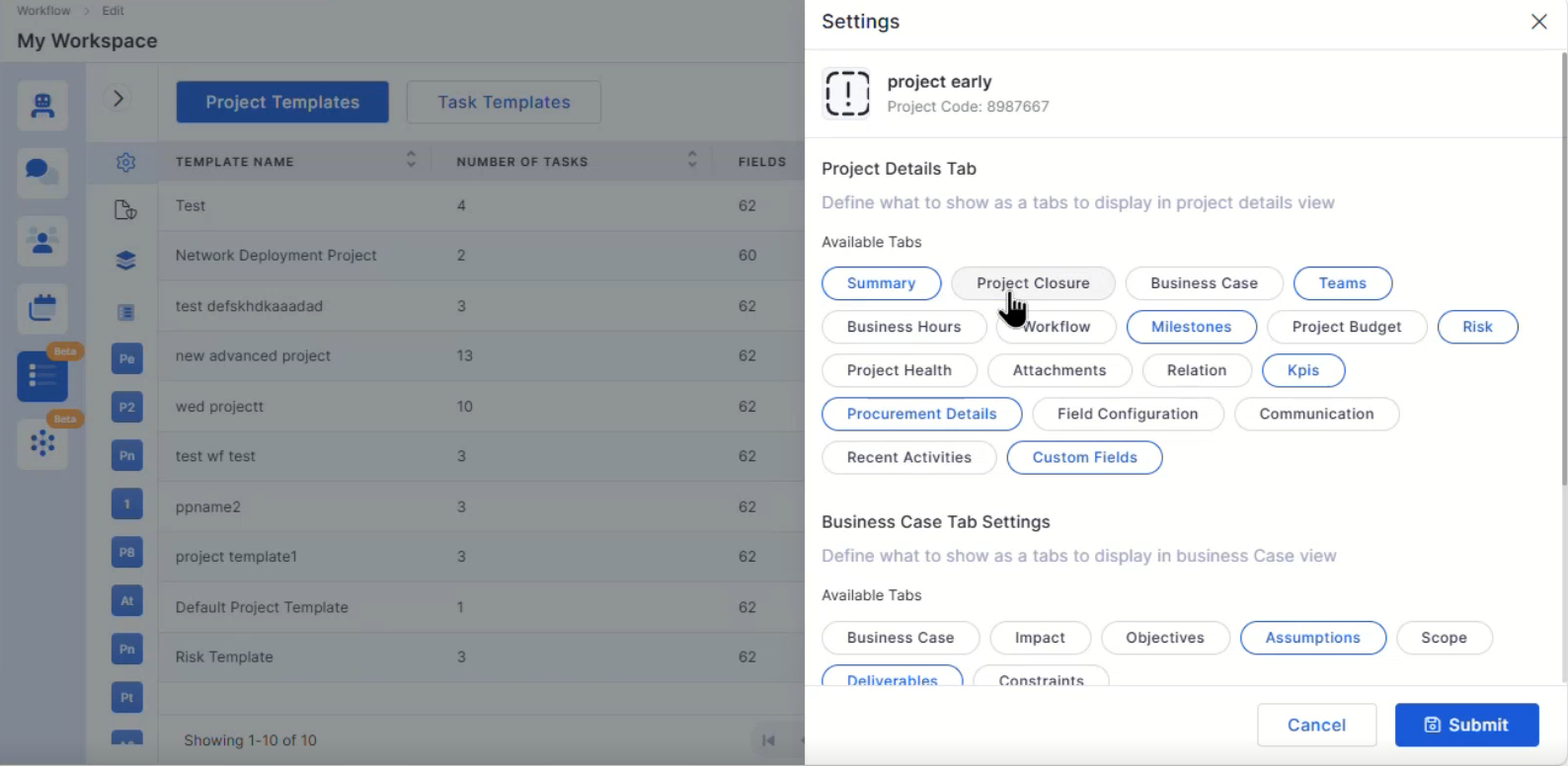
Project Left Menu Settings and Advanced Settings
Added configurable Project Left Menu settings
Improved advanced project configuration controls
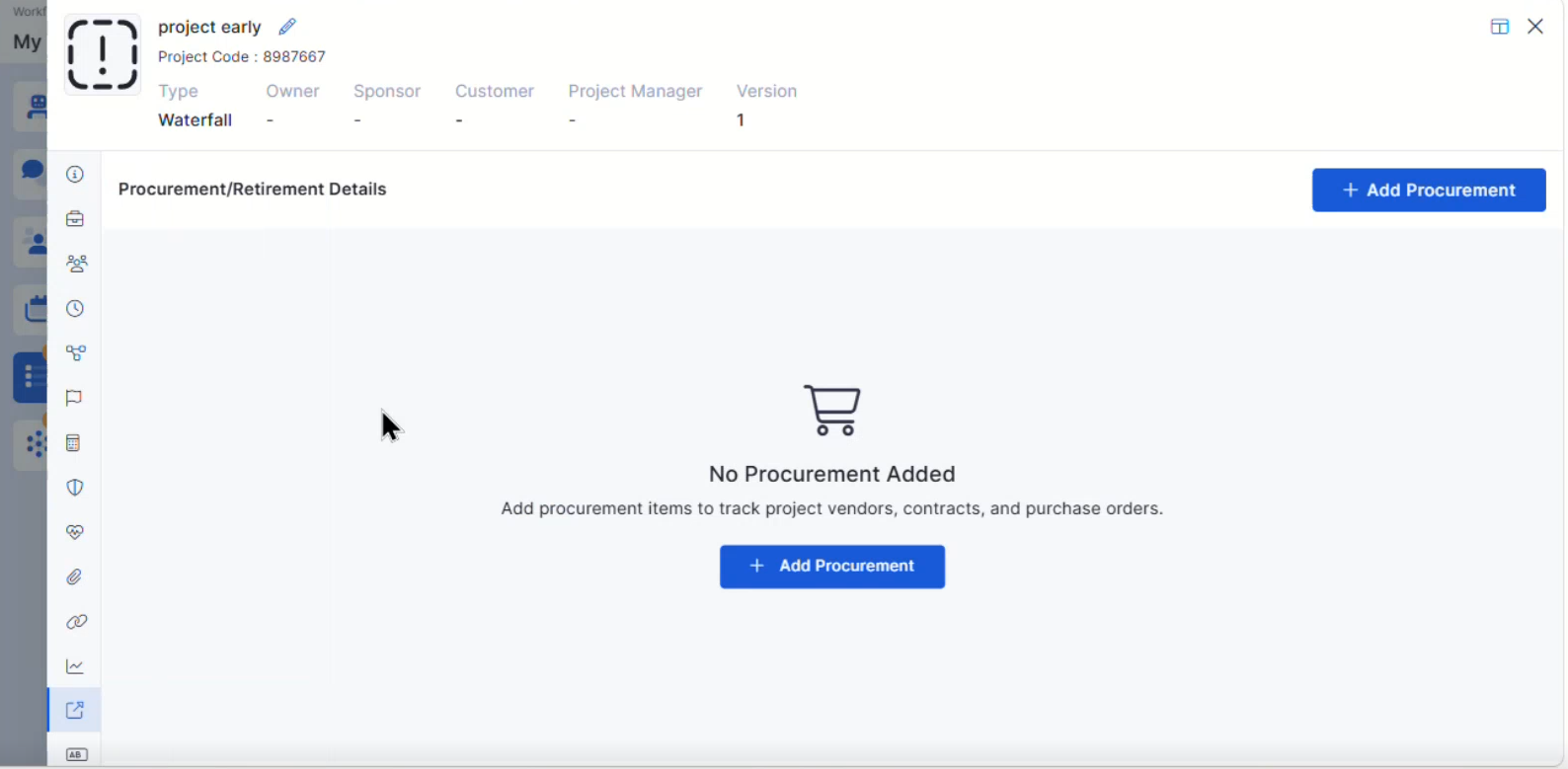
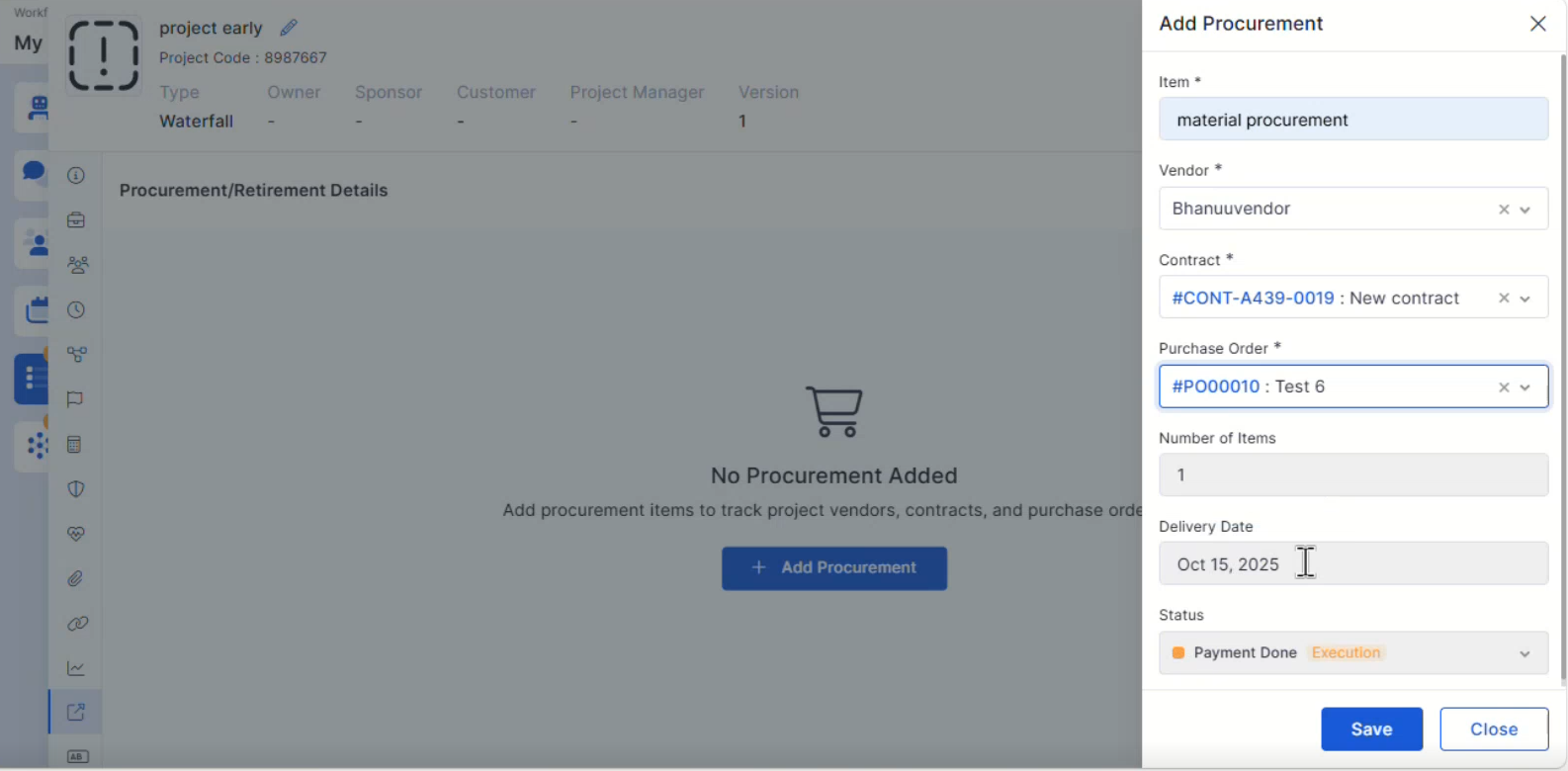
Project Procurement Details
Added Procurement Details support within Project Management
Improves project procurement visibility and tracking
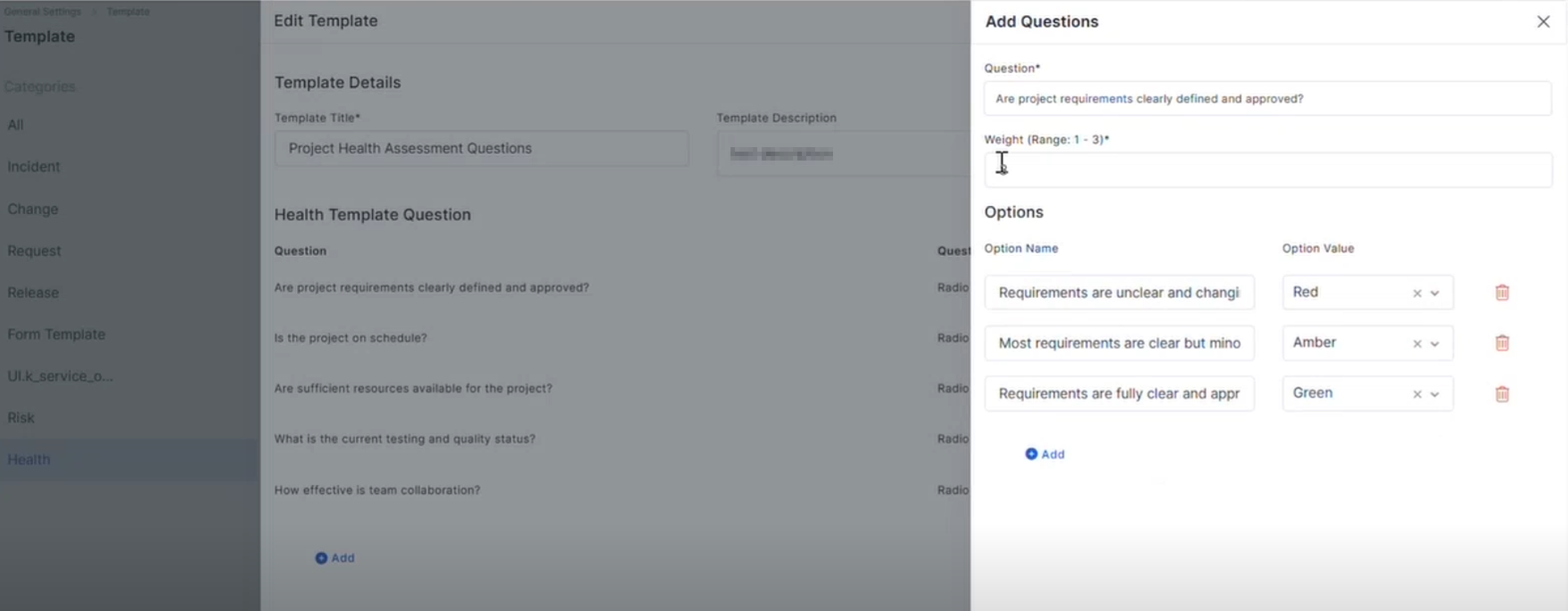
Project Health Template
Added Project Health Template configuration support
Supports project health monitoring and evaluation
Health Template Integration in Project
Added Health Template integration within Projects
Enables project-level health assessment workflows
Mobile Enhancements
iOS Common Feature for Request
Improved request handling capabilities in the iOS application
Enhanced request workflow consistency
Android – Relation View & Filter Mapping
Added relation view support for Ticket, Request, and Release modules
Improved filter mapping and relation visibility
Android – Task Creation Form with Metadata Selection
Added metadata selection support during task creation
Improves task configuration flexibility in Android applications
iOS – Request-Specific Task List API
Added request-specific task list fetching and mapping support
Improved request-based task visibility in the iOS application
Bugs Fixed
v7.4.5 - May 2026
Release Cycle: 08th May 2026
Build: Pre-Release Documentation
Overview
This release introduces enhancements across Mobile, Release Management, Self Service Portal, AIOps, Dashboard, Project Management, Purchase Requisition, IT Asset, Inventory, SLA, and Requester modules. The update focuses on improving workflow flexibility, hierarchical reporting, asset management, project risk handling, mobile request operations, and configuration-driven controls.
Key Updates
Use these pages to go deeper into the modules covered in this release:
Mobile
Android – Request Information CRUD (UI + API)
Added support for creating, editing, and deleting Request Information entries from the Android application
Supports multiple request information records in a single request
UI actions are synchronized with API payload updates
iOS – Order Information View and Edit (UI + API)
Added support to view and edit existing Order Information in iOS
Supports update operations without allowing create or delete actions
Ensures updated data is reflected correctly in API payloads
Android – Create Request with Template and Impact Services
Added API integration for request creation using templates and impact services
Supports mapping of Request Information, Workflow Custom Fields, and Order Information
Combines all request-related data into a unified API payload
Release
Additional Field Support
Added missing Release fields in Reports, Dashboards, Grids, and Filters
Newly supported fields include:
Impacted Asset
Self Service Portal
SSP Custom Form CSV Import
Added CSV import support for custom forms during request creation
Imported records are displayed in a structured grid format
Supports validation for:
AIOps
AI Custom Apps – Workflow Canvas UI Configuration
Enhanced Workflow Canvas UI using customized Syncfusion diagram components
Applied Infraon theme styling across canvas, toolbars, sidebars, and nodes
Dashboard
Nested Grouping for ITSM Summary Widgets
Enhanced nested grouping capabilities for the following widgets:
Request Summary
Problem Summary
Change Summary
Project Management
Project Risk Assessment
Added Risk Assessment capability within Project Management
Users can select risk templates and complete assessments
Advanced Project Management Features License Control
Added license-based visibility control for advanced project management features
When enabled, users can access:
Business Case
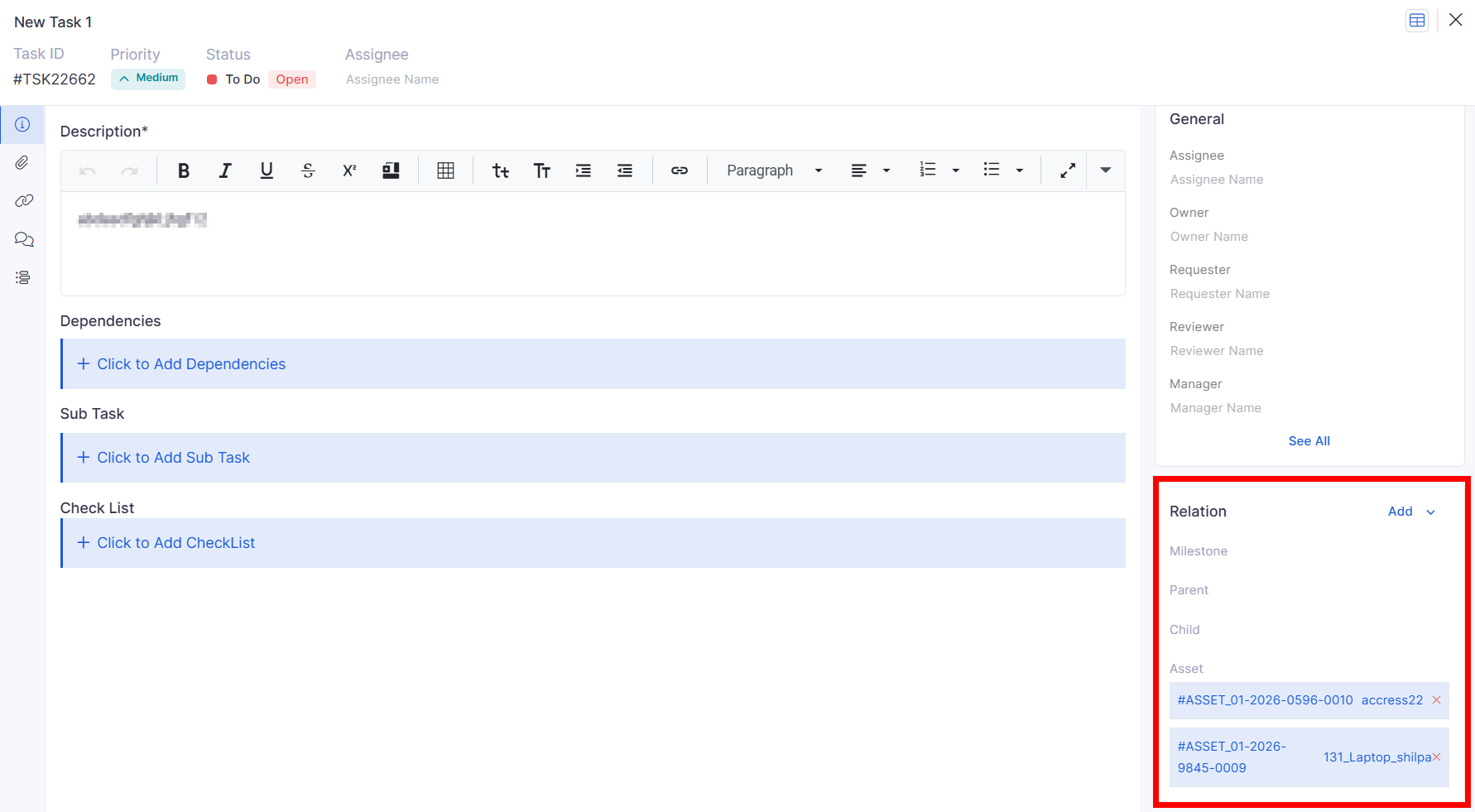
Project Task – Multi Asset Mapping
Added support for mapping multiple assets within project tasks
Asset selection supports:
Project Risk CRUD
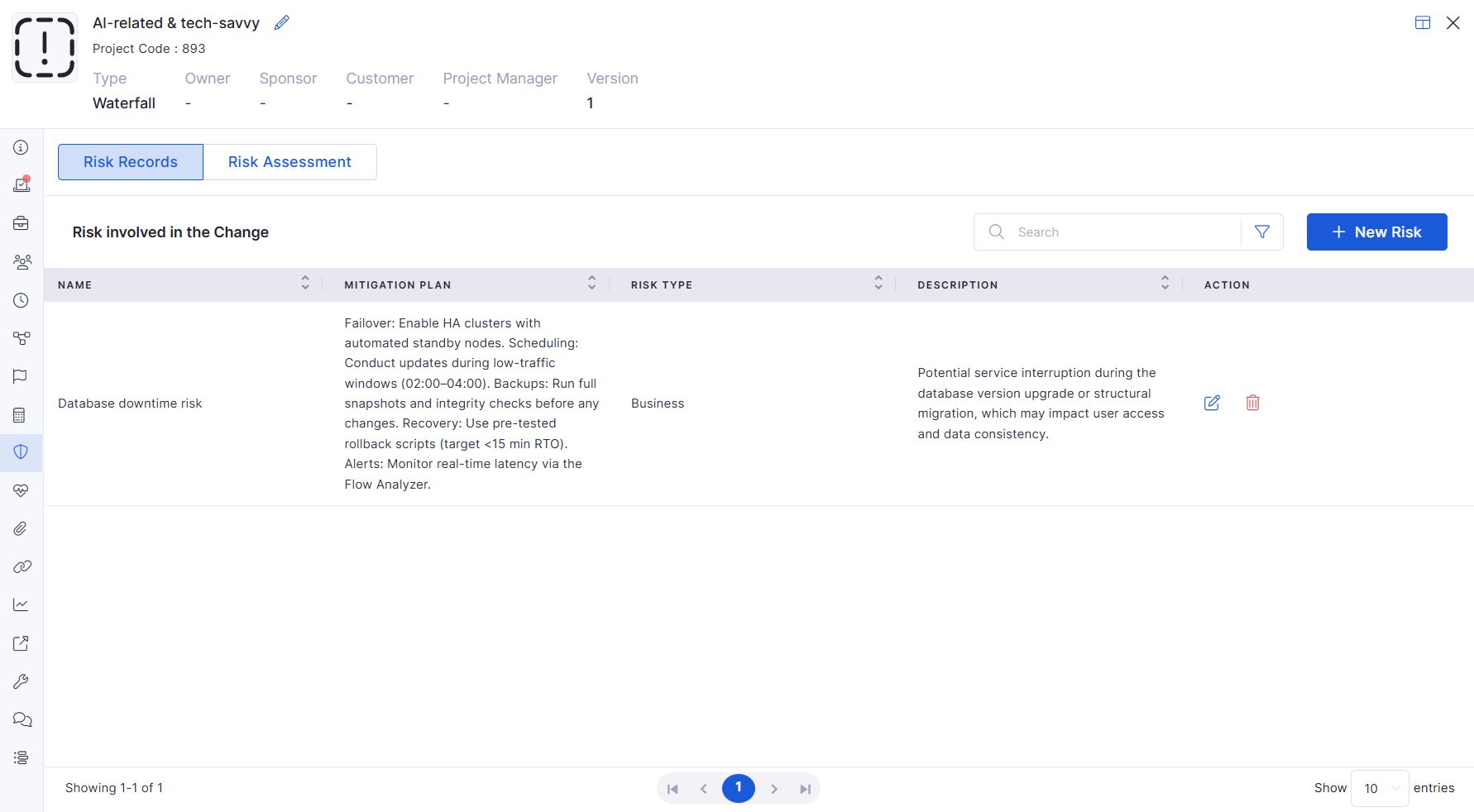
Added complete Risk Record management within Project Management
Supports:
Risk creation
Purchase Requisition
PR – Role-Based Access Control
Added RBAC support for Purchase Requisition Management
Supports field-level permissions:
View
PR – Column Selection for Line Items
Added configurable line item column visibility for Purchase Requisition
Supports default and custom field selection
IT Asset
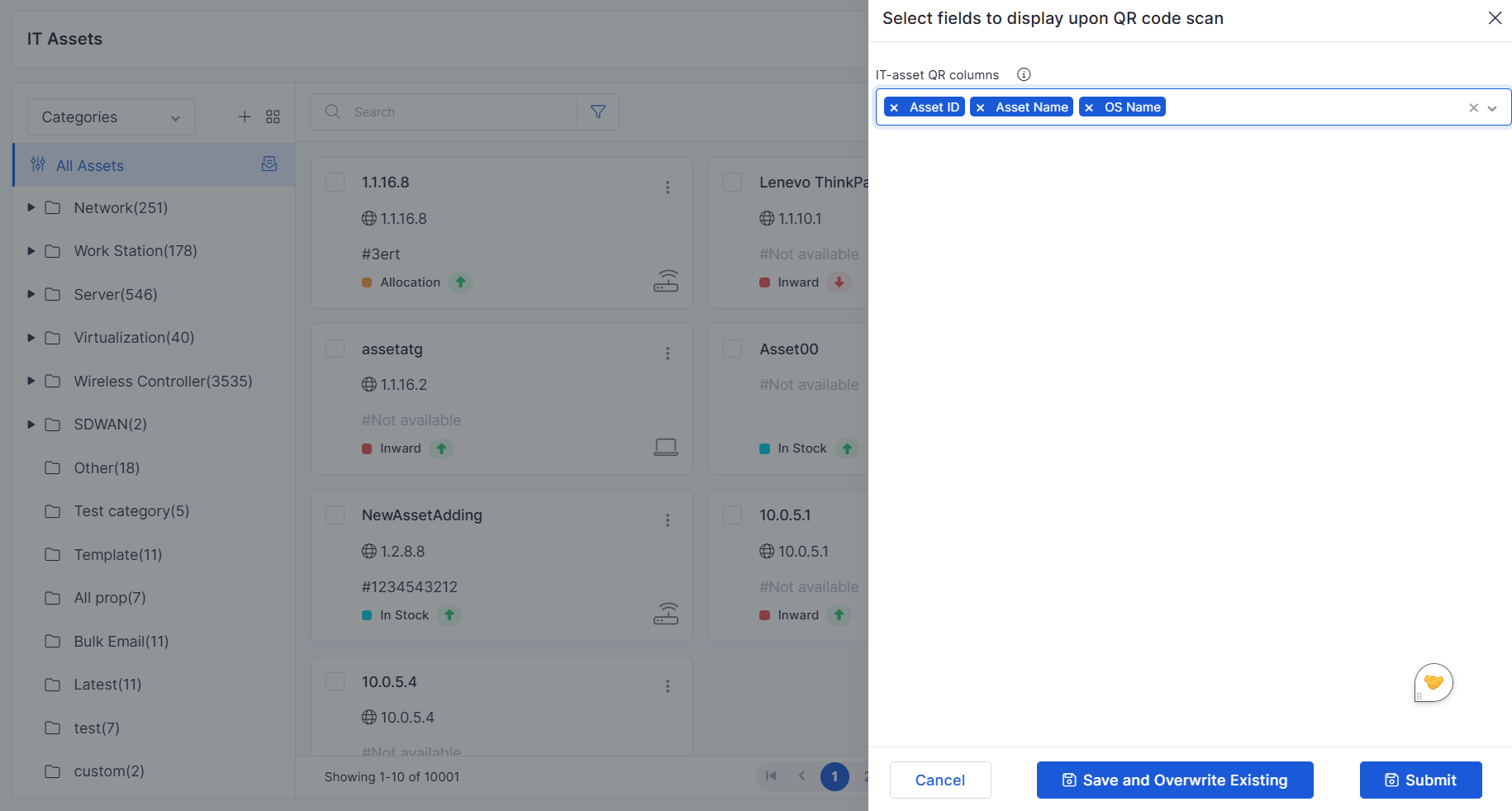
QR Code Customization – Column Selection
Added support to configure fields displayed within generated QR codes
Selected asset fields are encoded into QR data
Enterprise Asset Management (EAM) Inventory
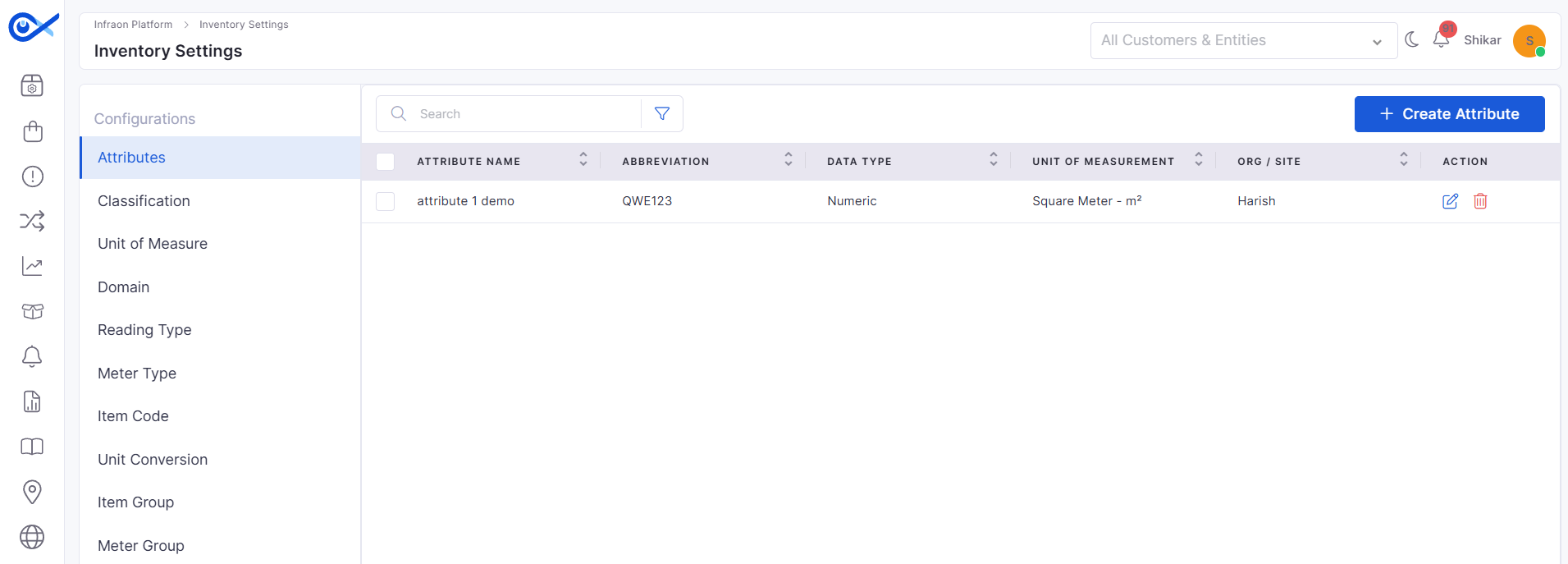
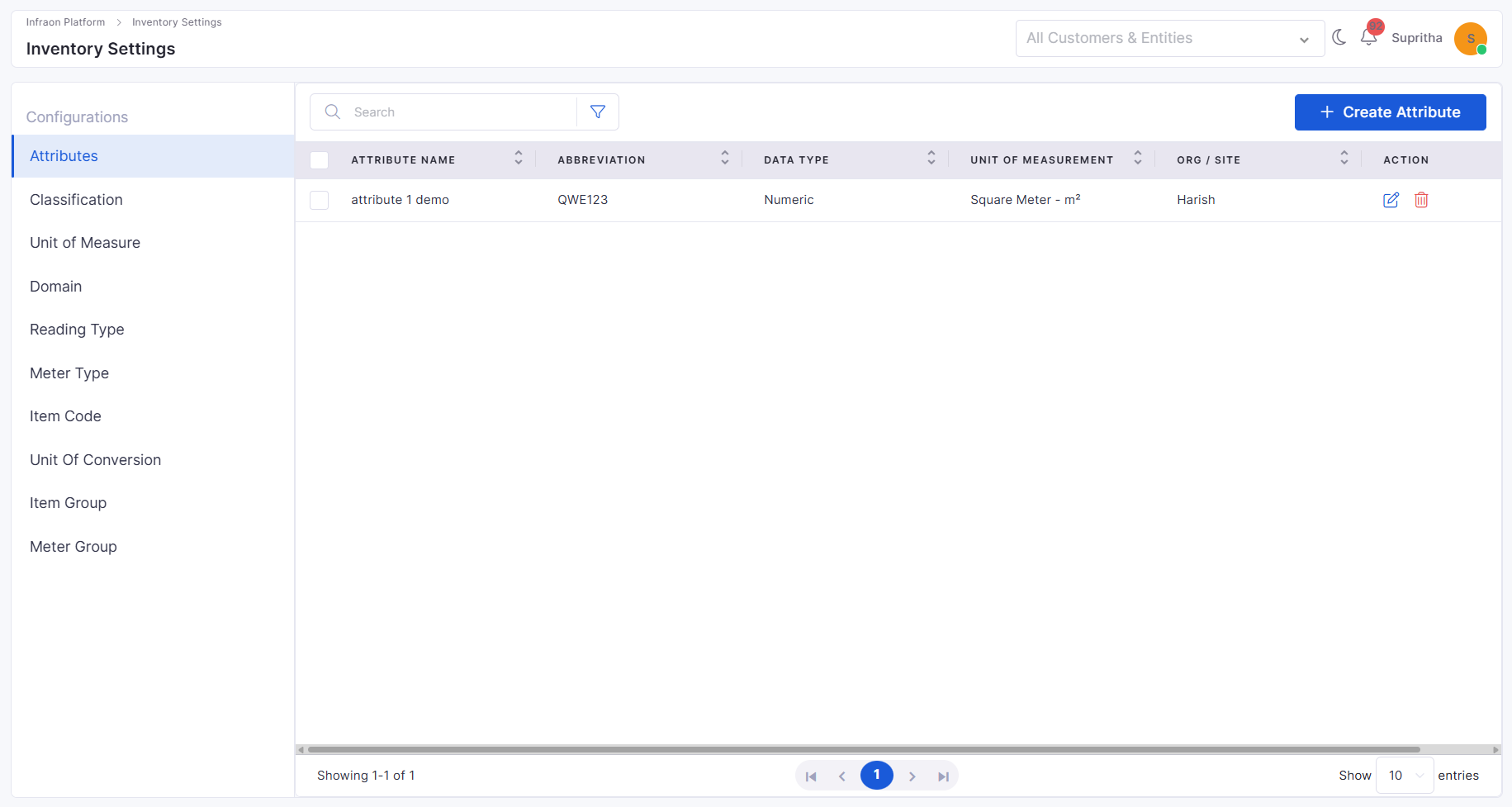
Inventory Configuration – Meter Group
Added Meter Group configuration module under Inventory Configuration
Supports:
Inventory Configuration – Unit of Conversion
Inventory Configuration – Unit of Conversion
Added Unit of Conversion configuration support within Inventory Management
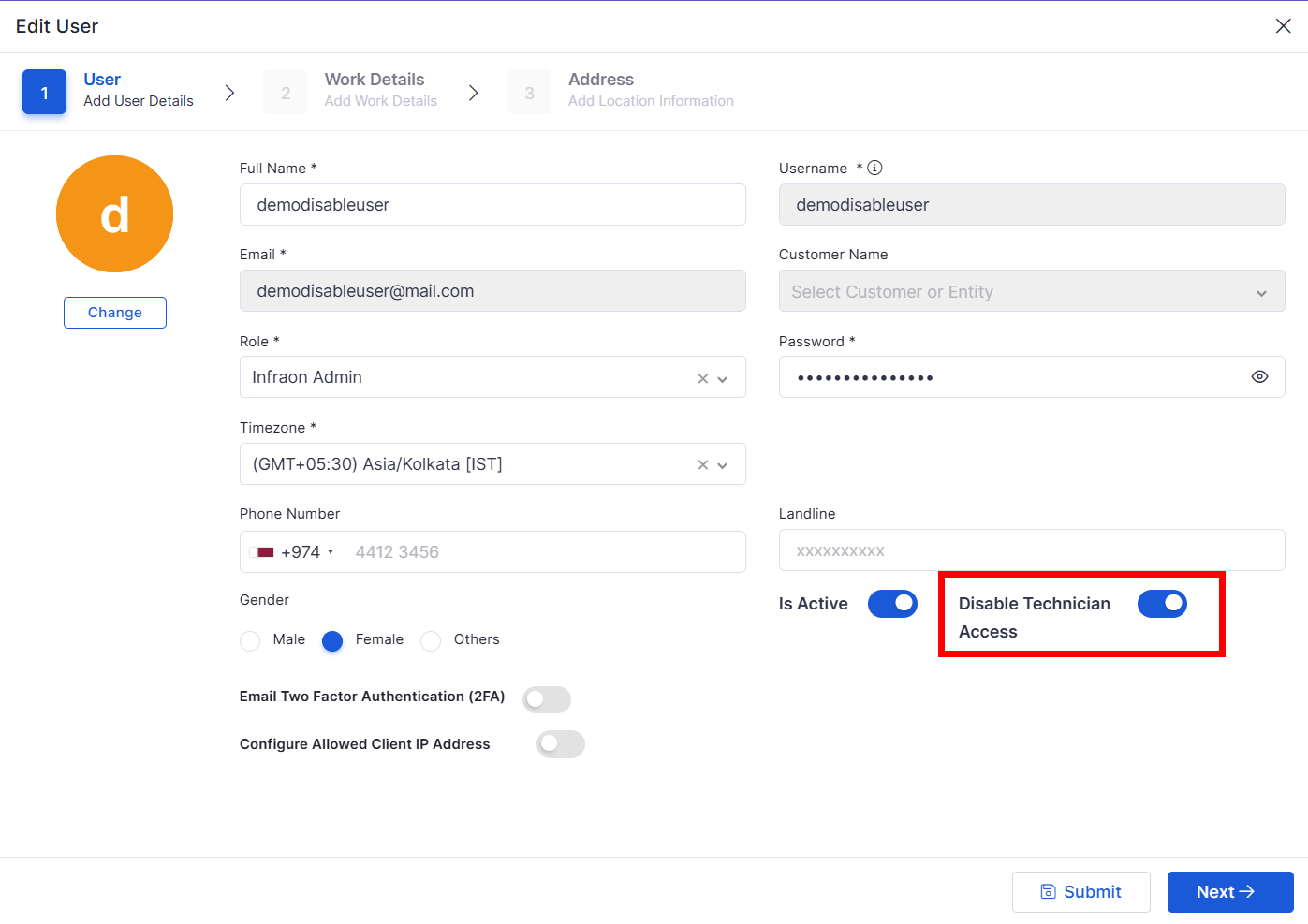
Added support to disable Technician login independently
Requester login access remains active even when technician access is disabled
Inventory Agents
Agent Heartbeat File Store Optimization
Optimized agent heartbeat file storage handling
Improved storage efficiency for inventory agent heartbeat tracking
Helps reduce unnecessary file storage overhead
SLA
SLA Breach Prediction
Added SLA Breach Prediction support for individual ticket assignments
Enhances SLA monitoring accuracy at the ticket level
Improves proactive SLA risk visibility for assigned tickets
Bugs Fixed
General stability improvements across modules
Fixes in approval workflows and data consistency
UI corrections for better usability
Performance optimizations in reporting and dashboards
Prevents duplicate entries using unique field validation
Added proper handling for success, validation, and error responses
Maintains data integrity during edit operations
Added handling for API validation and response scenarios
Supports template-based dynamic field mapping
Added validation and error handling for submission workflows
Planned Start Date
Build Plan
Test Plan Description
Release Type
Release Deadline
Estimated Duration
Added filter and widget configuration support for the new fields
Supports Release dashboard filtering using newly added parameters
Mandatory fields
Unique fields
Email format validation
Invalid records are highlighted with validation messages
Imported data is available in the Request Details page in read-only mode
Supports bulk record handling with pagination support
Added support for Light and Dark theme adaptation
Improved workflow node styling, connectors, zoom controls, and palette layout
Added responsive layout behavior for different screen sizes
Enhanced visual indicators for selection states, validation errors, and warnings
Release Summary
Key Enhancements
Supports multi-level hierarchical grouping
Allows up to 6 nested group-by levels
Added Flat View and Drill-Down View modes
Supports expandable hierarchy navigation
Added hierarchy-based filtering and request drill-down sliders
Supports CSV export with hierarchy structure
Added breadcrumb navigation and pagination support
Improved performance handling for large datasets
Risk score updates dynamically based on assessment responses
Added visual risk meter with risk level indicators:
Very Low
Low
Medium
High
Critical
Added progress tracking for assessment completion
Project Budget
Risk
Project Health
KPIs
Procurement
Hidden automatically when the advanced license is disabled
Applies across the Add Project and Project Details views
Category
Sub-category
Item Name
Added relation card support for mapped assets
Supports asset add/remove operations within task details
Asset visibility respects CMDB role-based access control
Dependency sections now support dependent field conditions
Edit
Delete
Risk listing
Added side panel-based risk management UI
Mandatory validation added for Risk Name and Risk Type
Risk records are displayed within the Risk grid view
Edit
Mandatory
Disabled
Applies to both system and custom fields
Supports role-based field visibility across:
Add
Edit
View
Grid/Card views
Line item fields also follow RBAC configuration rules
Mandatory fields remain fixed and protected
Column visibility remains consistent across:
Add
Edit
View pages
Visibility respects RBAC and field configuration settings
Existing QR codes can be regenerated with updated configurations
QR scans reflect the latest asset field updates
Supports bulk QR generation and print operations
Added audit logging for QR regeneration activities
Supports Asset ID customization behavior within QR data
Meter Group creation
Edit
Delete
Bulk delete
Search
Added Meter Group level configuration support
Supports meter-related settings including:
Sequence
Rollover Logic
Average Calculation
Sliding Window Size
Domain Mapping
Added validation for mandatory fields and configuration steps
Helps maintain consistency across inventory item measurements and calculations
Improves access flexibility for portal users
v7.5.3 - September 2026
Upcoming Release: September 2026
[25th September 2026] · 17 modules · 29 updates
Pre-release documentation. Availability may vary by subscription, feature enablement, and role permissions.
Highlights
Purchase Order
Invoice & Billing with 3-Way Matching
New
Validate vendor invoices before approval and payment.
Auto-match PO, Goods Receipt, and invoice quantities
Approve on match, or override with justification
Dashboard, filters, payments, and audit log
New
Move inventory between warehouses with full traceability.
Guided New Transfer wizard
In-transit tracking under a Gate Pass
Return-by dates for returnable transfers
New
Correct stock discrepancies with an auditable approval step.
Reason codes for damaged, expired, or lost stock
Approve pending adjustments from the list
Complete record of every correction
New
One ledger for every inventory movement.
Receipts, issues, transfers, adjustments, and counts
Filter by type, warehouse, and date with live KPIs
Audit Snapshot and ledger export
Improved
Trace every asset to its PO, contract, and invoice.
PO, Contract, and Invoice on the asset page
Licenses inherit the contract from their PO
New Related Contracts card on licenses
Improved
Notify the right teams when hardware changes.
Department and location email groups
Asset Owner stays the default recipient
No duplicate emails across groups
Improved
View closed records linked to an asset.
Show Only Closed toggle across ticket tabs
Toggle state kept when switching tabs
Works with search, date filters, and paging
New
Agents now follow the archival lifecycle of their assets.
Archive and restore with the linked asset
Dedicated Archived Agents view
Excluded from reports and dashboards, fully audited
New
See patch agent coverage at a glance.
Total, Installed, and Not Installed counts
Available under All and Asset Category widgets
Shown when Patch Management is enabled
New
Raise and track changes through natural conversation.
Create changes with service, priority, and risk
Query, update, assign, and add notes in chat
Bulk actions skip closed or pending changes
Improved
The AI Agent now connects to each organization's own instance.
Backend supplied by the Gen AI marketplace app
Records created in the correct organization
No shared, fixed backend configuration
Improved
Simpler node mapping and testing in workflows.
Node input shows only the previous node's output
Run a single node or the complete flow
Less clutter while mapping data
Improved
A smoother, more accurate workflow canvas.
Faster, stable canvas loading and scrolling
Execution path matches the actual run
Single-input nodes accept one connection
New
Add validation and policy acceptance to request templates.
Max Add Items rule for repeatable fields
Mandatory policy acceptance before submission
Policy as document or text, with custom wording
Improved
Structured control over merged incidents.
Read-only child incidents mirror the parent
Unmerge individually or in bulk
Parent closes only after all tasks close
Improved
Select requesters instead of typing them.
Dropdown for the IN condition
Applies to Requester Name and Email
Fewer errors from mistyped values
Improved
Optionally hide assignee details in Assignment History.
Hides assignee name and avatar
Date and time remain visible
Other history views are unaffected
Improved
Tickets from the Technician Portal start at Level 1.
Consistent tiered support process
Escalate to Level 2 or 3 after creation
Applies to tickets and requests
Improved
Add and edit impact services from the workflow builder.
New Services tab in the builder
Blocks removal while records are open
Blocks services mapped to another workflow
Improved
More control over ticket fields and clearer SLA time.
Hide or disable Actual Start Time and Followers
Control incident attachment permissions
SLA total time shown in hours
New
Govern meetings across the organization.
New VC Admin permission in Roles
VC Admins manage all meetings
Central meeting feature configuration
Improved
Tailor the login page for specific deployments.
Custom login field labels
First-time user password guidance
Helpdesk details and role-based routing
New
See which licenses are allocated to which assets.
Group by asset, license, or custom fields
Nested grouping, for example, Country to Location
Consolidated allocation view
Improved
Measure time spent with each assignee.
New Assignee option in Group By
Time per assignee within each team
Reflected in Excel, CSV, and PDF exports
Improved · A faster, cleaner sign-in experience.
Dynamic organization logo
Switch organization from the Login page
Announcements on the Dashboard
New · Full Knowledge Base access in the Self-Service Portal.
v7.5.1 - July 2026
Release Cycle: 17th July 2026
Build: Pre-Release Documentation
This release introduces enhancements across System Configuration, SLA Management, Agentic AI, Procurement, and AI Ops. The updates focus on improving platform configurability, streamlining procurement processes, expanding AI-driven automation, and enhancing workflow capabilities to deliver a more efficient and flexible user experience.
General stability and performance improvements across modules.
Improved overall platform reliability and responsiveness.