View the latest features, enhancements, and fixes by release.
Version: v7.3.15
Date: 23rd October
Overview
This release delivers new features and enhancements across Infraon’s ITSM and ITAM modules, focusing on improving usability, flexibility, and performance.
Users can now experience better workflow configuration, visibility control, and automation across key functional areas, including Asset, Project, Ticket, Request, Contract, Knowledge Base, Purchase Order, and Mobile modules.
Key Updates
Asset Management
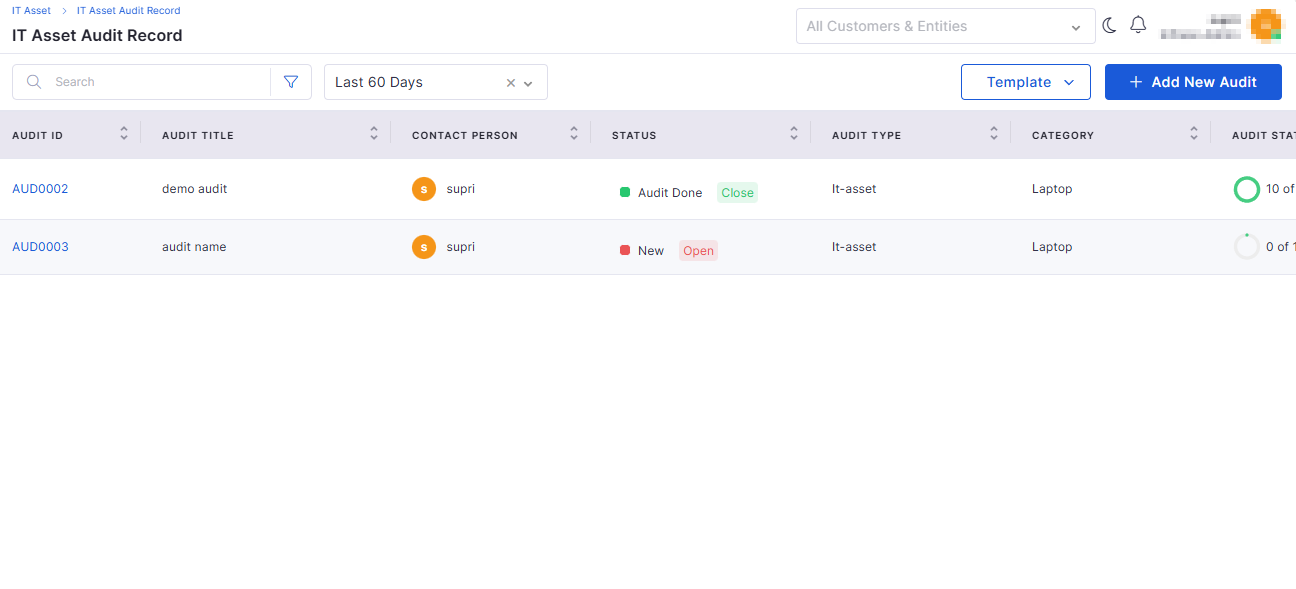
Asset Audit Record – New Design
The Asset Audit module now offers an improved layout and a better user experience.
Redesigned interface with an intuitive audit record view.
Easier tracking of audit outcomes and audit history.
Asset Page Filter Enhancements
Filtering and searching on the Asset page have been made more powerful.
Added advanced filter options based on location, category, and asset type.
Improved quick search for faster asset discovery.
Knowledge Base
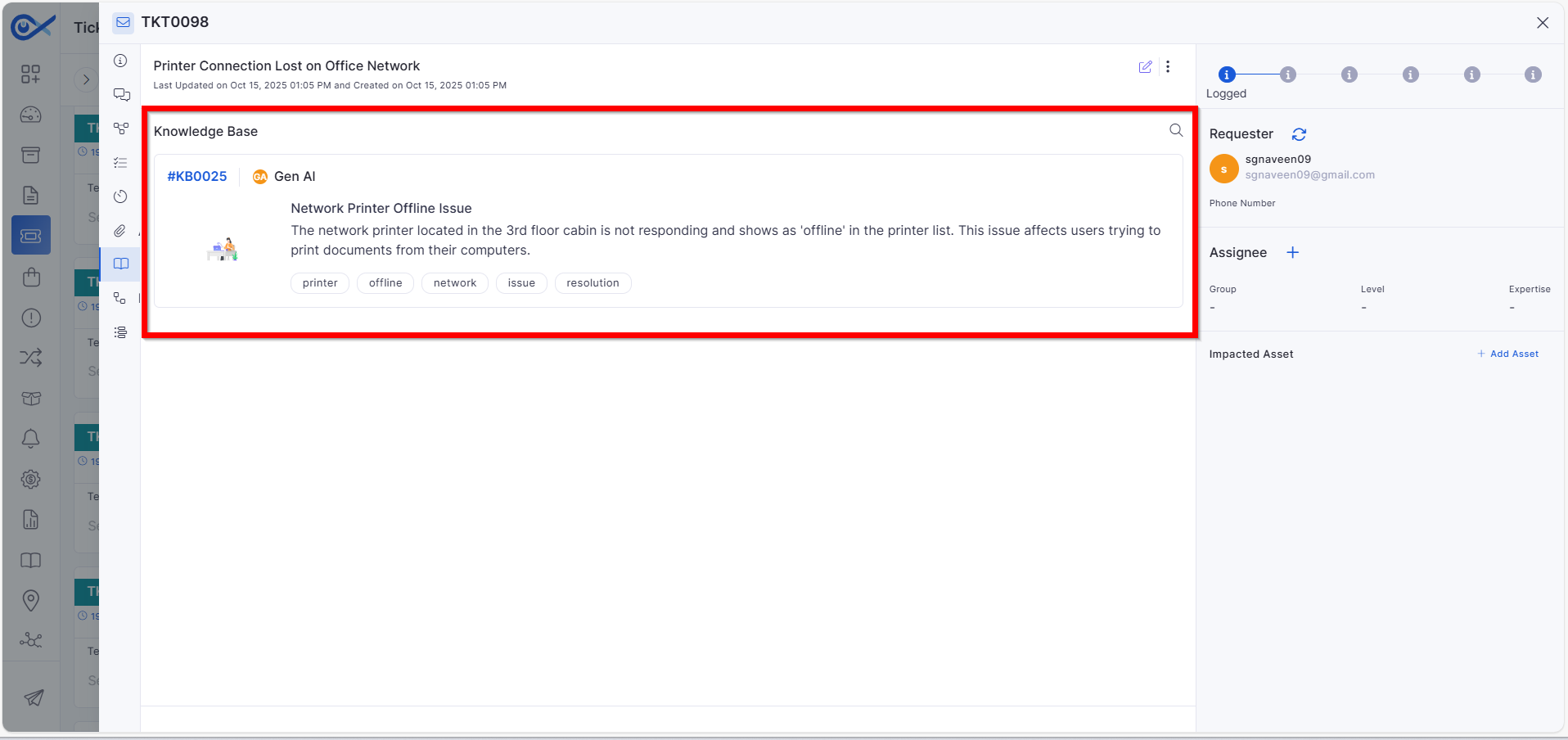
Attaching KB Article in Ticket Response Email
Technicians can now directly attach relevant KB articles while responding to tickets.
Simplifies the process of sharing KB references in ticket communications.
Ensures end users receive accurate solution references via email.
KB Vector Database Synchronization and Isolation
Enhanced data handling and synchronization for the AI-powered Knowledge Base.
Automatic syncing of vector databases with the latest KB entries.
Improved data isolation to maintain accuracy for each tenant.
Project Management
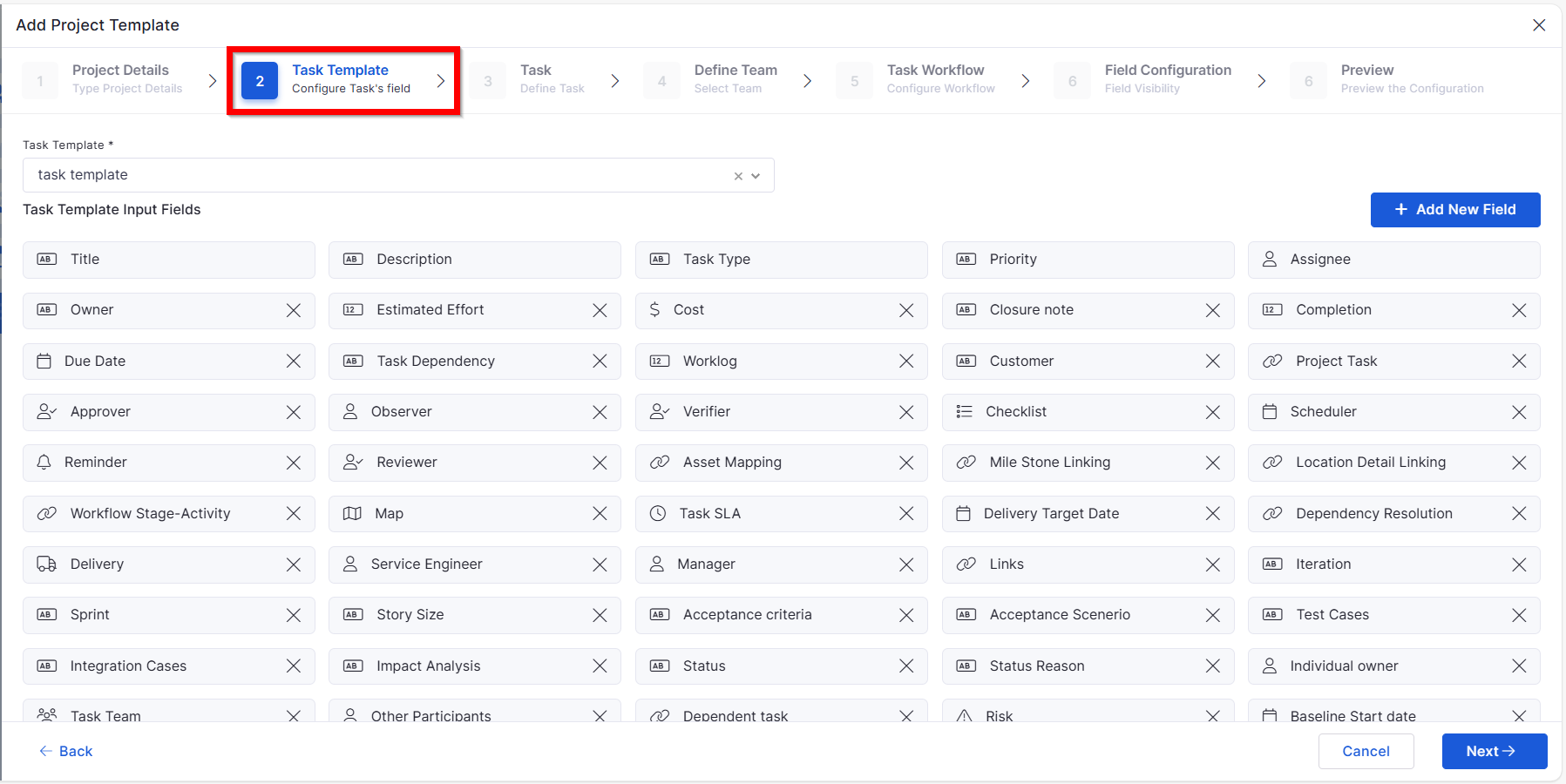
Project Template: Task Template
New support for task templates inside project templates.
Allows consistent task creation patterns across projects.
Saves configuration time for project managers.
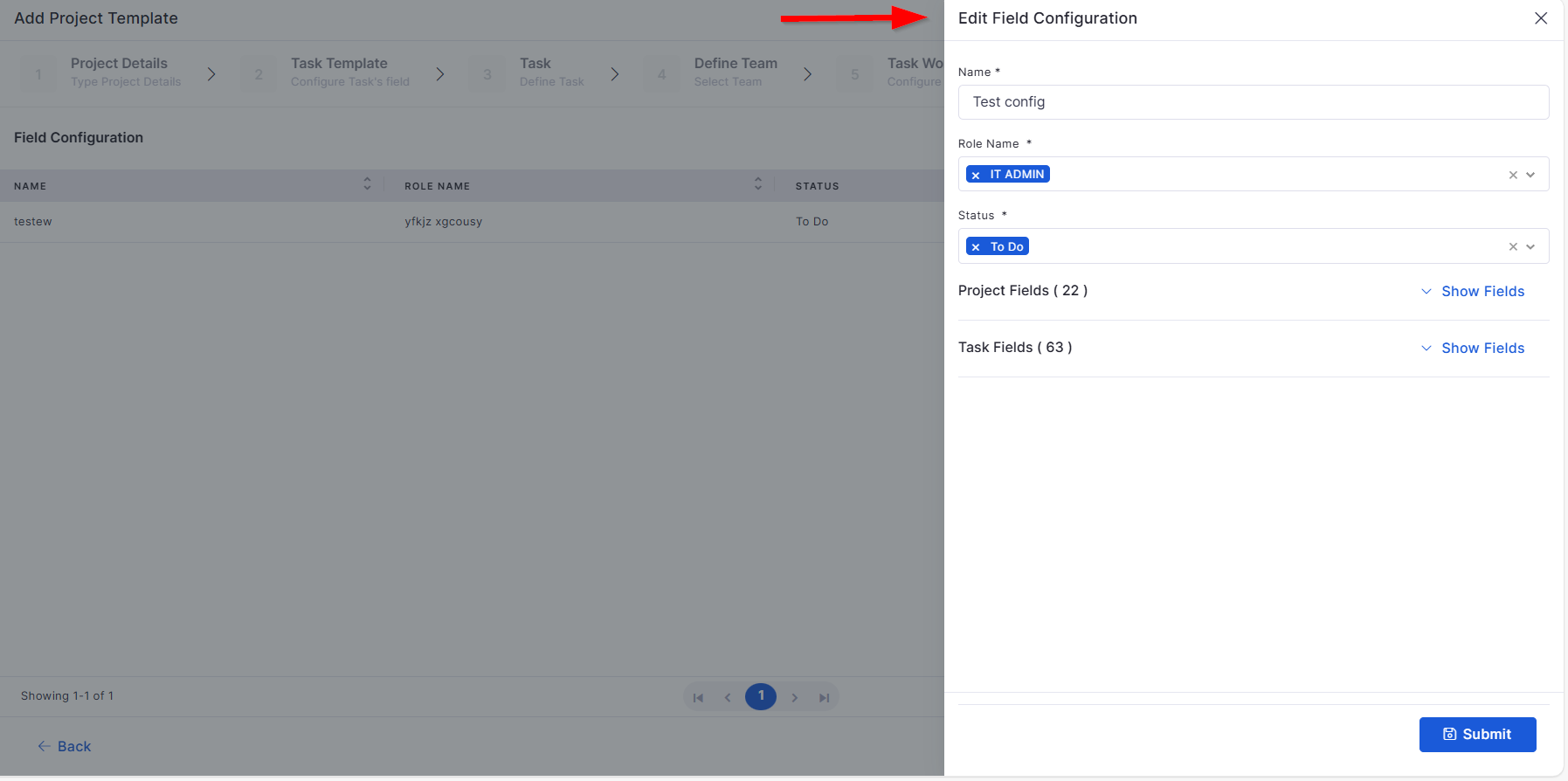
Project Template: Field Configuration – Edit & Delete
Improved flexibility for managing project field configurations.
Enables direct editing or deletion of existing field configurations.
Prevents data clutter by removing unused fields.
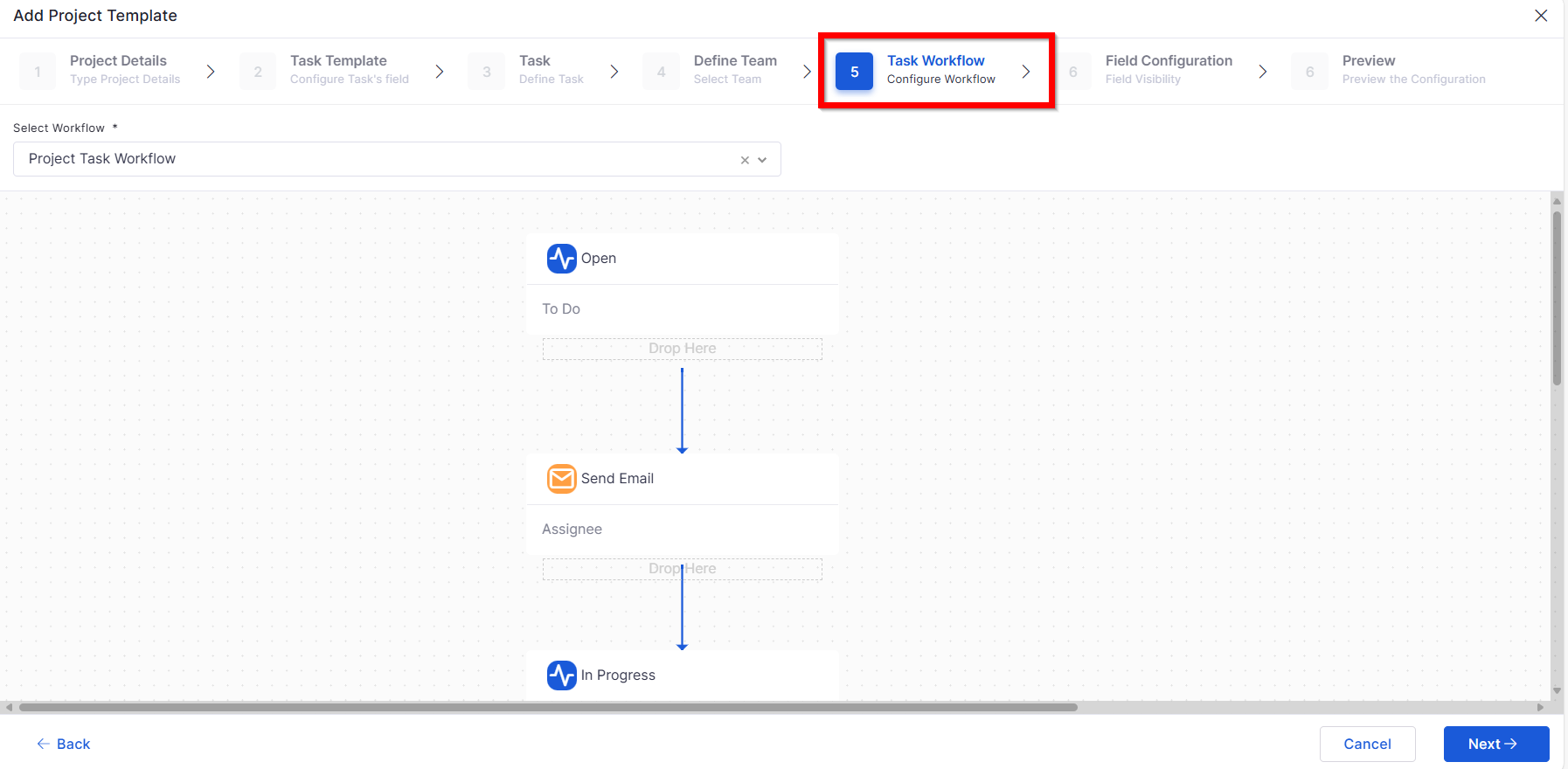
Project Template: Workflow and Field Configuration – Add & View
Enhanced setup and monitoring of workflow and field configurations.
Allows creation and configuration of new workflows from templates.
Offers a consolidated view of both field and workflow mappings.
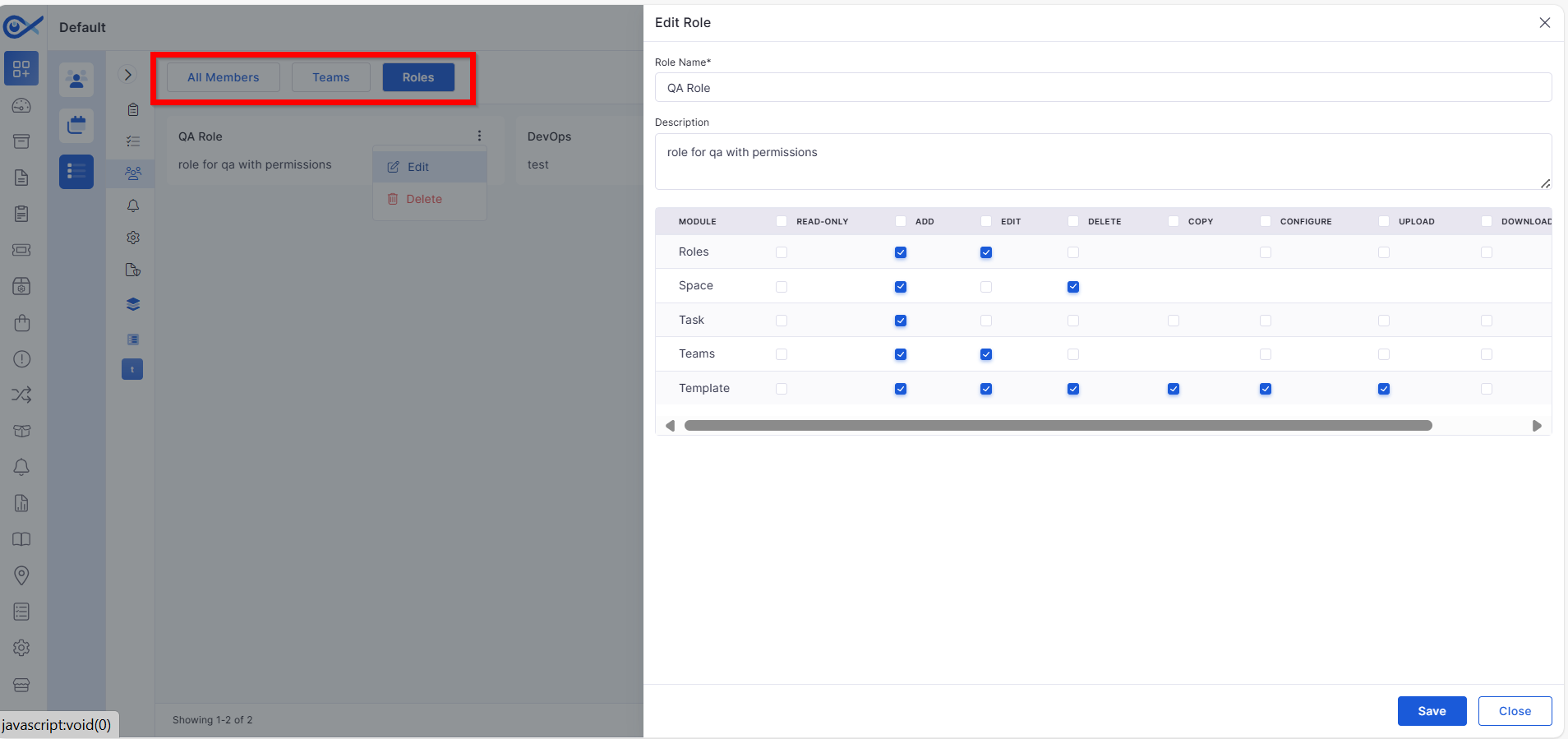
Teams, Space, Role – Role-Based Control
Introduced role-based visibility and permissions across project elements.
Controls user access to specific spaces, teams, and configurations.
Ensures secure collaboration by restricting unauthorized access.
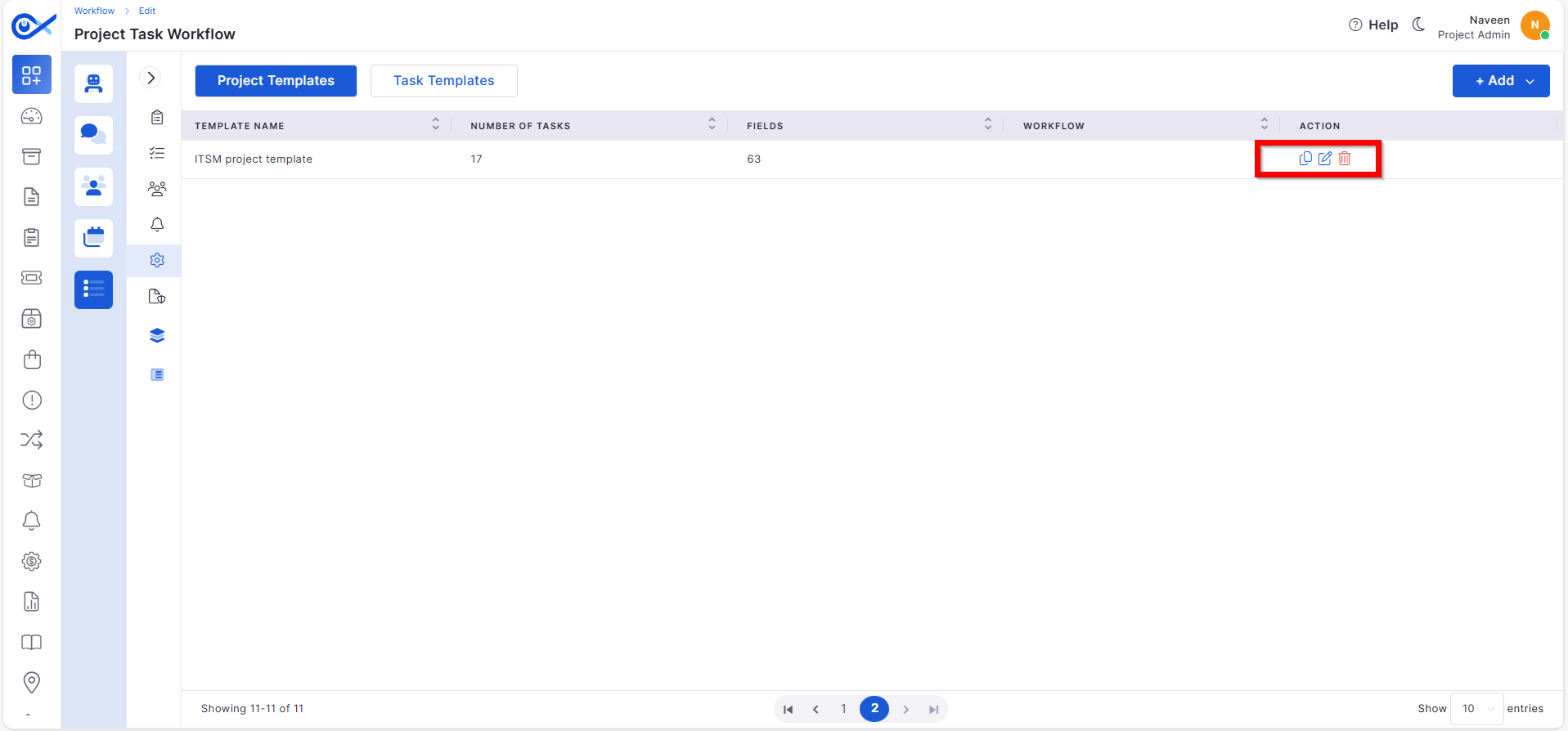
Project Template: Clone & Delete
Improved efficiency in managing project templates.
Clone existing templates for reuse across different projects.
Delete outdated templates with confirmation prompts.
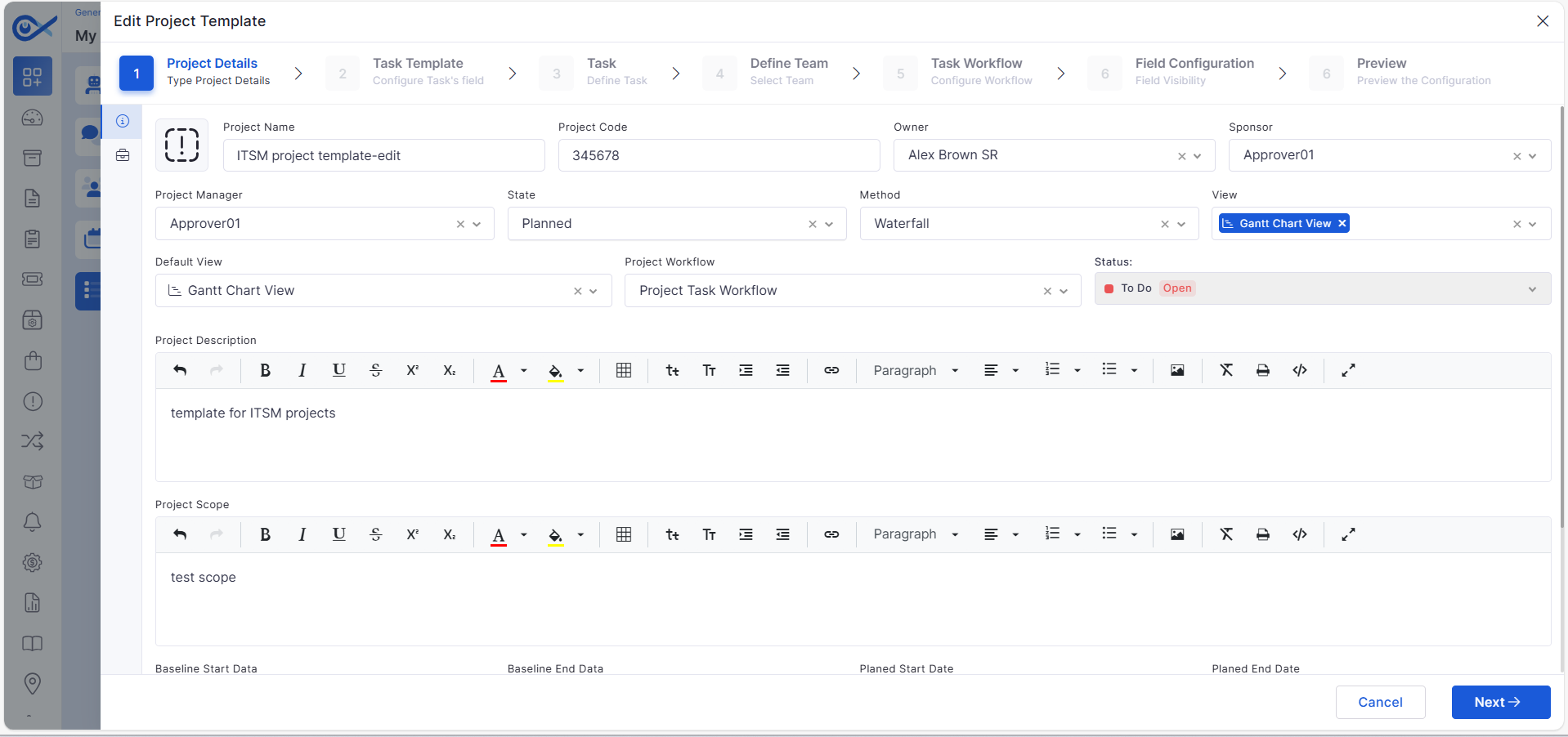
Project Template: List, Edit & Audit
New capabilities to manage and track template activity.
View, edit, and update project template details easily.
Access audit logs to track configuration changes.
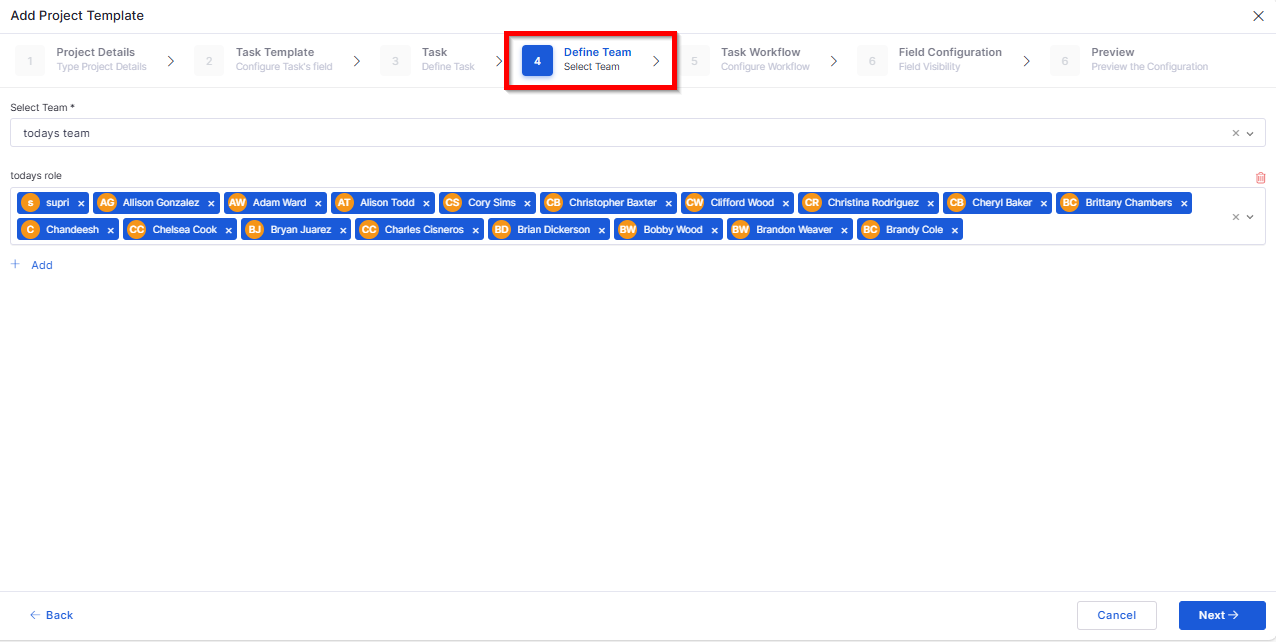
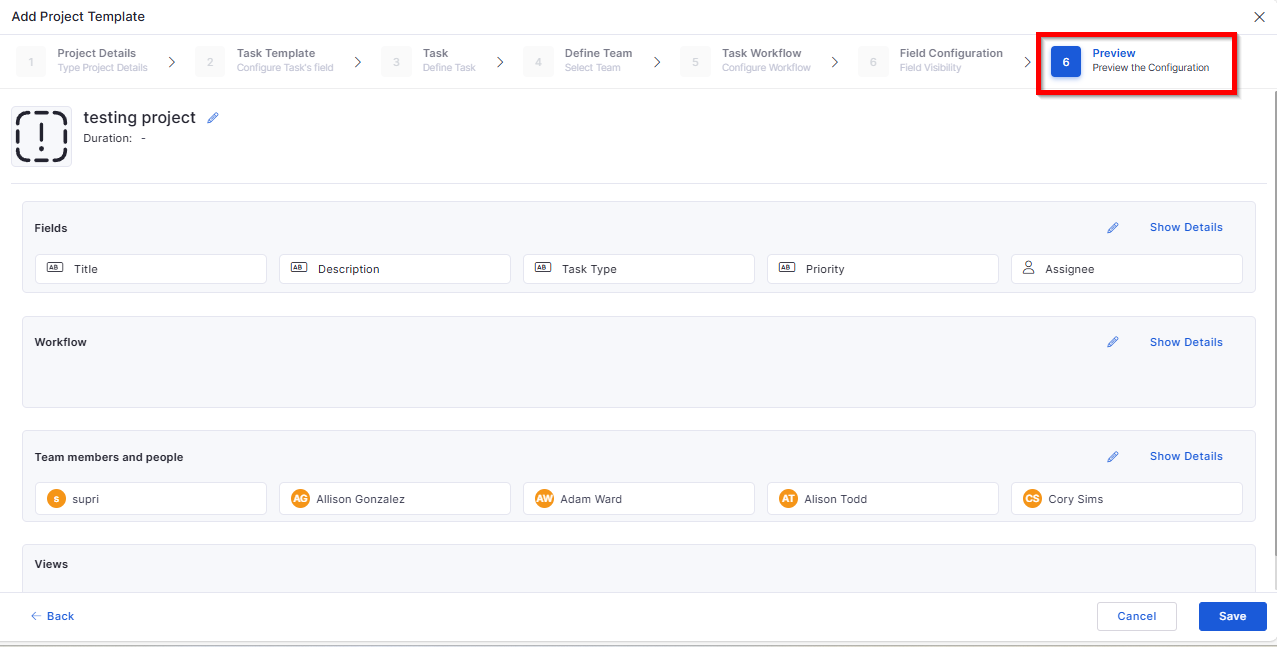
Project Template: Define Team & Preview
Added options to configure and review team setup before publishing.
Assign members and roles from a unified interface.
Preview team composition before finalizing.
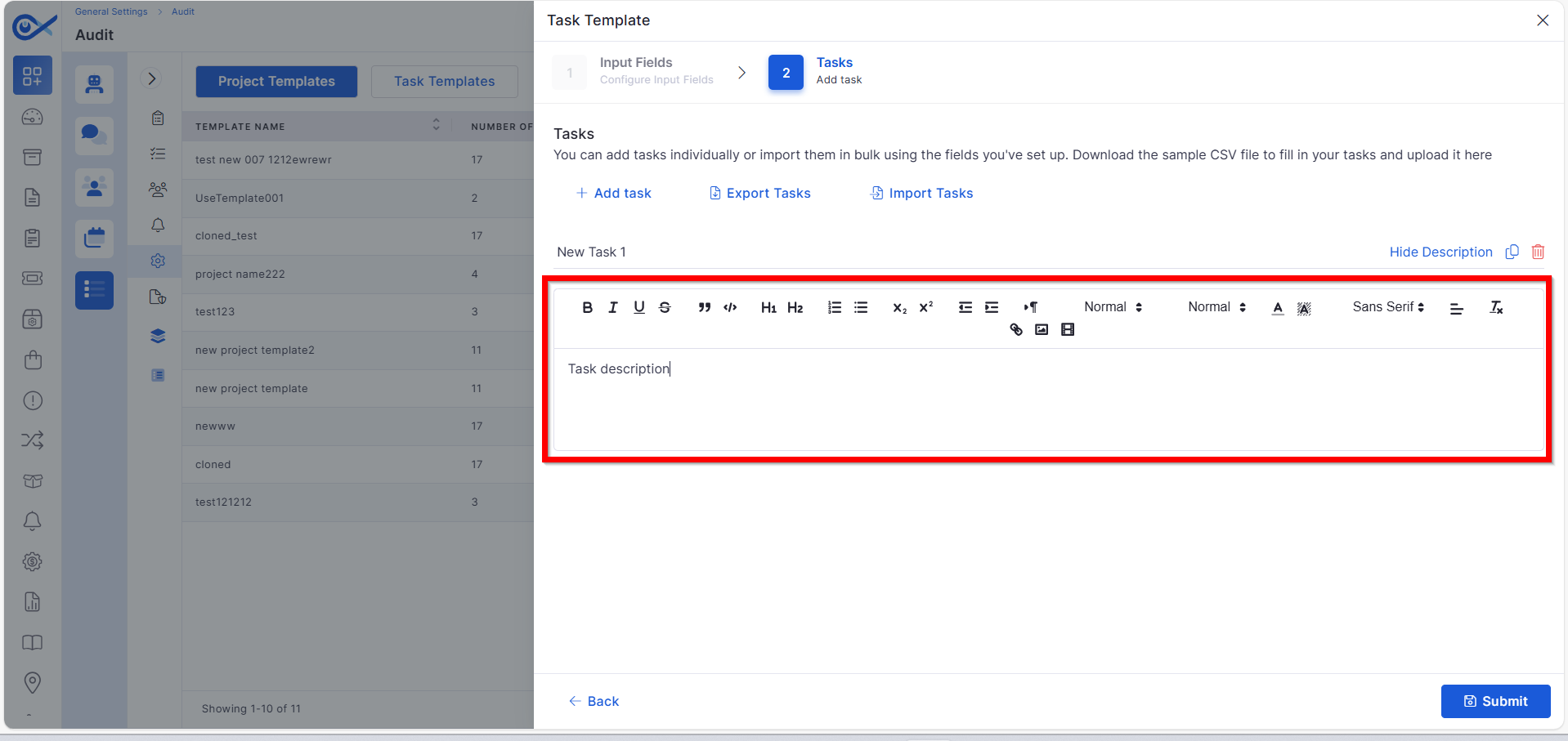
Description in Task Template
Improved documentation capability for project tasks.
Added description fields for each task template.
Allows specifying task goals and expectations.
Mobile App Enhancements
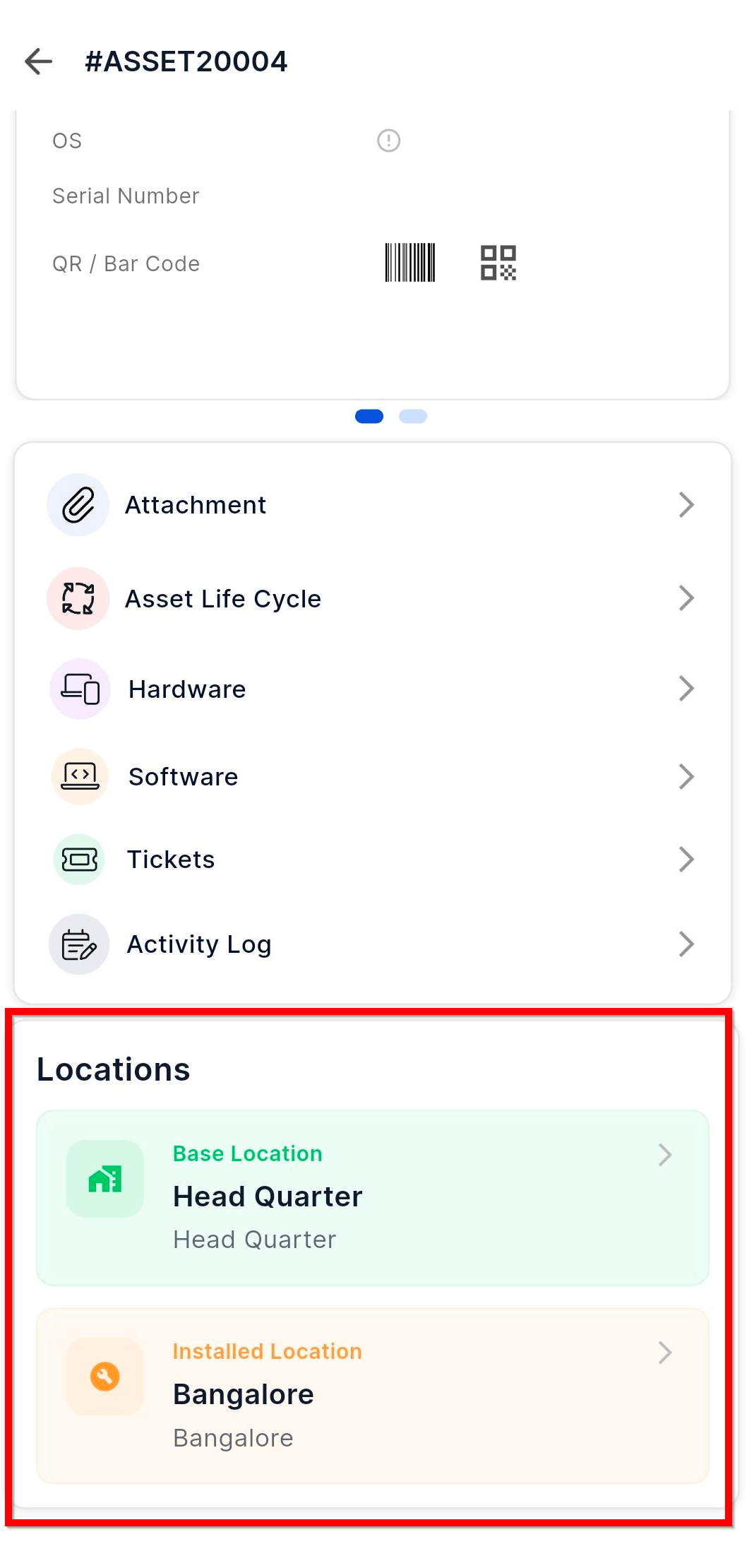
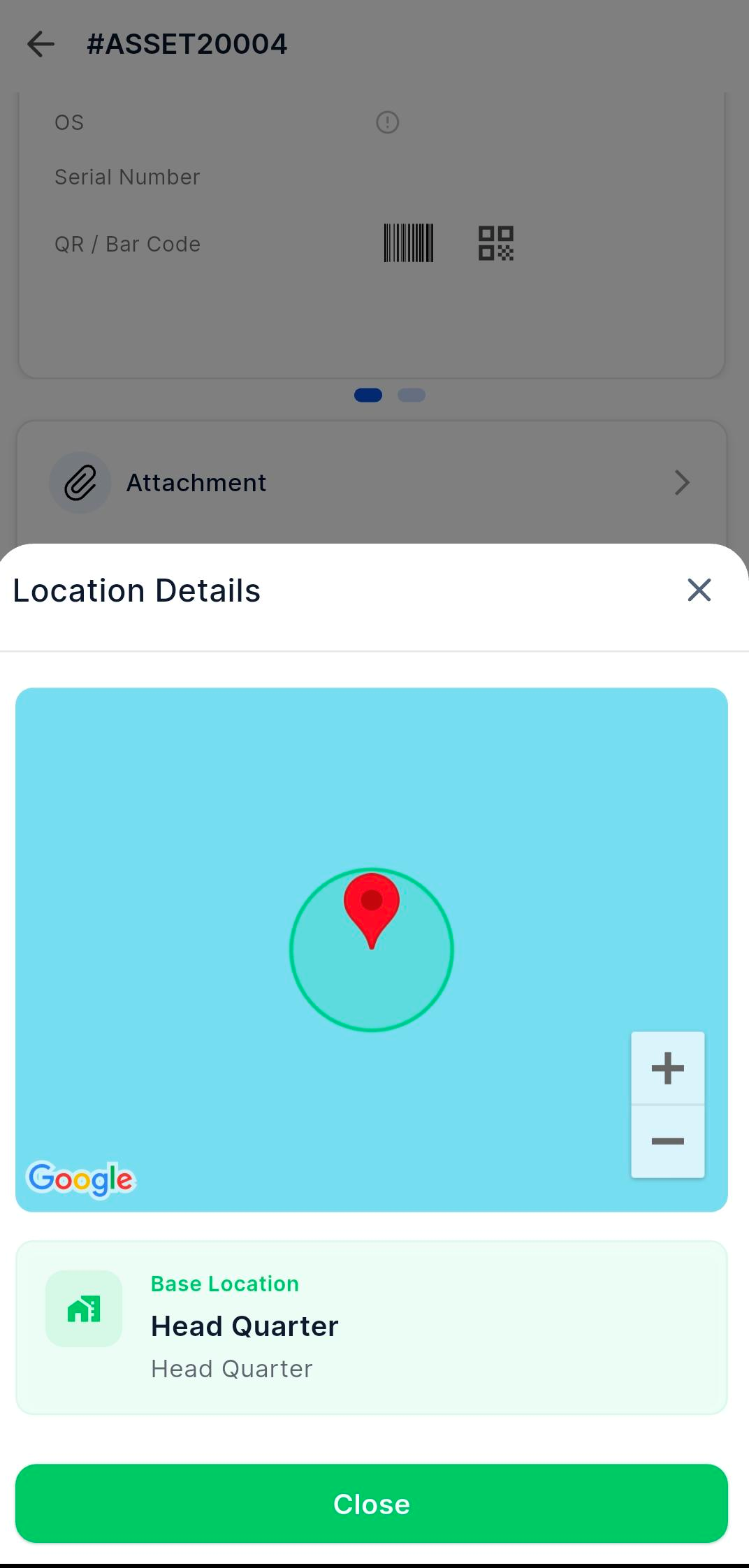
Android – Asset Location Details
Enhanced Android app to show detailed asset location information.
View installed and base locations directly from Asset Details.
Interact with mapped locations for better tracking.
iOS – Sync Collected Data
Improved data synchronization on iOS devices.
Sync collected asset and system data directly to the Infraon server.
Ensures real-time updates and accuracy.
iOS – Device Sensor & Carrier Information
Enhanced device insight capabilities.
Automatically collects sensor and carrier details.
Provides better visibility of device performance metrics.
iOS – Infinity Agent Security Collection
Introduced a new security layer in mobile data collection.
Ensures secure transmission of collected asset data.
Adds verification layers for authenticated agent communication.
Reports
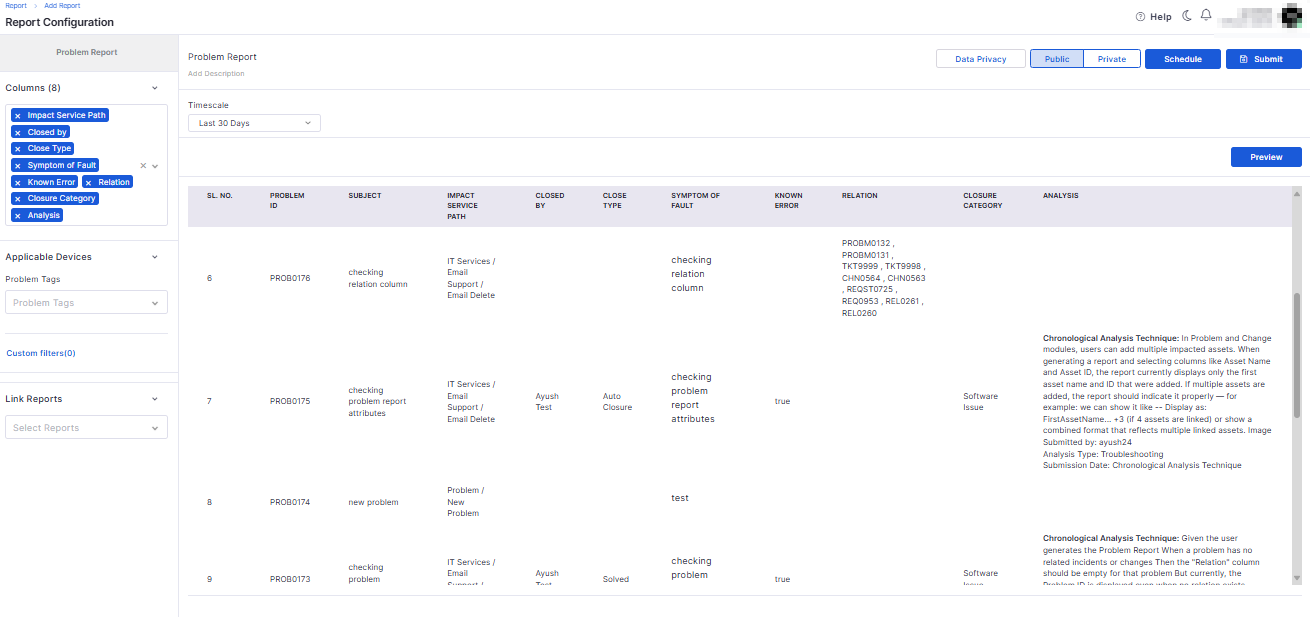
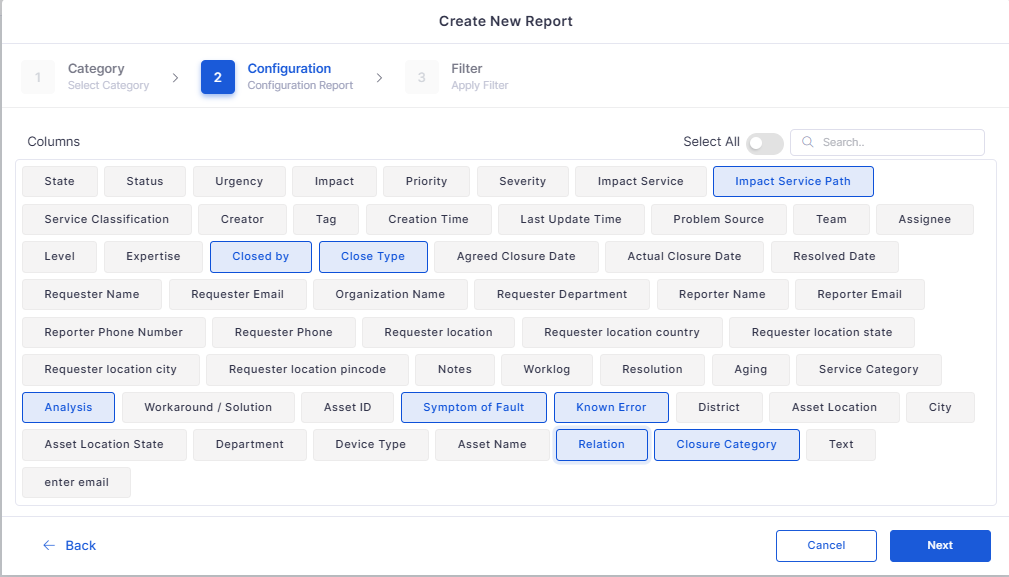
Problem Management Attributes in Reporting Module
Enhanced the Problem Management reports with additional attributes.
Added missing parameters for detailed analytics.
Ticket Management
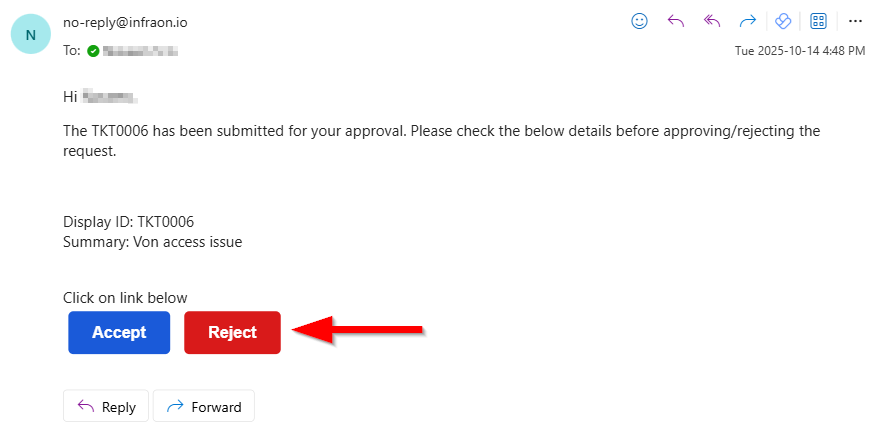
Simplified Ticket Approval via Email Response
Introduced direct approval from ticket notification emails.
Approvers can approve or reject tickets directly via email response.
Eliminates the need to log in for basic approval actions.
Request Management
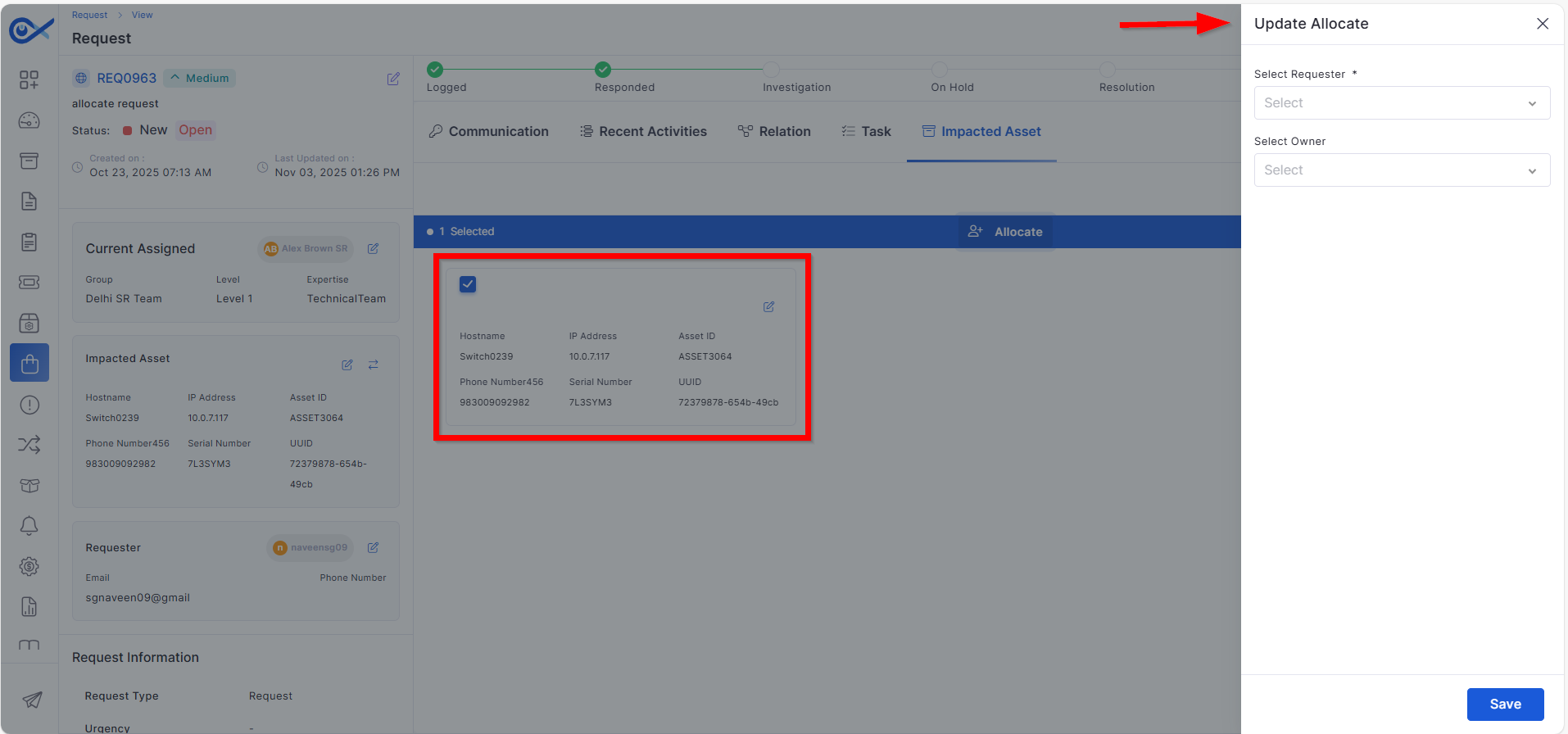
Requester and Owner Allocation from Impacted Asset Page
Improved ownership assignment in Request Management.
Requester and owner can now be assigned directly from the impacted asset.
Streamlines the asset-to-request linkage process.
Bots
Inventory Agent Support for Older PowerShell Versions
Expanded compatibility for Infraon Inventory Agent.
Supports PowerShell versions below 5 for legacy Windows systems.
Enables agent deployment in older infrastructure environments.
Contract Management
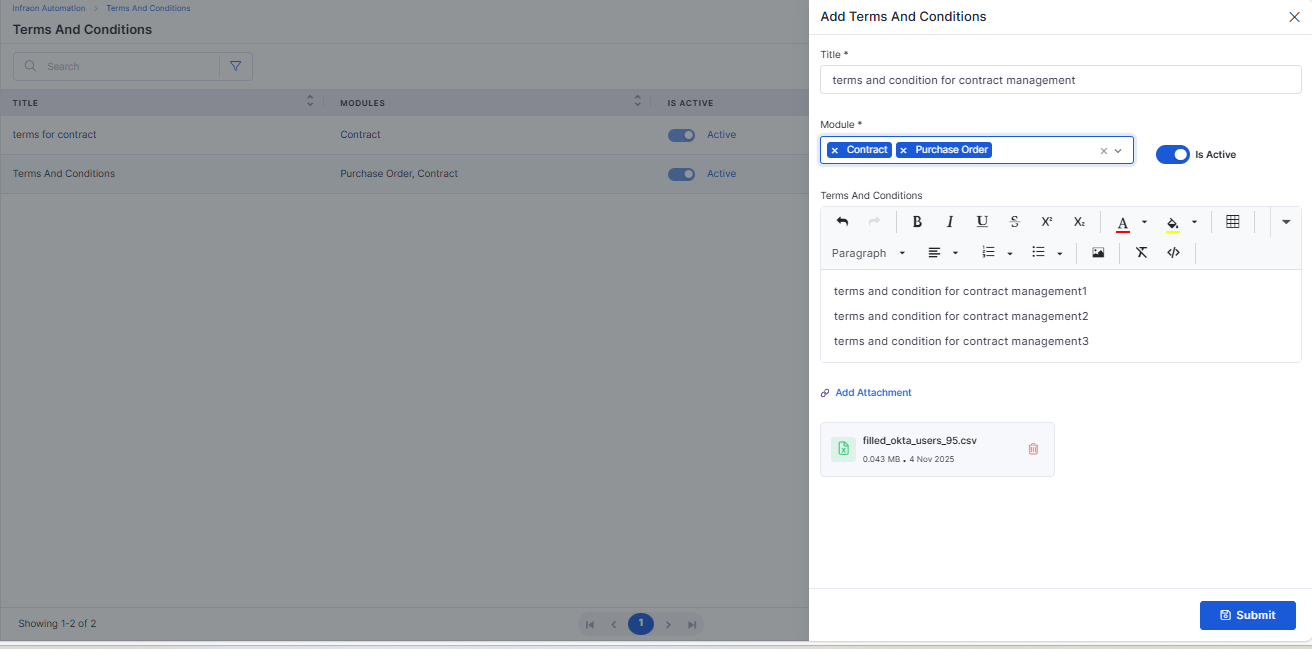
Terms and Conditions Module
Introduced a centralized Terms and Conditions management module.
Allows predefined contract clauses to be created and reused.
Maintains consistency across contracts and purchase orders.
Bug Fixes
We have addressed multiple issues reported across modules, including:
Resolved email notification issues in the ticket and requested approvals.Enhanced validation and accuracy in Asset Management filters and imports.
Fixed inconsistencies in project template configurations and workflow transitions.
Resolved email notification issues in the ticket and requested approvals.
Improved data consistency in Problem Management reporting.
Fixed mobile app data synchronization and layout display issues.
Addressed UI responsiveness and accessibility across multiple modules.
General performance and stability enhancements for smoother platform use.
These fixes improve system reliability, data accuracy, and overall user experience across the Infraon platform.
Clear separation between internal and external audits.
Enhanced filter retention when switching between views.
Helps reduce repetitive ticket creation for known issues.
Strengthened data consistency between AI and KB modules.
Improves project setup accuracy and standardization.
Maintains control over form structures within projects.
Simplifies configuration management for admins.
Provides admins better control over visibility and actions.
Reduces time spent on repetitive configuration setup.
Enhances traceability for governance and quality checks.
Prevents misconfiguration and ensures proper role mapping.
Helps team members understand objectives clearly.
Improves field visibility for mobile users.
Reduces manual data refresh requirements.
Useful for diagnostics and device management.
Improves compliance with enterprise security standards.
Improved filtering and report generation accuracy.
Ensures consistent data representation across modules.
Speeds up approval workflows and improves responsiveness.
Ensures better traceability of request ownership.
Ensures broader device coverage for asset discovery.
Reduces manual drafting and ensures standardization.