View the latest features, enhancements, and fixes by release.
Version: v7.3.15
Date: 6th November
Overview
This release introduces significant improvements across Asset, Project, and SLA Management modules, along with substantial AI-driven enhancements to the Knowledge Base and new Okta Marketplace integrations.
Key Updates
Mobile App Enhancements
iOS – Sync Collected Data from Device to Server
Added a dedicated option to manually sync collected data to the backend.
Displays real-time sync status with retry options for failed attempts.
iOS – Device Sensor & Carrier Information Collection
Collects hardware sensor and carrier information directly from devices.
Captures accelerometer, gyroscope, and SIM carrier data accurately.
Android – Full App Migration to Edge-to-Edge Display
Migrated Android app to a full edge-to-edge Flutter interface for Android 13–15+.
Provides a modern, immersive layout aligned with Android design standards.
Knowledge Base
KB Vector Database Synchronization and Isolation
Synchronizes KB data with vector databases to improve AI-based search accuracy.
Supports tenant-level data isolation for enhanced privacy and performance.
Auto Conversion of Qualified Closed Tickets to KB
Automatically converts resolved and validated tickets into KB articles.
Uses AI to detect duplicate or low-confidence entries and skip them.
AI KB Search in ITSM Modules
Introduces AI-powered contextual search within ITSM forms.
Displays suggested KB articles while creating or updating tickets.
Feature Configuration
Feature Configuration Settings Module
New centralized module for managing AI and KB configuration parameters.
Admins can update vector synchronization, search relevance, and indexing settings.
Report
Agent Uptime Report – Custom Time Filter
Added the ability to filter agent utilization data for a specific time window.
Helps teams analyze performance for any custom duration (e.g., weekly or quarterly).
Asset Management
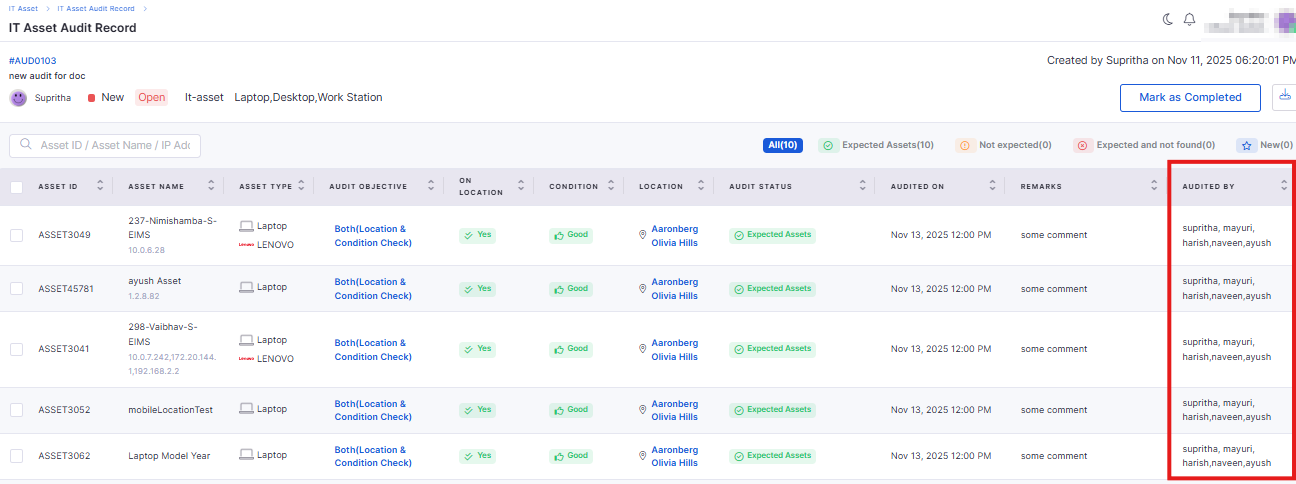
IT Asset Audit Record Enhancements
Added scheduling options for audit start and end dates.
Introduced “Audit Objective” and timestamp fields for better documentation.
Supports exporting audit results in XLSX format for record-keeping.
Asset Lifecycle Status Widget
Displays a summary of assets nearing expiration (warranty, AMC, or EOL).
Users can customize time windows for monitoring (7, 14, or 30 days).
Enables proactive renewals and maintenance planning.
Model Year–Based End-of-Life Estimation
Automatically calculates EOL based on the asset’s model year.
Uses predefined lifespan rules by asset category.
Provides predictive insights into hardware replacement planning
Operational Status Sync with Agent Heartbeat
Asset operational status now updates automatically based on agent heartbeat.
Reflects real-time device health (Active/Inactive).
Software
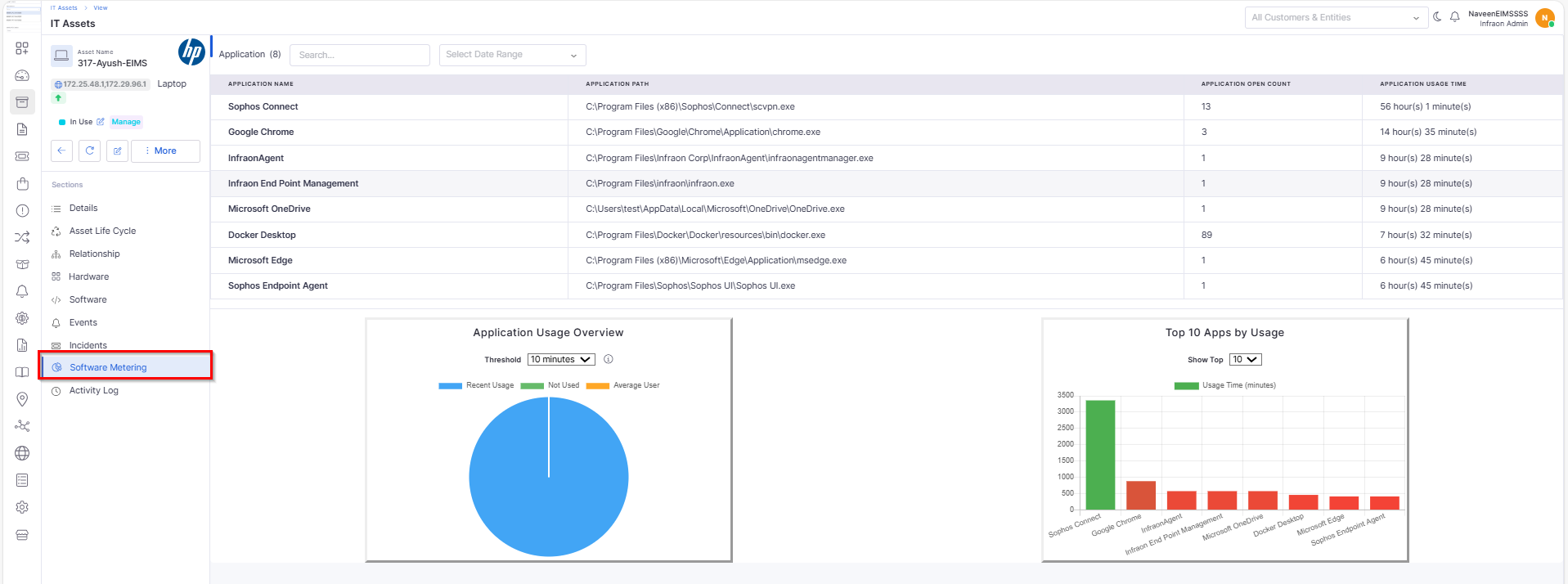
Software Metering
Introduced software metering to track usage across endpoints.
Displays license consumption in dashboard views and detailed reports.
Workflow
Kafka Notification Trigger
Added support for Kafka message triggers during workflow execution.
Allows real-time notifications to integrated systems or tools.
Provides detailed logs for each published Kafka event.
Tickets
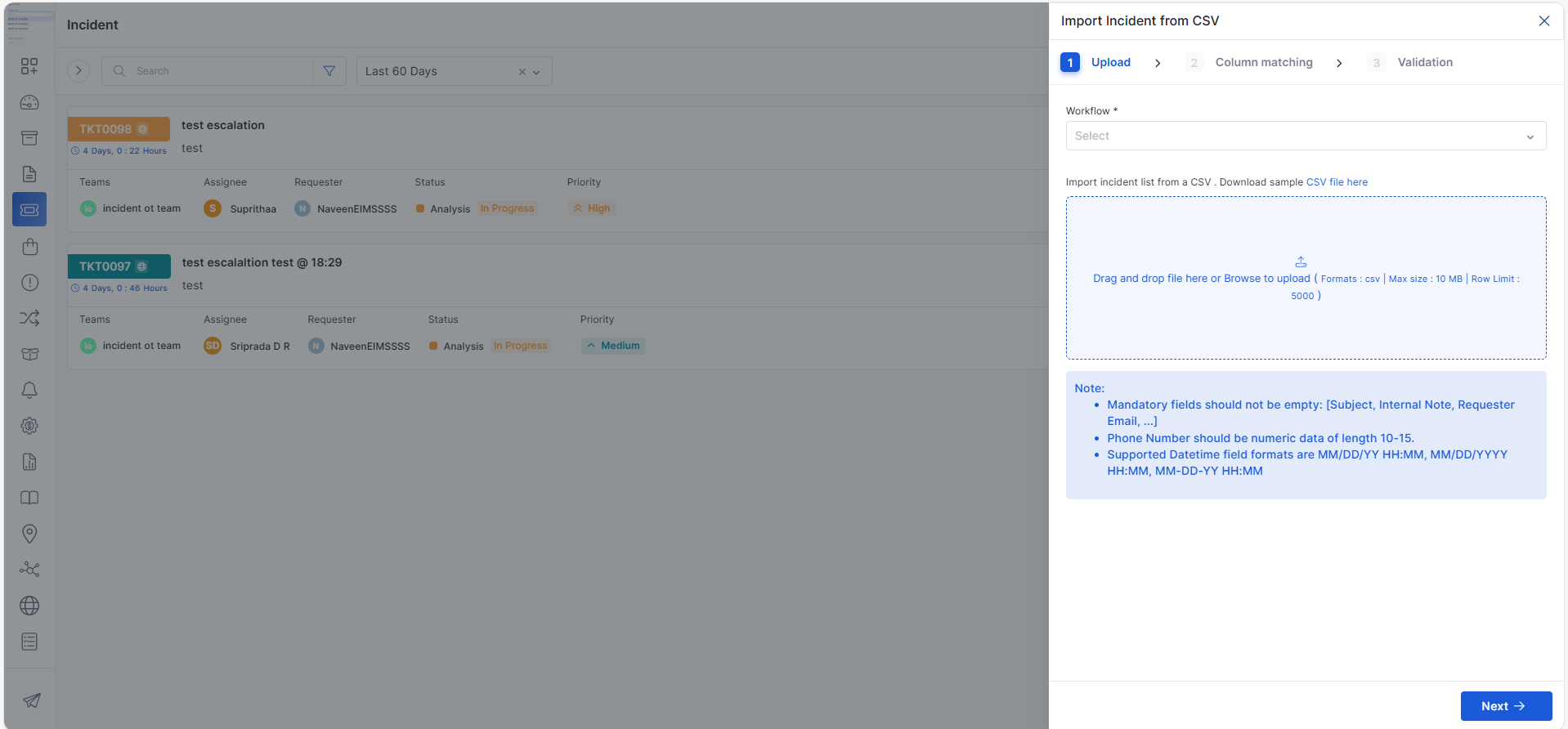
Import Tickets from CSV
Introduced ticket import functionality using pre-formatted CSV files.
Supports bulk upload with validation and mapping preview.
Dashboard
Filter Tab for Assignee Summary Widget
Added a dedicated filter tab to the Assignee Summary widget.
Allows filtering by status, priority, and ticket category.
Simplifies workload tracking and assignment analysis.
Project Management
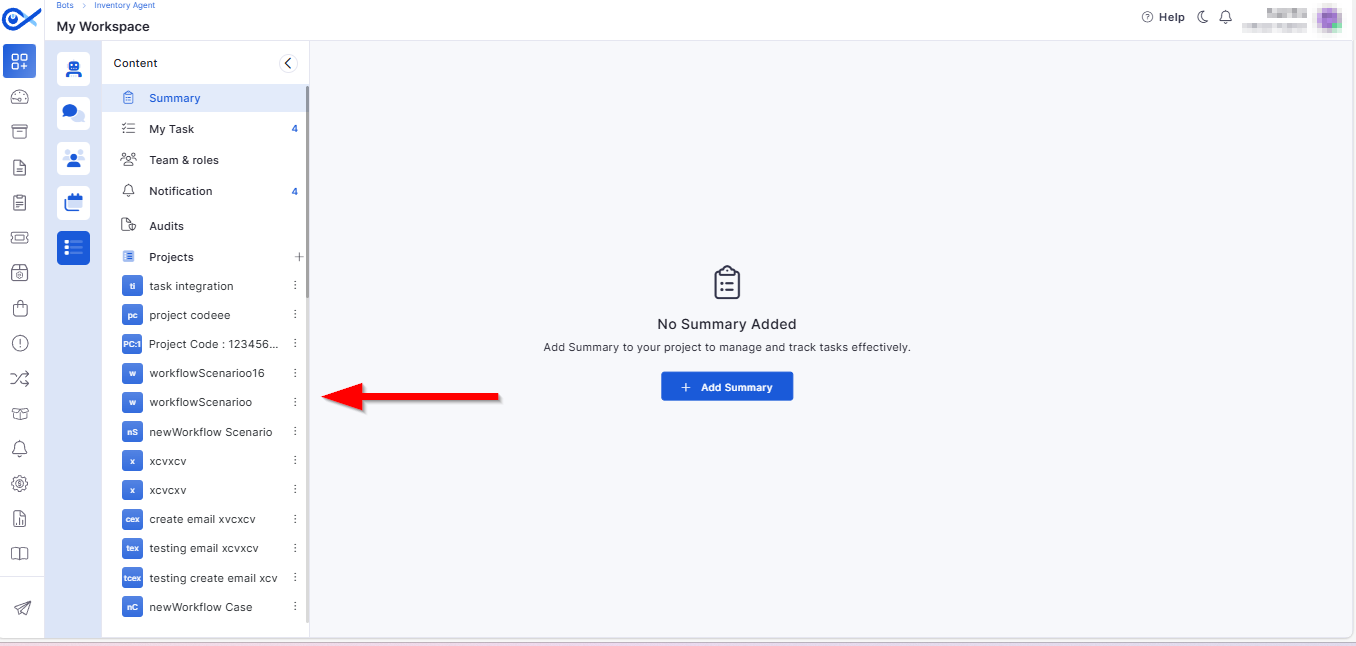
Project Add and View in the Left Panel
Simplified navigation with all project sections accessible via the left panel.
Enhances usability with consistent side navigation for tasks, teams, and workflows.
Automated Task Generation on Project Creation
Automatically generates default tasks based on the selected project template.
Ensures project consistency and reduces setup time.
Project Templates in Start-a-Project Sidebar
Added a “Start a Project” sidebar featuring available templates.
Includes a “Load More” option for easier browsing through templates.
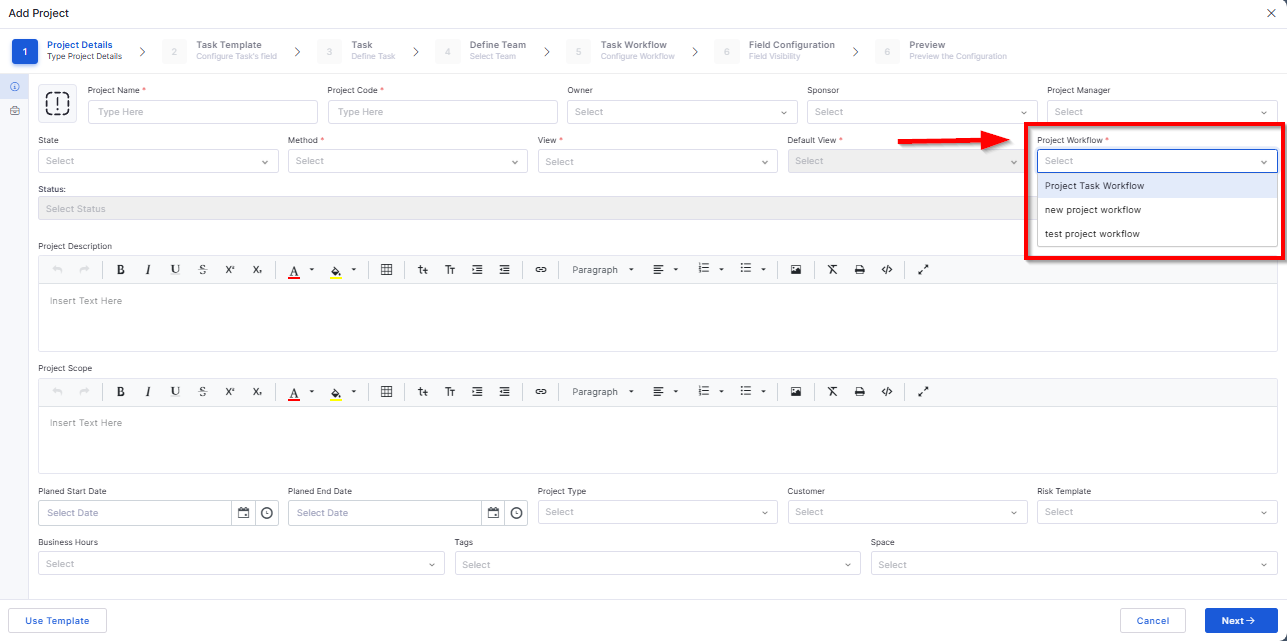
Project Workflow Integration
Introduced dedicated project workflow support similar to task workflows.
Enables configurable approval and review stages for each project.
Project Workflow
Provides predefined project stages with clear state transitions.
Ensures consistent progress tracking across multiple teams.
Edit/Update Workflow Integration
Added a toggle option to require approval from all members in approval cards.
Improves governance and control during workflow execution.
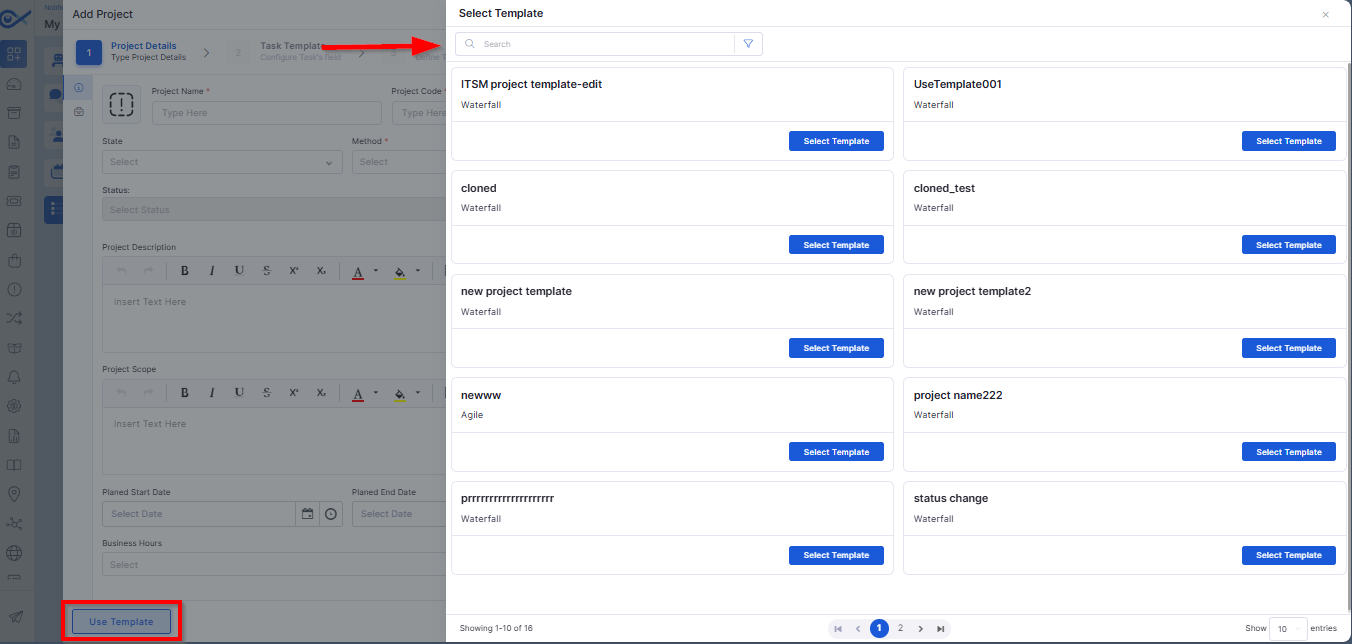
Project: Use Template
Allows users to select an existing template to auto-populate project details.
Validates required fields and prevents duplicate entries.
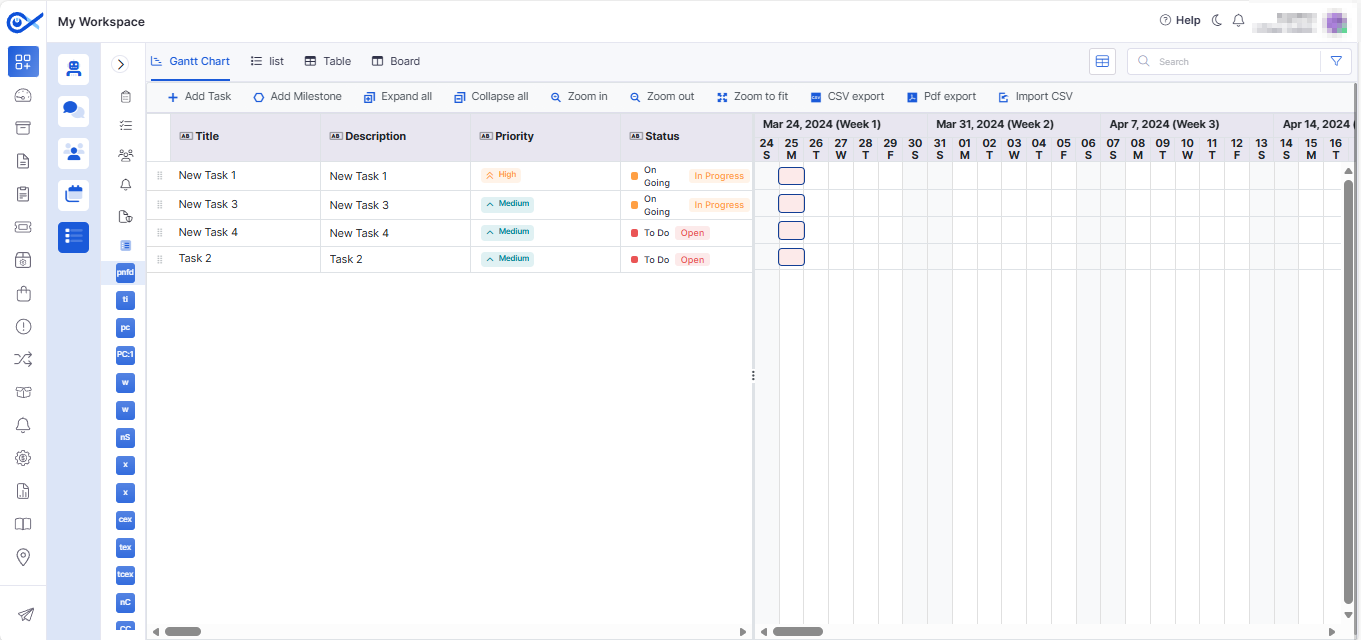
Project Task Add and View in Table View
Enables adding and managing tasks in a structured table layout.
Includes sorting, inline editing, and audit tracking for all updates.
SLA Management
SLA Exclusion from Tickets
Added an option to exclude specific tickets from SLA tracking.
Improves reporting accuracy for non-applicable cases (e.g., testing tickets).
Simplifies SLA performance analysis.
SLA Breach Detection and Indicators
Real-time detection of SLA breaches with color indicators.
Provides visual warnings and predictive alerts for near-breach cases.
Helps teams take preventive action proactively.
Marketplace
Okta Marketplace Integration – App
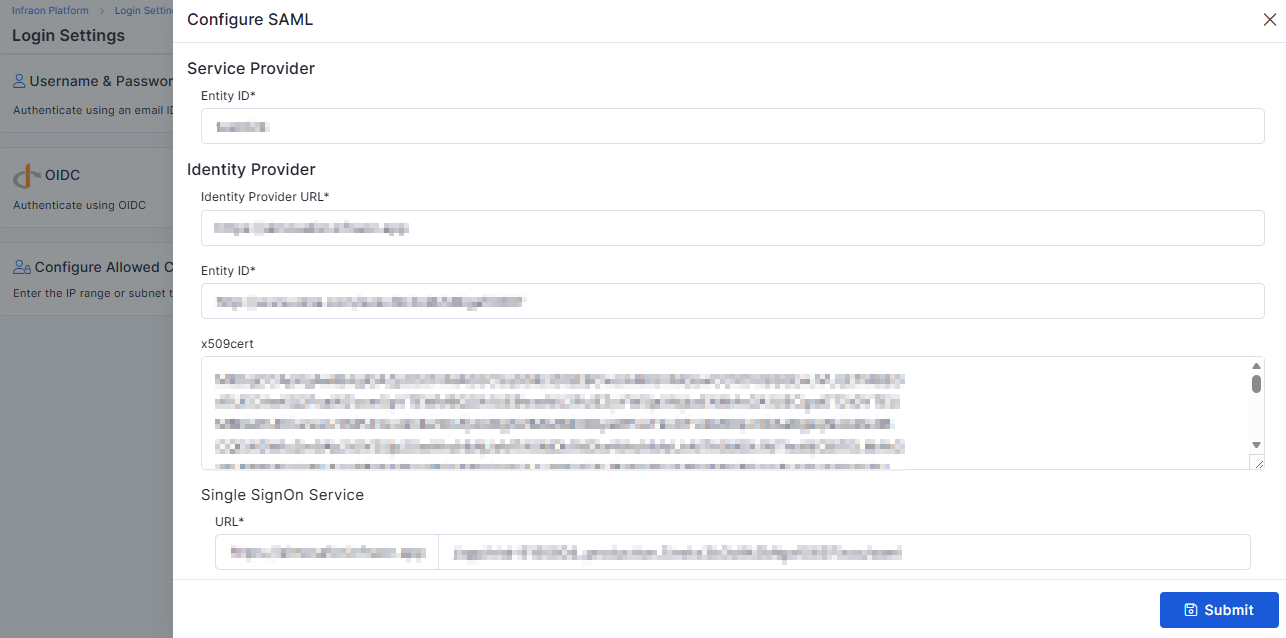
Introduced Okta Marketplace App for seamless authentication setup.
Simplifies domain linking and app registration.
Enables centralized identity configuration for organizations.
Okta Marketplace Integration – User Sync
Automatically syncs user data between Infraon and Okta.
Reduces duplicate user creation and manual synchronization effort.
Maintains consistent user identity across systems.
Okta Marketplace Integration – SSO Login
Enables secure single sign-on via Okta credentials.
Supports multi-domain authentication and improved session handling.
Simplifies login for enterprise users.
Centralized Marketplace
Enhanced centralization of marketplace integrations.
Allows managing multiple connected apps from a single view.
Ensures better control, visibility, and auditing of integrations.
🐛 Bug Fixes
We have addressed multiple issues reported across modules, including:
Improved data synchronization between Asset and Inventory views.
Resolved validation inconsistencies in the Project Template and Workflow modules.
Fixed mobile app data collection and display issues for Android and iOS.
Enhanced report generation stability for Agent Utilization and SLA metrics.
Addressed UI alignment and widget display issues in dashboards.
Optimized Marketplace integration performance for Okta synchronization.
General performance and stability improvements across the Infraon platform.
These fixes deliver better reliability, improved accuracy, and smoother usability across Infraon Infinity’s modules.
Ensures reliable and secure transmission of device information.
Enhances analytics and monitoring for mobile assets.
Improves navigation and accessibility through gesture-based control.
Automatically updates indexes when KB content changes.
Ensures continuous enrichment of the KB repository with verified solutions.
Helps technicians resolve issues faster by using existing knowledge.
Ensures consistent configuration across backend and UI.
Improves flexibility in report generation and trend analysis.
Reduces manual updates and improves monitoring consistency.
Enables cost optimization and compliance tracking for installed software.
Displays upload results and allows download of failed records for review.