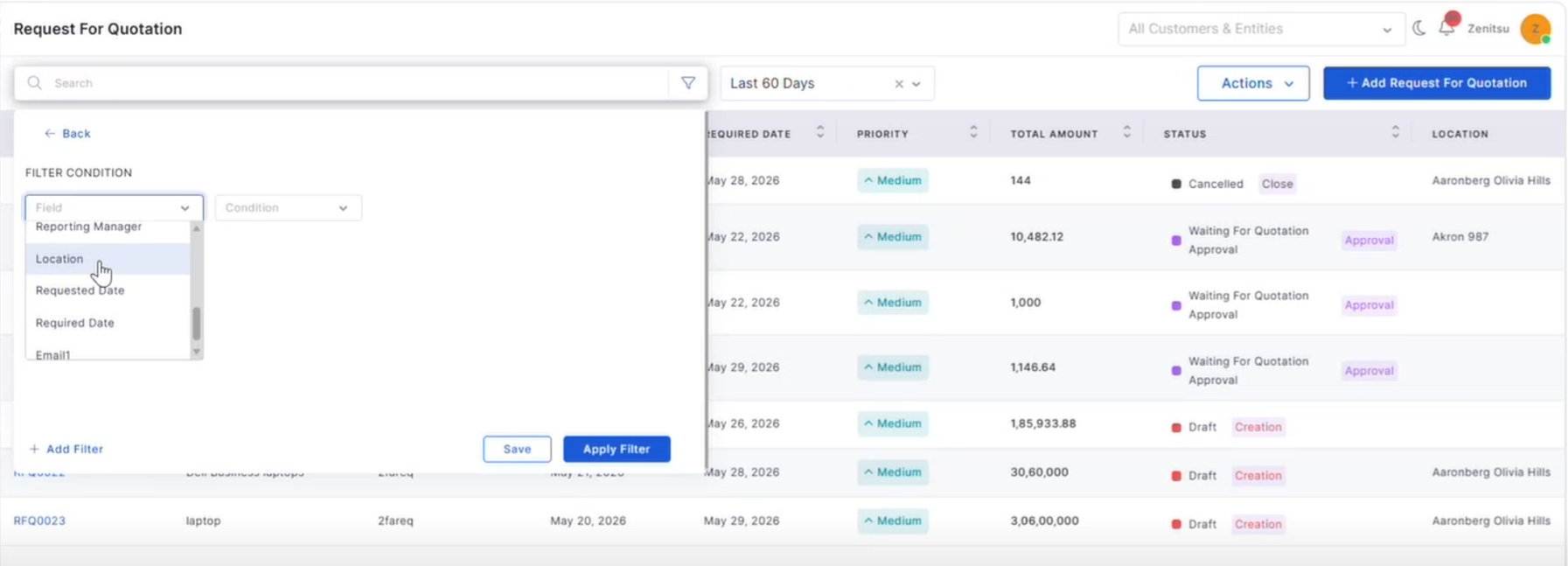
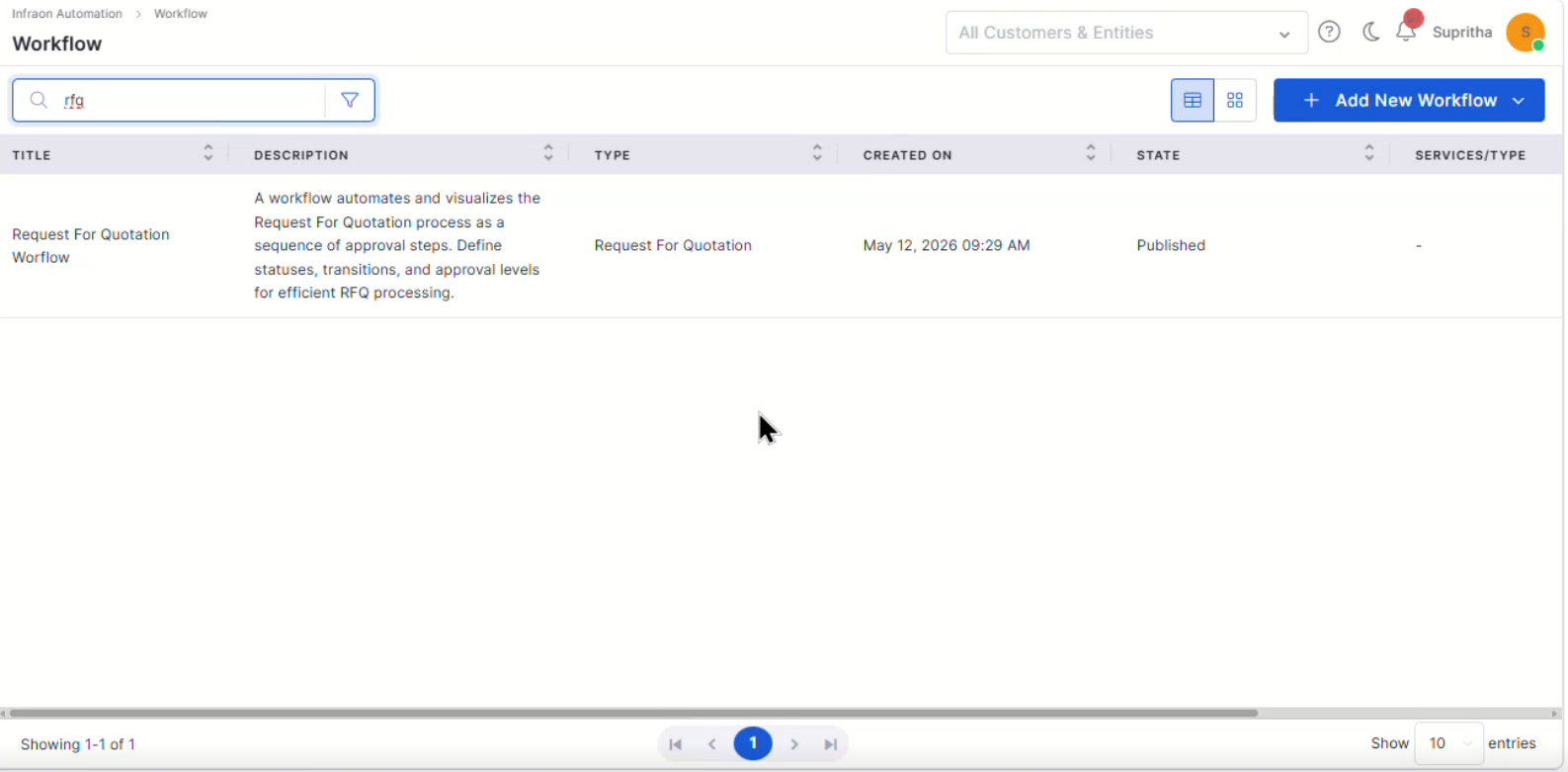
Browse all Infraon releases published during 2026, including new features, enhancements, and bug fixes delivered across the platform.
v7.4.5 - April 2026
View the latest features, enhancements, and fixes by release.
Release Cycle: 10th April 2026
Build: Pre-Release Documentation
Overview
This upcoming release introduces enhancements across Mobile, Asset, Request, Project Management, Configuration, Purchase Order, Dashboard, Marketplace, and Feature Configuration. The focus is on improving AI-driven workflows, project planning, procurement usability, dashboard insights, and data privacy controls.
Key Updates
Mobile Enhancements
Android – Knowledge Base in Request Details
Access Knowledge Base articles directly from Request Details
Navigate to the article list and the detailed view
Asset
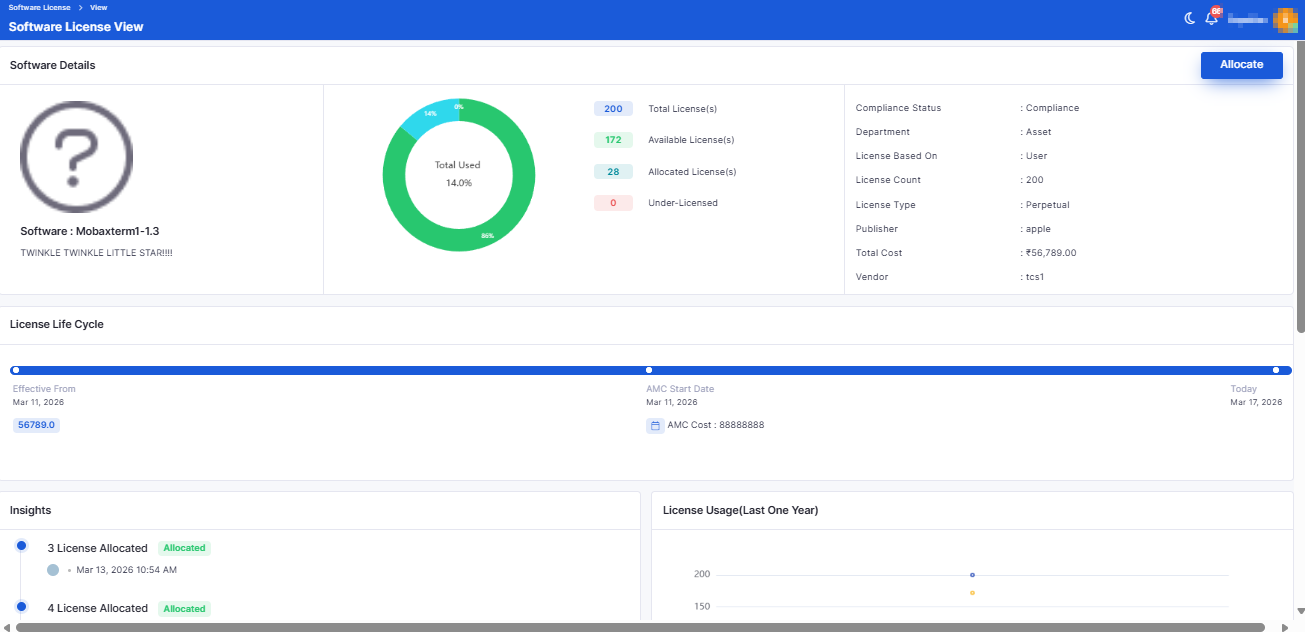
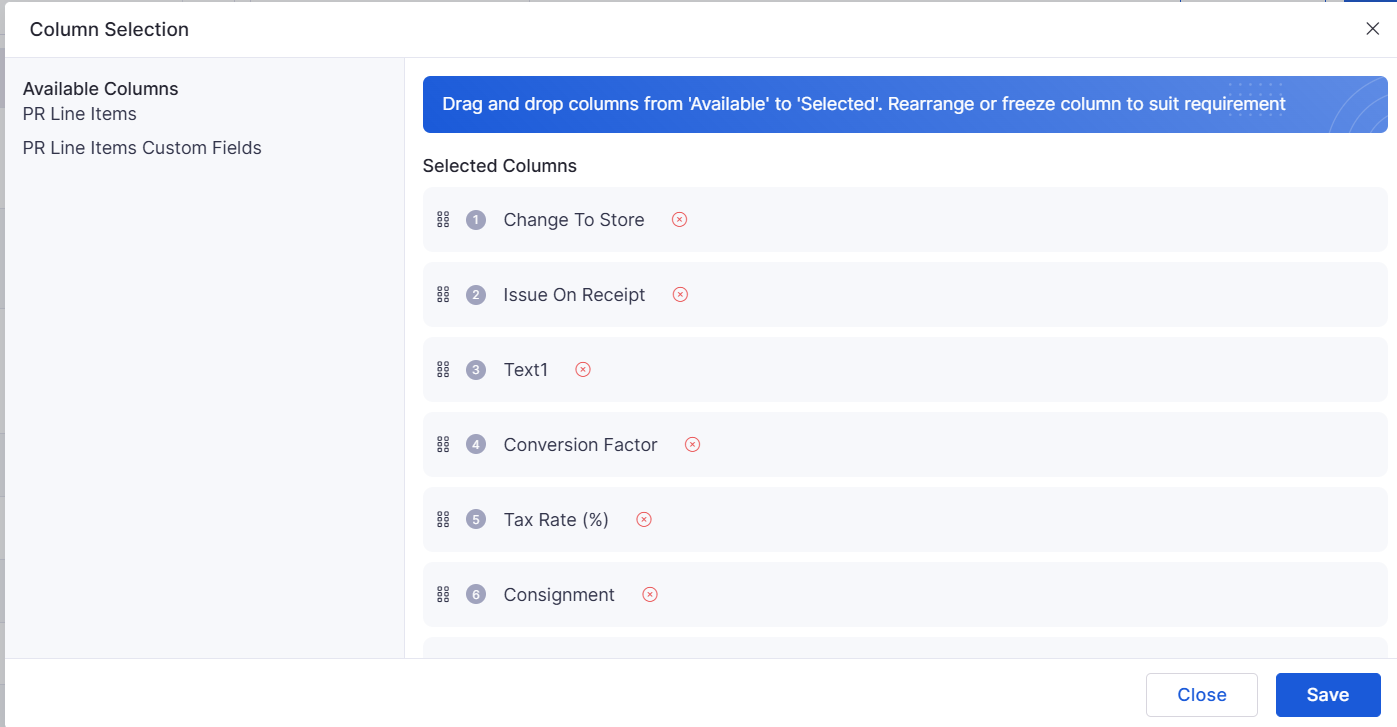
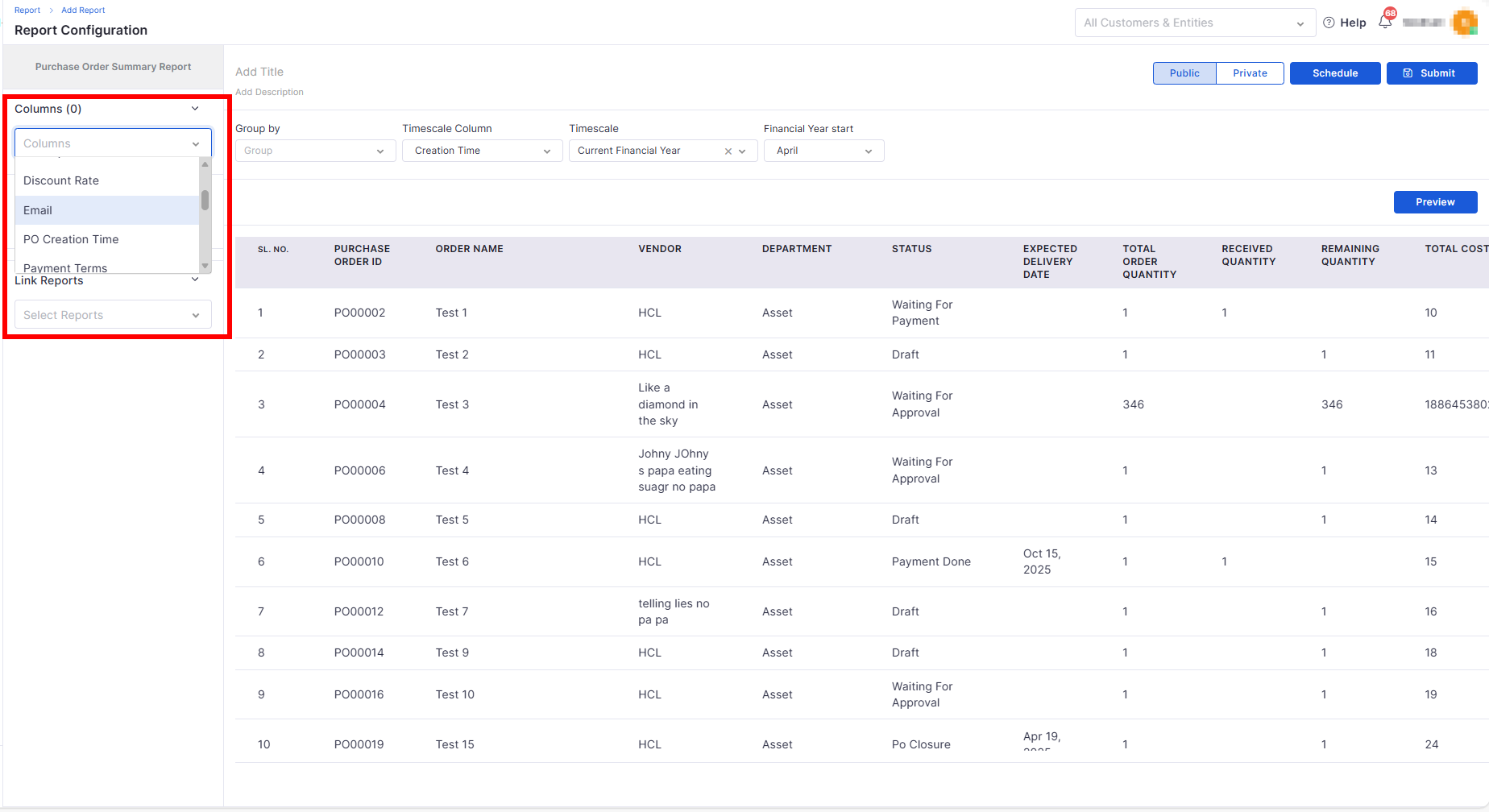
Column Selection in Software License Page
Added column selection option in grid view
Supports column selection, reordering, and default configuration
Request
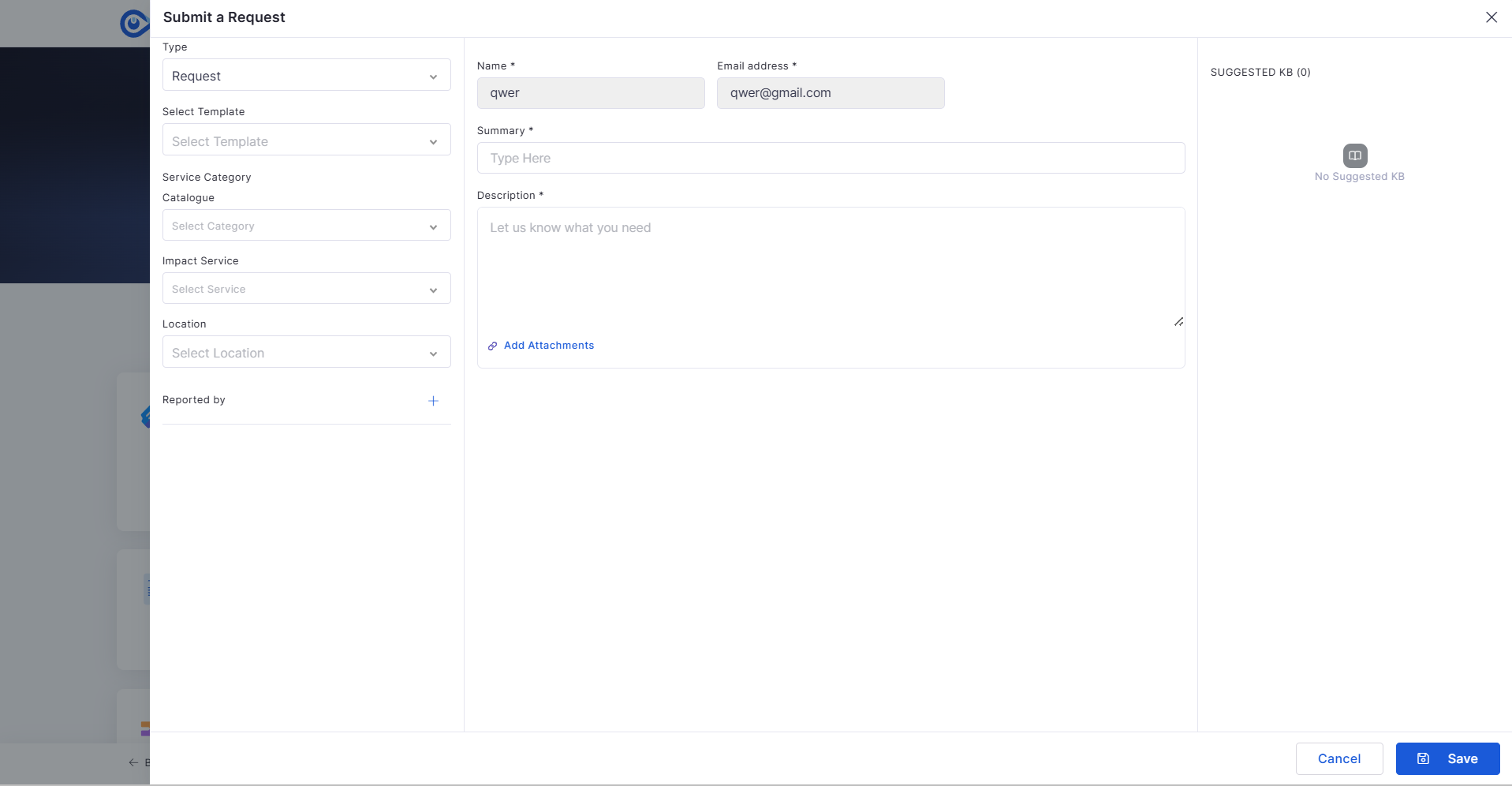
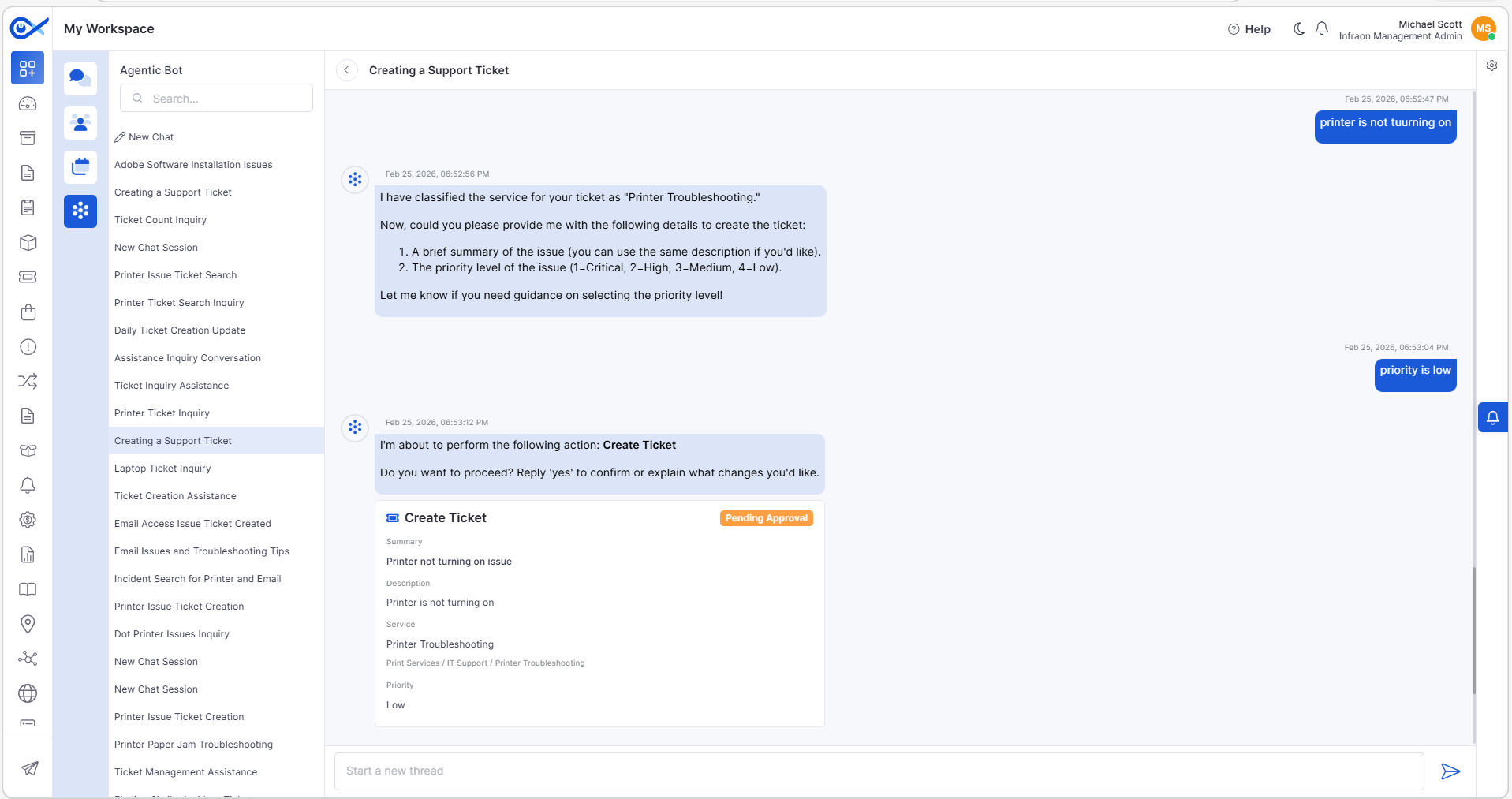
Request Creation with Agentic AI
Enables conversational request creation using AI
Collects required details dynamically with validation
Auto-captures requester details for logged-in users
View the latest features, enhancements, and fixes by release.
Release Cycle: 27th March 2026
Build: Pre-Release Documentation
This upcoming release introduces enhancements across Request, Asset, Marketplace, Workflow, Purchase Order, Dashboard, Inventory Agents, Cost Center, Self Service Portal, Project Management, Incident, Reporting, Customer Satisfaction, and AIOps. The focus is on improving usability, reporting flexibility, automation, and AI-driven capabilities.
Stability improvements across Request, Asset, and Reporting modules.
Fixes for data inconsistencies in reports and dashboards.
v7.5.1 - July 2026
Release Cycle: 6th July 2026
Build: Pre-Release Documentation
This release introduces enhancements across Dashboard, Procurement, Project Management, IT Asset Management, Mobile Applications, Business Rules, AI Ops, and the Self-Service Portal. The updates focus on improving operational visibility, procurement workflows, project governance, asset management, automation, and mobile usability.
General stability and performance improvements across modules.
Fixed UI inconsistencies and validation issues.
v7.4.6 - June 2026
Release Cycle: 19th June 2026
Build: Pre-Release Documentation
This release introduces enhancements across Mobile Applications, Project Management, Enterprise Asset Management, Workflow Automation, Procurement, Reporting, Business Rules, Agentic AI, and Notifications. The updates focus on improving user experience, workflow flexibility, project visibility, asset management, and operational efficiency across the platform.
General stability and performance improvements across modules.
Fixed UI inconsistencies and validation issues.
Handles empty states, partial data, and API errors
Changes persist after reload
Provides summary and confirmation before submission
Displays the Request ID on successful creation
Includes edit and delete options in grid view
Enables dynamic data entry with “Add Another.”
Ensures data persistence across tabs
Deprecated models removed from selection
Improved AI audit error visibility
Supports configurable privacy controls
Ensures only sanitized data is sent to AI
UI corrections for better usability and navigation.
Performance optimizations in agent and backend processing.
Overview
Key Updates
Request
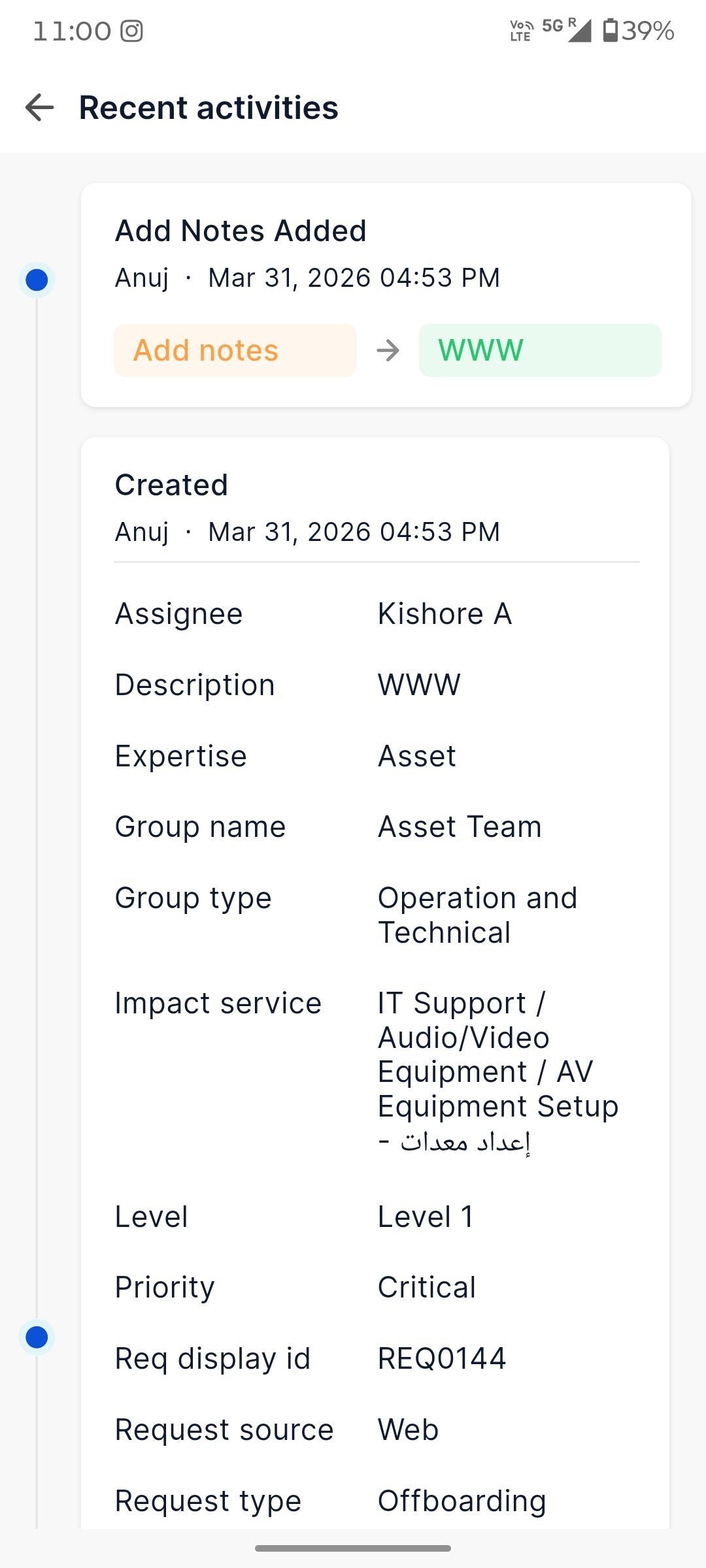
Android - Request Activities, More Details, Interaction
Added detailed request view with activities, interactions, and additional information.
Supports timeline-based activity tracking with expand/collapse behavior.
Handles empty, error, and loading states for a better user experience.
Asset
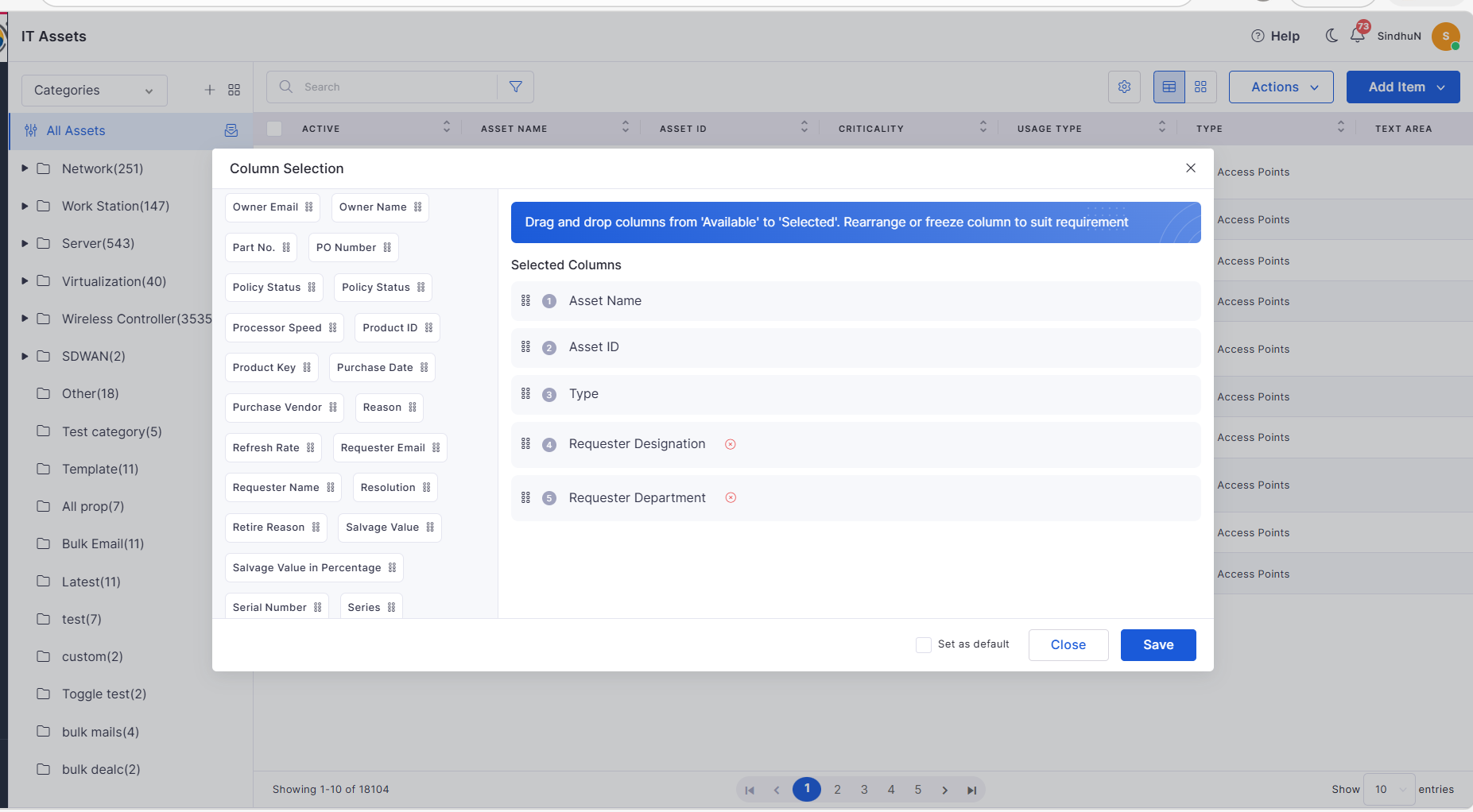
Requester Designation & Department in Asset Columns
Added Requester Designation and Department fields in column selection.
Enables better asset visibility and user context in grid view.
Marketplace
Azure AD User Sync
Introduced Azure AD integration for automated user synchronization.
Supports manual and scheduled sync (hourly, daily, weekly, monthly).
Provides export reports for users with failed sync.
Workflow
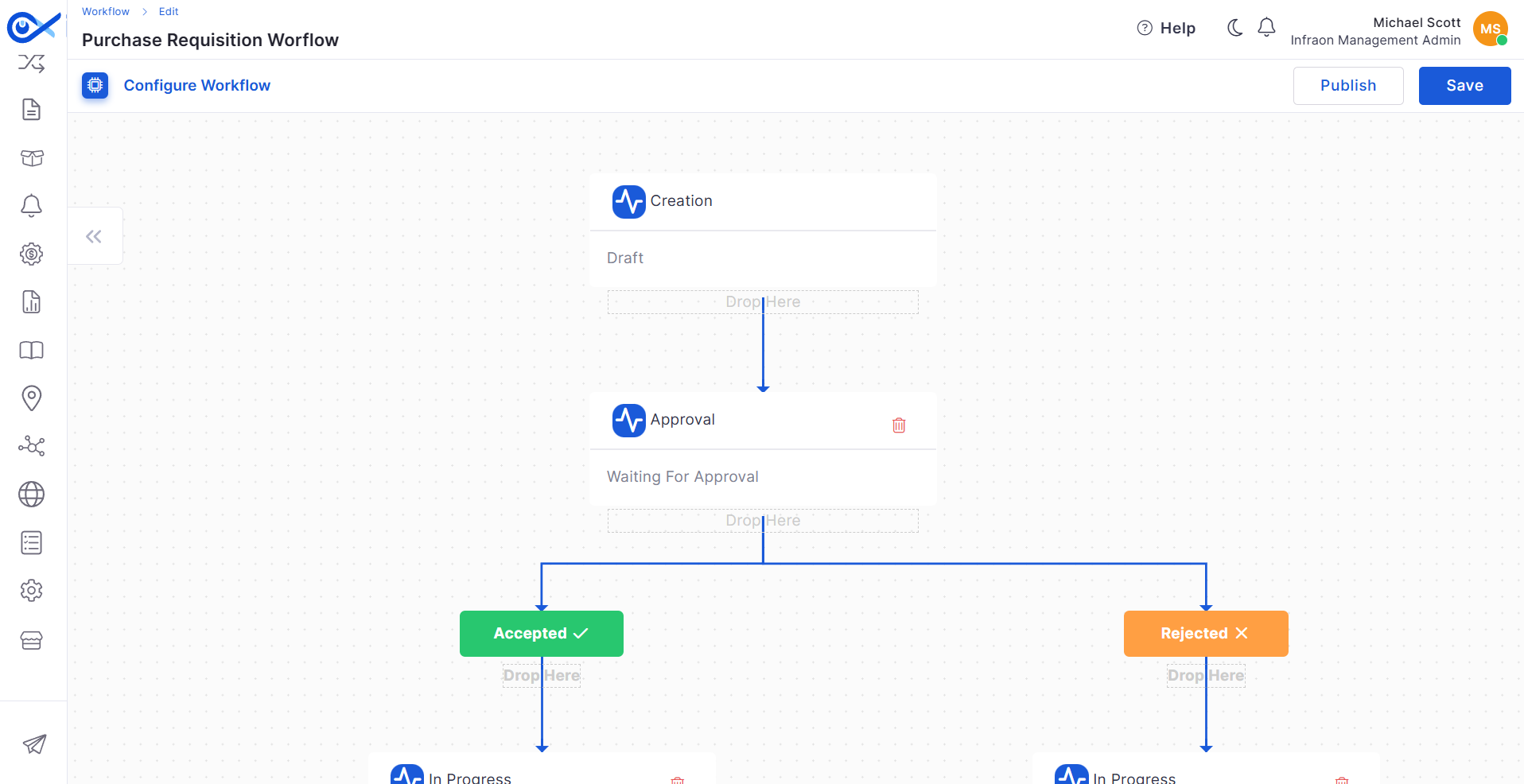
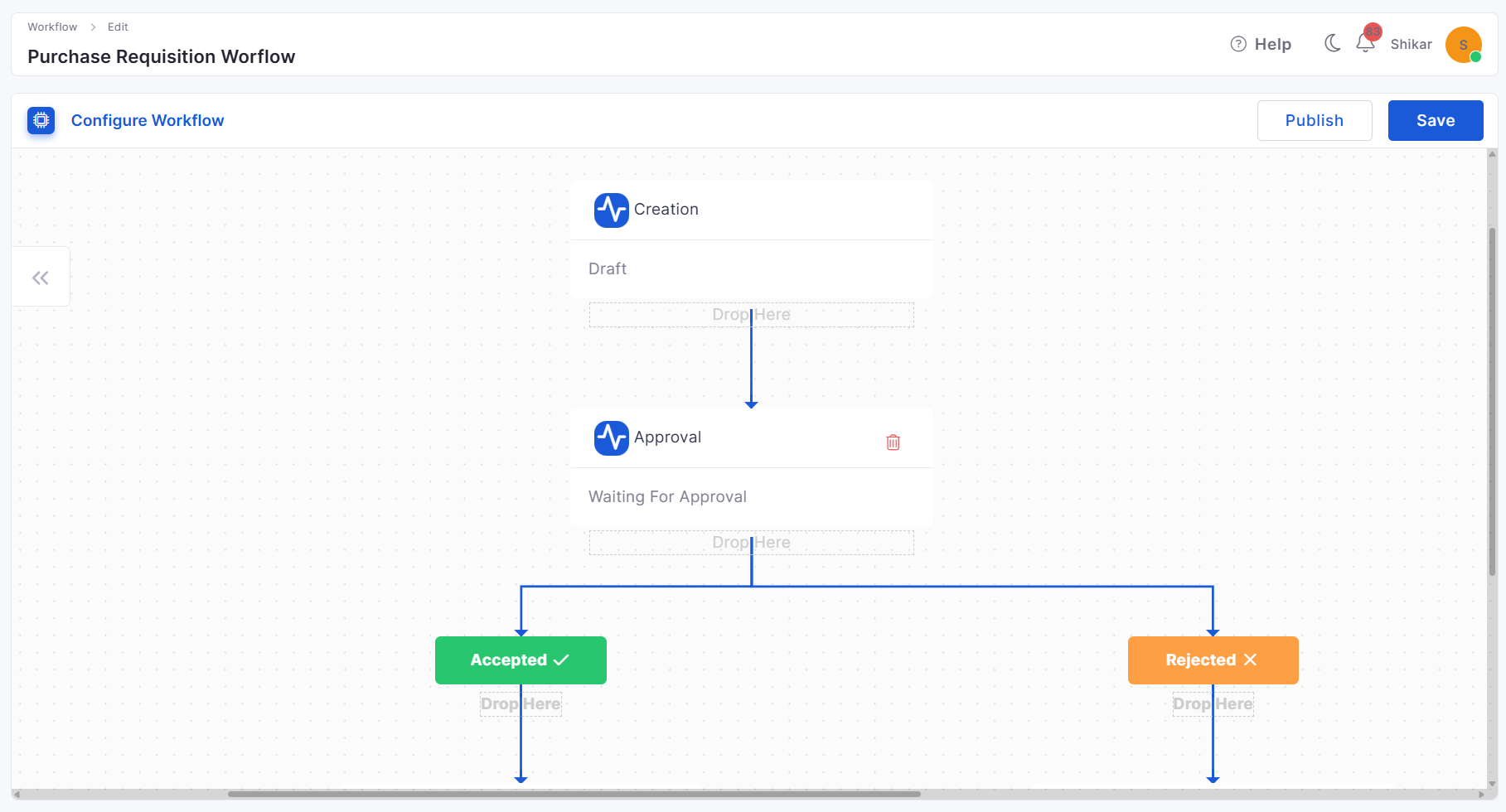
Default Workflow for Purchase Requisition (PR)
Added default workflow for PR with predefined statuses and transitions.
Supports customization of approval steps and workflow configuration.
Ensures structured lifecycle from draft to closure.
Purchase Order
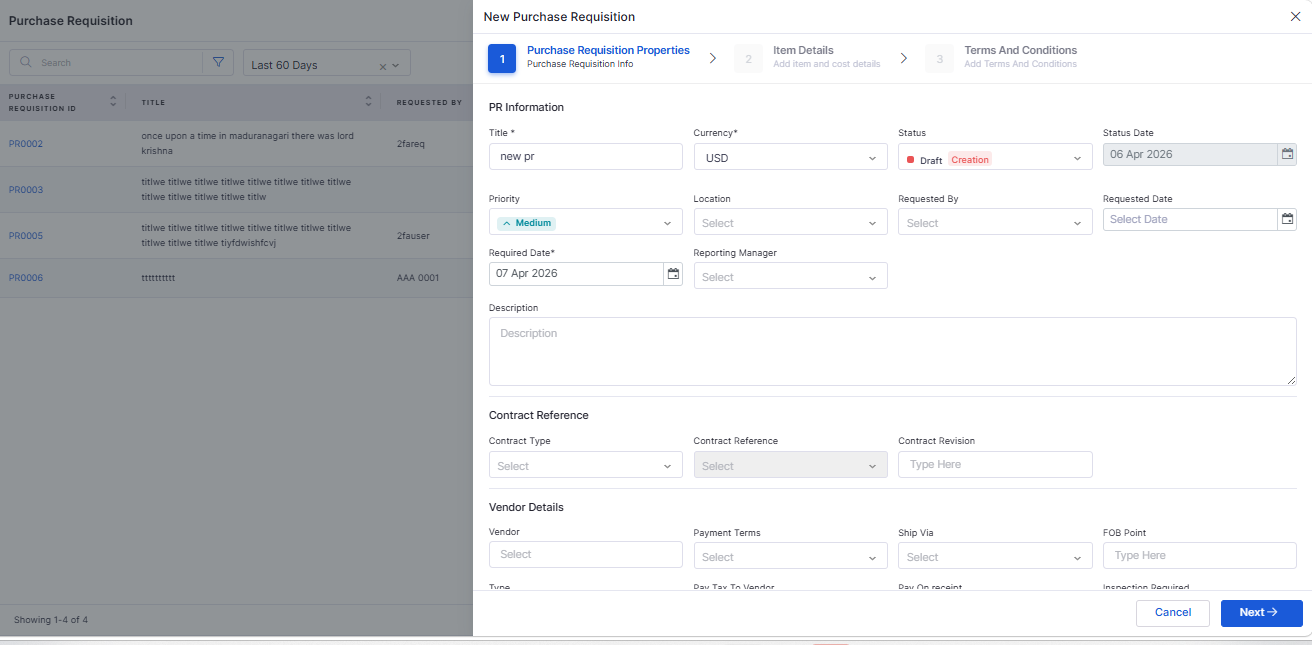
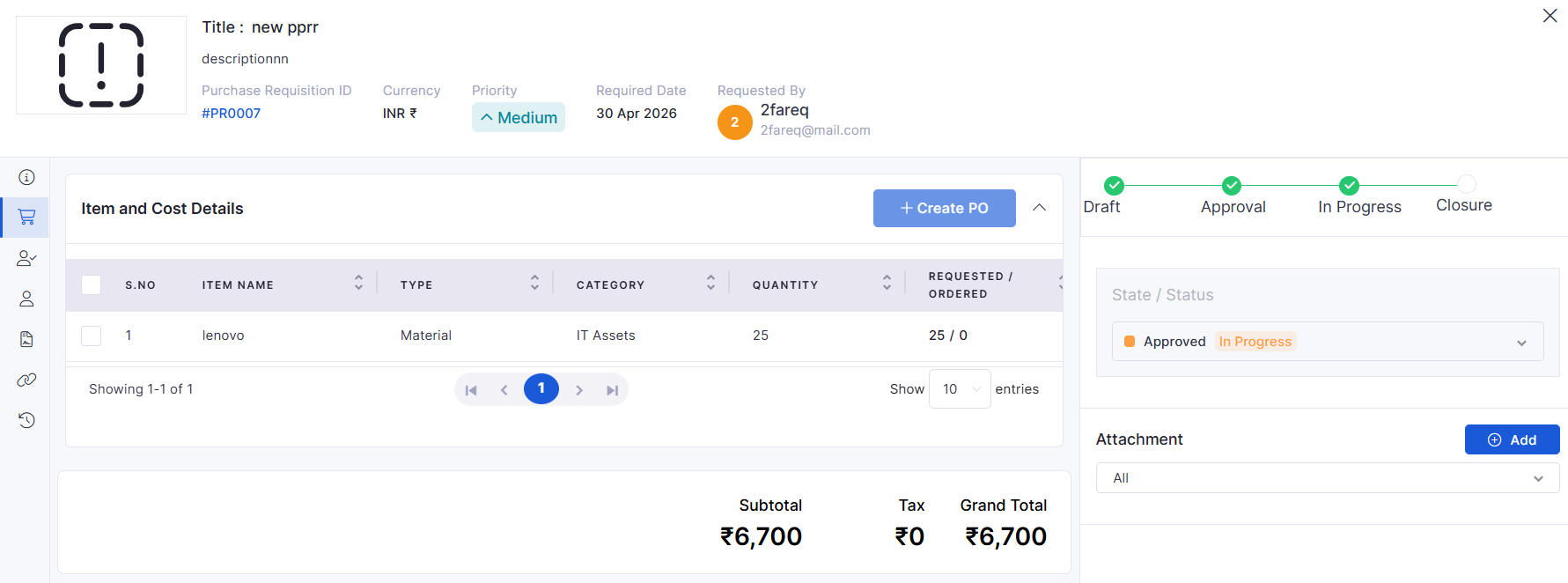
Purchase Requisition (PR) Creation
Introduced full PR lifecycle management (create, view, update, delete).
Includes validation, audit tracking, and grid-based listing.
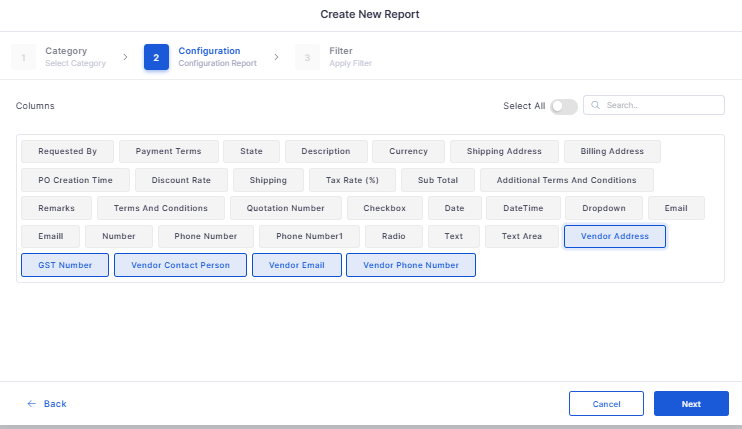
Vendor Details in PO Report
Improved PO reports to include vendor-related details.
Ensures better reporting and procurement visibility.
Dashboard
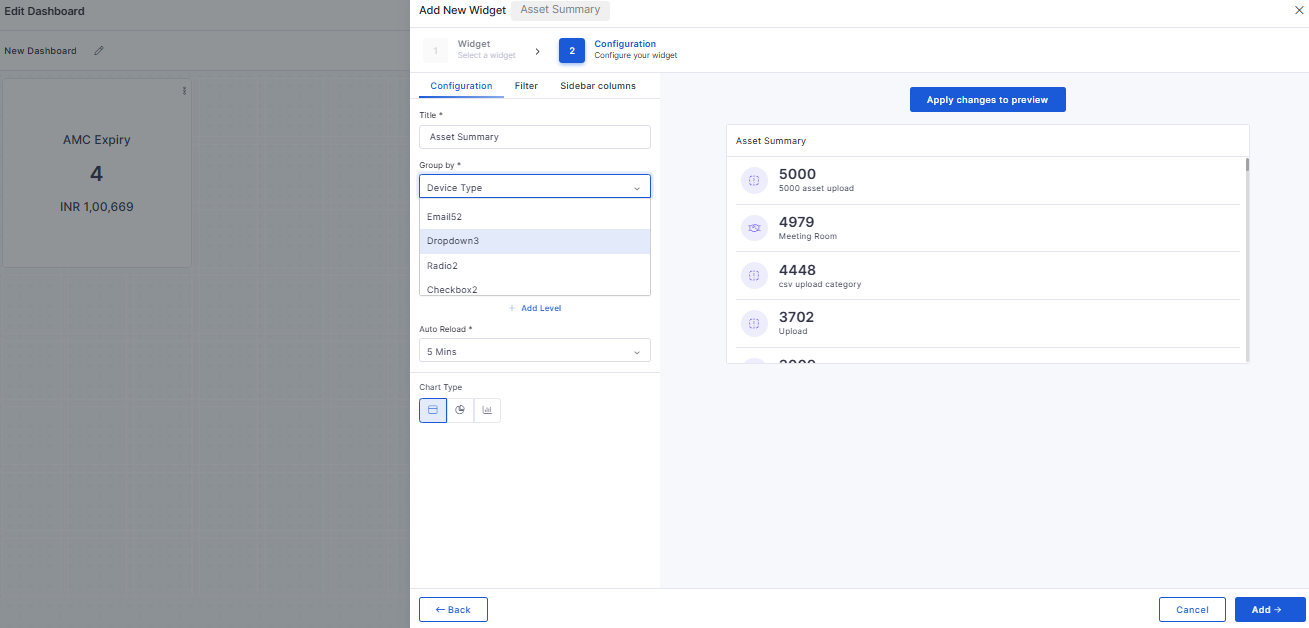
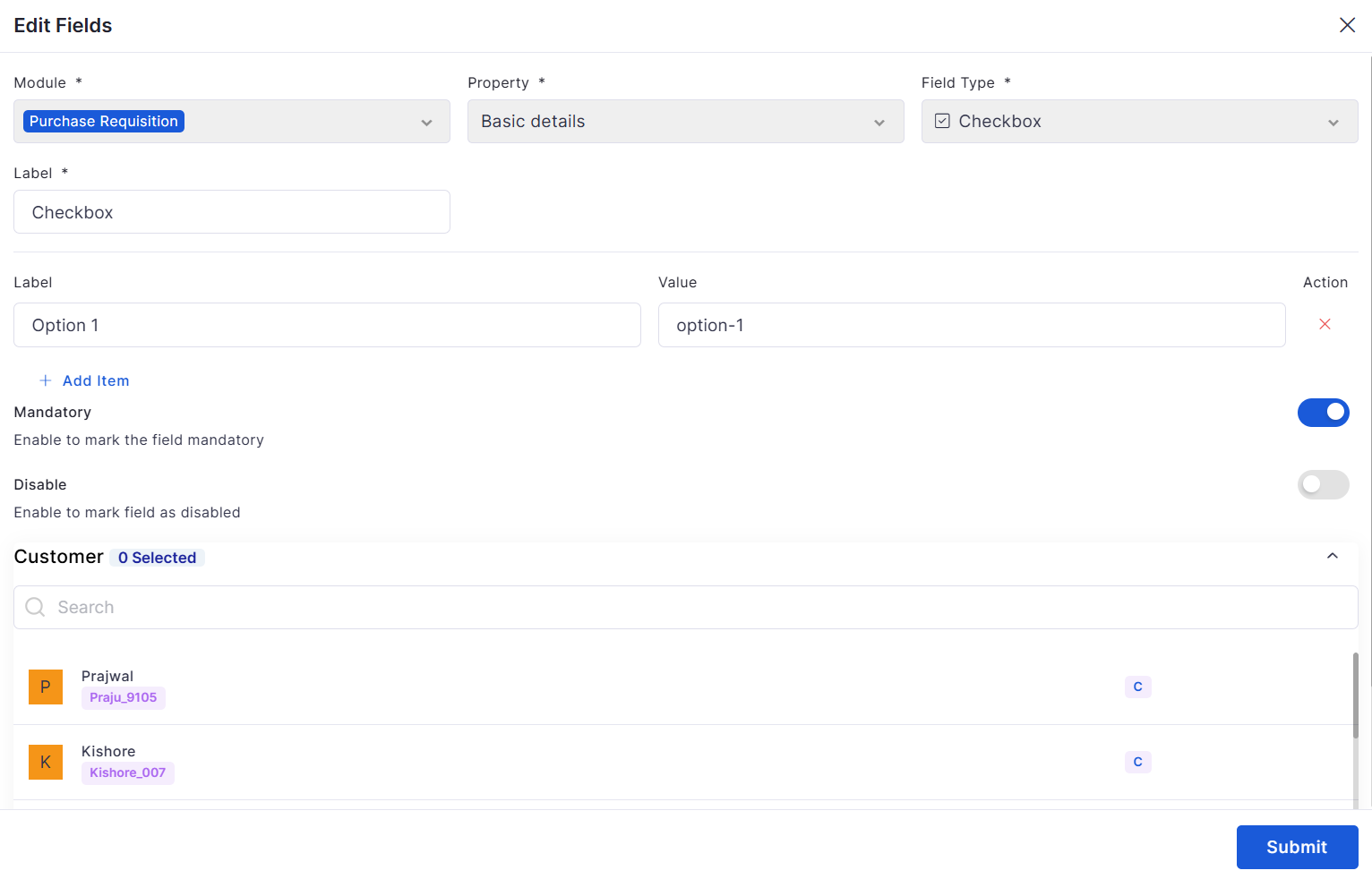
Custom Fields in Group By
Enabled custom fields in Group By for Ticket and Request widgets.
Supports drop-down, checkbox, and radio-type custom fields.
Allows dynamic grouping based on the selected module.
Inventory Agents
Agent Node Enhancement
Improved agent registration and duplicate handling.
Enhanced validation using primary and secondary passkeys.
Optimized performance with indexing and improved logging.
Cost Center
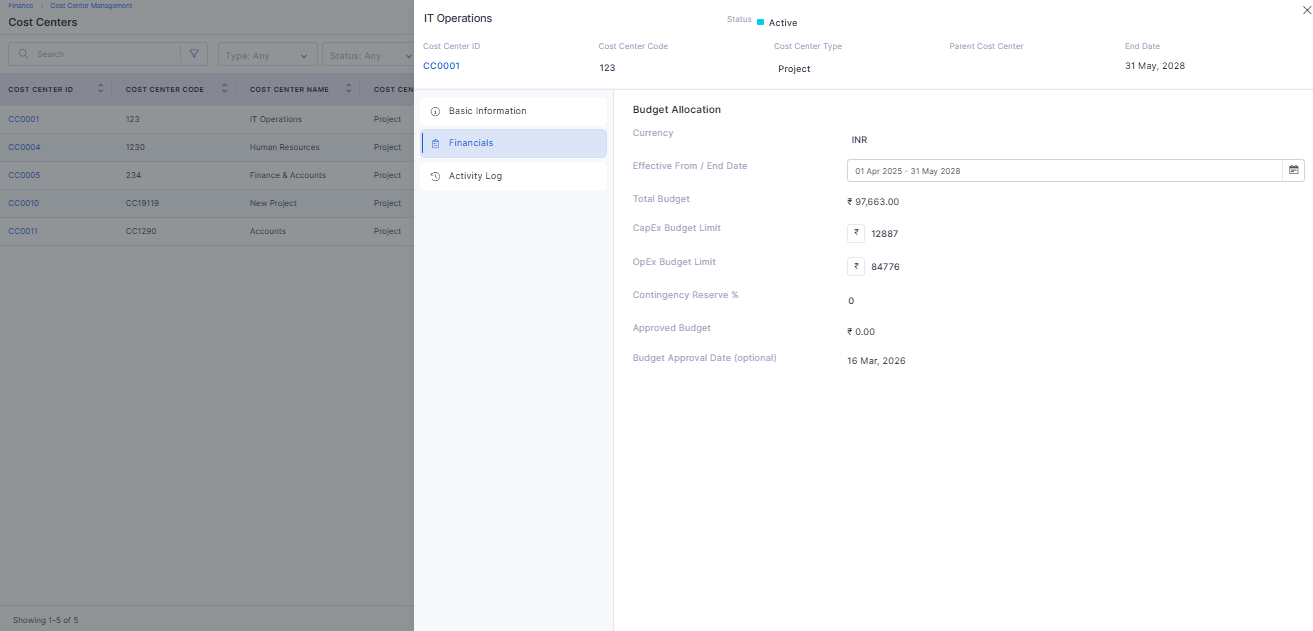
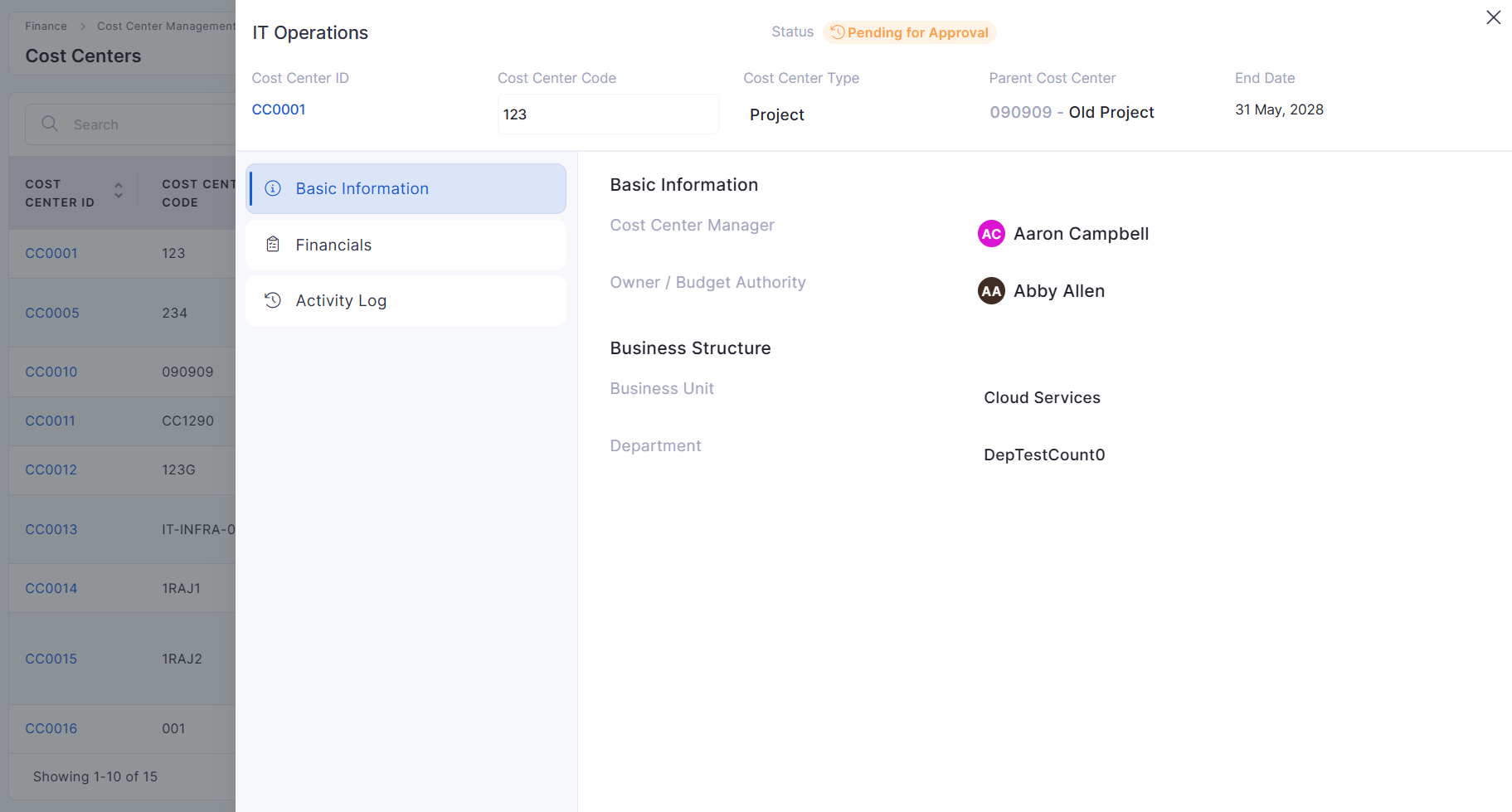
Cost Center View / Edit
Introduced slide-out panel with inline editing and auto-save.
Includes tabs for Basic Info, Financials, and Activity Logs.
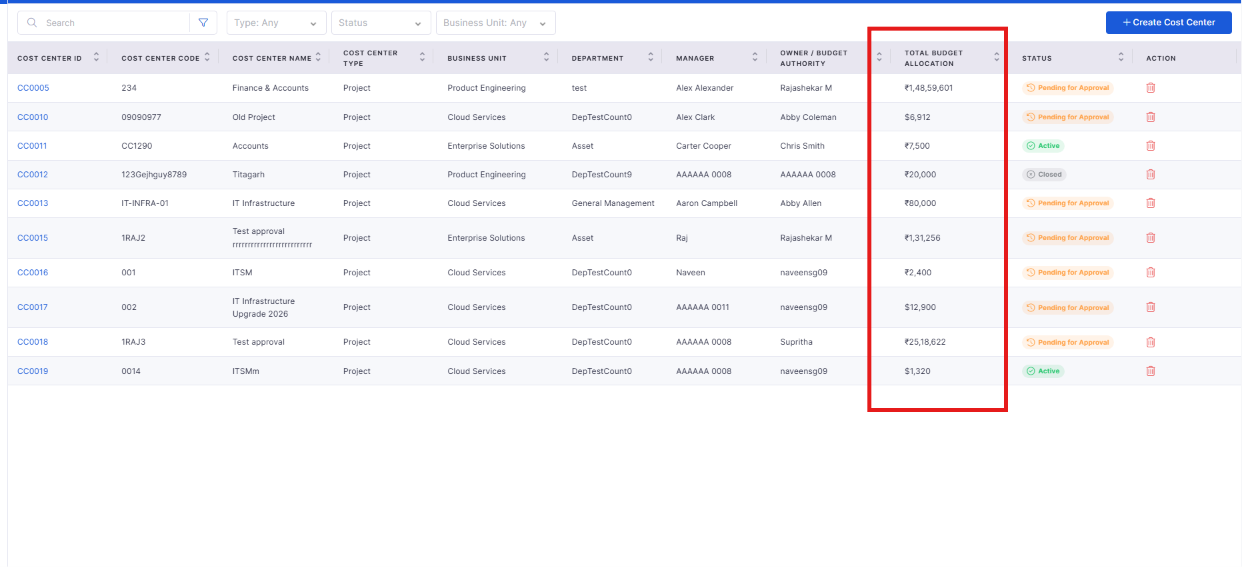
Cost Center Search & Filter
Added search and advanced filtering in the Cost Center grid.
Supports combined filters with pagination and reset options.
Project Management
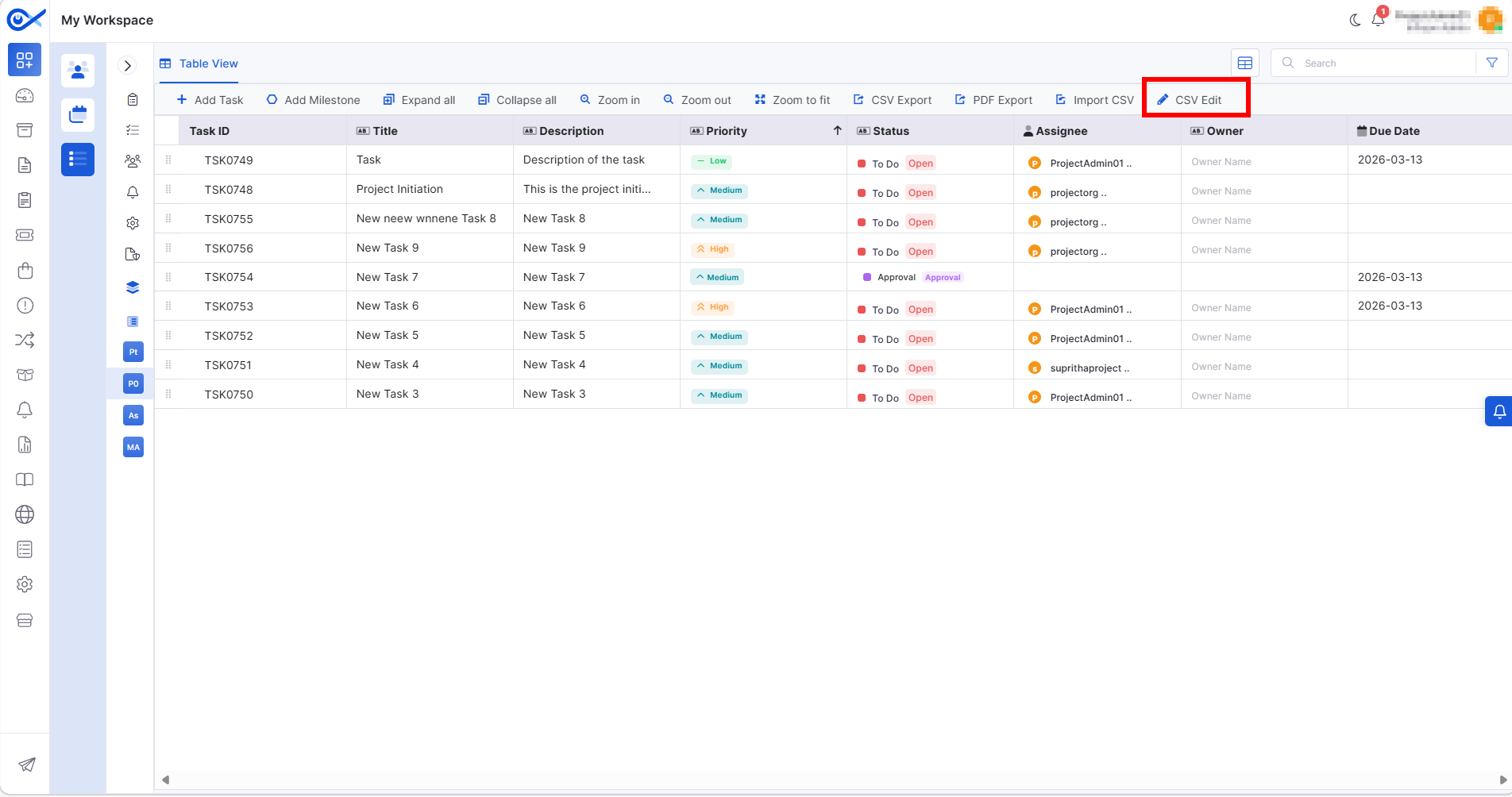
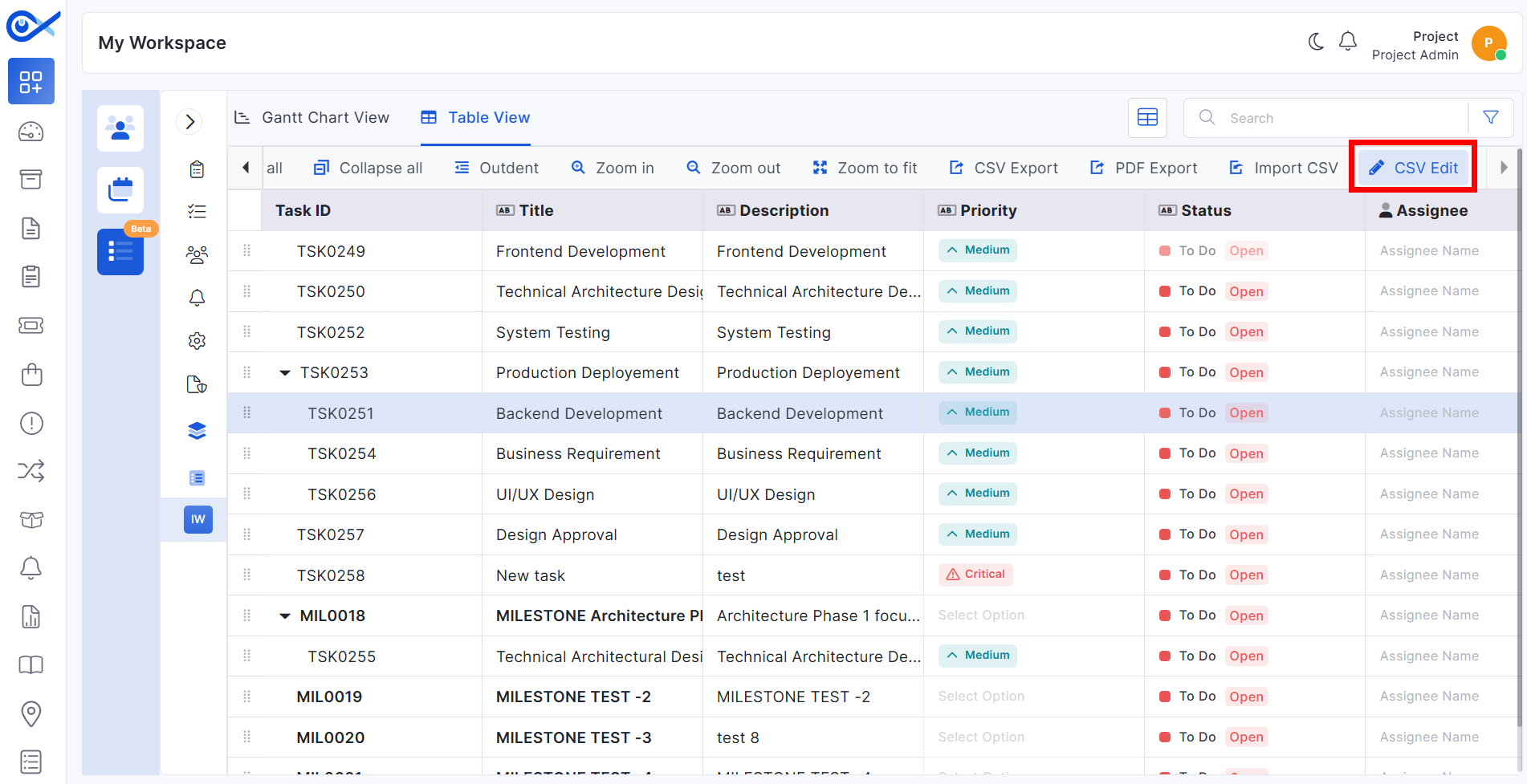
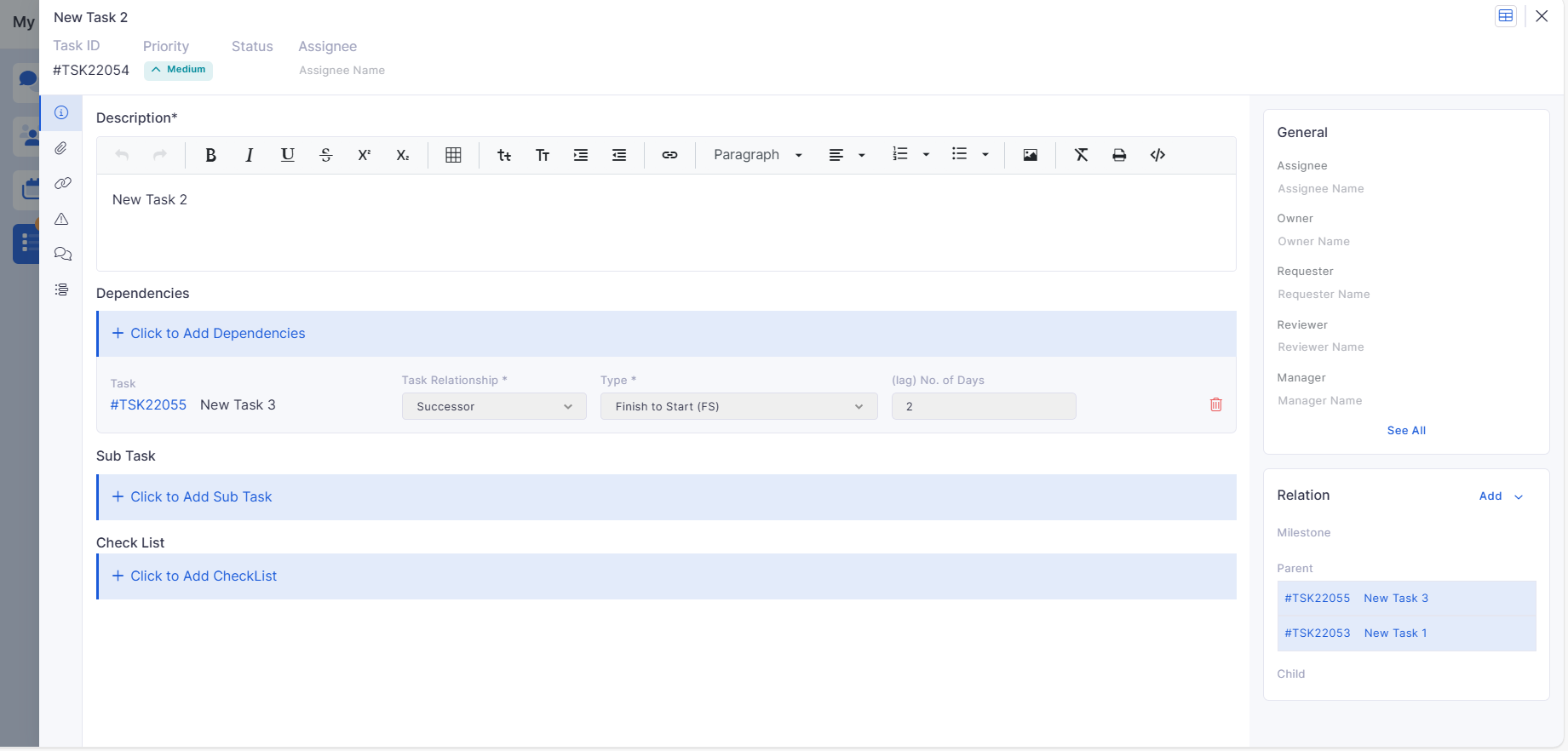
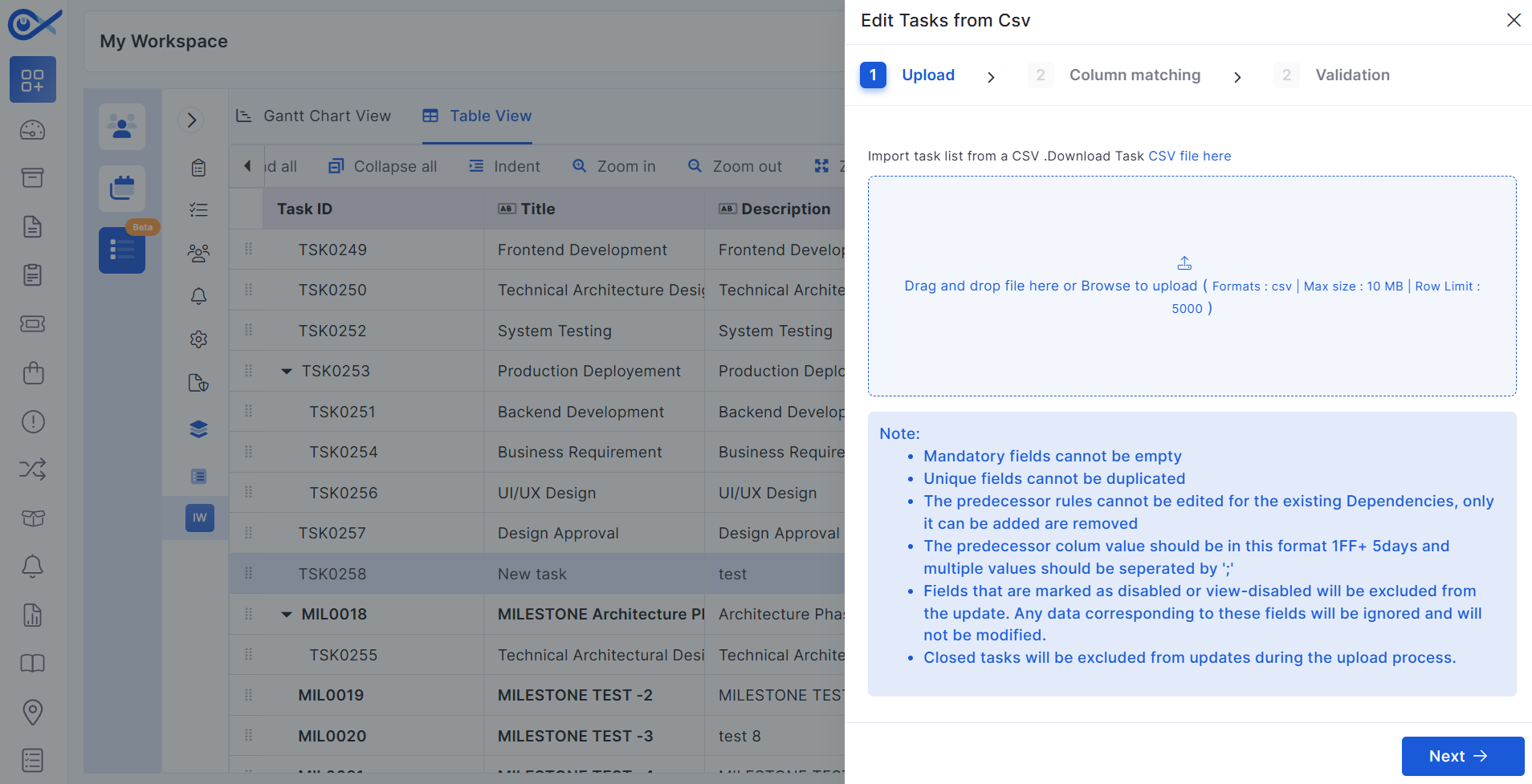
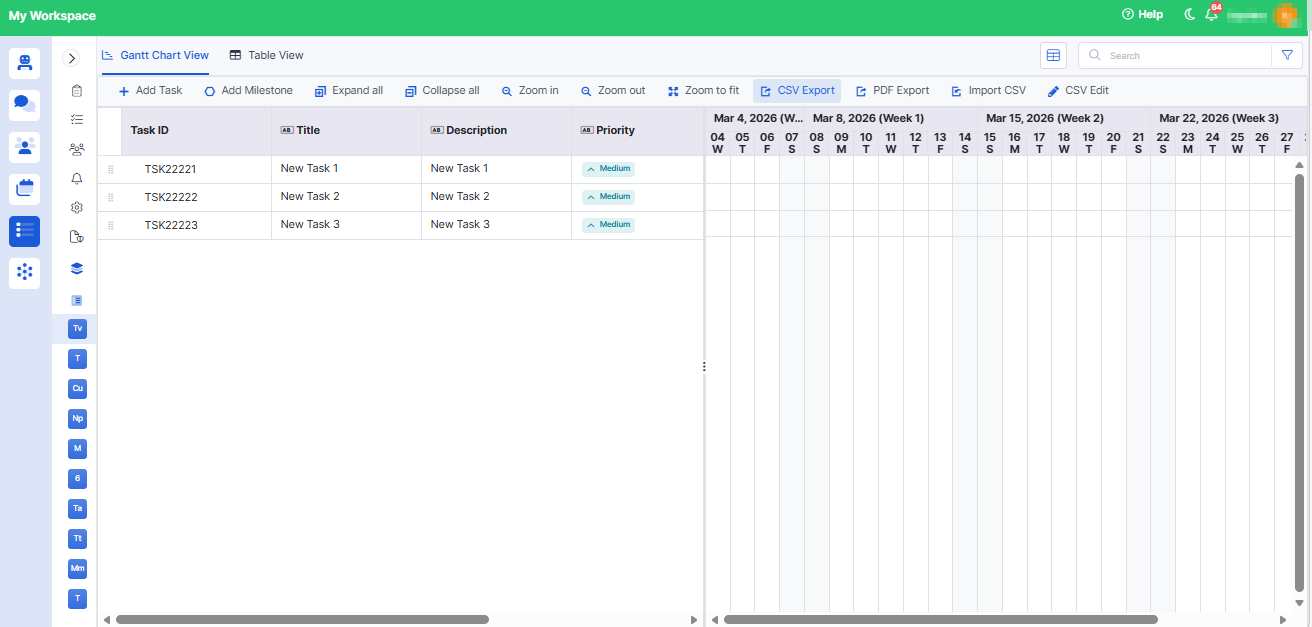
Predecessor & Successor via CSV Edit
Added support to define task dependencies through CSV updates.
Enables bulk updates for task relationships.
Includes validation of dependency formats and error handling.
Incident
Agentic AI Feature Settings
Introduced configurable settings for AI agent behavior.
Supports bot visibility, human handover, and internet search control.
Settings are persistent and configurable by admins.
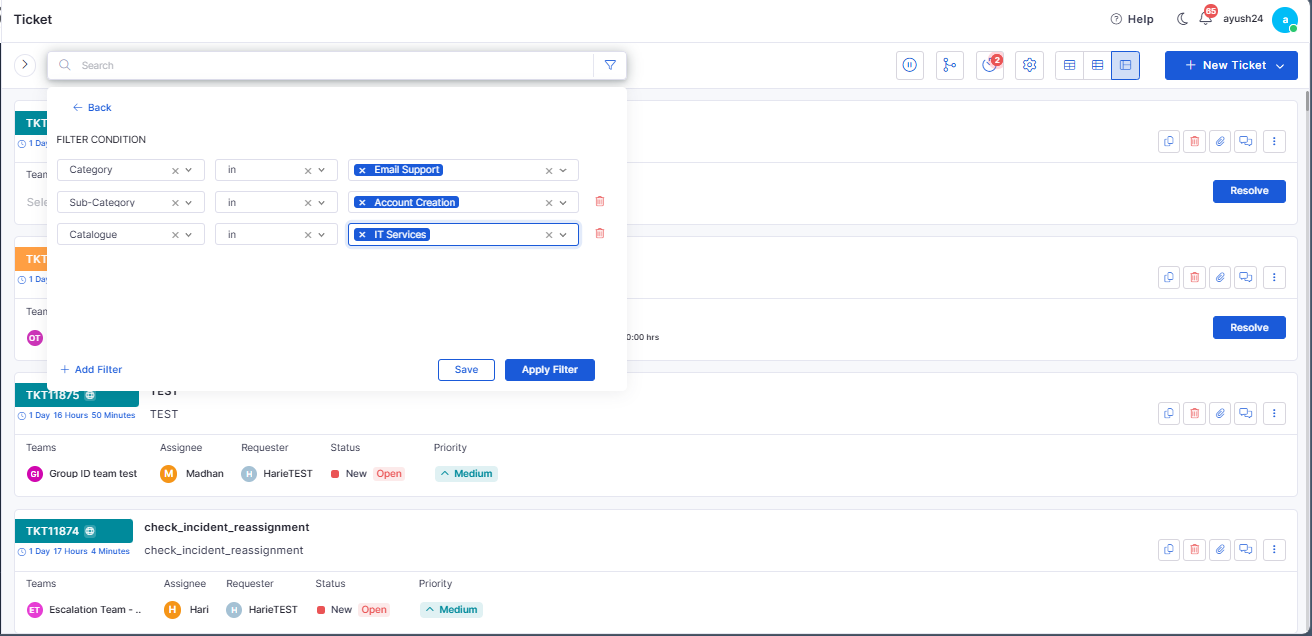
Category & Subcategory Filters
Added filtering in the incident grid using category and subcategory.
Enables refined incident search and analysis.
Report
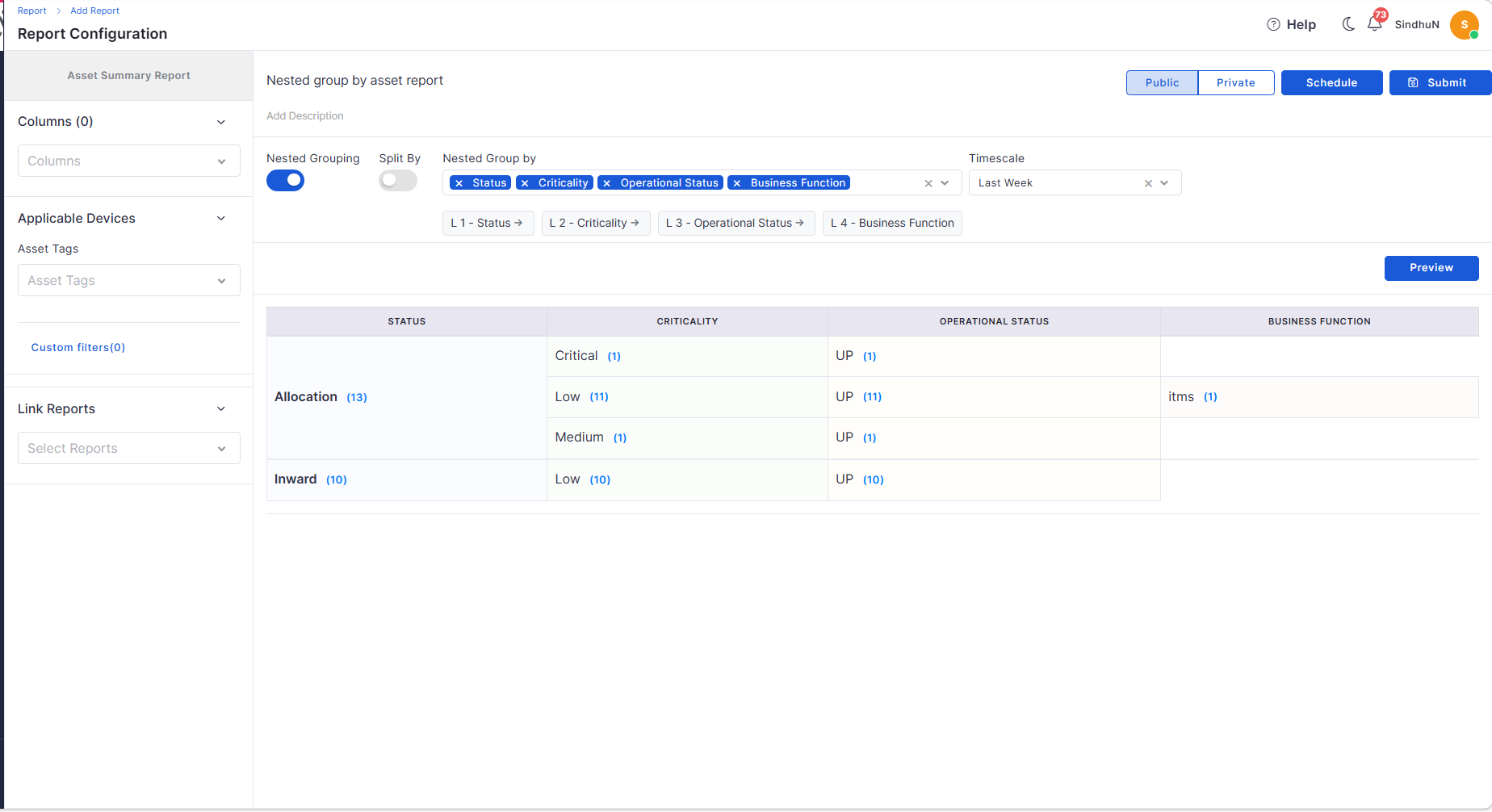
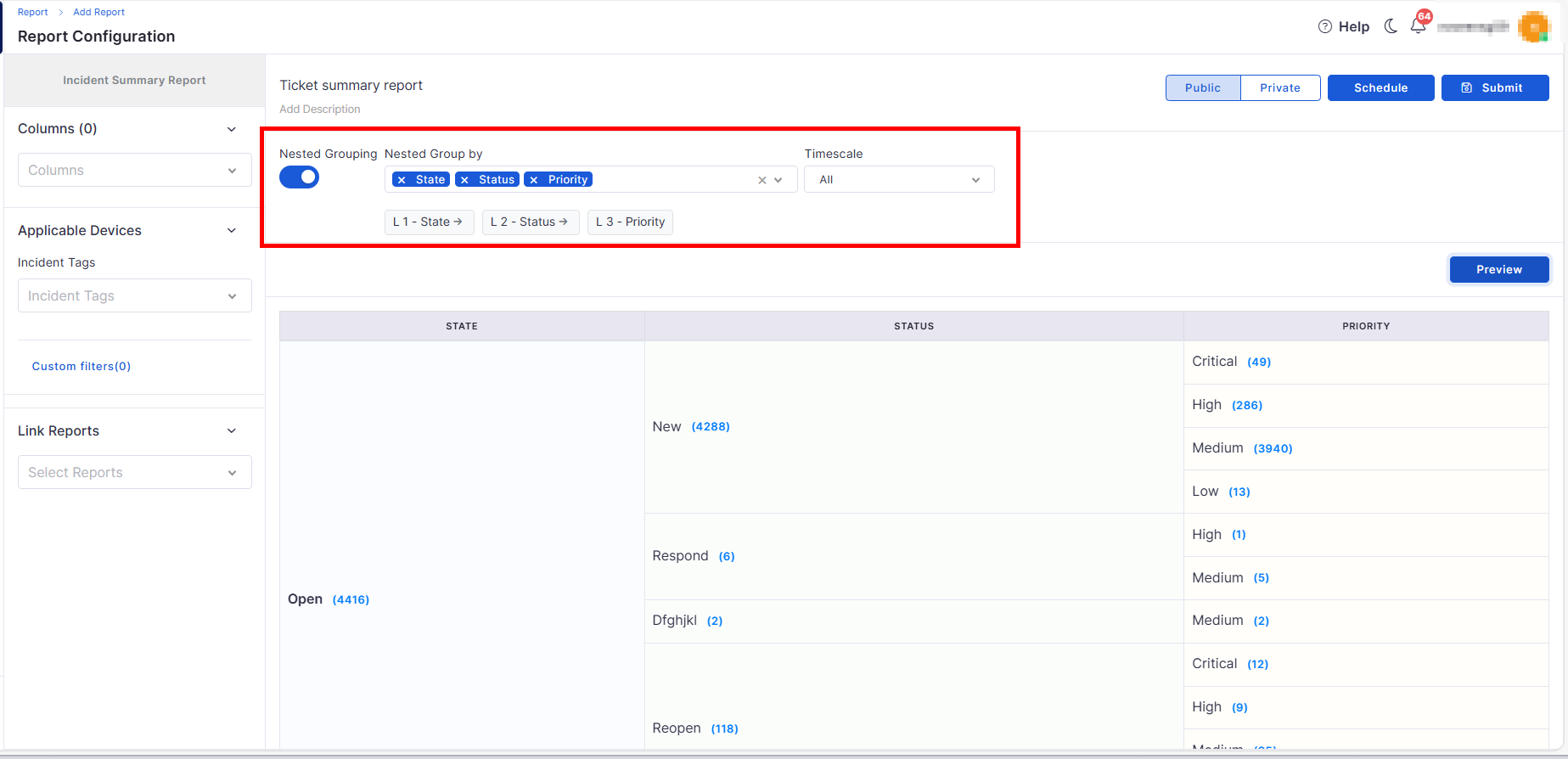
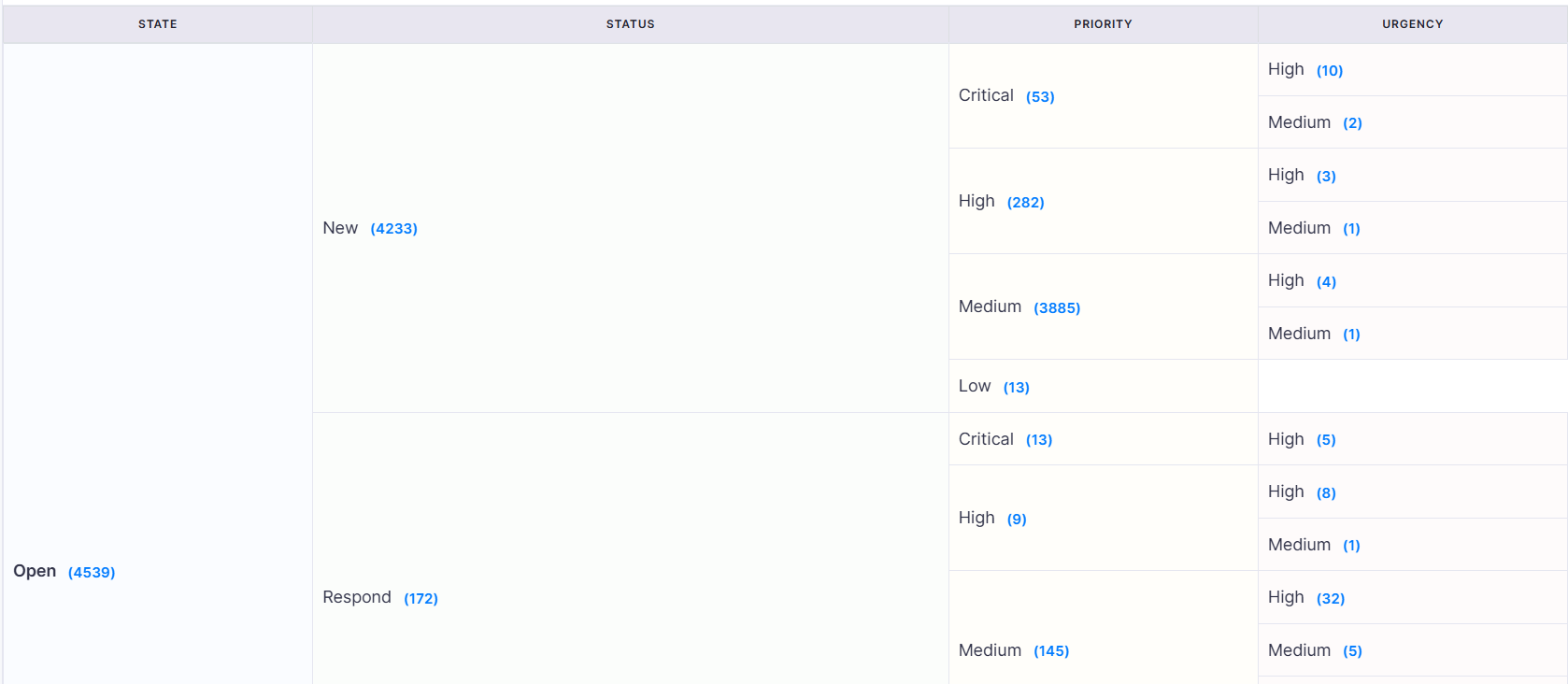
Nested Group By in Asset Summary
Supports up to 4 levels of hierarchical grouping.
Enables detailed drill-down analysis in reports.
Asset Summary Split View
Introduced the Split By option for detailed asset breakdown.
Maintains consistency across preview, view, and export.
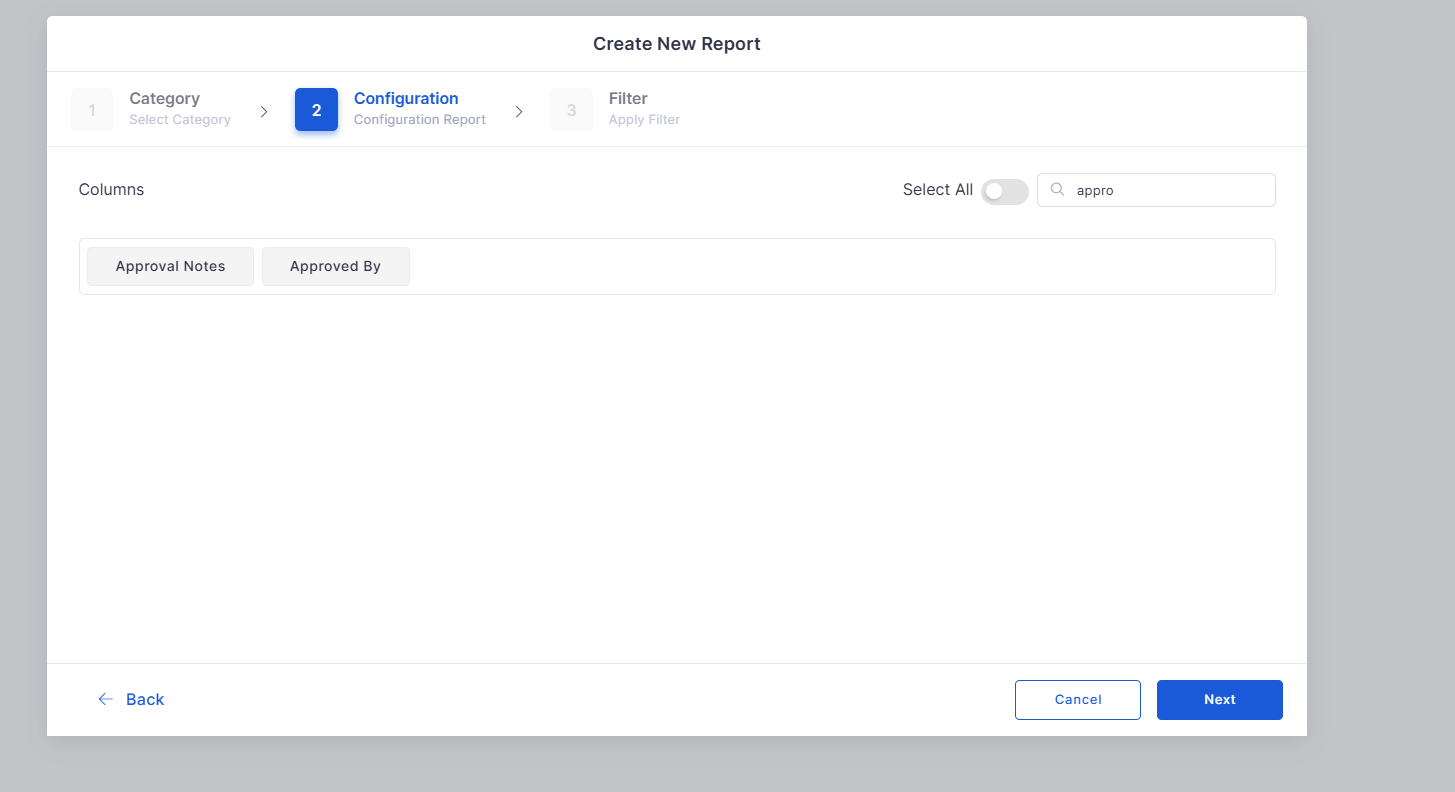
Approval Columns in Reports
Added “Approved By” and “Approval Comment” columns.
Enhances visibility of approval data in reports.
Customer Satisfaction
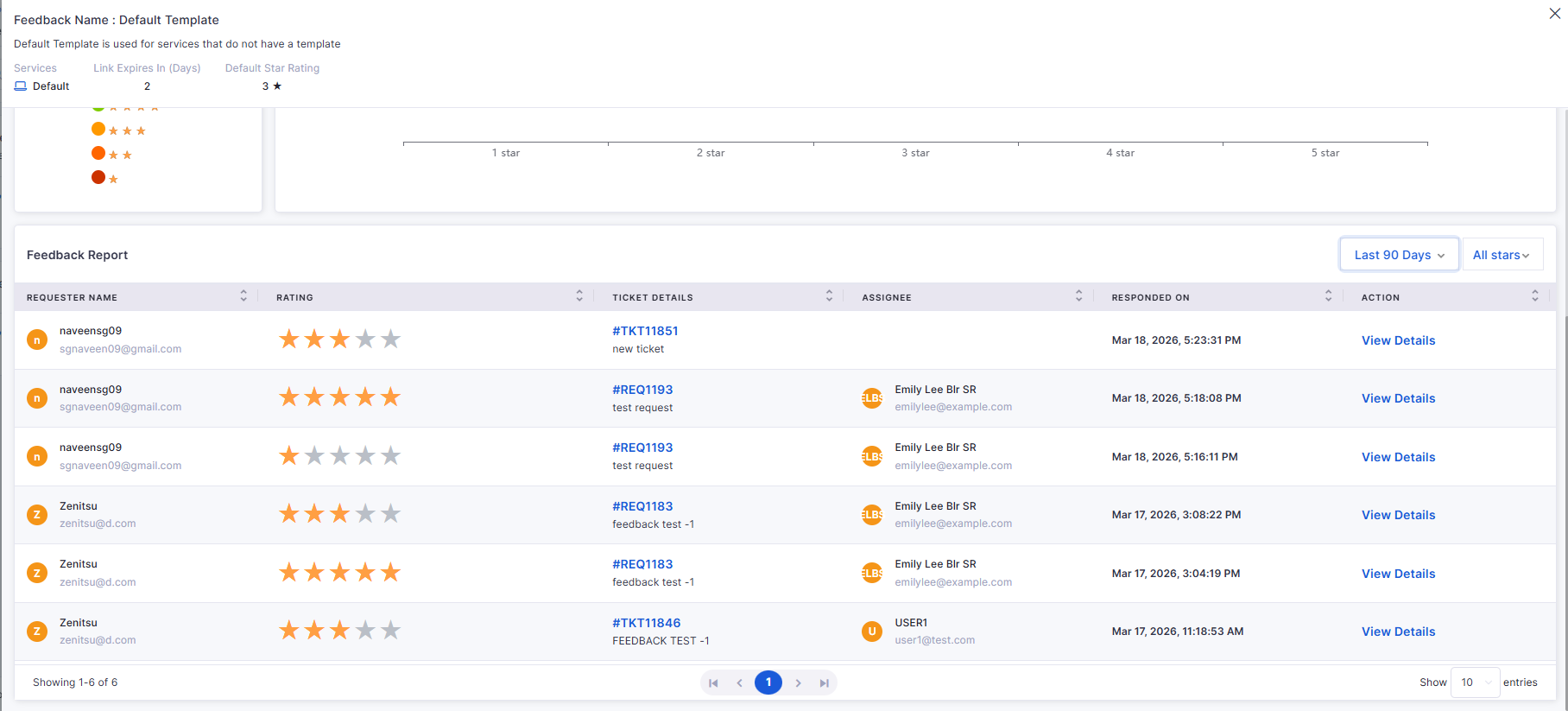
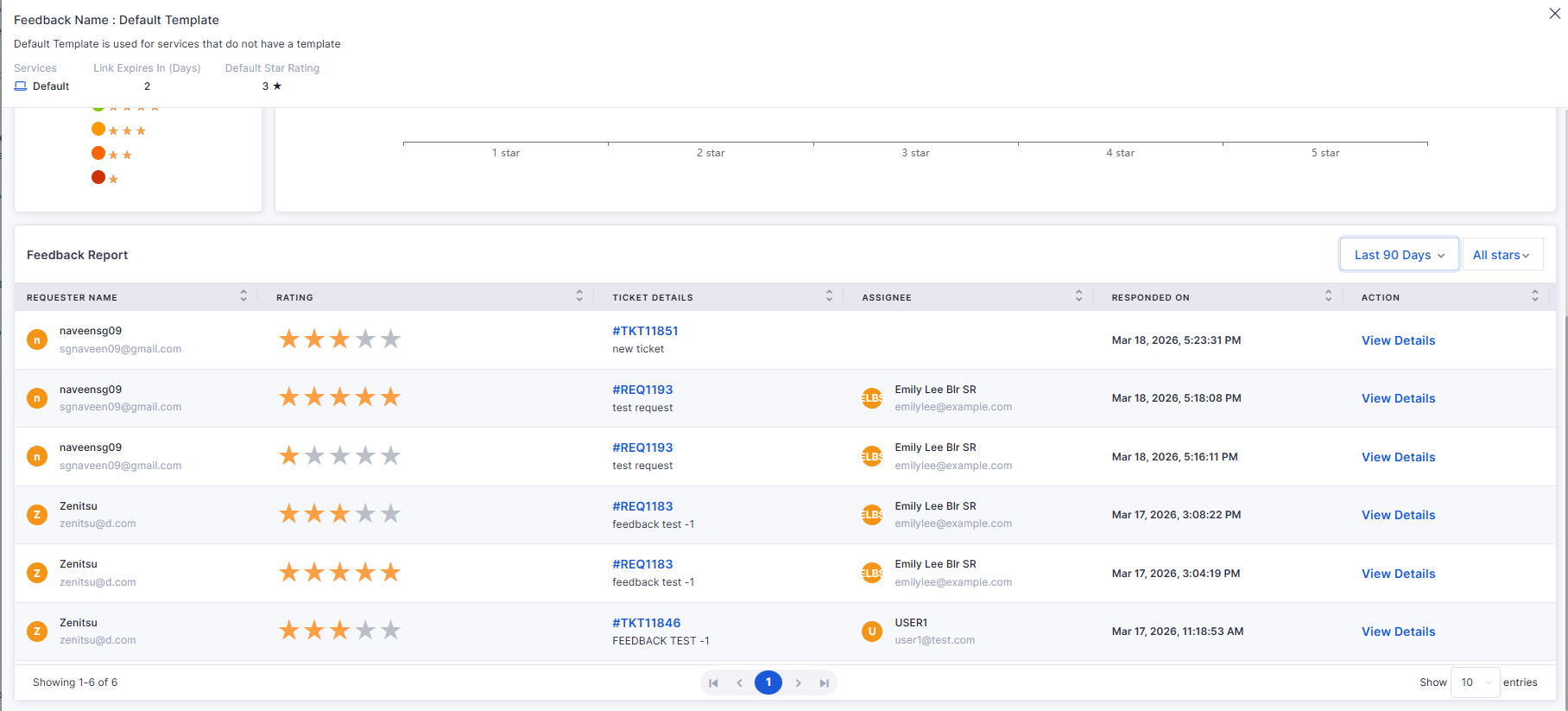
CSAT for Request Process
Enabled feedback collection for resolved/closed requests.
Sends feedback links via email to requesters.
Supports CSAT tracking across the Request module.
AIOps
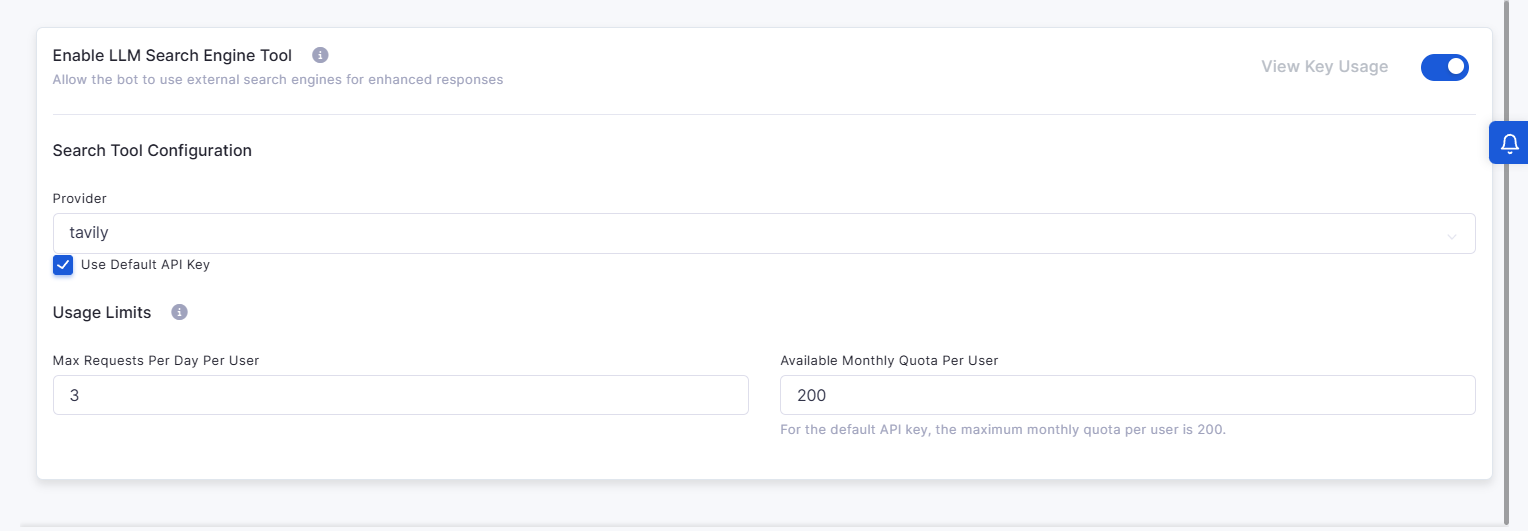
AI Bot Internet Search Engine
Added LLM-based internet search capability for the AI bot.
Provides external solutions with reference links.
Includes usage limits, quotas, and admin configuration.
Self Service Portal
Redirect to SSP from Technician Portal
Added option to switch between Technician and Self-Service Portal.
Maintains session without re-login.
Ensures role-based access control during switching.
Bugs Fixed
Improved synchronization and workflow handling.
Minor fixes across reports, dashboards, and integrations.
Overview
Key Updates
Dashboard
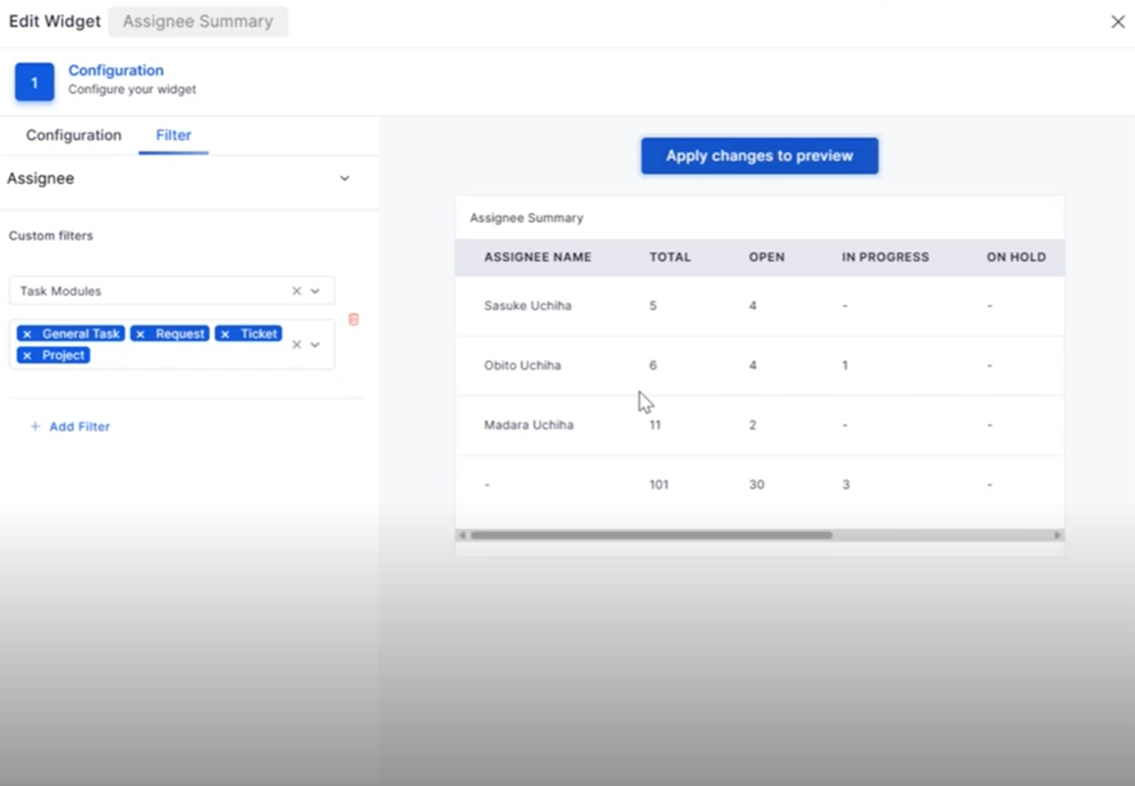
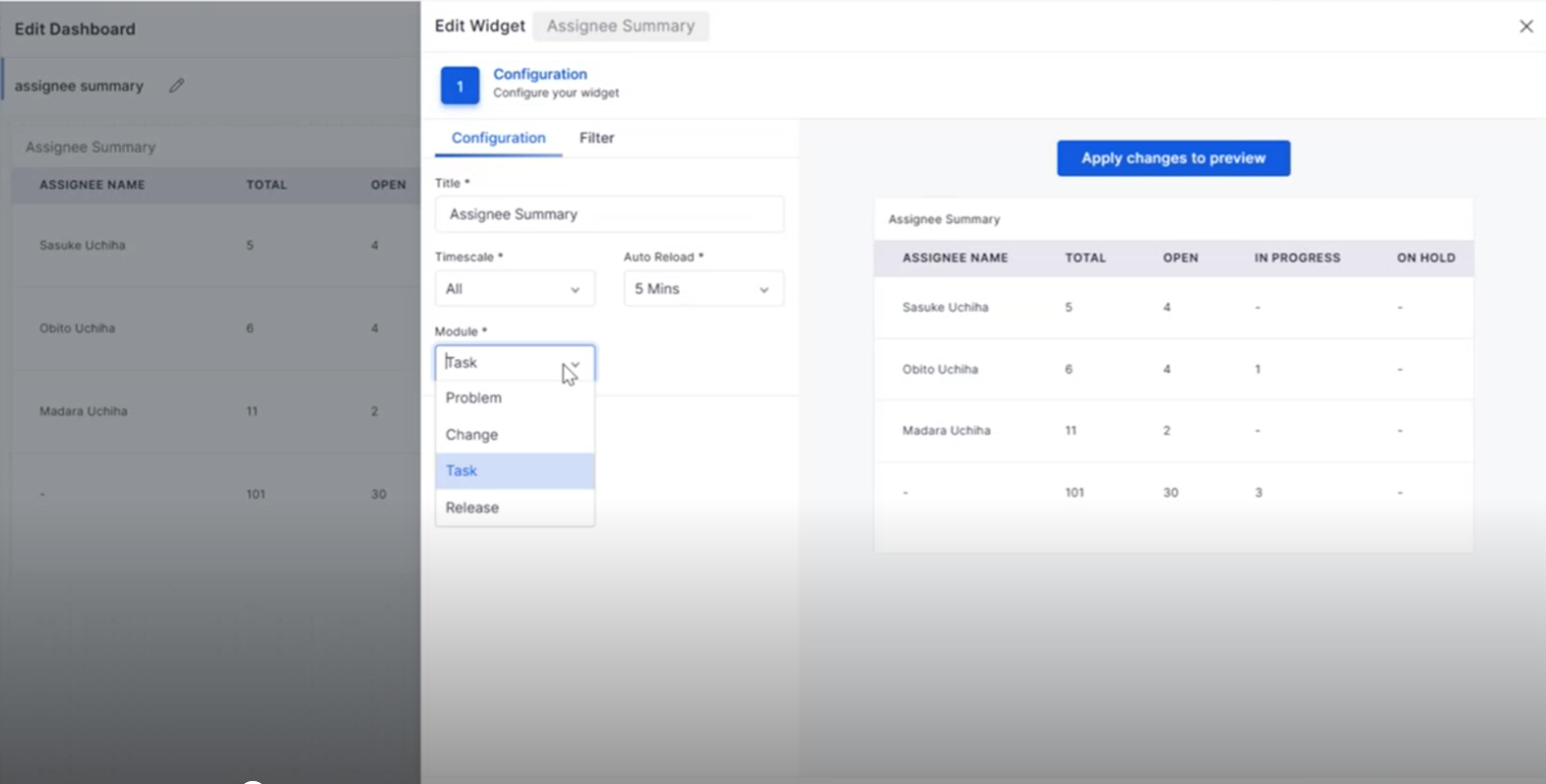
Assignee Summary: Task Module Integration
The Assignee Summary widget now includes Task Management, providing better visibility into task assignments and workload distribution.
View task assignments directly from the dashboard.
Filter tasks based on workflow status and assignee.
Drill down into task details from widget counts.
Improve workload monitoring across teams.
Purchase Requisition
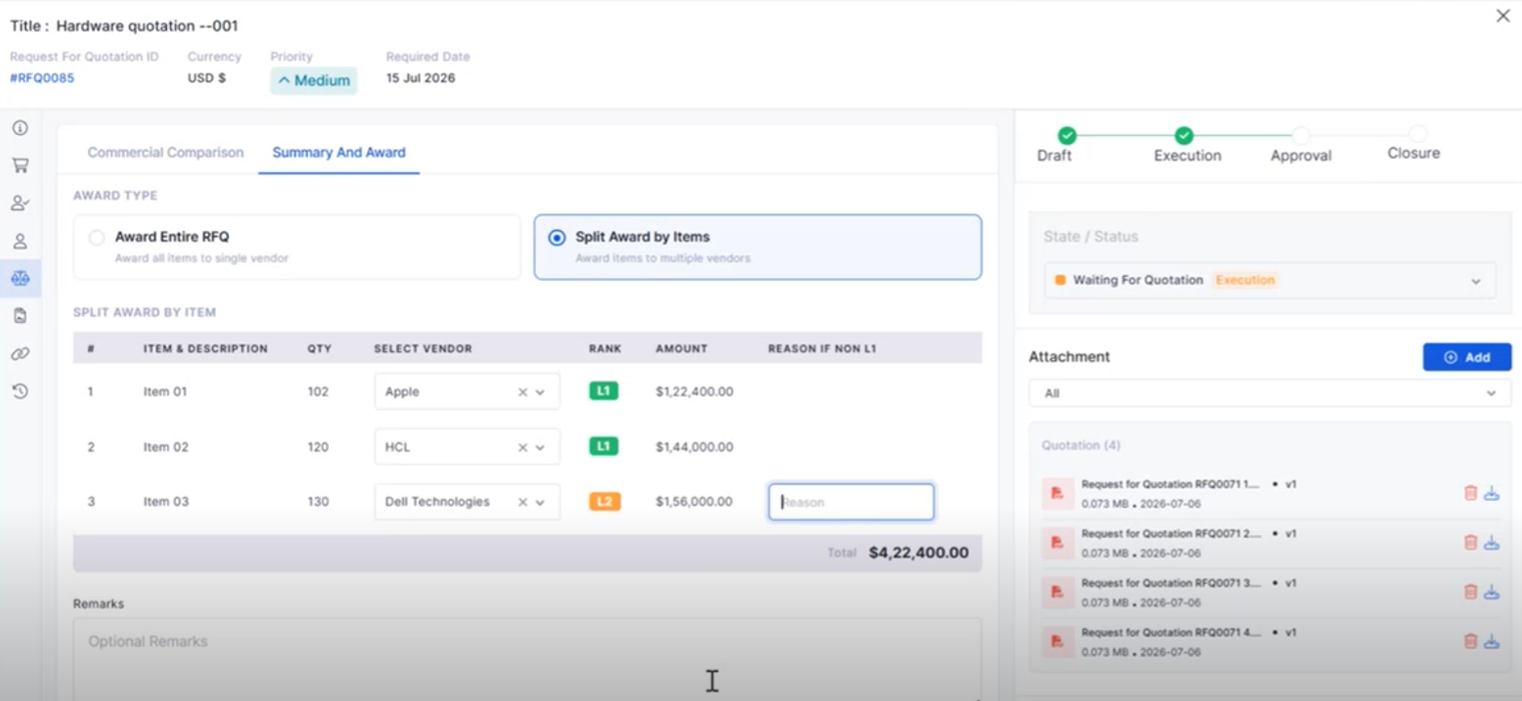
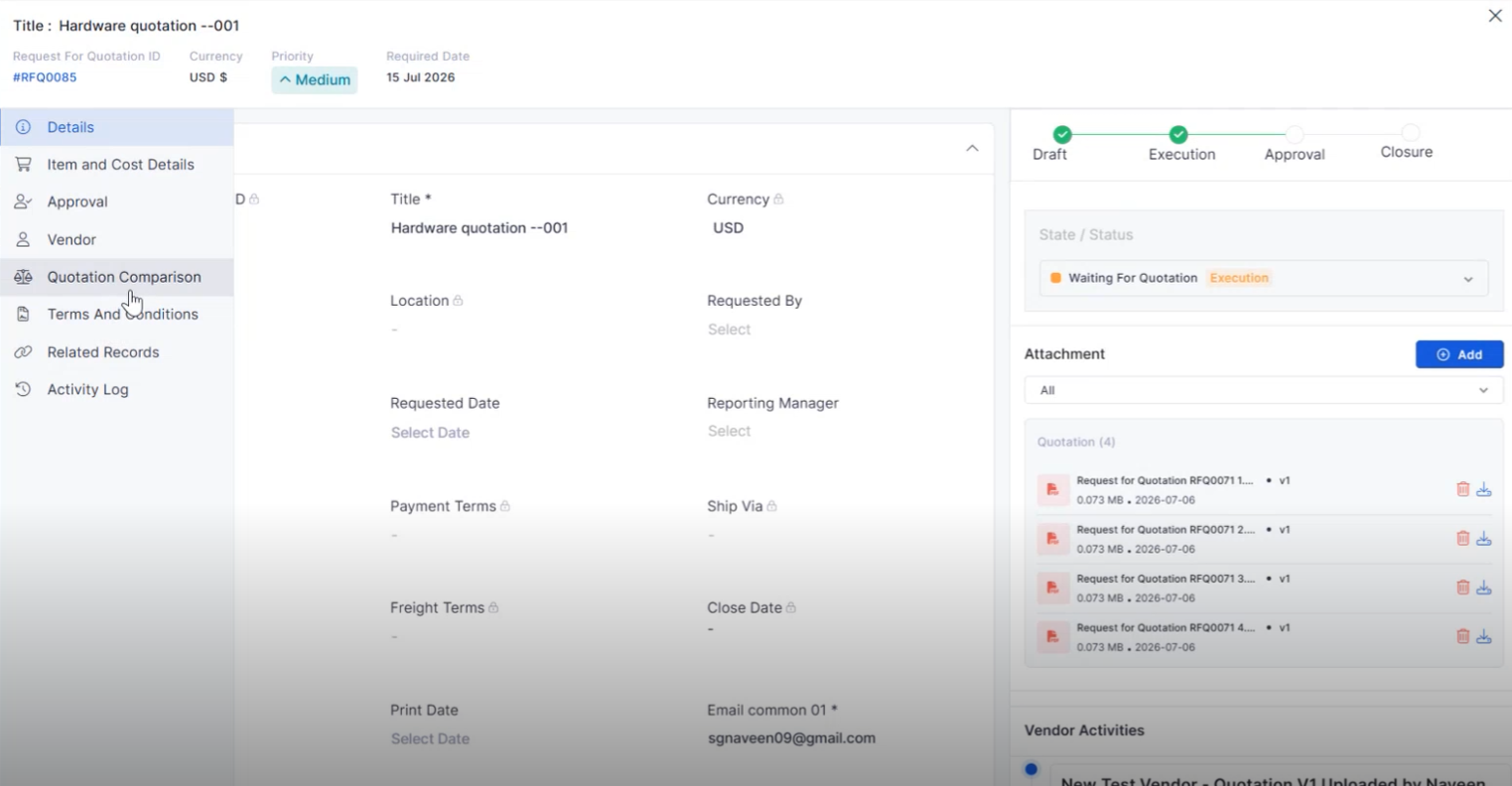
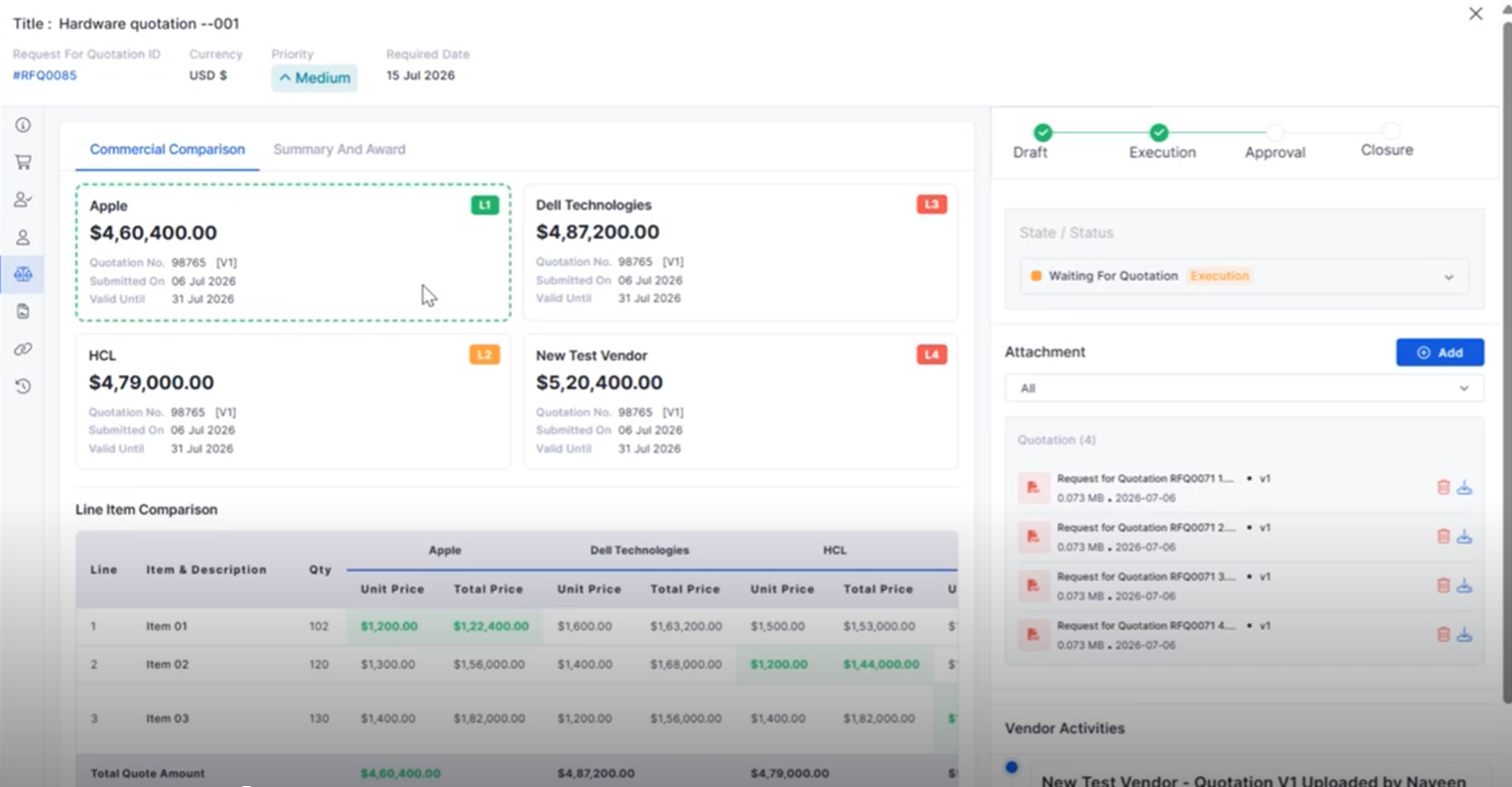
RFQ Vendor Quotation Comparison
Compare vendor quotations from a single interface to simplify procurement decisions.
View quotations from multiple vendors side by side.
Compare pricing and procurement details efficiently.
Simplify vendor evaluation before creating a Purchase Order.
Improve procurement decision-making.
Business Rule
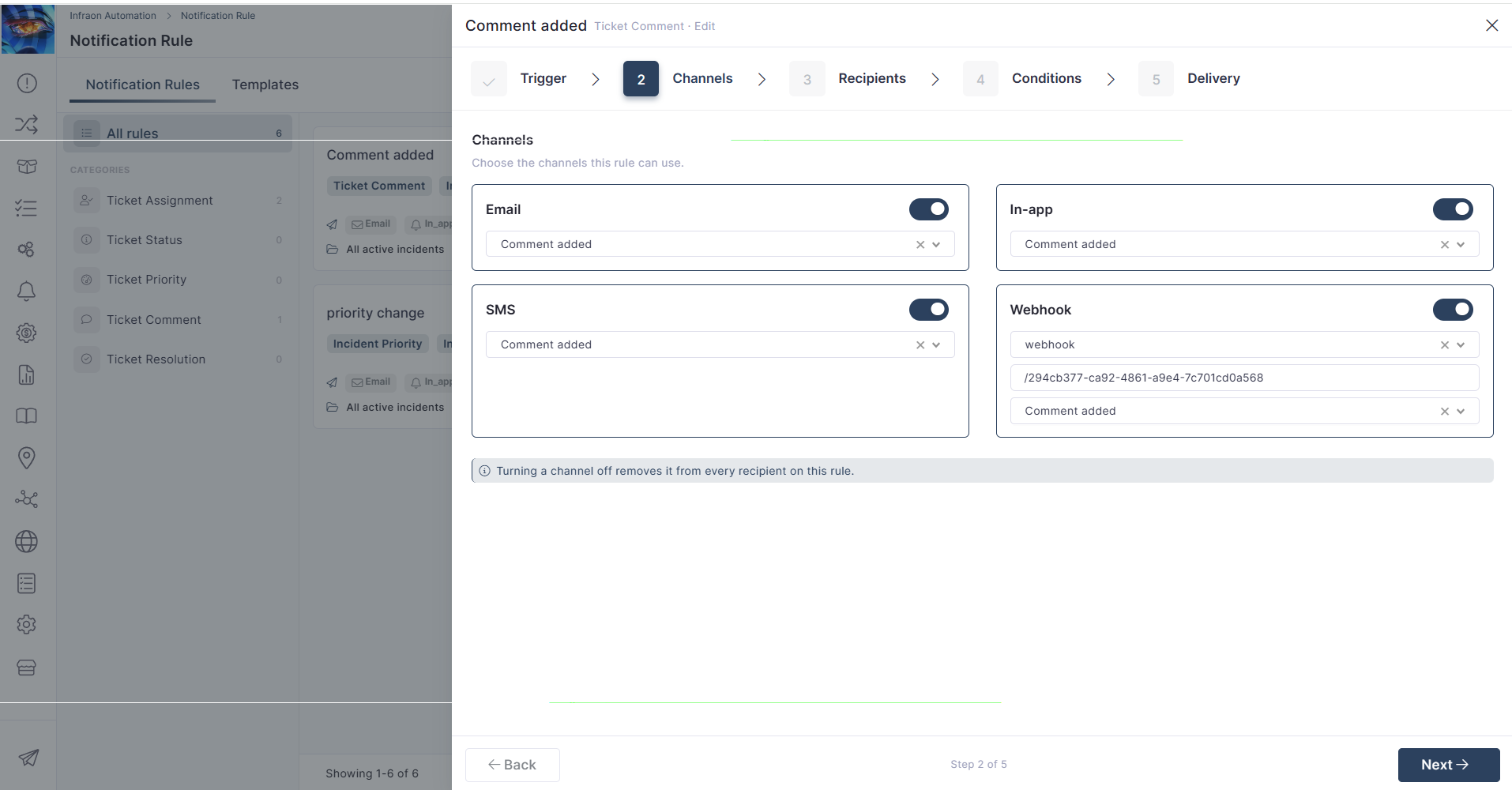
Notification on Asset Add/Delete
Business Rules can now automatically trigger notifications whenever assets are added or removed.
Notify stakeholders about asset lifecycle events.
Improve visibility into asset changes.
Reduce manual communication efforts.
Support automated asset notifications.
Self-Service Portal
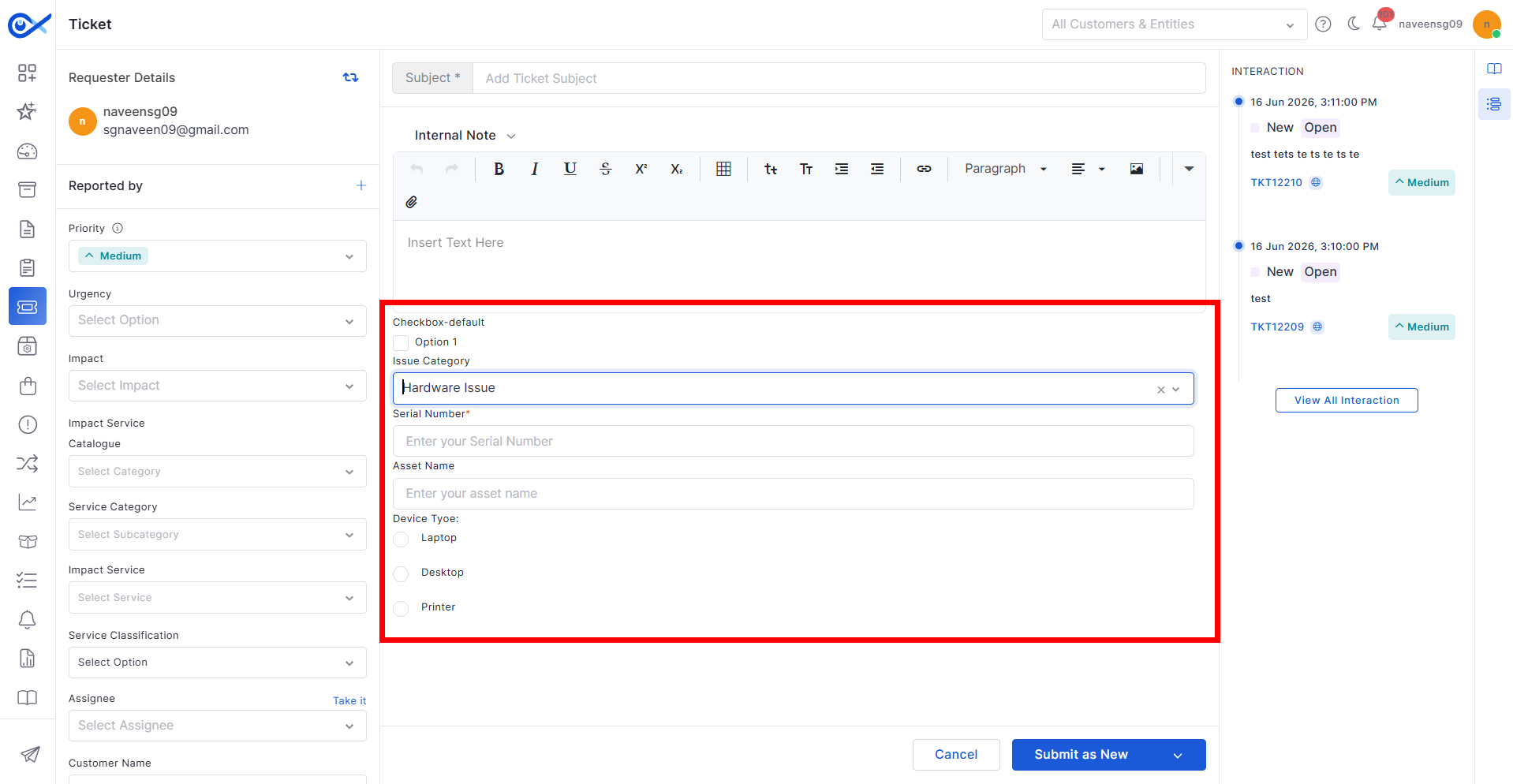
Attachments While Reopening Tickets and Requests
Users can now upload supporting files when reopening Tickets or Requests from the Self Service Portal.
Attach documents while reopening records.
Provide additional context for faster resolution.
Improve collaboration between users and technicians.
Streamline the reopening process.
AI Ops
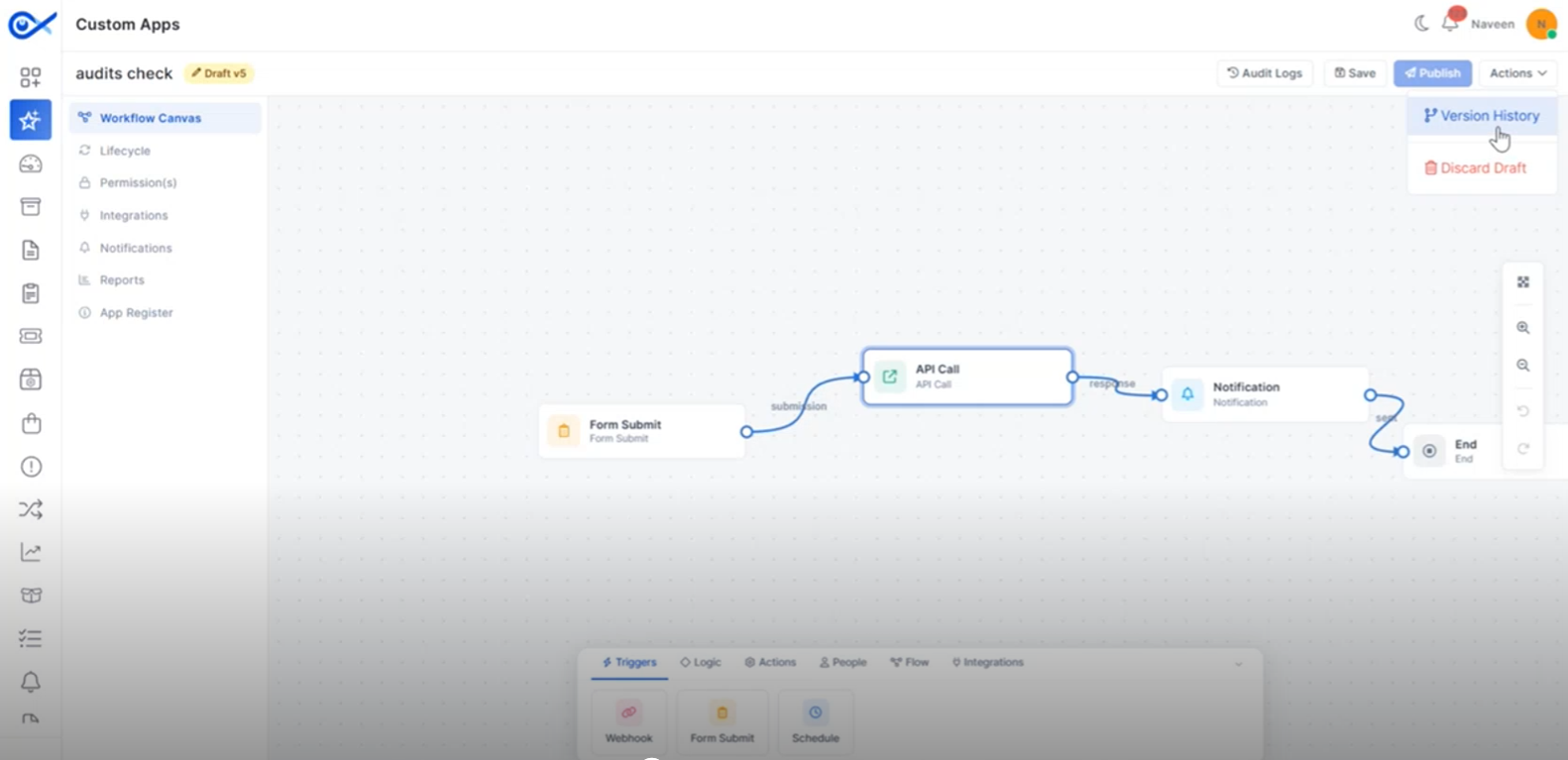
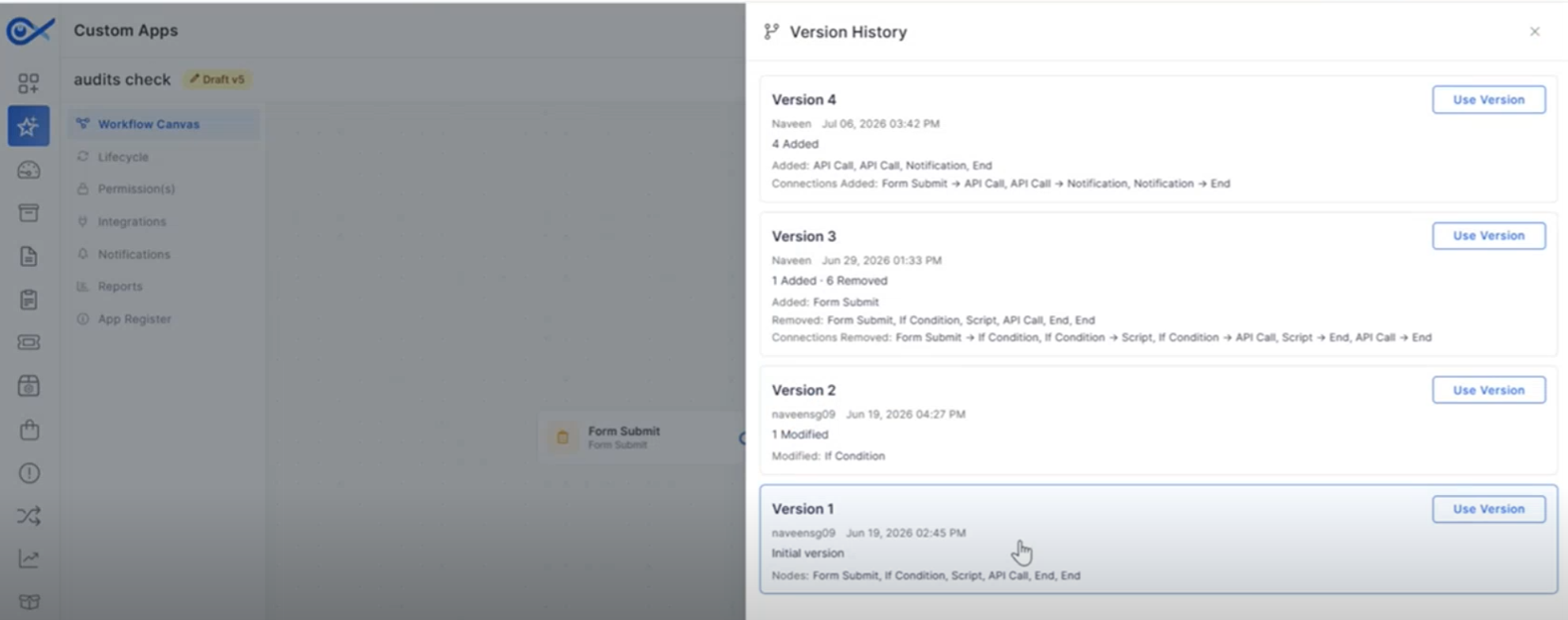
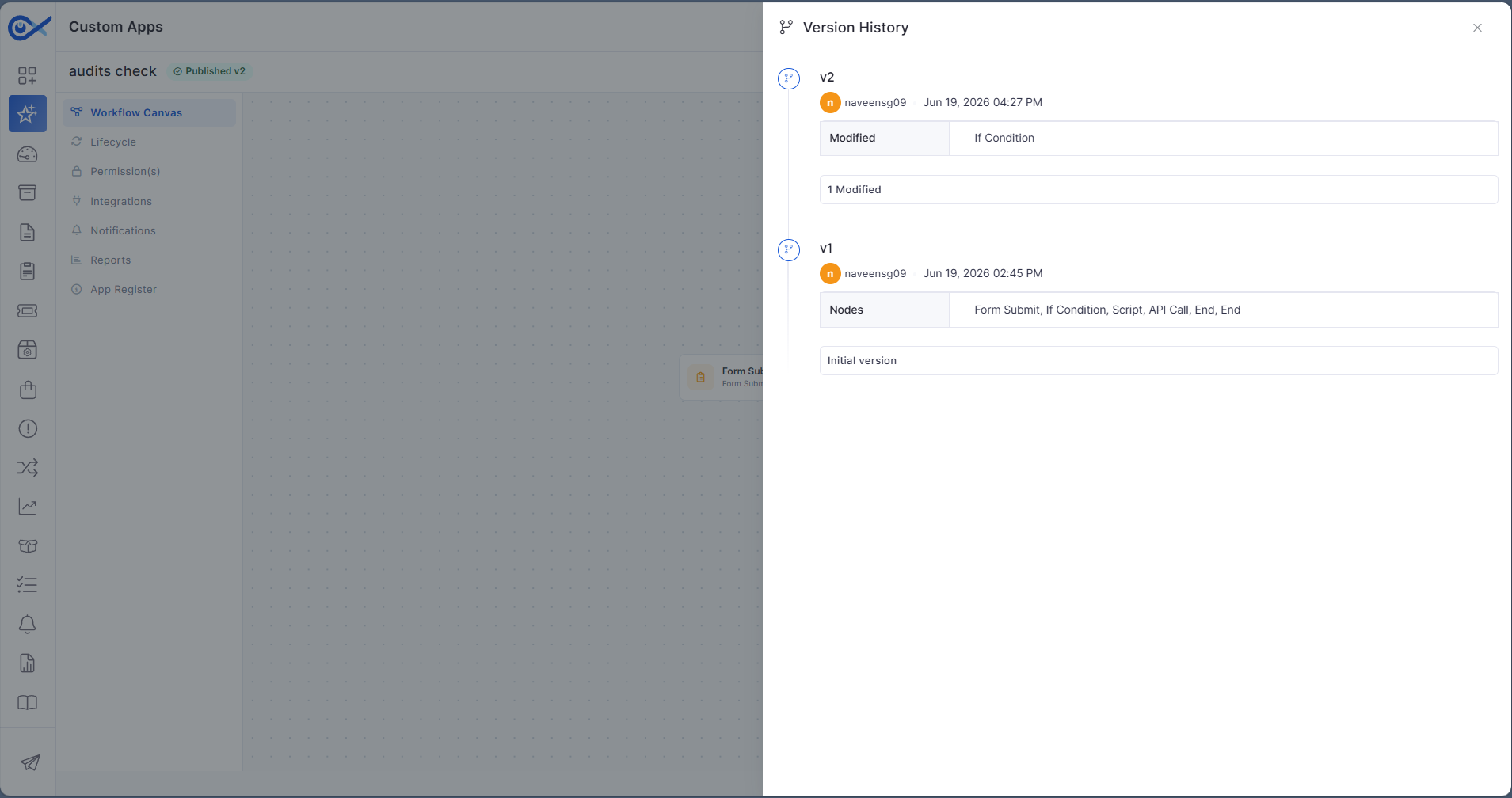
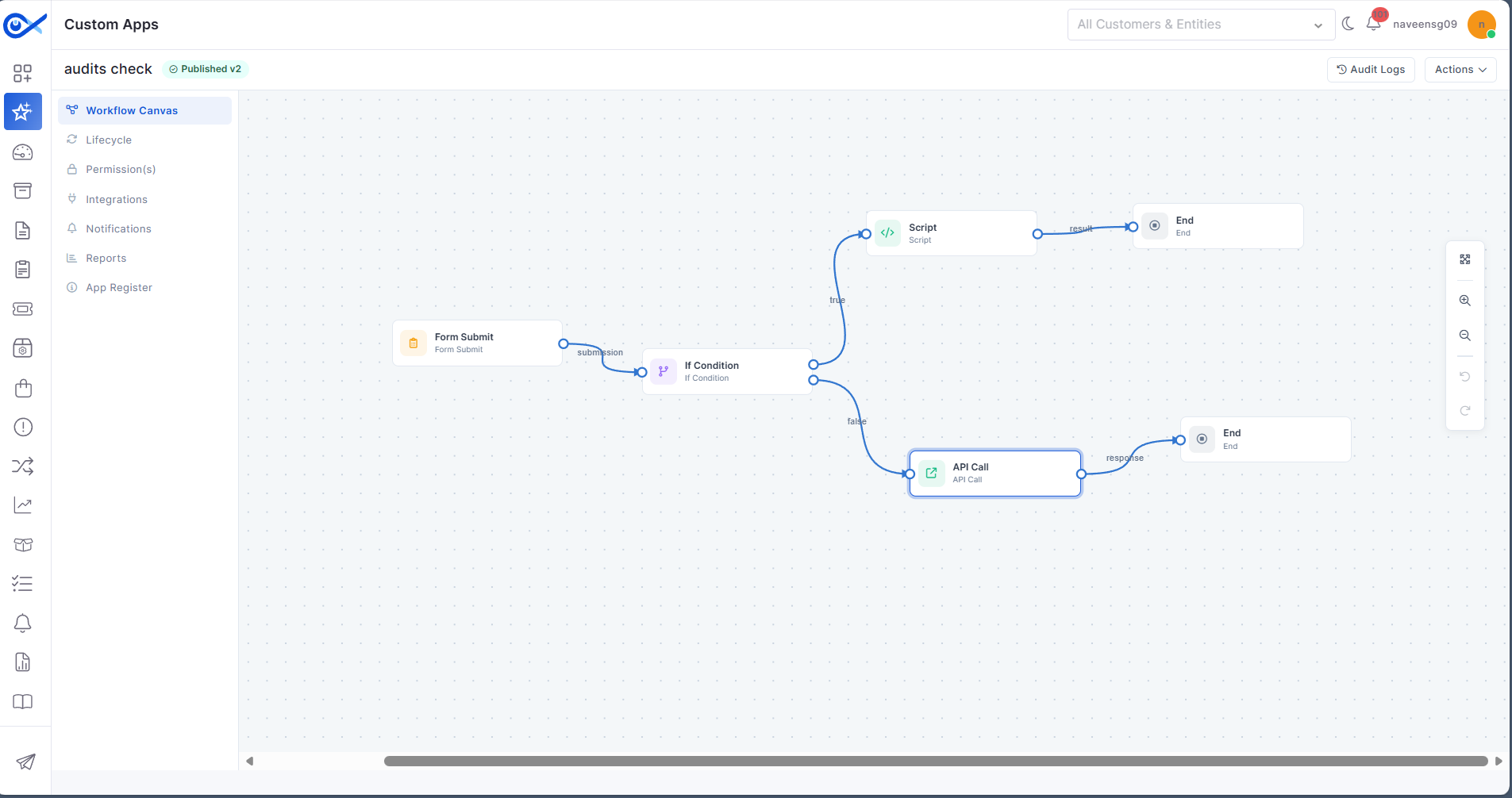
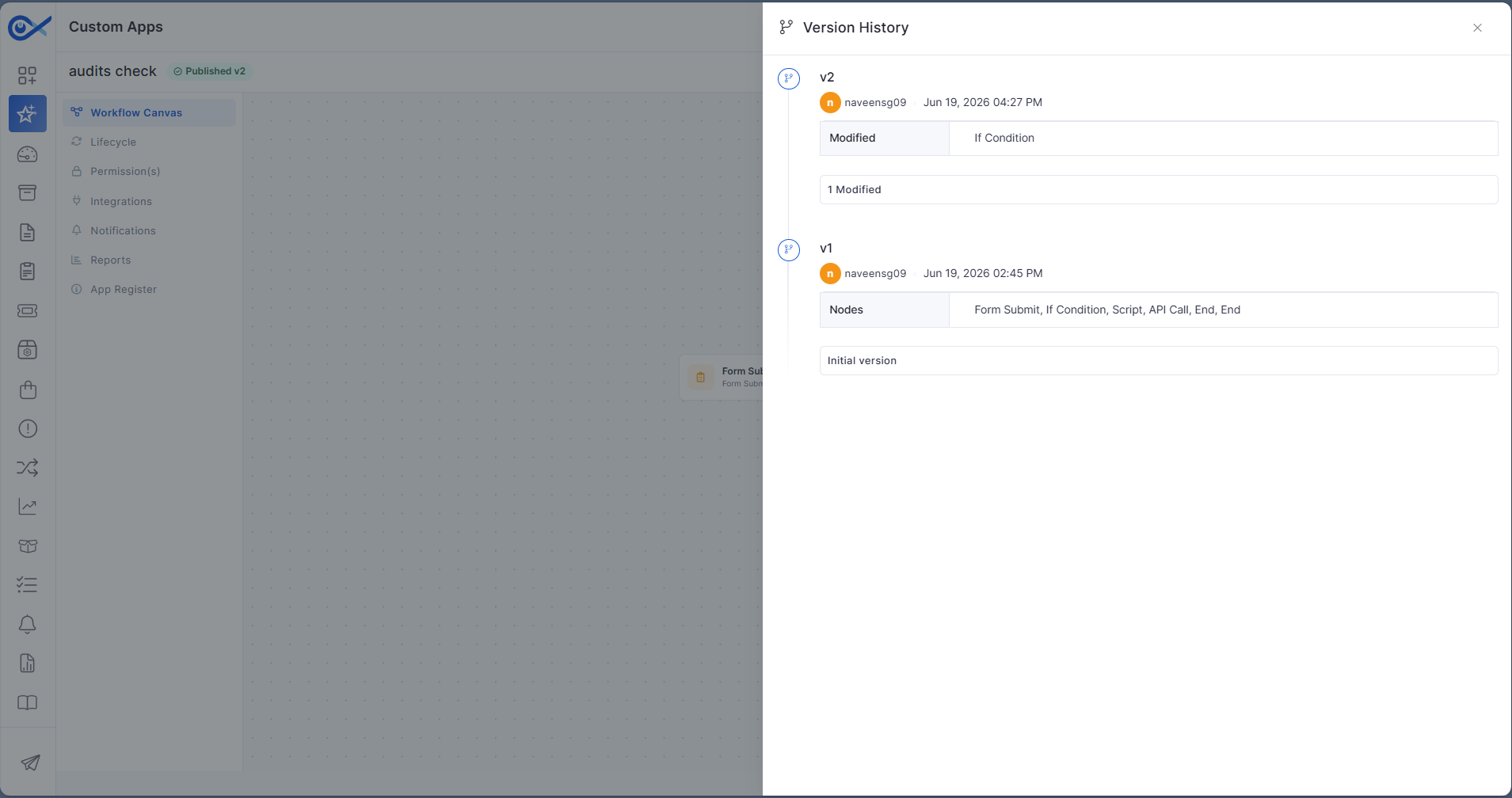
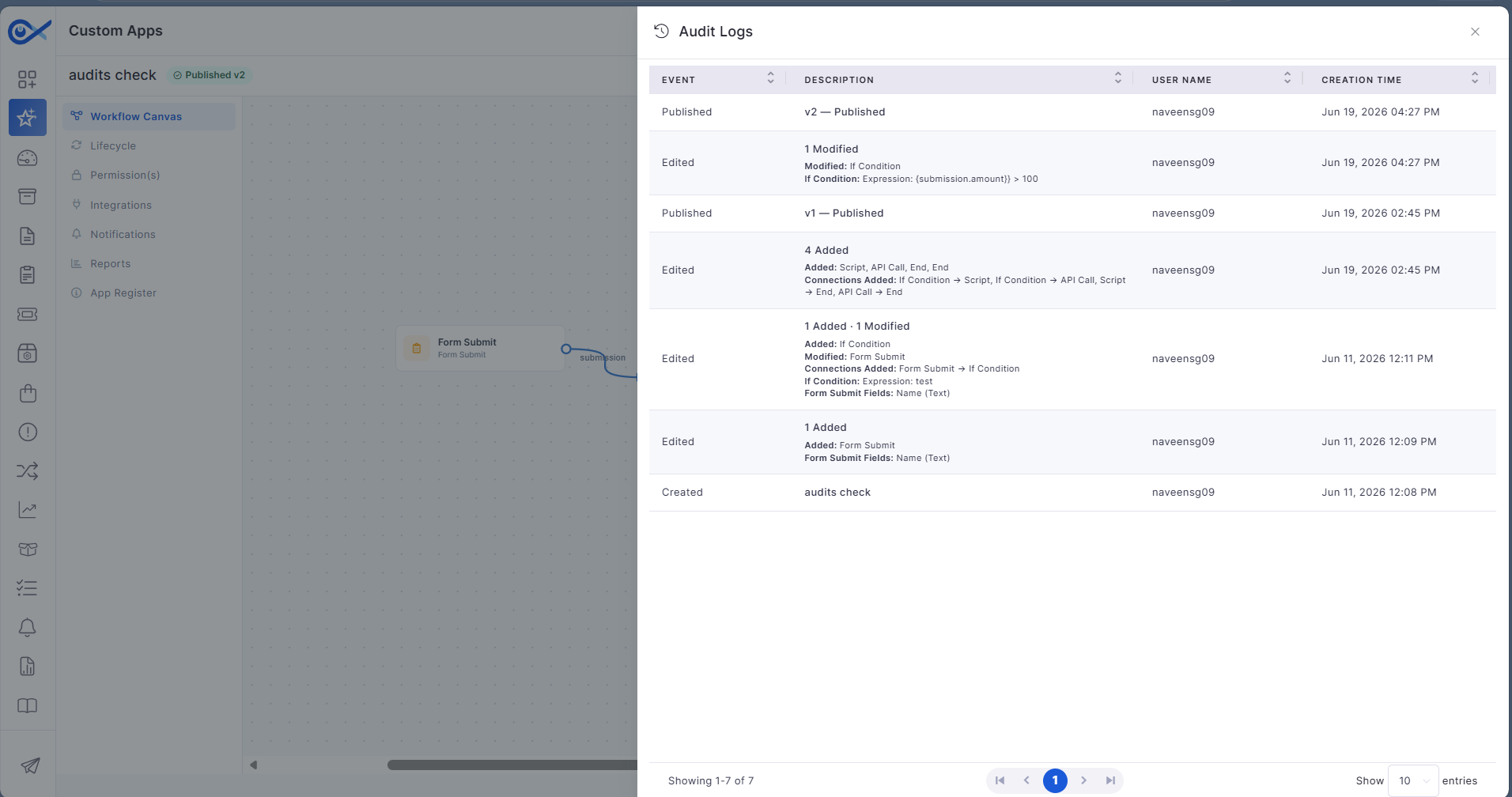
Audits and Versioning Enhancements for Custom Apps
Enhanced audit and version management improve visibility into Custom App changes.
Track changes made to Custom Apps.
Maintain version history for application updates.
Improve governance and audit visibility.
Simplify application maintenance.
Project Management
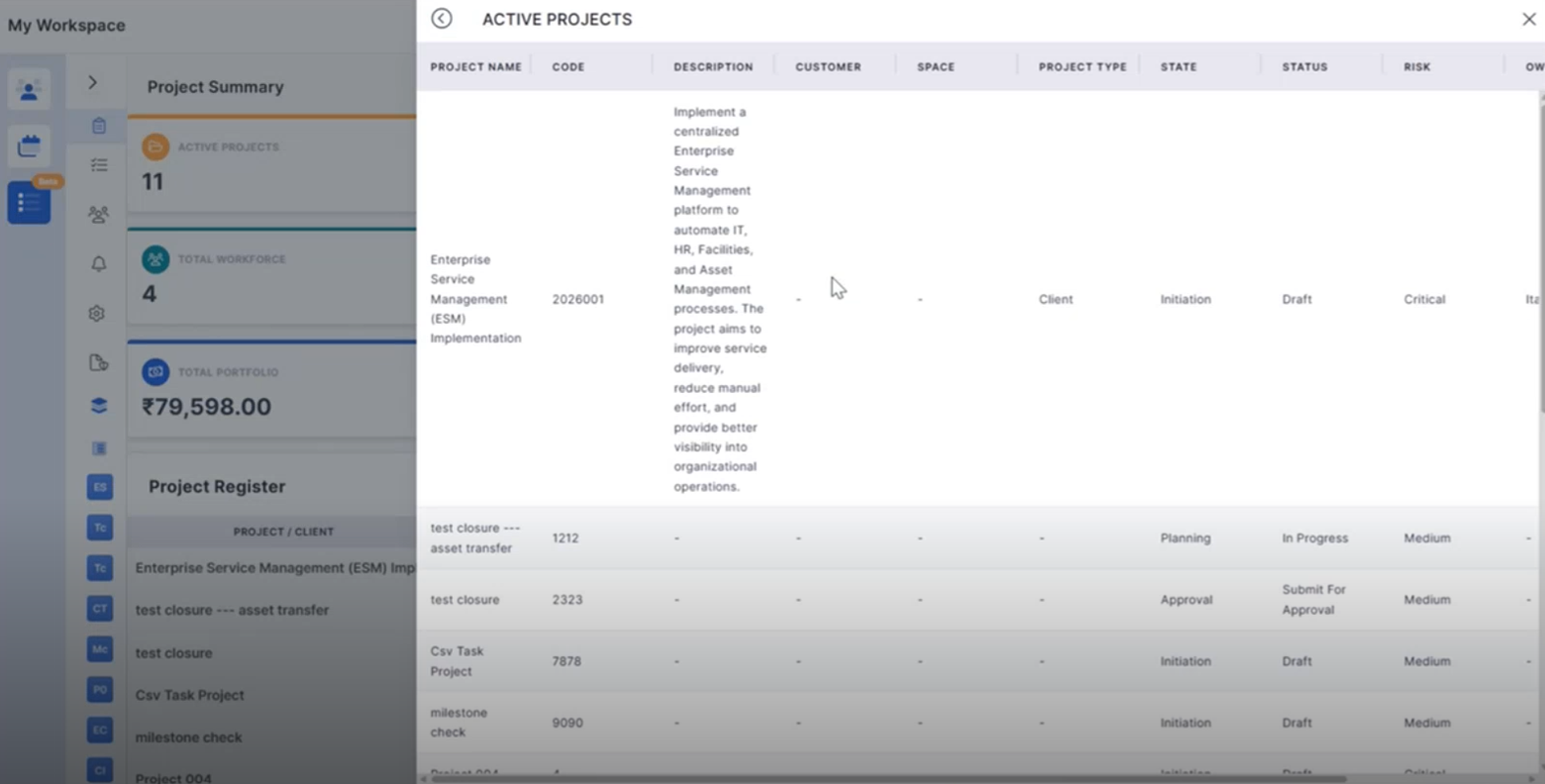
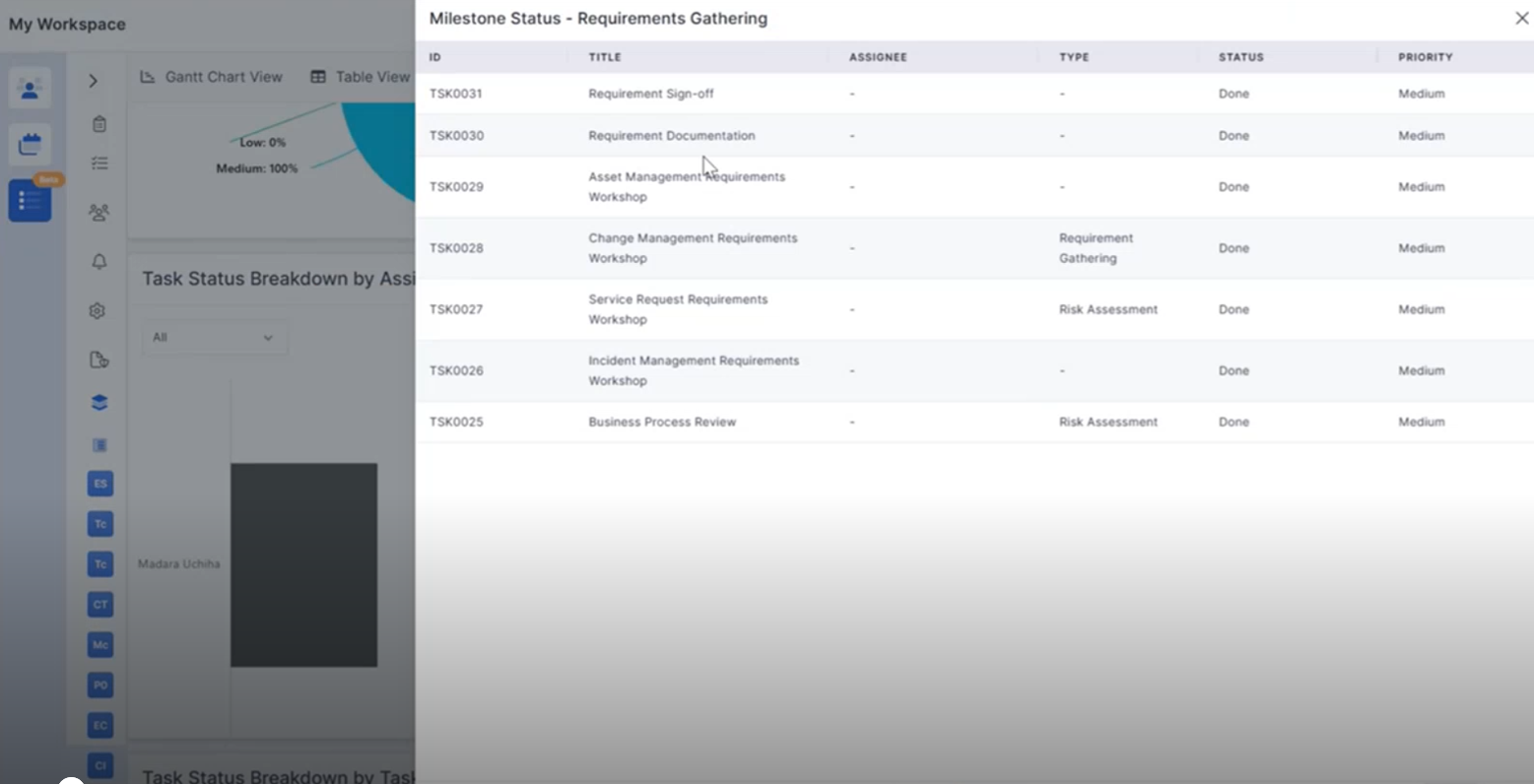
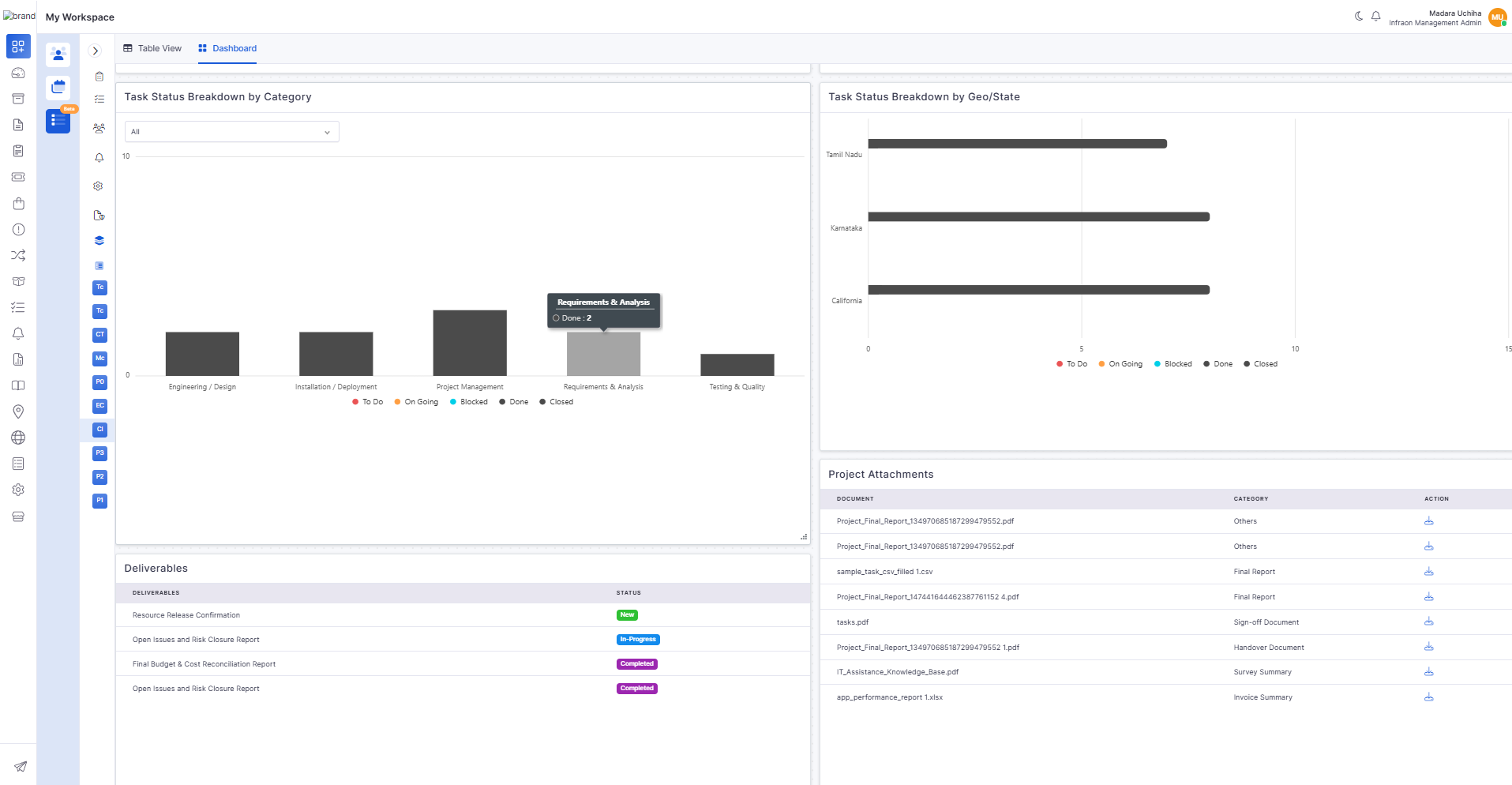
Project Summary Widget Click Functionality
Project Summary widgets now support direct navigation to detailed project information.
Open filtered project lists directly from dashboard widgets.
View relevant project information based on selected metrics.
Improve navigation across project summaries.
Simplify project monitoring.
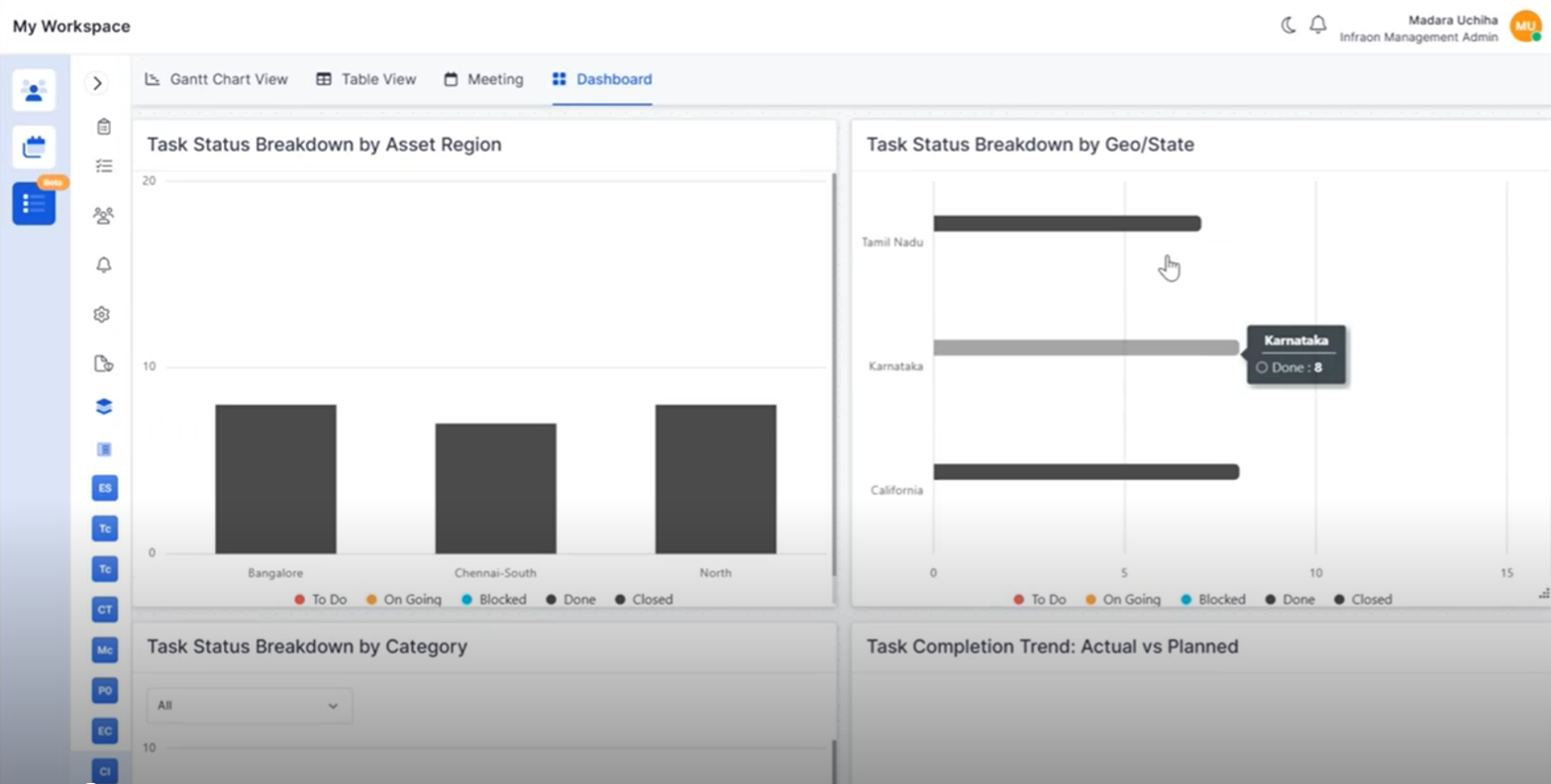
Project Widget Click Functionality
Interactive project dashboard widgets provide quick access to related project records.
Drill down into task and milestone information.
Open filtered project views directly from dashboard charts.
Improve dashboard usability and analysis.
Enable faster access to project data.
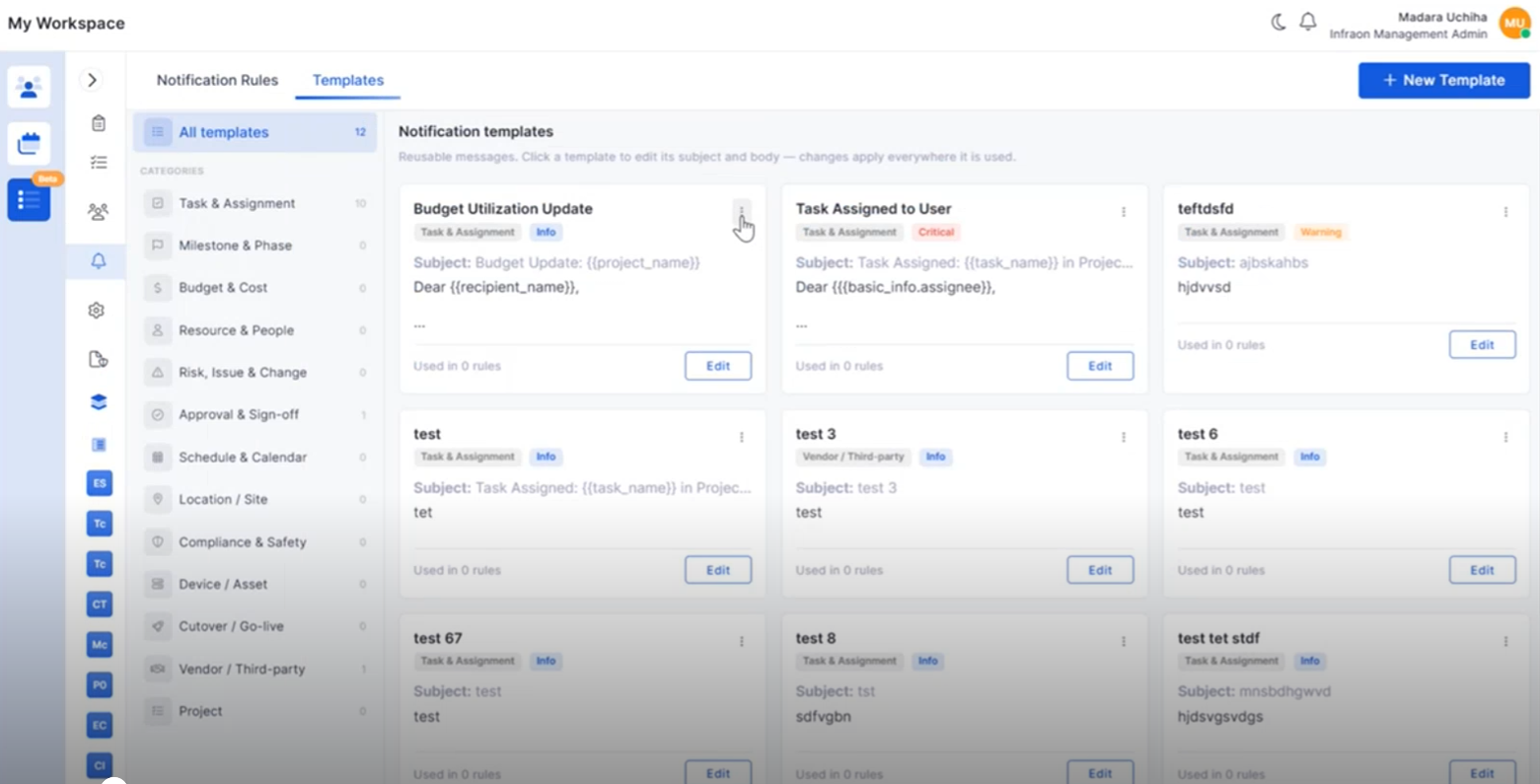
Project Notification Template Management
Notification Templates can now be created and managed within Project Management.
Create reusable notification templates.
Configure project-specific notification content.
Edit and organize templates from a centralized view.
Improve notification consistency across projects.
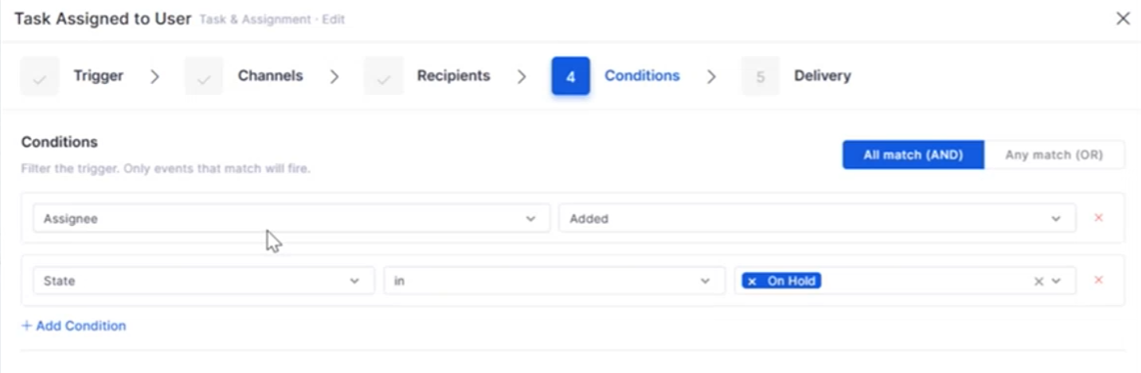
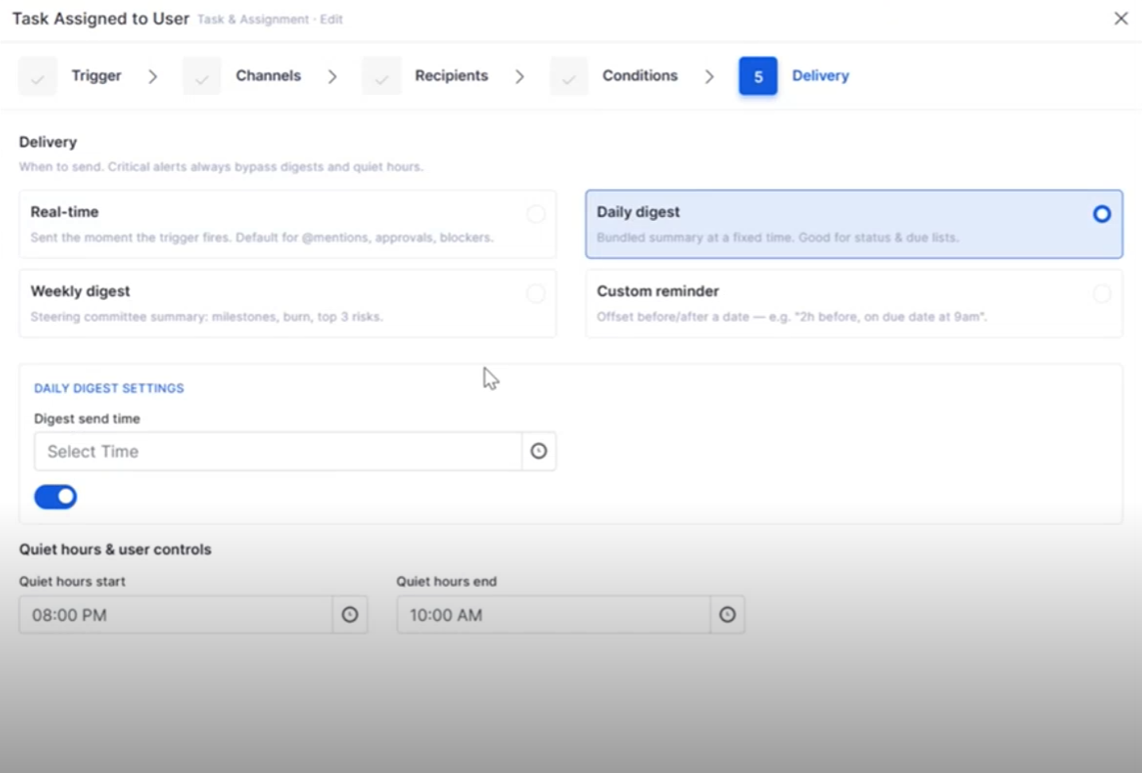
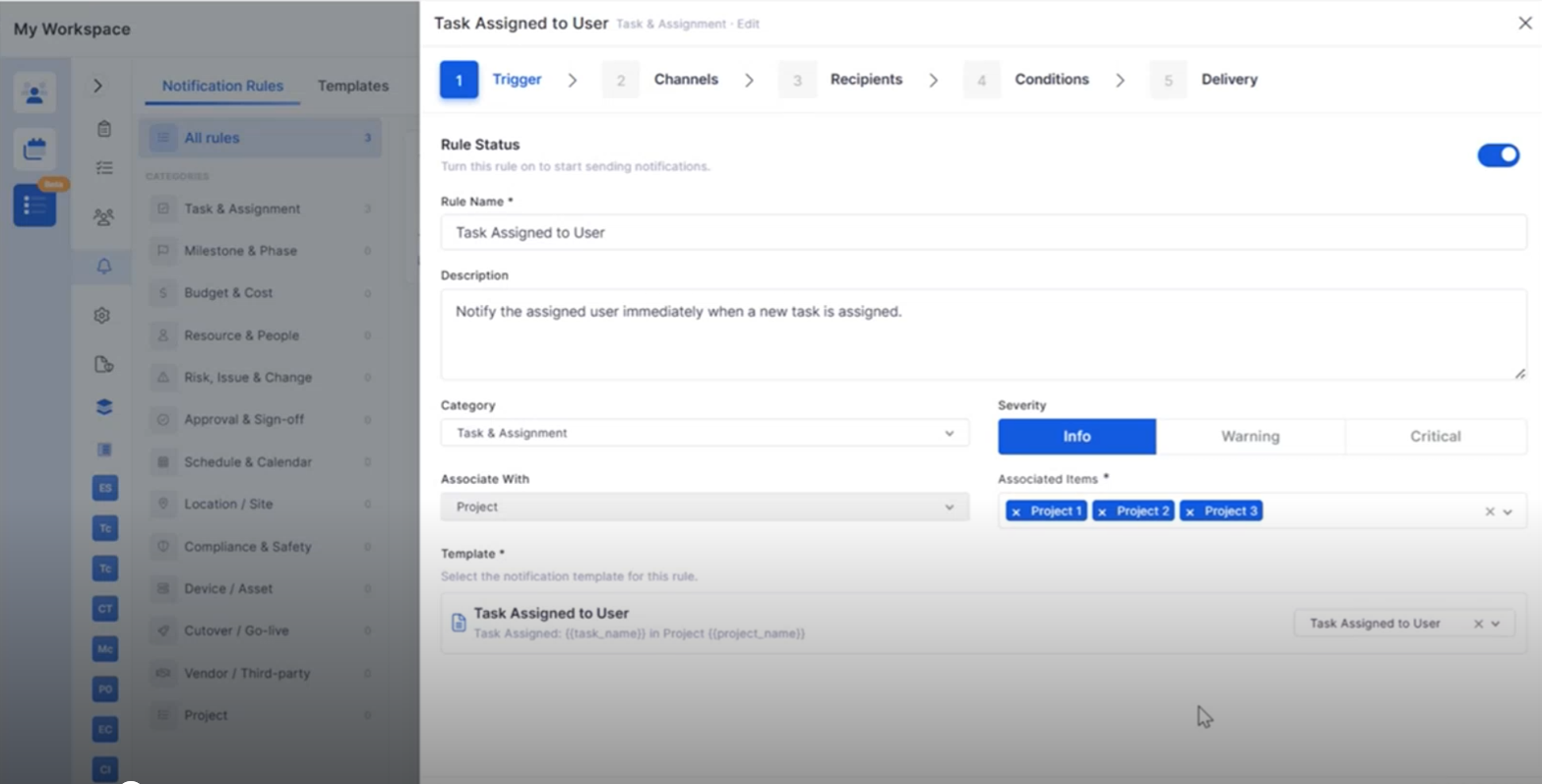
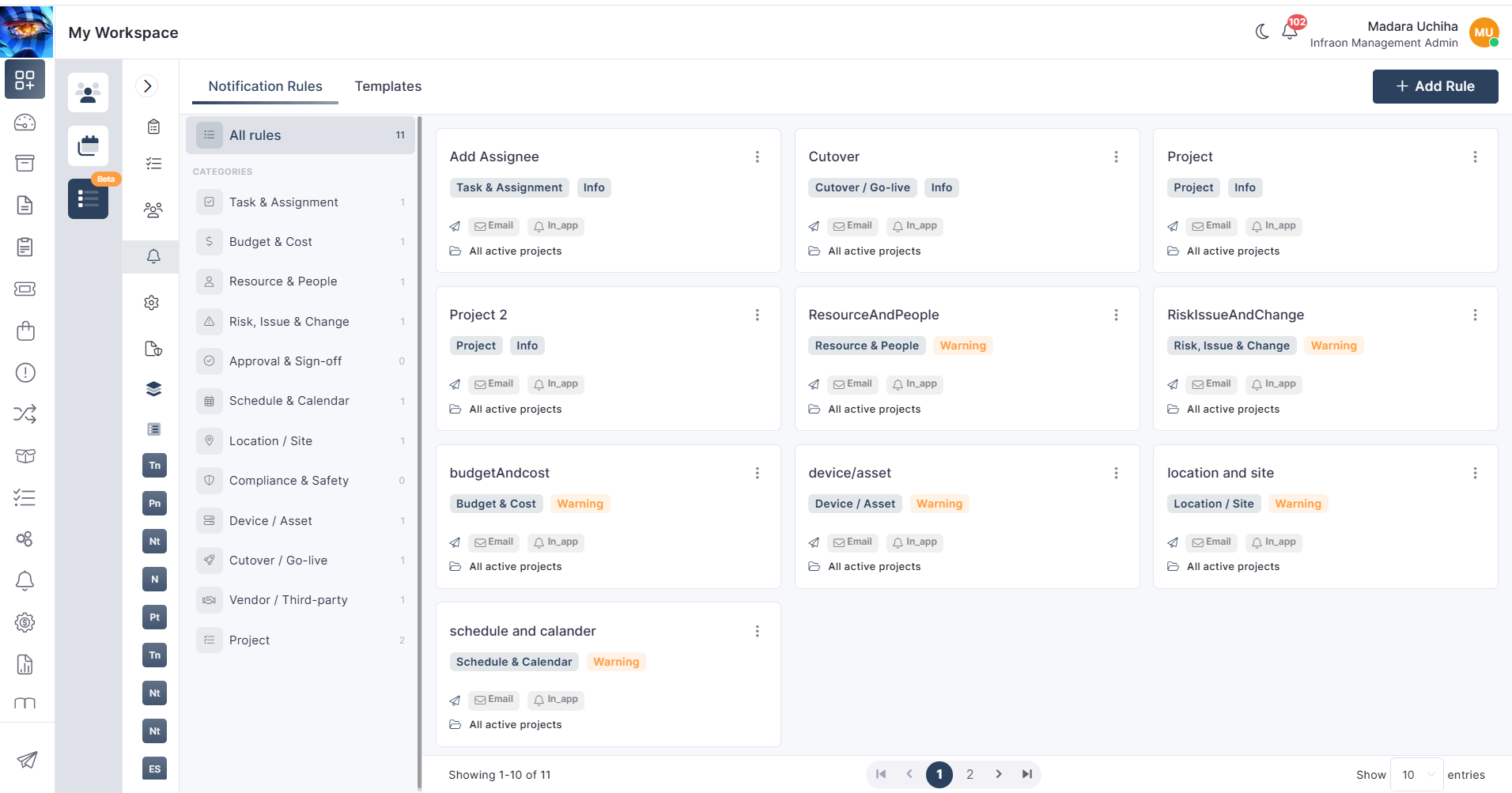
Project Notification Rules
Notification Rules provide greater flexibility for project communications.
Configure automated project notifications.
Associate templates with project events.
Simplify notification management.
Improve communication throughout the project lifecycle.
Project Closure Enhancements
Project Closure now includes additional capabilities for completing project activities.
Transfer project teams and associated assets during closure.
Review project financial summaries.
Capture project completion details.
Improve project handover and documentation.
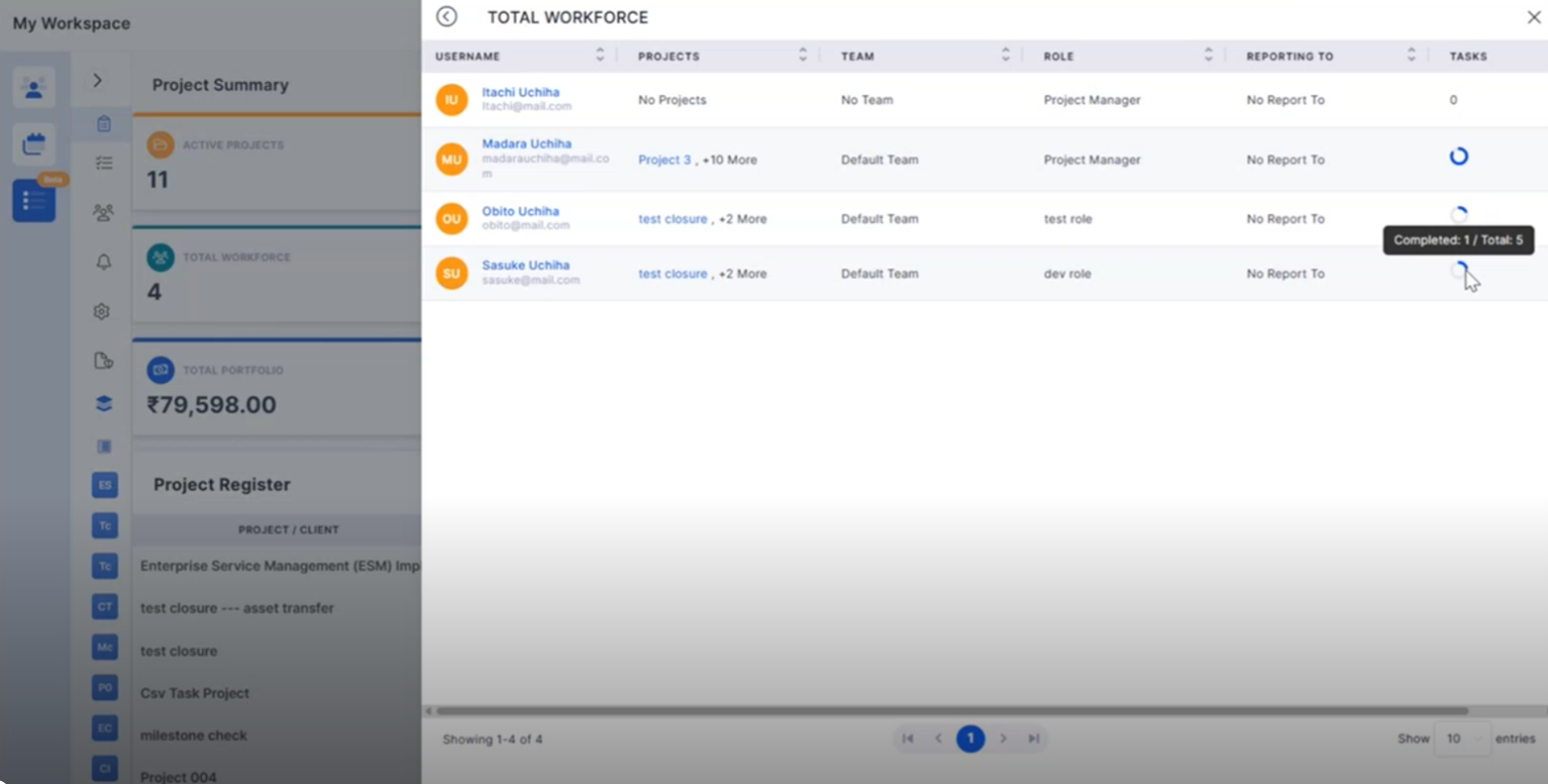
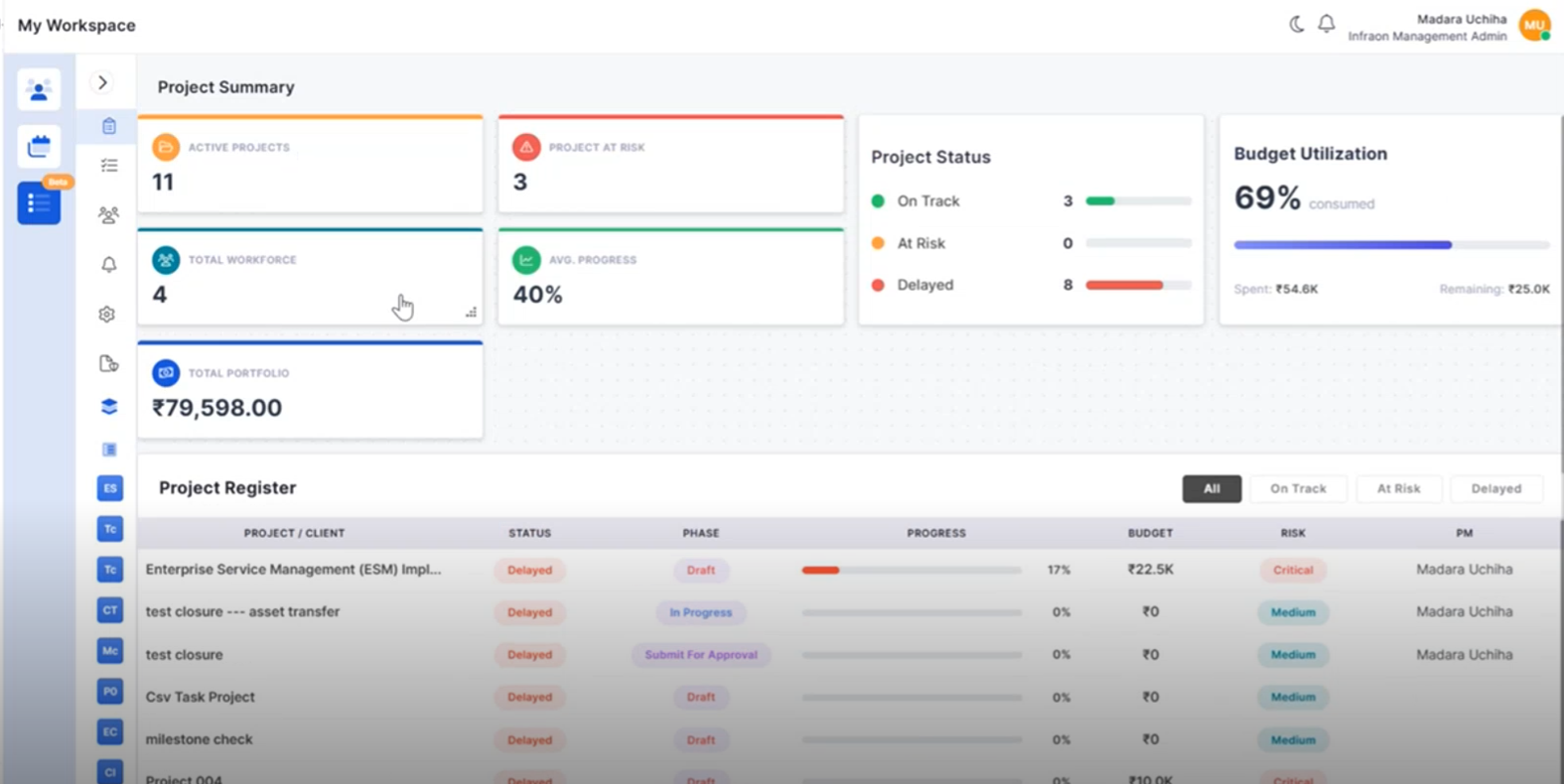
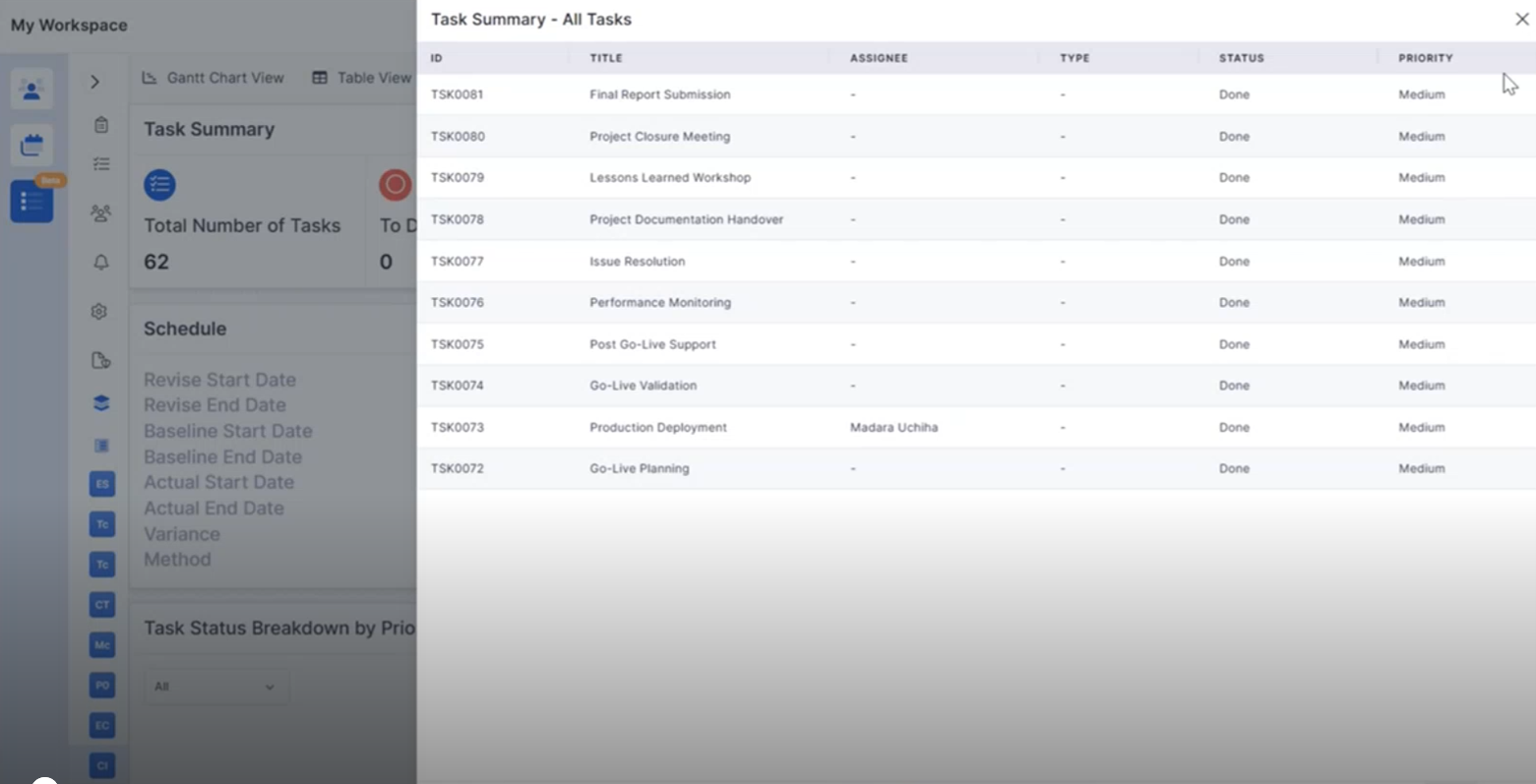
Portfolio Overview Enhancements
Additional portfolio insights help monitor project performance more effectively.
Track project registers from the portfolio view.
Monitor budget utilization across projects.
Improve portfolio-level reporting.
Support informed project decisions.
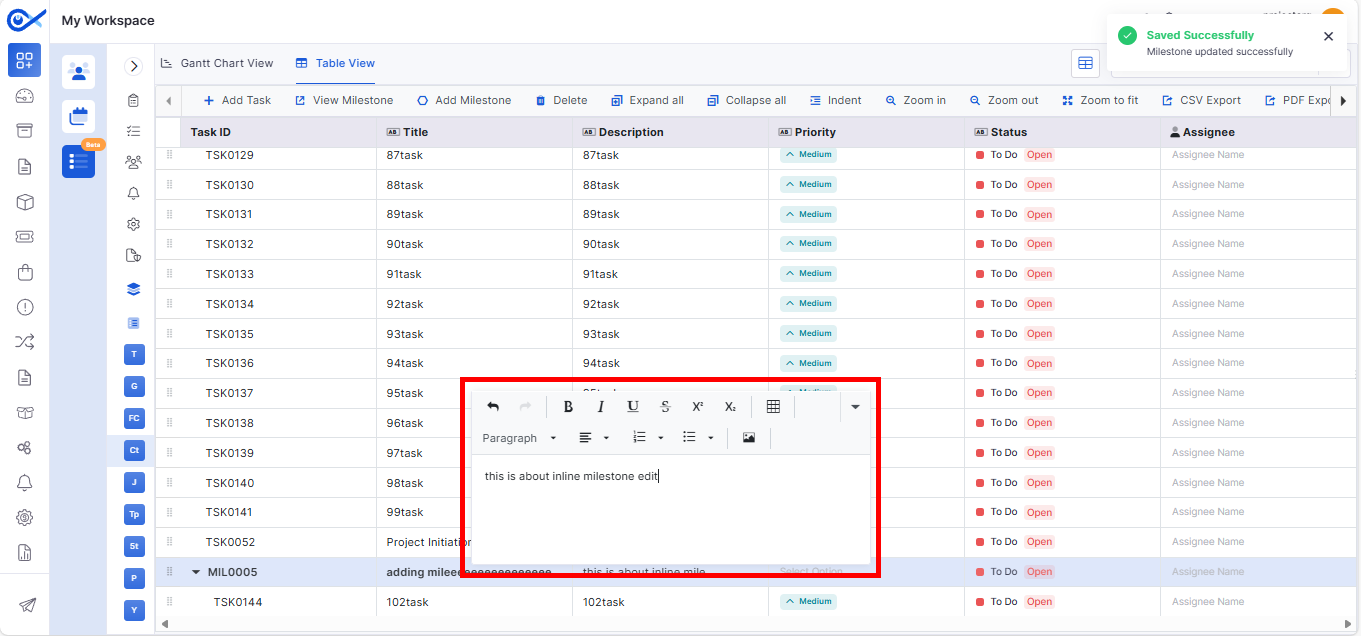
Milestone CSV Enhancements
Milestone identification has been improved during CSV editing.
Highlight milestone rows within CSV files.
Improve visibility of milestone-task relationships.
Simplify bulk project updates.
Reduce editing errors.
IT Assets
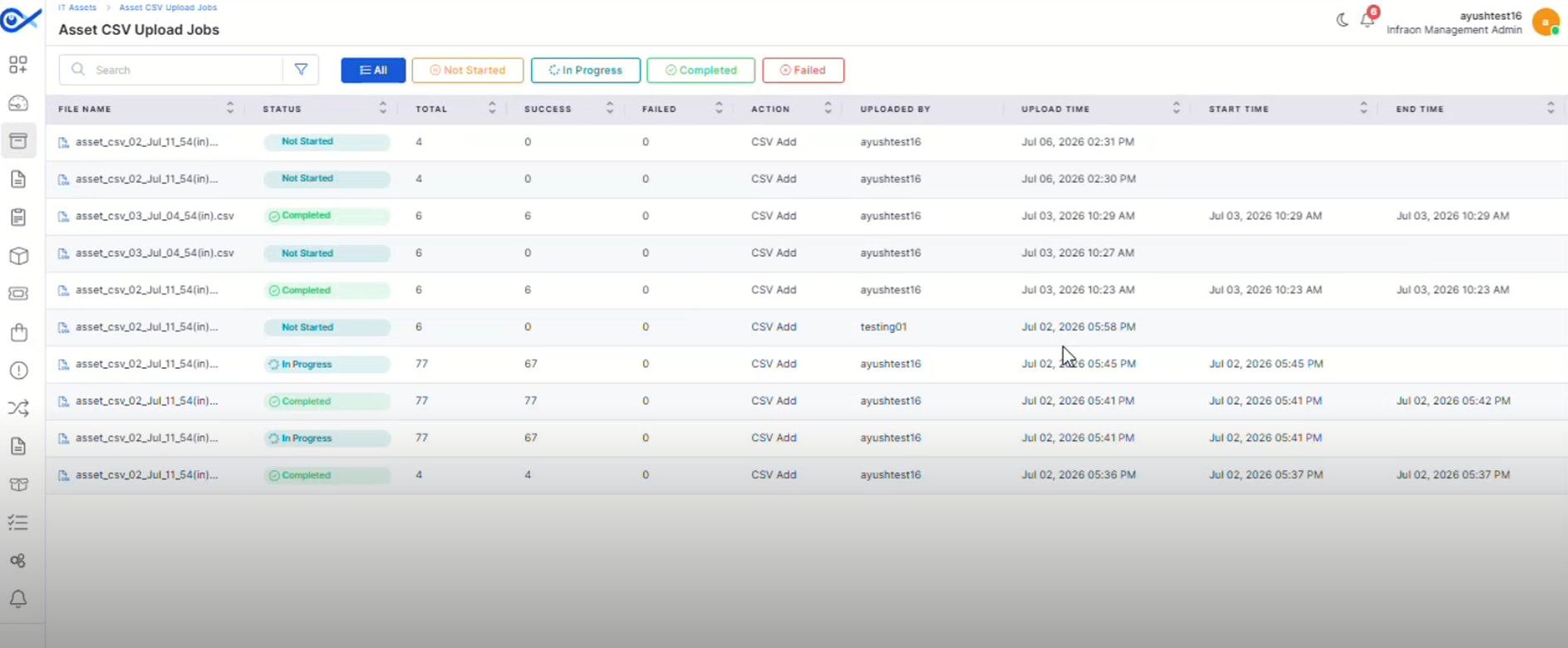
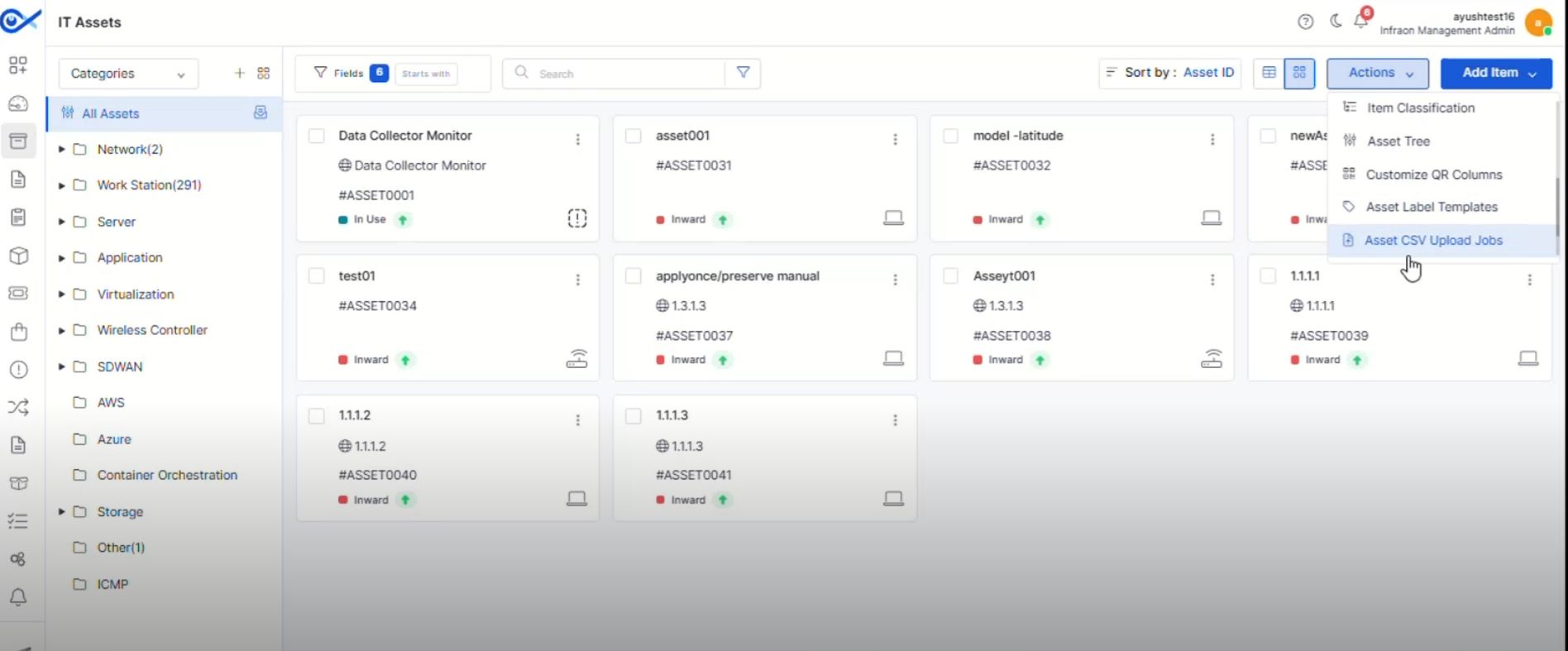
Asset CSV Upload Jobs
A dedicated page now provides visibility into Asset CSV upload and bulk edit activities.
Track upload progress and job status.
View successful and failed records.
Search and filter upload jobs easily.
Improve monitoring of bulk asset operations.
Asset QR Code Print Custom Template
Create reusable QR and barcode label templates for different asset types.
Design customizable print templates.
Configure headers, footers, logos, and asset fields.
Support multiple label layouts and paper formats.
Generate QR and barcode labels using saved templates.
Hardware Change Notification Optimization
Hardware change notifications have been refined for improved accuracy.
Reduce unnecessary hardware change alerts.
Improve notification relevance.
Enhance hardware monitoring.
Minimize false notifications.
Asset Bulk Edit Optimization
Bulk editing has been enhanced to improve efficiency when managing assets.
Improve processing of bulk updates.
Reduce execution time for large operations.
Simplify asset administration.
Enhance overall performance.
Mobile Enhancements
Android – Multi-View for Impact Service
Android users can now switch between multiple Impact Service views for improved visibility.
Access different Impact Service layouts.
Improve navigation between related services.
Enhance service monitoring.
Provide a more flexible mobile experience.
iOS – Multi View for Impact Service
The iOS application now supports multiple Impact Service views.
Switch between different service views.
Improve visibility into impacted services.
Simplify navigation.
Enhance usability on iOS devices.
🐛 Bugs Fixed
Improved synchronization and workflow handling.
Minor fixes across reports, dashboards, and integrations.
Overview
Key Updates
Mobile Applications
Mobile users can now approve or reject requests directly from the application, enabling faster decision-making and request processing.
Approve and reject requests directly from mobile devices.
Improves response time for approval workflows.
Provides a seamless approval experience on the go.
Ensures consistent request status updates.
A dedicated Request Dashboard provides better visibility into request performance and trends.
View request status distribution and summaries.
Track request creation and resolution trends.
Supports multiple time-based views for analysis.
Improves operational visibility and monitoring.
Enhanced request creation with improved support for images and attachments.
Add images directly within request descriptions.
Upload and manage multiple attachments when creating a request.
View and remove attachments with ease.
Improves collaboration and information sharing.
Custom fields are now displayed consistently throughout the request lifecycle.
Supports custom fields during request creation and updates.
Displays relevant fields during assignment, resolution, and closure stages.
Improves access to request-specific information.
Enhances workflow consistency.
Business Rule
Business Rules can now dynamically respond to asset updates and changes.
Automatically re-evaluates rules when asset data changes.
Supports configurable enforcement behaviors.
Improves automation accuracy and consistency.
Enhances asset data governance.
Report
Enhanced SLA reporting provides improved visibility into compliance and penalty calculations.
Improves accuracy of SLA penalty calculations.
Enhances compliance reporting visibility.
Supports detailed performance analysis.
Simplifies SLA auditing and tracking.
Notifications
Notifications are automatically marked as read when viewed.
Reduces manual notification management.
Improves notification tracking.
Provides a cleaner user experience.
Helps users focus on pending actions.
Agentic AI
The Agentic AI experience has been refined to provide a more intuitive and user-friendly interaction model.
Improved AI conversation experience.
Enhanced visibility of AI-generated responses.
Better presentation of AI actions and outcomes.
Improves overall usability of Agentic AI features.
Enterprise Asset Management
New template-based configuration simplifies storeroom setup and standardization.
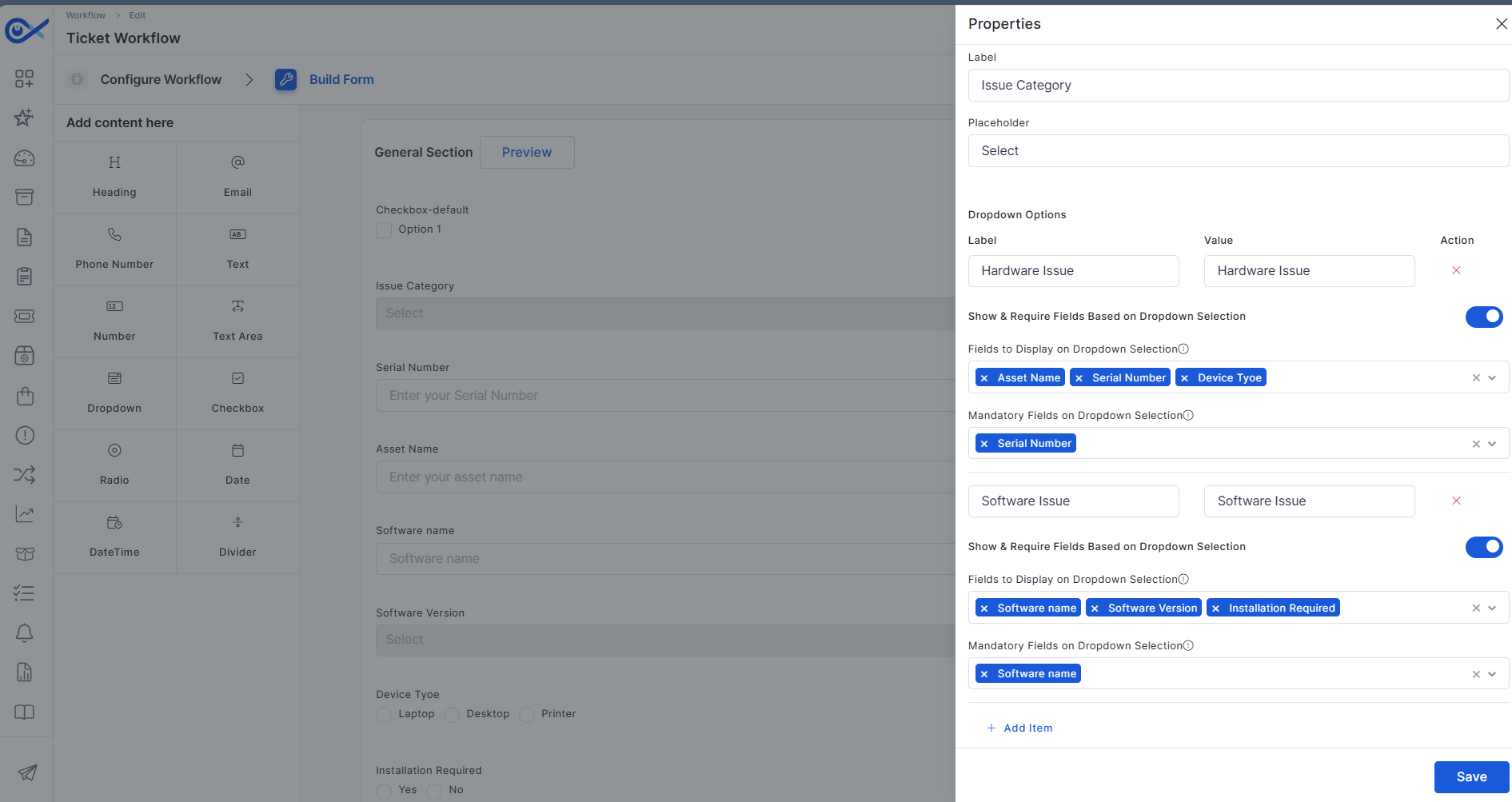
Workflow forms now support dynamically visible dependent dropdown fields.
Displays fields based on user selections.
Simplifies service request forms.
Reduces unnecessary field visibility.
Improves user experience and form completion.
Purchase Requisition
Procurement workflows are enhanced with integrated vendor communication capabilities.
Centralize RFQ communication activities.
Improve collaboration with vendors.
Simplify procurement tracking.
Enhance procurement workflow efficiency.
Project Management
New portfolio-level widgets provide greater visibility into project performance.
Monitor active projects across the portfolio.
Track workforce utilization and project progress.
Identify projects requiring attention.
Improve portfolio-level decision-making.
Project milestones can now be managed through CSV-based updates.
Update milestone relationships in bulk.
Reduce manual project administration effort.
Improve project data maintenance.
Simplify large-scale milestone updates.
Project dashboards now include asset-related reporting and visualizations.
Analyze projects using asset-related insights.
Improve visibility into asset-linked activities.
Support location and asset-based reporting.
Enhance project monitoring capabilities.
Expanded dashboard widgets provide deeper project insights.
Monitor project budgets and utilization.
Track project status distributions.
Improve project governance visibility.
Support informed project decisions.
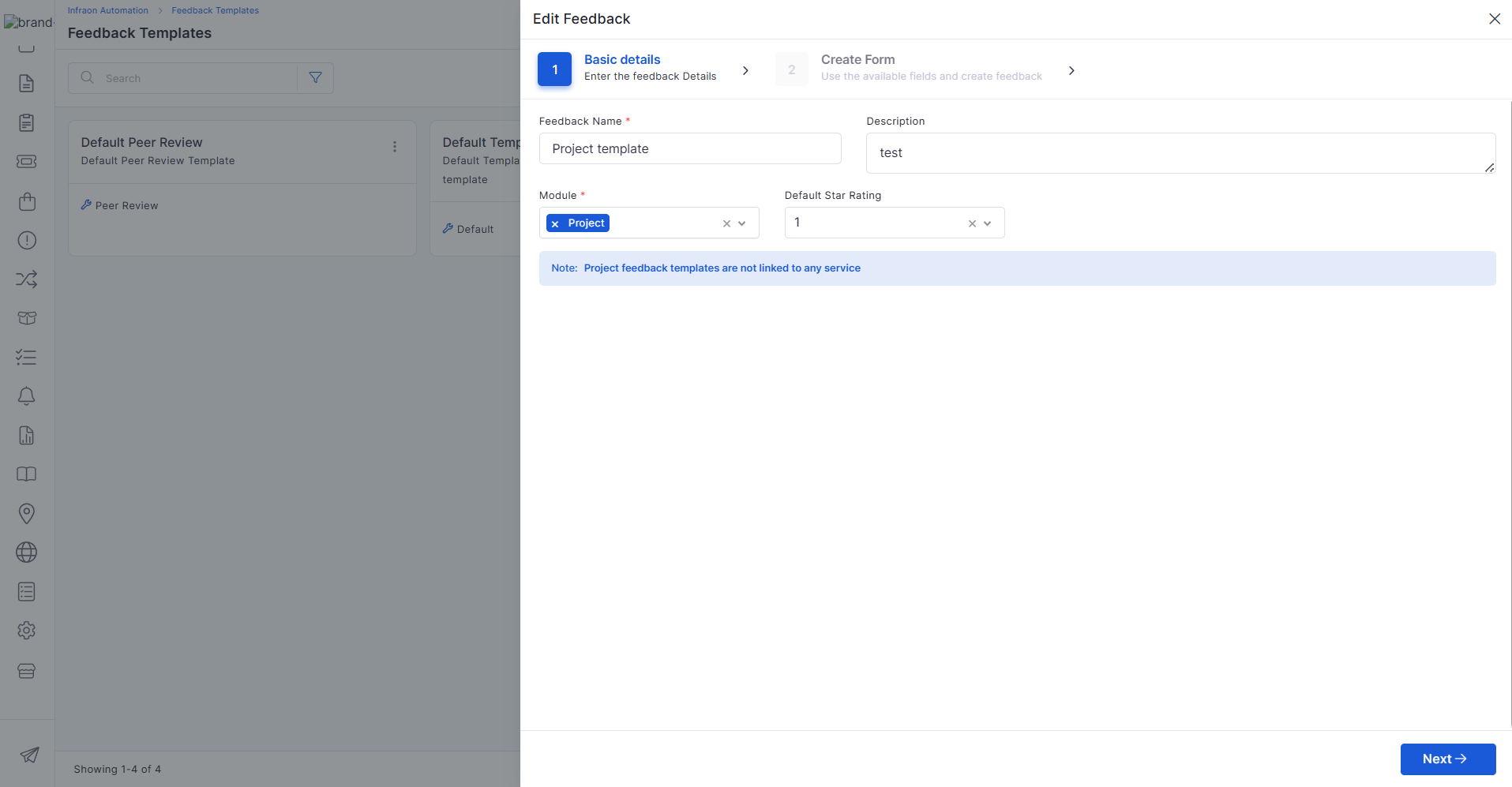
Configurable feedback templates help standardize project review processes.
Create reusable feedback templates.
Improve project evaluation consistency.
Support structured stakeholder feedback.
Simplify review management.
Project closure activities now include enhanced review and reporting capabilities.
Capture project outcomes during closure.
Support project review processes.
Generate final project reports.
Improve project completion documentation.
Additional widgets improve project tracking and visibility into performance.
Monitor task and milestone progress.
Track deliverables and completion trends.
Improve project performance analysis.
Enhance dashboard reporting capabilities.
AI Ops
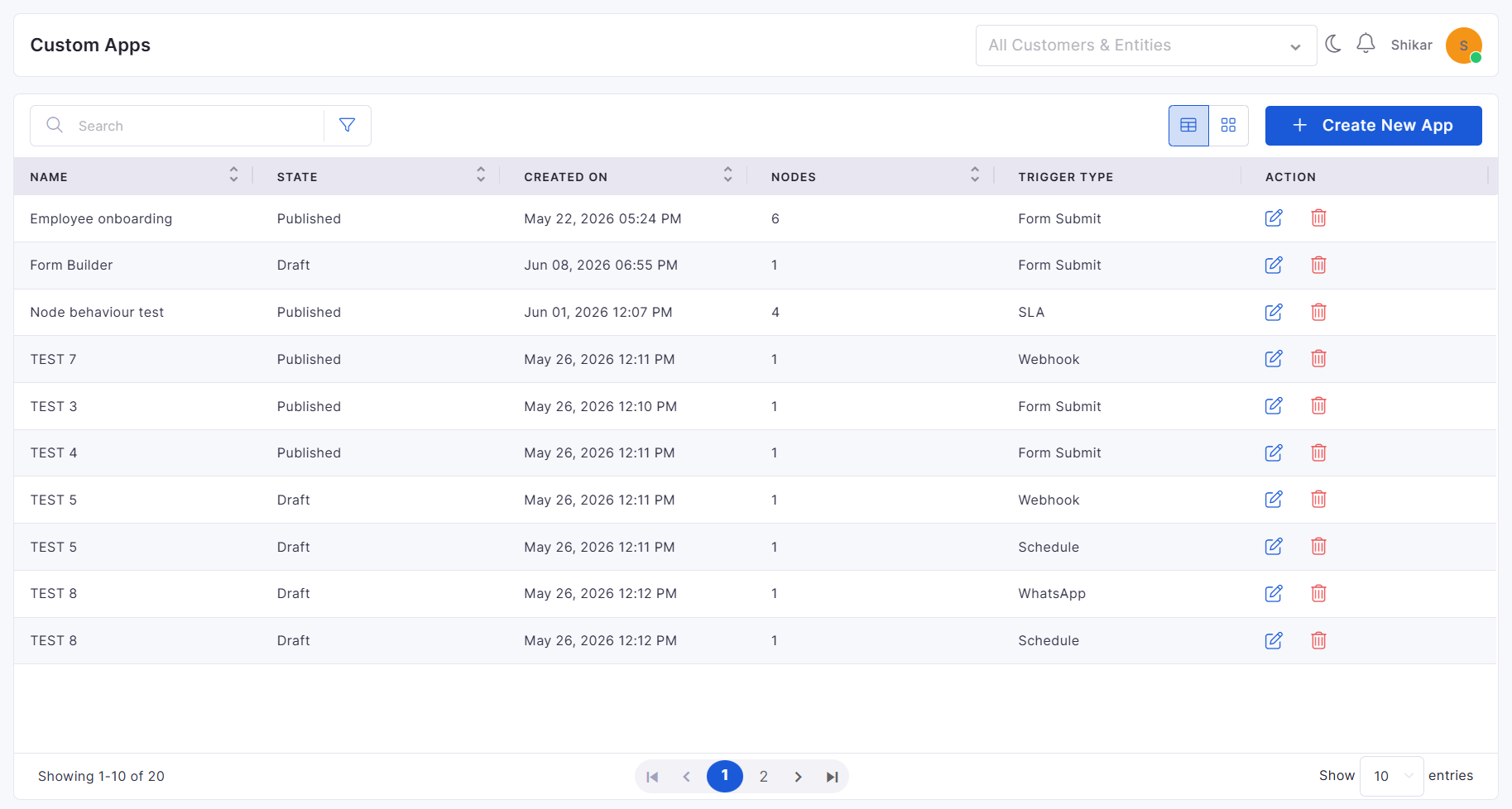
Custom Apps now support configurable form-building capabilities within workflows.
Simplifies custom application creation.
Supports dynamic data collection.
Enhances workflow flexibility.
Improves low-code customization capabilities.
Enhanced lifecycle management capabilities provide better control over custom applications.
Maintain version history for custom apps.
Improve audit visibility and tracking.
Support governance and compliance requirements.
Simplify application maintenance activities.
🐛 Bugs Fixed
v7.5.2 - August 2026
Release Cycle: 3rd August 2026
Build: Pre-Release Documentation
Overview
This release introduces enhancements across Workflow, IMACD, and IT Assets to improve workflow automation, strengthen data visibility, and simplify asset and software inventory management. These updates enhance operational efficiency, provide greater control over asset information, and deliver a more streamlined user experience.
Key Updates
Workflow
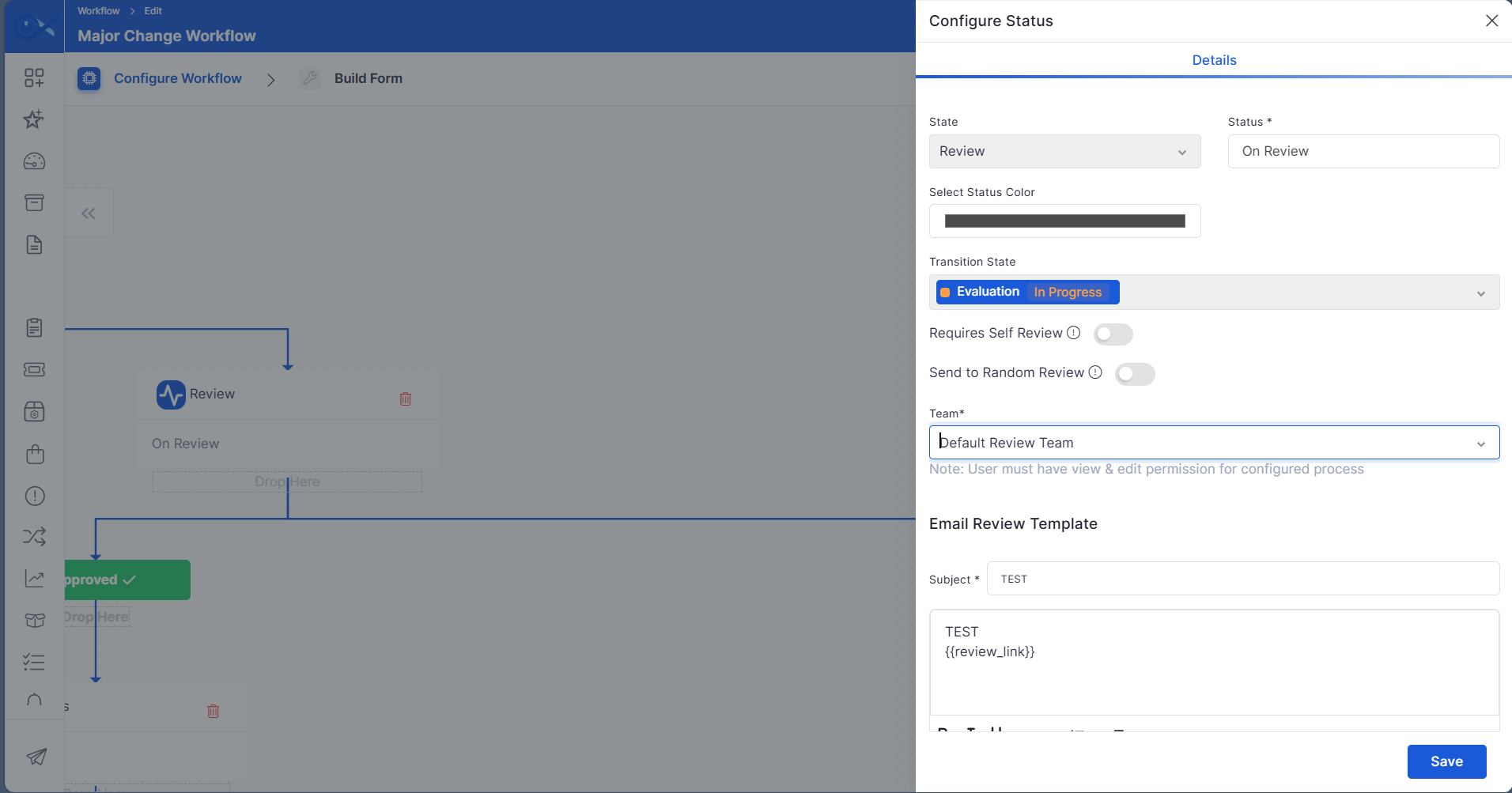
Reviewers can be selected by anyone from the available members in the review team
The Ask for Review workflow has been enhanced to provide greater flexibility in assigning reviewers, enabling organizations to automate the review process and reduce manual intervention.
Allow reviewers to be automatically assigned to the ticket requester when self-review is required.
Enable review requests to be assigned to a randomly selected eligible member from the configured review team.
IMACD
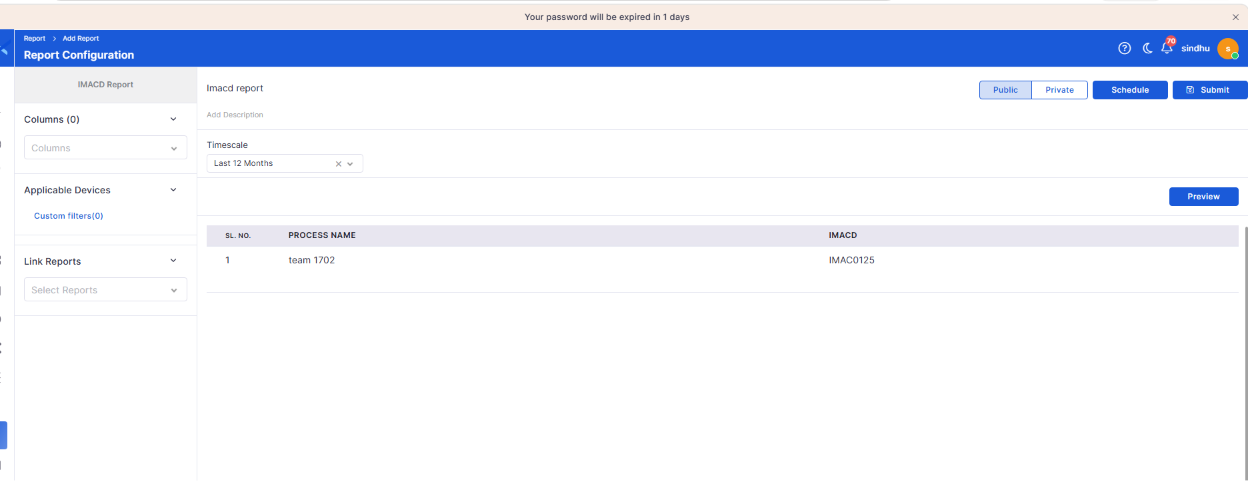
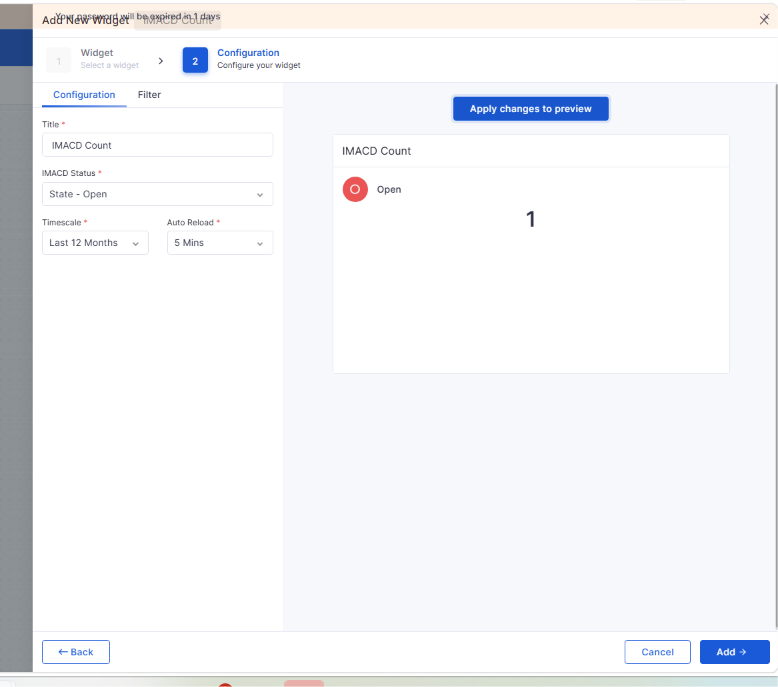
Data visibility should be implemented for the IMACD report and dashboard
Data visibility rules are now consistently applied across IMACD reports and dashboard widgets, ensuring users can access only the information allowed by their assigned permissions.
Enforce data visibility across IMACD reports and dashboards.
Restrict unauthorized access to sensitive information.
IT Assets
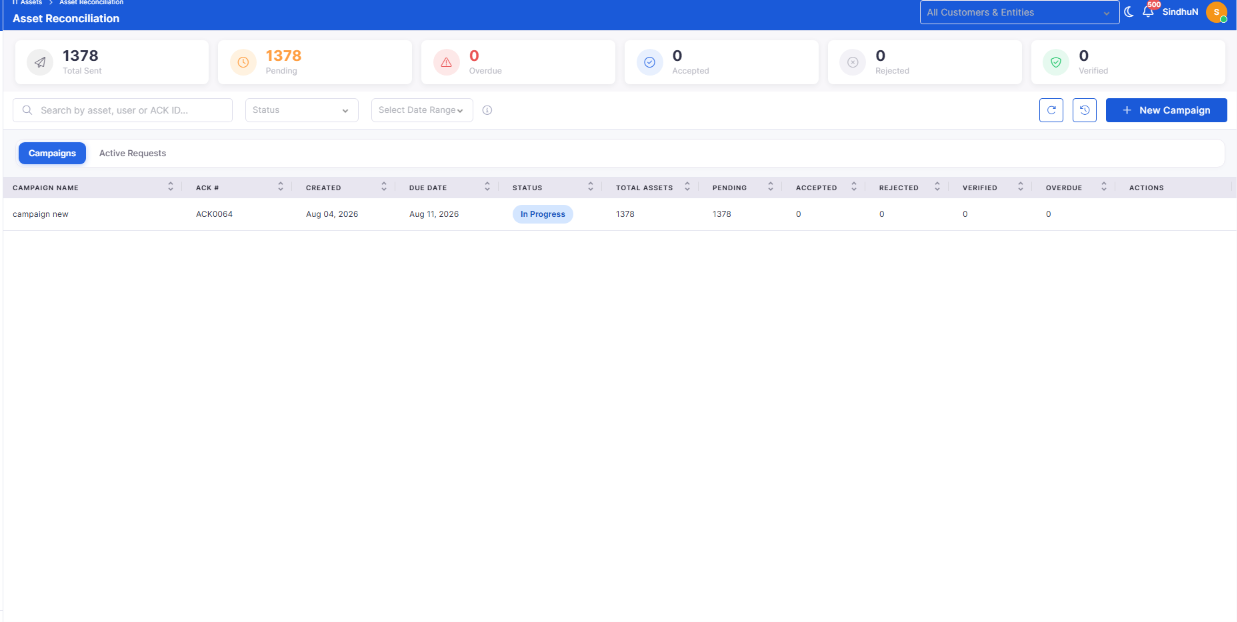
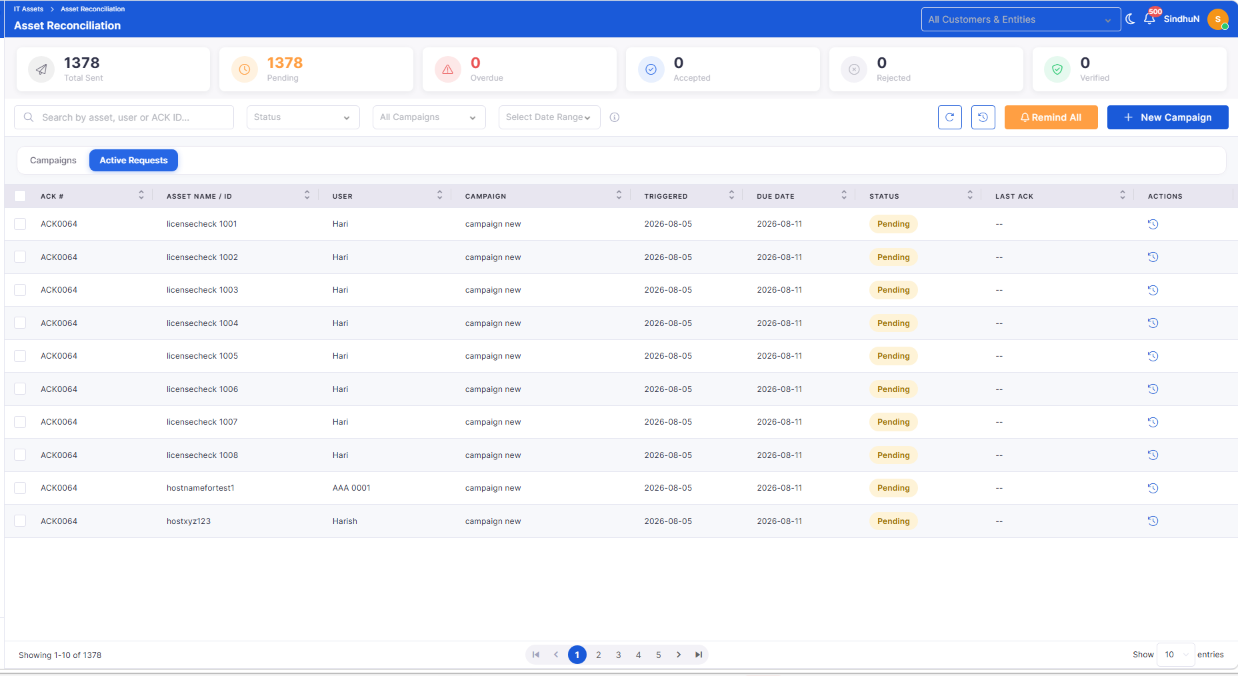
Asset - Manual Reconciliation
Manual reconciliation capabilities have been introduced to help organizations verify asset ownership and maintain an accurate inventory.
Initiate manual reconciliation for organizational assets.
Improve inventory accuracy through asset verification.
SBOM Data Lifecycle and Server-Side Cleanup
Software Bill of Materials (SBOM) lifecycle management has been enhanced to ensure software inventory remains current and relevant.
Automatically maintain software inventory as managed assets change.
Remove obsolete software inventory associated with retired assets.
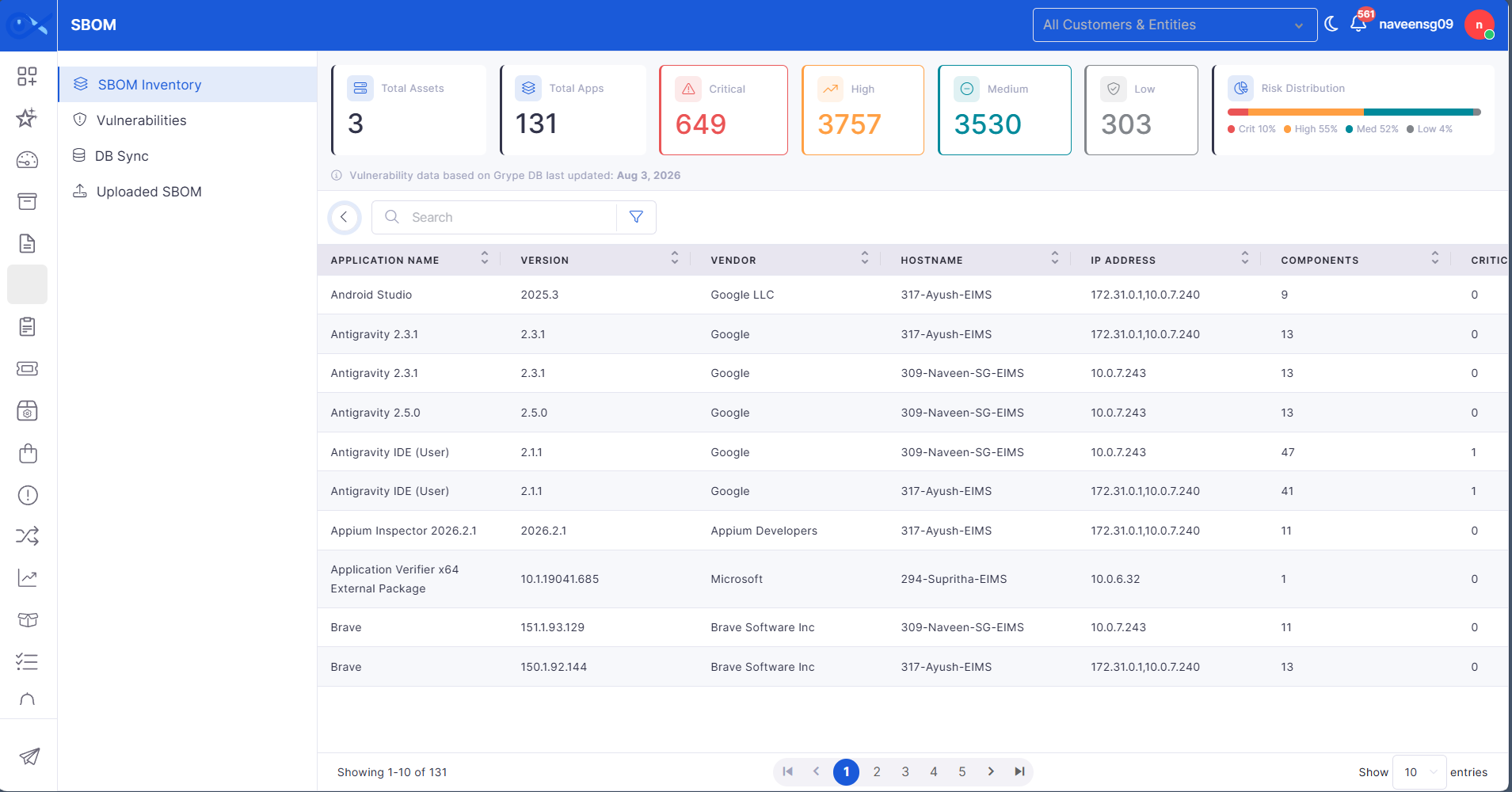
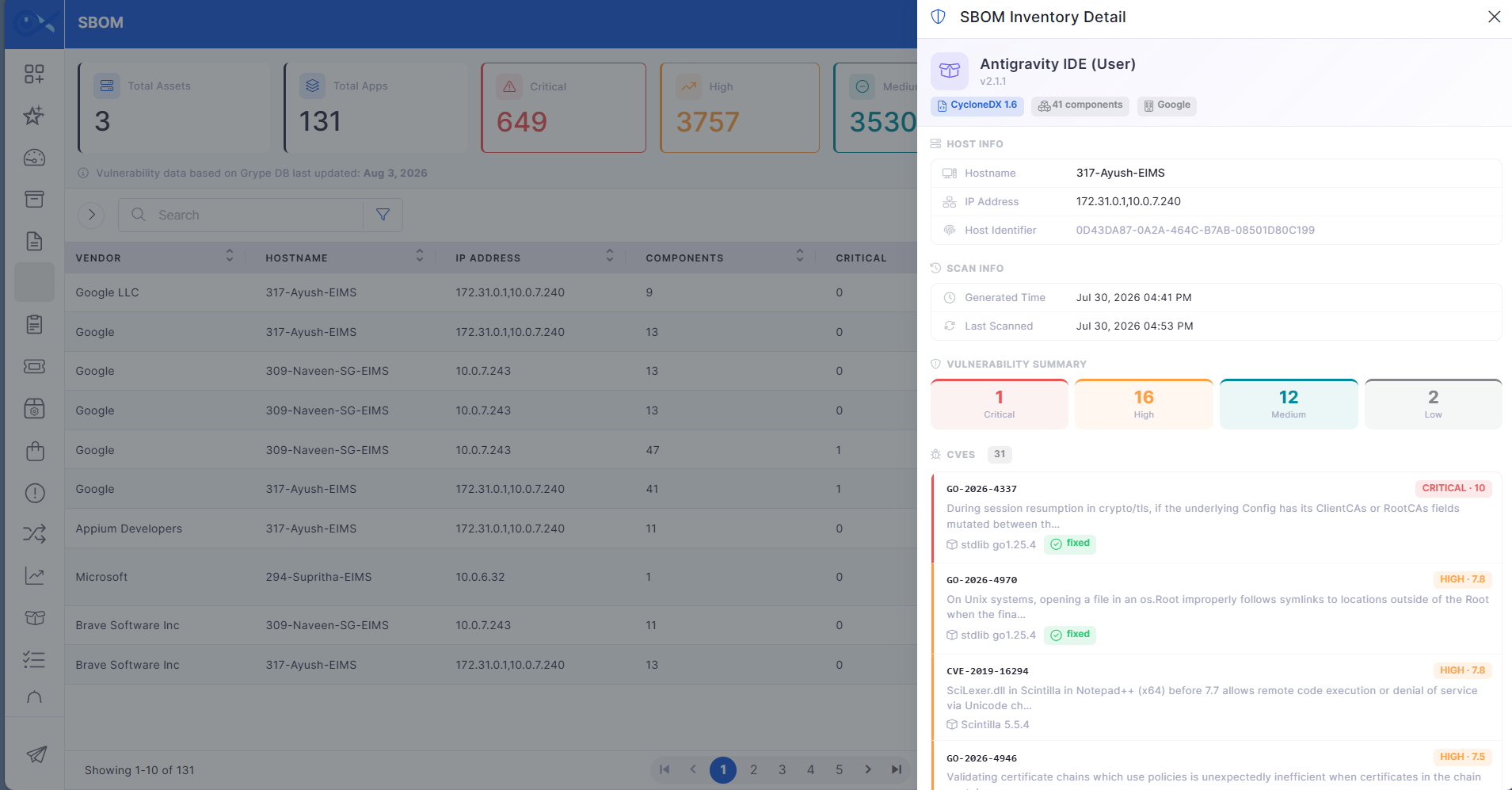
SBOM Inventory View
A dedicated SBOM Inventory View provides centralized visibility into software components and associated vulnerabilities.
View software inventory across managed assets from a single location.
Monitor software components and vulnerability information with ease.
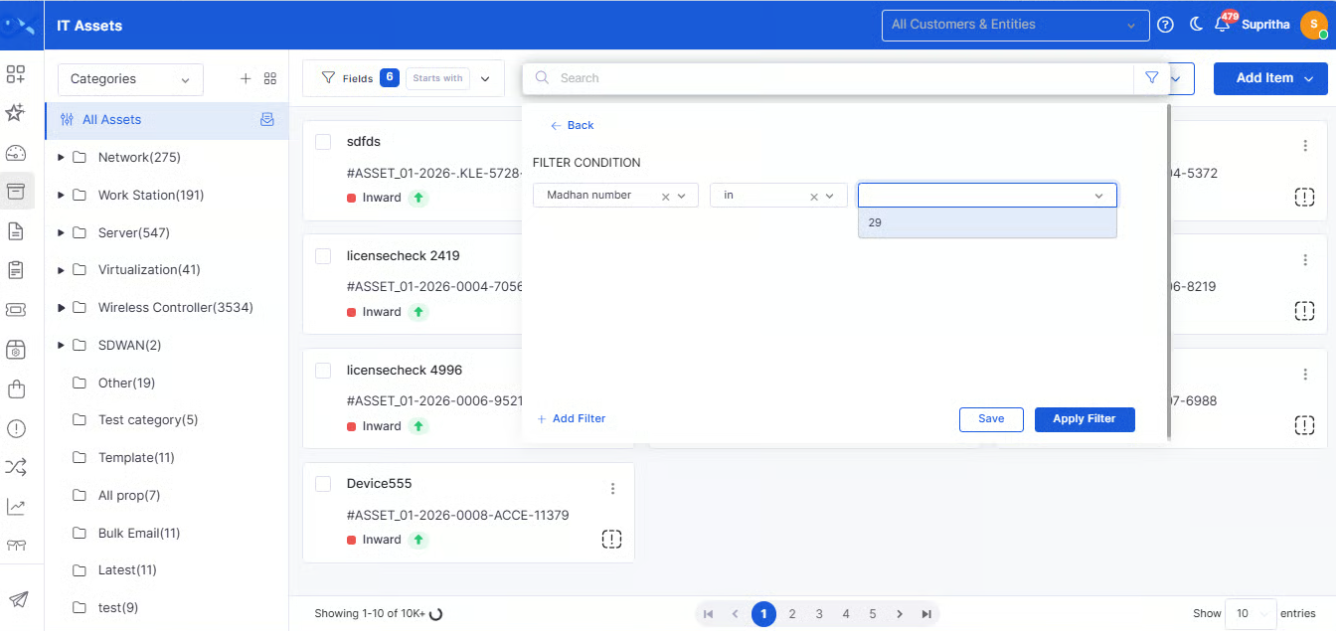
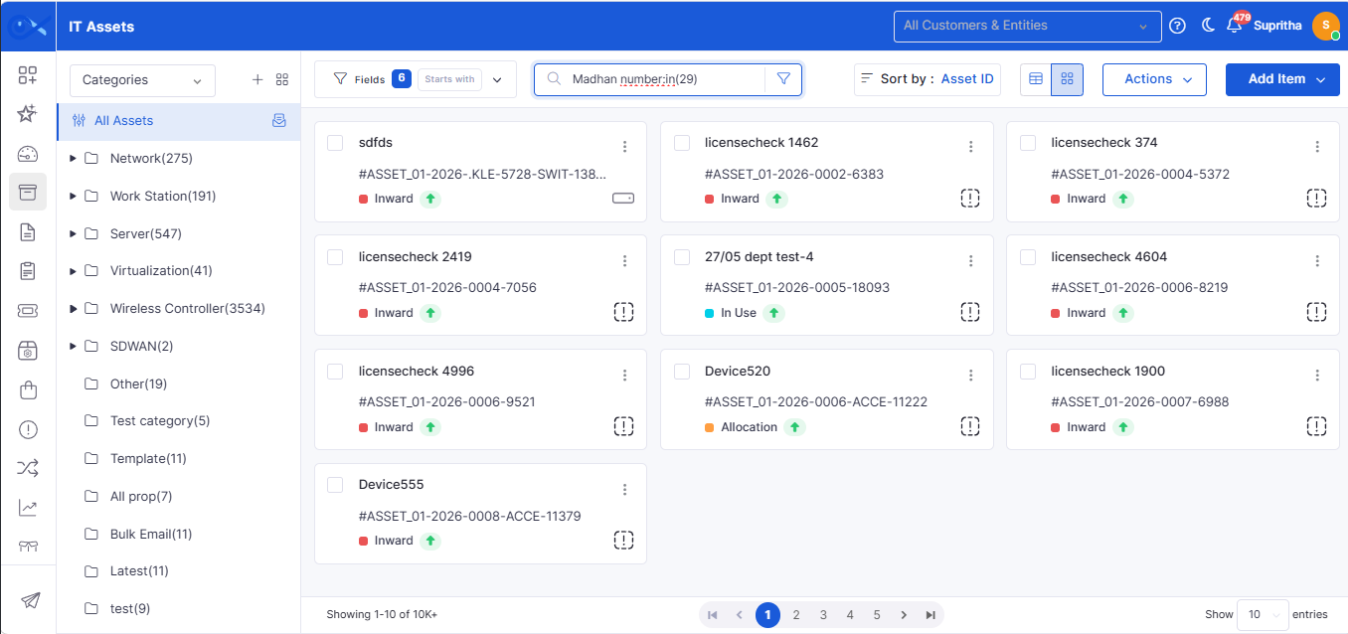
Asset page filter - Dropdown option: Population for selected custom fields
Asset filtering has been enhanced to simplify searching and managing assets using configured custom fields.
Populate filter values dynamically based on selected custom fields.
Improve search accuracy for asset records.
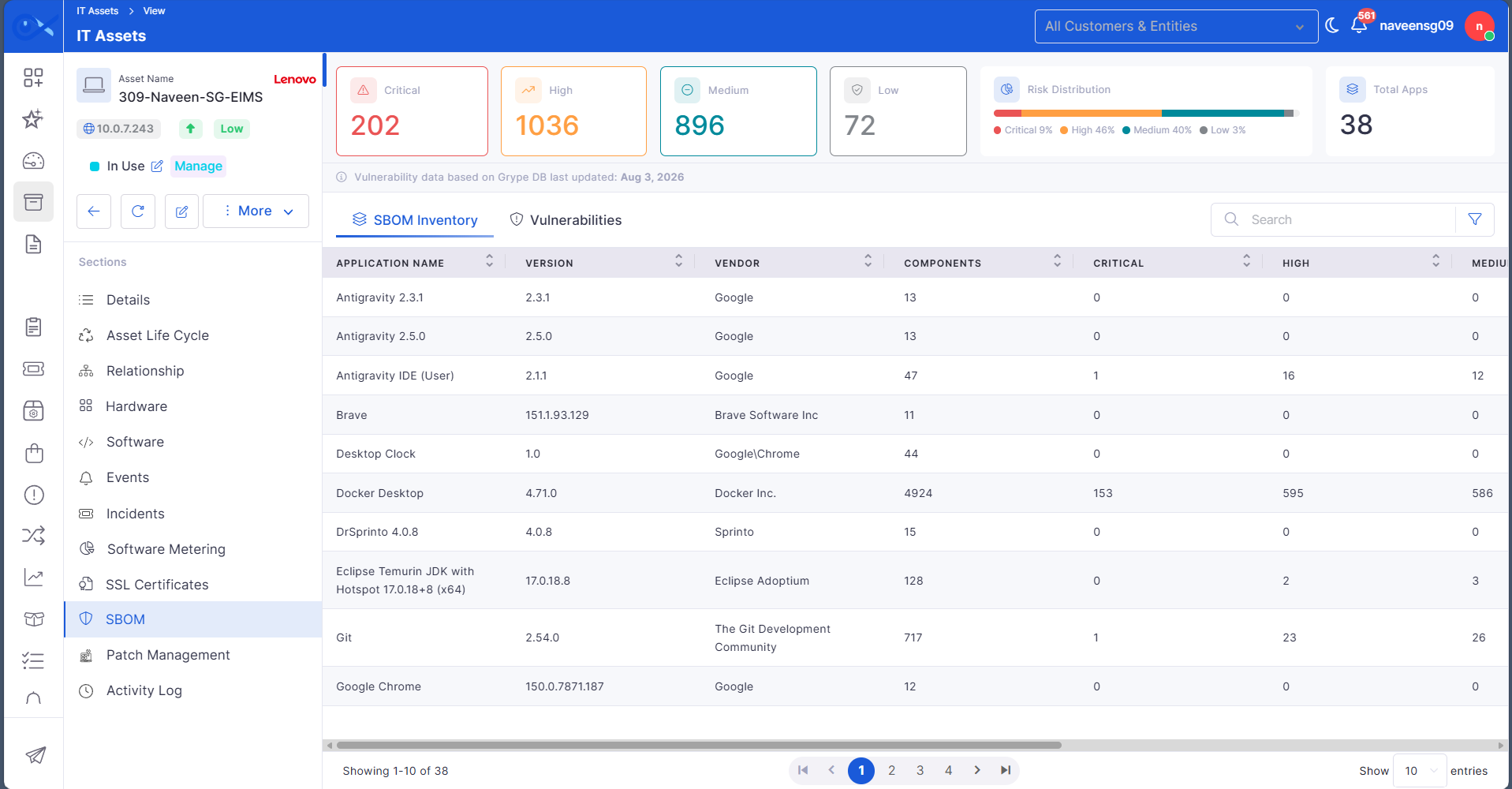
Asset View SBOM Information
Asset details now include SBOM information, providing a consolidated view of software inventory alongside asset information.
View software inventory directly from the asset details page.
Access software composition without navigating to another module.
SBOM File Storage using local / s3 / sftp
SBOM file storage has been enhanced to support multiple storage options, providing greater deployment flexibility.
Support local, S3, and SFTP storage options for SBOM files.
Improve deployment flexibility across different environments.
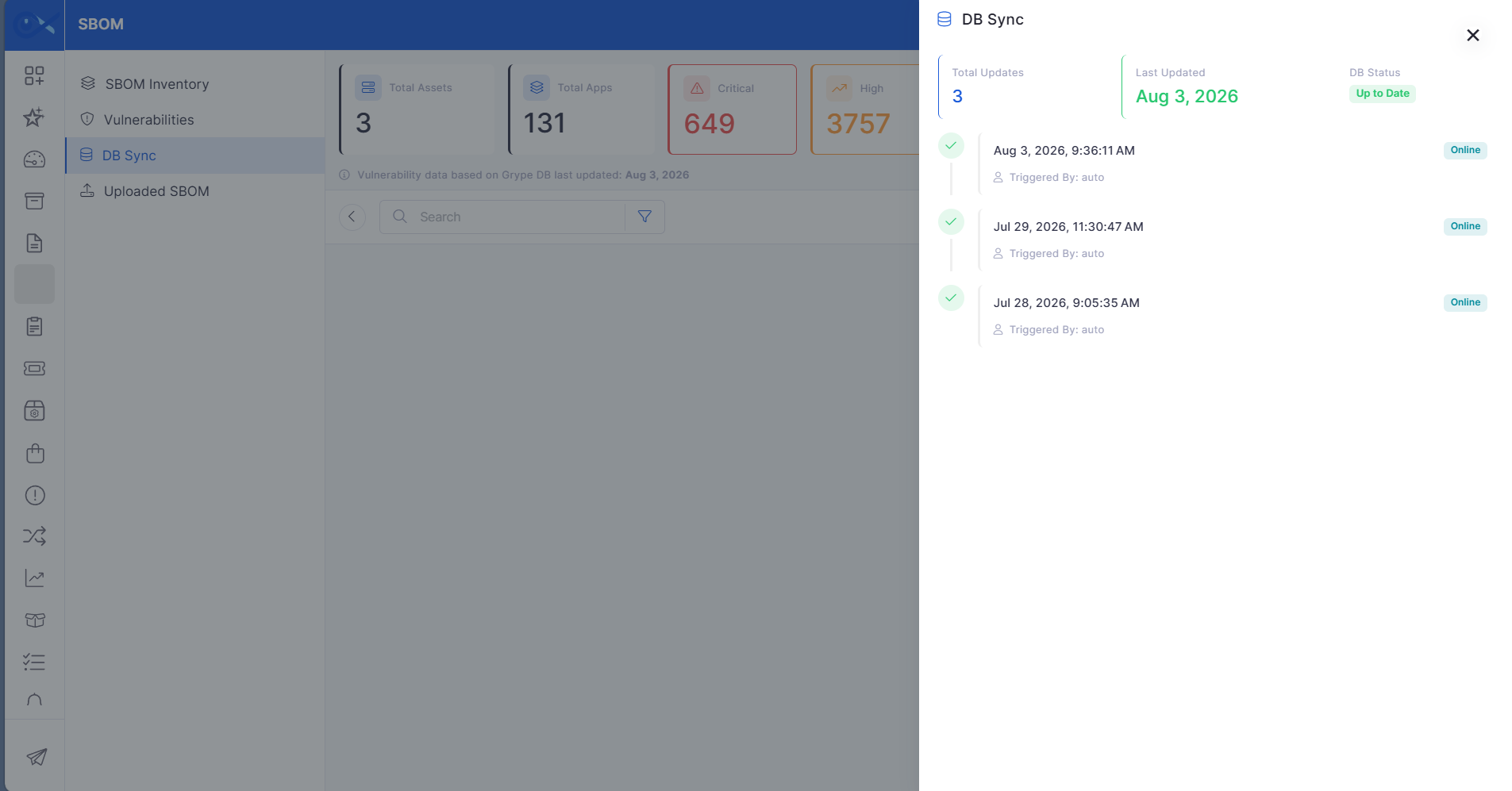
SBOM DB Sync History Sidebar and vulnerability sync
SBOM synchronization has been enhanced with improved visibility into synchronization activities and vulnerability updates.
Monitor SBOM synchronization history from a dedicated sidebar.
Track vulnerability synchronization status with greater transparency.
Incident
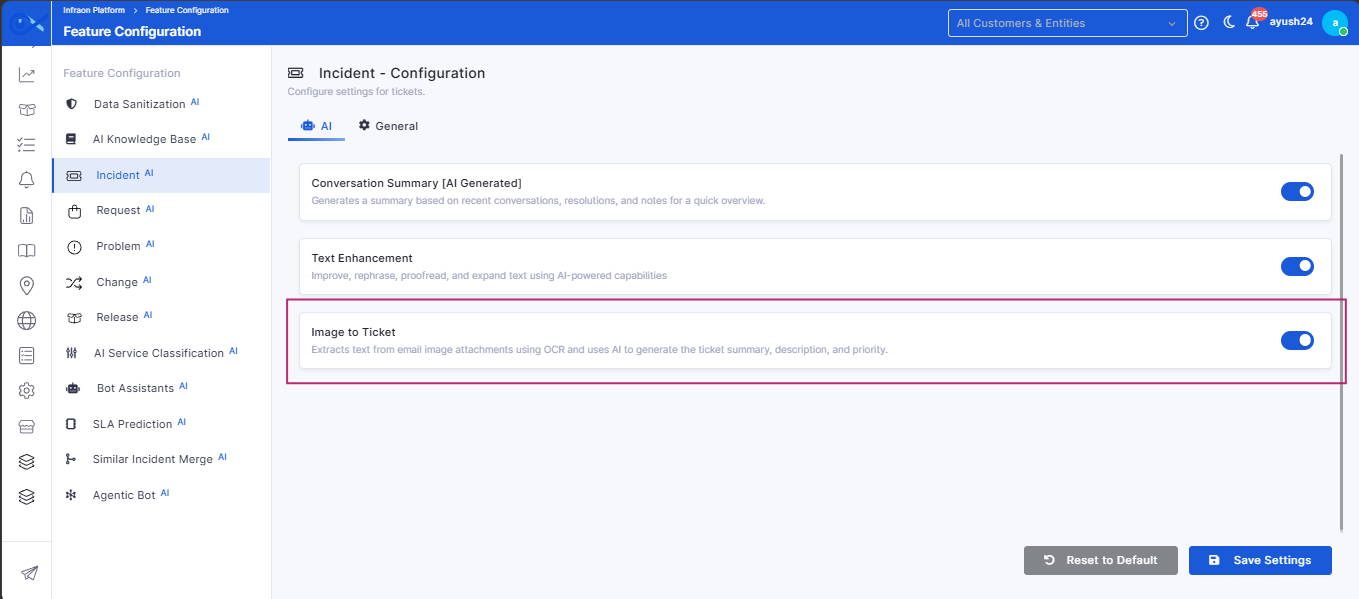
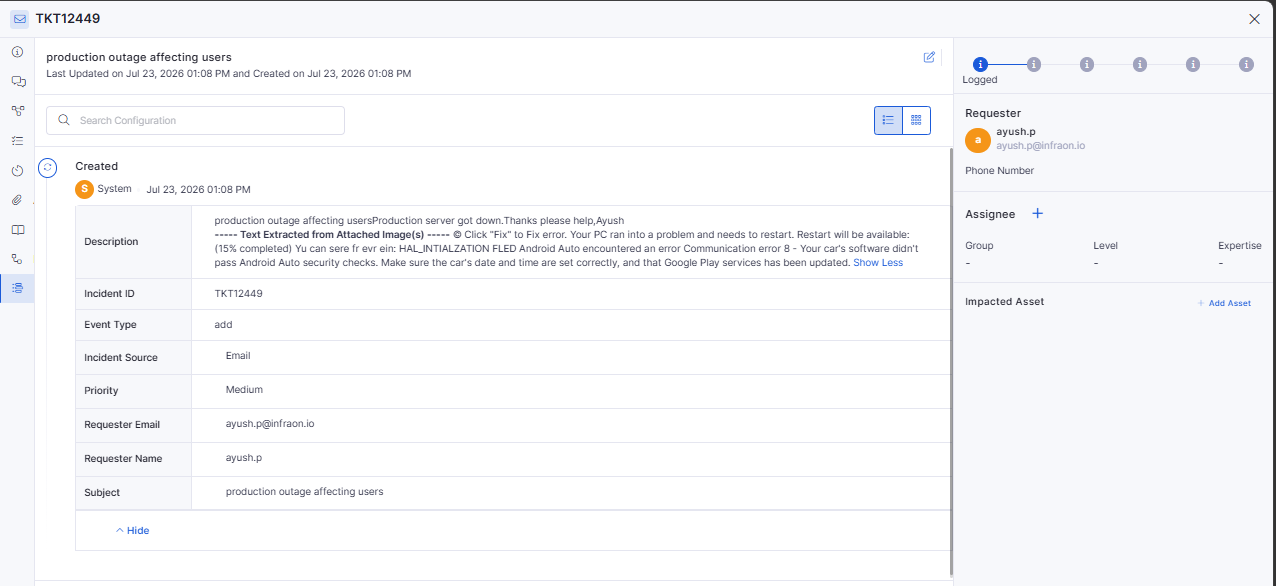
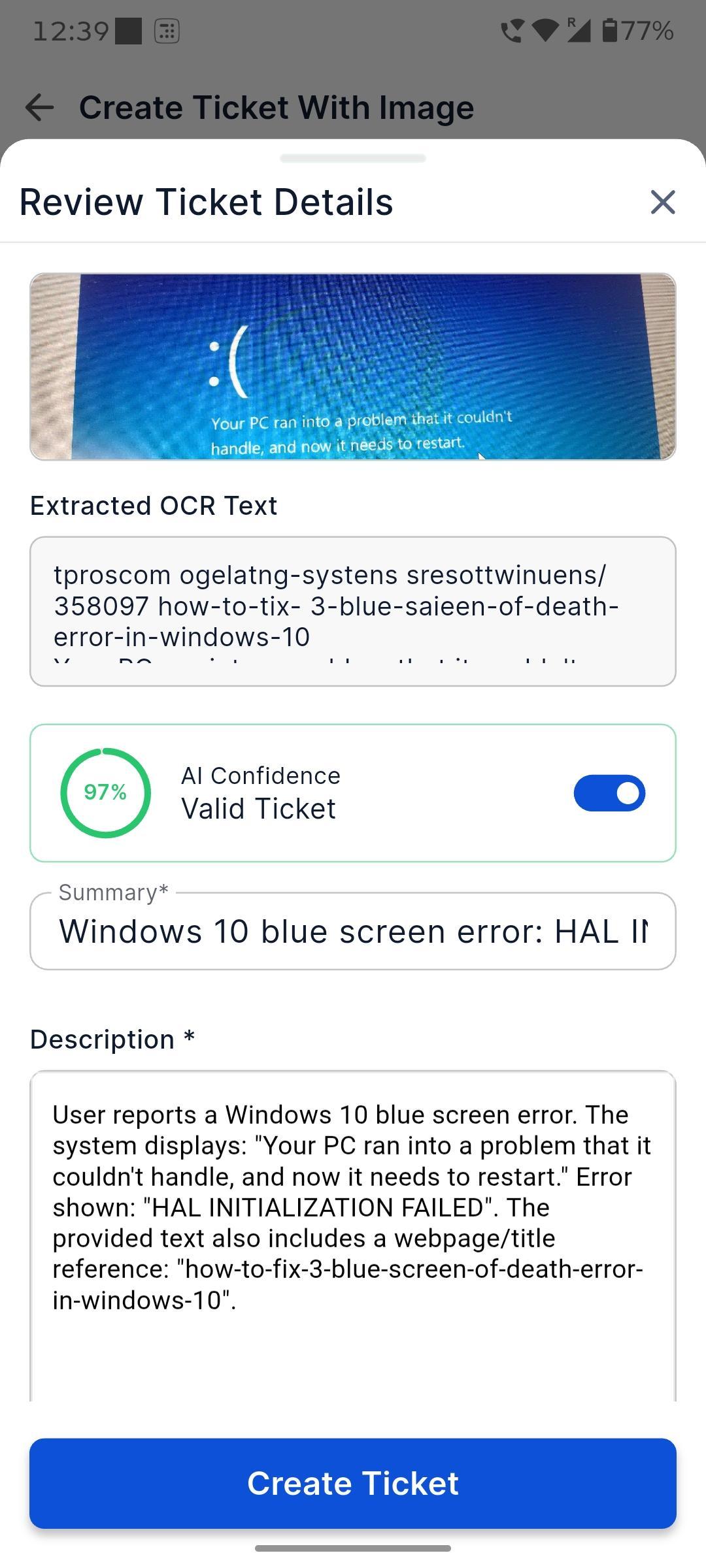
OCR-Based Image Text Extraction for Email-to-Incident
Email-to-Incident now supports Optical Character Recognition (OCR), enabling the system to extract text from image attachments and use it during ticket creation.
Automatically extract text from supported image attachments received via email.
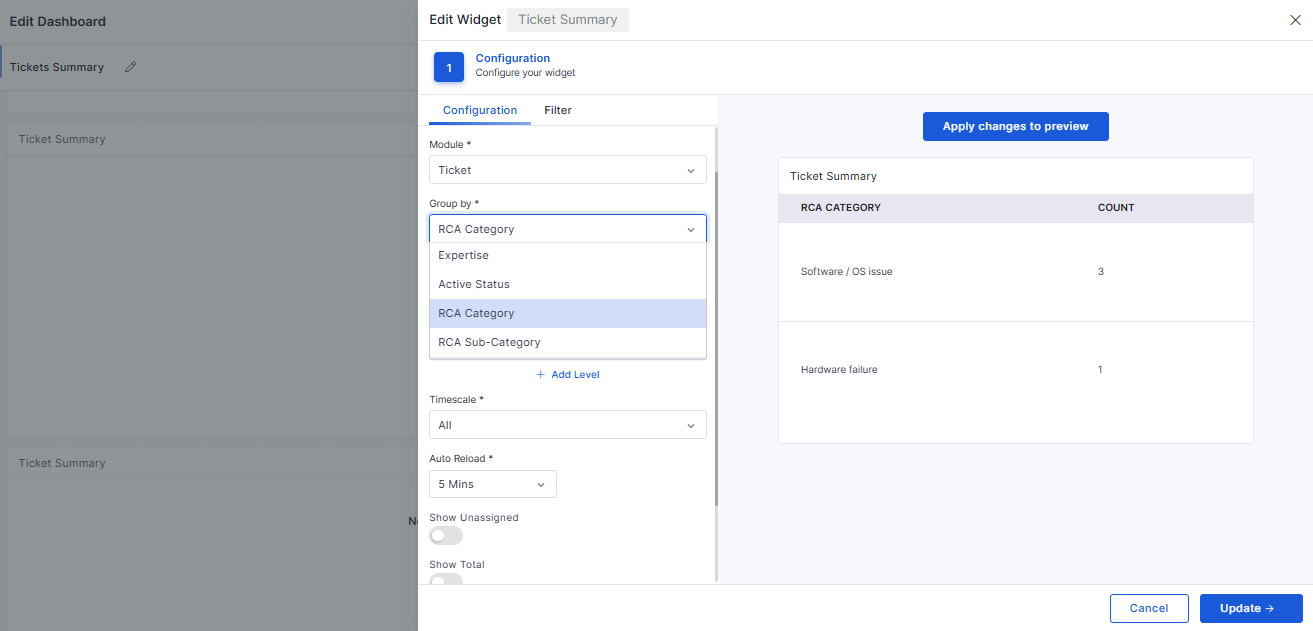
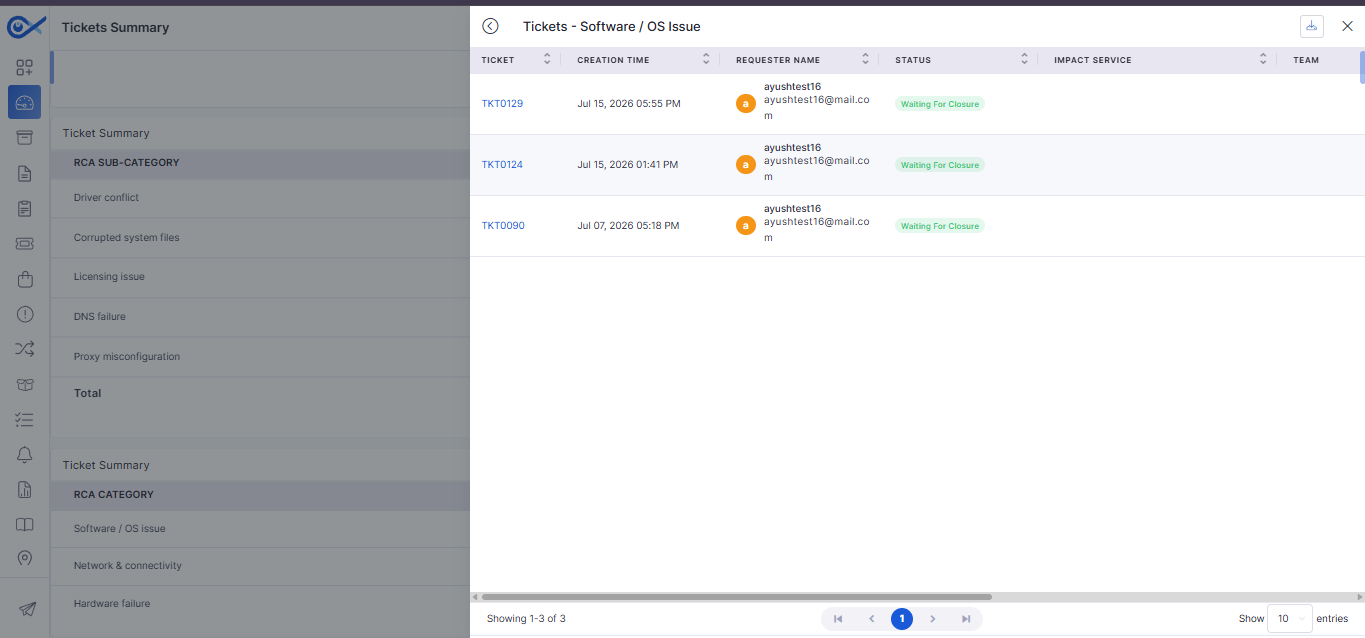
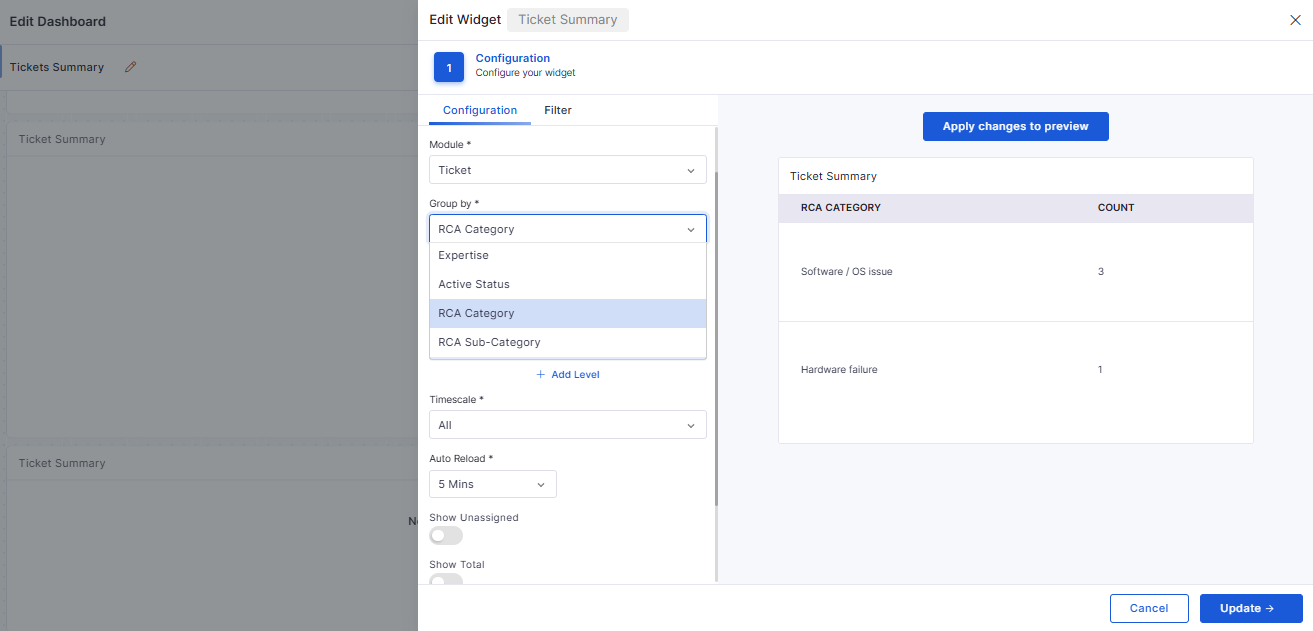
Ticket RCA Category Group by in Widgets
The Ticket Summary widget has been enhanced to support grouping by Root Cause Analysis (RCA) categories, making it easier to identify recurring issues and analyze incident trends.
Group tickets based on RCA categories within dashboard widgets.
Gain better visibility into recurring incident patterns.
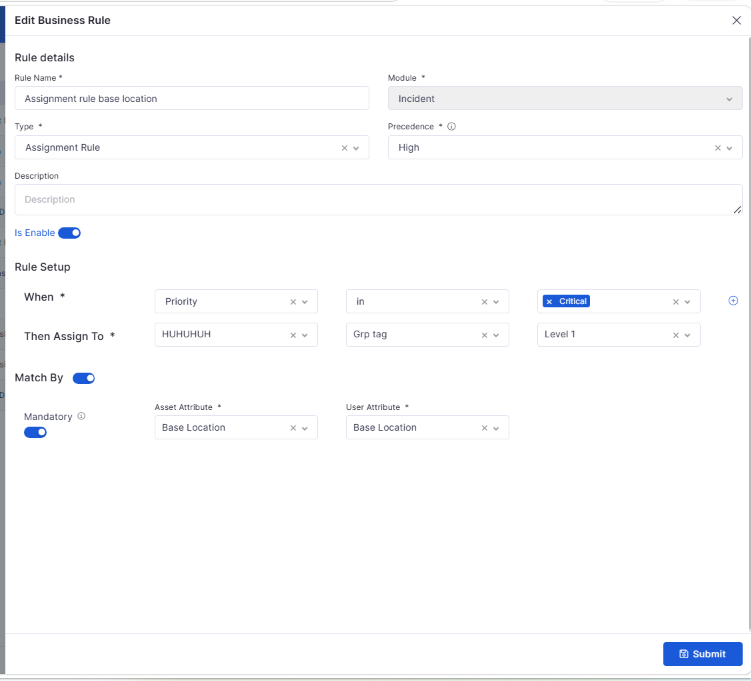
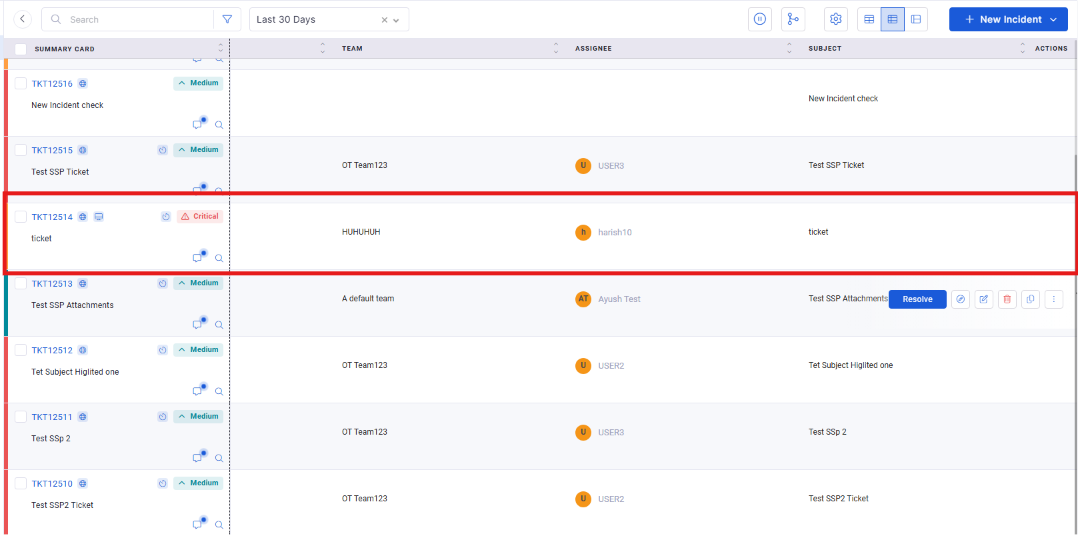
Auto Assignment of the Ticket to the User if Asset Location Matches
Incident assignment has been enhanced to automatically route tickets based on the associated asset's location, ensuring requests are directed to the appropriate support personnel.
Automatically assign tickets when the asset location matches configured criteria.
API Trigger on Comment Updates
Comment updates can now trigger configured integrations, ensuring external systems remain synchronized with the latest ticket activities.
Trigger external integrations whenever ticket comments are updated.
Keep connected systems synchronized with ticket activities.
Notification
Project Notification Rule Engine
A new Project Notification Rule Engine provides greater flexibility in configuring notifications for project-related events and activities.
Configure notifications based on project-specific events.
Automate stakeholder communication using configurable rules.
Dashboard
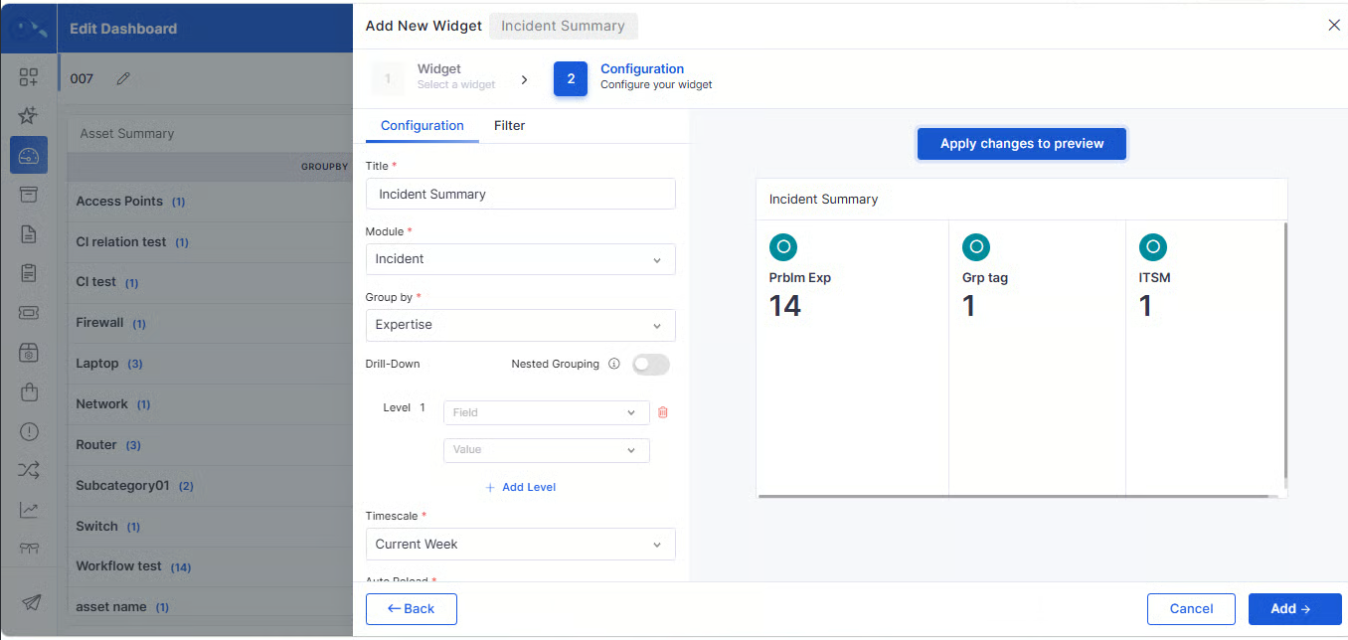
Team, Expertise, Level, Users/Assignee Nested Group by in Ticket Summary Widget
The Ticket Summary widget now supports additional nested grouping options, providing more flexible ways to analyze ticket data across teams and users.
Group ticket data by Team, Expertise, Level, and Assignee.
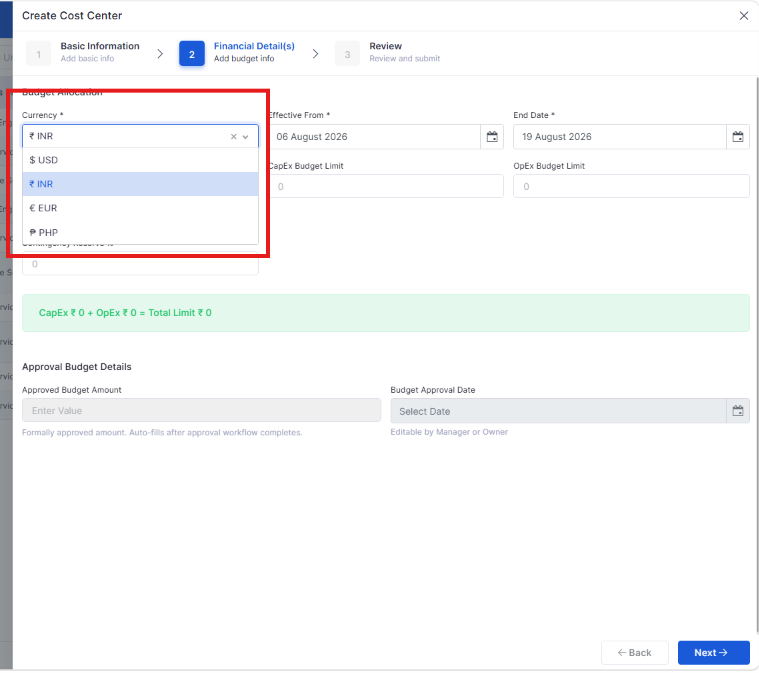
Cost Centre
Organization-level currency setting & integrating into Cost Center, Project Settings
Organizations can now configure a default currency at the organization level, ensuring consistent financial data across Cost Center and Project Settings.
Configure a default organization-wide currency for financial operations.
Automatically apply the configured currency across Cost Center and Project Settings.
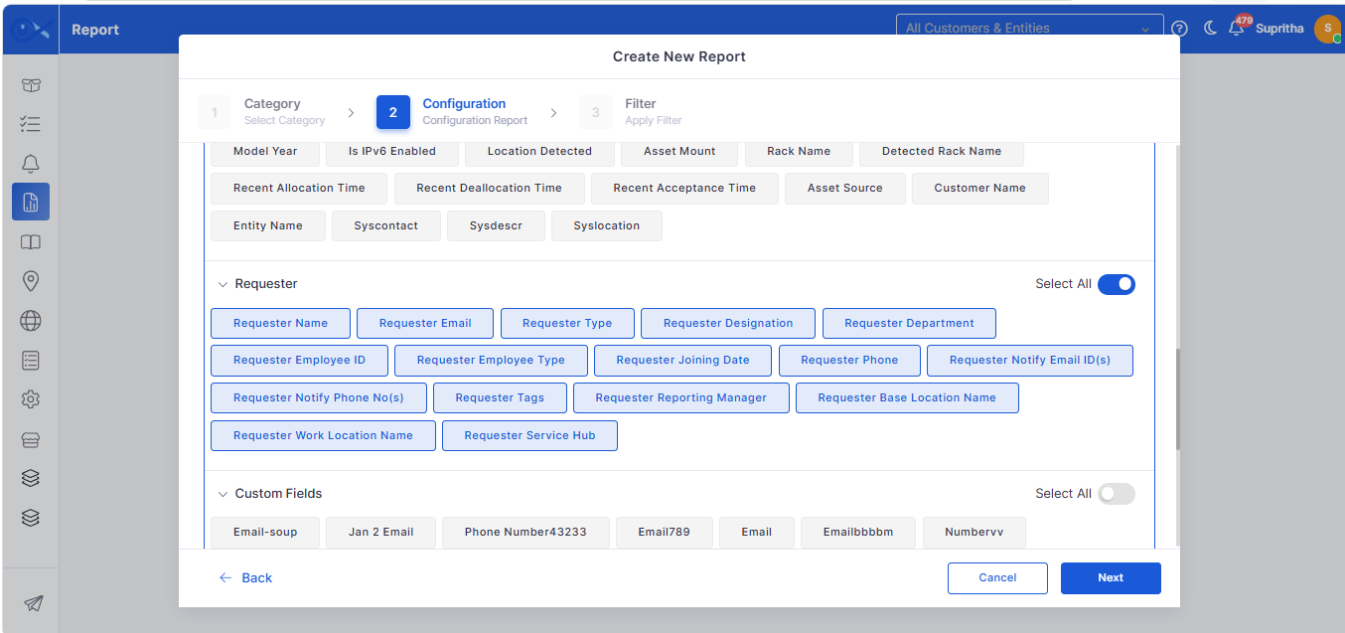
Report
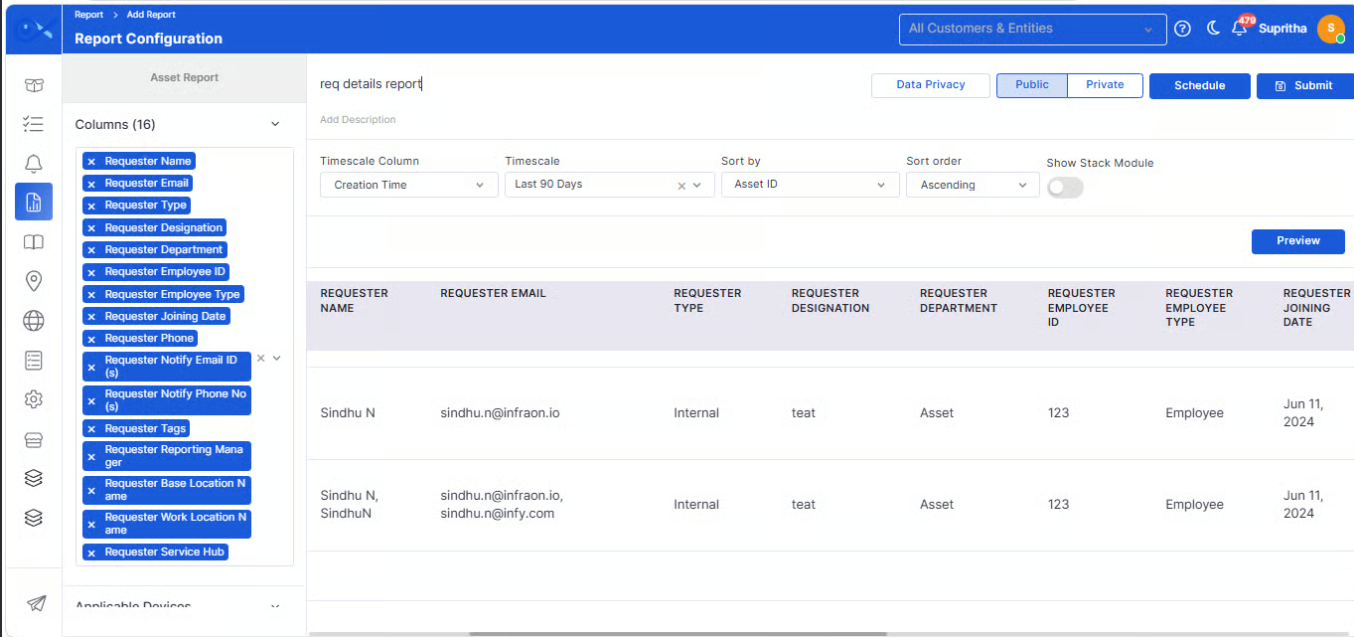
Requester details in asset report (Employee ID)
Asset reports have been enhanced to include requester details, providing better visibility into asset ownership and allocation.
Include requester information alongside asset details in reports.
Display the Employee ID to improve asset identification.
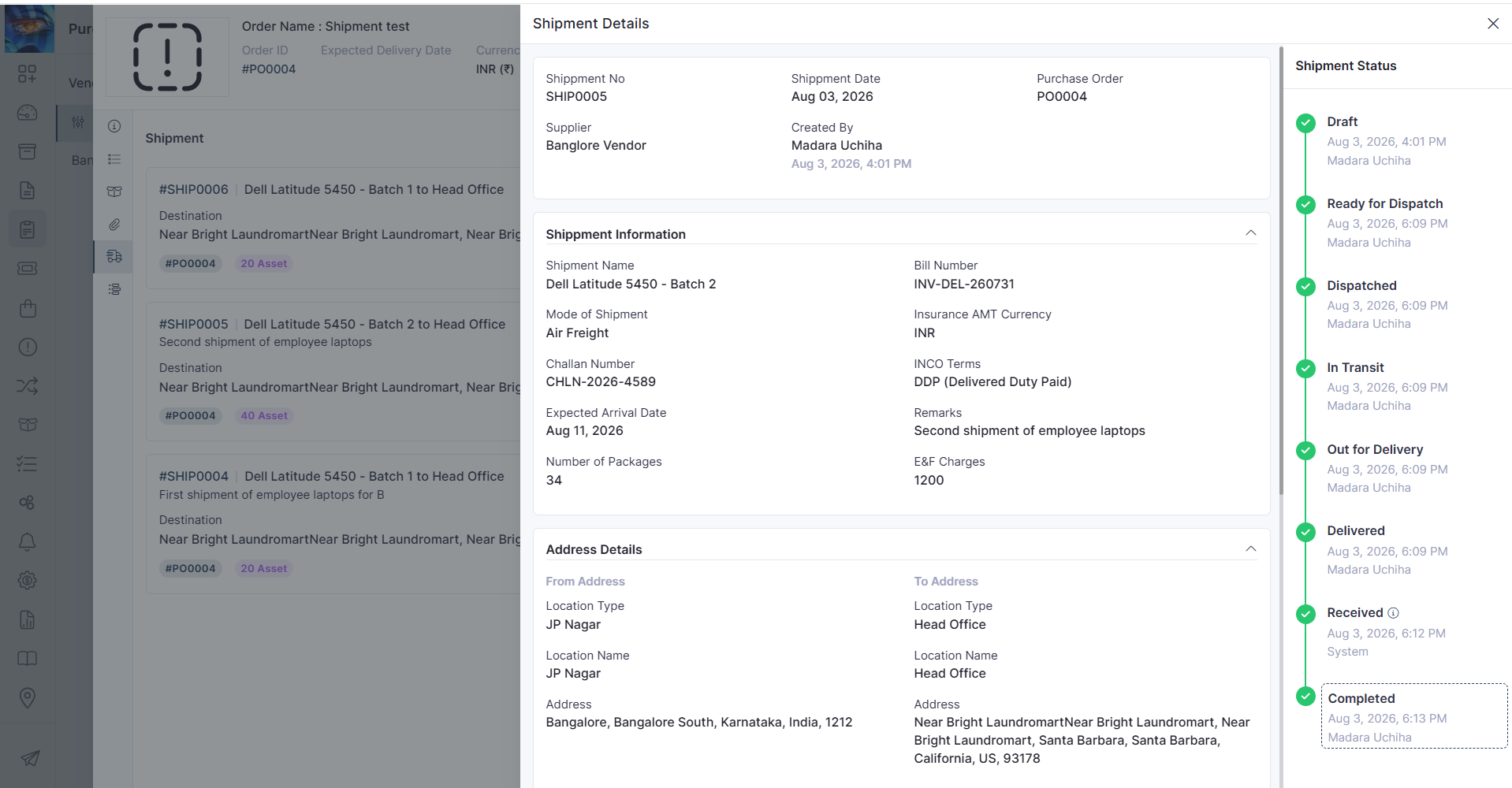
Purchase Order
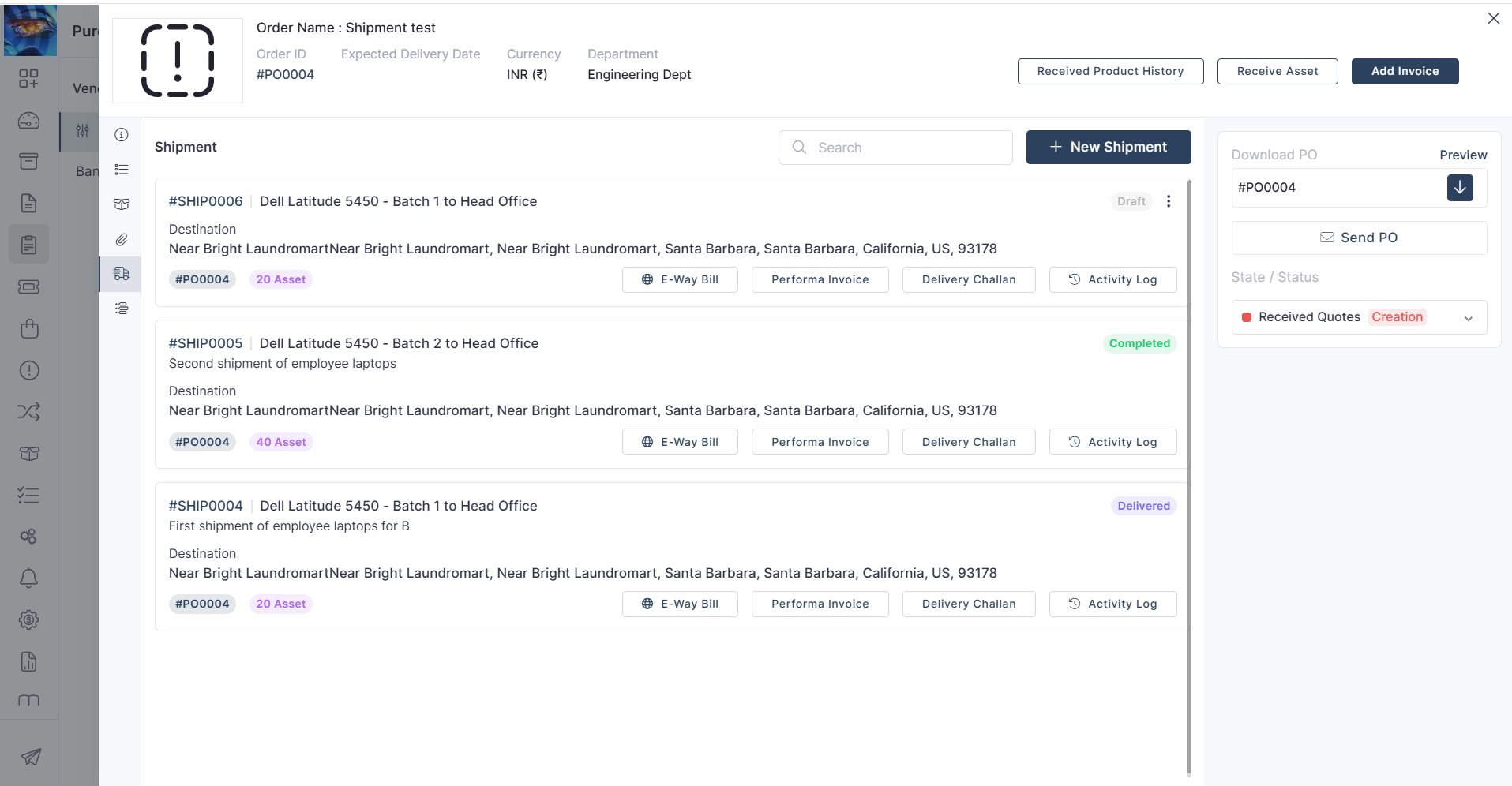
Shipment creation against approved POs
Approved Purchase Orders can now be used to create shipments, streamlining procurement and shipment tracking.
Create shipments directly from approved Purchase Orders.
Simplify the transition from procurement to shipment processing.
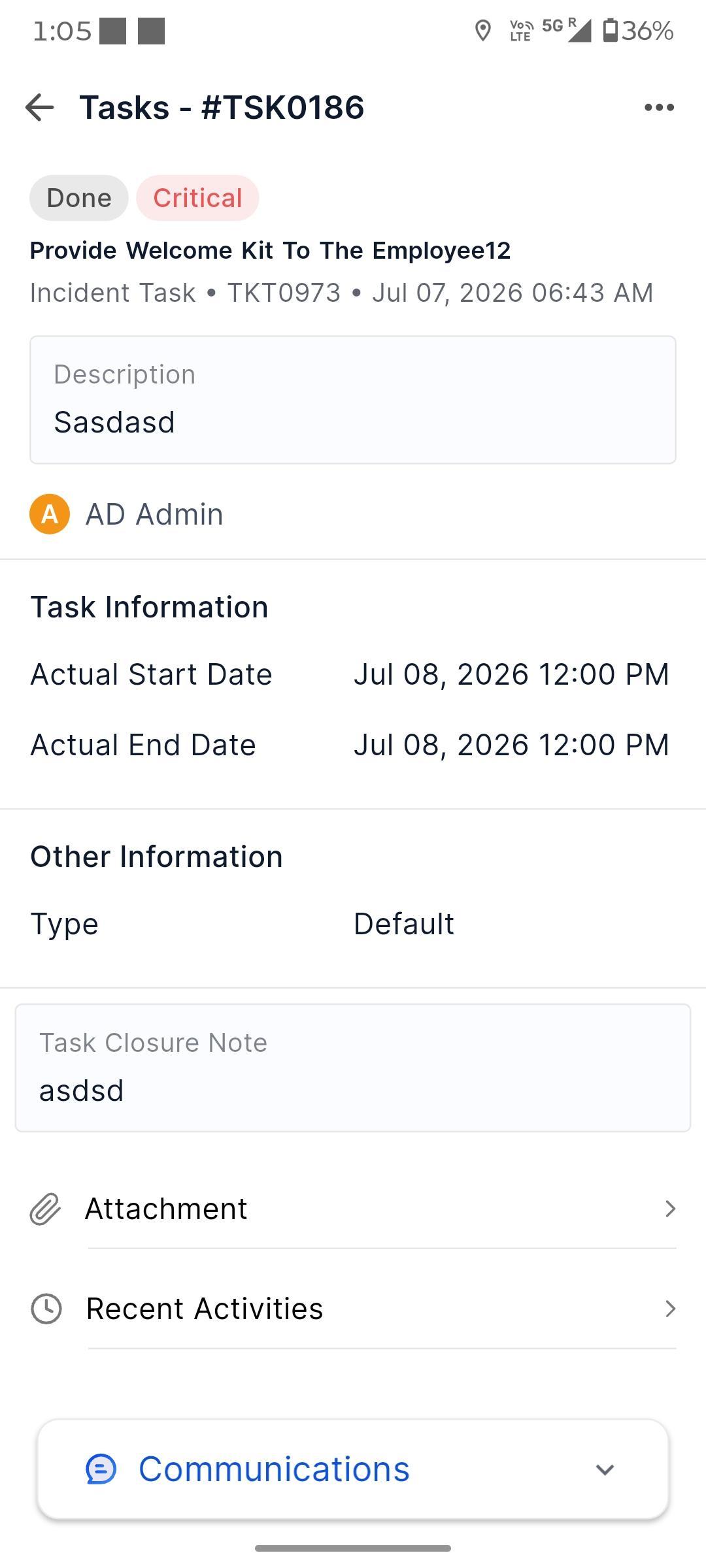
Mobile Enhancement
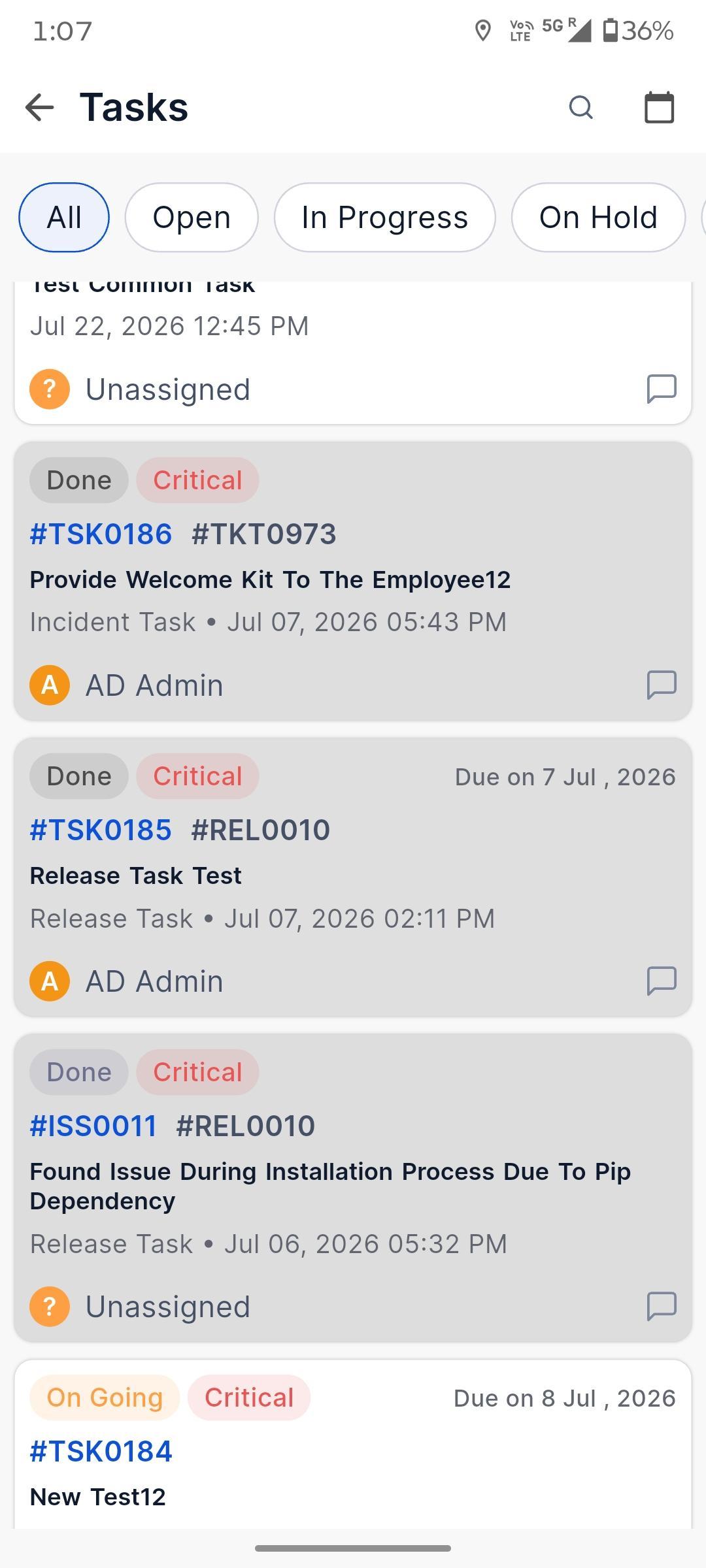
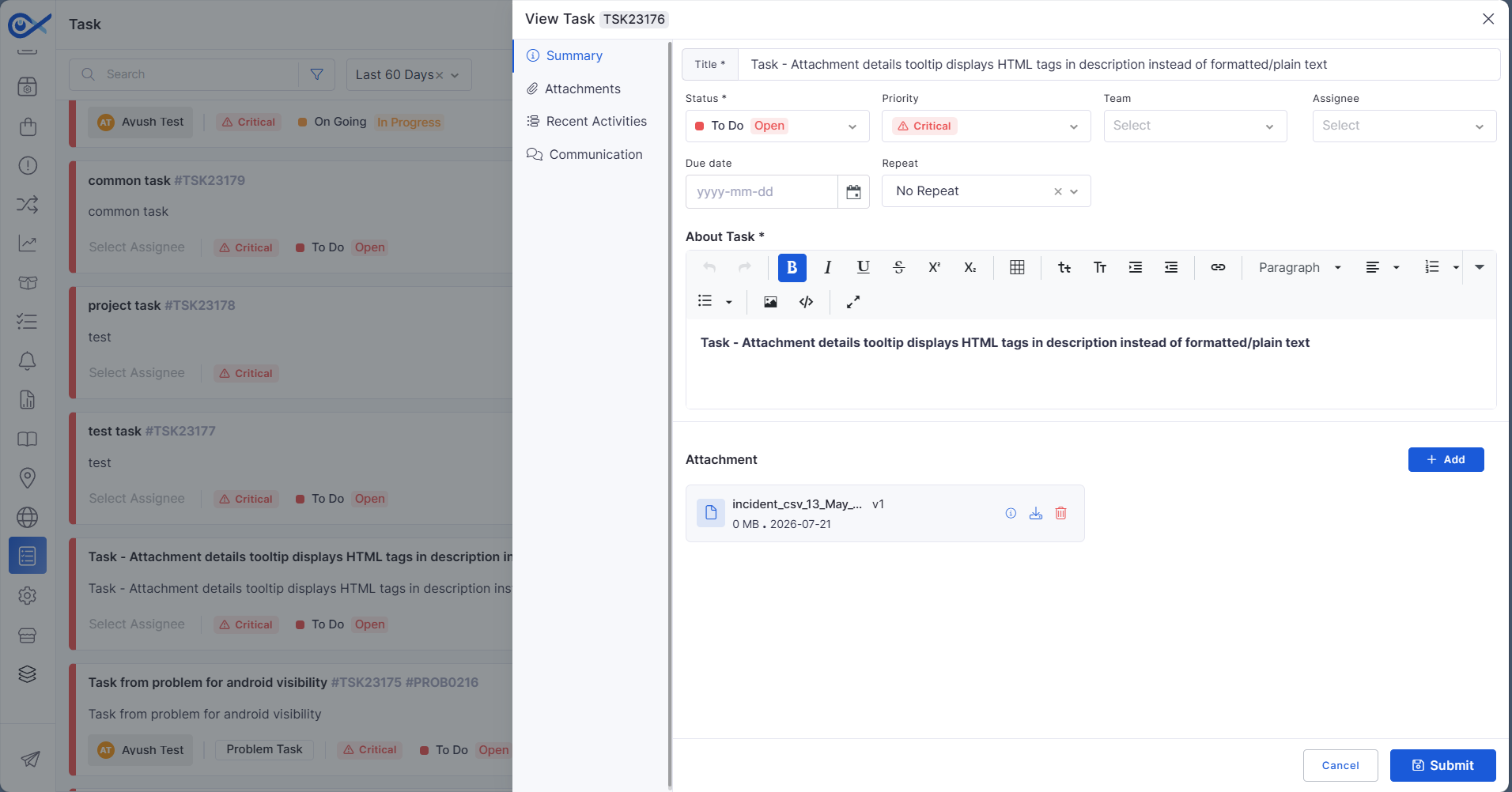
Android – Task Details
The Android application has been enhanced to provide richer task details, enabling users to view and manage task information more efficiently while on the go.
View comprehensive task information directly from the mobile app.
Access key task details without switching between screens.
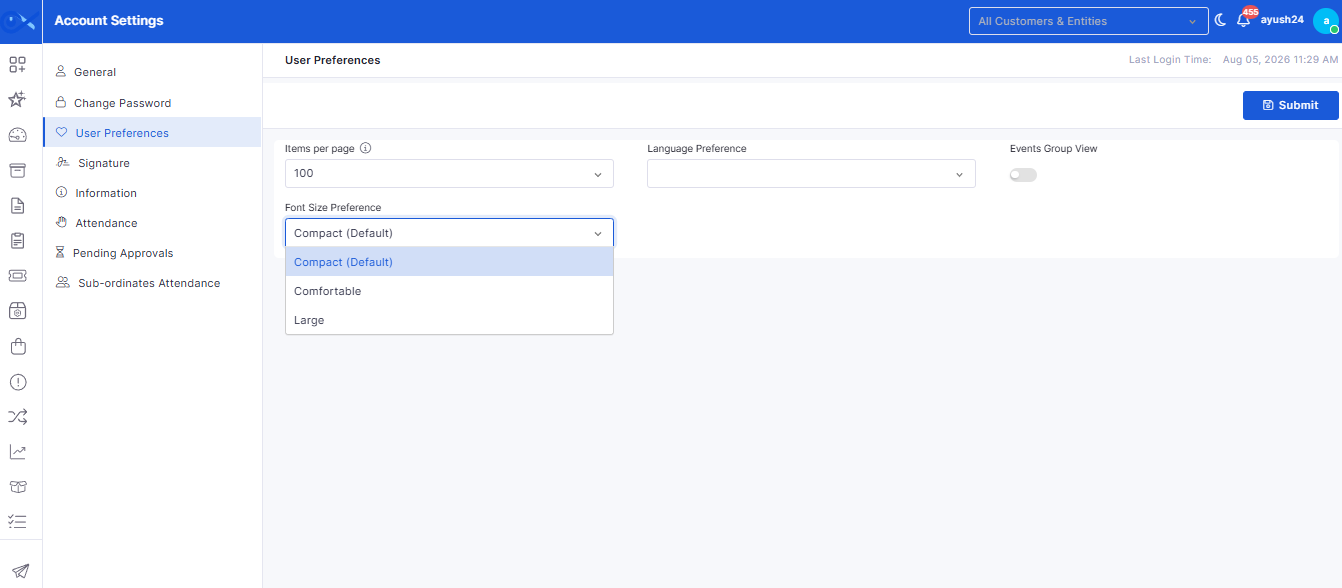
My Profile
Font Size Preference
Users can now personalize their viewing experience by configuring their preferred font size within their profile settings.
Choose a preferred font size for a more comfortable reading experience.
Improve accessibility based on individual user preferences.
Request
Mandatory Policy Acceptance During Node Requests
A mandatory disclaimer has been introduced during node request submission to ensure users acknowledge the organization's node request policy before proceeding.
Display a policy disclaimer during node request submission.
Require users to accept the disclaimer before submitting the request.
Inventory Agents
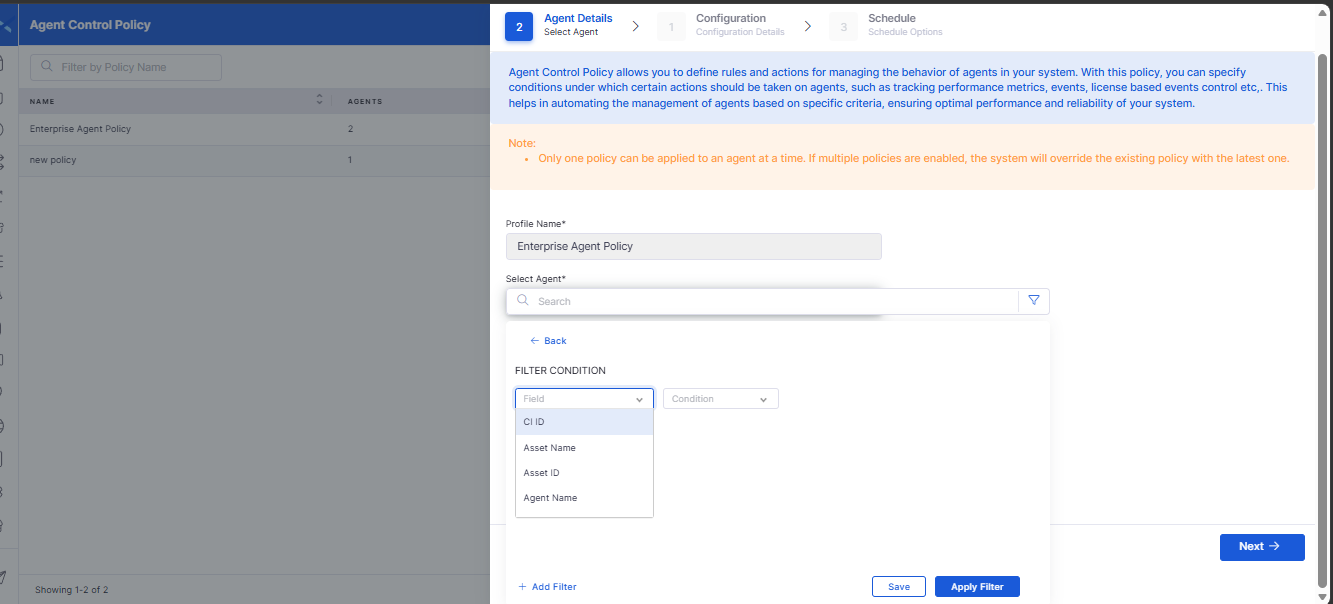
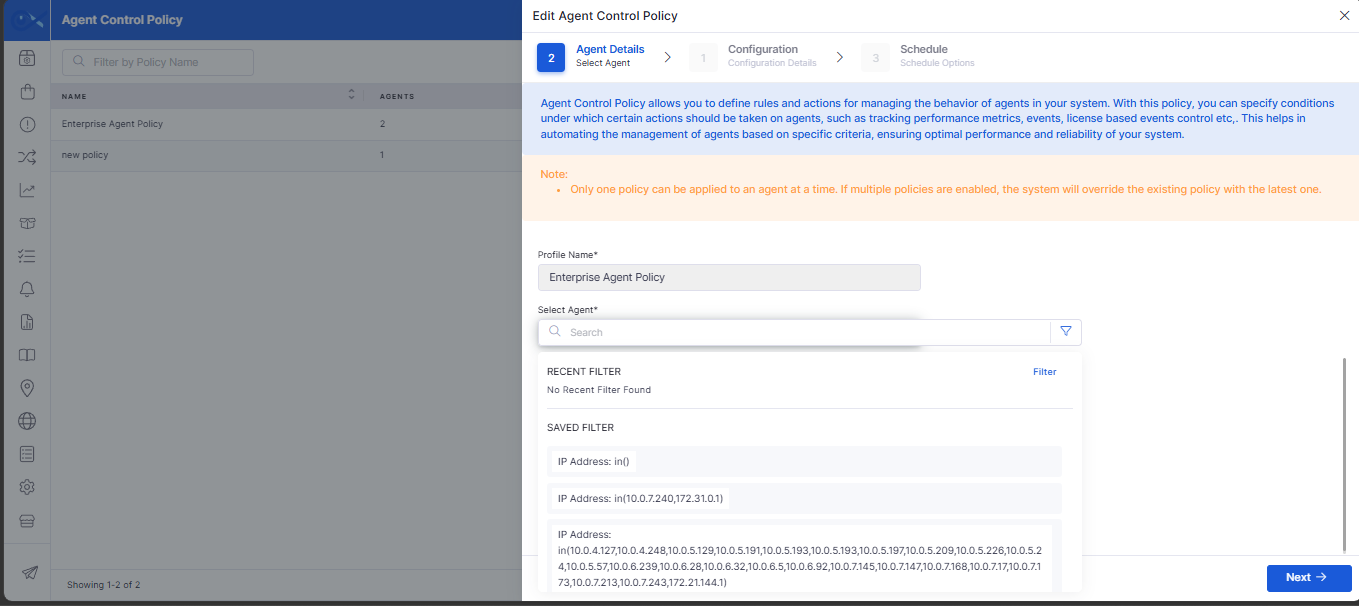
Search Filter for Agent Control Policy
Agent Control Policy management has been enhanced with search capabilities, making it easier to locate and manage policies.
Search Agent Control Policies using relevant filter criteria.
Quickly locate specific policies within large environments.
Requesters
Enhanced Requester Details Export
Requester management has been enhanced to improve the reliability of downloading requester information.
Restore the ability to download requester details successfully.
Improve the reliability of requester data exports.
Resolved dashboard grouping inconsistencies in Ticket Summary widgets.
Addressed minor UI, performance, and stability improvements across the platform.
v7.4.6 - June 2026
Release Cycle: 5th June 2026
Build: Pre-Release Documentation
Overview
This release introduces enhancements across AI Operations, Project Management, Reporting, Procurement, Asset Management, Mobile Applications, Workflow Automation, and Enterprise Asset Management. The updates focus on improving usability, reporting flexibility, workflow customization, and operational visibility across the platform.
Key Updates
Use these pages to go deeper into the modules covered in this release:
AlOps
Workflow Canvas and Node Behavior UI Enhancements
Improved workflow canvas interaction for creating and managing node connections.
Added guided connection behavior to simplify workflow design.
Custom Apps Configuration and View Management
Added support for creating, editing, and managing custom applications.
Enhanced grid and card views for improved application visibility.
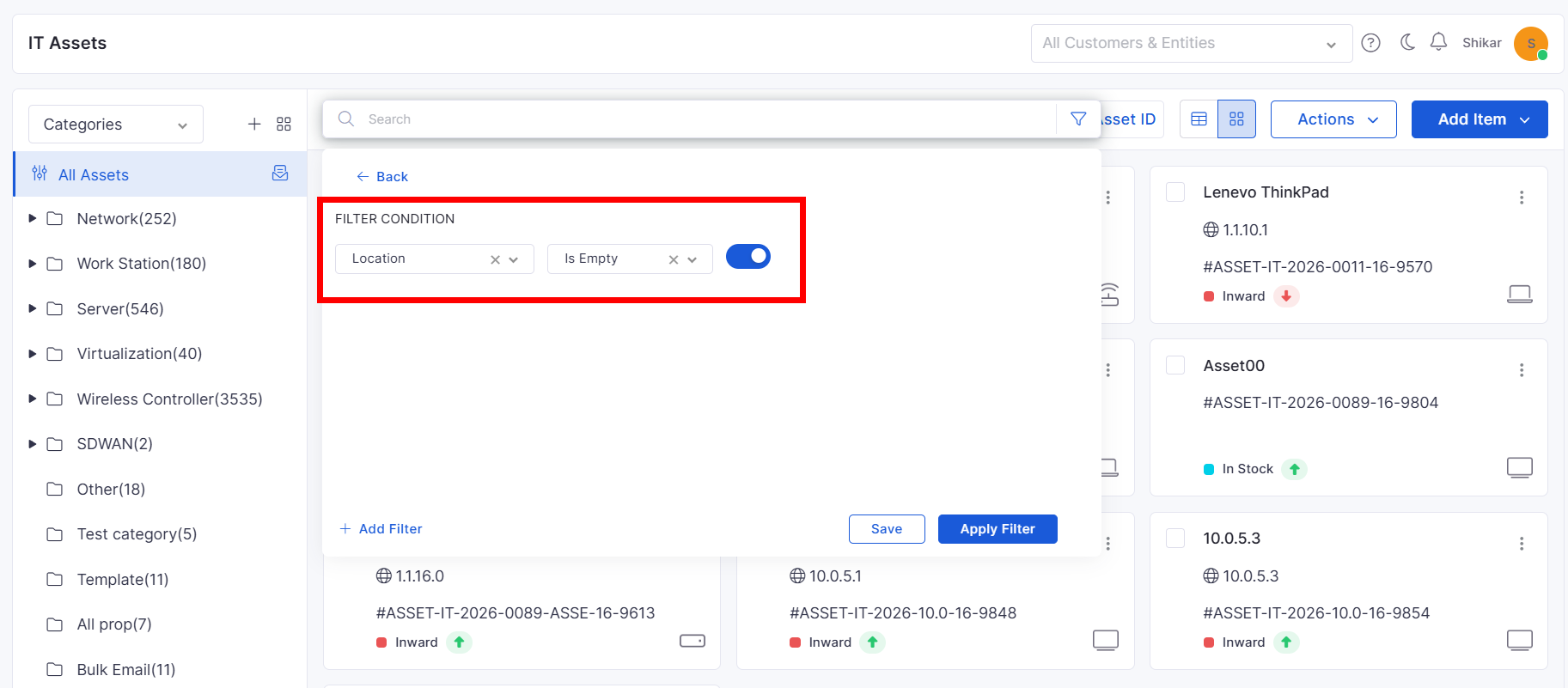
CMDB View
Empty Value Filtering in Asset Views
Added support for filtering assets with empty field values.
Improved asset discovery and data quality analysis.
Report
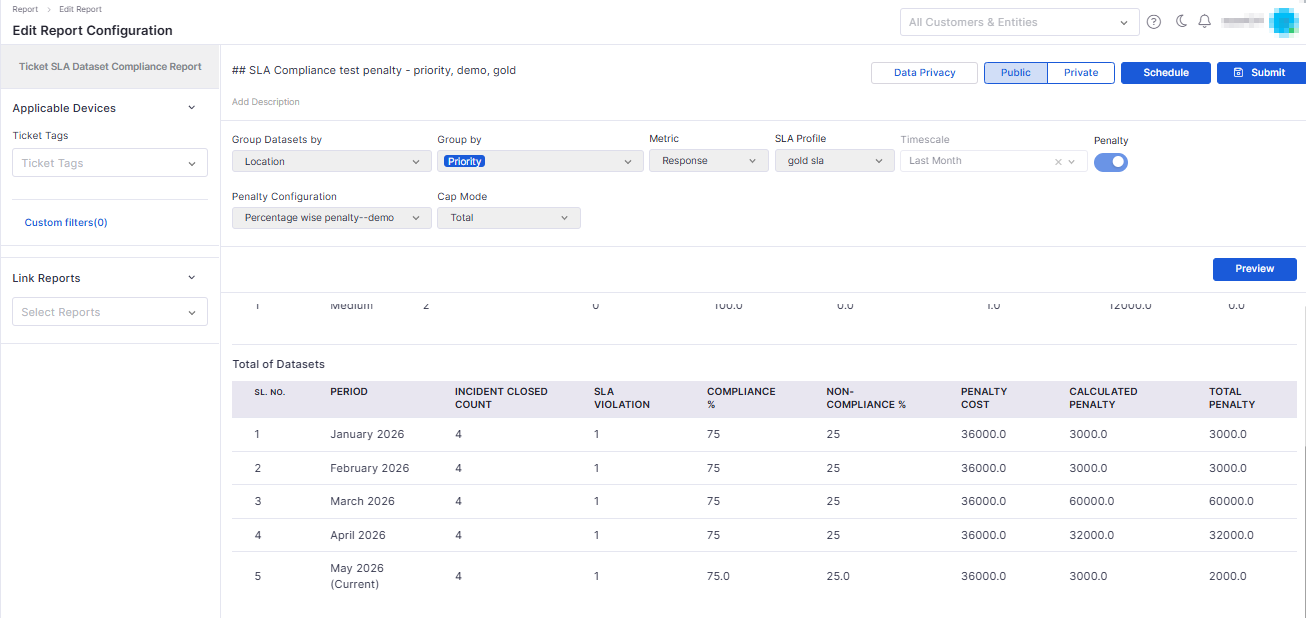
SLA Compliance Penalty Reporting
Added advanced SLA compliance reporting with dataset-level analysis.
Supports grouped SLA performance tracking across locations.
Asset Audit and Allocation Report Enhancements
Added flexible Excel export options for asset-related reports.
Supports consolidated and grouped export formats.
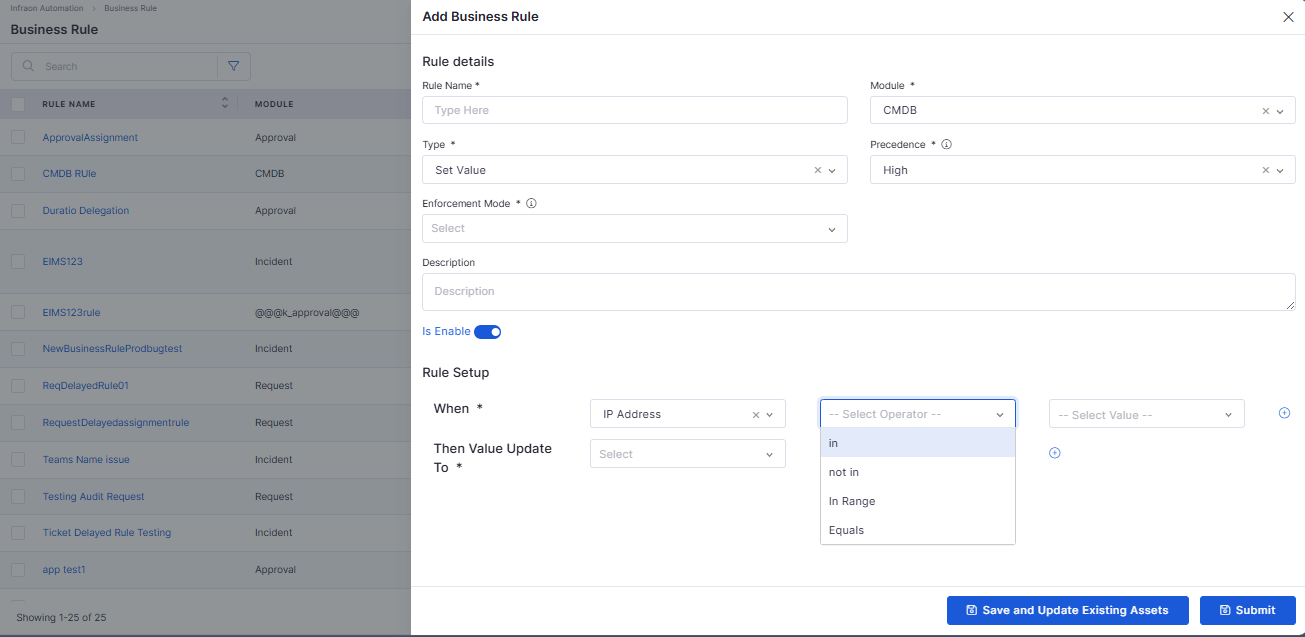
Business Rule
Enhanced Rule Conditions
Added support for In, Not In, Equal To, and Not Equal To conditions.
Improves business rule flexibility and precision.
Agentic AI
Tag Module MCP Agent
Added AI-powered tag management capabilities through Agentic AI.
Supports tag discovery, creation, and management using natural language.
Improves categorization and organization across supported modules.
Mobile Enhancements
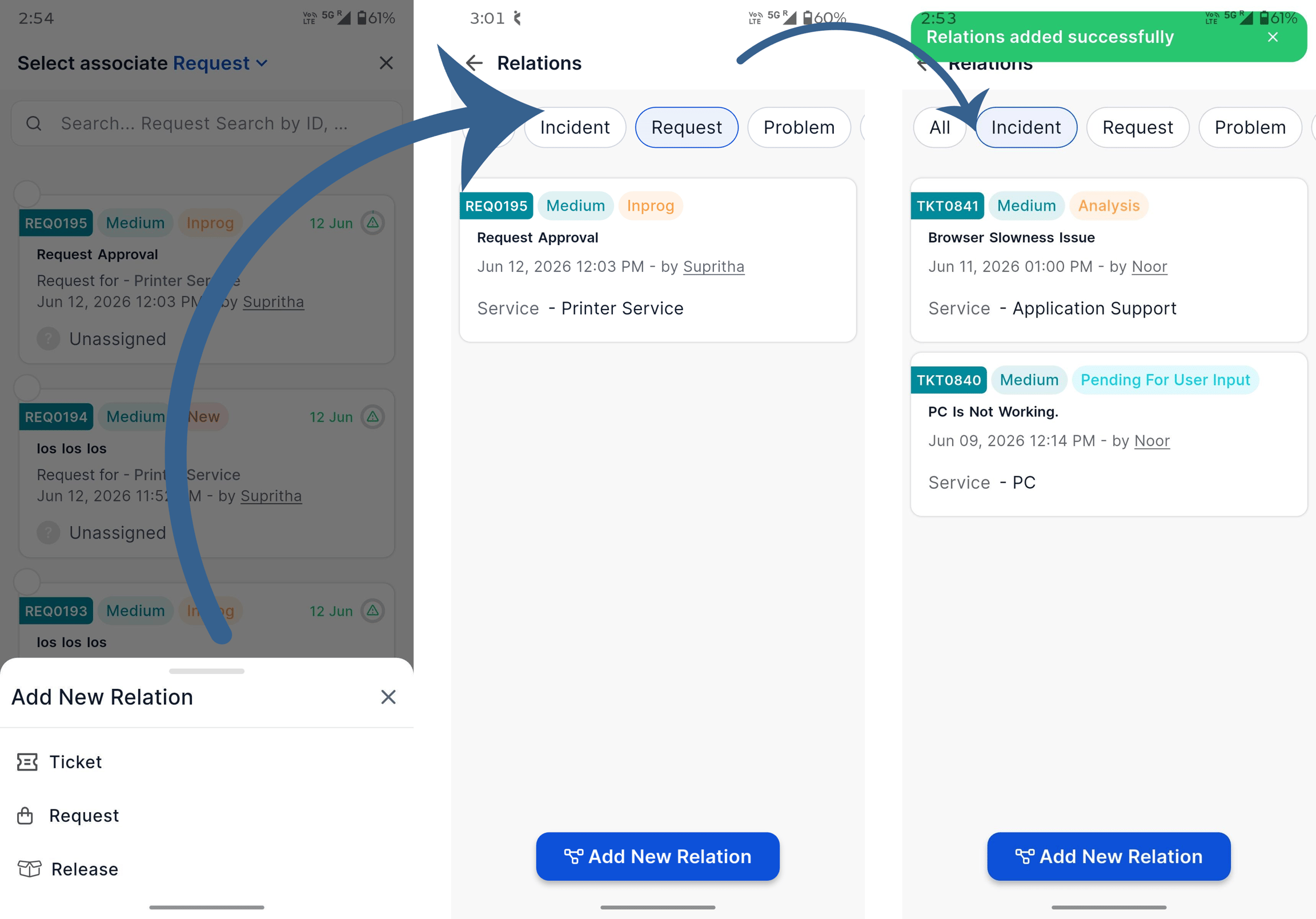
iOS – Relation Association
Added support for associating related records from mobile devices.
Simplifies relationship management while working on the go.
Improves visibility into connected records.
iOS – Relation View and Filtering
Added relation viewing and filtering capabilities for Tickets, Requests, and Releases.
Improves navigation across related records.
Purchase Order
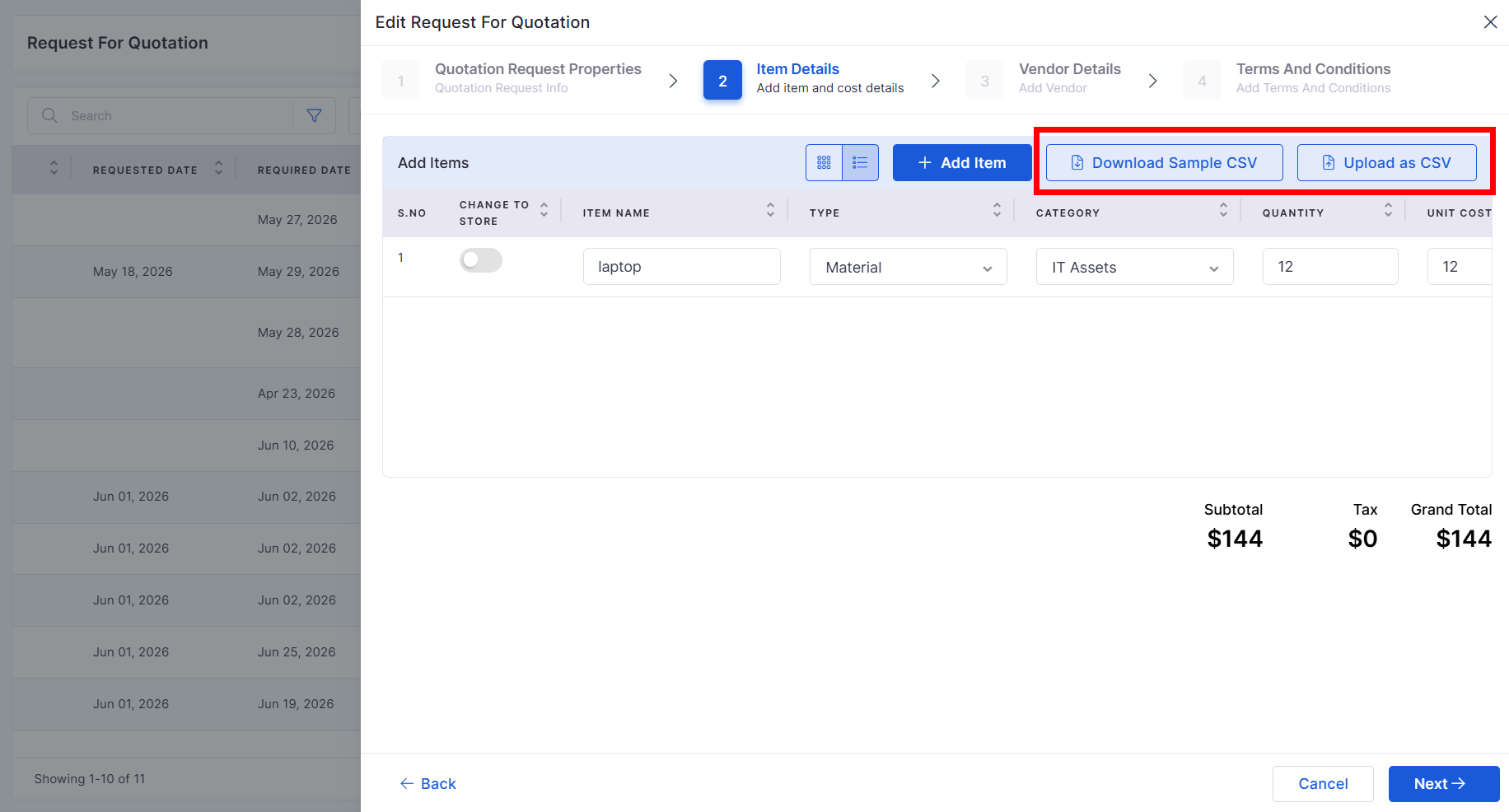
RFQ Line Item CSV Upload
Added CSV import support for RFQ line items.
Reduces manual data entry effort.
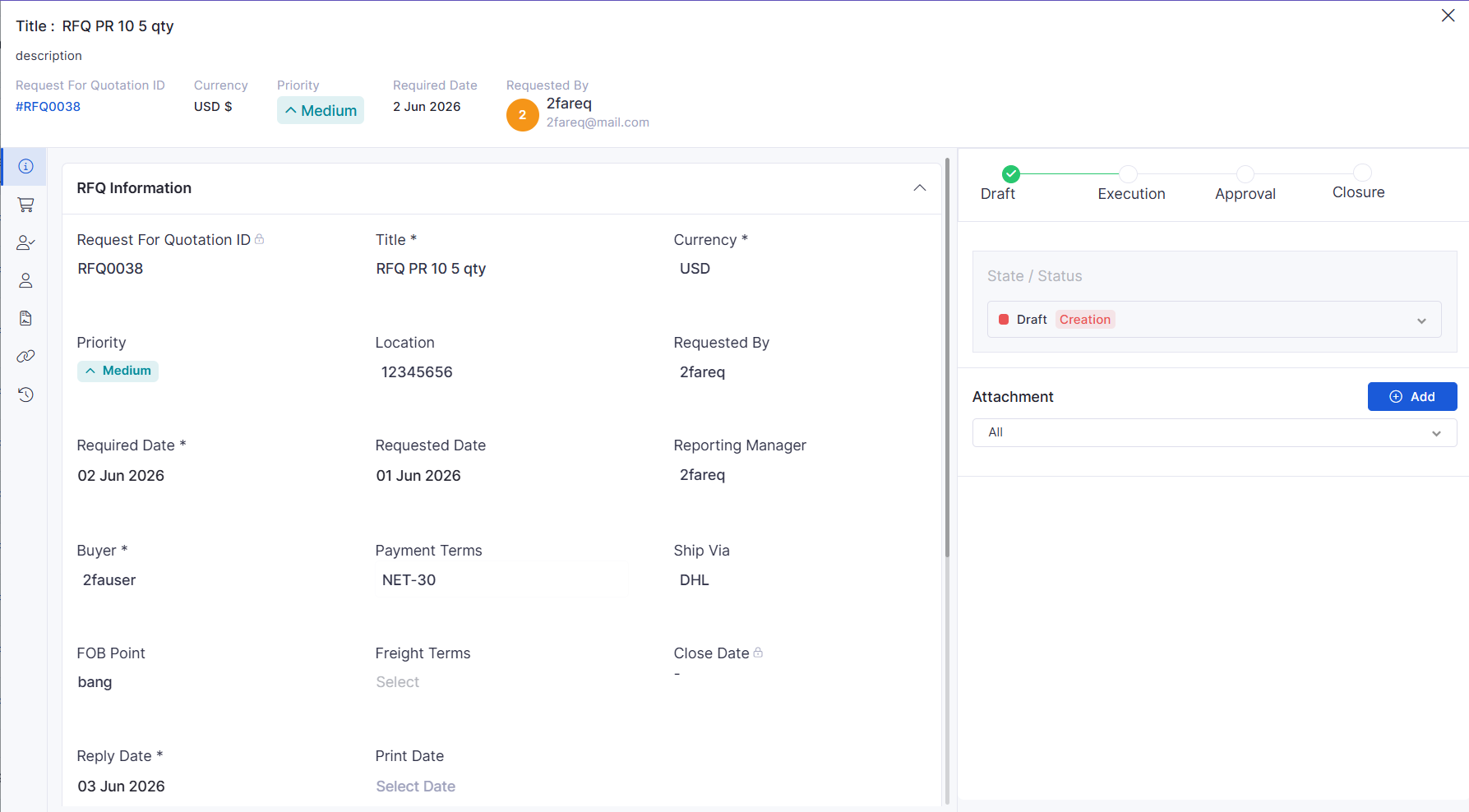
RFQ View Page
Introduced a dedicated RFQ view page.
Provides improved visibility into RFQ details and status.
Purchase Requisition
PR Actions for PO and RFQ Creation
Added direct actions to create Purchase Orders and RFQs from Purchase Requisitions.
Streamlines procurement workflows.
Dashboard
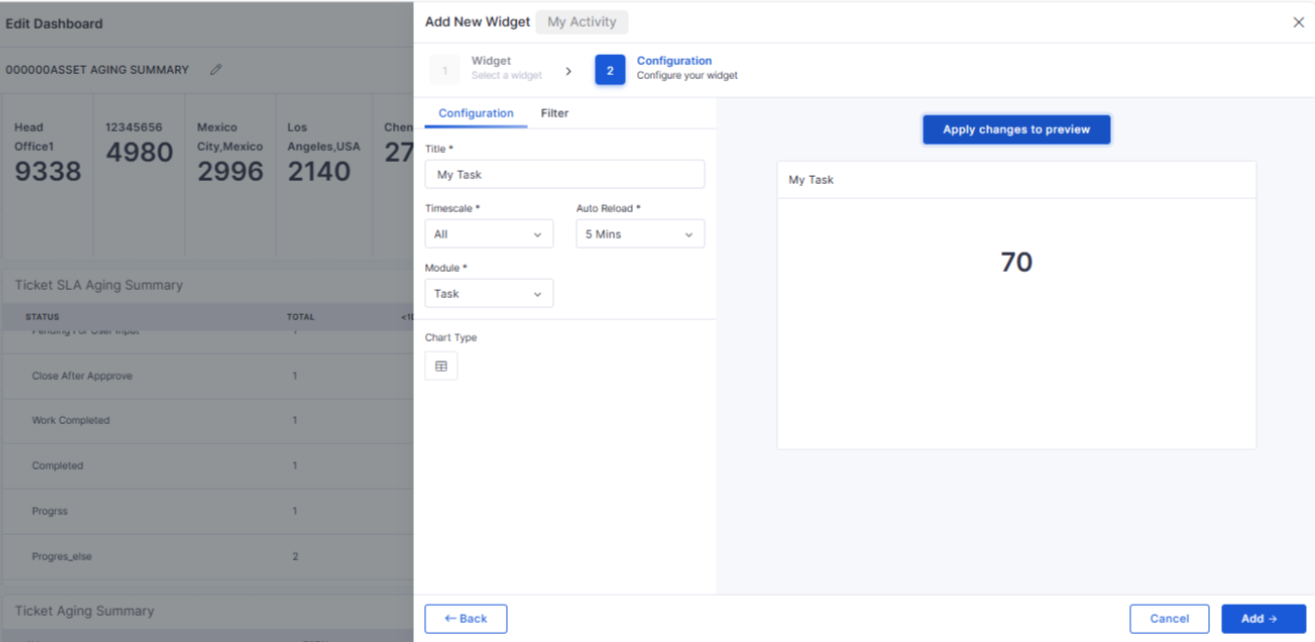
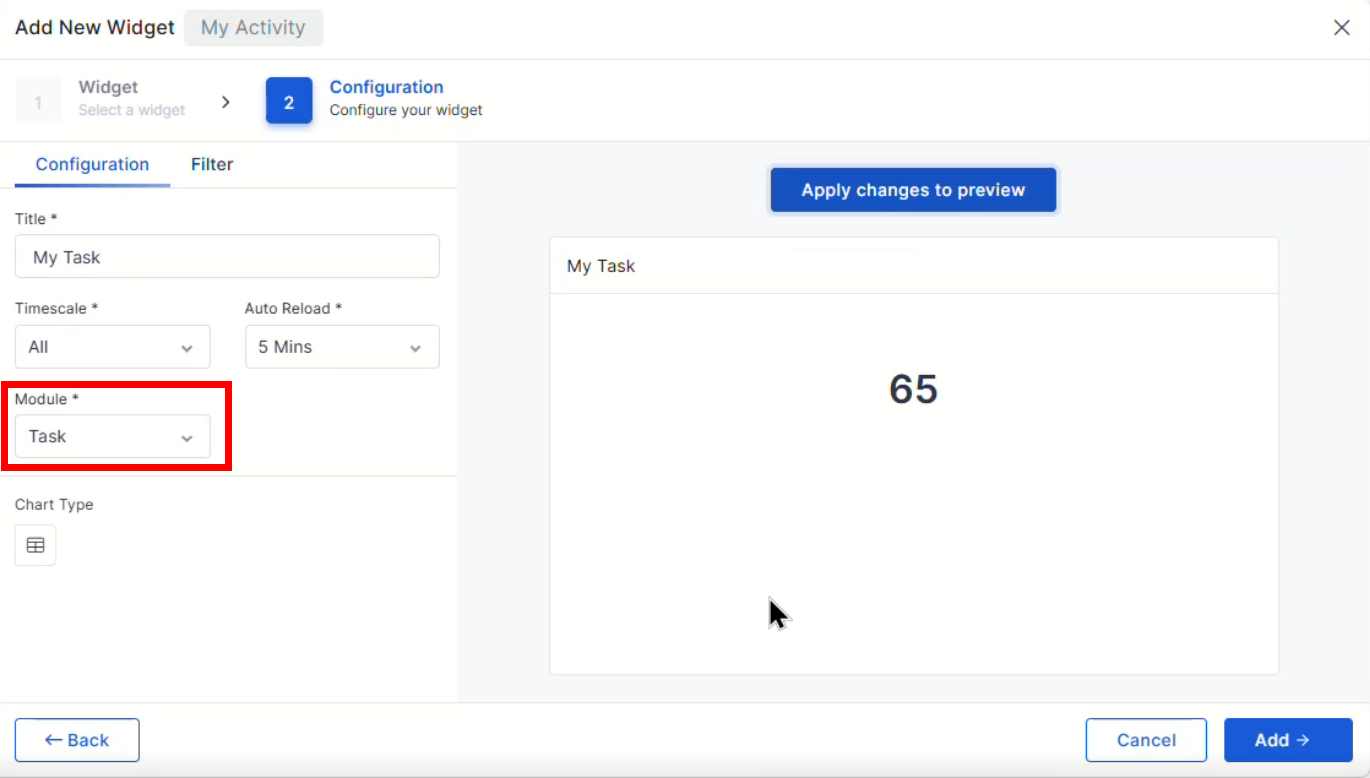
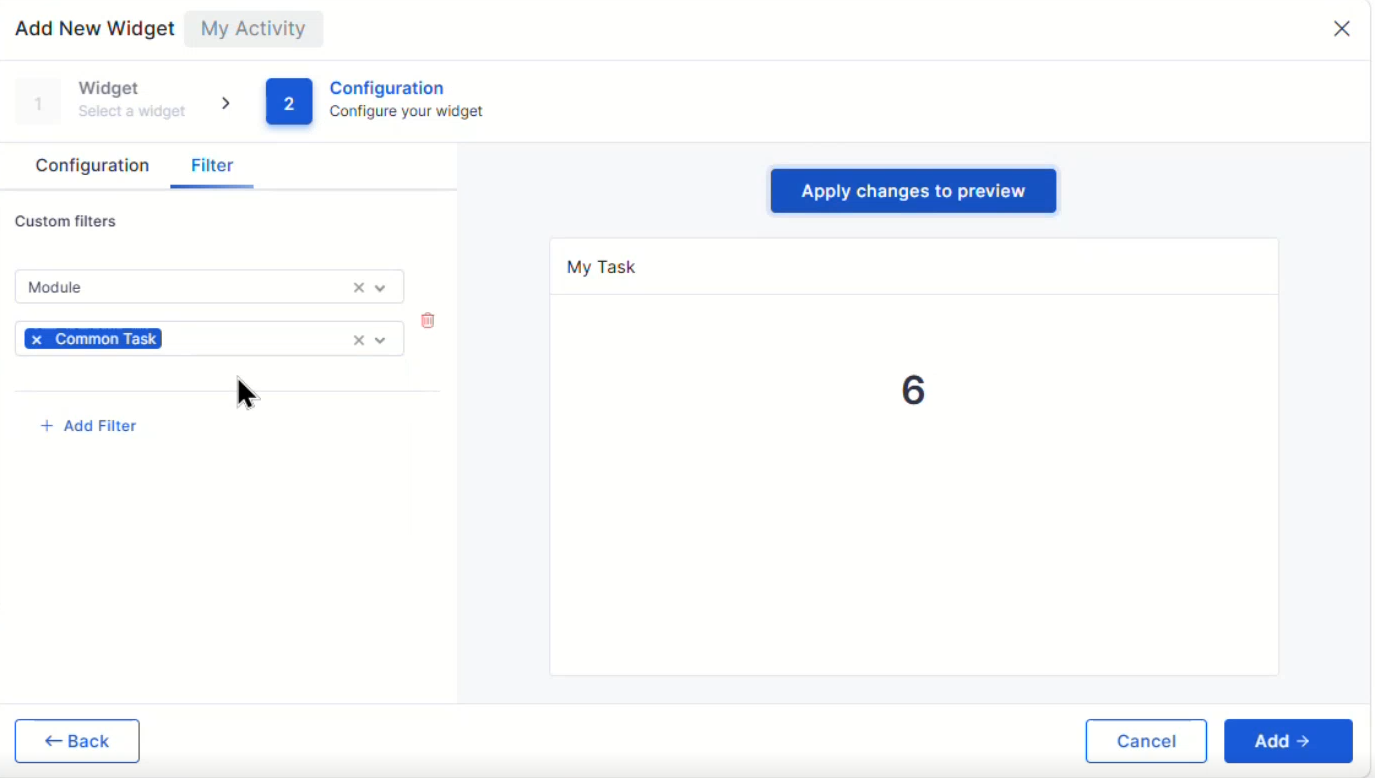
My Task in My Activity Widget
Added task visibility within the My Activity widget.
Provides quick access to assigned work items.
Improves personal workload tracking.
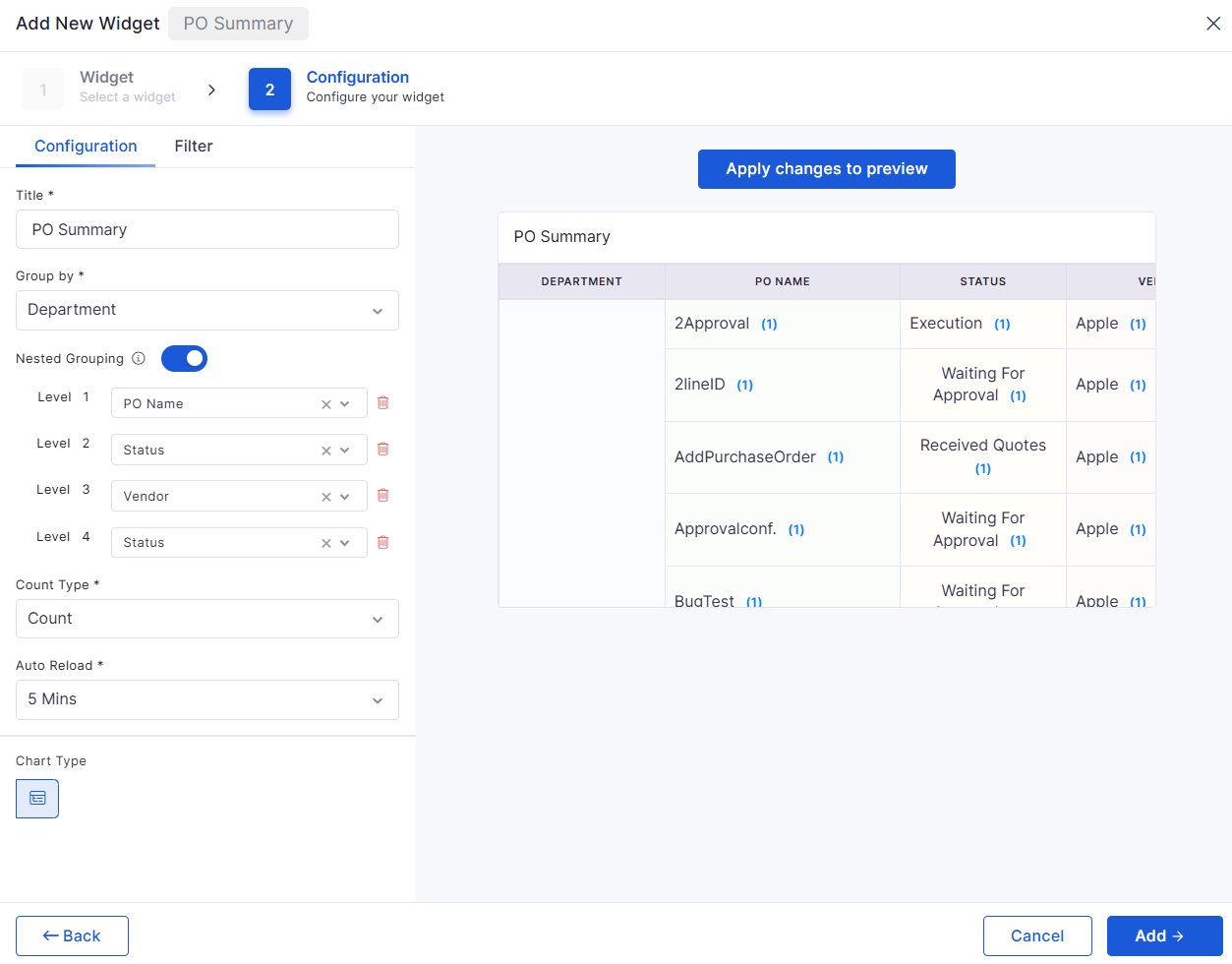
Contract and Purchase Order Widget Enhancements
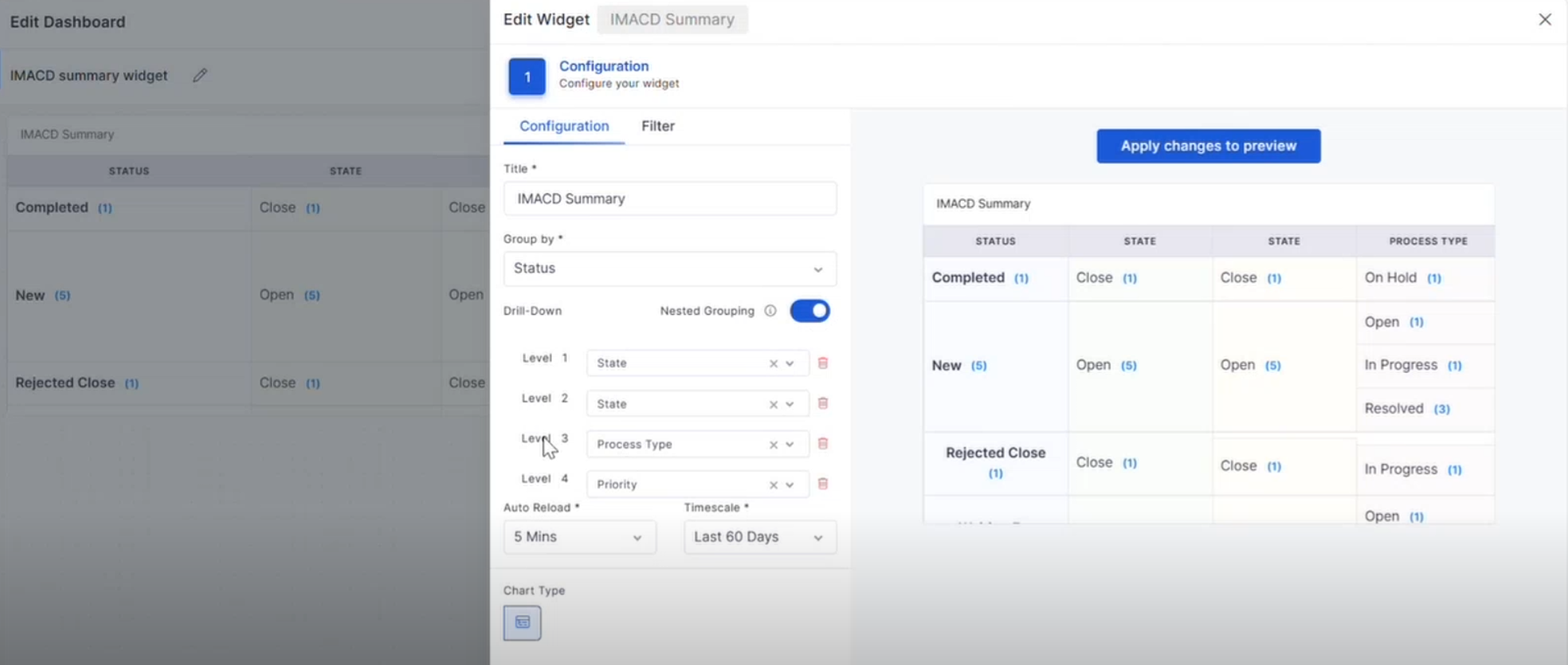
Added nested grouping and drill-down capabilities.
Enables deeper analysis of contract and procurement data.
Request Management
Service Request Template Visibility
Improved visibility of service request template fields in panel views.
Ensures important request information is displayed consistently.
Workflow
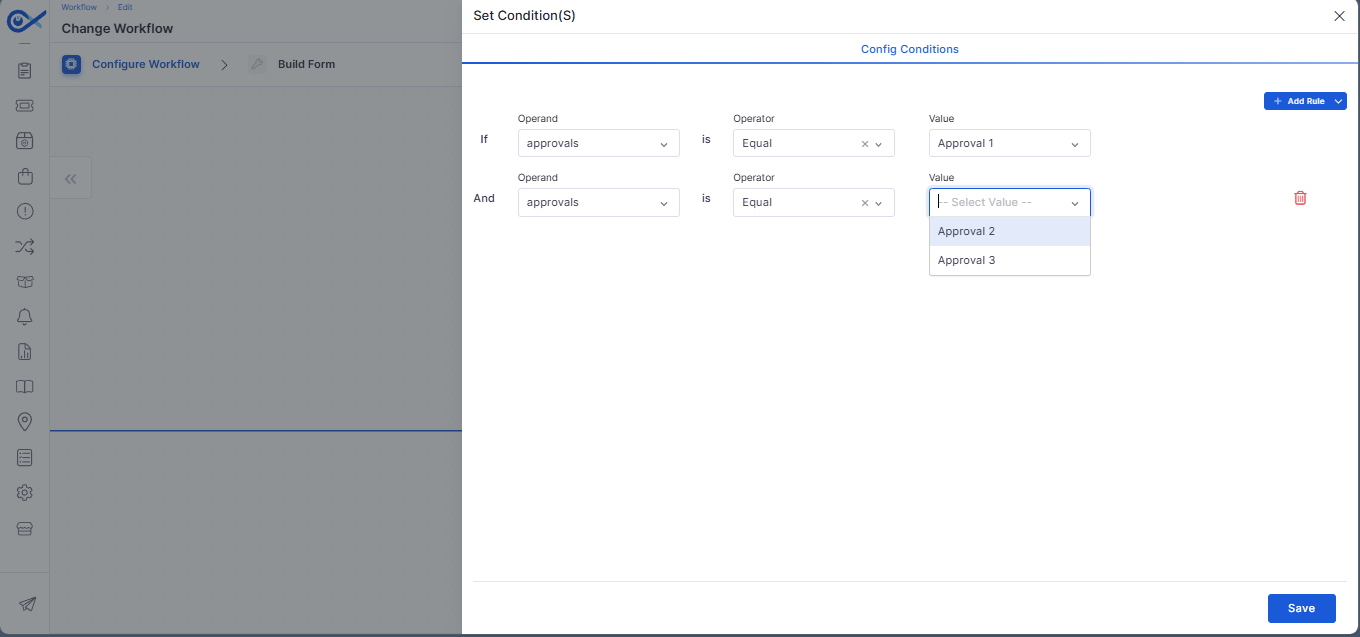
Custom Conditional Approvals for Change Workflows
Added support for configurable approval conditions within change workflows.
Enables more flexible approval processes.
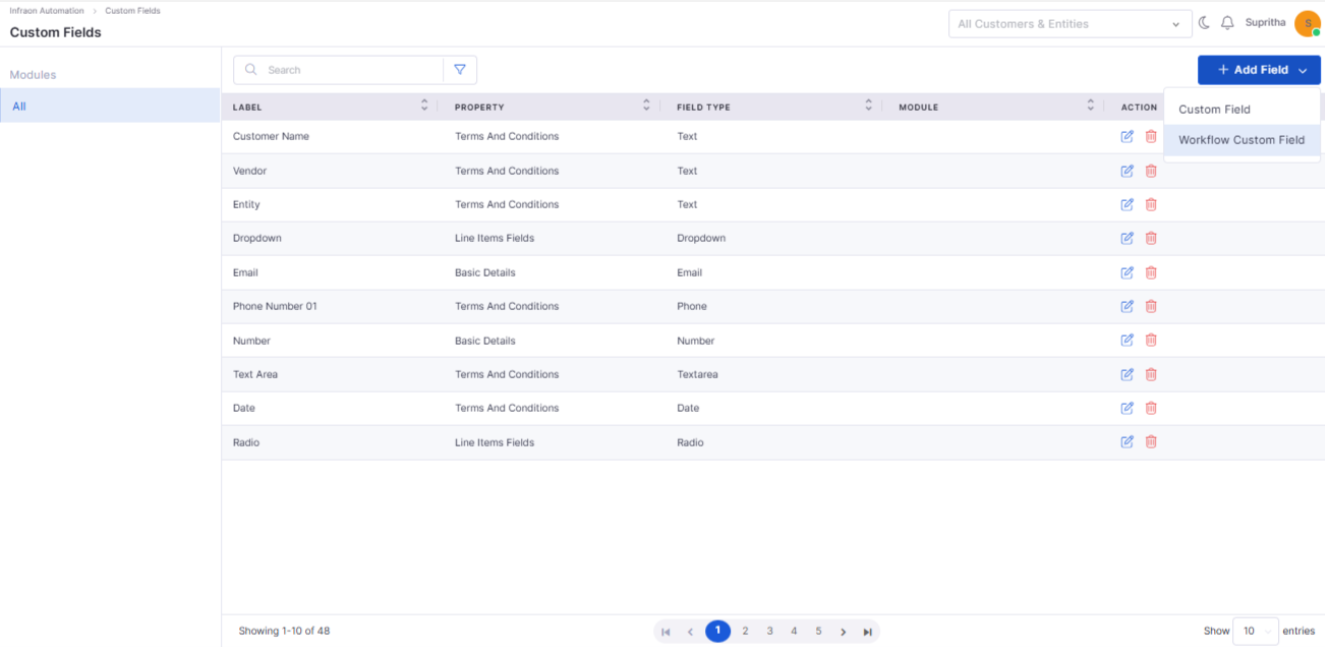
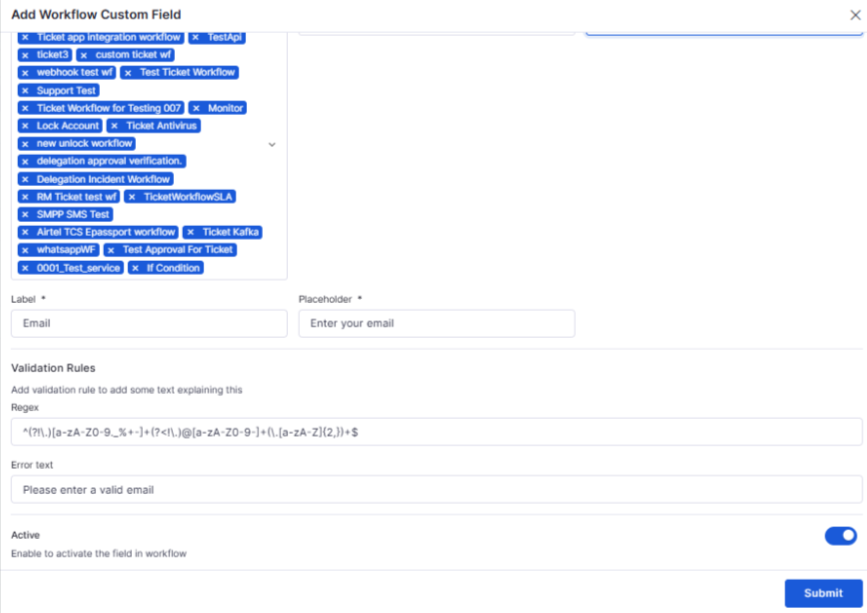
Common Custom Fields Across Workflows
Added support for common custom fields across ITSM workflow configurations.
Improves consistency across modules.
Enterprise Asset Management
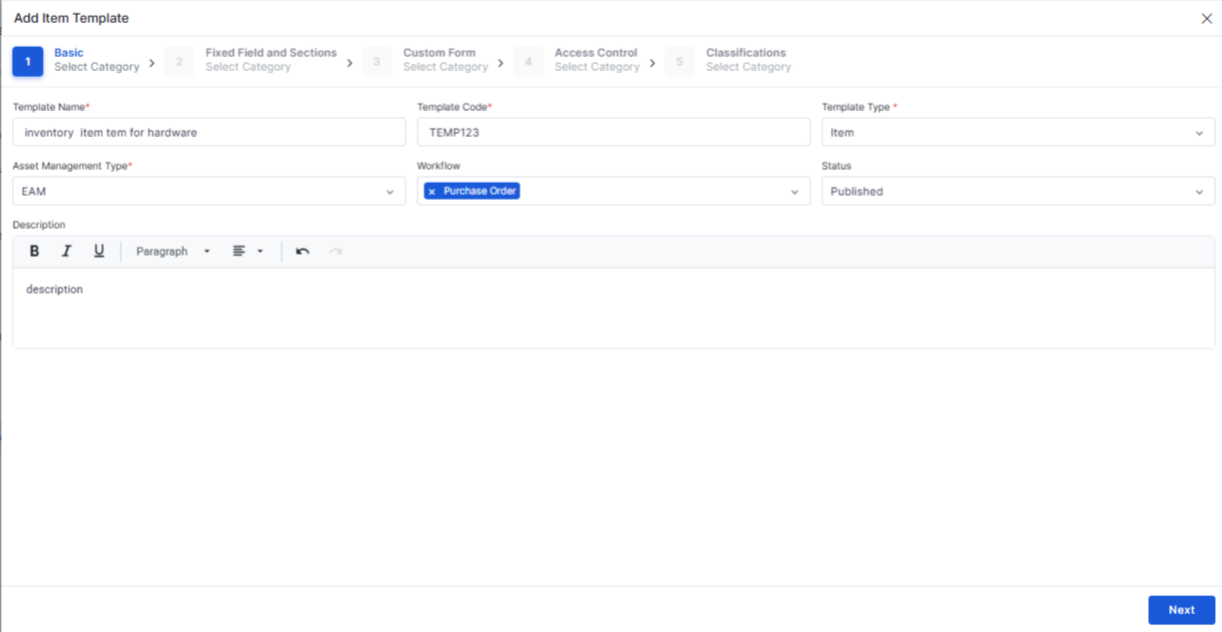
Inventory Item Templates
Added configurable item templates for inventory management.
Standardizes inventory record creation.
Inventory Meter Management
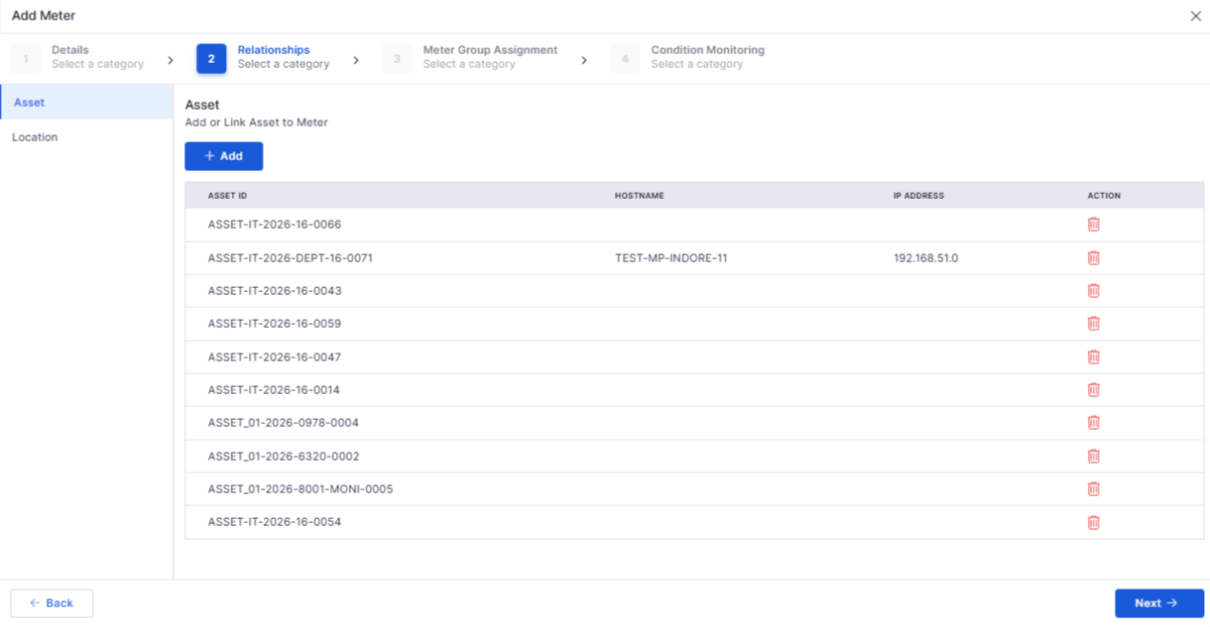
Introduced meter management capabilities within inventory configuration.
Supports improved tracking and measurement of inventory assets.
Project Management
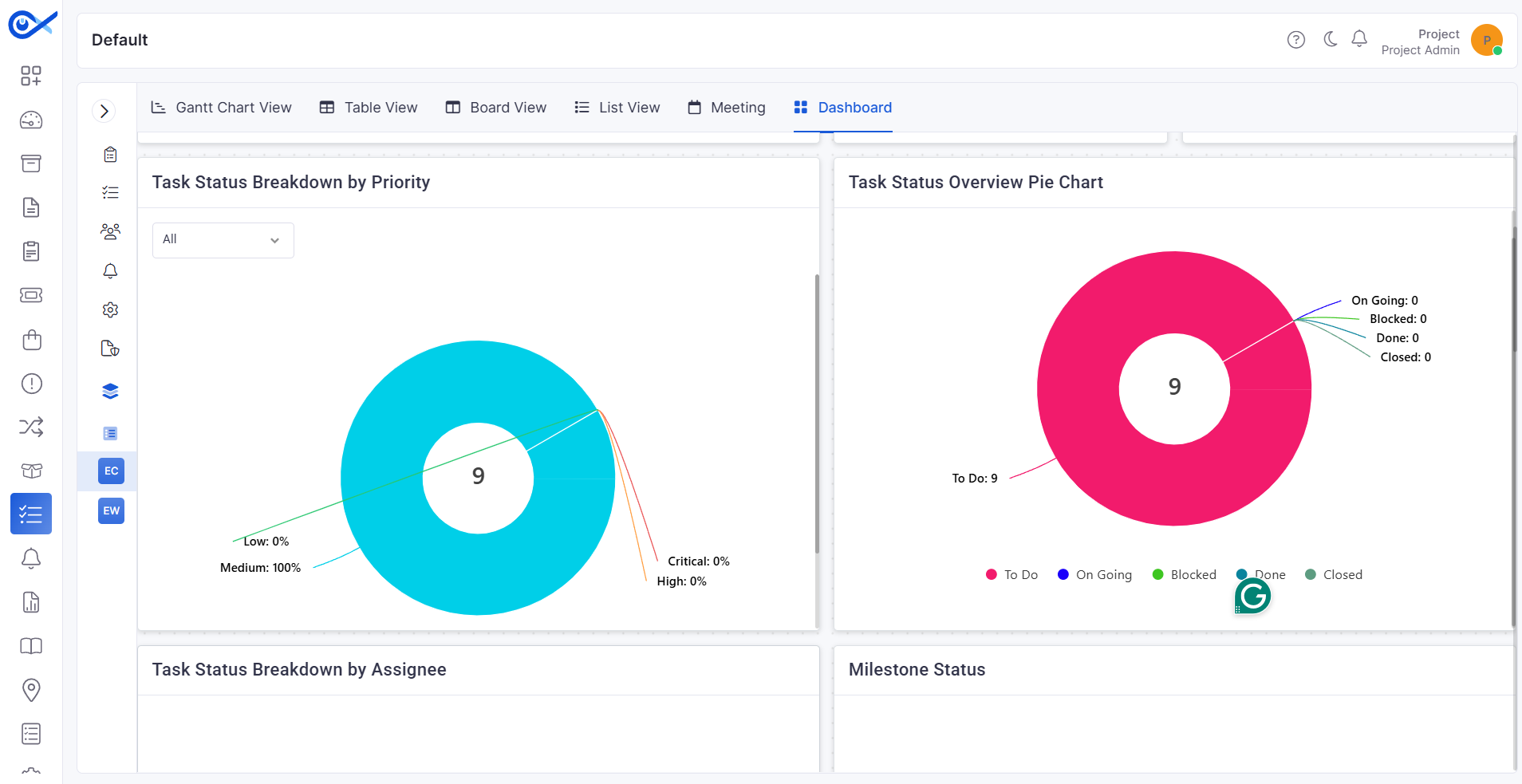
Project Dashboard Enhancements
Added project completion, profitability, priority, and task status widgets.
Provides improved project performance visibility.
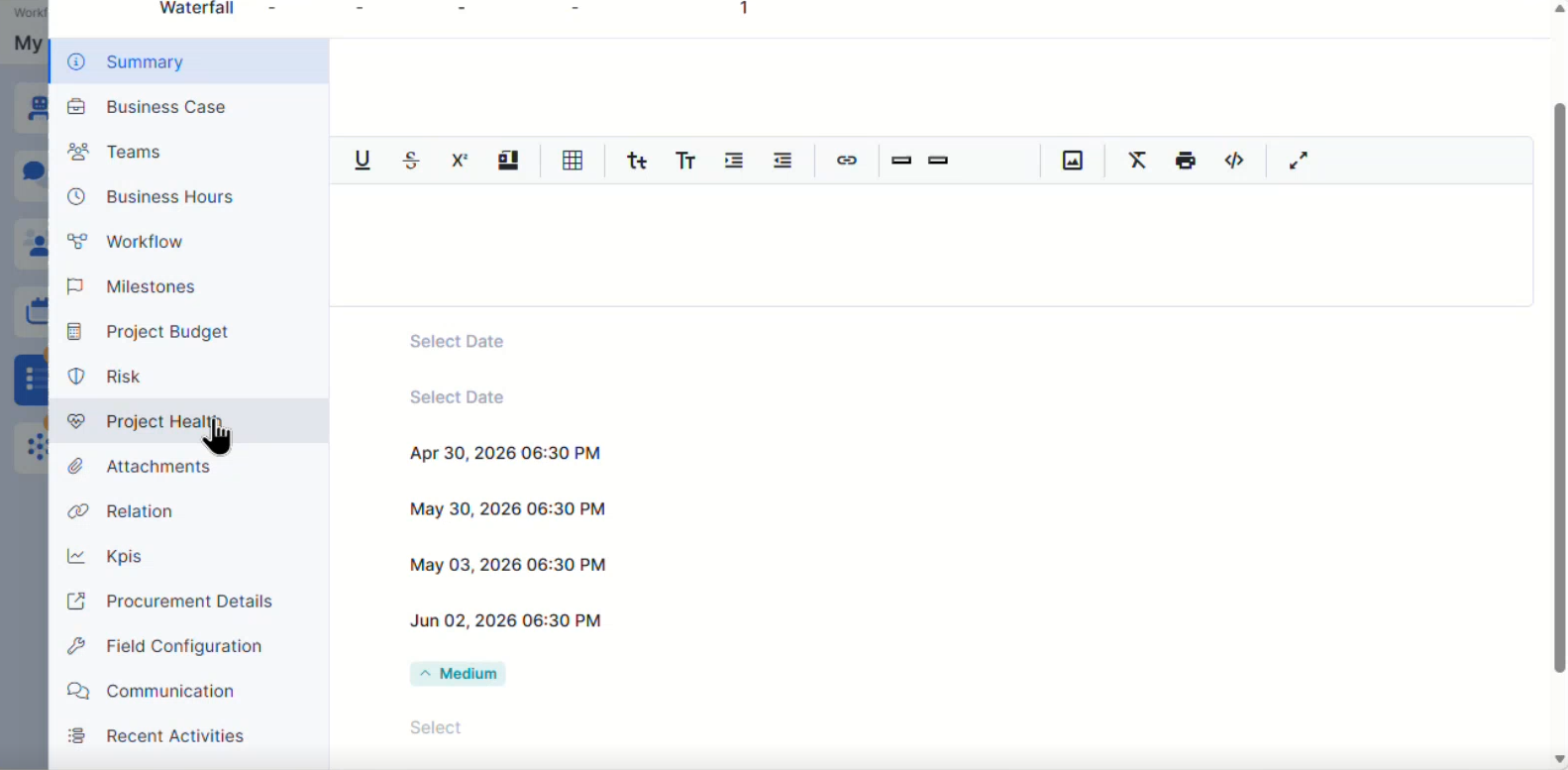
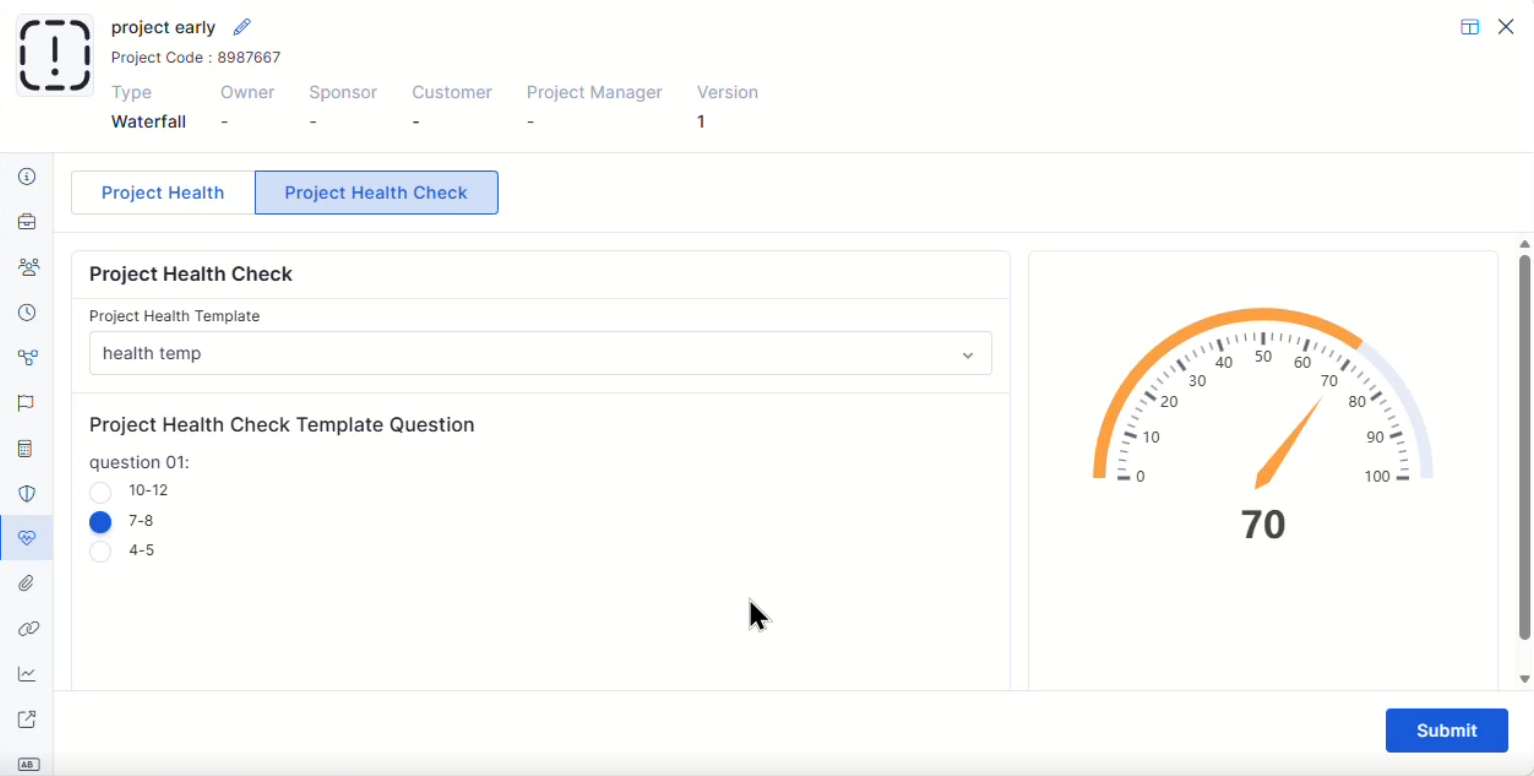
Project Health Assessment
Introduced project health assessment capabilities.
Helps track overall project status and performance.
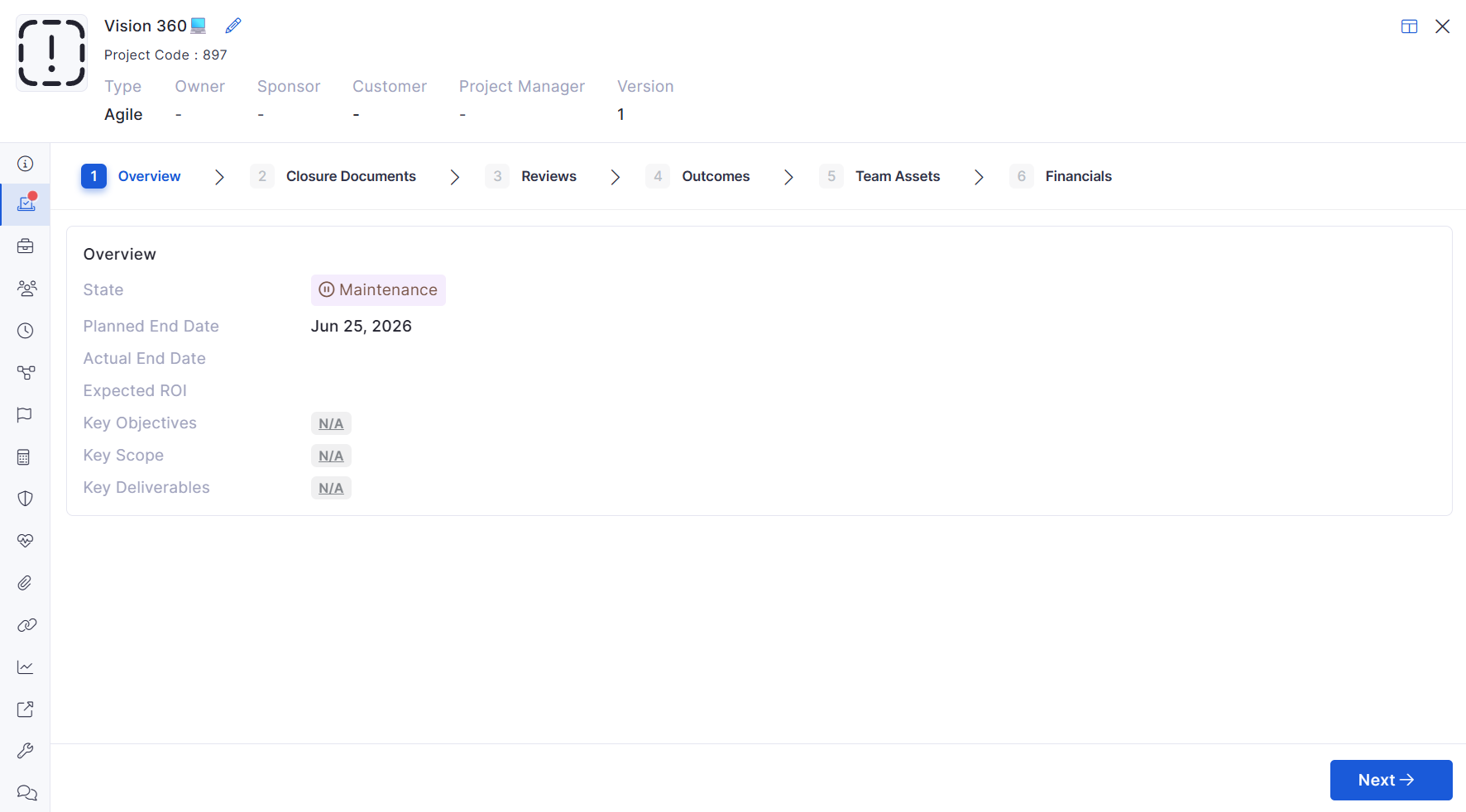
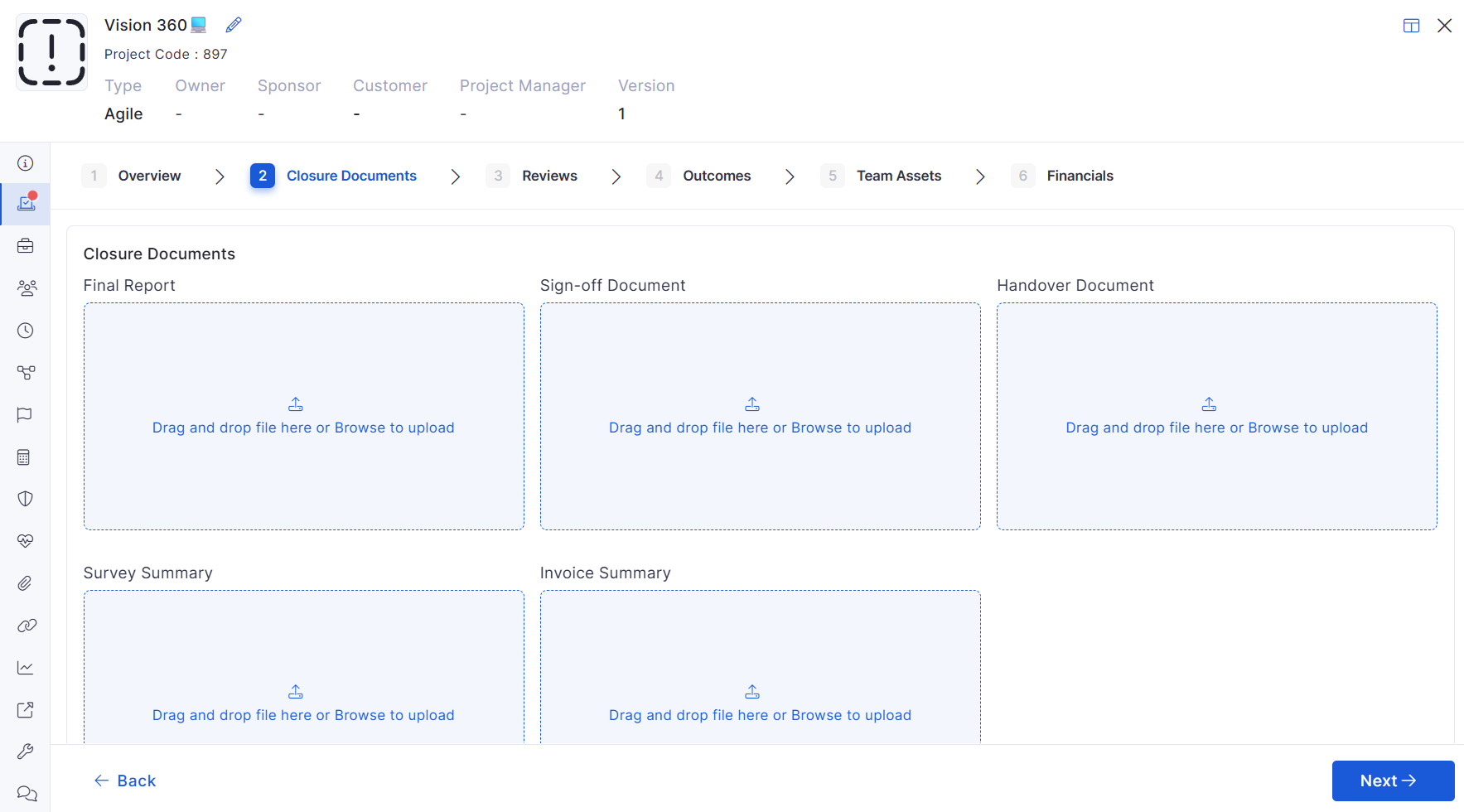
Project Closure Enhancements
Added overview and attachment management during project closure.
Improves project completion documentation.
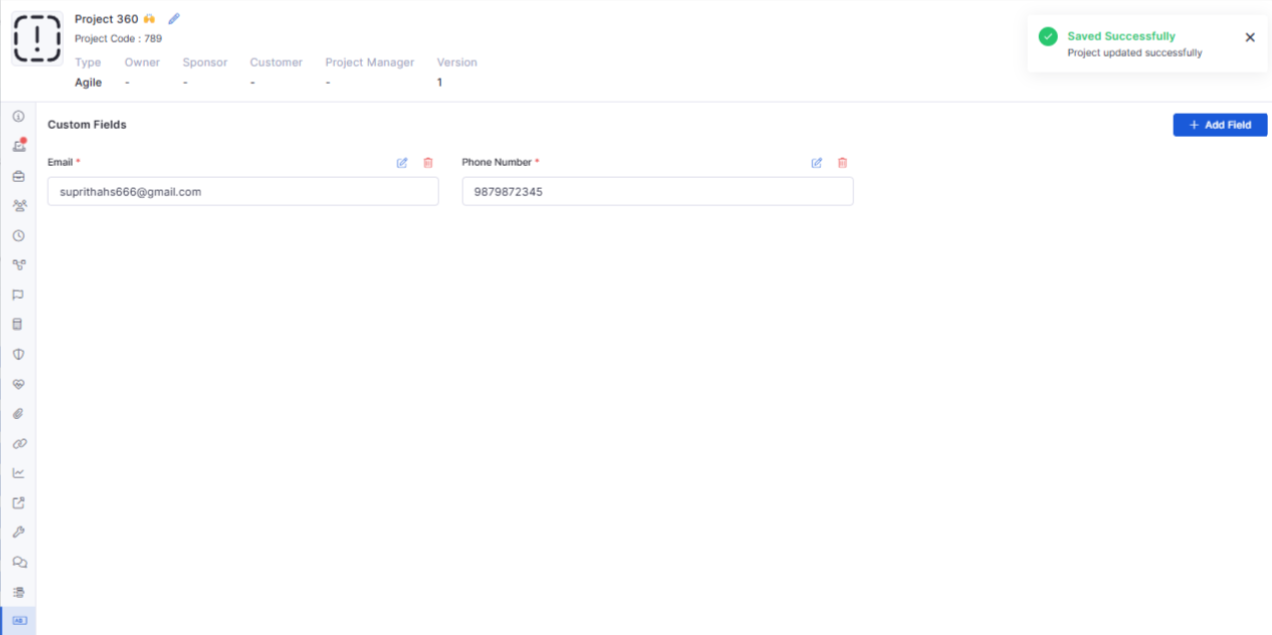
Custom Fields for Projects
Added support for custom fields within project records.
Enables organization-specific project data capture.
Bugs Fixed
General stability and performance improvements across modules.
Fixed UI inconsistencies and validation issues.
Improved synchronization and workflow handling.
Minor fixes across reports, dashboards, and integrations.
Simplify review assignment with configurable review options.
Improve review notifications and activity tracking for better visibility throughout the review process.
Deliver a consistent reporting experience across the platform.
Improve compliance with organizational access policies.
Simplify reconciliation tracking and monitoring.
Reduce discrepancies between recorded and actual assets.
Improve the accuracy of vulnerability information.
Optimize software inventory management across the environment.
Improve visibility into software inventory across the organization.
Simplify software inventory management through a centralized interface.
Simplify navigation across large asset inventories.
Deliver a more consistent filtering experience.
Improve asset investigations with consolidated information.
Enhance visibility into software inventory associated with each asset.
Simplify storage management based on organizational requirements.
Ensure reliable access to software inventory files.
Improve visibility into software inventory updates.
Simplify operational monitoring and troubleshooting.
Reduce manual effort by capturing information directly from images.
Improve the accuracy and completeness of incident details.
Accelerate ticket creation and processing.
Improve trend analysis for operational reporting.
Support informed decision-making through meaningful insights.
Reduce manual assignment efforts.
Improve response times by routing incidents to the right users.
Streamline ticket handling across distributed locations.
Improve automation across integrated workflows.
Ensure timely sharing of ticket updates.
Deliver timely updates for important project activities.
Improve collaboration through relevant notifications.
Create hierarchical views for better workload analysis.
Improve visibility into team performance and ticket distribution.
Build more meaningful dashboard reports using flexible grouping options.
Maintain consistency in financial planning and reporting.
Simplify currency management across projects and cost centers.
Enhance asset tracking and reporting accuracy.
Simplify audit and asset ownership verification.
Improve visibility into shipment status.
Reduce manual effort during order fulfillment.
Improve productivity with an optimized mobile experience.
Manage tasks more efficiently from Android devices.
Apply font size settings across the user interface.
Enhance overall usability with a personalized display experience.
Improve compliance with organizational policies.
Ensure users are informed of the latest node request guidelines.
Improve policy management efficiency.
Simplify navigation and administration.
Ensure exported information is complete and accurate.
Enhance the overall requester management experience.
Enhanced visual feedback for valid workflow paths and node relationships.
Improved search, permissions, and application management experience.
Simplifies identification of incomplete asset records.
Provides enhanced visibility into compliance and penalty calculations.
Improves reporting and audit analysis capabilities.
Simplifies rule creation for asset and software processes.
Provides a more consistent mobile experience.
Simplifies RFQ creation for large procurement requests.
Enhances procurement tracking and review processes.
Reduces manual processing steps.
Improves dashboard reporting flexibility.
Enhances request handling and review.
Improves workflow automation and governance.
Simplifies workflow administration.
Improves inventory administration efficiency.
Enhances operational visibility.
Supports better project monitoring and decision-making.
Improves project governance and reporting.
Simplifies project handover activities.
Improves project flexibility and reporting.
v7.3.16 – January 2026
View the latest features, enhancements, and fixes by release.
Version: v7.3.16
Date: 14th January
Overview
This release focuses on strengthening Project Management visualization, improving reporting flexibility, enhancing Purchase Order configuration, refining request and task ownership, and expanding mobile and service catalogue capabilities.
Several stability fixes have also been applied across ITSM, ITAM, dashboards, workflows, and integrations.
Key Updates
Software License
Improved Software License Summary Report
Added missing License Name and Description fields in the summary report.
Updated default column selection to include Free and Allocated licenses.
Project Management
Project Gantt Chart
Introduced an interactive Gantt Chart view for projects.
Displays all tasks and milestones with accurate start and end dates.
Automatically updates when project timelines, tasks, or milestones are modified.
Kanban Board View for Project Tasks
Added a Kanban-style board view within Project Task View.
Tasks are displayed as cards grouped by status.
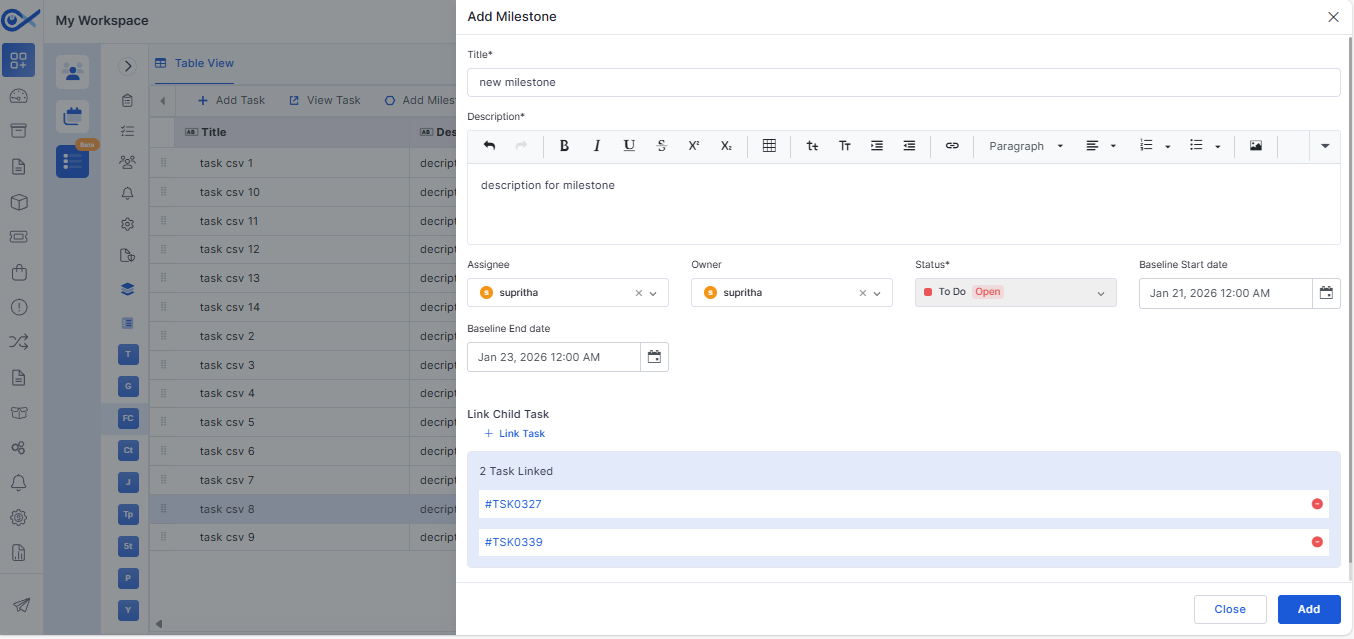
Milestone Update Enhancements
Introduced structured milestone creation with fixed mandatory fields.
Milestones can only be closed once all child tasks are completed.
Dependent Task Validation
Enforced dependency rules between tasks based on dependency type and lag.
Supports Finish-to-Start, Start-to-Start, Finish-to-Finish, and Start-to-Finish validations.
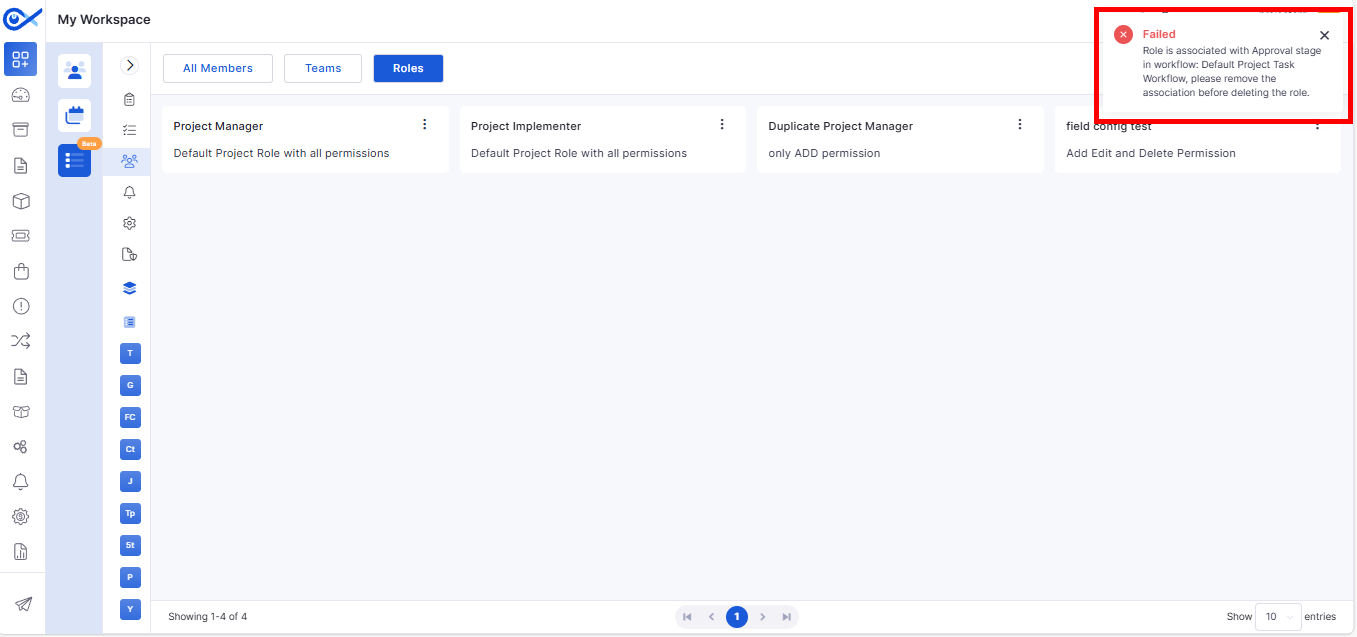
Role, Team, and Member Validation
Prevents deletion of roles, teams, or members that are already in use.
Displays clear toaster messages when deletion is restricted.
Request Management
Created By Tracking for Auto-Created Request Tasks
Auto-created tasks now retain the Created By value of the request initiator.
Ensures non-admin users can view tasks generated from their requests.
Reports
Multiple Group-By Options in Ticket Summary Report
Enhanced Ticket Summary Report with nested group-by capability.
Supports up to four hierarchical grouping levels.
Purchase Order
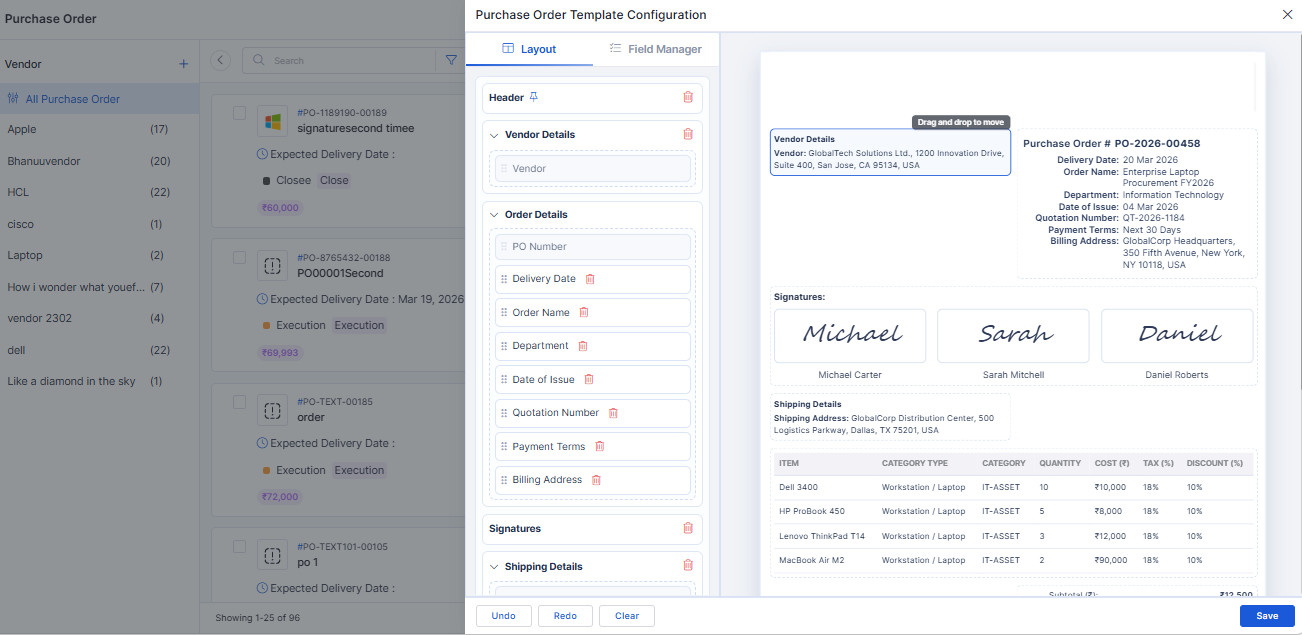
Enhanced PO Template Configuration
Introduced feature-flag–controlled PO template configuration.
The default PO template loads automatically if no custom template is configured.
Mobile
Android – Secure Cross-App Auto-Pairing
Added secure auto-pairing between Infinity Agent and Infraon Infinity client app.
Uses OS-level security, encrypted storage, and explicit intent handling.
Service Catalogue
Enhanced Add Items / Services Design
Introduced type-based UI behavior for Service and Package creation.
Service type supports optional add-ons and SLA selection.
🐛 Bug Fixes and Improvements
Fixed issues with notification count updates and sidebar refresh behavior.
Resolved inconsistencies in dashboard widgets and ticket report values.
Addressed validation issues during status changes and panel-based updates.
Fixed asset audit display inconsistencies and duplicate audit timestamps.
Resolved CSV import issues caused by case sensitivity.
Fixed issues in Self Service Portal related to change types and requester visibility.
Addressed workflow sidebar display issues when configurations were missing.
Improved agent stability and resolved startup issues across supported platforms.
General UI, performance, and stability improvements across modules.
v7.4.6 - May 2026
Release Cycle: 22nd May 2026
Build: Pre-Release Documentation
Overview
This release introduces enhancements across Self Service Portal, Reports, AIOps, Inventory Agents, Software, Purchase Order, Dashboard, Project Management, and Mobile modules. The update focuses on improving configurability, reporting, workflow flexibility, asset visibility, and procurement operations.
Key Updates
Use these pages to go deeper into the modules covered in this release:
Self Service Portal
Configurable SSP Home Page
Added configurable SSP Home page settings from SSP Configuration
Supports customization of Banner Title, Quick Help, and Quick Access sections
Report
Service Hub Field in Asset Reports
Added Service Hub field support in Asset Reports
Supports column selection and reporting visibility
Removed default Location grouping for simplified asset visibility
NABARD – SLA Compliance Report Enhancement
Added new Partial Threshold options:
Round Down
AIOps
Custom Apps – Node Builder and Palette Configuration
Added workflow node builder support for Custom Apps
Supports drag-and-drop node configuration
Inventory Agents
Asset Creation ACK from Server
Added ACK-based asset creation tracking for Inventory Agents
Improved discovery synchronization reliability
Added retry handling for failed asset creation requests
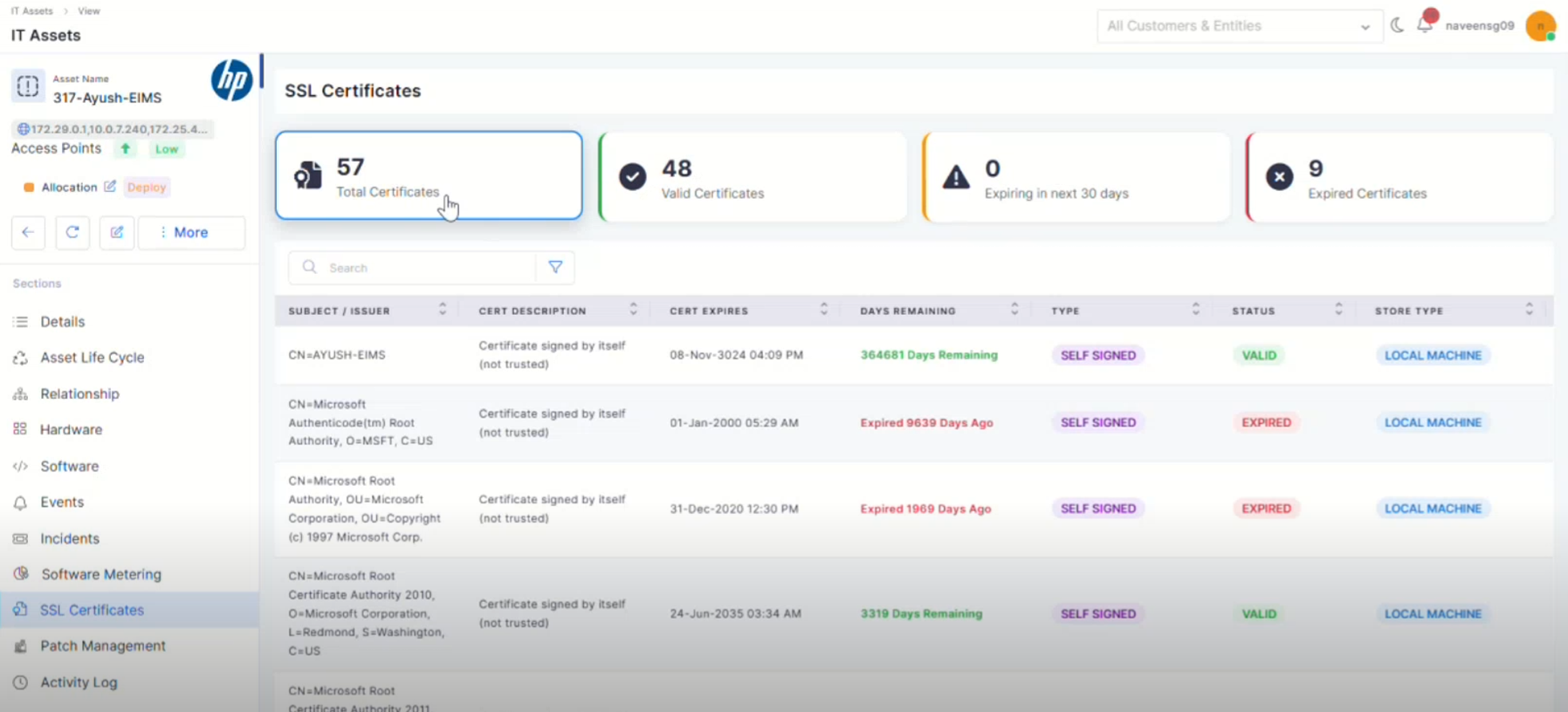
SSL Certificate Discovery in Windows Devices
Added SSL Certificate discovery support for Windows devices
Displays certificate details in Asset View
Software
Software License – Expiry Date Renaming
Renamed “End Date” to “Expiry Date” across Software License modules
Updated references in reports, filters, lifecycle, and audit sections
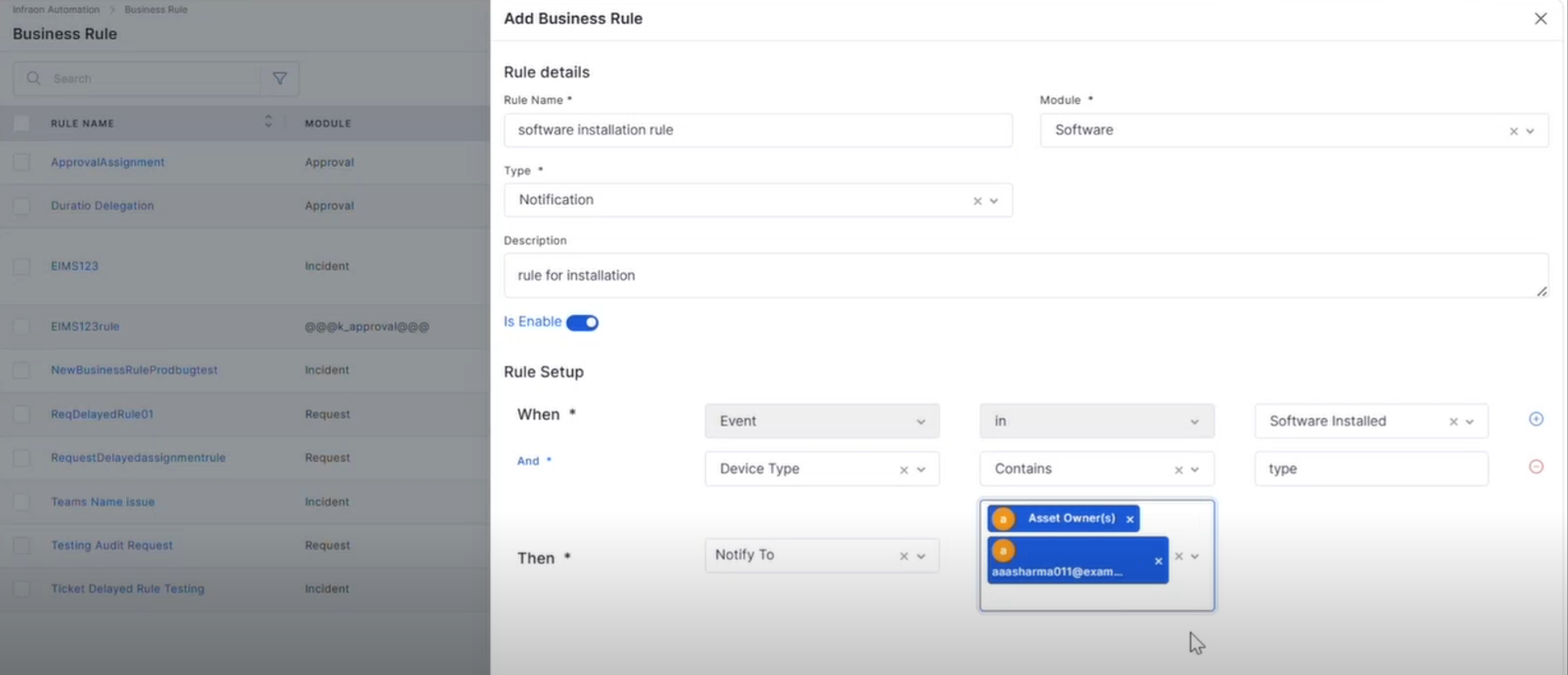
Software-Based Notification Rules
Added event-based notification rules for software activities
Supports events such as:
Purchase Order
RFQ – Column Selection, RBAC, and Custom Fields
Added RBAC and custom field support for the RFQ module
Supports configurable field visibility and permissions
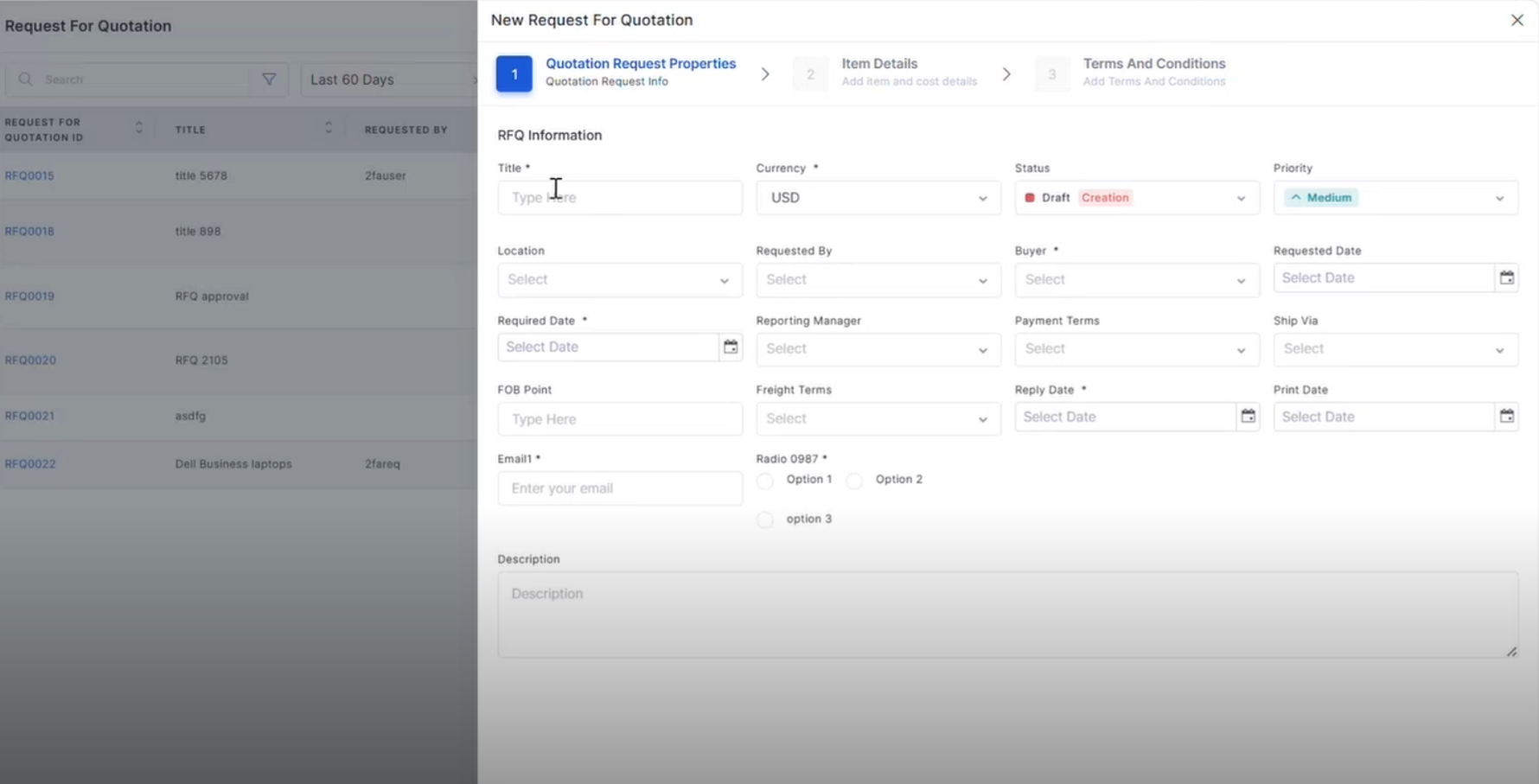
RFQ – CRUD Operations with Grid and Filter
Added complete RFQ lifecycle management
Supports search, filters, pagination, and grid view
RFQ Workflow
Added configurable default RFQ workflow
Supports workflow status, transitions, and approvals
CSV Upload for PR Line Items
Added CSV upload and download support for PR line items
Supports validation for mandatory and duplicate fields
Uploaded records are reflected across PR views
Dashboard
Nested Group By and Drilldown in Summary Widgets
Added Nested Group By support in:
Consumable Summary
Project Dashboard – Task Summary Widget
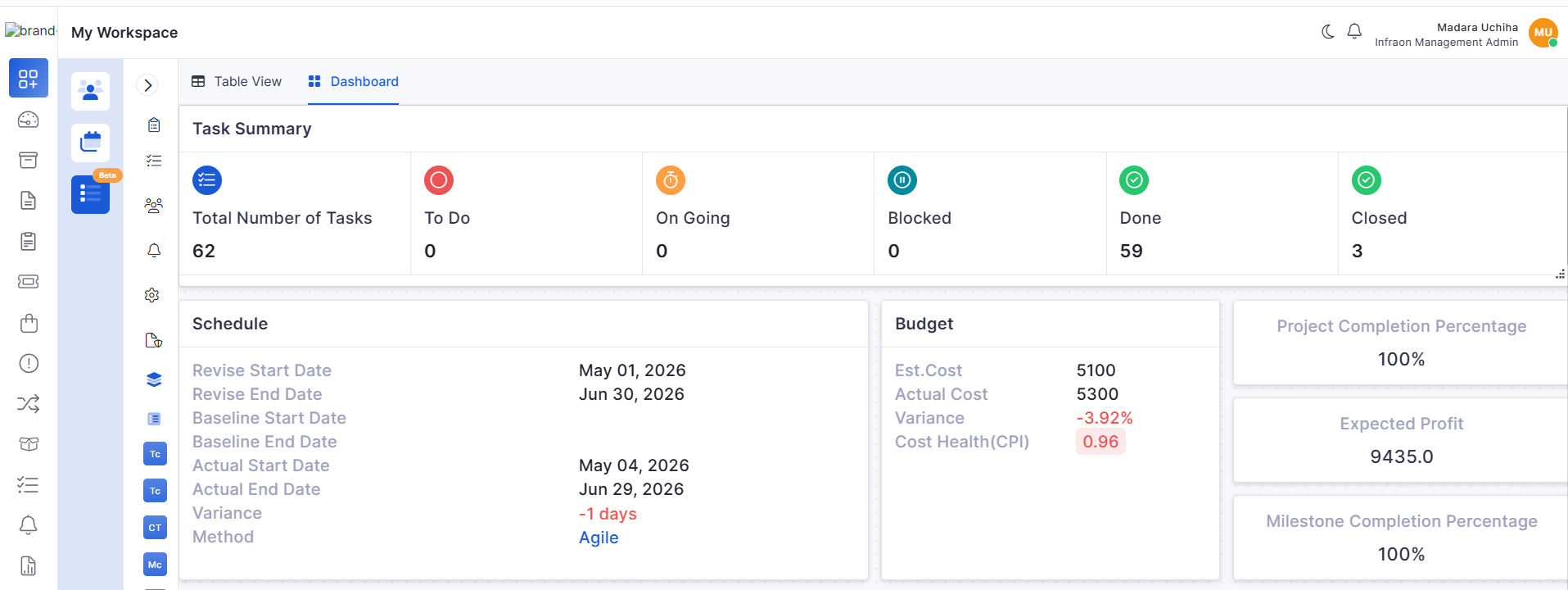
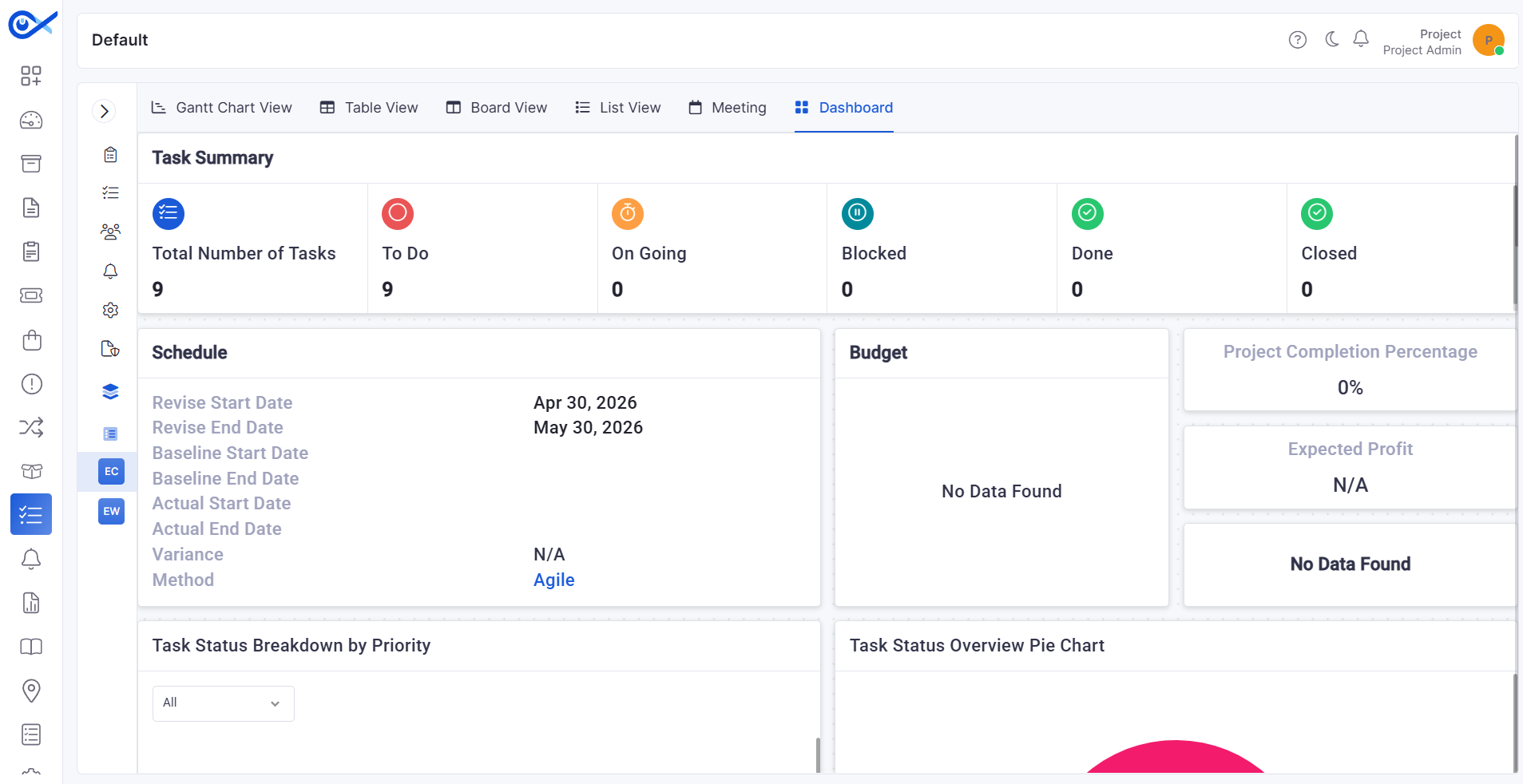
Added the Task Summary widget in the Project Dashboard
Displays total task count and workflow status-wise counts
Project Management
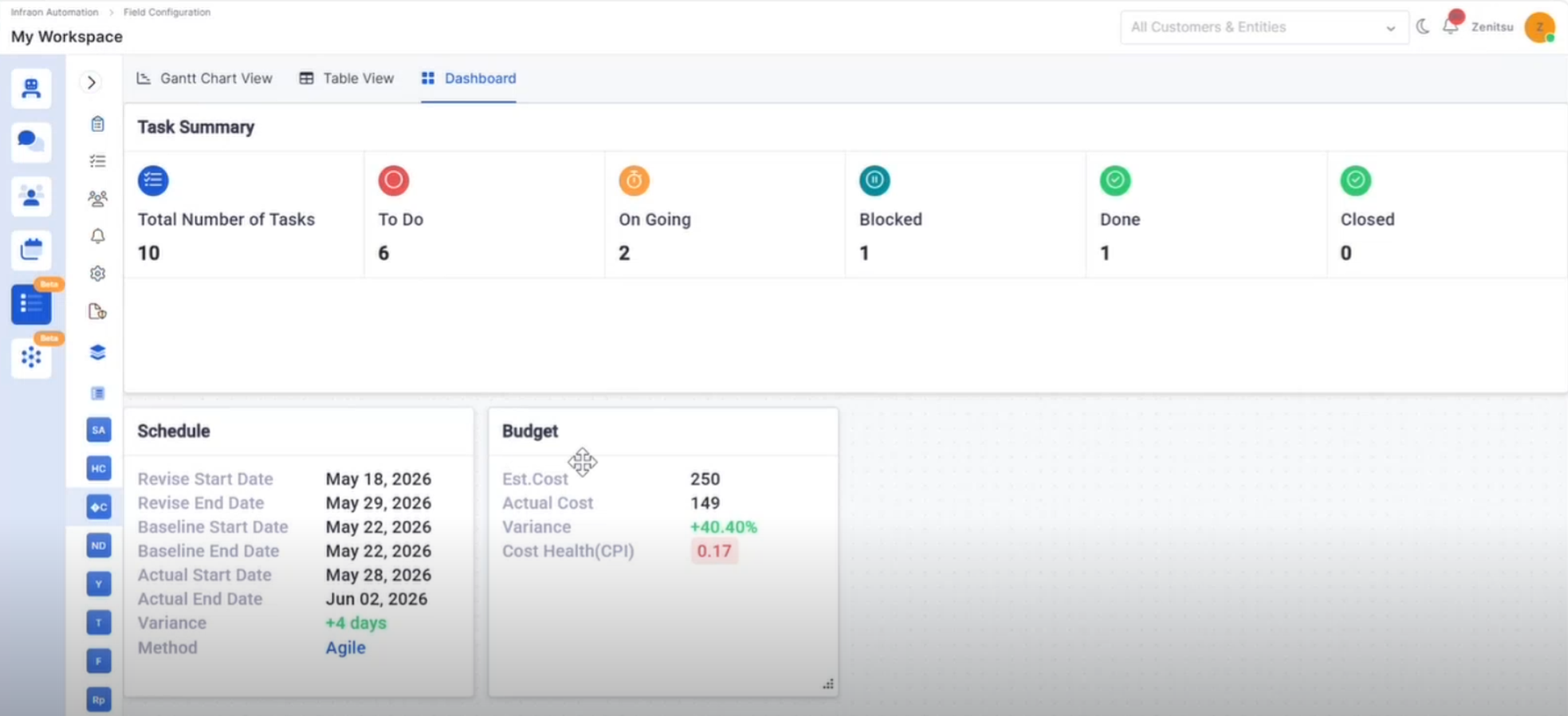
Project Dashboard – Schedule & Budget Widgets
Added Schedule and Budget widgets in Project Dashboard
Displays:
Project Left Menu Settings and Advanced Settings
Added configurable Project Left Menu settings
Improved advanced project configuration controls
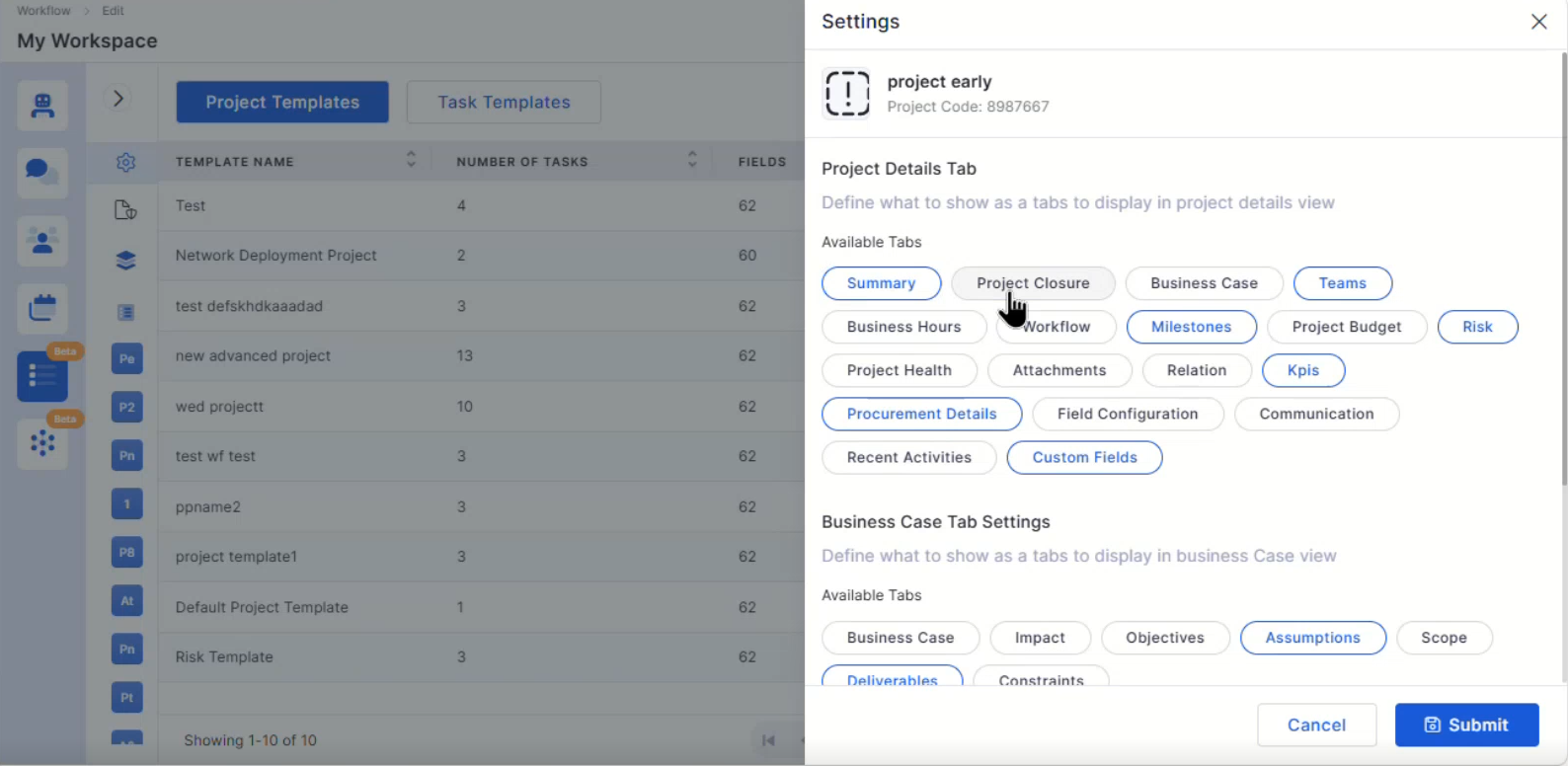
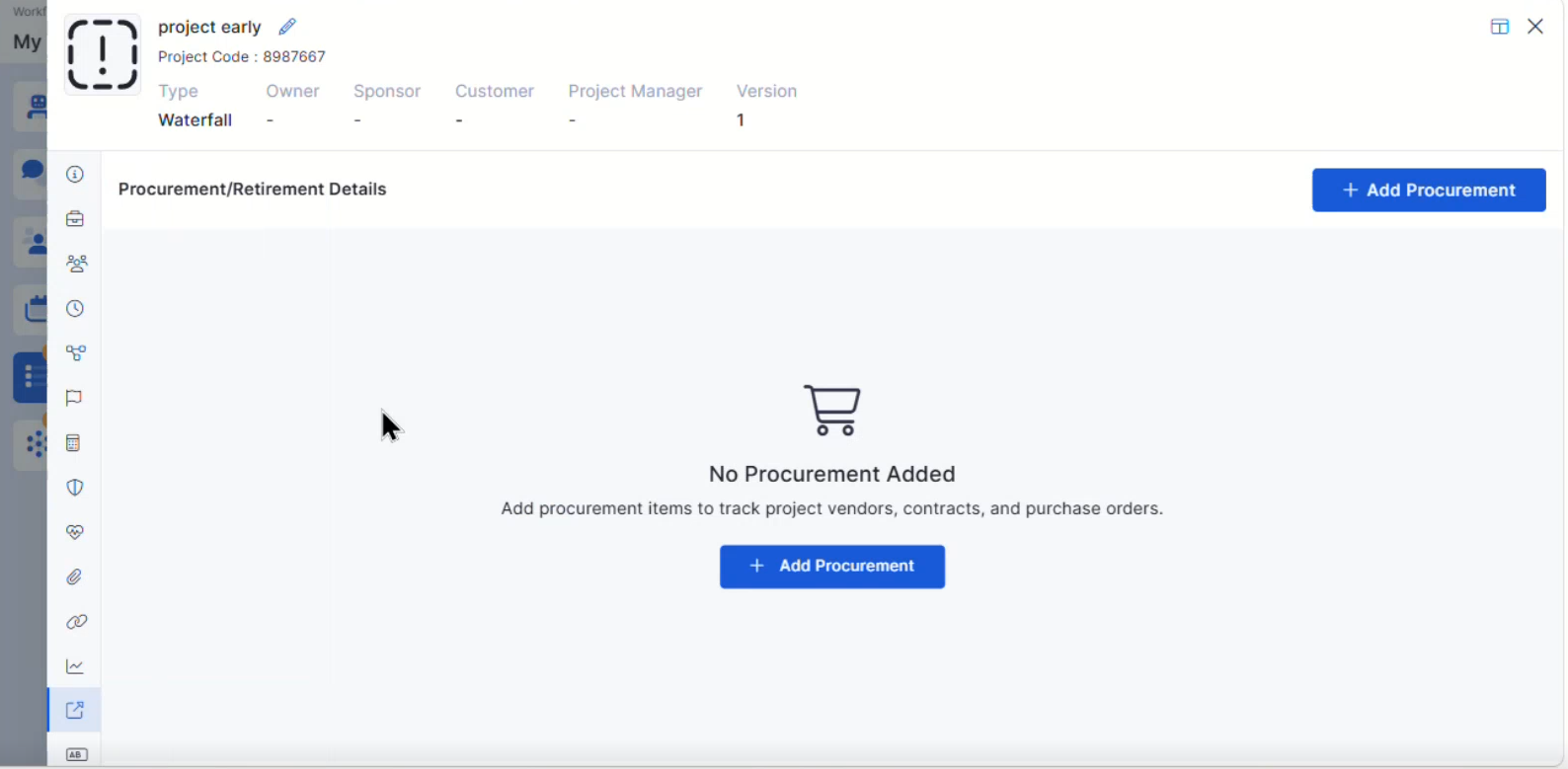
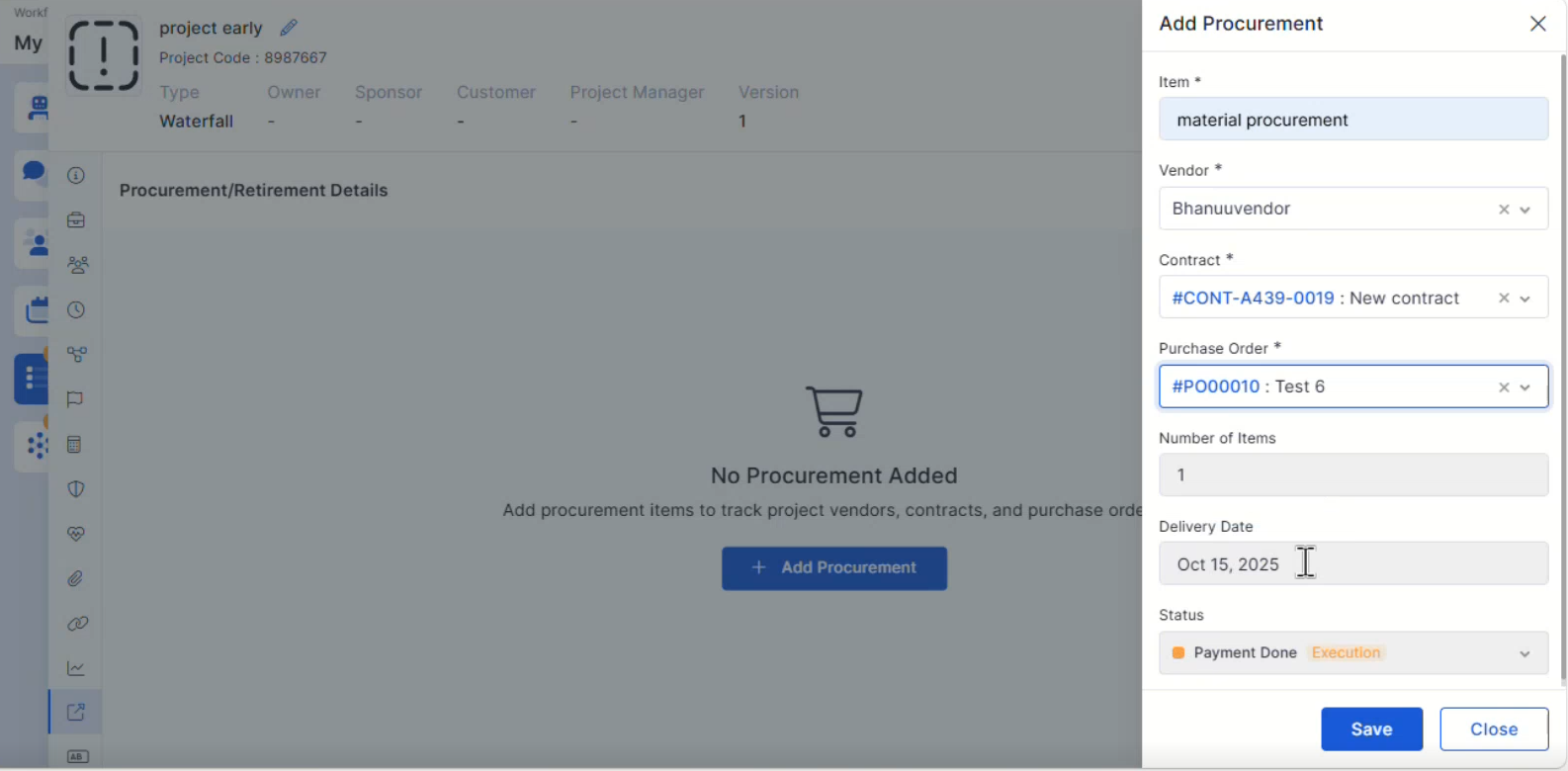
Project Procurement Details
Added Procurement Details support within Project Management
Improves project procurement visibility and tracking
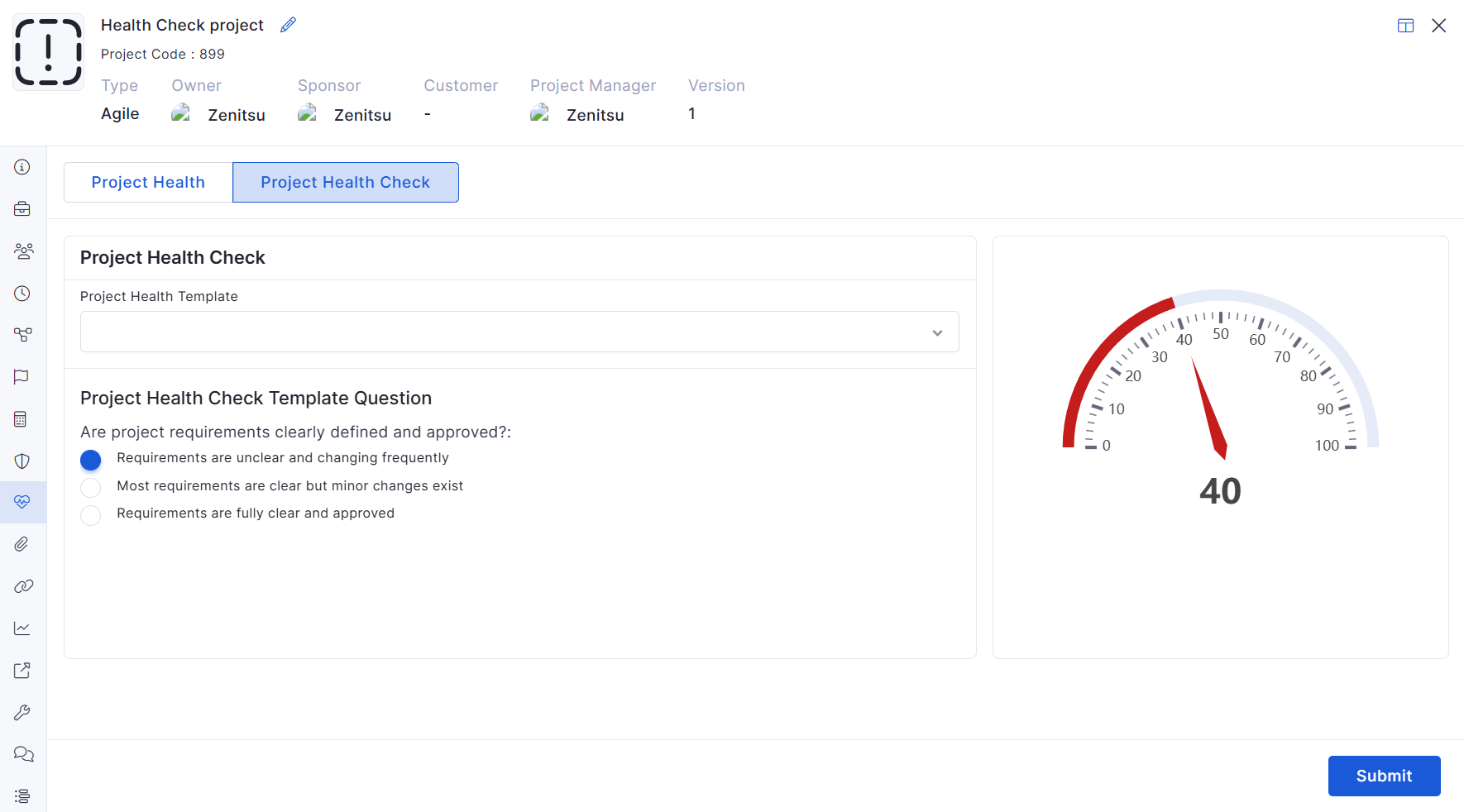
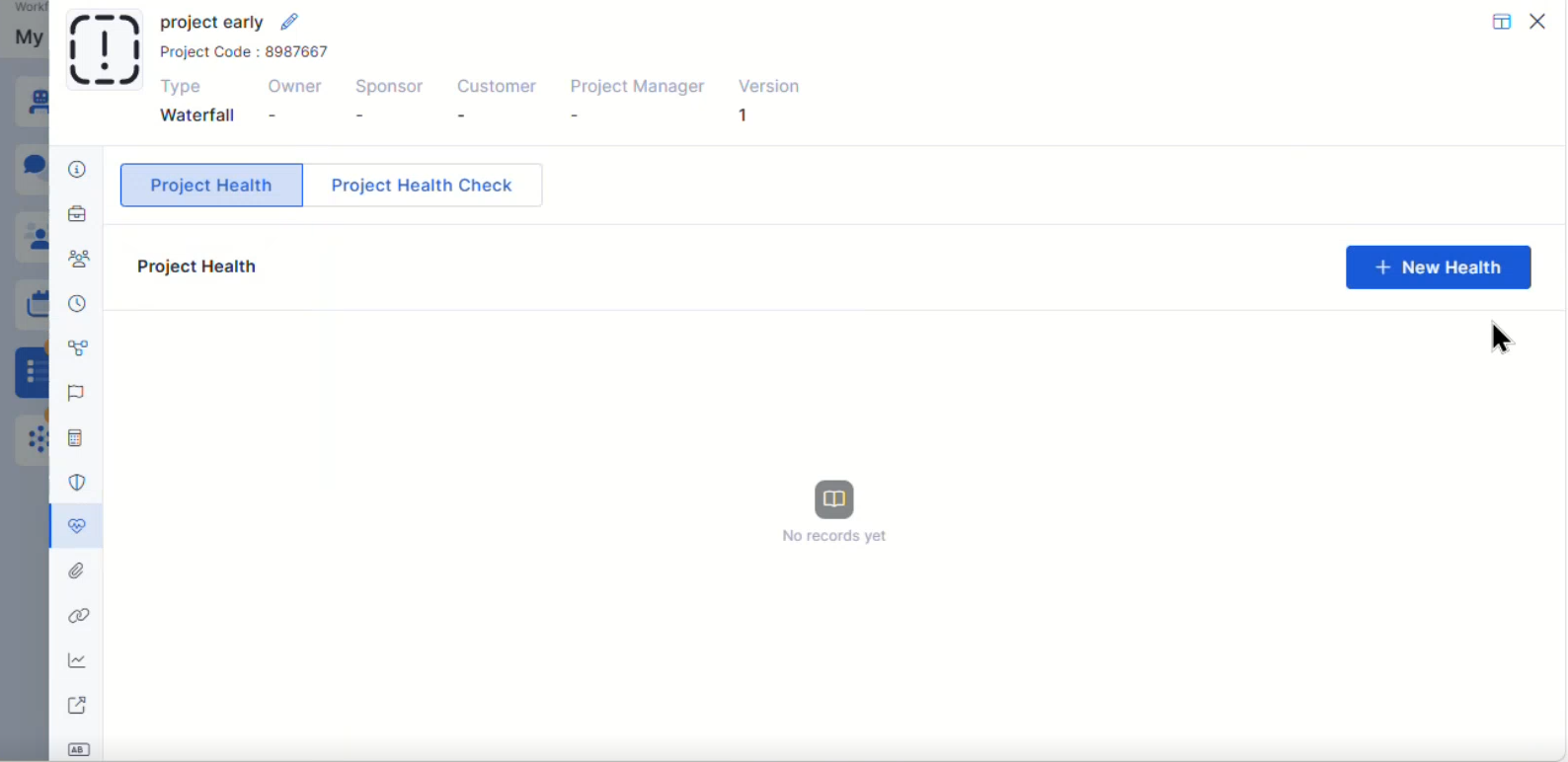
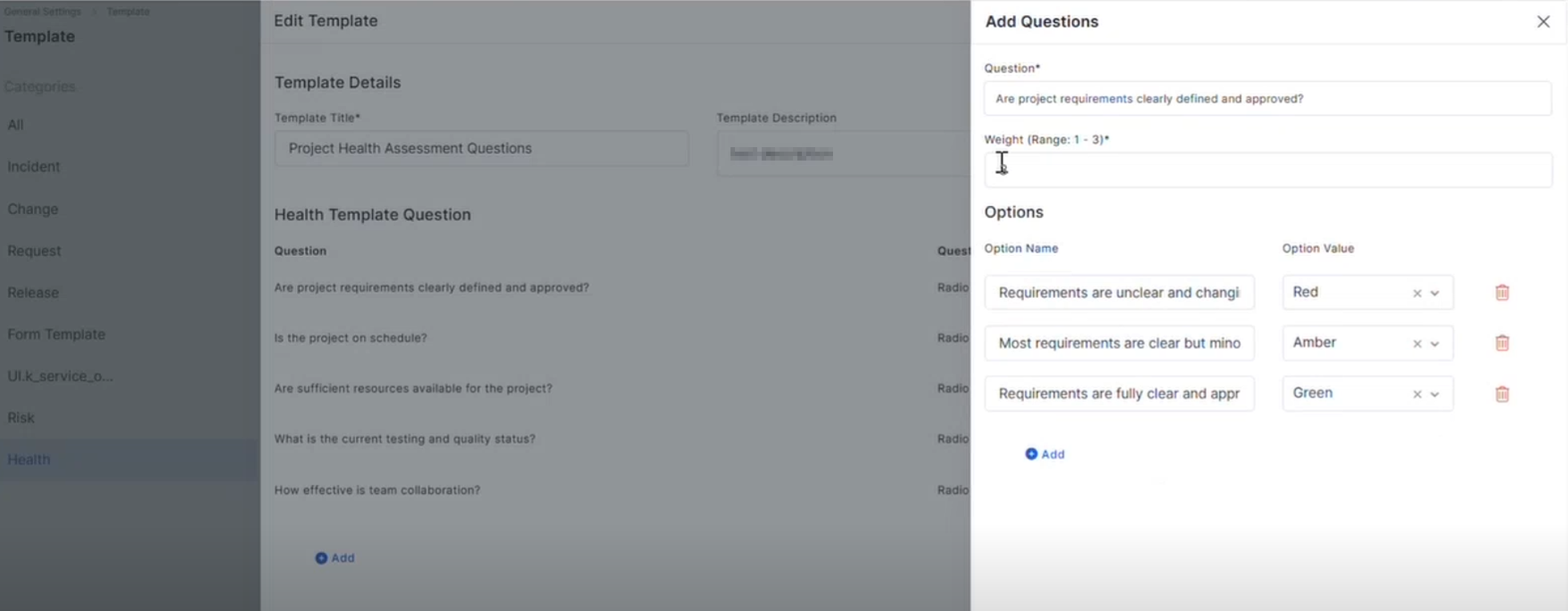
Project Health Template
Added Project Health Template configuration support
Supports project health monitoring and evaluation
Health Template Integration in Project
Added Health Template integration within Projects
Enables project-level health assessment workflows
Mobile Enhancements
iOS Common Feature for Request
Improved request handling capabilities in the iOS application
Enhanced request workflow consistency
Android – Relation View & Filter Mapping
Added relation view support for Ticket, Request, and Release modules
Improved filter mapping and relation visibility
Android – Task Creation Form with Metadata Selection
Added metadata selection support during task creation
Improves task configuration flexibility in Android applications
iOS – Request-Specific Task List API
Added request-specific task list fetching and mapping support
Improved request-based task visibility in the iOS application
Bugs Fixed
General stability and performance improvements across modules
Fixed UI inconsistencies and validation issues
Improved report rendering and synchronization handling
Minor fixes across workflow and dashboard operations.
v7.4.4 - March 2026
View the latest features, enhancements, and fixes by release.
Release Cycle: 13th March 2026
Build: Pre-Release Documentation
Overview
This upcoming release introduces enhancements across Dashboard analytics, Cost Center management, Mobile application capabilities, Self Service Portal workflows, Project Management tools, Purchase Order configuration, Asset lifecycle tracking, Reporting, and Software License management. The update also includes multiple stability and performance improvements across modules.
Key Updates
Dashboard
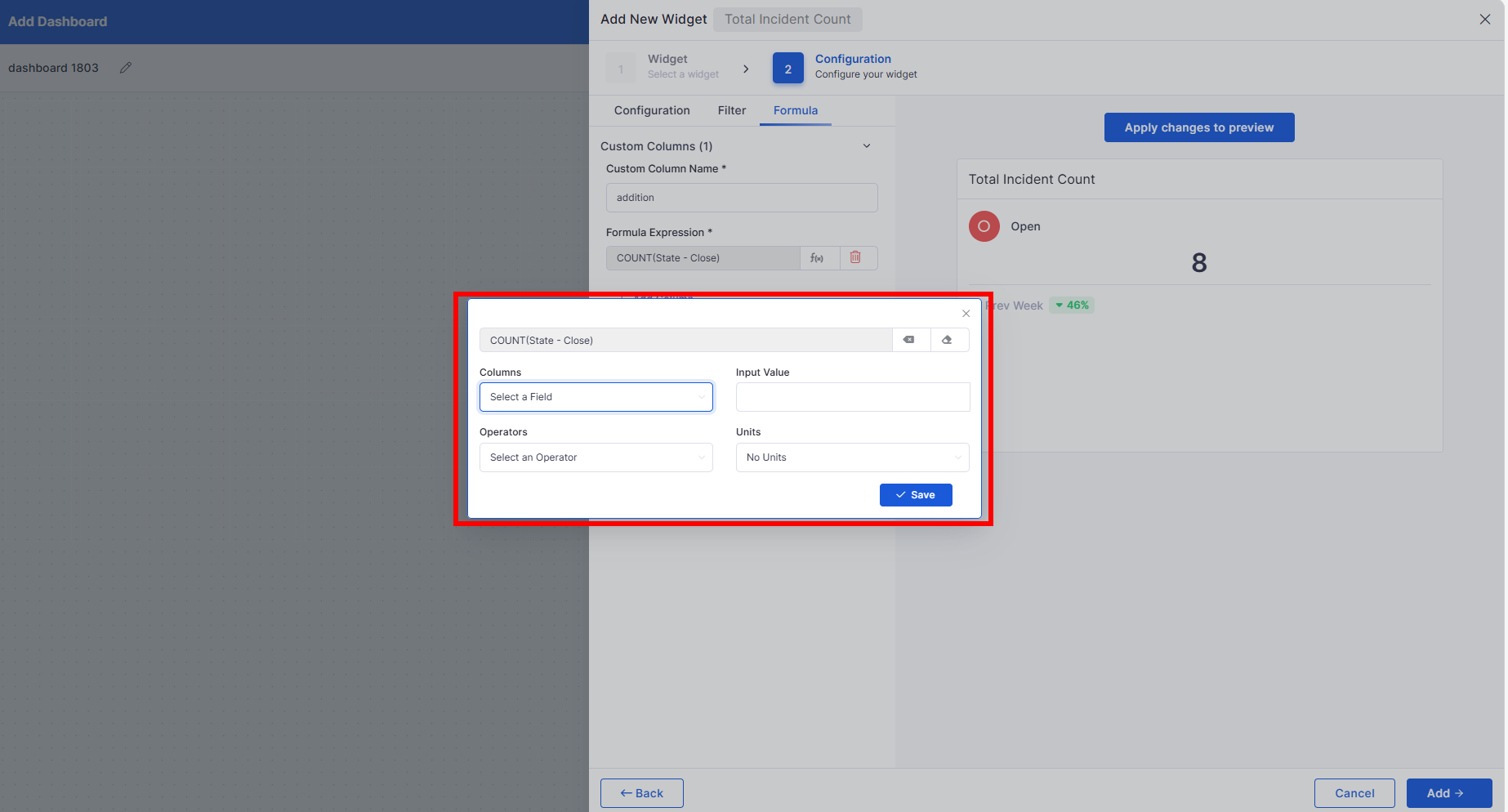
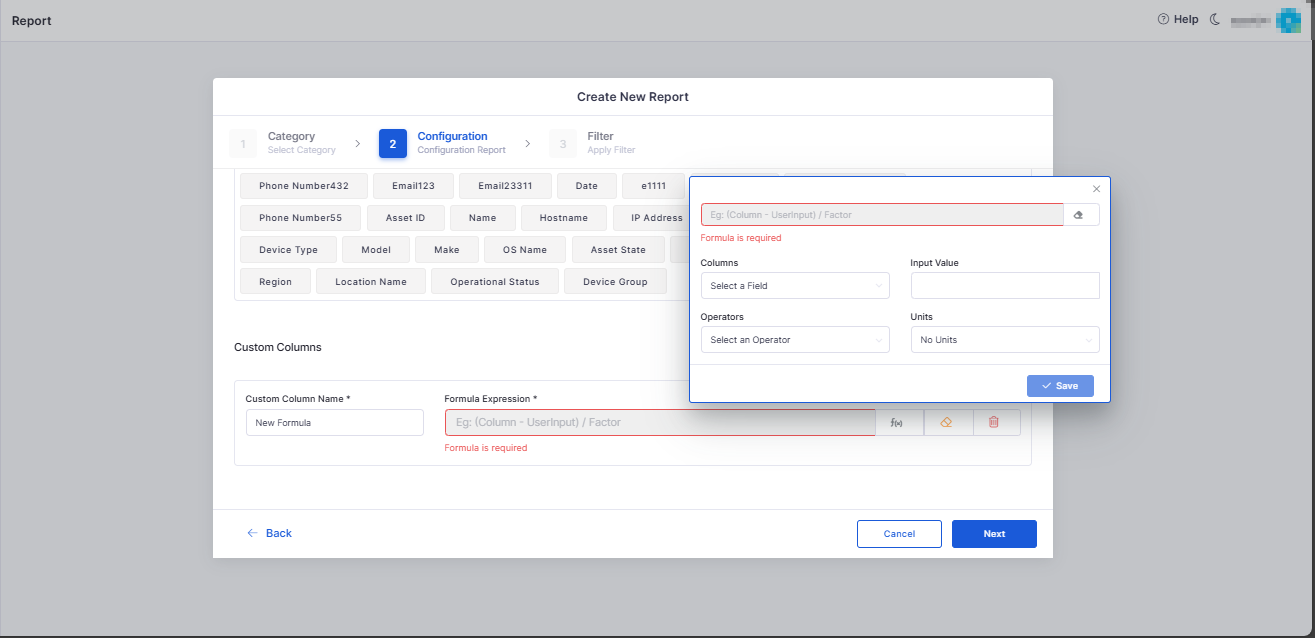
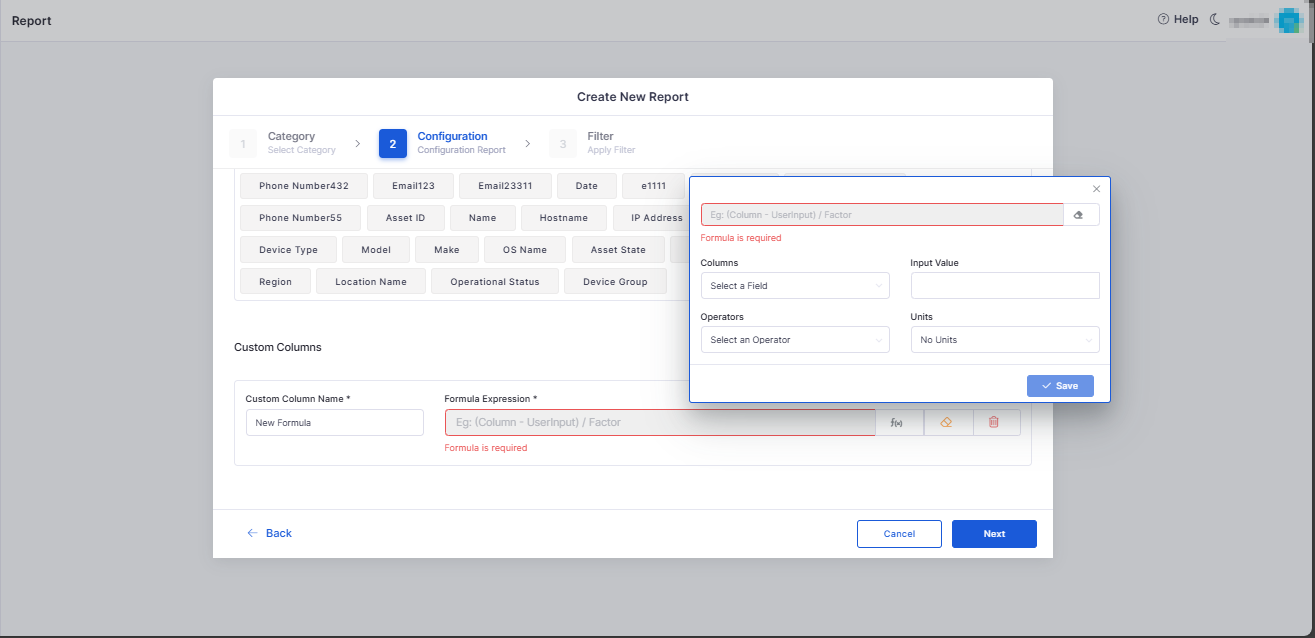
Custom Formula Column for Ticket Count Widget
Introduced a custom formula builder for supported dashboard widgets.
Allows users to define KPI columns using ticket attributes and mathematical expressions.
Cost Center
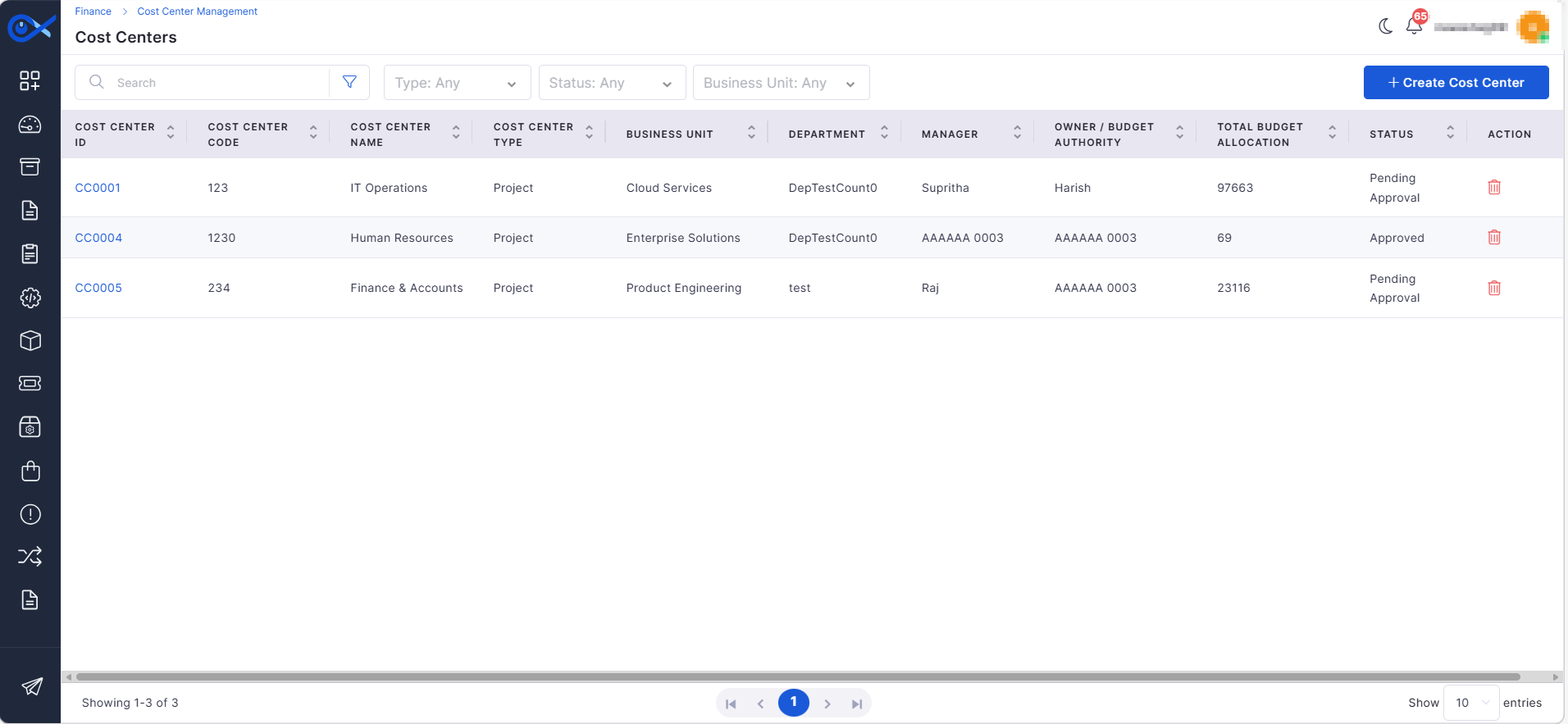
Cost Center Grid View and Creation Wizard
Added Cost Center management with a grid view and creation wizard.
Supports structured creation with validation and duplicate prevention.
Mobile
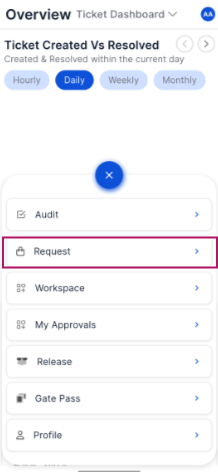
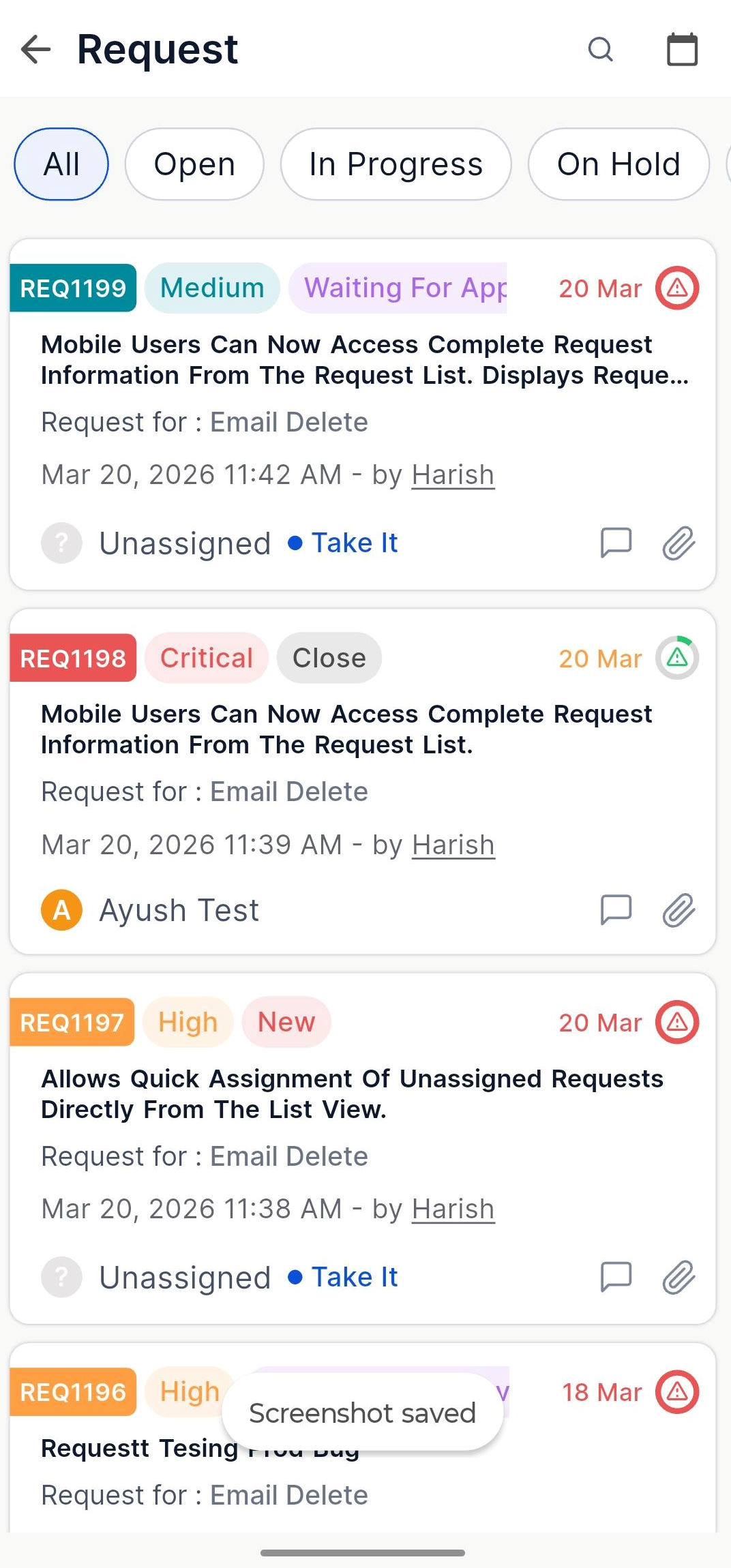
Request Details View
Mobile users can now access complete request information from the request list.
Displays request metadata, SLA details, attachments, activities, and related records.
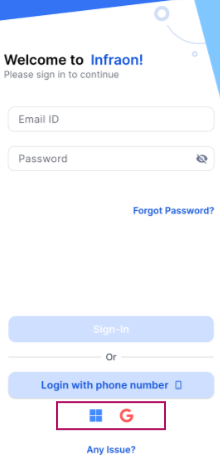
Microsoft SSO Login
Added Microsoft and Google SSO login support for mobile applications.
Enables secure authentication using organization accounts.
Request List Improvements
Added search, filters, and pagination support for request lists.
Allows quick assignment of unassigned requests directly from the list view.
Self Service Portal
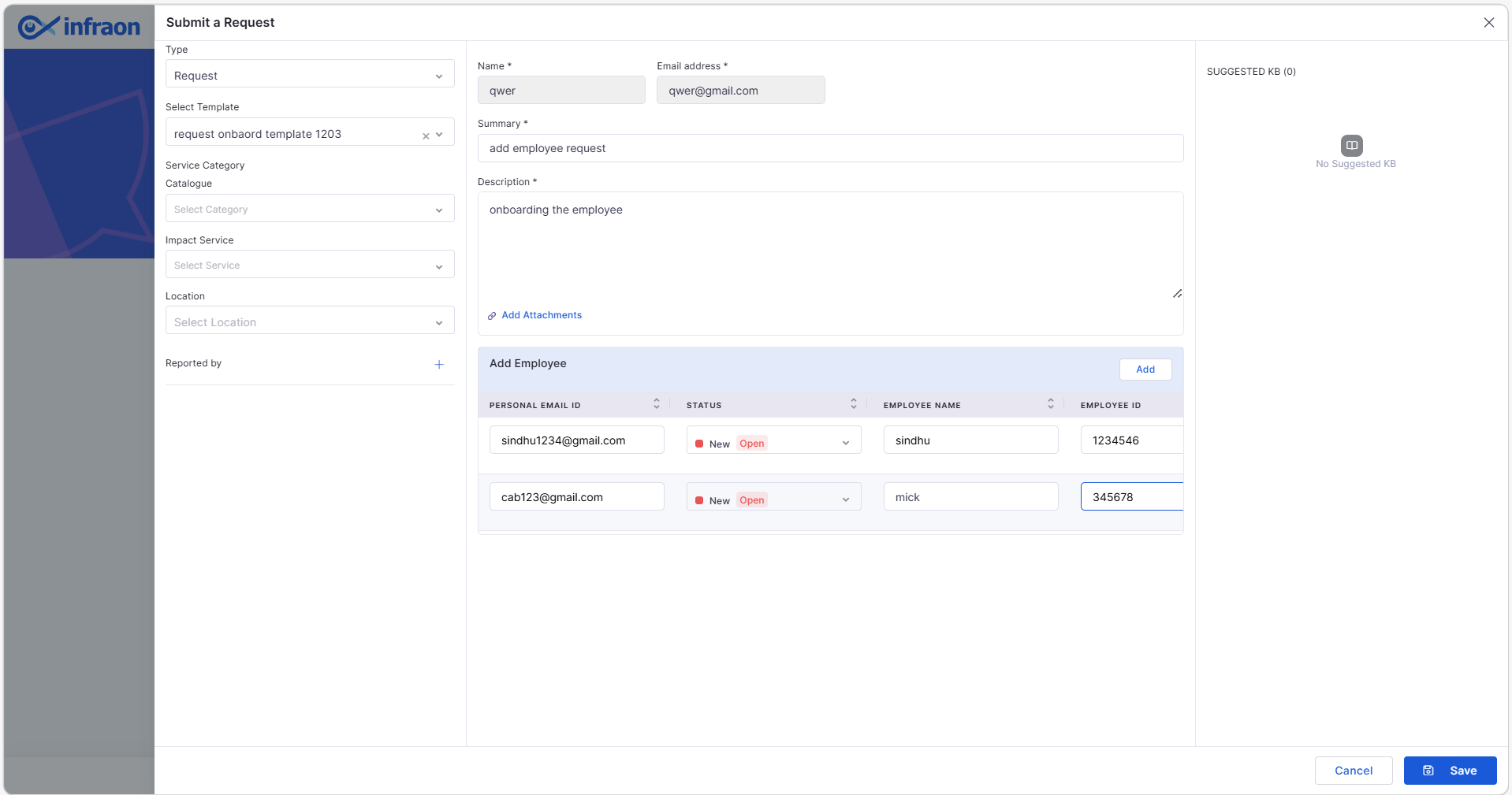
Employee Form for Request Templates
Introduced employee entry grid for request templates, such as onboarding/offboarding.
Supports adding multiple employees with validation and duplicate checks.
Project Management
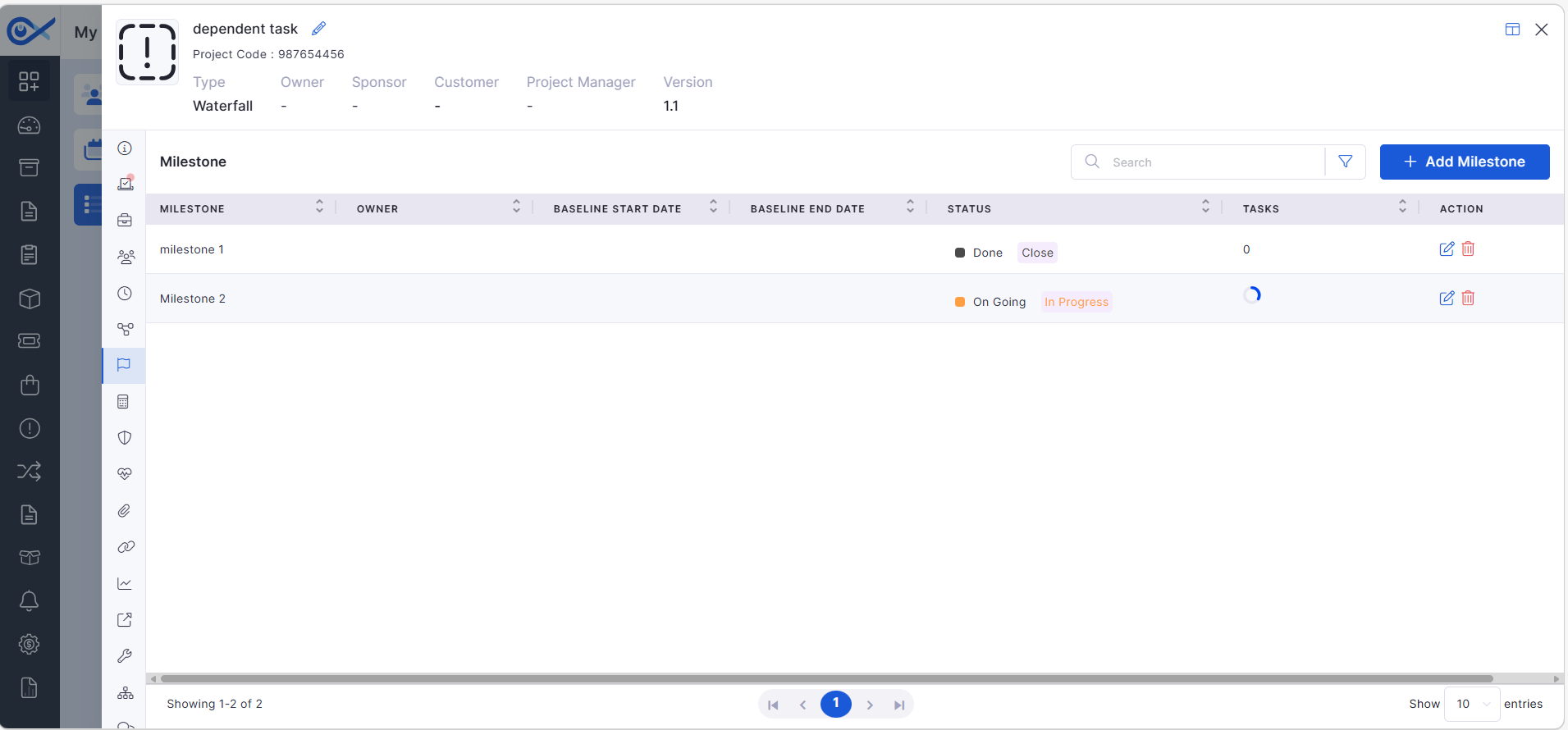
Milestone Search and Filtering
Added page search capability in the milestone grid.
Enables filtering milestones using field-based conditions.
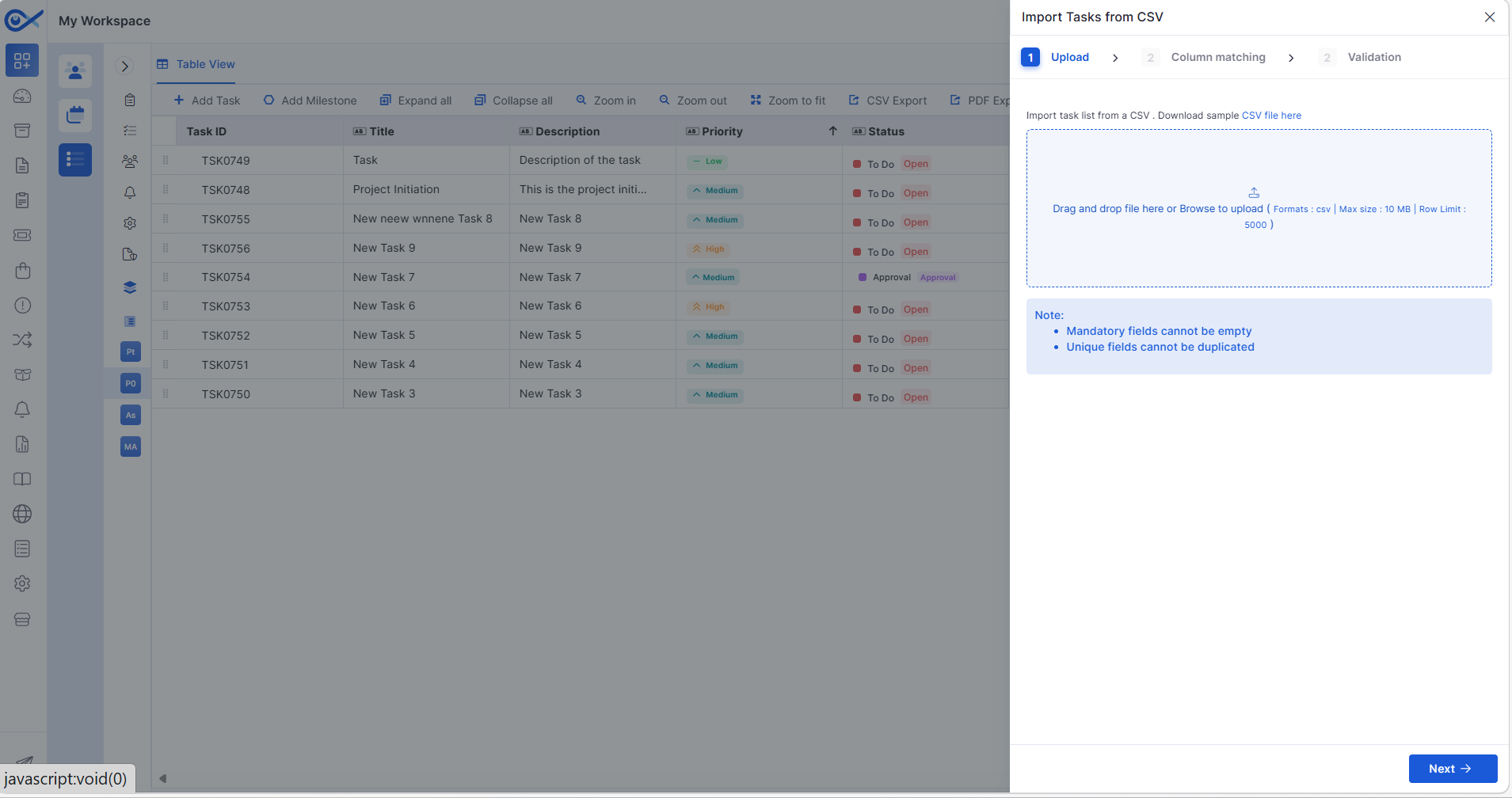
Project Task CSV Editing
Users can export tasks, modify them via CSV, and re-upload for bulk updates.
Includes validation for incorrect or missing field values before applying updates.
Purchase Order
PO Template Customization
Introduced configurable Purchase Order template layout.
Allows rearranging sections and fields for consistent PO document generation.
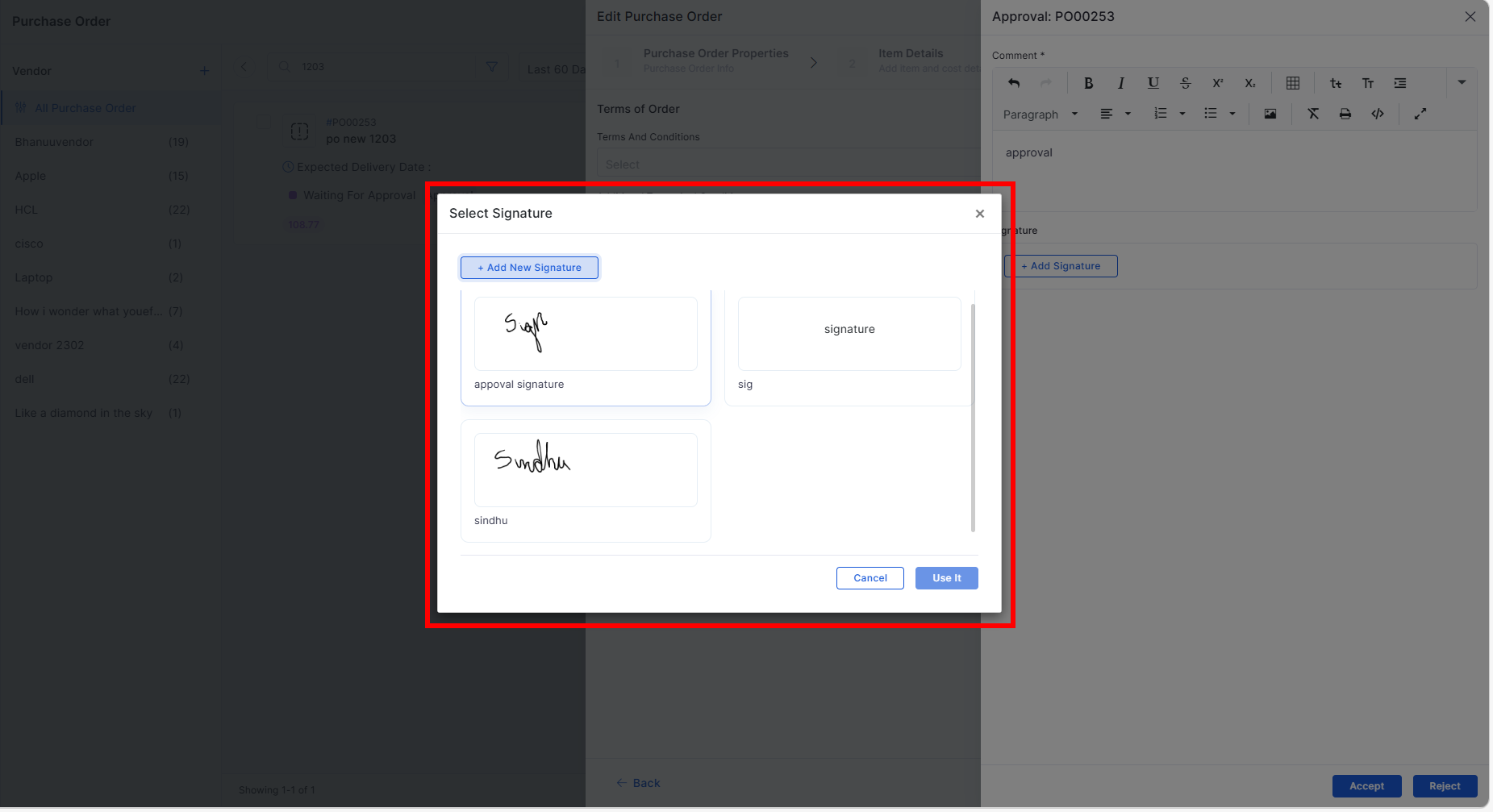
Approval Signature Support
Approvers can add signatures during the PO approval process.
Supports both email-based approval and in-application approval workflows.
Asset
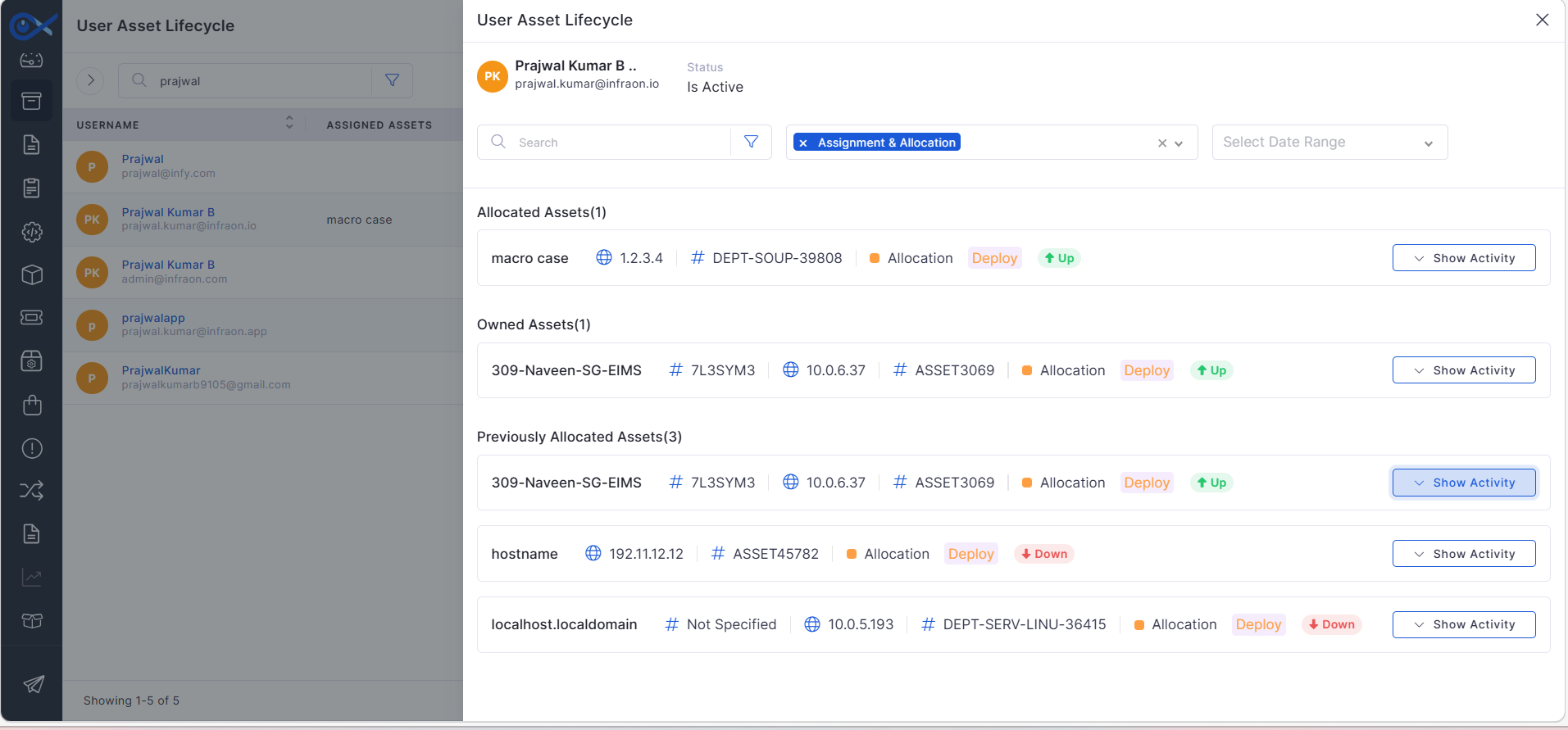
User-Based Asset Lifecycle Tracking
Enhanced asset lifecycle tracking to display serial numbers of previously allocated assets.
Improves visibility of asset history for user-based tracking.
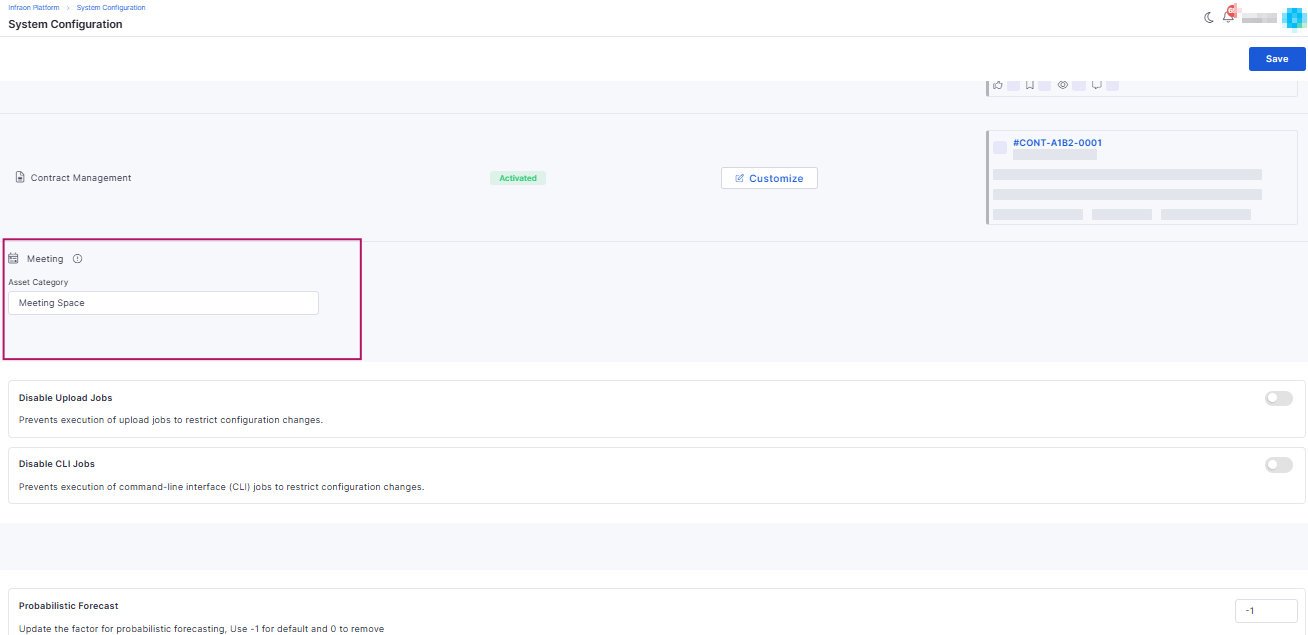
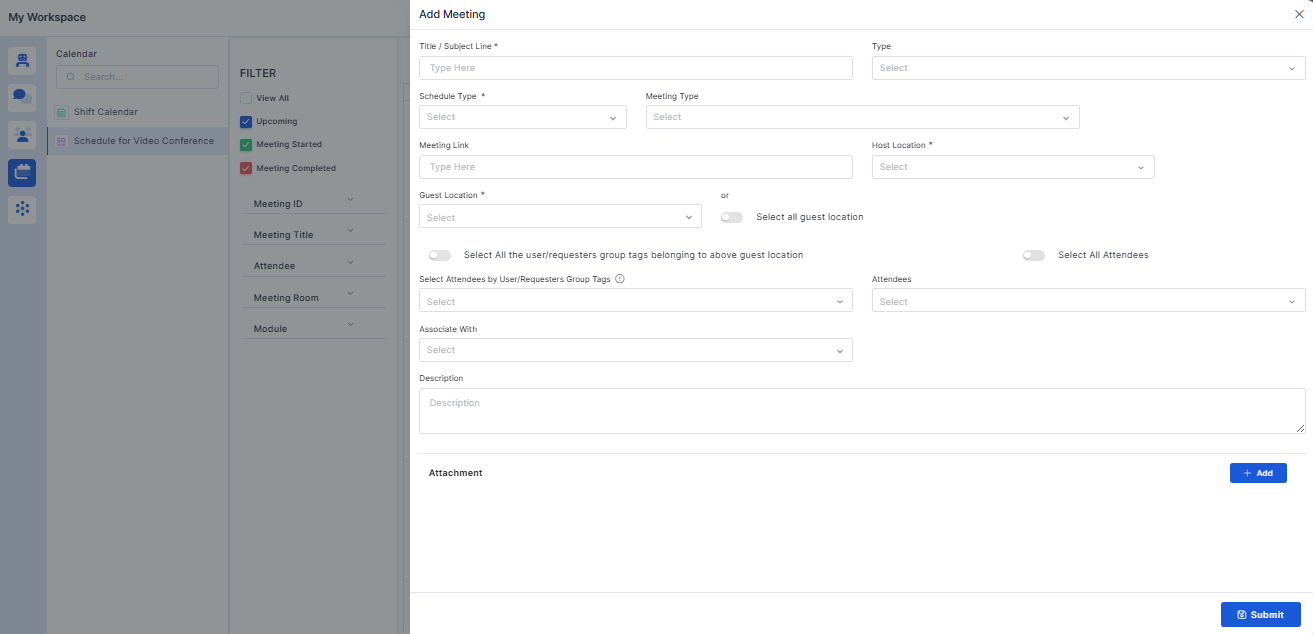
Meeting Scheduling Enhancements
Improved video conference scheduling experience.
Added meeting types, attachment support, and enhanced notification details.
Reports
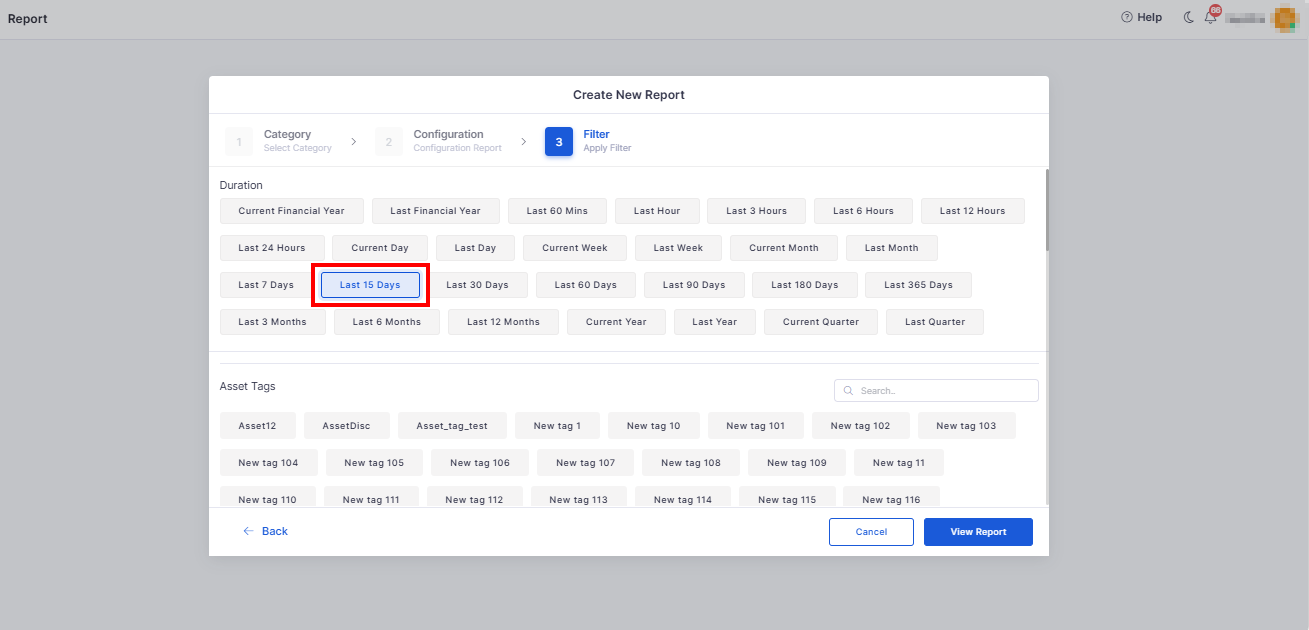
Last 15 Days Filter
Added predefined Last 15 Days time range filter for supported reports.
Enables faster reporting for recent activity.
Custom Fields Support in Reports
Reports and dashboards now support filtering and column selection using custom ticket fields.
Software License
Software License Distribution
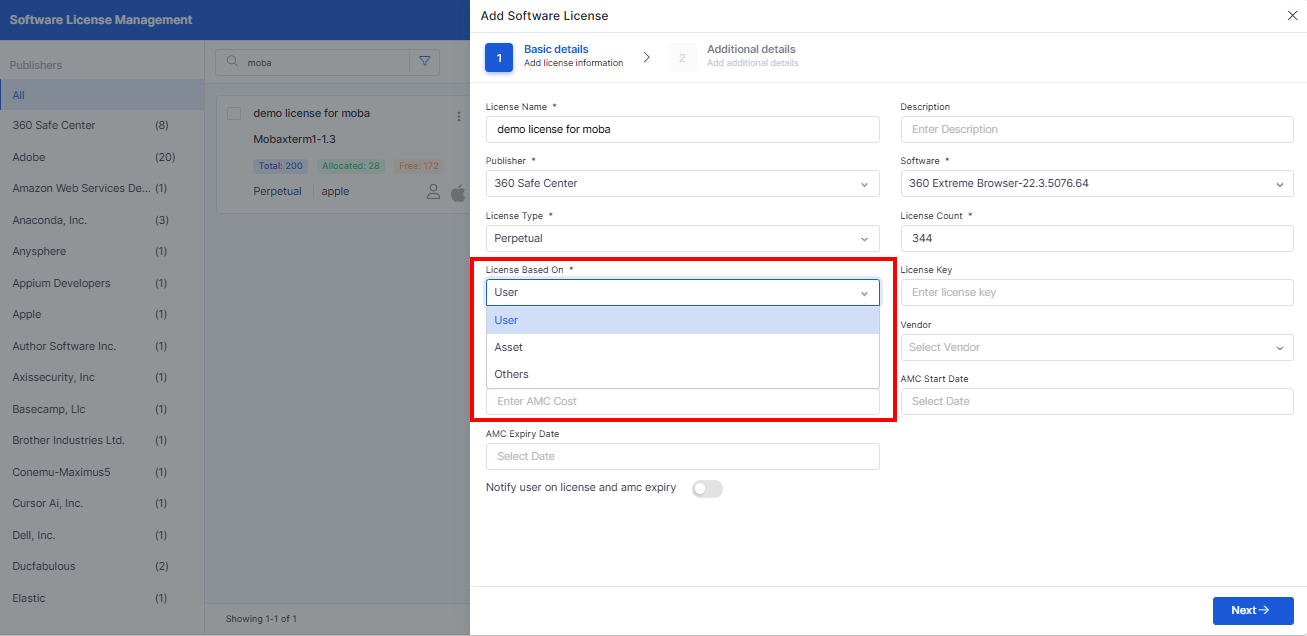
Introduced license allocation across users, departments, locations, and organizations.
Supports multiple license keys for a single license.
Bugs Fixed
Resolved issues with Windows inventory agent discovery.
Fixed asset CSV export failures in large environments.
Corrected captcha validation during user registration.
Addressed SSP dashboard visibility issues for requesters.
Fixed status update issues across ticket, request, and problem modules.
Corrected team and location mapping issues in ticket assignments.
Resolved UI alignment issues in the Inventory Agent Installation Report.
v7.4.2 – January 2026
View the latest features, enhancements, and fixes by release.
Version: v7.4.2
Date: 29th January
Overview
This release introduces enhancements across API Metering, SLA management, Asset performance, Purchase Orders, Project Management, Mobile audits, and AI-assisted Incident handling.
The updates focus on improved visibility, enhanced validation, performance optimizations, and enhanced operational workflows.
Key Updates
API Metering
API Metering Data Report
Introduced a dedicated report to track API usage across users and endpoints.
Provides visibility into total calls, methods, endpoints, and usage patterns.
Mail Automator
Restrict Ticket Creation by Allowed Requesters
Added an option to allow only selected requester email IDs within a domain to create tickets.
Improves control over email-to-ticket creation and reduces unwanted requests.
SLA
Bulk Operations for SLA Breach Prediction
Enables bulk actions on tickets predicted to breach SLA.
Allows managers to apply or ignore AI recommendations for multiple tickets at once.
Mobile
Audit Detail Page (iOS & Android)
Introduced a detailed audit view for mobile users.
Displays device-level audit items with status, progress, and due dates.
Change Management
Change Manager Approval
Added support to submit changes for Change Manager approval.
Approval links are sent via email and available in the technician portal.
Asset
Vendor Sync Count Accuracy
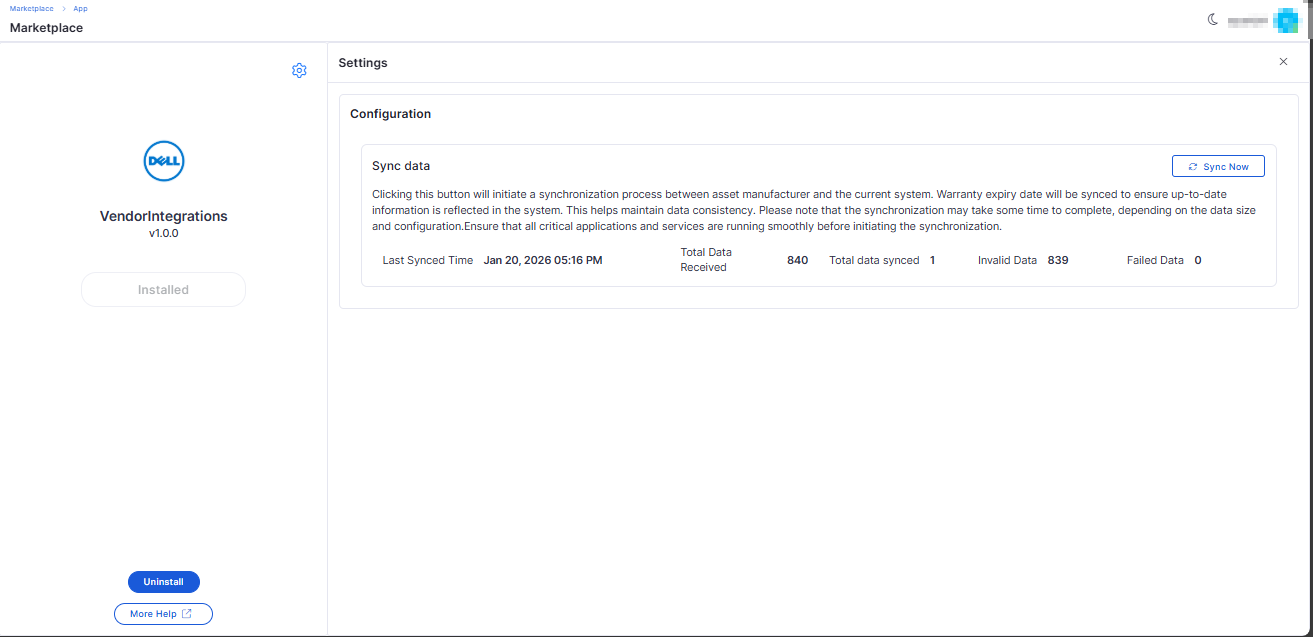
Corrected vendor sync counts for assets with invalid serial numbers.
Sync summary now correctly reflects valid, duplicate, invalid, and failed records.
Optimized Asset Filter Loading
Improved asset grid performance by loading filter values dynamically.
Reduces initial page load time, especially for large asset datasets.
Purchase Order
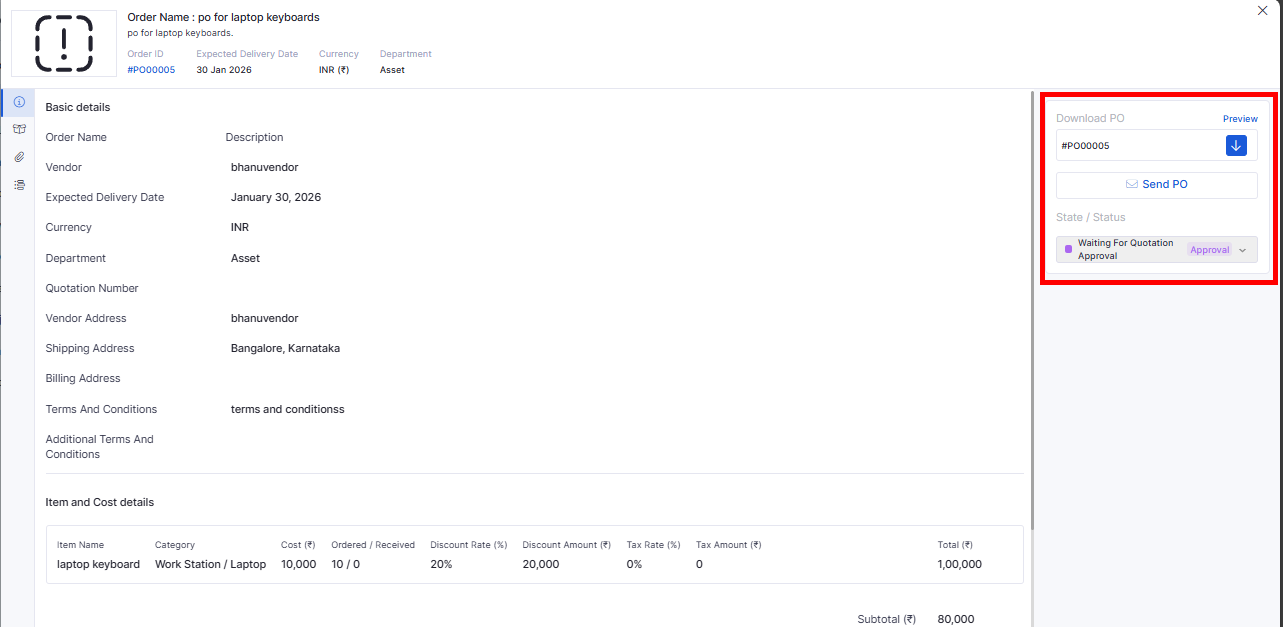
PO Download During Approval Stage
Purchase Orders can now be downloaded while awaiting approval.
Enables approvers to review official PO documents before approval.
Software Selection in Purchase Orders
Added support for selecting software items during PO creation.
Enables license creation or updates during the receiving process.
Task
Common Task Creation
Introduced enhanced task creation with recurring options.
Supports form templates, attachments, notifications, and audit tracking.
Improves task standardization and automation.
Reports
Additional Asset Columns in SLA Reports
Added asset-related fields, including Category, Device Type, Serial Number, and Hostname.
Improves SLA analysis with asset context.
Custom Columns & Formula Engine for SLA Reports
Introduced custom computed columns using a BODMAS-based formula builder.
Supports time-based calculations, unit conversions, previews, and exports.
Project Management
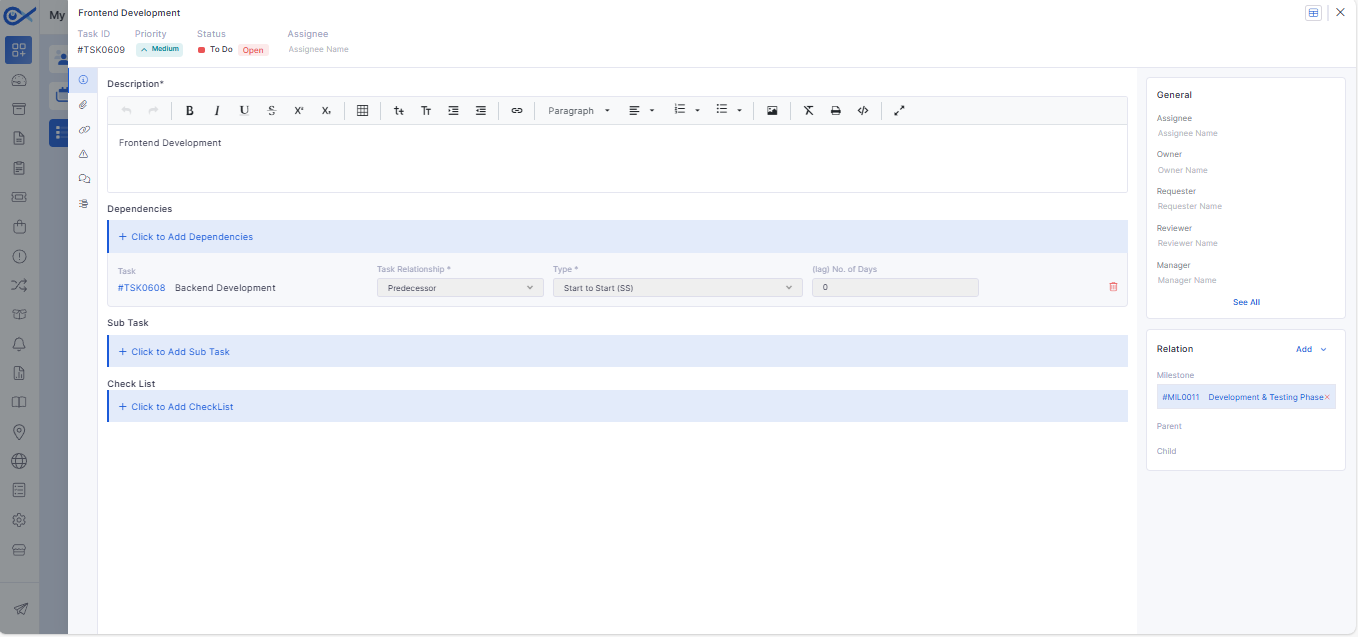
Dependent Task Controls
Added validations to enforce dependency rules between tasks.
Prevents invalid task progression based on dependency configuration.
Task View – Basic Details
Improved task summary view for faster access to key task information.
Incident
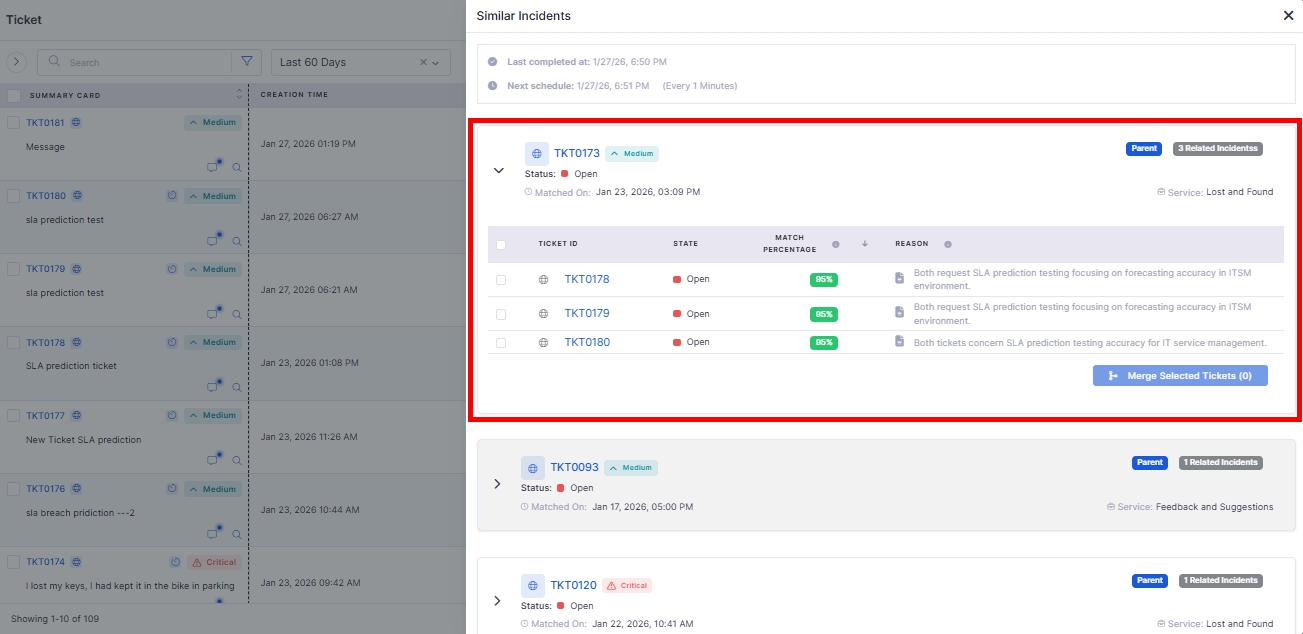
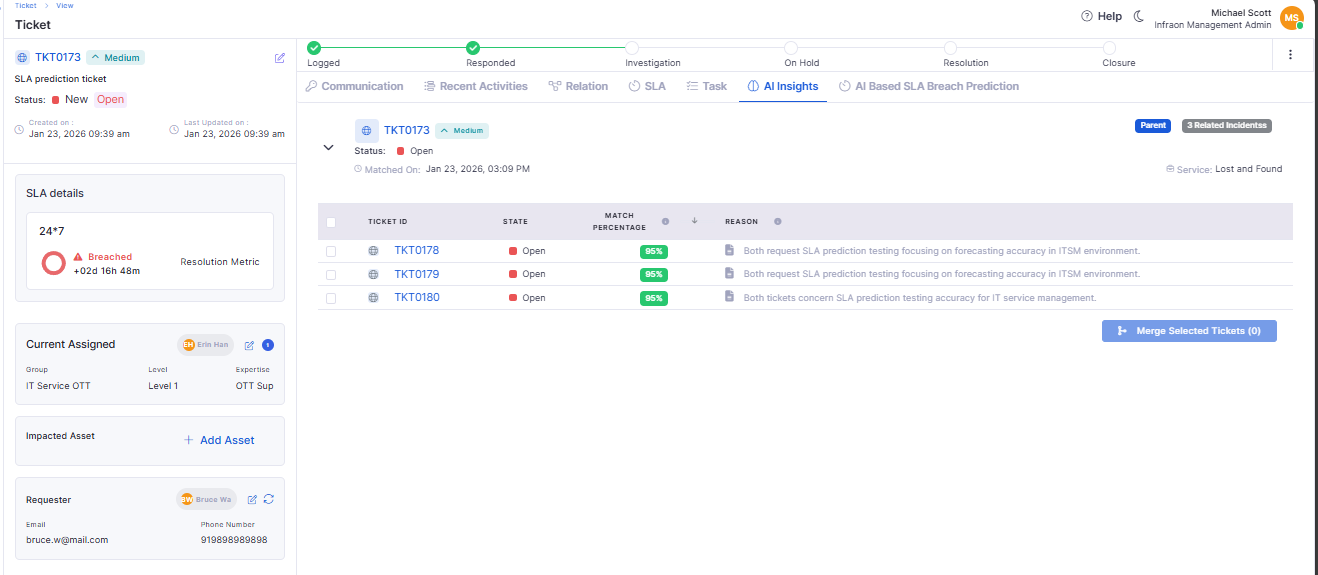
AI-Based Similar Incident Matching
Introduced AI-powered similarity matching for incidents.
Helps technicians identify related or recurring incidents faster.
🐛 Bug Fixes and Improvements
Improved accuracy and stability across Asset Vendor Sync and SLA Reports.
Fixed performance issues in Asset grid filtering for large datasets.
Resolved inconsistencies in PO downloads and approval workflows.
Addressed UI and data refresh issues in mobile audit views.
General performance, validation, and reliability improvements across modules.
v7.4.5 - April 2026
Release Cycle: 23rd April 2026
Build: Pre-Release Documentation
Overview
This upcoming release introduces enhancements across Cost Center Management, Templates, Software License, Feature Configuration, Project Management, Purchase Requisition, and Dashboard modules. The focus is on improving approval workflows, automation, project tracking, data privacy, and reporting capabilities.
Key Updates
Use these pages to go deeper into the modules covered in this release:
Cost Center Management
Cost Center Approval Process
Introduced approval lifecycle: Draft → Pending → Active → Closed
Finance Owner can approve/reject via UI or email
Template
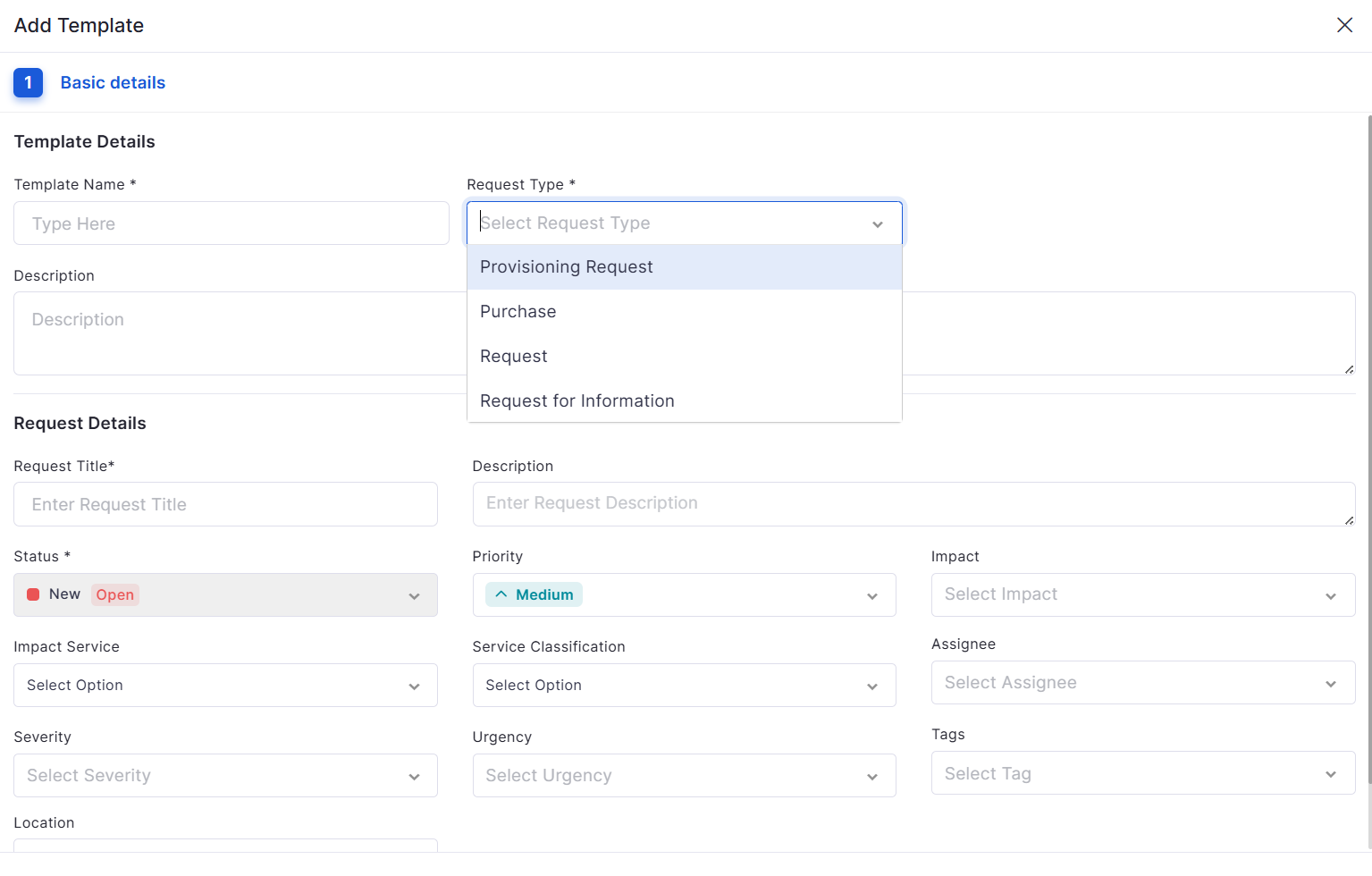
Custom Template for All Request Types
Supports custom form configuration for all request types
Retains all configurations during edit (fields, order, properties)
Software License
Auto Allocation for Software License
Automatically allocates licenses based on software discovery
Deallocates licenses on uninstall or version change
Feature Configuration
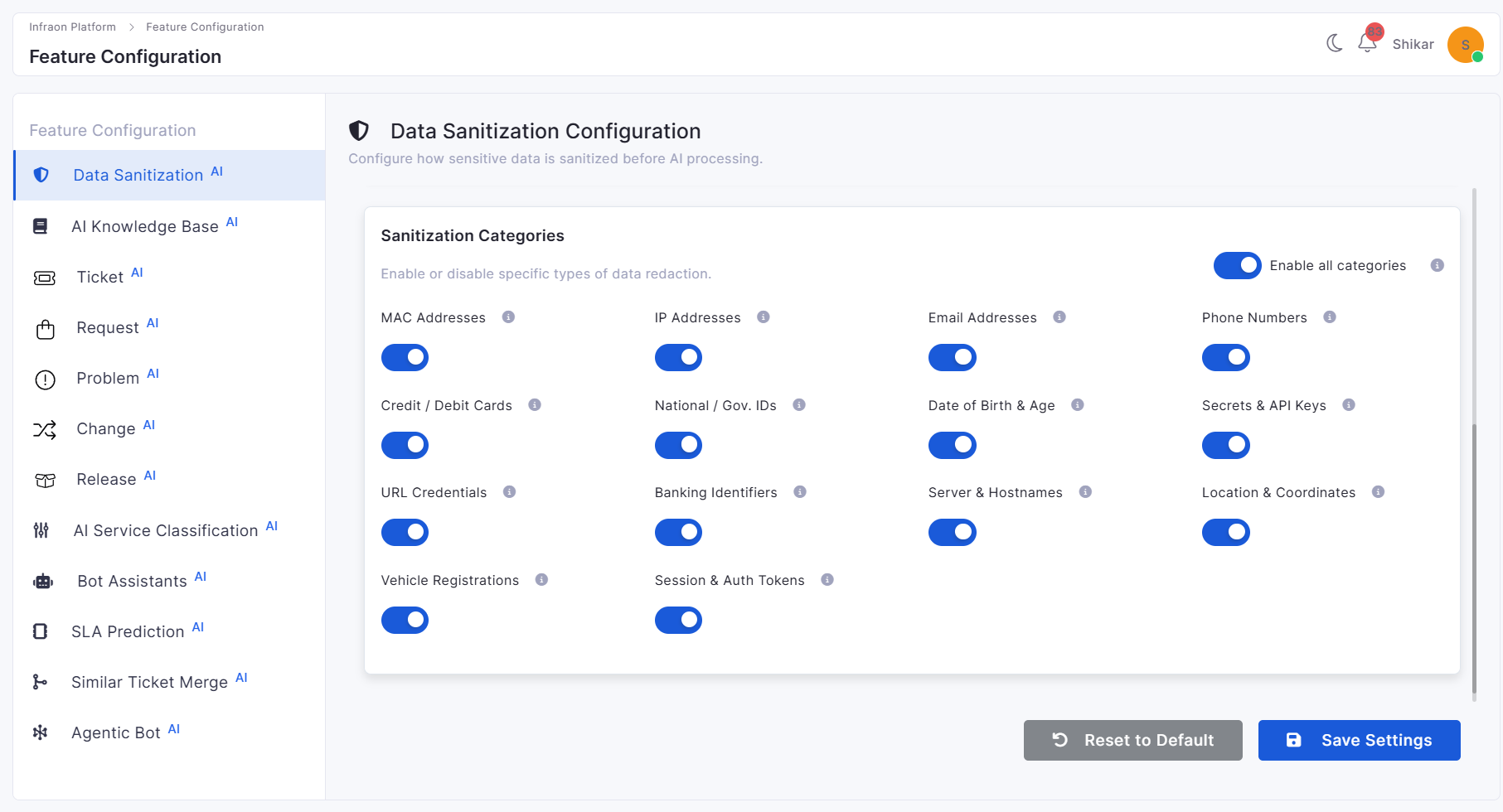
Reversible Faker Data Mapping for AI Privacy
Replaces sensitive data with realistic synthetic values before AI processing
Restores original data in the final response
Project Management
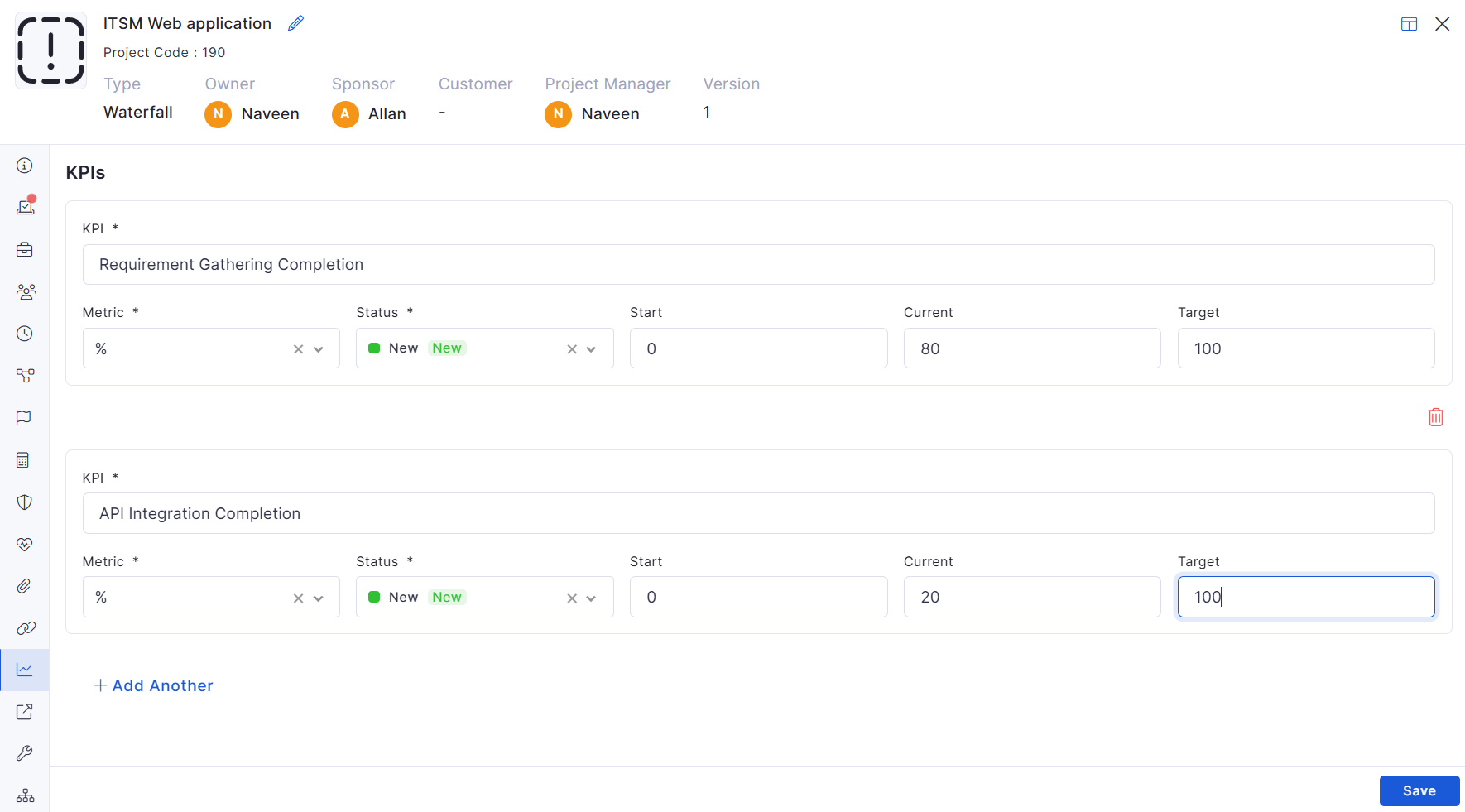
Project KPIs
Added KPI tracking within project details
Supports multiple KPI entries
Includes validation for required fields
My Task in Project Management
Added “My Task” view for logged-in users
Displays all assigned tasks in a grid
Task CSV Edit Control
CSV editing respects field configuration rules
Mandatory fields must be filled out
Project Business Case History
Tracks changes across Business Case, Scope, Deliverables, and related sections
Logs add, update, and delete actions
Purchase Requisition
Custom Field Creation
Supports custom fields across PR forms
Enables validation, filtering, and visibility control
PR Approval Process with View
Introduced a complete PR approval workflow
Supports approval teams and threshold-based routing
Dashboard
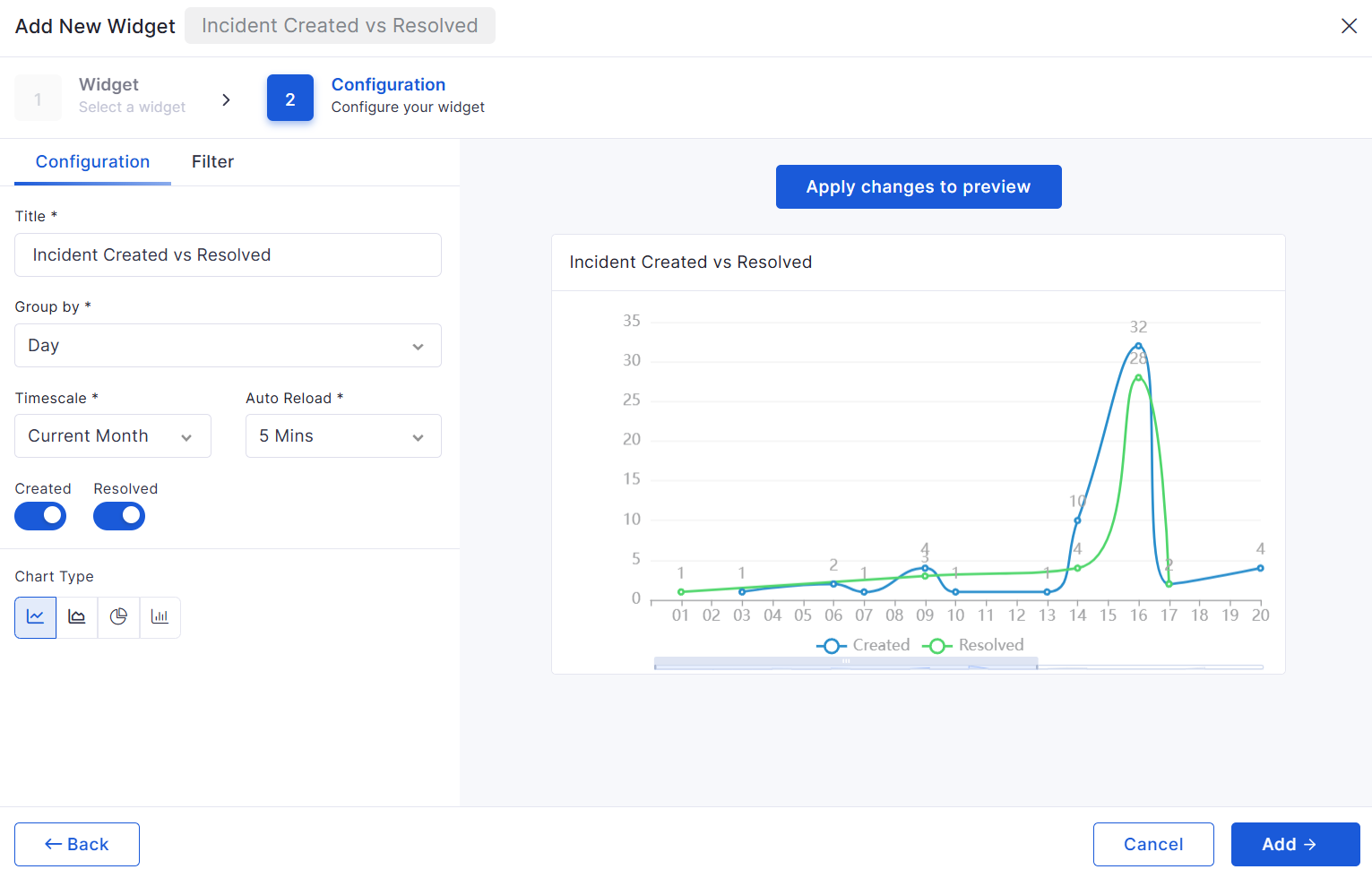
Ticket and Request per Month Widget
Added monthly and weekly grouping options
Supports toggling between Created and Closed data
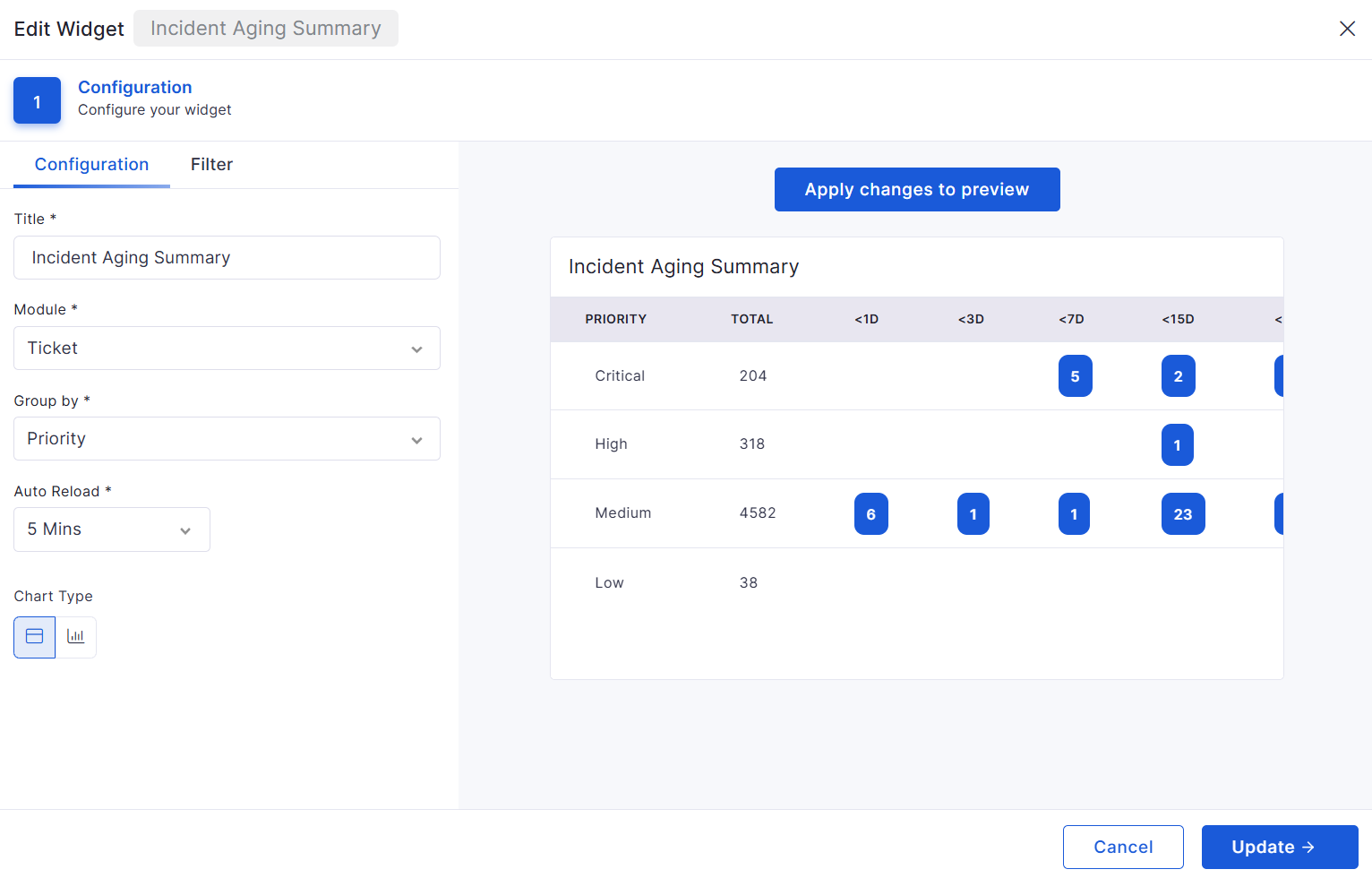
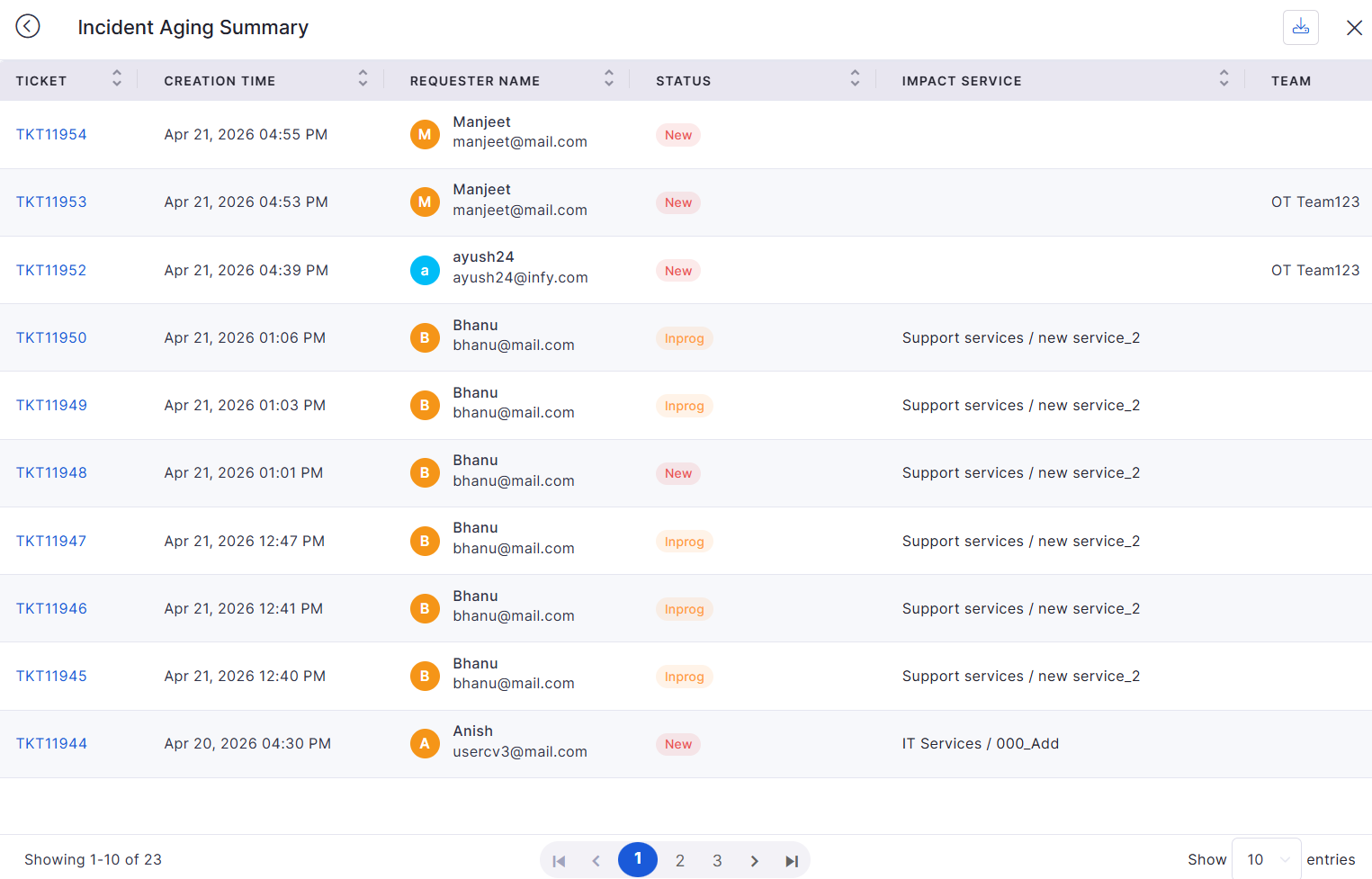
Module-wise Aging Widget (Summary & Count)
Extended aging widget to support Incident, Request, and Change modules
A single widget can be reused across modules
Bugs Fixed
General stability improvements across modules
Fixes in approval workflows and data consistency
UI corrections for better usability
Performance optimizations in reporting and dashboards
Introduced additional date-based time filters such as End Date, AMC dates, and Invoice Date.
Improved report preview, export, clone, and schedule behavior to retain selected filters and columns consistently.
Supports direct date updates from the Gantt view with real-time synchronization.
Supports drag-and-drop movement between columns.
Allows inline editing and task creation directly from the board.
Works seamlessly in both light and dark modes.
Supports inline editing, validation messages, and audit logging.
Milestones are visually highlighted in the task table.
Prevents incorrect task start or completion based on dependency constraints.
Improves project governance and avoids configuration inconsistencies.
Additional field visibility controls were added in project templates and task views.
Improves ownership tracking, reporting accuracy, and auditability.
Users can switch between Flat View and Drill-Down View.
Improves operational analysis across teams, priorities, services, and assignees.
Supports setting a default template for consistent usage.
Quotation Number is now included in the downloadable PO document.
Eliminates manual key entry for organization and improves setup reliability.
Package type supports primary item selection, asset mapping rules, and fulfillment configuration.
Improved clarity and usability during service and package definition.
Added support for Old Design and New Design layouts
Allows visibility control for SSP home page components
Users can apply manual grouping when required
Round Up
Exact
Added Exemption (%) column support in reports
Improved SLA penalty calculation flexibility
Added Location filter support in SLA Compliance Reports
Added node palette and property configuration support
Improved workflow testing and publishing controls
Prevents duplicate asset creation using object tracking
Added SSL dashboard with:
Valid
Expiring
Expired certificate visibility
Supports certificate search, filter, and expiry tracking
Software Installed
Software Uninstalled
Blacklisted Software Detection
Supports software and asset-based filtering conditions
Added configurable notification recipient options
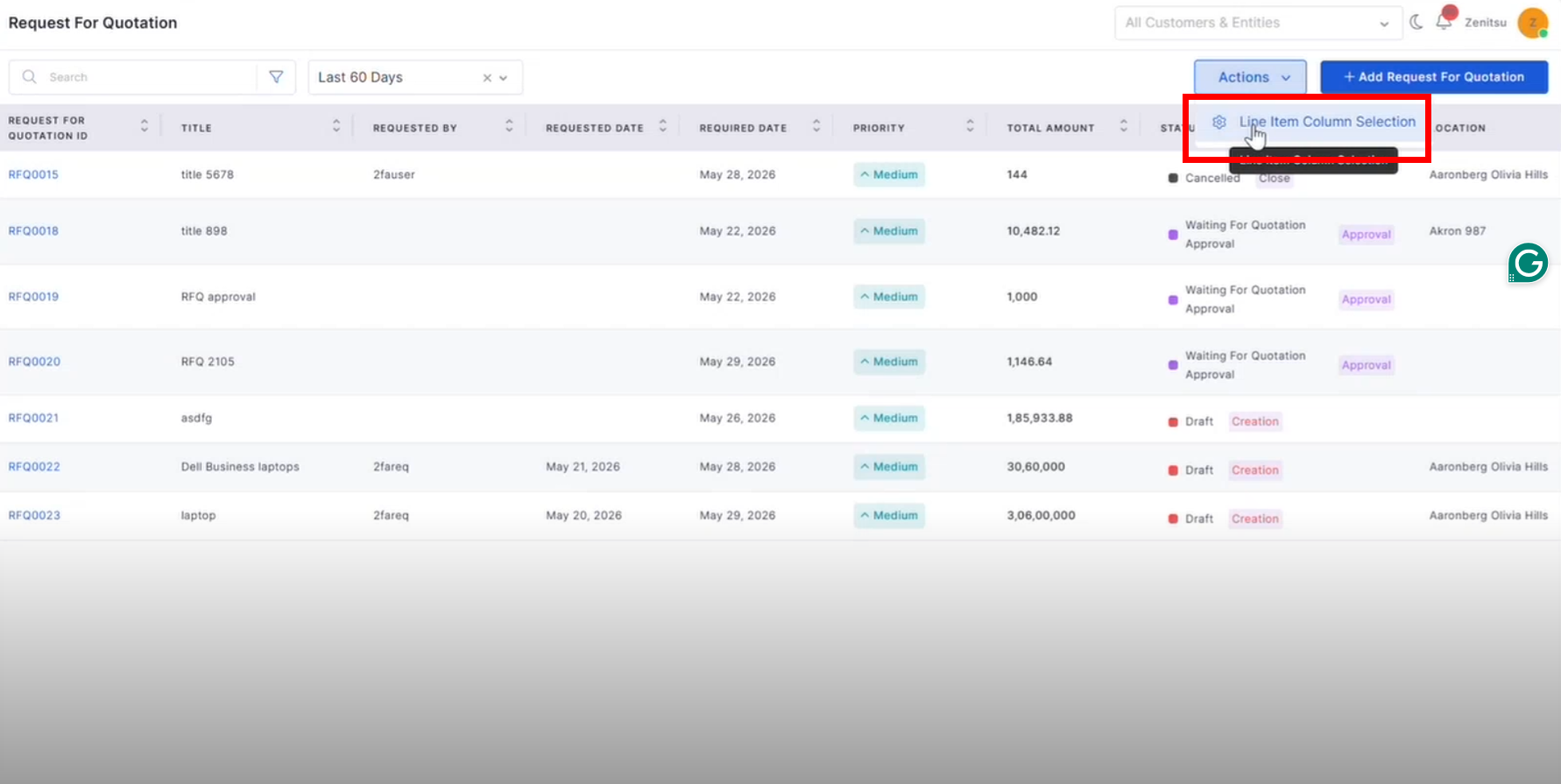
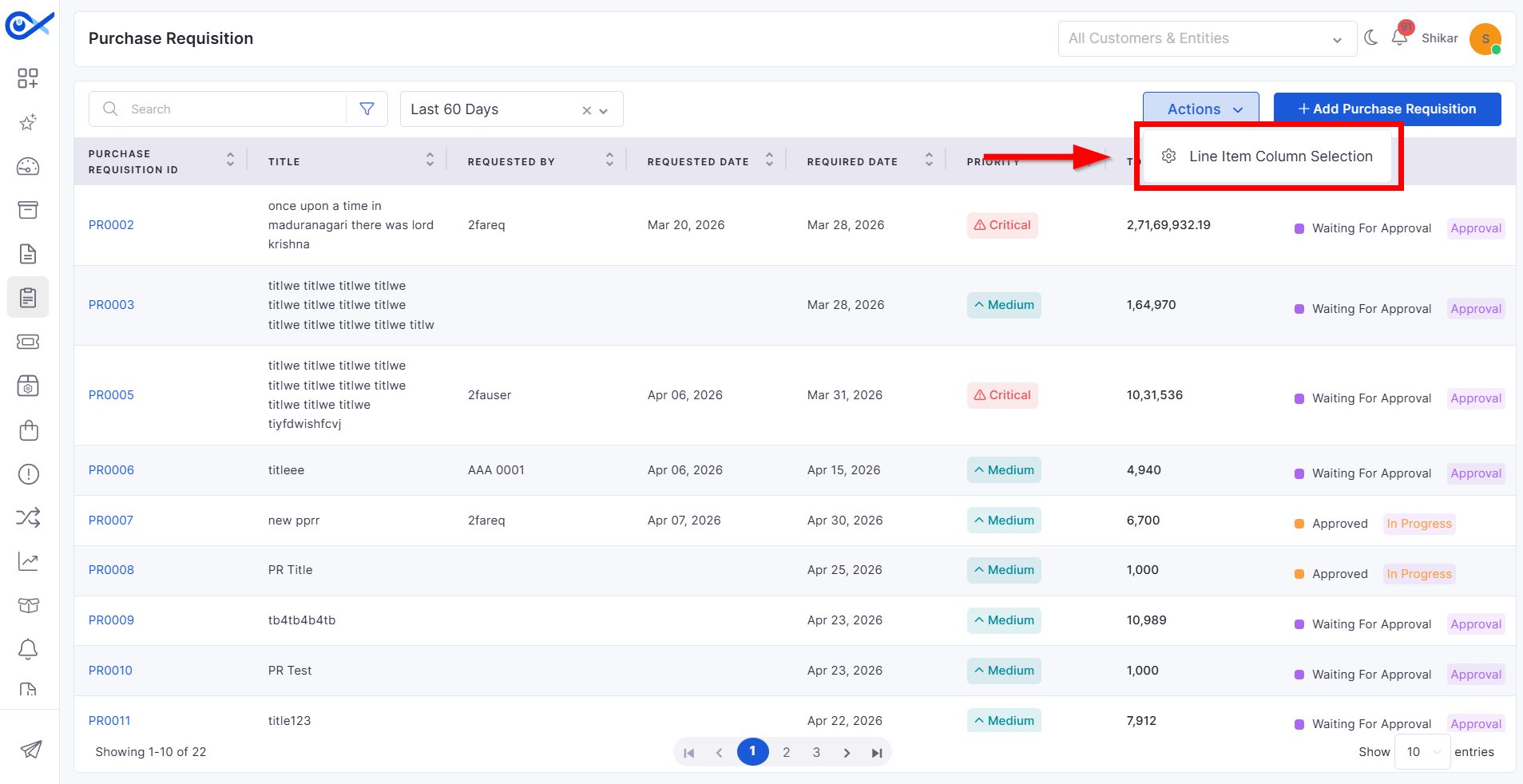
Added line item column selection support
Added Saved Filters and Recent Filters support
Improved RFQ data handling and validation
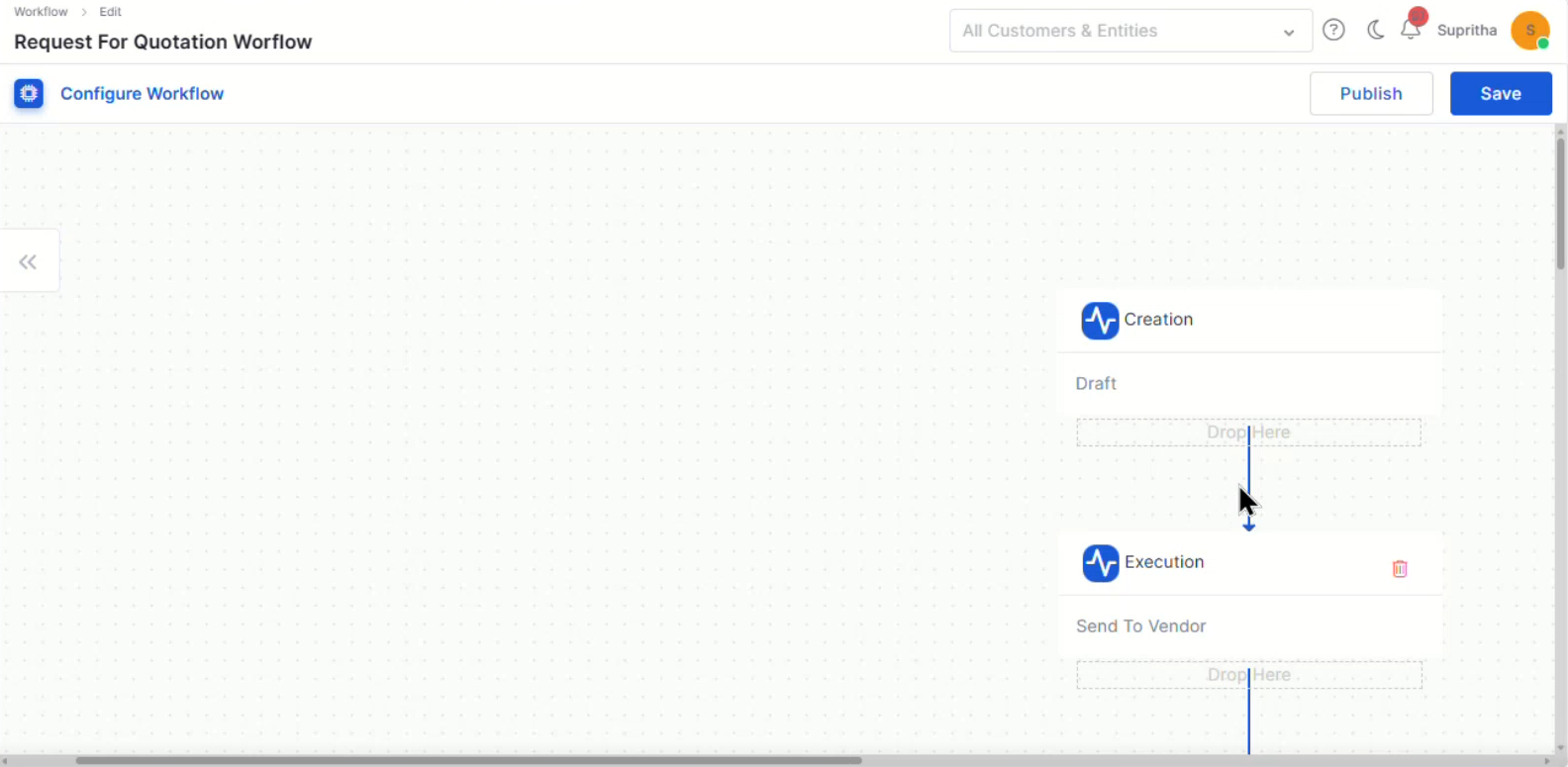
Added workflow publishing support
Contract Summary
IMACD Summary
PO Summary widgets
Supports up to 4 levels of hierarchical grouping
Added expandable tree-based widget view
Export retains the grouping hierarchy structure
Updates dynamically based on task status changes
Budget variance
Cost health
Project schedule variance
Supports Agile and Waterfall project visibility
Supports BODMAS-based calculations for advanced reporting and analysis.
Enables linking Cost Centers with Business Units, Departments, and Managers.
Employee details are captured and reflected in the technician portal after submission.
The customized template is automatically applied during PO creation and download.
Supports selecting attendees from both users and requesters.
Enables bulk deallocation and improved license tracking.
Supports filtering and column selection for flexible analysis.
Improves efficiency in handling large volumes of SLA-sensitive tickets.
Supports filtering, search, pagination, and error handling for large audit sets.
Applies to Standard, Normal, Emergency, and Retrospective changes.
Enhances flexibility in SLA reporting and analytics.
Improves resolution speed and knowledge reuse.
Approval triggered on creation or budget increase
Rejection moves the record back to Draft with remarks
All actions captured in audit logs
Allows marking a single unique field
Prevents data loss with full form persistence
Controlled via “Auto License Management” toggle
Supports bulk enable/disable via grid and CSV
Tracks all actions in audit logs
Prevents exposure of sensitive information to AI systems
Controlled via configuration toggle
Supports multiple data formats and structures
Displays KPI metrics with start, current, and target values
Includes key task details like status, priority, and dates
Supports sorting and multiple project visibility
Disabled fields cannot be edited
Restricted fields are masked for security
Captures old vs new values with the user and timestamp
Ensures full auditability of project updates
Ensures proper handling of unique and disabled fields
Approvers can act via inbox, grid, or view page
Displays current and upcoming approval stages
Restricts editing during the approval process
Maintains a full approval audit trail
Automatically adjusts labels for clarity
Provides dynamic chart updates
Updates filters and grouping dynamically based on the module
Supports drill-down and export functionality
v7.4.4 - February 2026
View the latest features, enhancements, and fixes by release.
Release Cycle: 26th February 2026
Build: Pre-Release Documentation
Overview
This upcoming release introduces enhancements across Inventory Agents, Dashboard monitoring, API Metering & License enforcement, Purchase Order workflow improvements, AI-powered Ticket interactions, Asset export optimization, and advanced grid/search capabilities.
The update also includes multiple stability, reporting, and integration fixes across modules.
Key Updates
Inventory Agents
Persistent Device Identity
Introduced a persistent, agent-generated Device GUID for reliable asset identification.
Prevents duplicate asset creation during agent reinstallation.
Dashboard
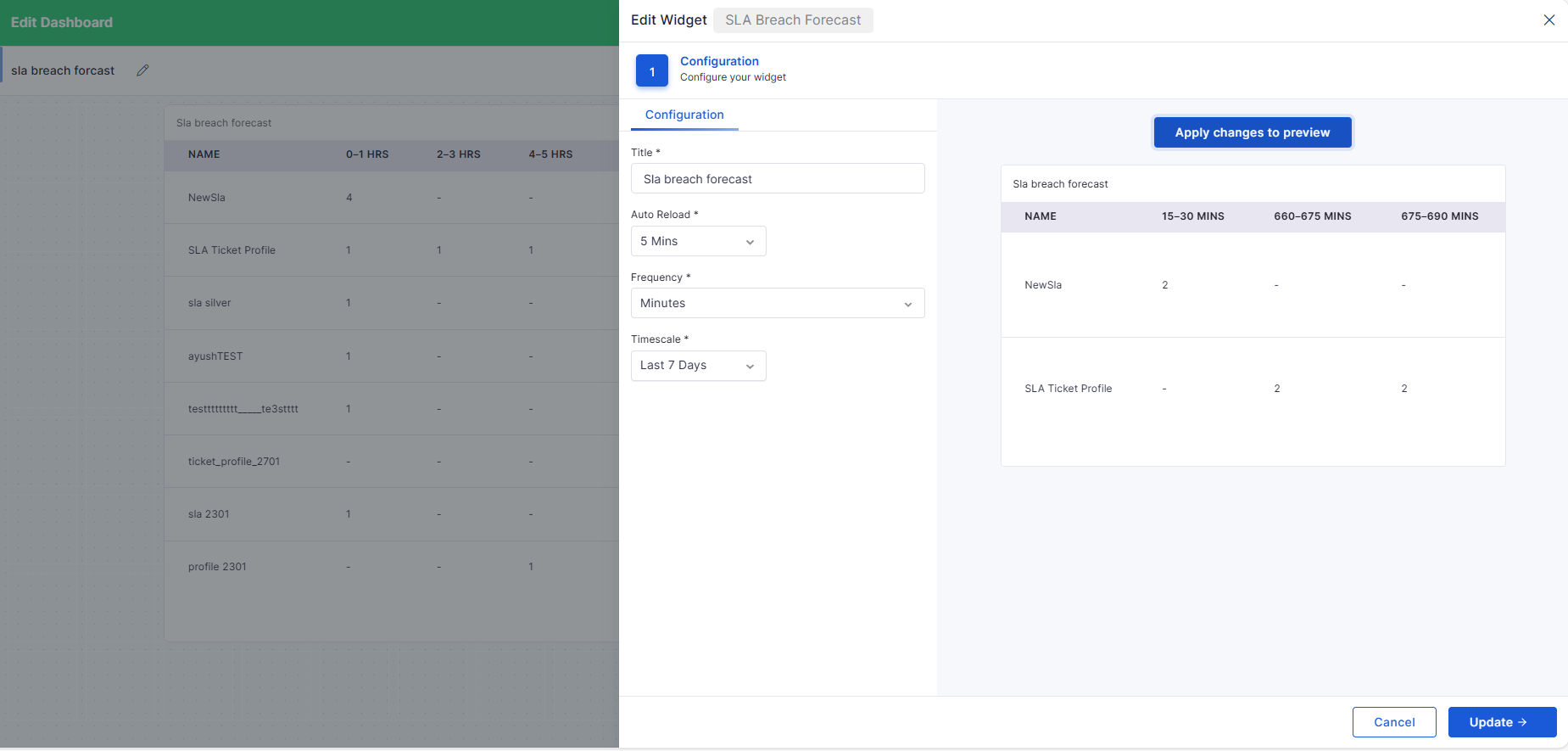
SLA Breach Time Dashboard
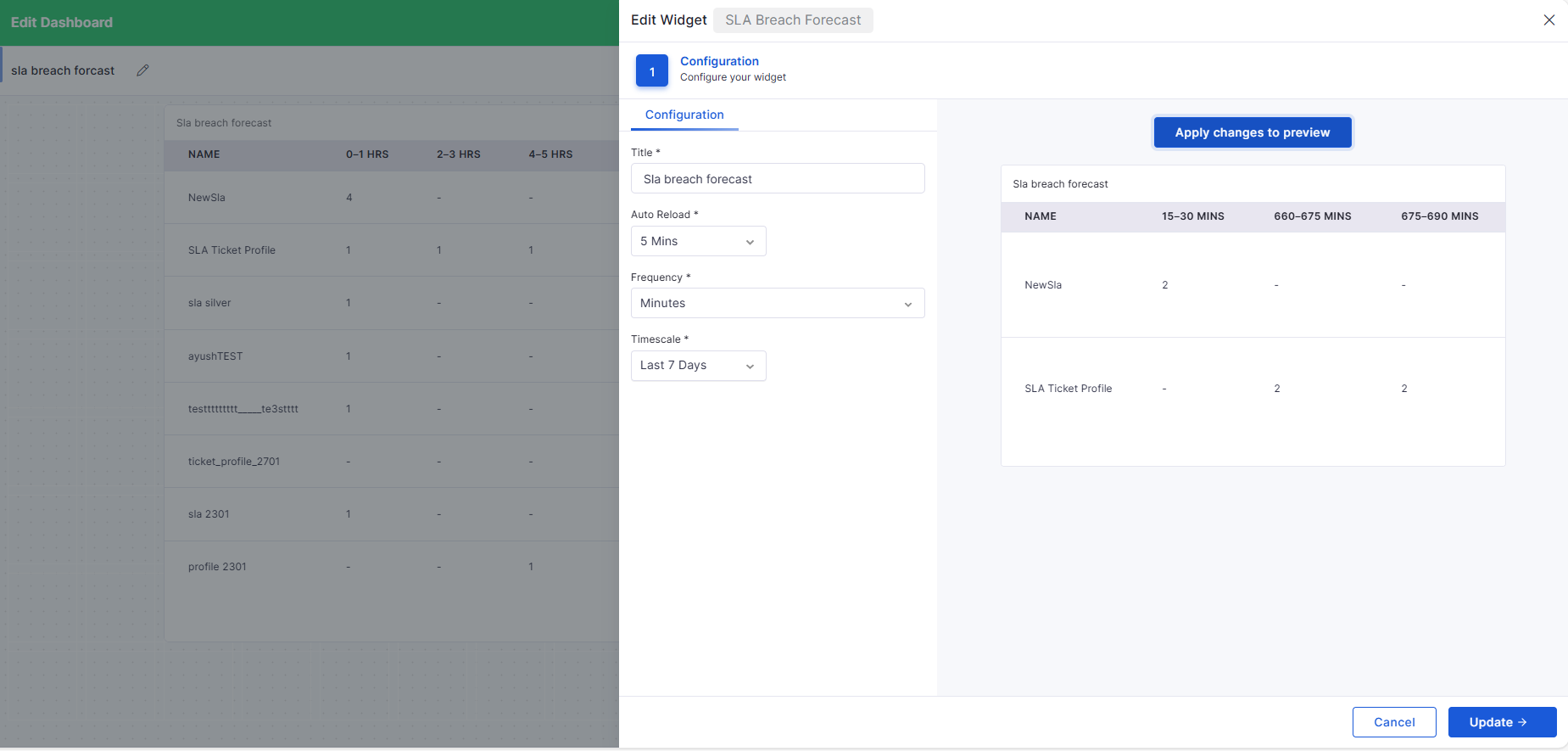
Added SLA Breach Forecast widget.
Displays upcoming SLA breaches grouped by configurable time intervals (minutes/hours/daily).
Enables proactive monitoring of tickets that are nearing a breach.
API Metering
API Metering & License Usage
Introduced comprehensive API usage tracking and auditing.
Captures endpoint, method, IP, organization, timestamp, and status.
Self Service Portal
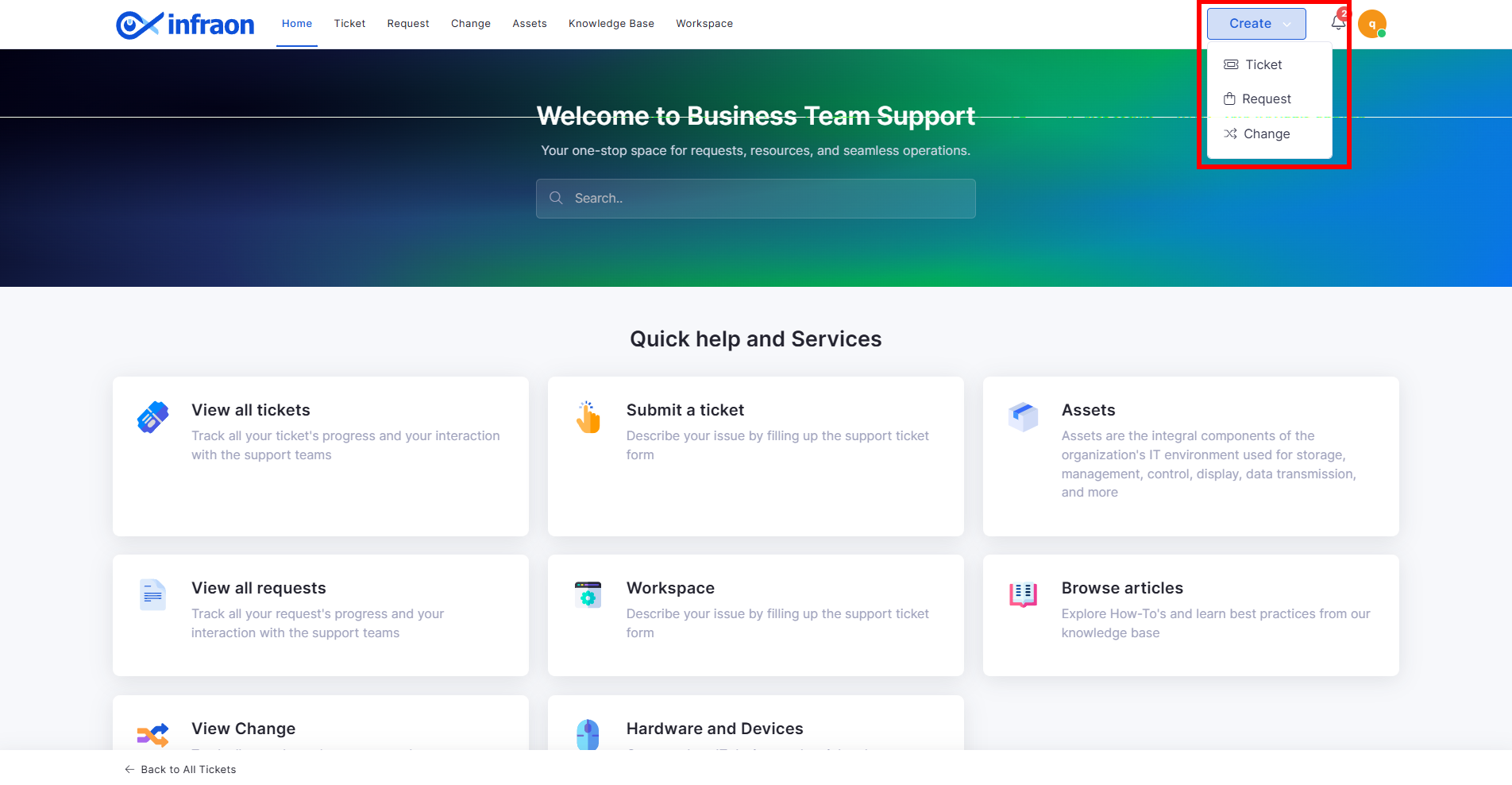
Enhanced “Create” Dropdown for Ticket Submission
Replaced static “Submit a Ticket” button with dynamic Create dropdown.
Supports Ticket, Request, and Change initiation from a single entry point.
Purchase Order
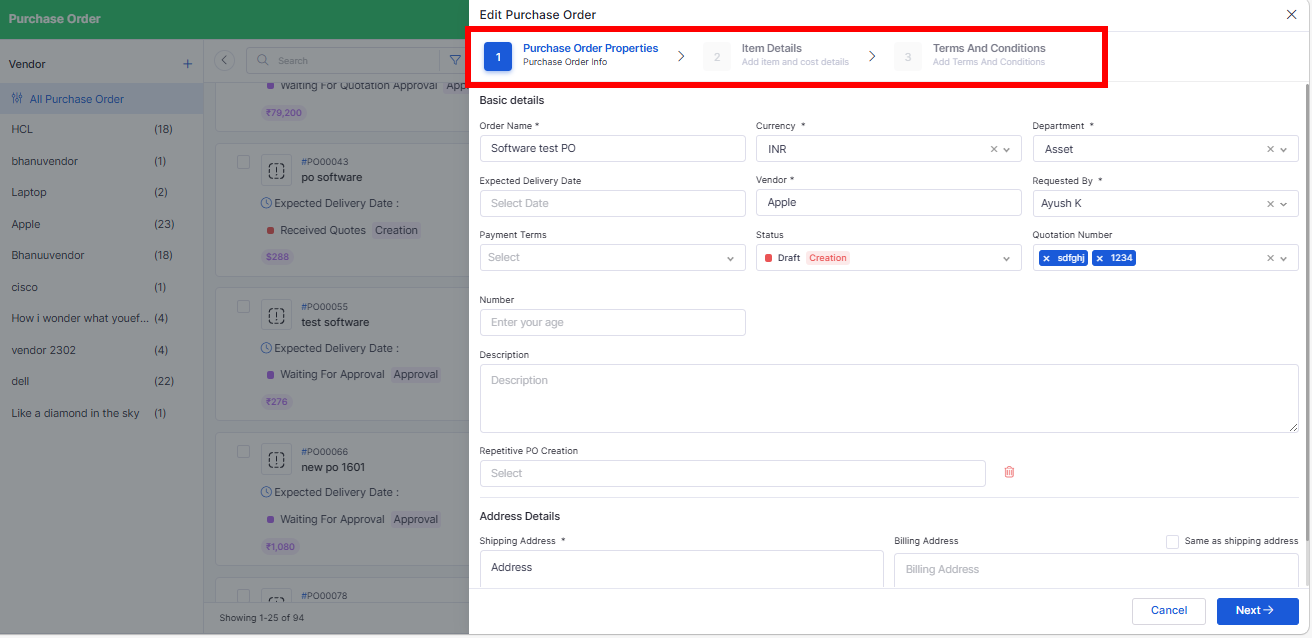
Stepper-Based PO Creation with Grid Line Items
Converted PO Add page into structured stepper workflow:
Basic Details
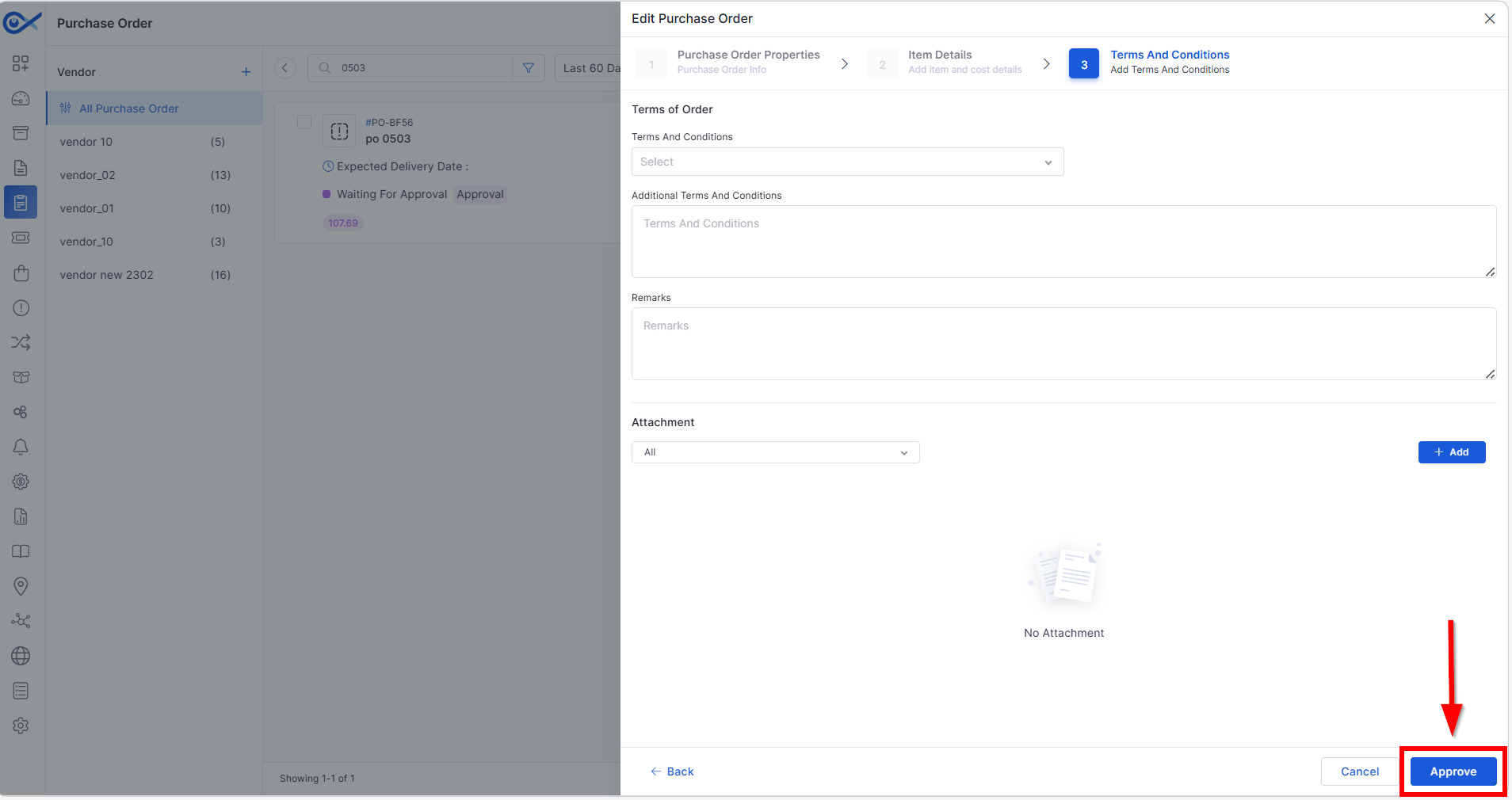
Approval from PO Edit Page
Approvers can approve/reject directly from PO Edit page.
Eliminates dependency on email-based approval.
Supports multi-level approval workflows.
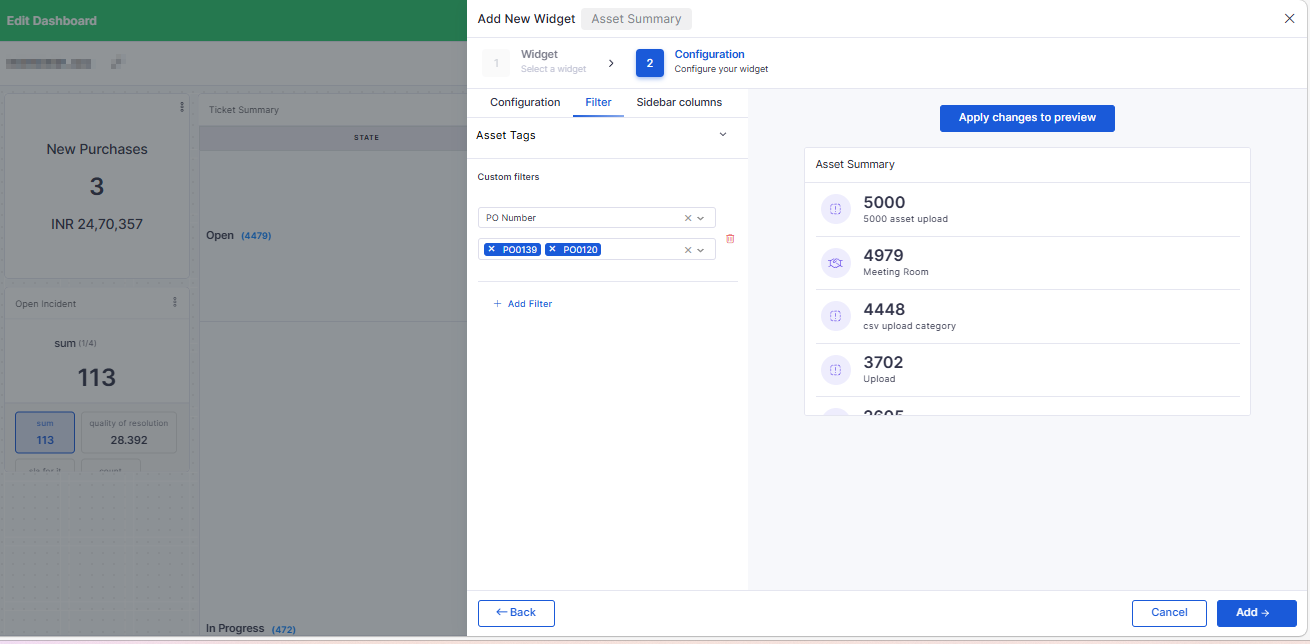
PO Number Filter for Asset Widgets
Added PO Number as a filter in the Asset and License Usage widgets.
Enables filtering assets linked to specific Purchase Orders.
Project Management
Project Meeting View
Added Meeting section in Project View.
Meetings can be associated directly with Projects.
Displays only meetings linked to the selected project.
Project Task Export with Start & End Variance
CSV export now includes:
Start Variance (Baseline Start – Actual Start)
Ticket Management
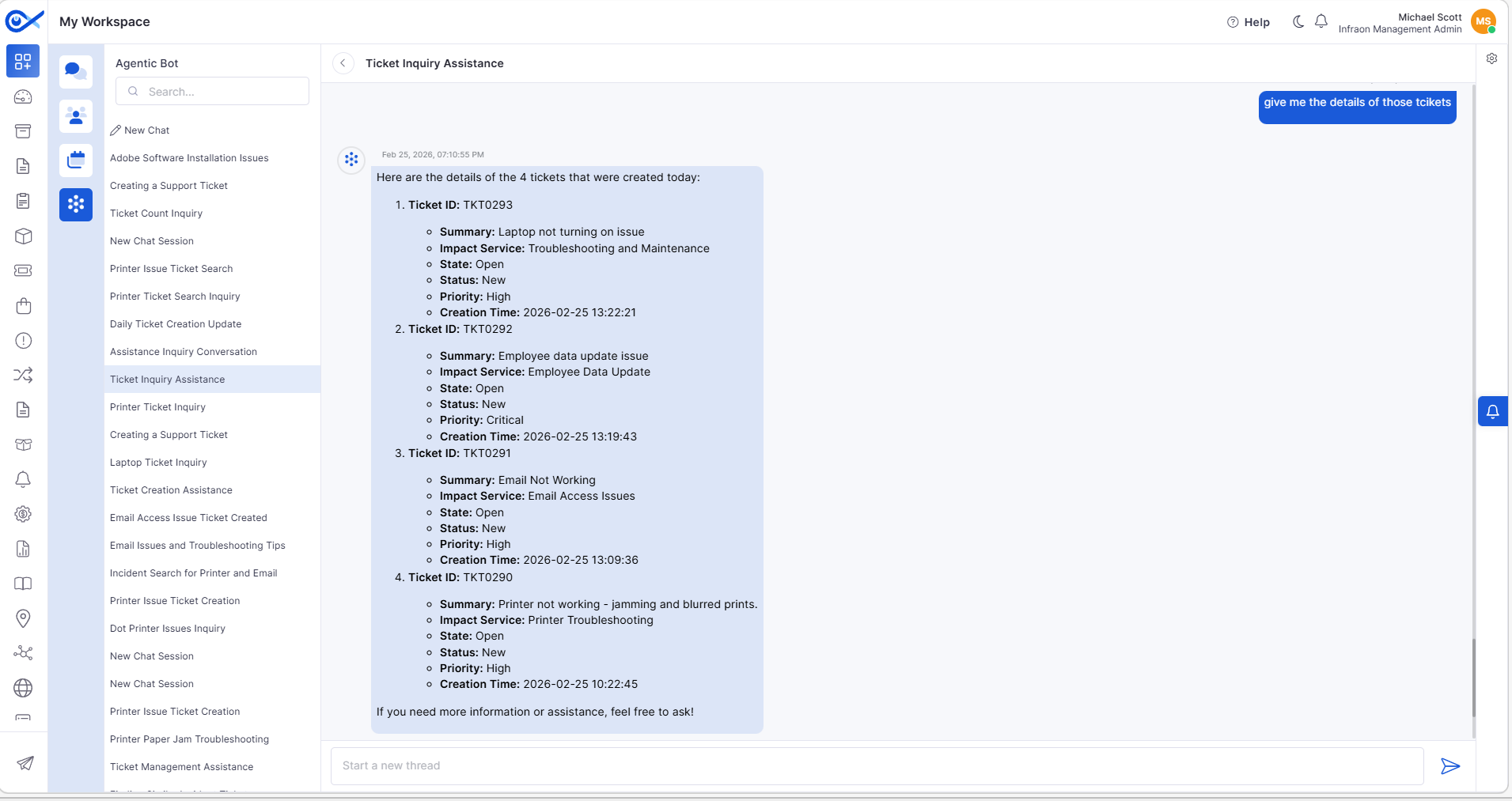
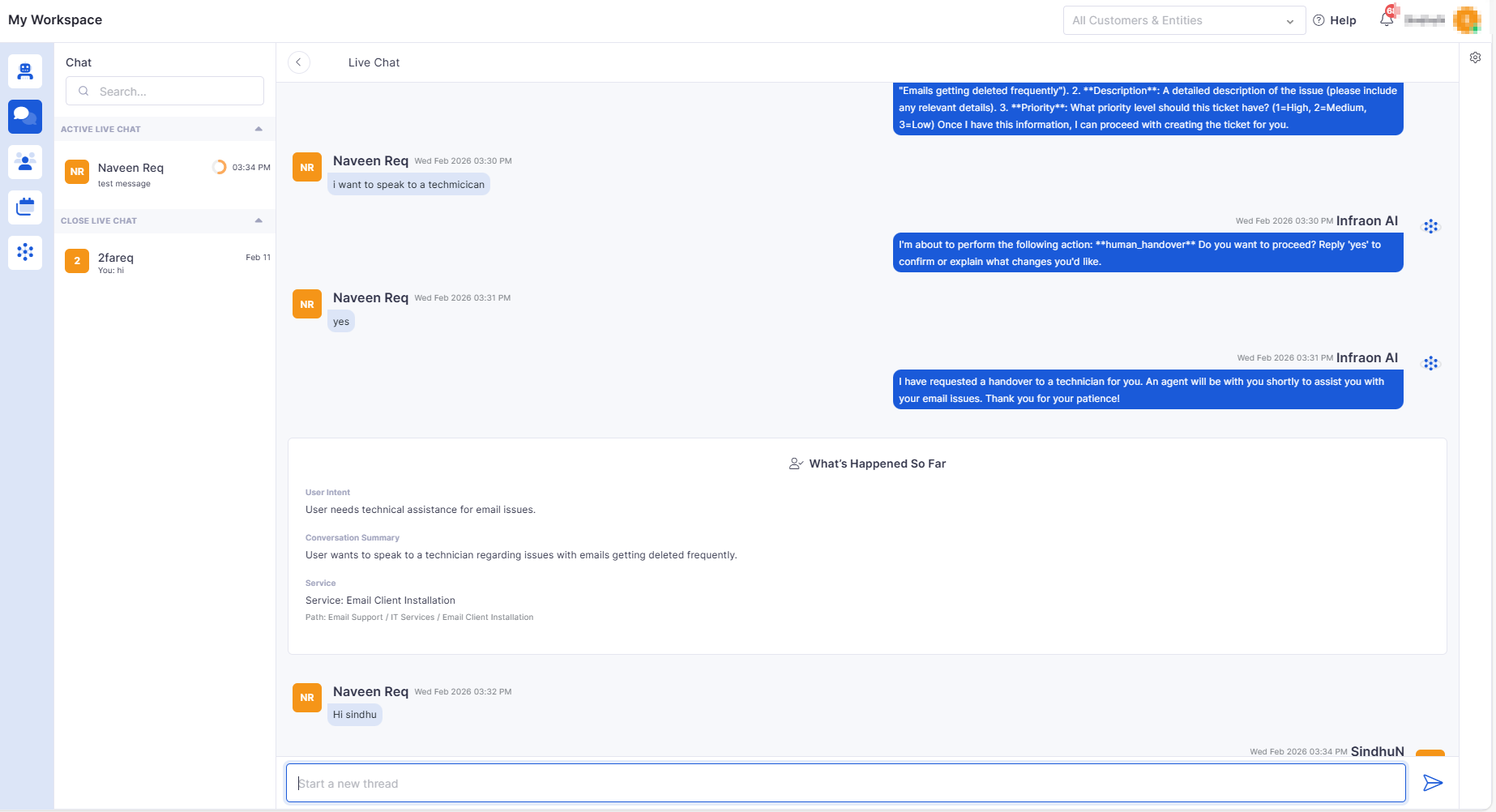
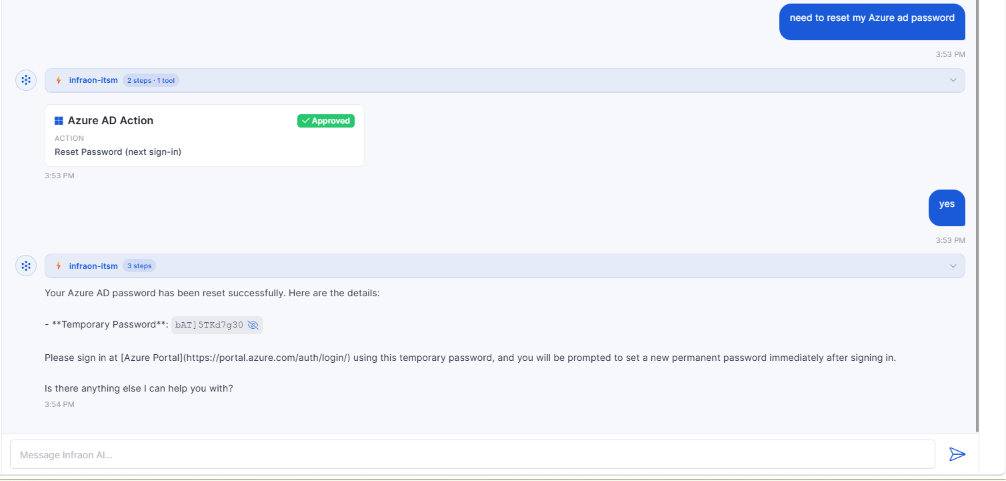
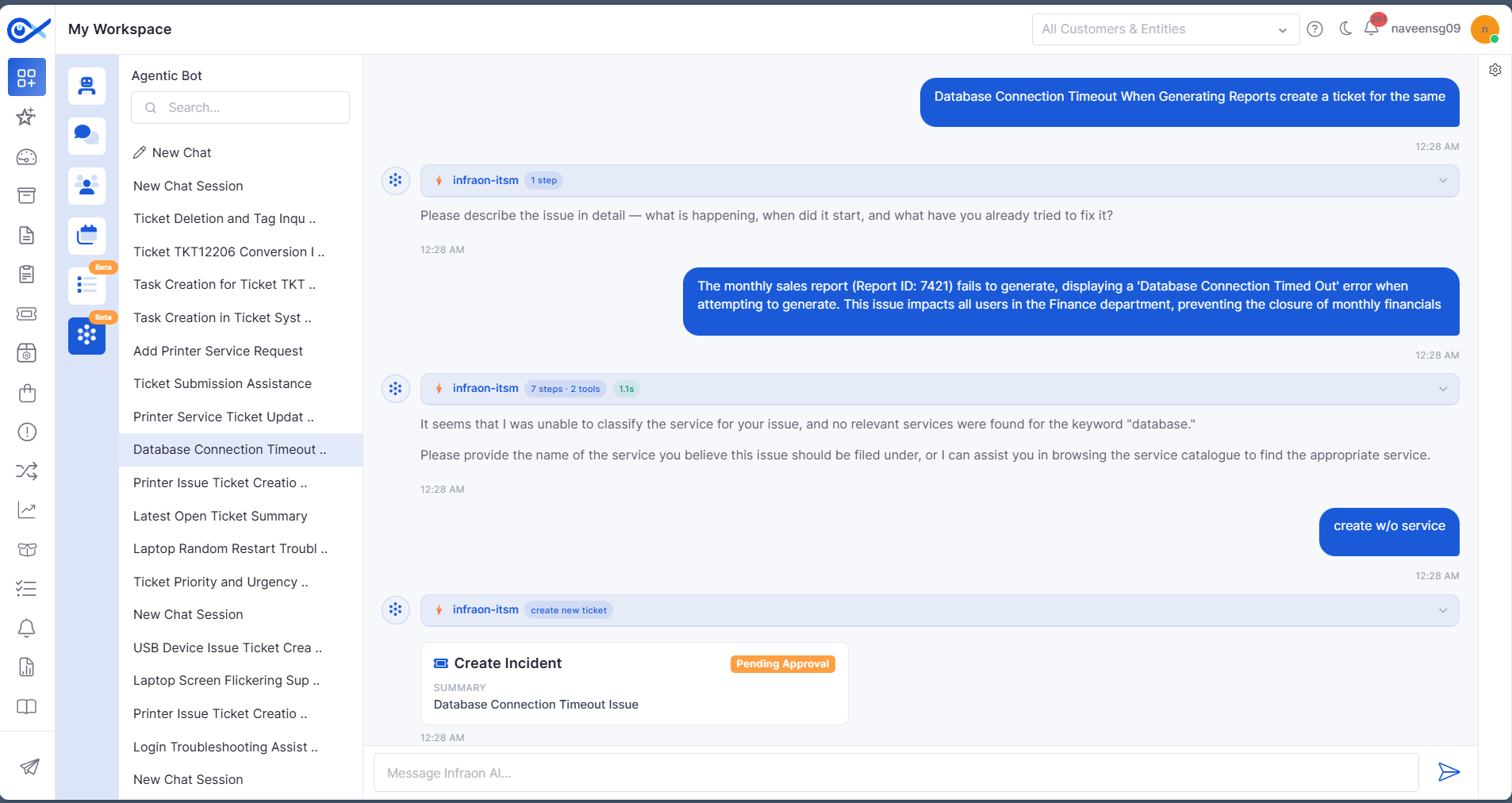
Chat with AI Agent
Introduced an AI-powered conversational interface for ticket operations.
Supports actions like Create, View, and Update Tickets.
Incident Grid – Custom Fields in Column & Search
Workflow-specific custom fields are now available in:
Grid Column Selection
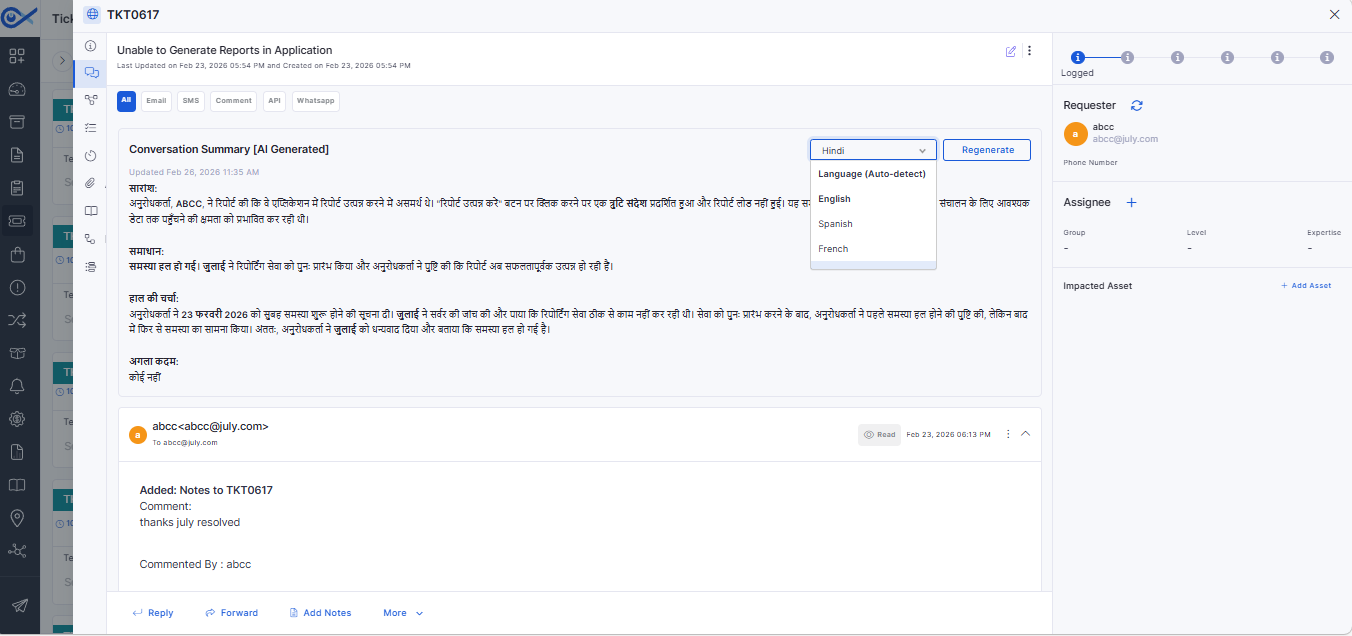
Conversation Summary (AI-Powered)
Generates an AI-based summary of ticket/request communications.
Configurable per module via Feature Configuration.
Handover Chat to Technician
Enables the requester to transfer the AI chat to a technician.
Preserves full chat history and issue context.
🐛 Bug Fixes and Improvements
Improved performance in the Ticket sidebar and Account Settings.
Resolved Azure AD sync, user count, and license validation issues.
Fixed SLA report inconsistencies and missing metric fields.
Corrected approval workflow and notification-related issues.
Addressed asset visibility and search discrepancies.
General stability, UI, and integration fixes across modules.
v7.4.5 - May 2026
Release Cycle: 08th May 2026
Build: Pre-Release Documentation
Overview
This release introduces enhancements across Mobile, Release Management, Self Service Portal, AIOps, Dashboard, Project Management, Purchase Requisition, IT Asset, Inventory, SLA, and Requester modules. The update focuses on improving workflow flexibility, hierarchical reporting, asset management, project risk handling, mobile request operations, and configuration-driven controls.
Key Updates
Use these pages to go deeper into the modules covered in this release:
Mobile
Android – Request Information CRUD (UI + API)
Added support for creating, editing, and deleting Request Information entries from the Android application
Supports multiple request information records in a single request
iOS – Order Information View and Edit (UI + API)
Added support to view and edit existing Order Information in iOS
Supports update operations without allowing create or delete actions
Android – Create Request with Template and Impact Services
Added API integration for request creation using templates and impact services
Supports mapping of Request Information, Workflow Custom Fields, and Order Information
Release
Additional Field Support
Added missing Release fields in Reports, Dashboards, Grids, and Filters
Newly supported fields include:
Self Service Portal
SSP Custom Form CSV Import
Added CSV import support for custom forms during request creation
Imported records are displayed in a structured grid format
Supports validation for:
AIOps
AI Custom Apps – Workflow Canvas UI Configuration
Enhanced Workflow Canvas UI using customized Syncfusion diagram components
Applied Infraon theme styling across canvas, toolbars, sidebars, and nodes
Dashboard
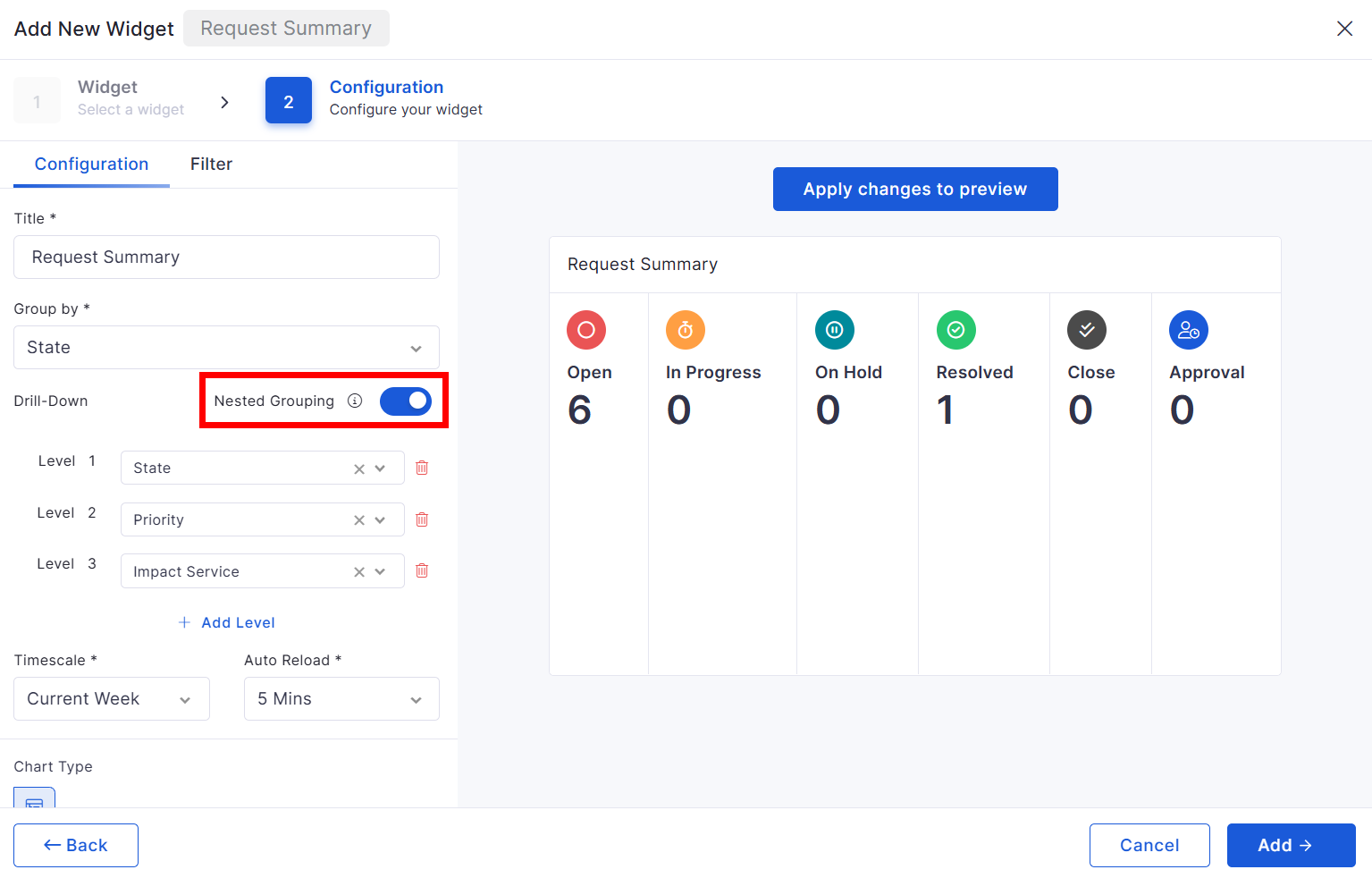
Nested Grouping for ITSM Summary Widgets
Enhanced nested grouping capabilities for the following widgets:
Request Summary
Problem Summary
Project Management
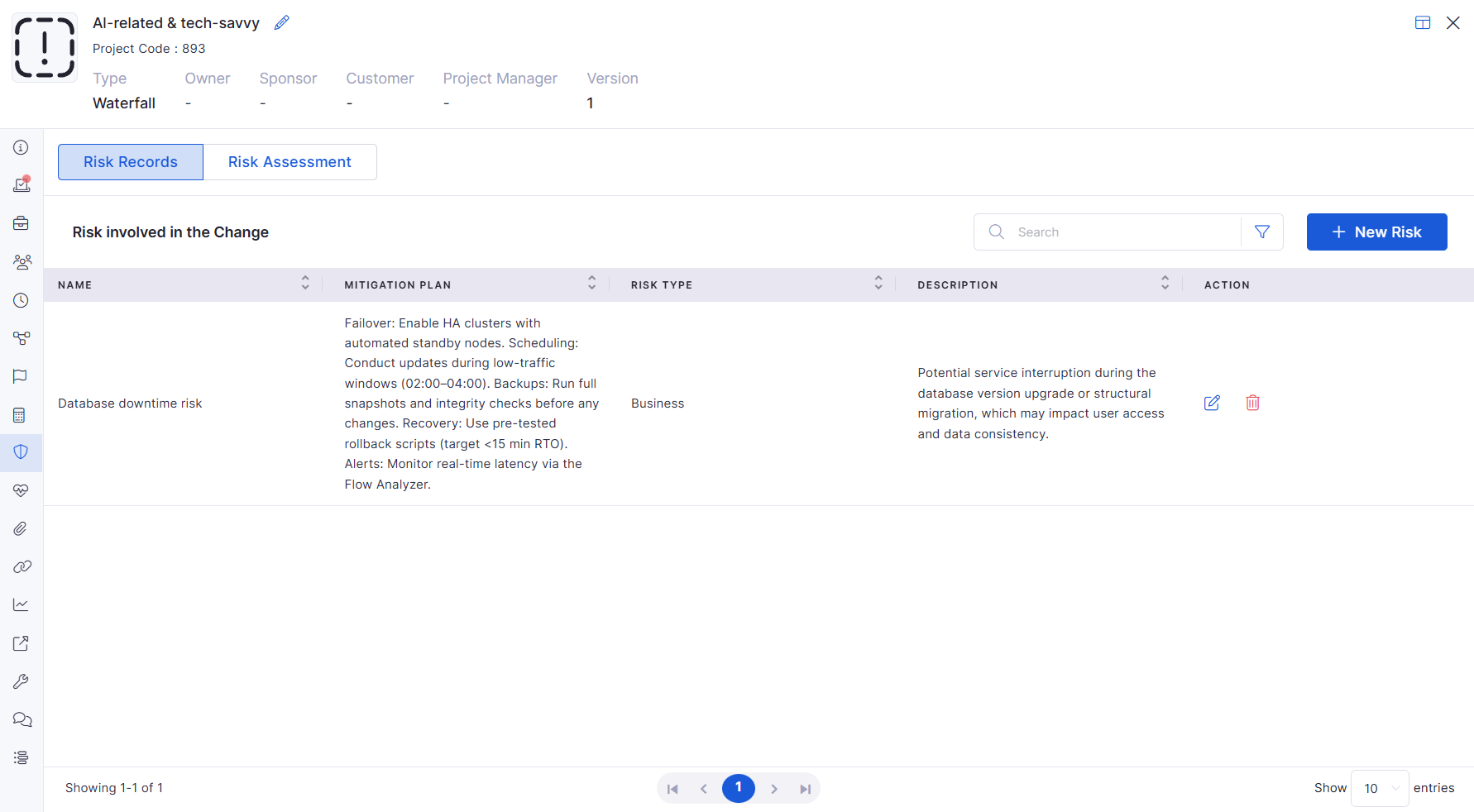
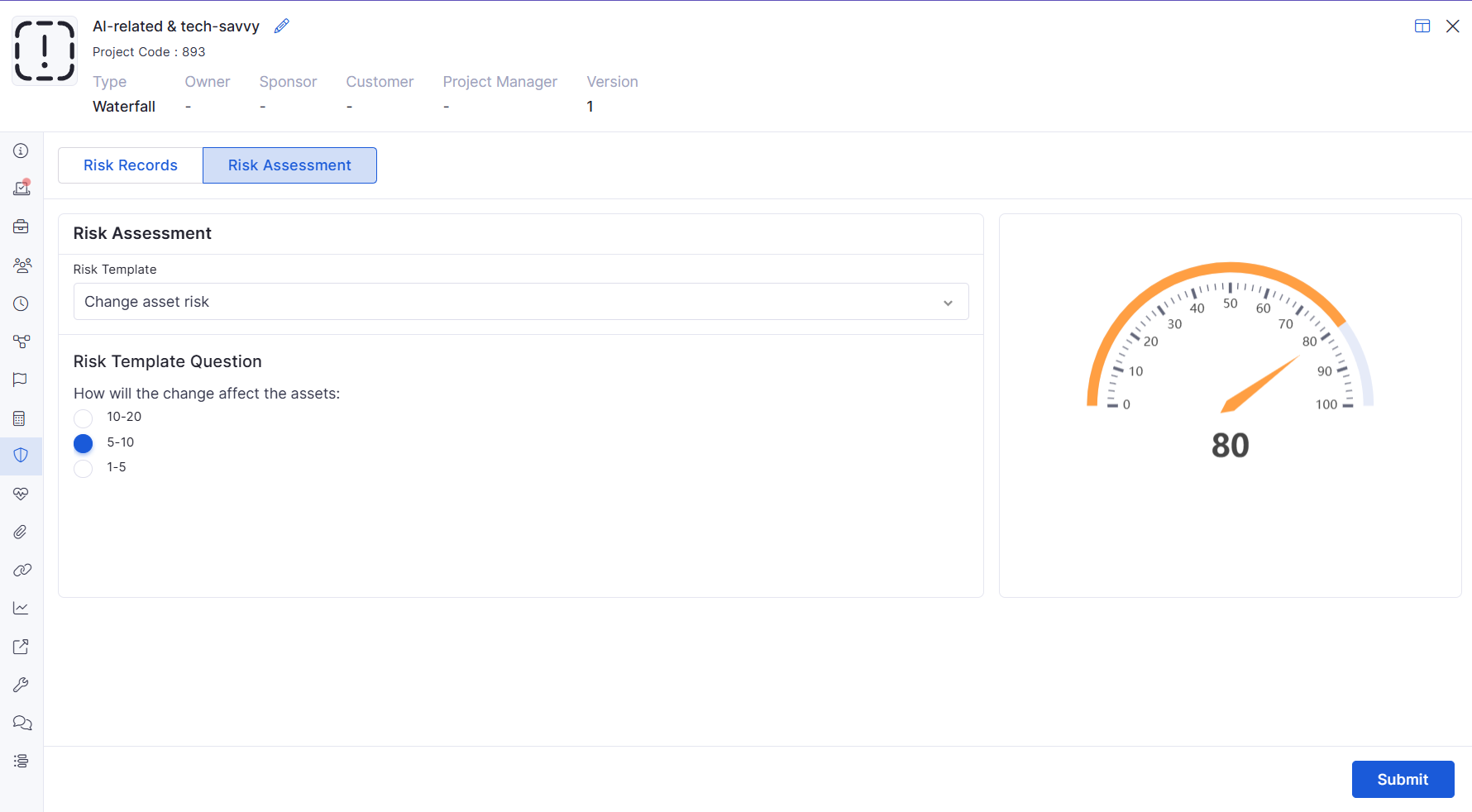
Project Risk Assessment
Added Risk Assessment capability within Project Management
Users can select risk templates and complete assessments
Advanced Project Management Features License Control
Added license-based visibility control for advanced project management features
When enabled, users can access:
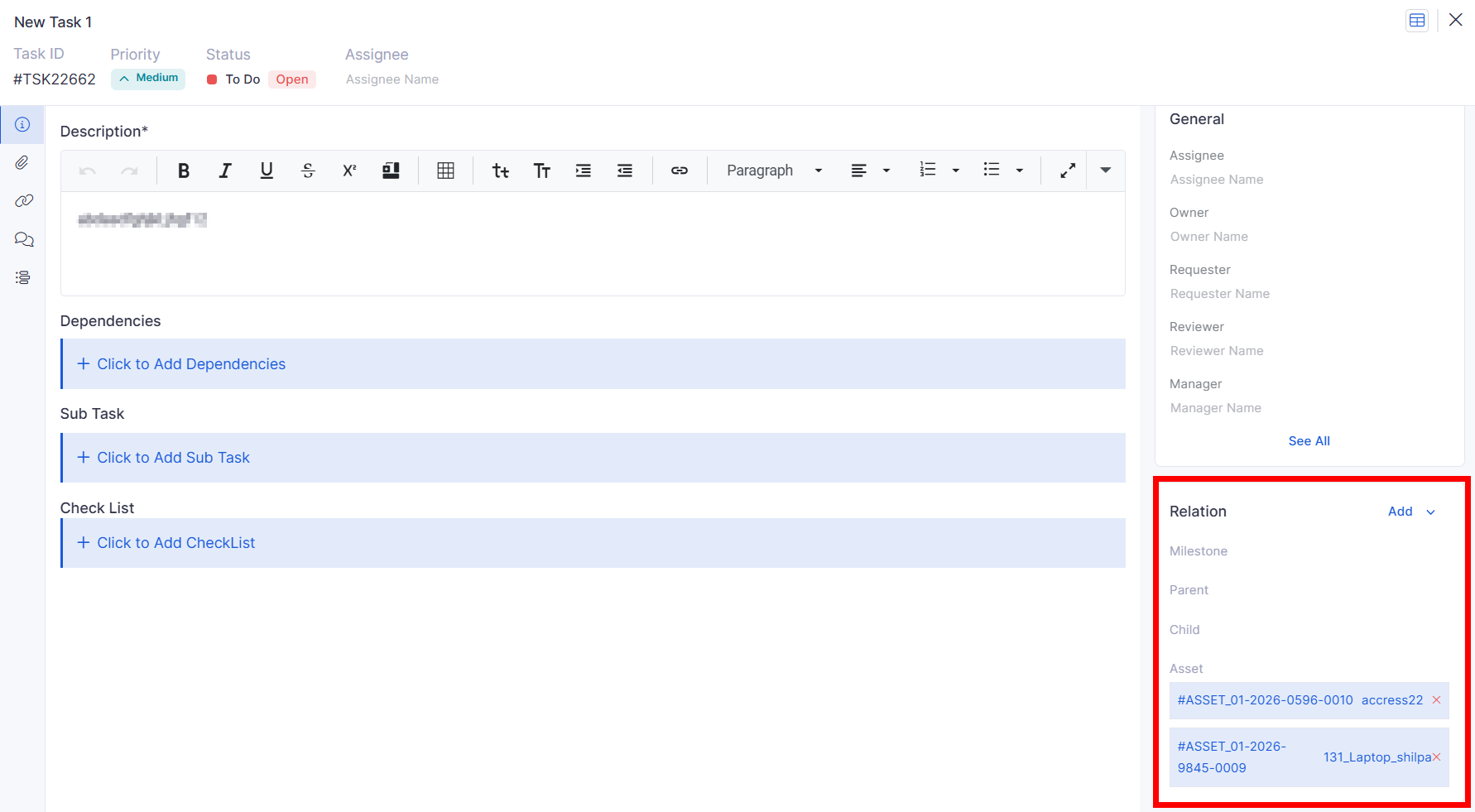
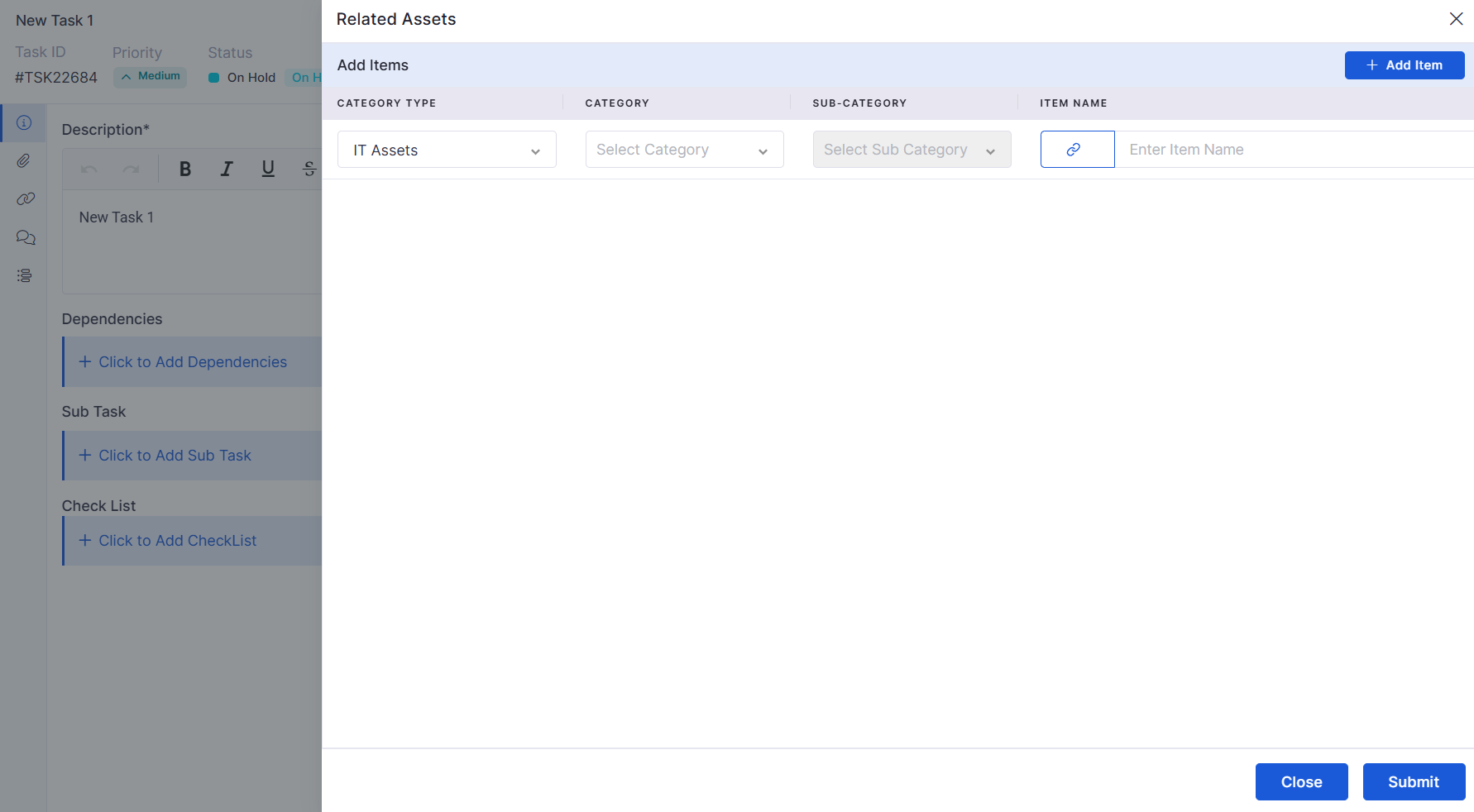
Project Task – Multi Asset Mapping
Added support for mapping multiple assets within project tasks
Asset selection supports:
Project Risk CRUD
Added complete Risk Record management within Project Management
Supports:
Purchase Requisition
PR – Role-Based Access Control
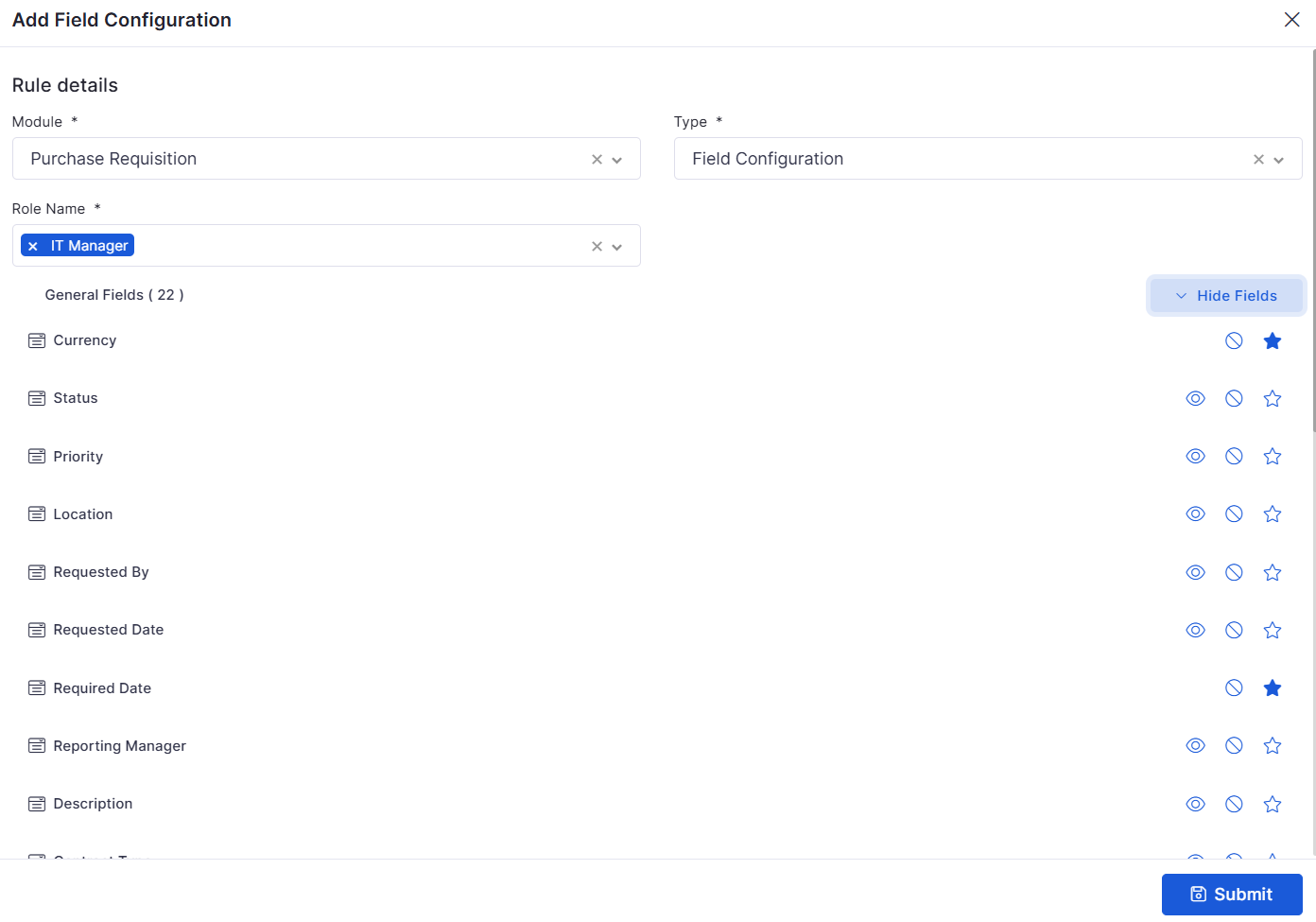
Added RBAC support for Purchase Requisition Management
Supports field-level permissions:
PR – Column Selection for Line Items
Added configurable line item column visibility for Purchase Requisition
Supports default and custom field selection
IT Asset
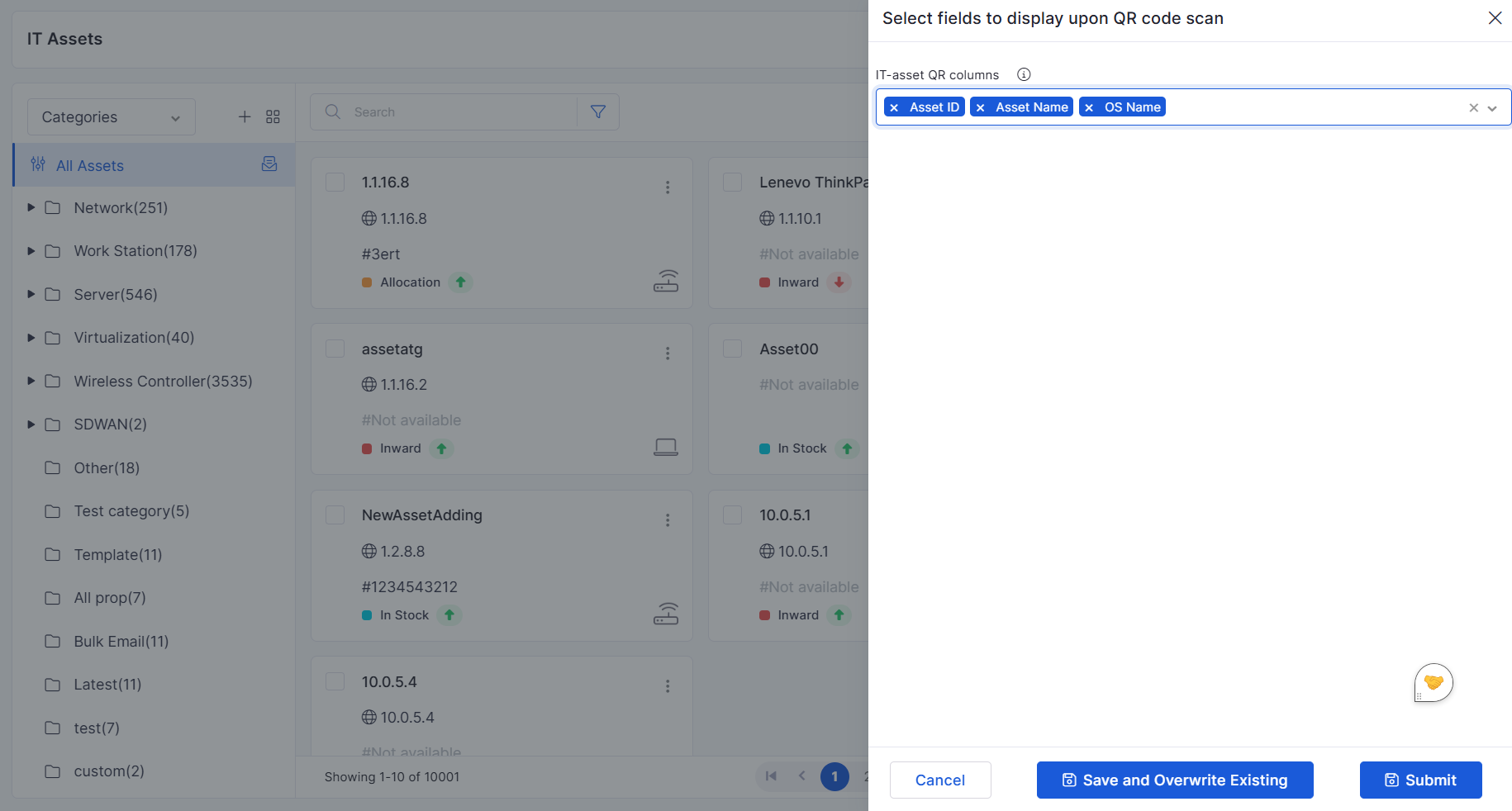
QR Code Customization – Column Selection
Added support to configure fields displayed within generated QR codes
Selected asset fields are encoded into QR data
Enterprise Asset Management (EAM) Inventory
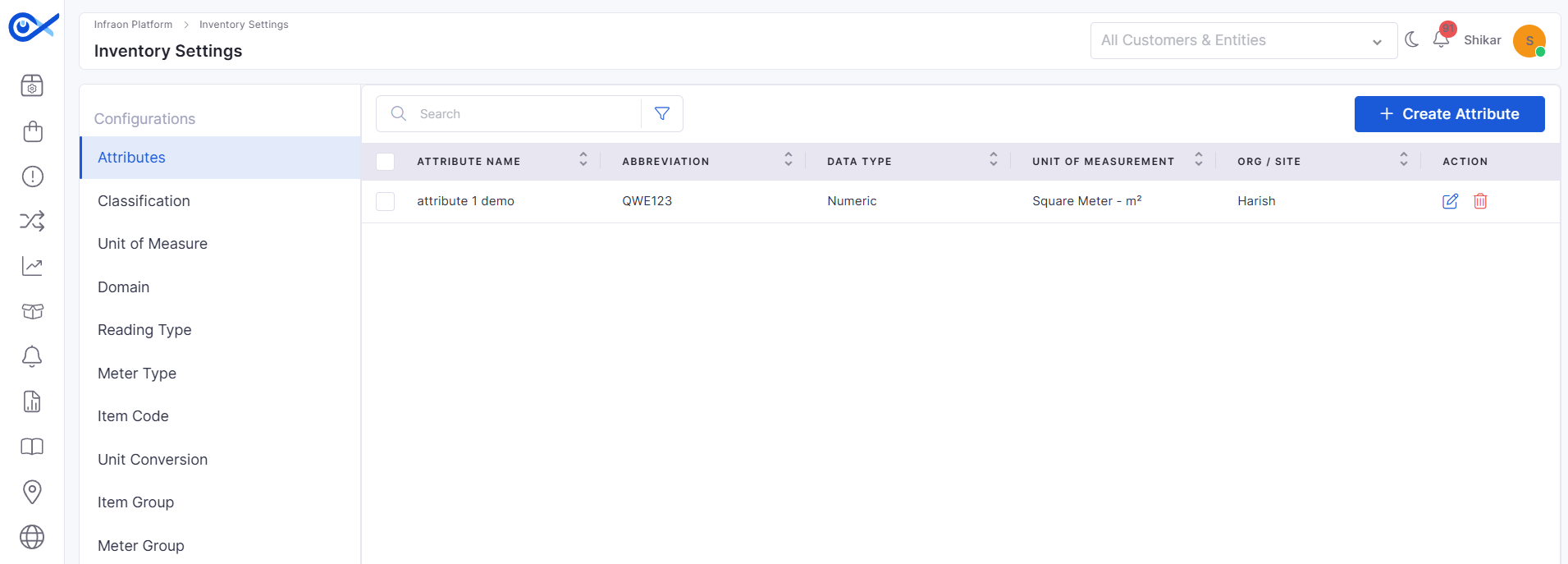
Inventory Configuration – Meter Group
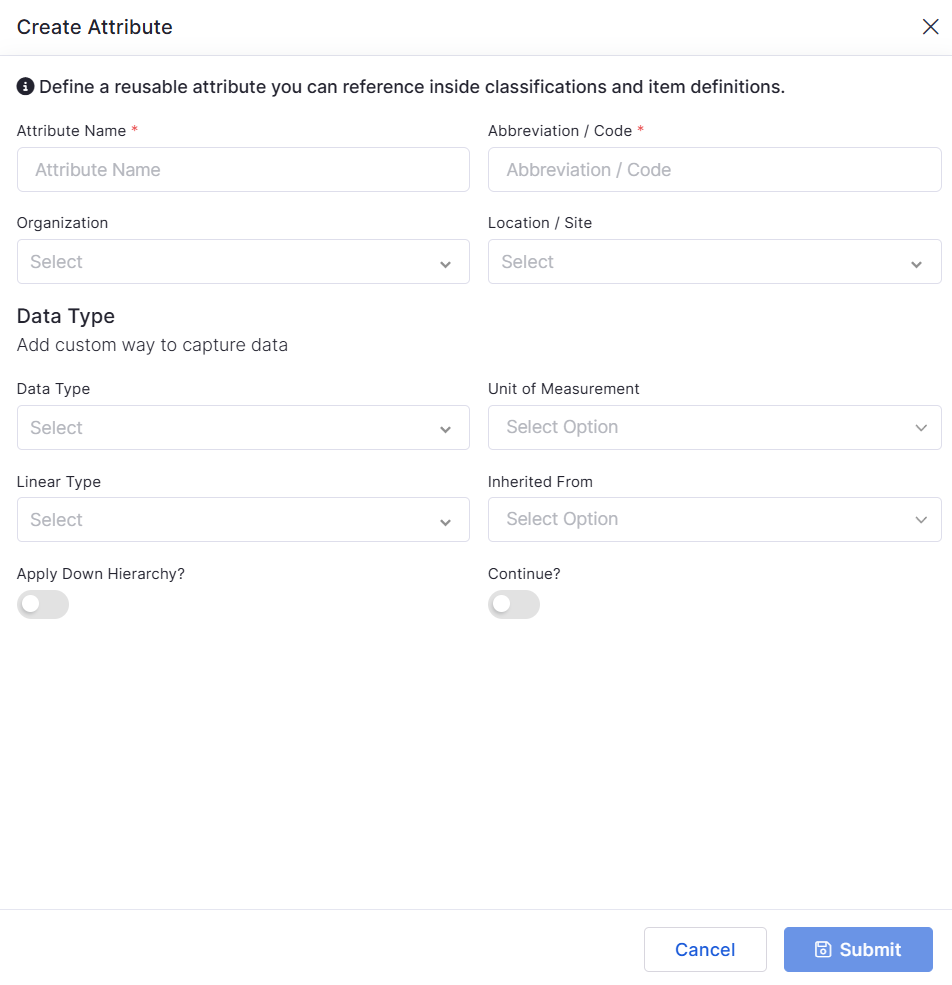
Added Meter Group configuration module under Inventory Configuration
Supports:
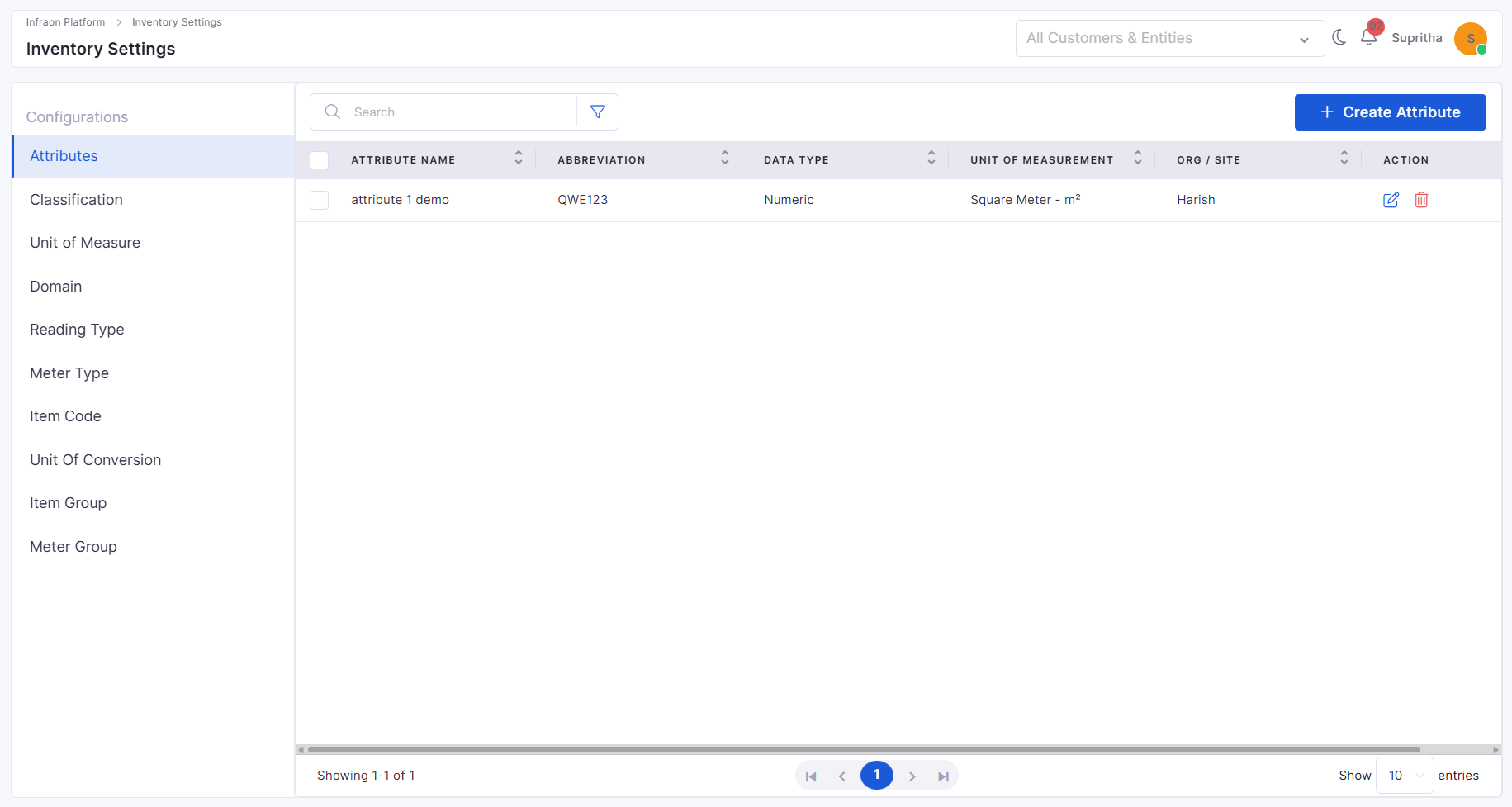
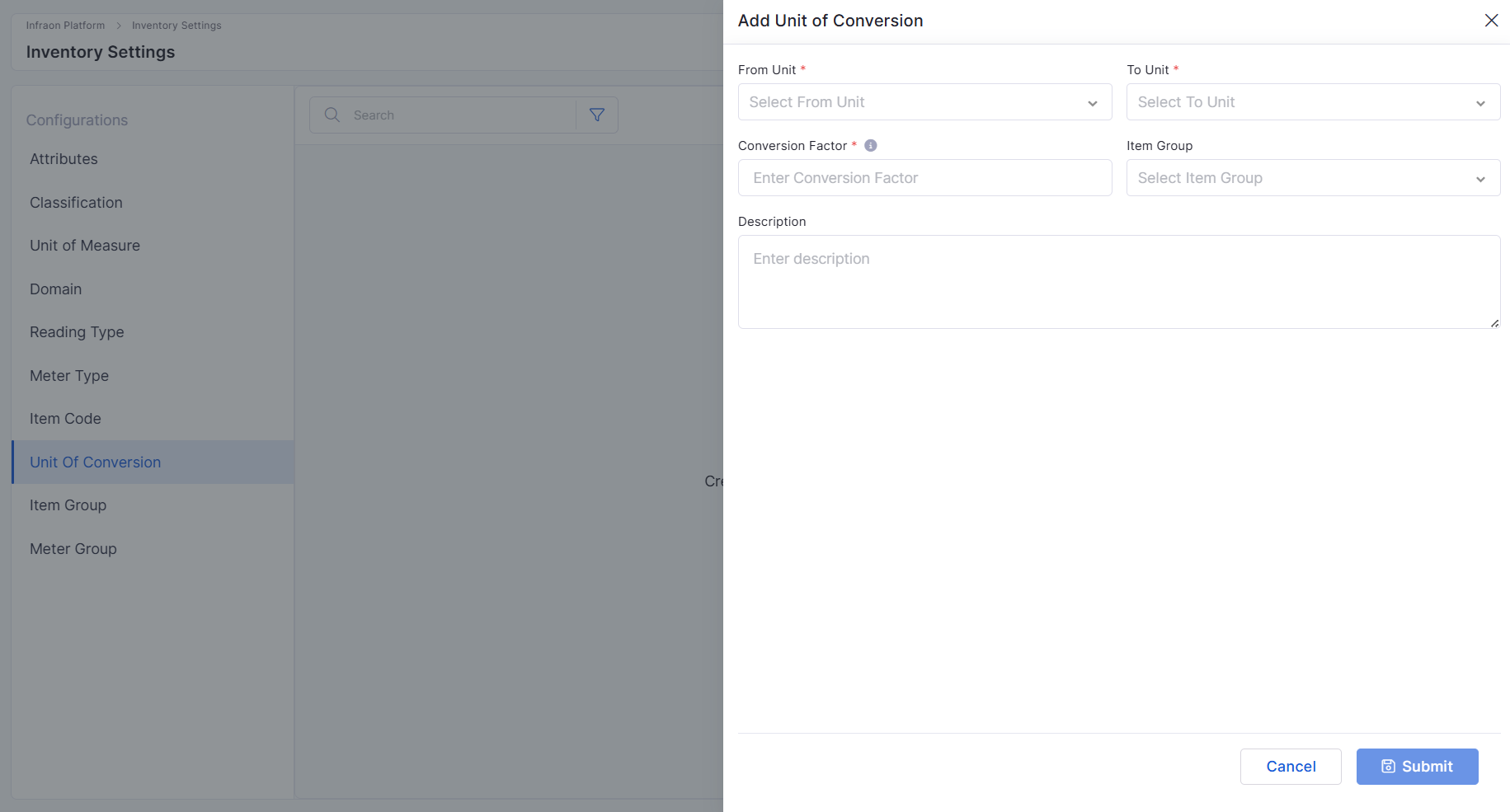
Inventory Configuration – Unit of Conversion
Inventory Configuration – Unit of Conversion
Added Unit of Conversion configuration support within Inventory Management
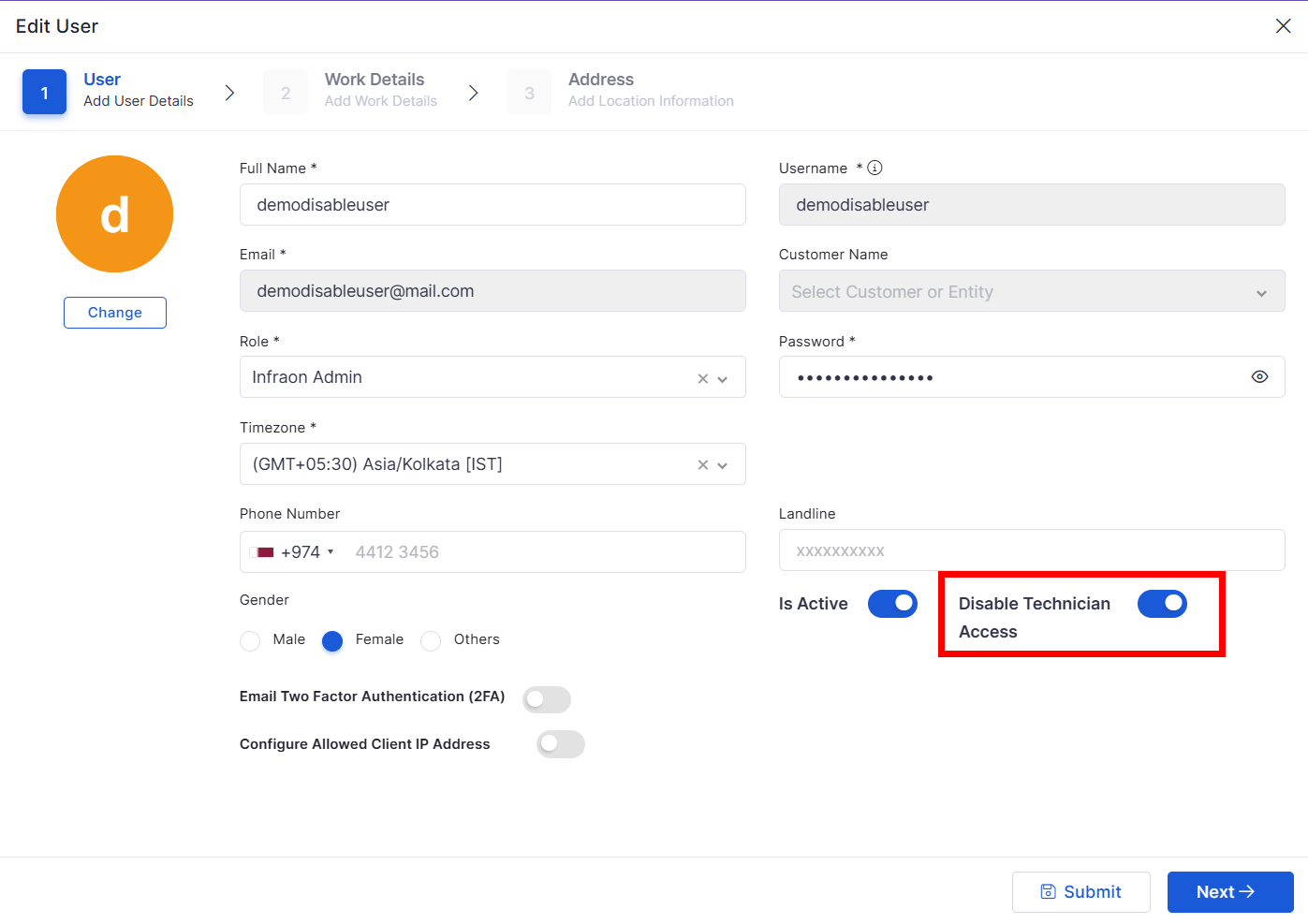
Added support to disable Technician login independently
Requester login access remains active even when technician access is disabled
Inventory Agents
Agent Heartbeat File Store Optimization
Optimized agent heartbeat file storage handling
Improved storage efficiency for inventory agent heartbeat tracking
SLA
SLA Breach Prediction
Added SLA Breach Prediction support for individual ticket assignments
Enhances SLA monitoring accuracy at the ticket level
Improves proactive SLA risk visibility for assigned tickets
Bugs Fixed
General stability improvements across modules
Fixes in approval workflows and data consistency
UI corrections for better usability
Performance optimizations in reporting and dashboards
v7.4.3 - February 2026
View the latest features, enhancements, and fixes by release.
Version: v7.4.3
Date: 12th February
Overview
This release introduces enhancements across Project Management, Marketplace integrations, Change Management, Purchase Order customization, AI configuration, Mobile audit capabilities, and advanced Dashboard analytics.
The update also includes a broad set of stability, performance, and reporting fixes across ITSM, ITAM, Marketplace, and SLA modules.
Key Updates
Project Management
Project Versioning & History
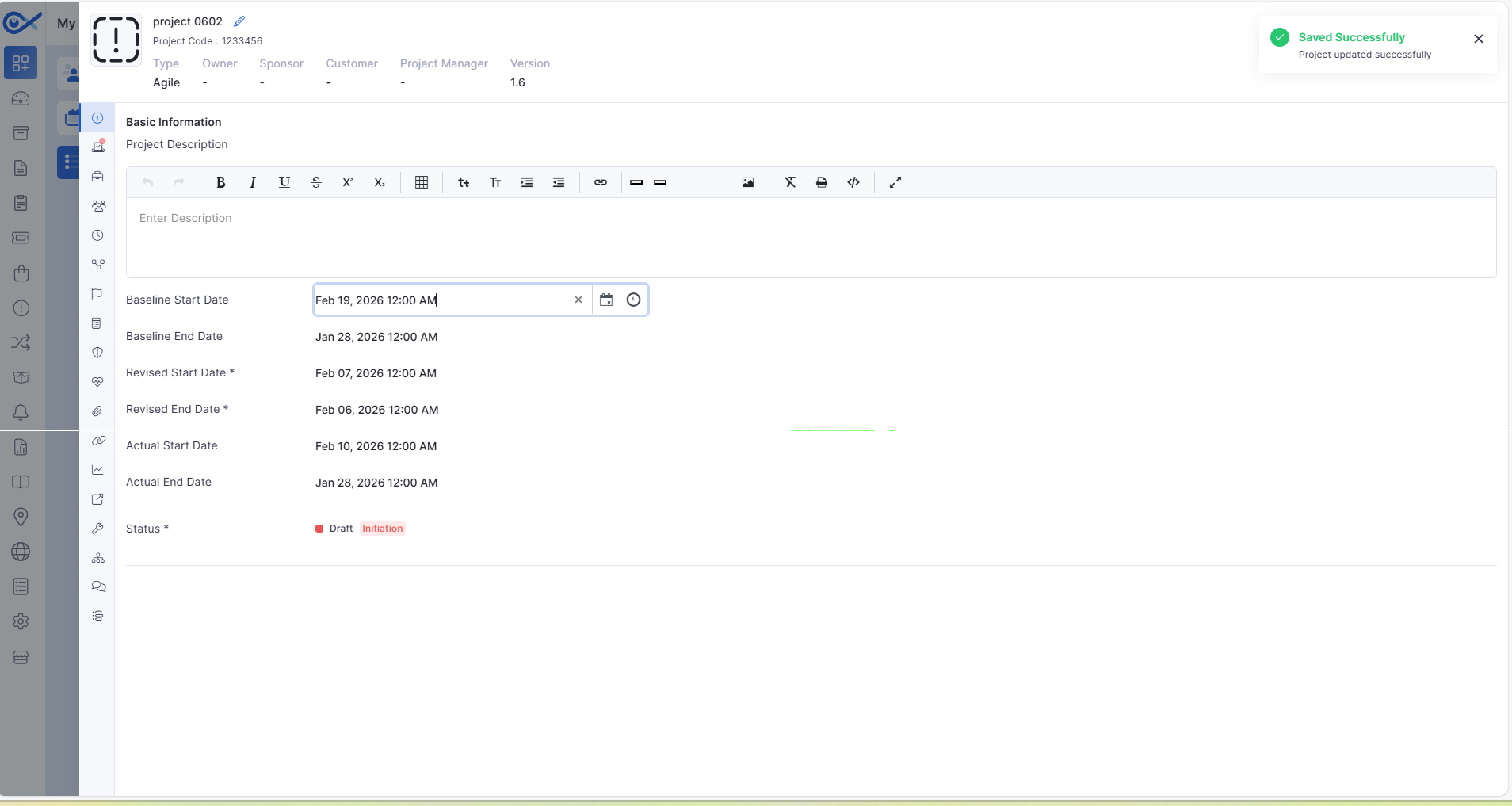
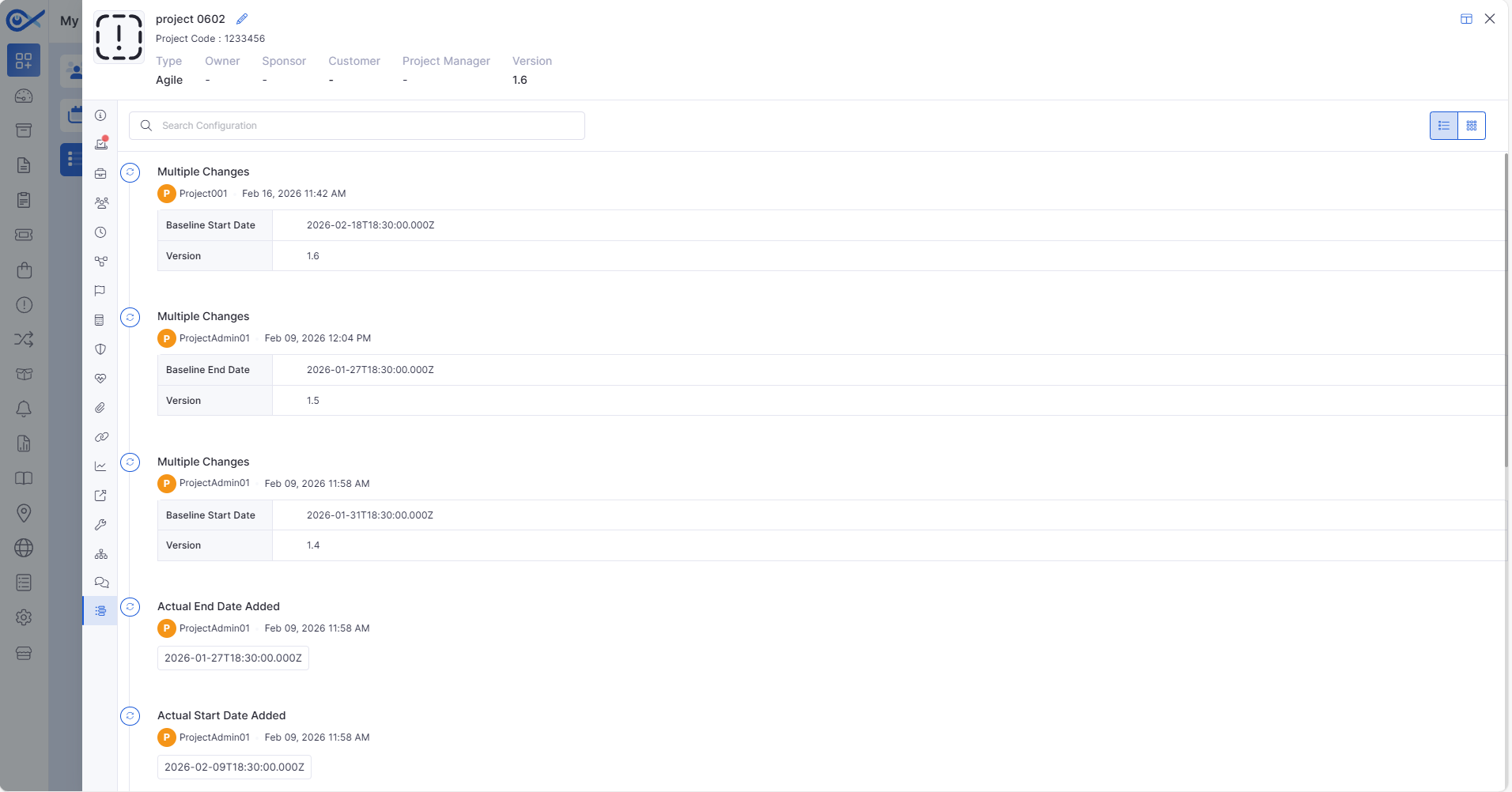
Introduced automatic project versioning with default version initialization.
Version increments automatically when baseline dates are modified.
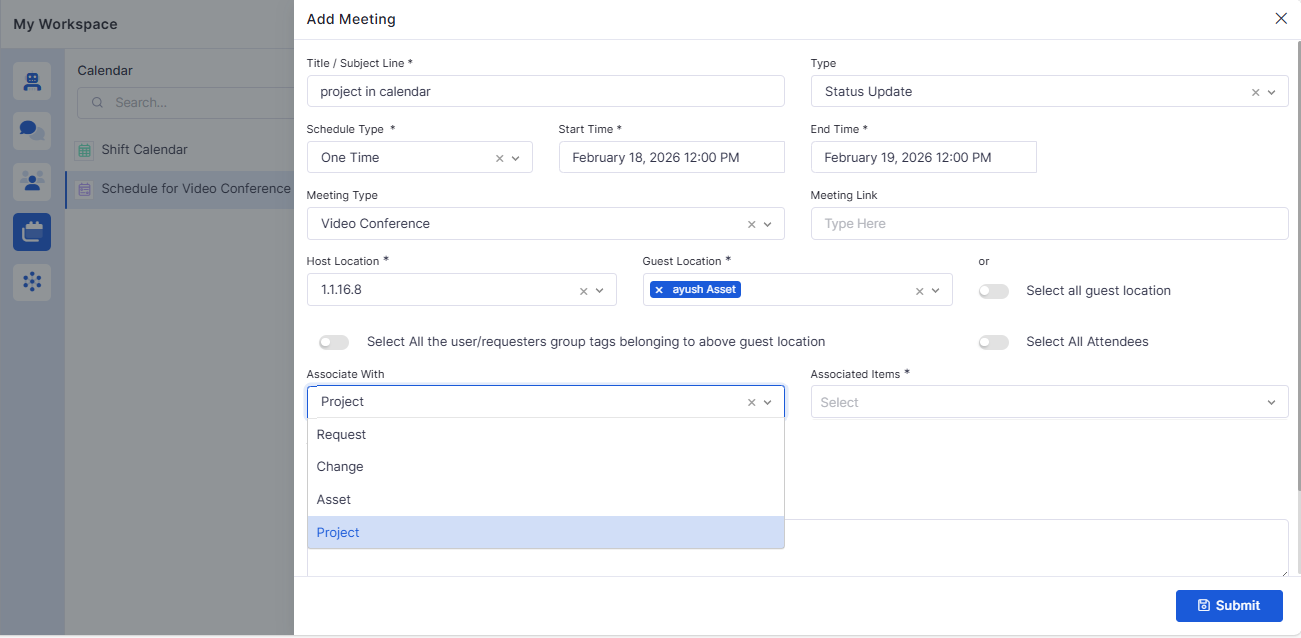
Project Integration in Meeting Module
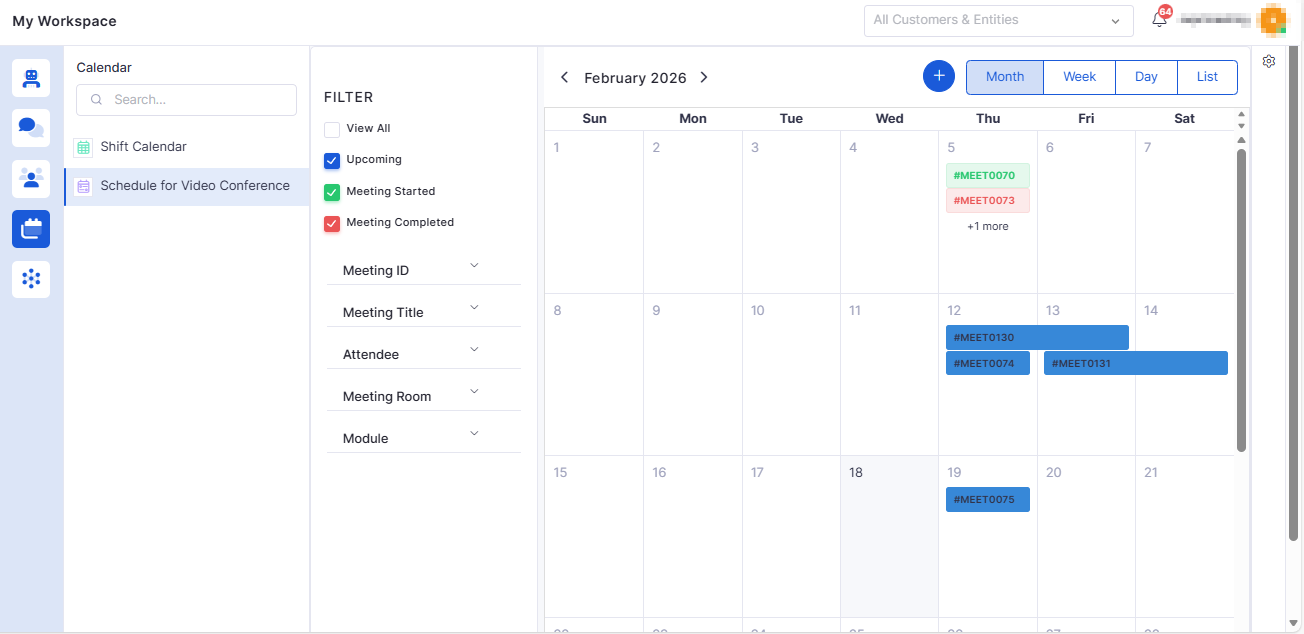
Added “Project” as an option in the Associate With dropdown.
Supports selecting single or multiple projects when creating a meeting.
Change Management
Attachment Categorization for Rollout & Rollback
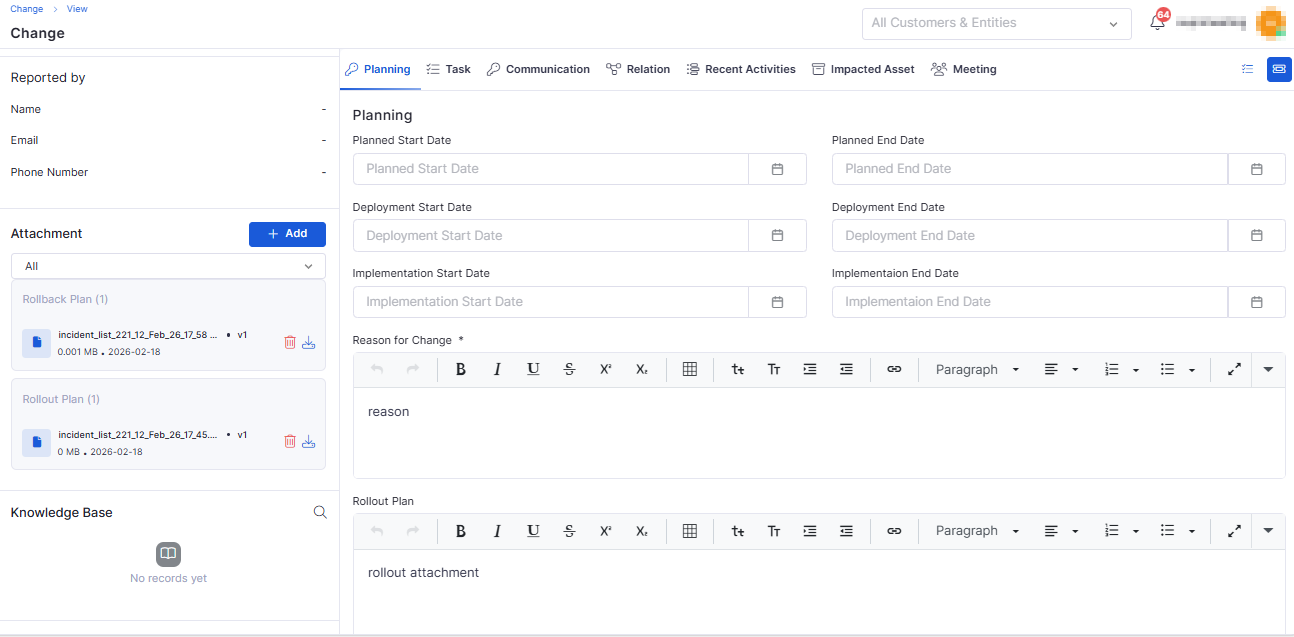
Added attachment support in Planning, Rollout, and Rollback editors.
Attachments are categorized automatically (Default, Rollout, Rollback).
Marketplace
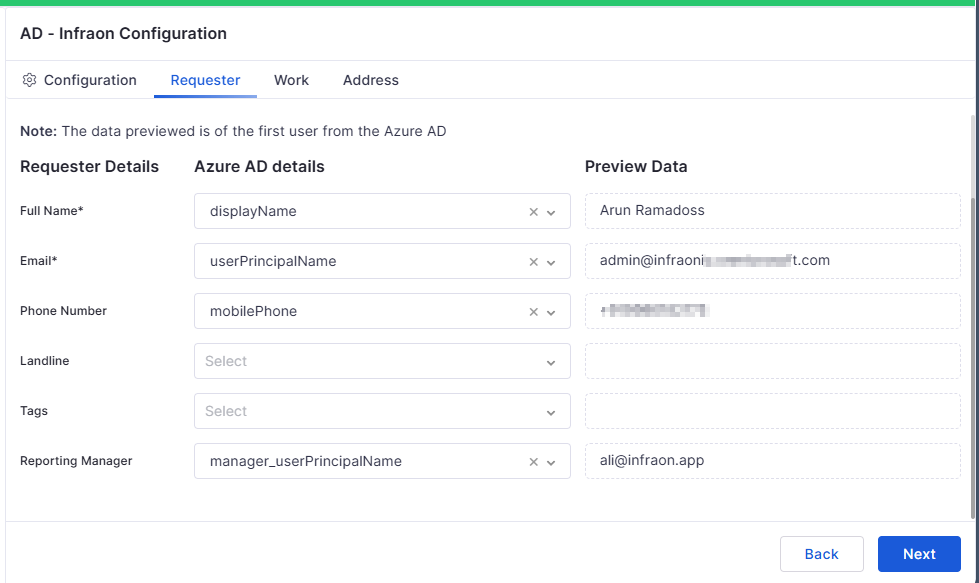
Azure AD – Reporting Manager Sync
Enabled sync of Reporting Manager details from Azure AD.
Reporting manager fields are available in requester details and exports.
Marketplace Individual App License Management
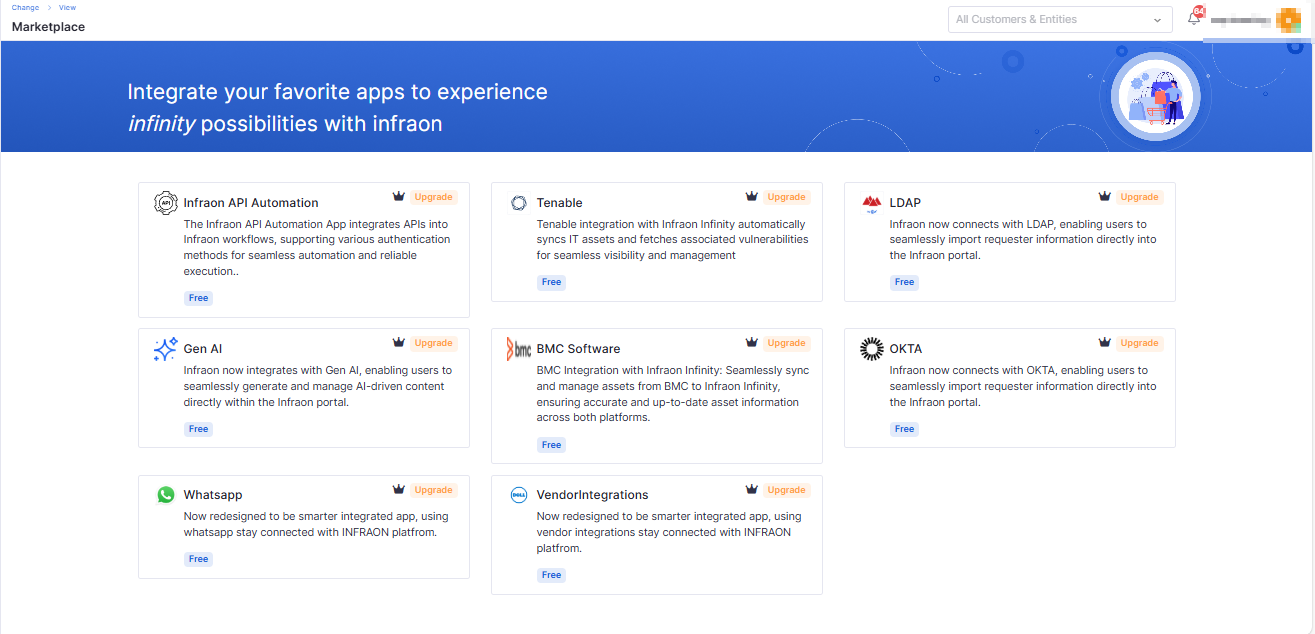
AI features and long-standing feature-flag items are now enabled by default for eligible plans.
Marketplace app access is controlled by product plan (Essential, Standard, Professional, Enterprise).
Feature Configuration
Rule-Based Similar Incident Control
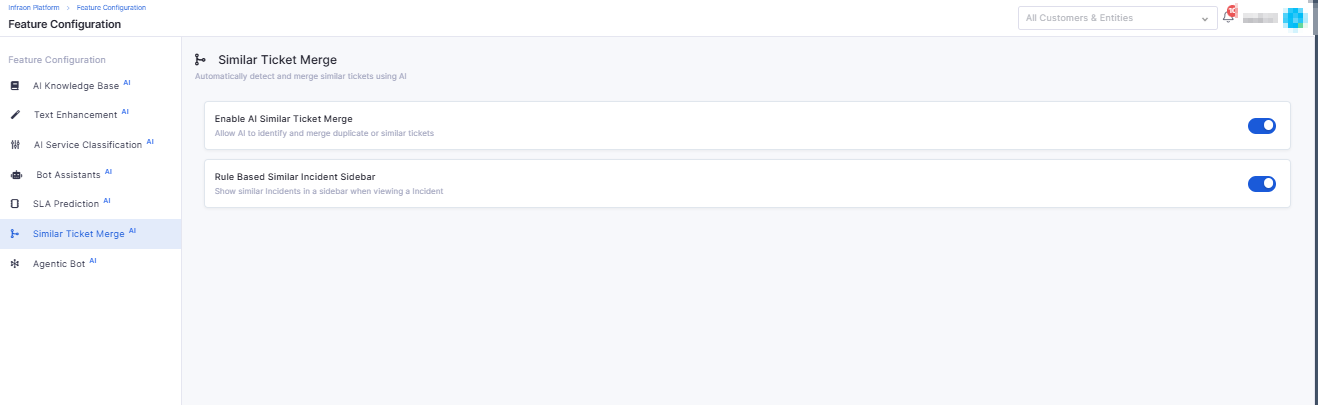
Introduced the Similar Ticket Sidebar on the ticket detail view.
Admins can enable/disable via AI configuration settings.
Mobile
iOS – Audit Detail Page
Added detailed audit view with device-level entries.
Supports filtering (All, Pending, Completed).
Displays audit status, due dates, and device information.
Purchase Order
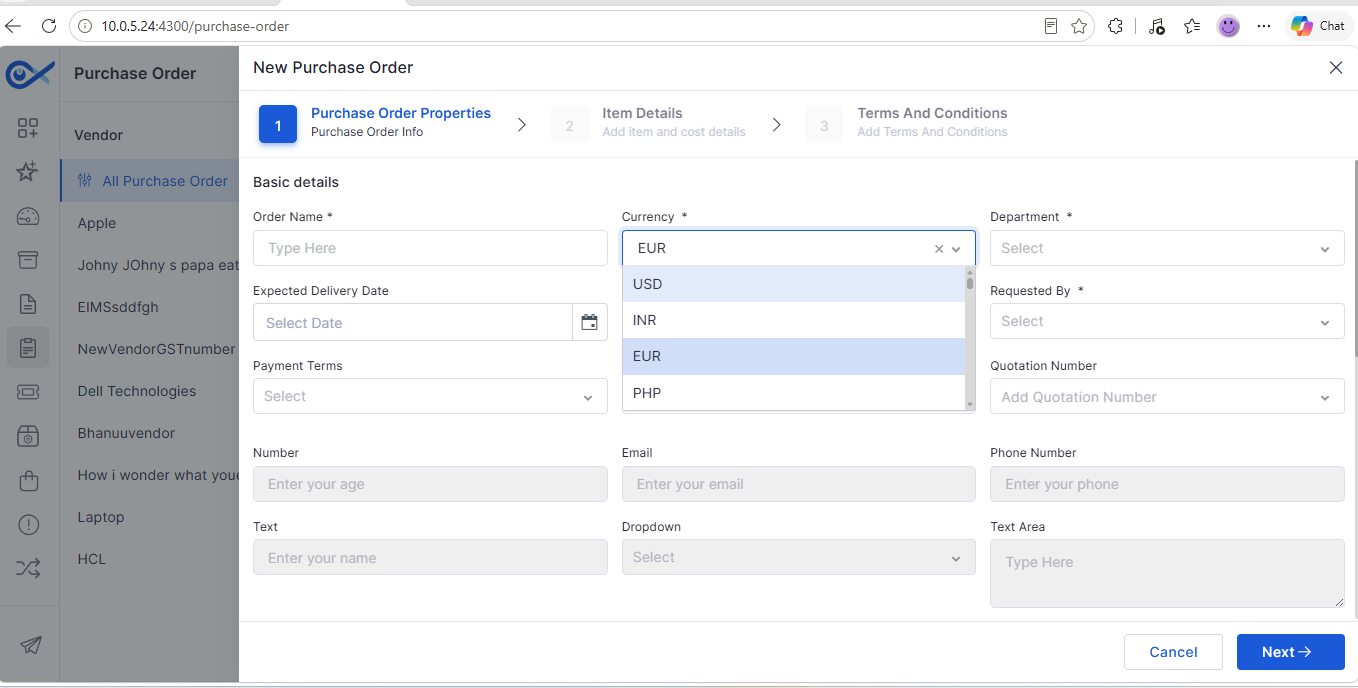
Custom Fields for Purchase Order Management
Admins can create configurable custom fields for PO.
Custom fields are supported in Create, Edit, View, Filters, Reports, and Widgets.
Dashboard
My Project Task Widget
Added a personalized widget to display tasks assigned to the logged-in user.
Supports project, status, priority, and due date filters.
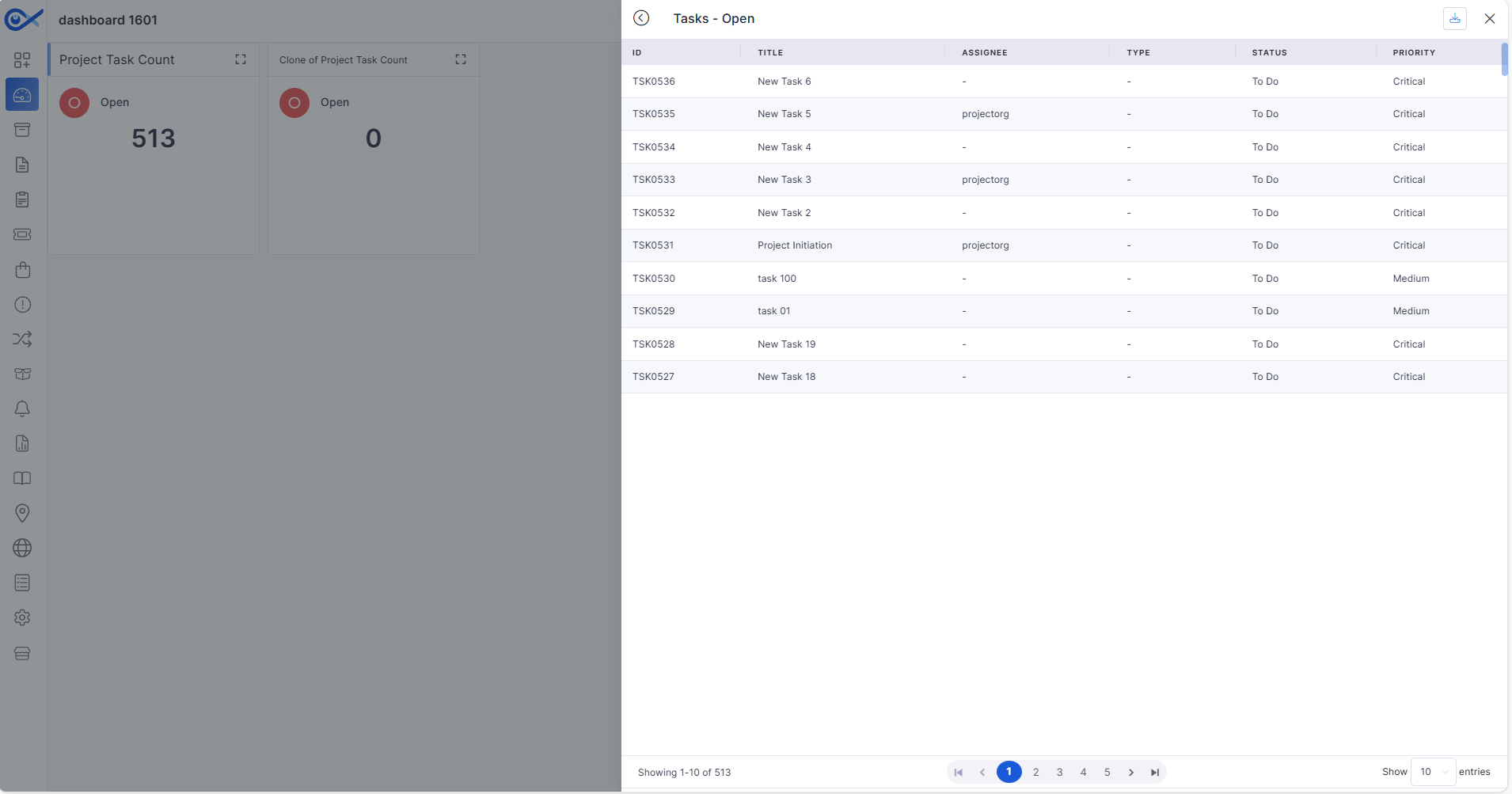
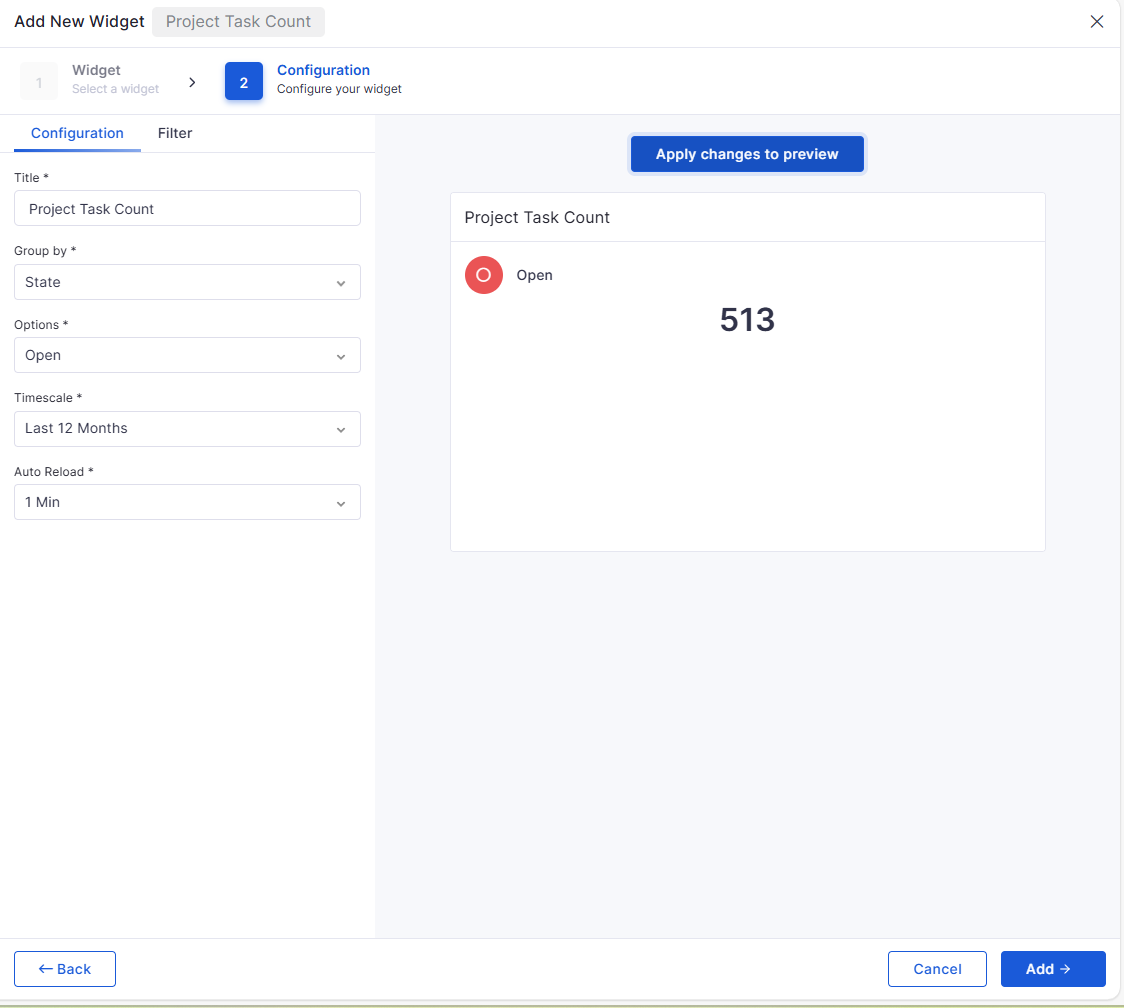
Project Task Count Widget
Displays task counts based on configurable criteria.
Supports time filters, drill-down view, CSV export, clone, and delete.
Dynamic field-option dependency for Status, Priority, and Category.
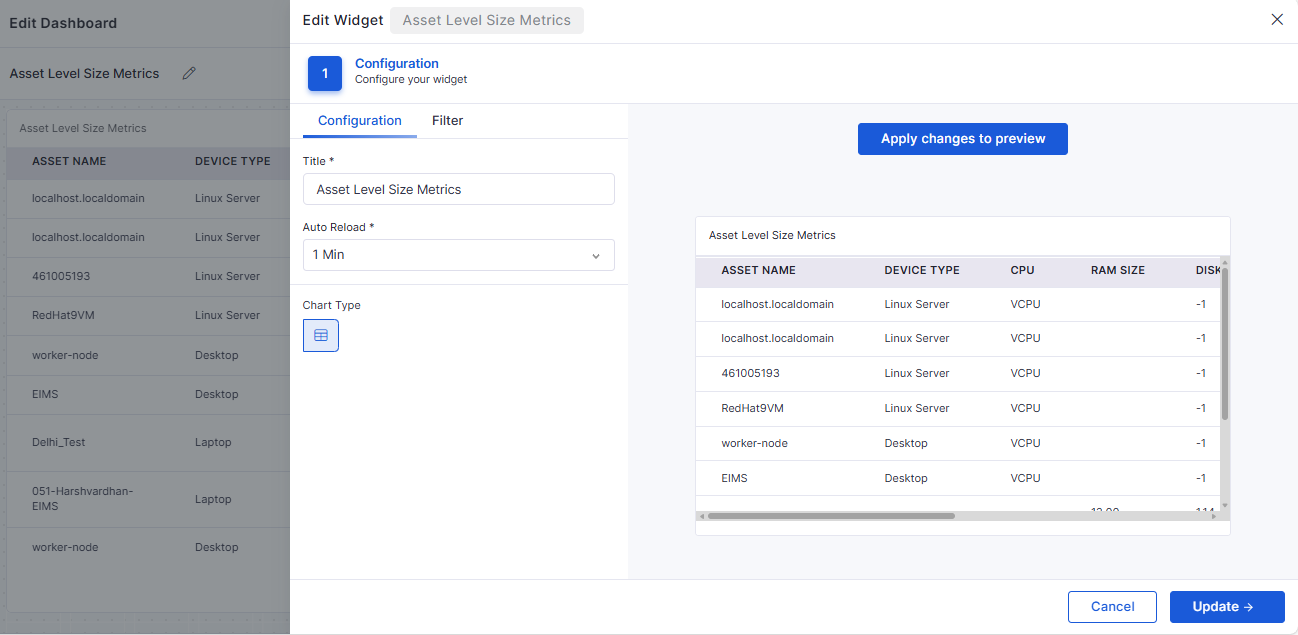
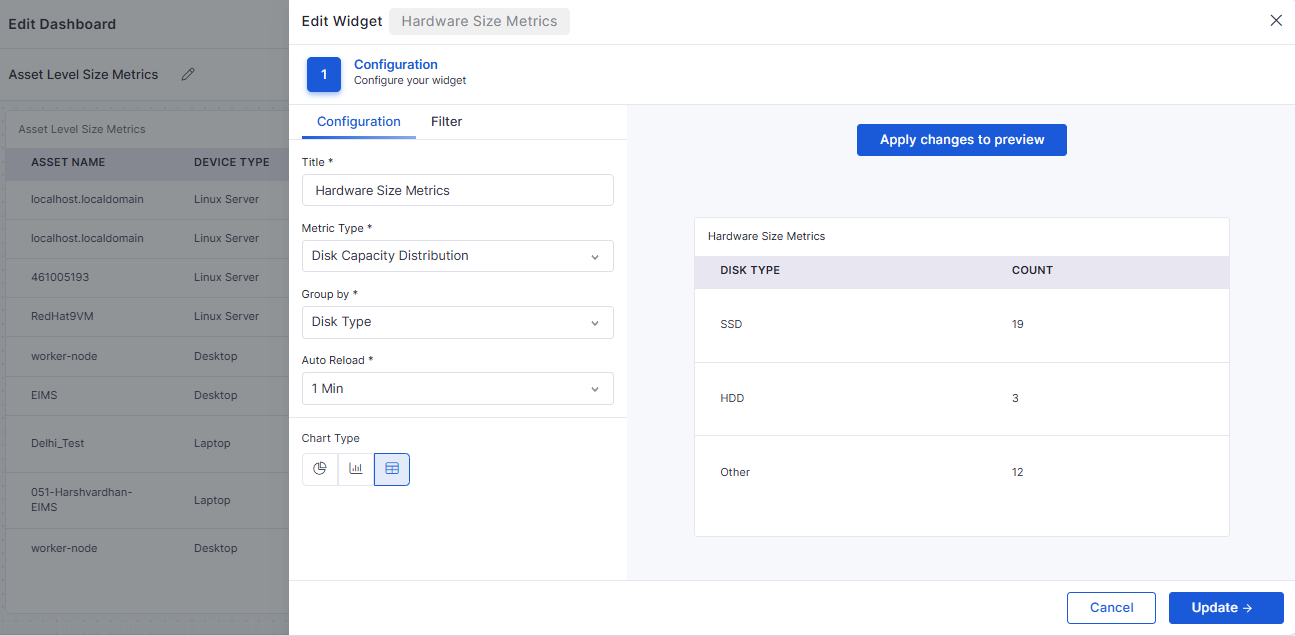
Asset-Level Size Metrics Table Widget
Displays CPU, RAM, and Disk metrics per asset.
Supports role-based visibility and dynamic filtering.
Hardware Size Metrics Widget
RAM Distribution, CPU Configuration, and Disk Capacity Distribution views.
Supports Bar, Pie, and Tabular views.
Enables drill-down to asset list with CSV export.
🐛 Bug Fixes and Improvements
This release resolves multiple issues across ITSM, ITAM, Dashboard, Marketplace, and Reporting modules, including:
Fixed SLA attachment inconsistencies and penalty configuration issues.
Resolved Asset lifecycle, allocation/deallocation, and vendor sync discrepancies.
Corrected multiple Dashboard widget calculation and filter issues.
Addressed LDAP, Azure AD sync, and login validation problems.
Fixed UI alignment, dropdown loading, tooltip, and sidebar rendering issues.
v7.5.1 - July 2026
Release Cycle: 17th July 2026
Build: Pre-Release Documentation
Overview
This release introduces enhancements across System Configuration, SLA Management, Agentic AI, Procurement, and AI Ops. The updates focus on improving platform configurability, streamlining procurement processes, expanding AI-driven automation, and enhancing workflow capabilities to deliver a more efficient and flexible user experience.
Key Updates
System Configuration
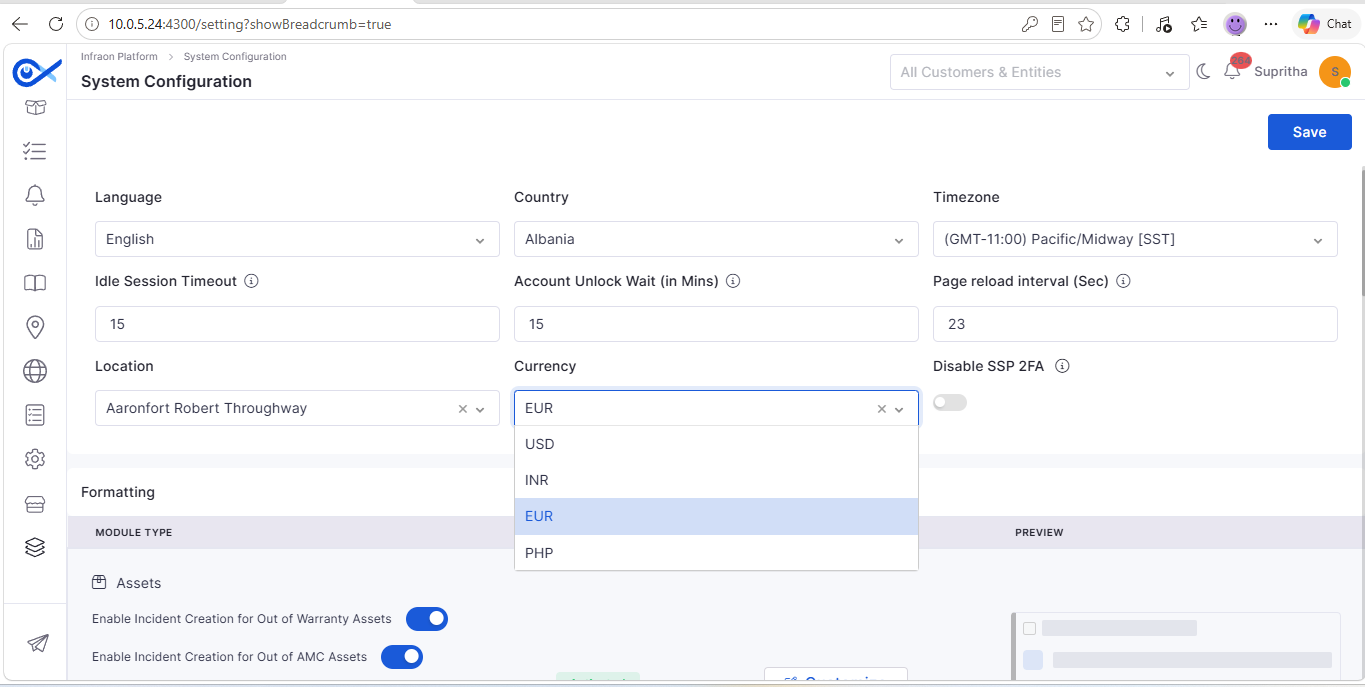
Default Currency Settings at Organization Level
Configure a default currency at the organization level to standardize financial transactions across supported modules.
Set a default currency for procurement and asset-related modules.
Automatically apply the configured currency when creating new records.
SLA Profile
Generic Page Search
The SLA Profile page now supports an enhanced search experience for faster navigation and record discovery.
Search SLA Profiles using a single search bar.
Filter records using configurable search criteria.
Agentic AI
Azure AD MCP Tool Integration
Business Rules can now automatically trigger notifications whenever assets are added or removed.
Notify stakeholders about asset lifecycle events.
Improve visibility into asset changes.
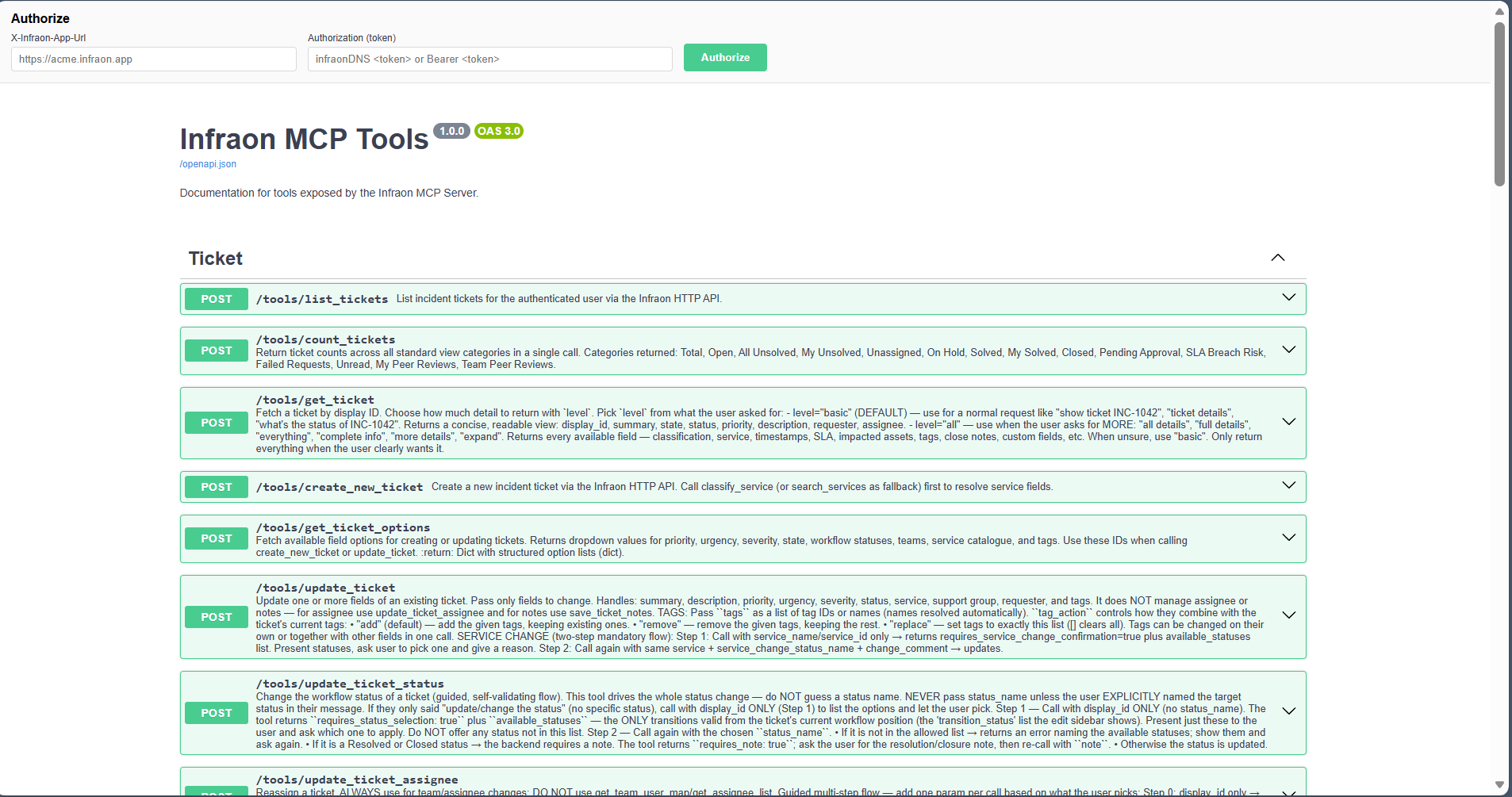
MCP Tools for Ticket Management APIs
Expanded MCP tool support enables AI-assisted management of ticket operations.
Perform ticket management activities using conversational requests.
Retrieve ticket information and perform workflow actions through AI.
MCP Documentation
New documentation improves visibility into available MCP capabilities and supported operations.
Browse supported MCP tools from a centralized location.
Understand available operations more easily.
Purchase Order
Procurement Module Enhancements
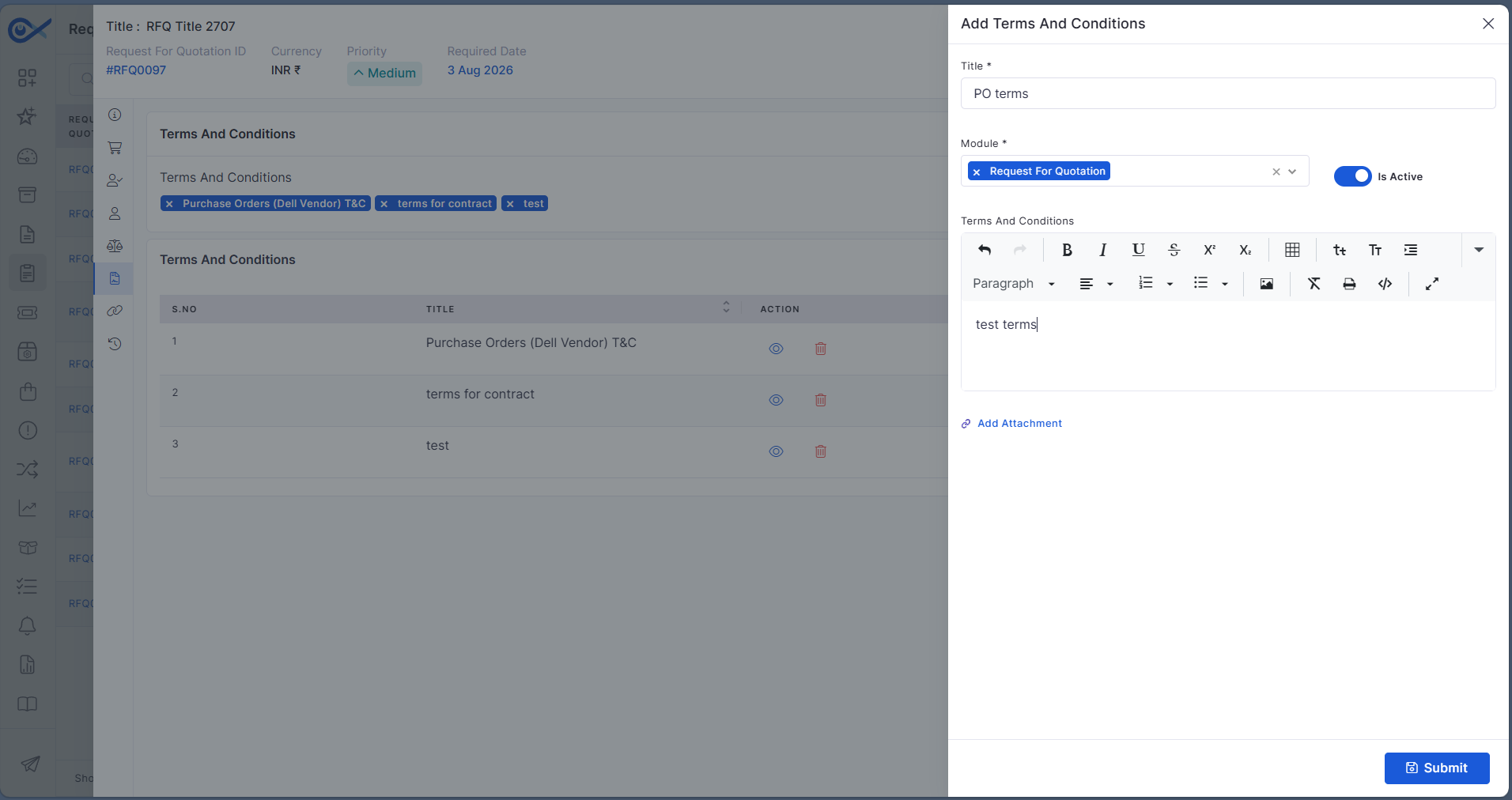
Multiple enhancements improve flexibility and usability across Purchase Orders, Purchase Requisitions, Contracts, and RFQs.
Configure line item columns based on business requirements.
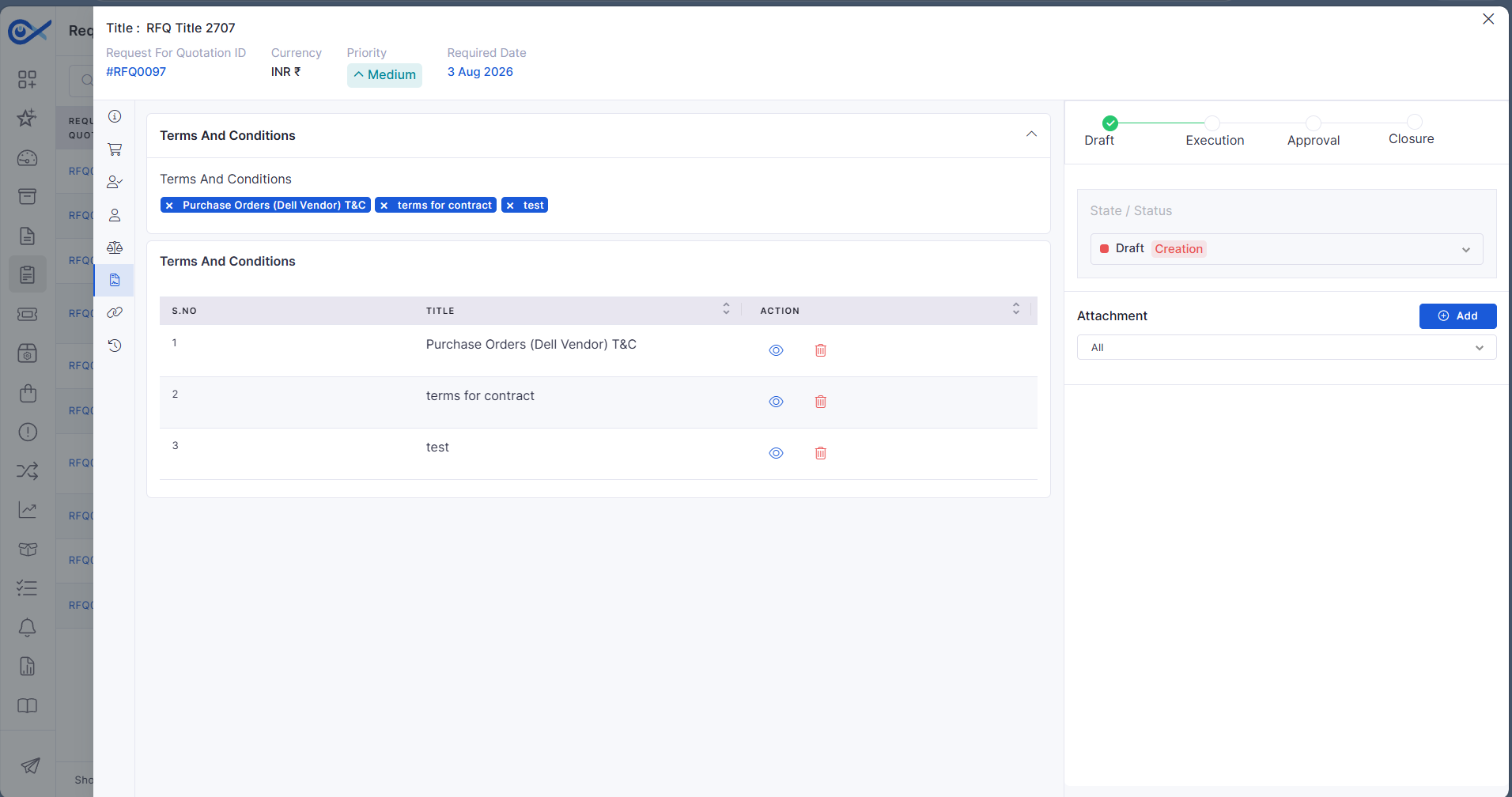
Support multiple Terms & Conditions within procurement documents.
AI Ops
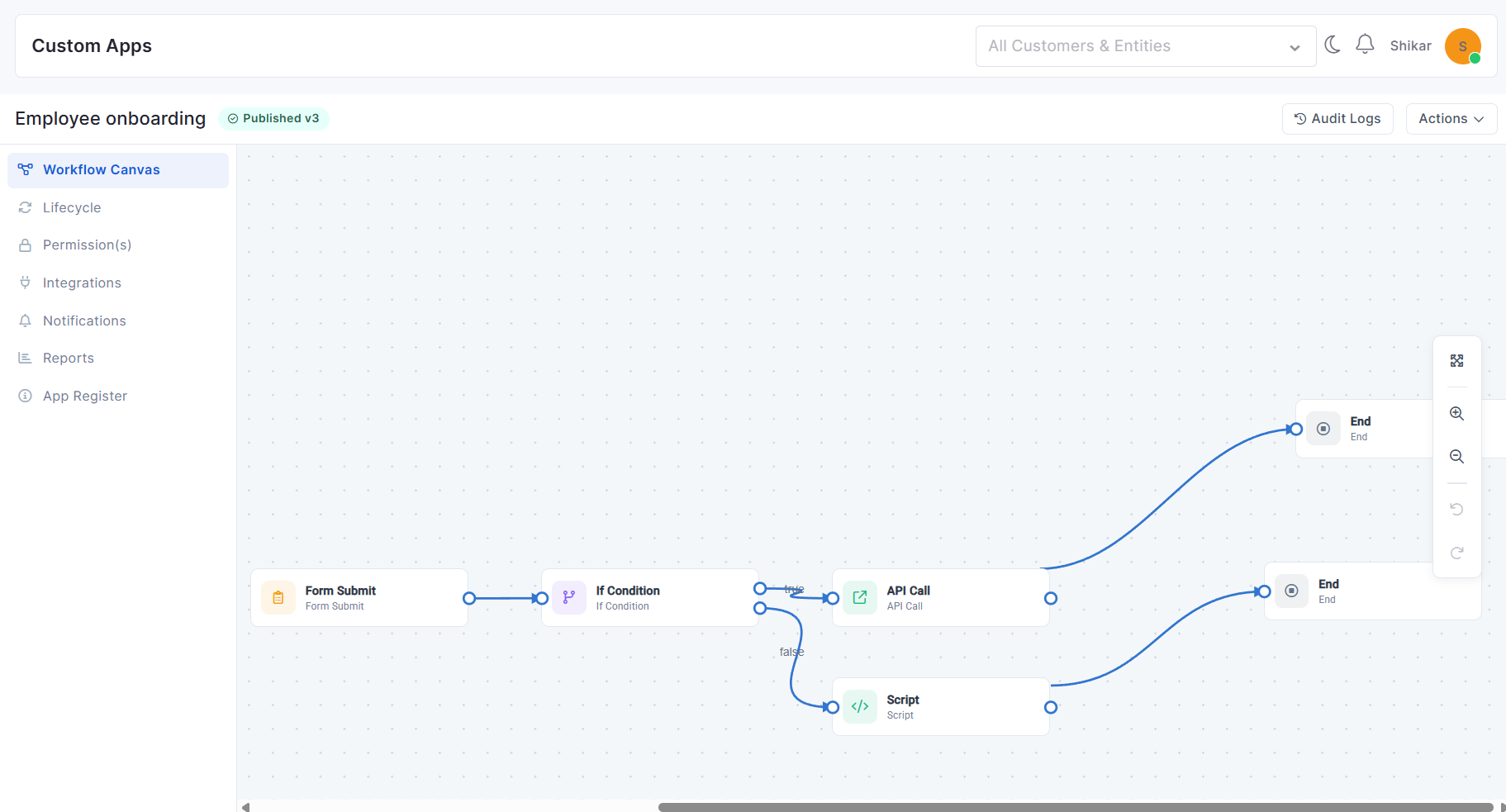
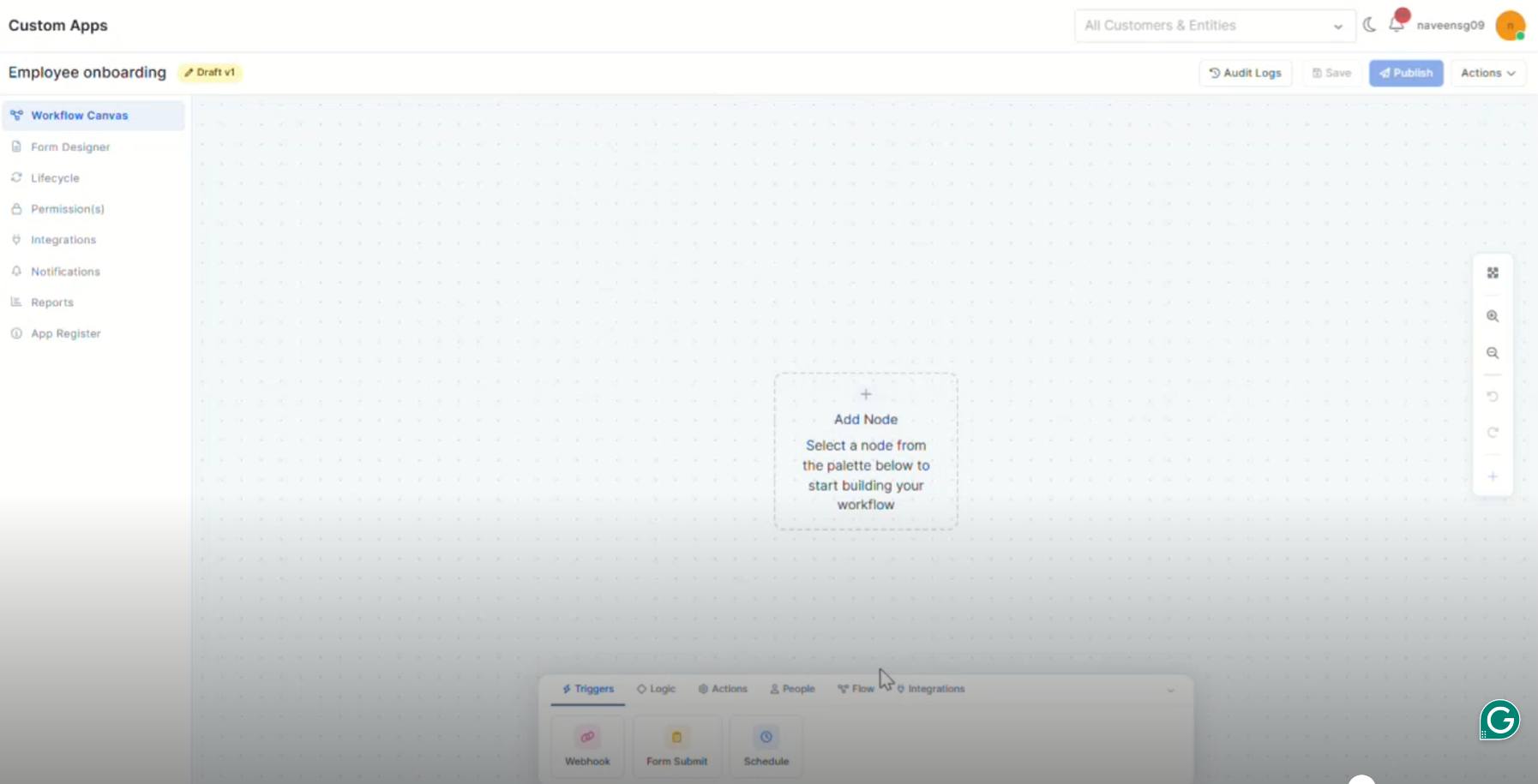
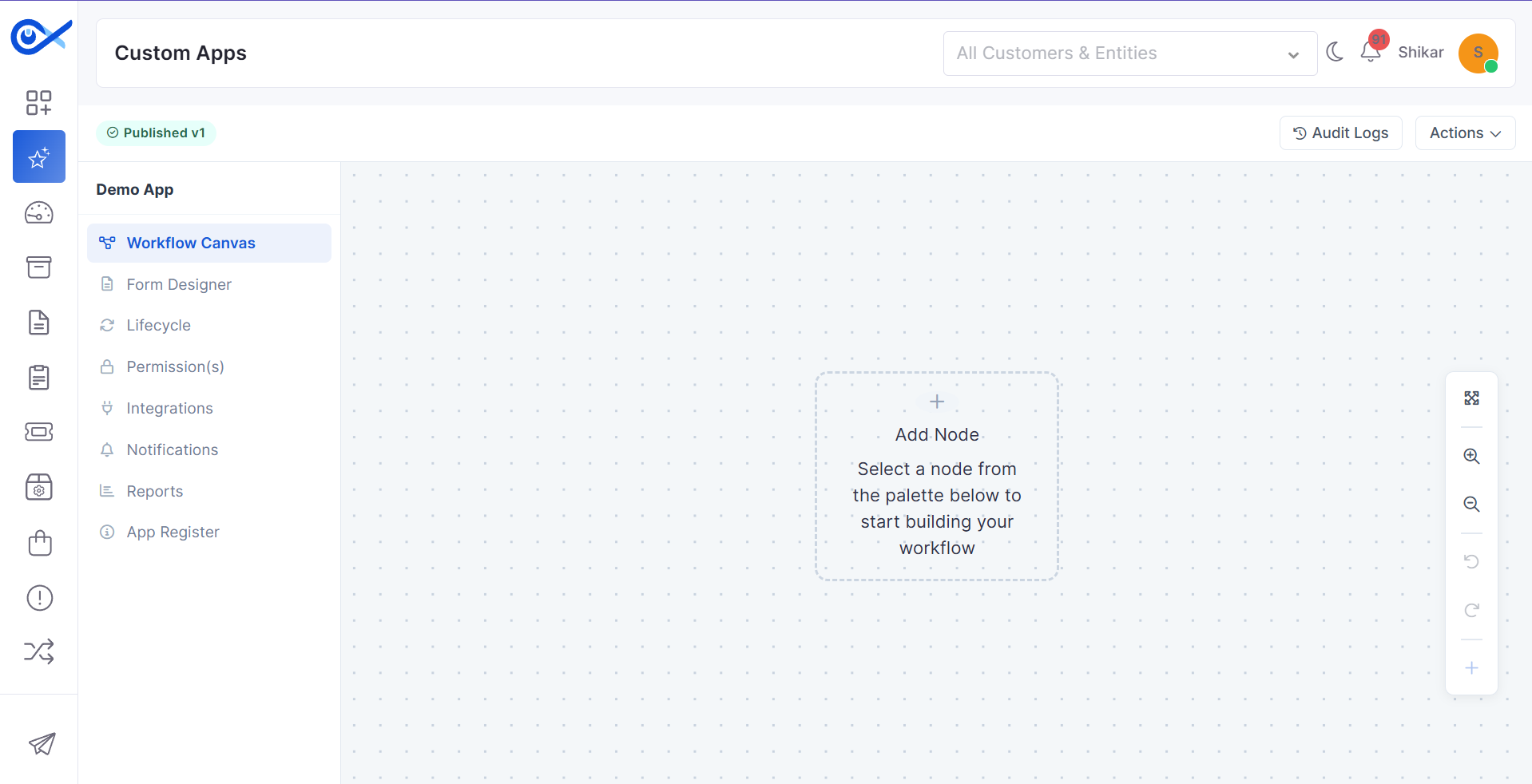
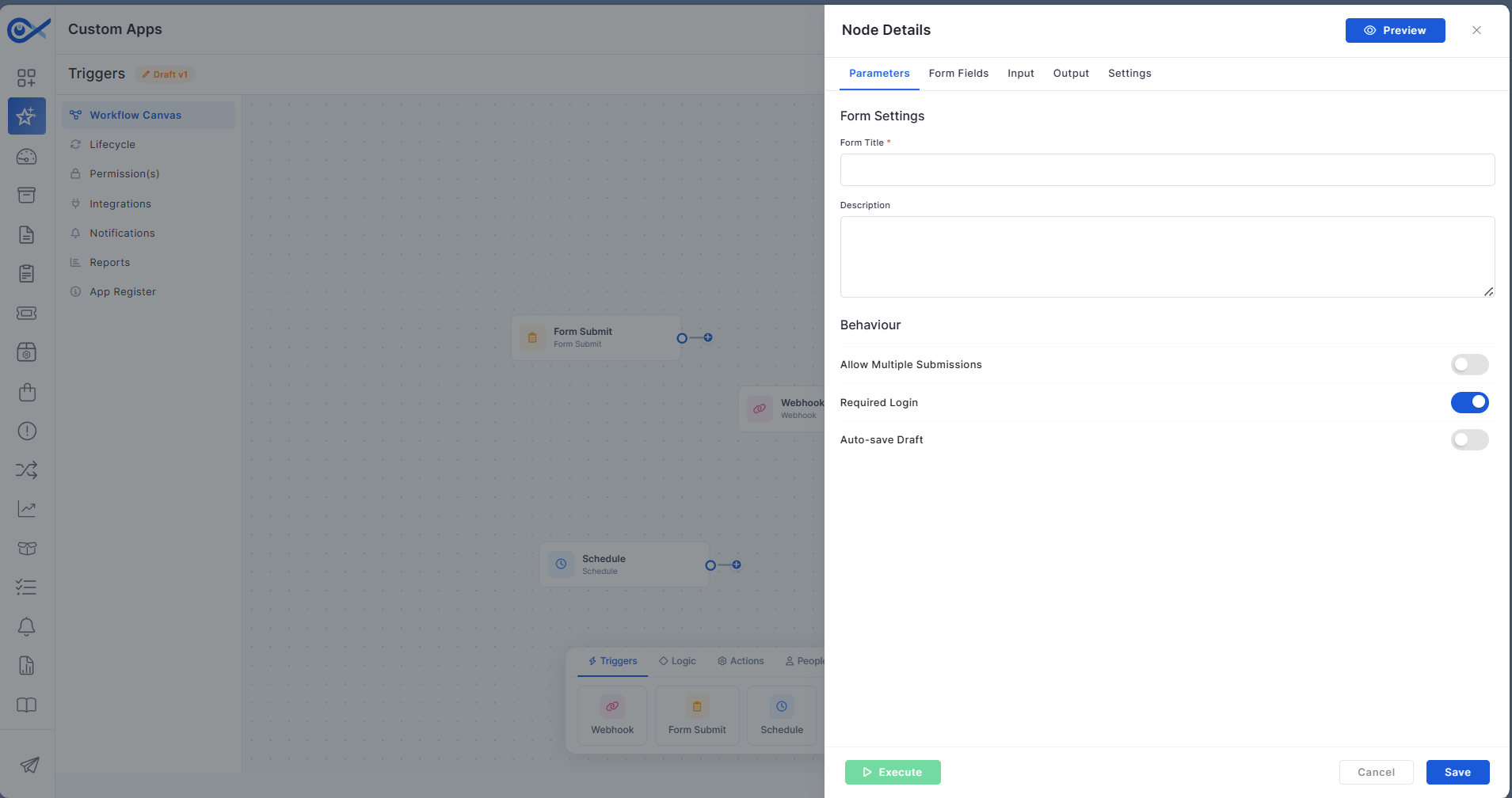
Trigger Nodes for Custom Apps
Custom Apps now support configurable trigger nodes for event-driven and scheduled workflow execution.
Configure Webhook-based workflow triggers.
Schedule automated workflow execution using Scheduler nodes.
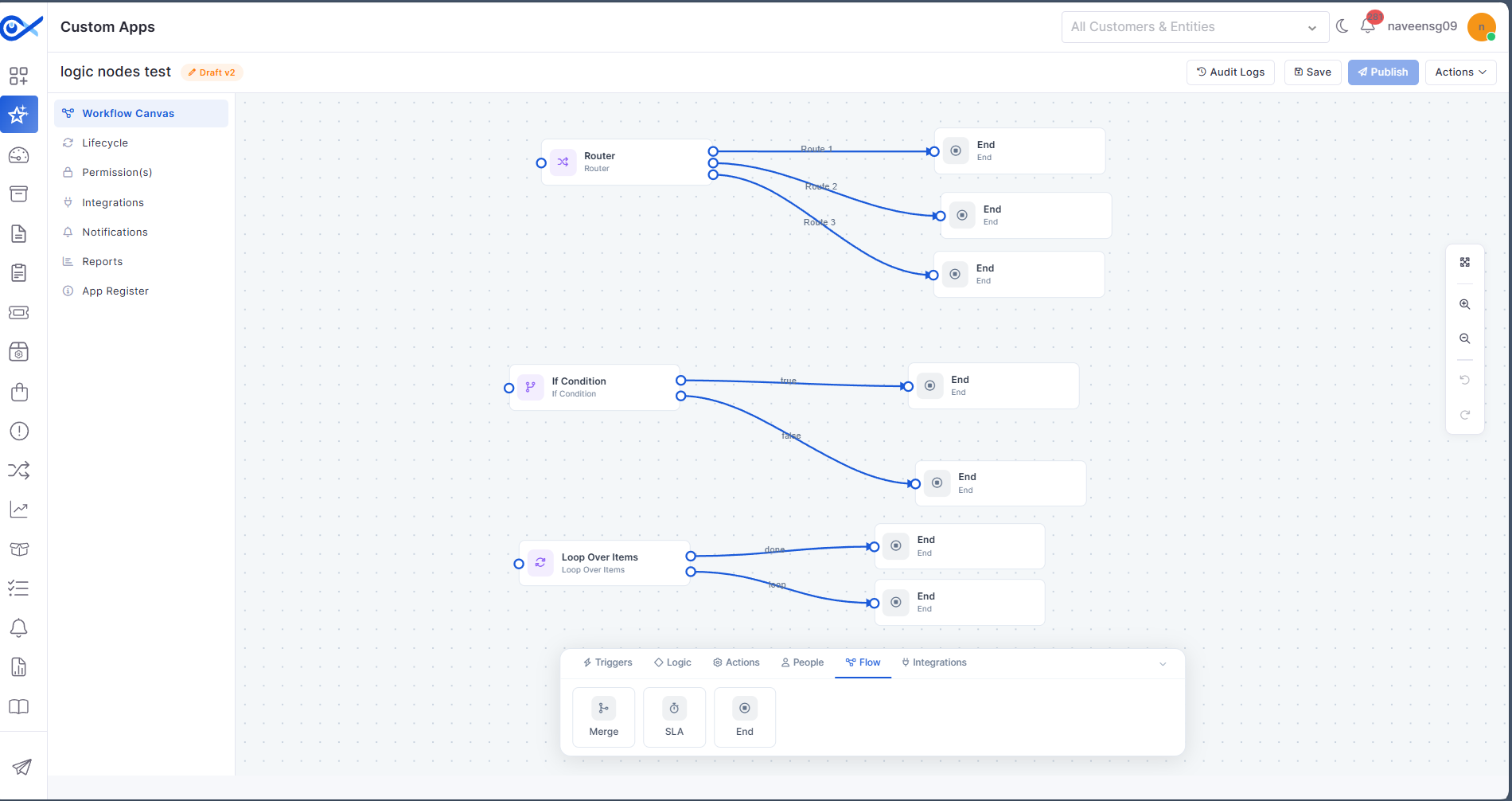
Logic Nodes for Custom Apps
New logic nodes provide greater control over workflow execution within Custom Apps.
Configure conditional workflow logic visually.
Support dynamic decision-making within automation flows.
Business Rule
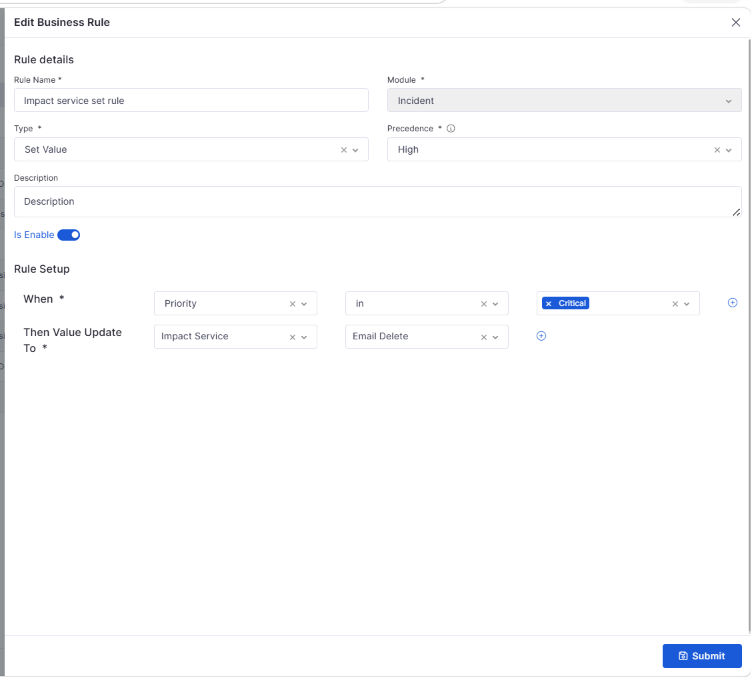
Set Impact Service Based on Requester
Business Rules can now automatically assign the appropriate Impact Service based on requester-specific conditions, improving ticket routing and workflow automation.
Automatically assign Impact Services during Ticket and Request creation.
Configure requester-based conditions such as department, email, or user group.
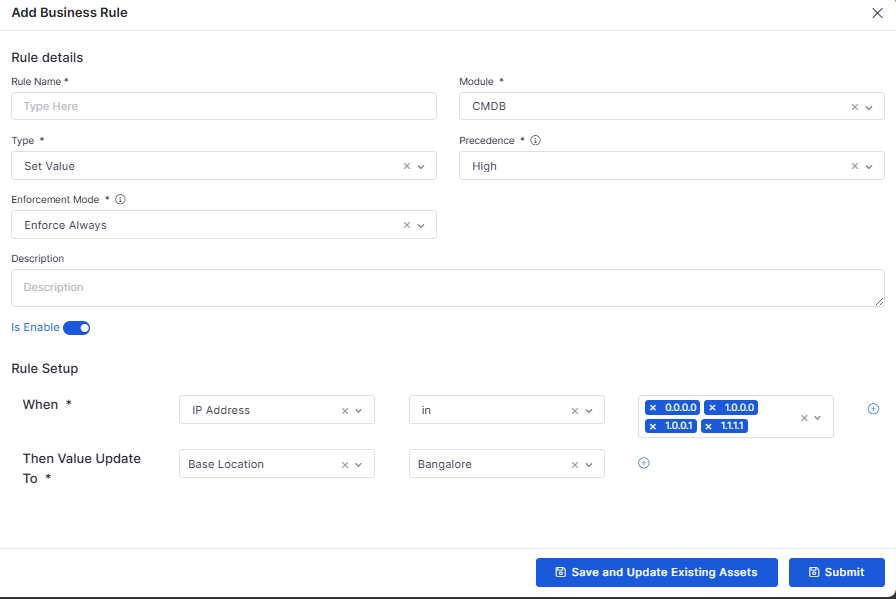
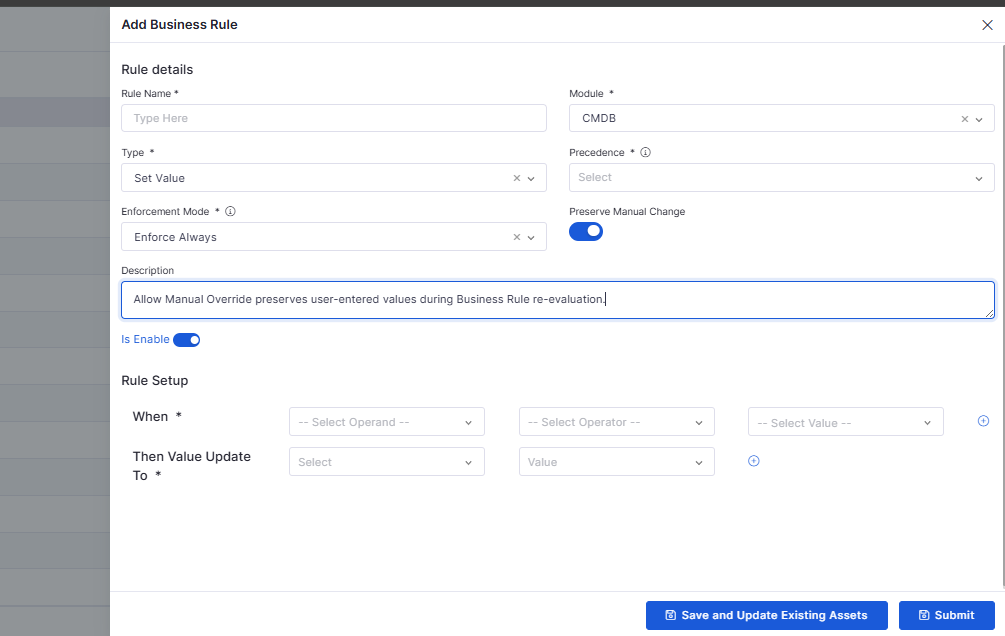
Allow Manual Override for CMDB Business Rules
CMDB Business Rules now include an Allow Manual Override option, giving administrators greater flexibility when applying automated updates.
Preserve manually updated values when manual override is enabled.
Improve flexibility by combining manual override with supported enforcement modes.
Incident
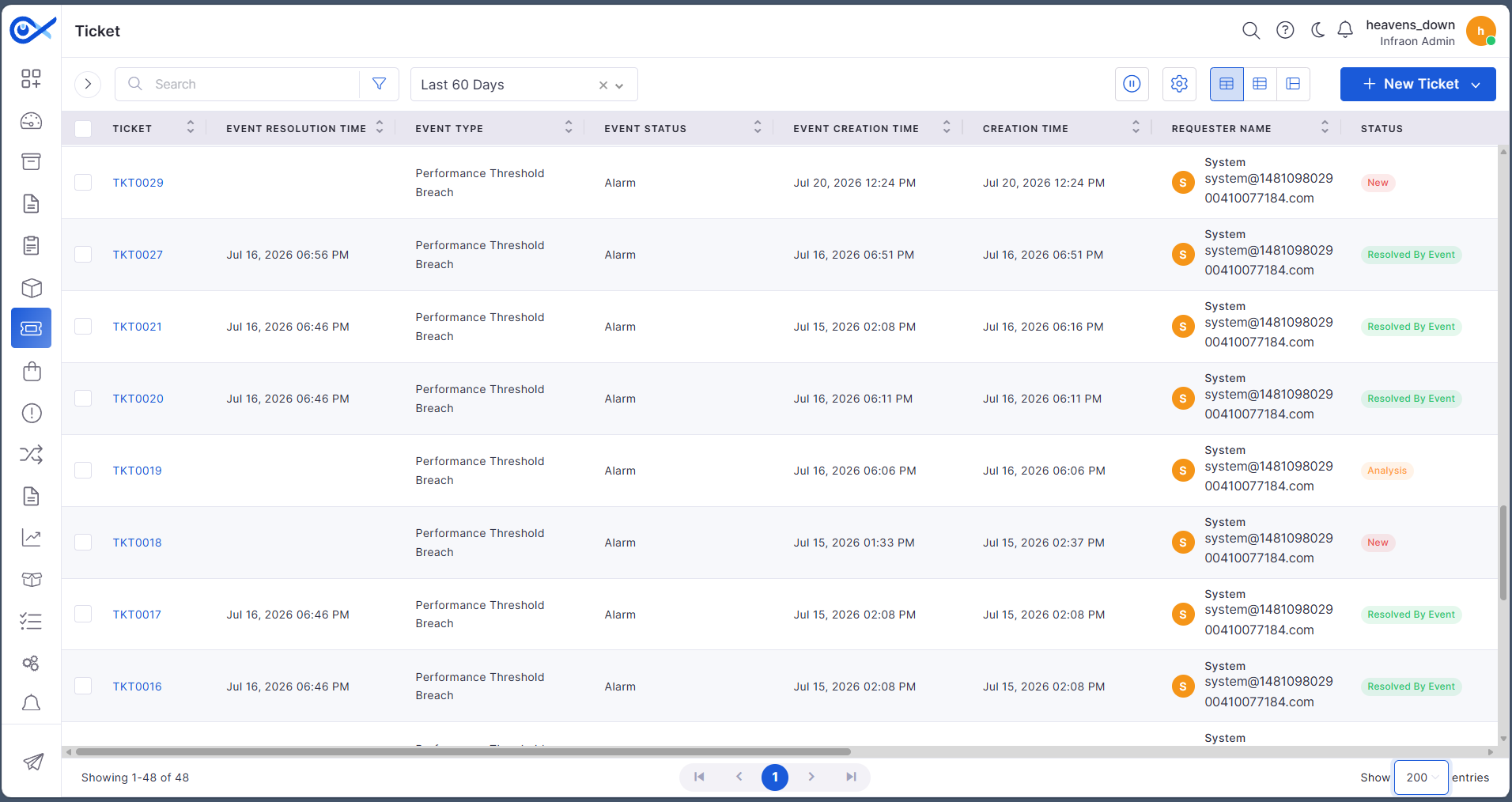
Event Information in Tickets
Incident records now capture additional event information, providing better visibility into event-driven tickets.
Capture Event Type, Event Creation Time, and Event Resolution Time.
Display event information within ticket views and grid layouts.
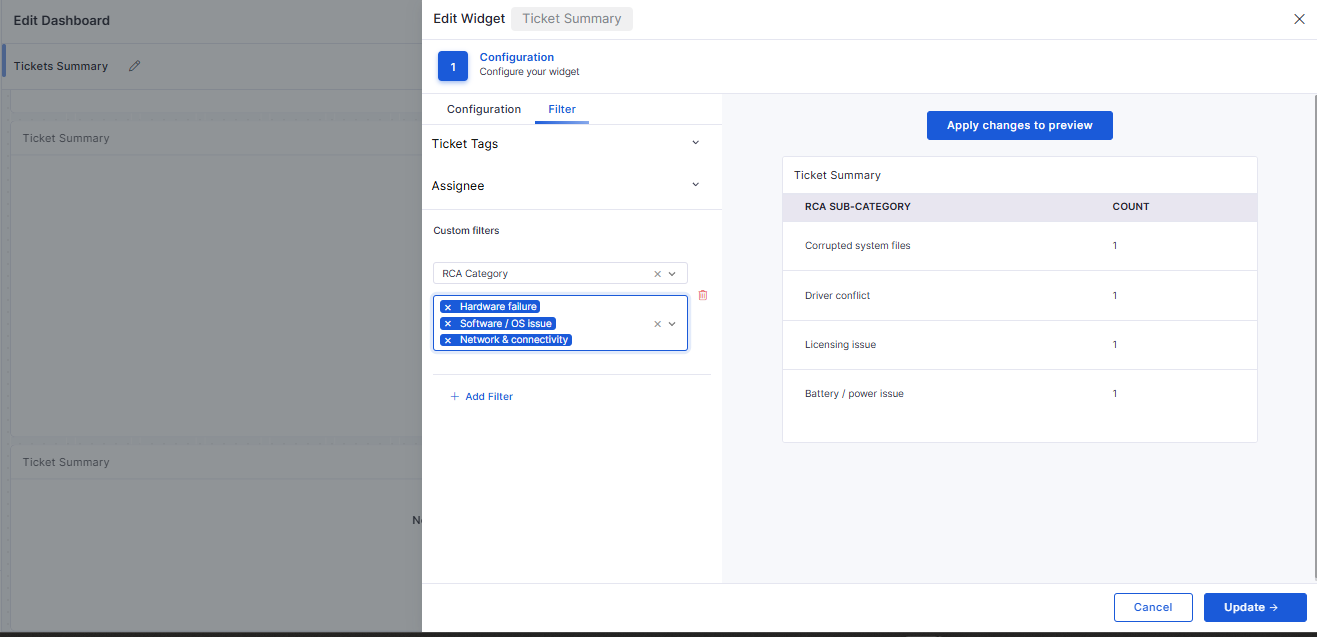
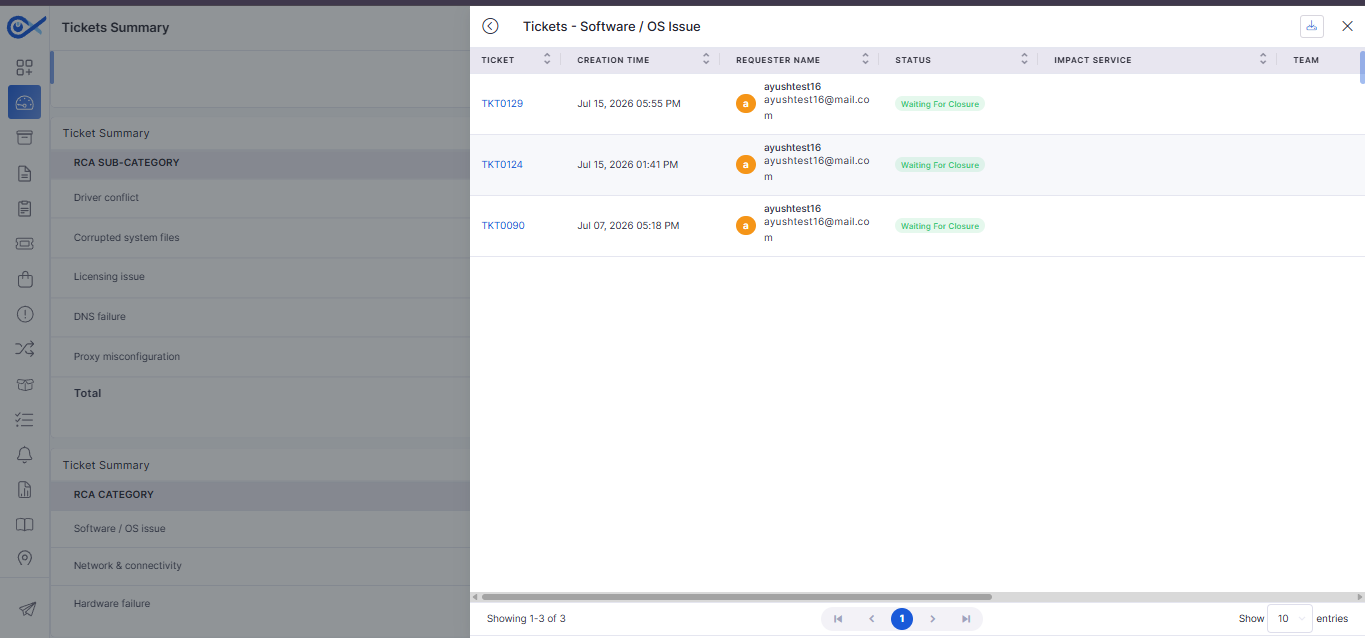
RCA Category Support in Dashboard Widgets
Ticket Summary widgets now support Root Cause Analysis (RCA) categorization for improved reporting.
Group ticket data by RCA Category and RCA Sub Category.
Filter widgets using RCA-based criteria.
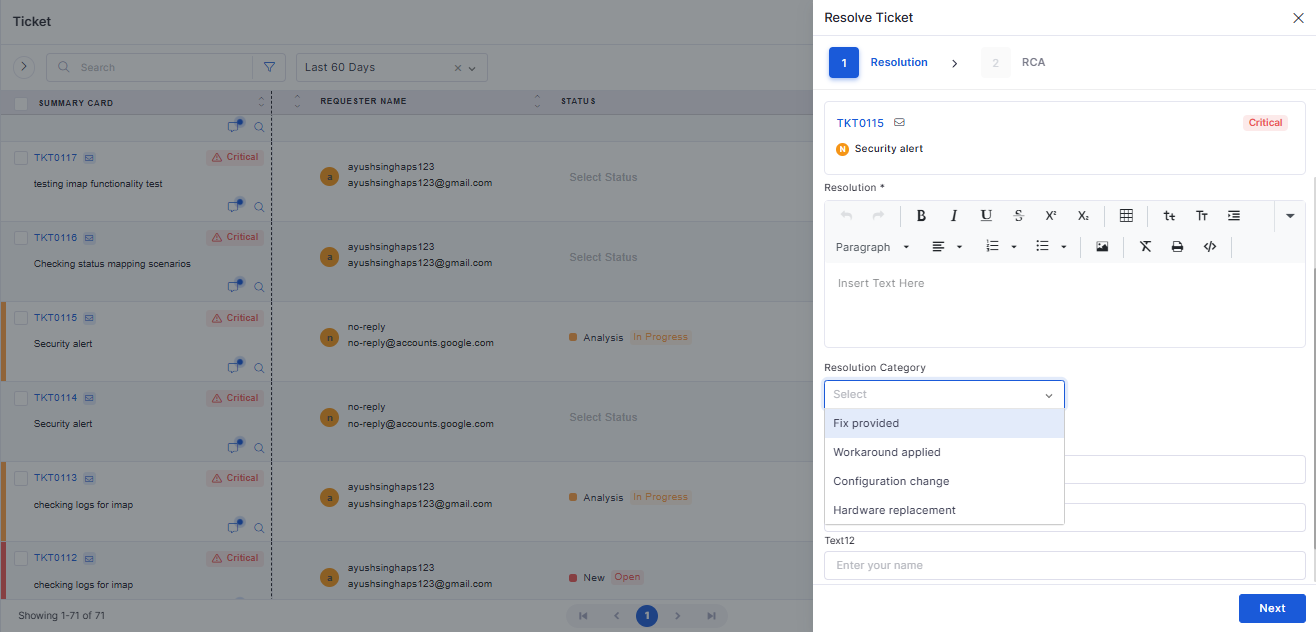
RCA Category Selection Enhancements
Ticket closure now provides an improved experience for selecting RCA Category and Sub Category.
Simplify RCA selection during ticket resolution.
Improve consistency between categories and subcategories.
SBOM Data Formatting Using Syft
Software Bill of Materials (SBOM) information is now processed using standardized formatting for improved software inventory management.
Improve consistency of SBOM data across supported formats.
Enhance software inventory visibility.
IT Assets
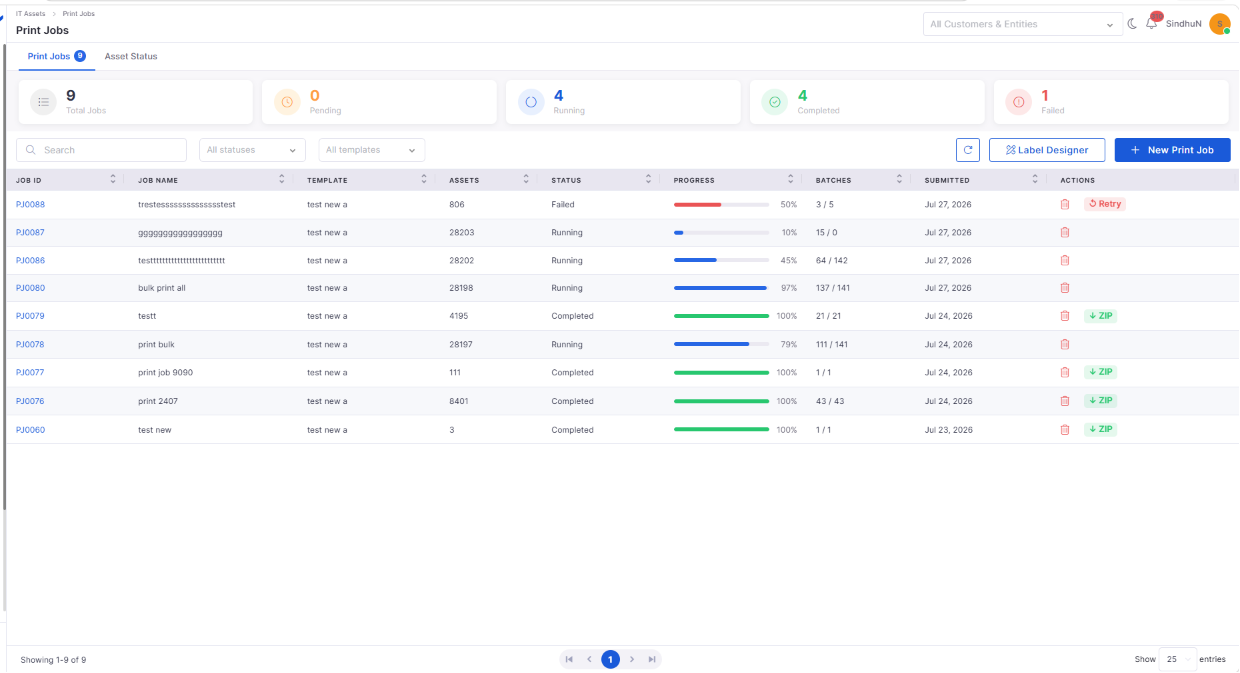
Bulk Asset QR Code Printing
Generate and manage QR code labels for multiple assets through centralized bulk print jobs.
Create bulk print jobs using predefined or custom templates.
Monitor print progress and job status from a dedicated interface.
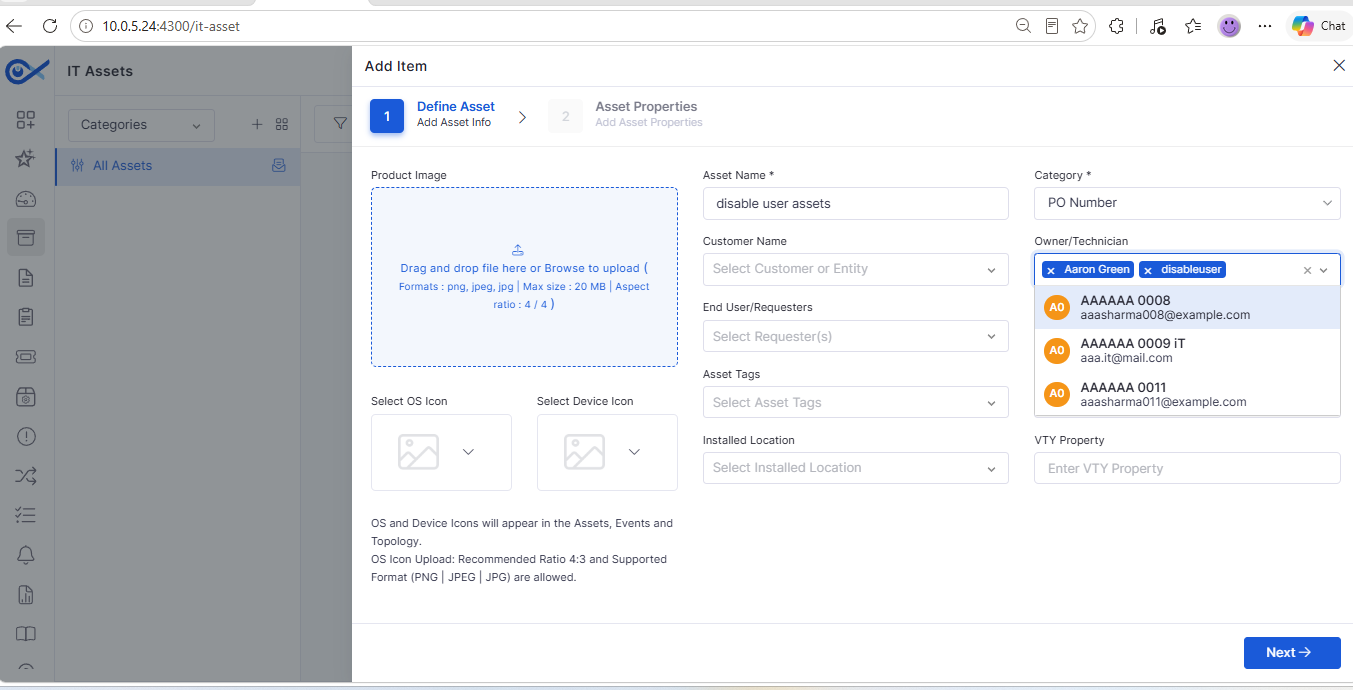
Asset Visibility – Creator Access Control
Improve asset security by controlling visibility based on asset ownership.
Restrict access to assets based on creator permissions.
Improve data privacy across organizations.
Report
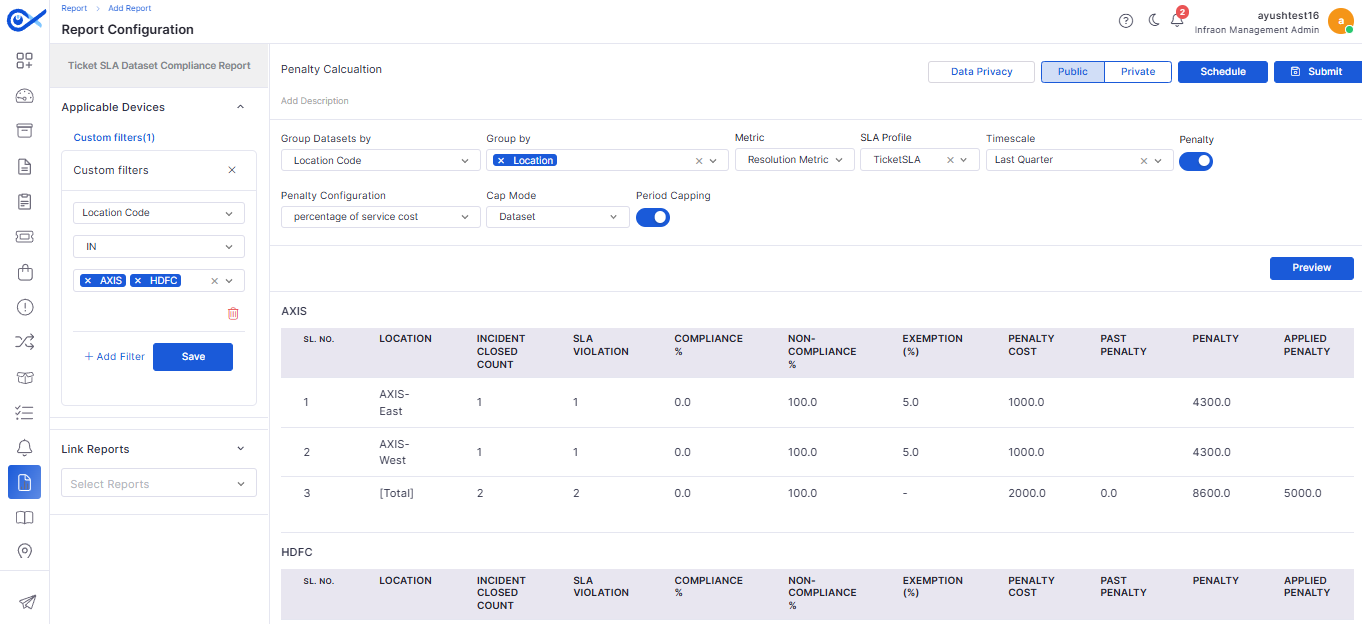
SLA Compliance Dataset Enhancements
The SLA Compliance Dataset Report includes additional reporting capabilities for improved compliance analysis.
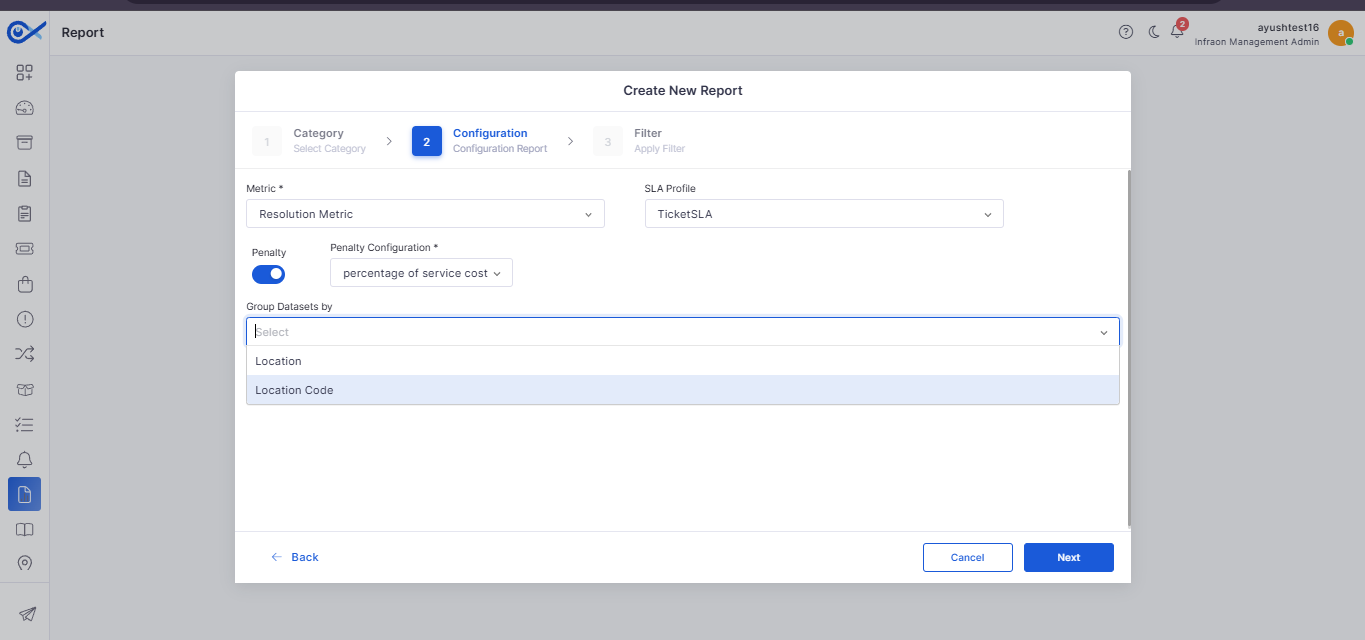
Group datasets using Location Code.
View historical SLA compliance information.
Patch Management
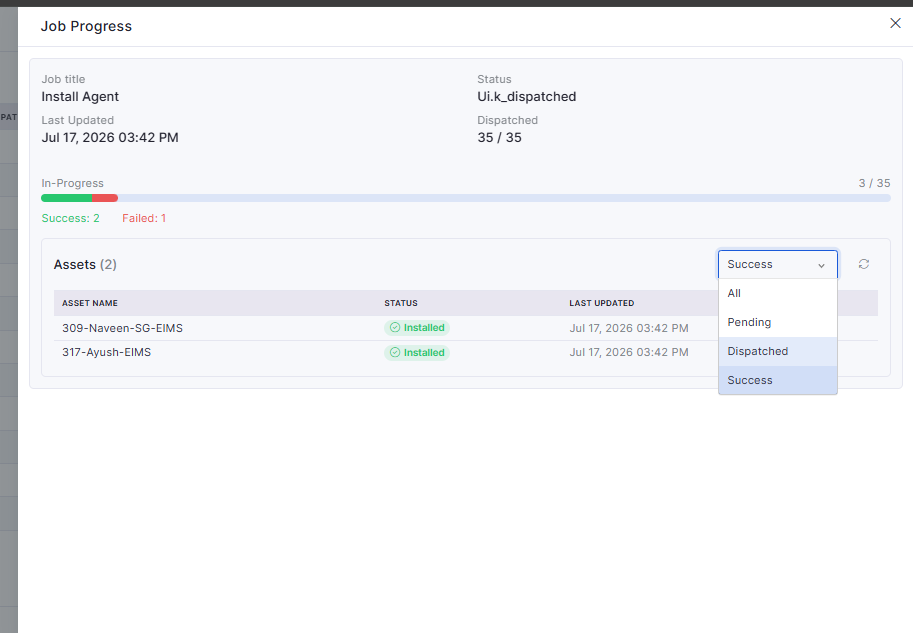
Patch Agent Deployment Enhancements
Patch Management now includes improved visibility and control for patch agent deployment activities.
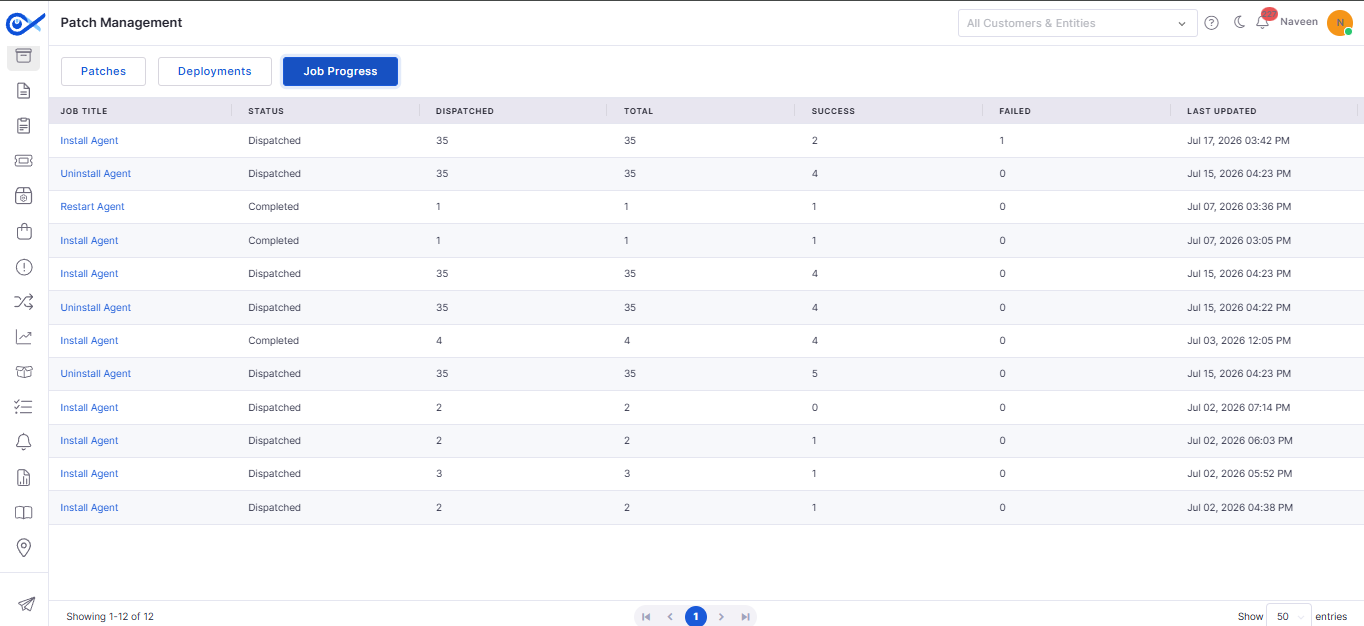
Monitor patch deployment jobs through the Job Progress view.
Track deployment status across managed devices.
Dashboard
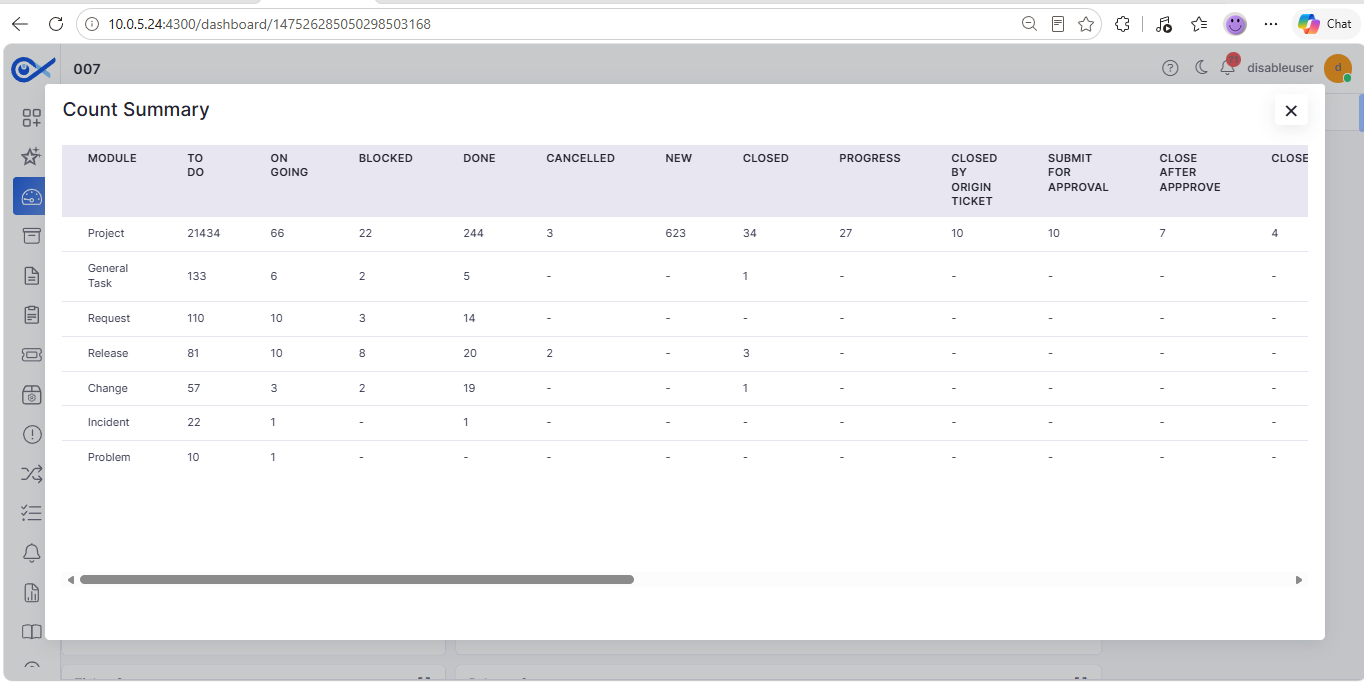
Count Summary – Task Module Integration
The Count Summary widget now supports Task Management, providing additional operational insights.
Display Task data within Count Summary widgets.
Group tasks by Assignee, Team, or Module.
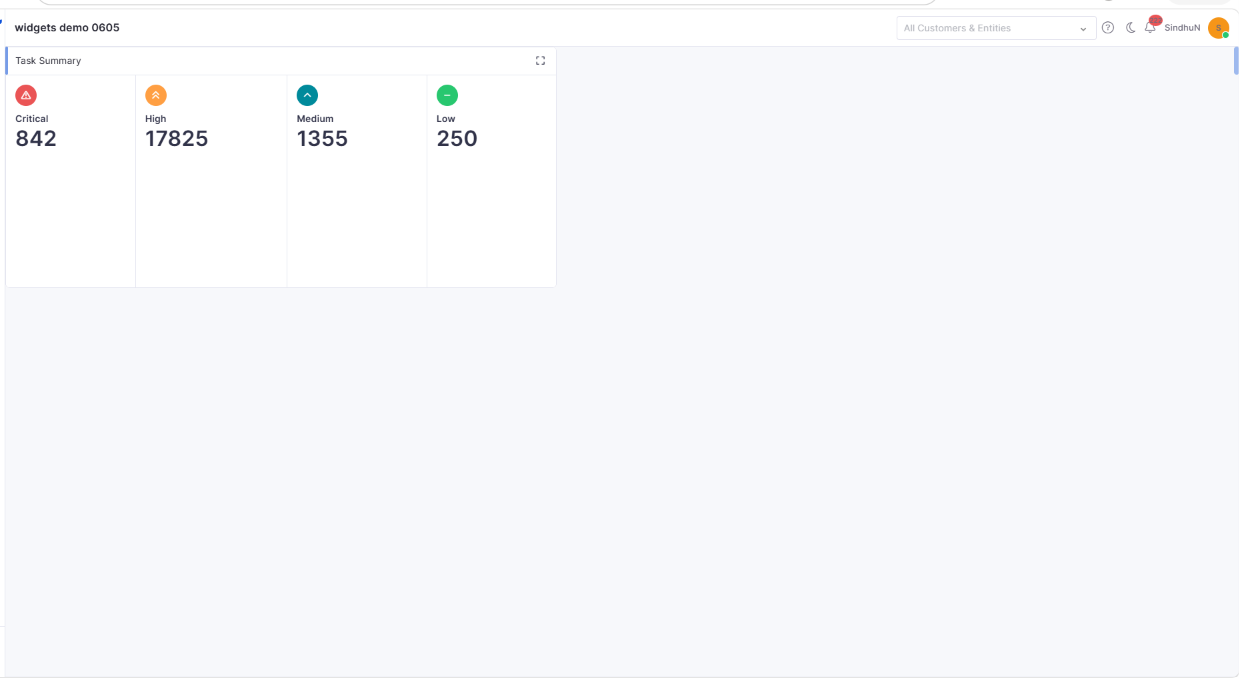
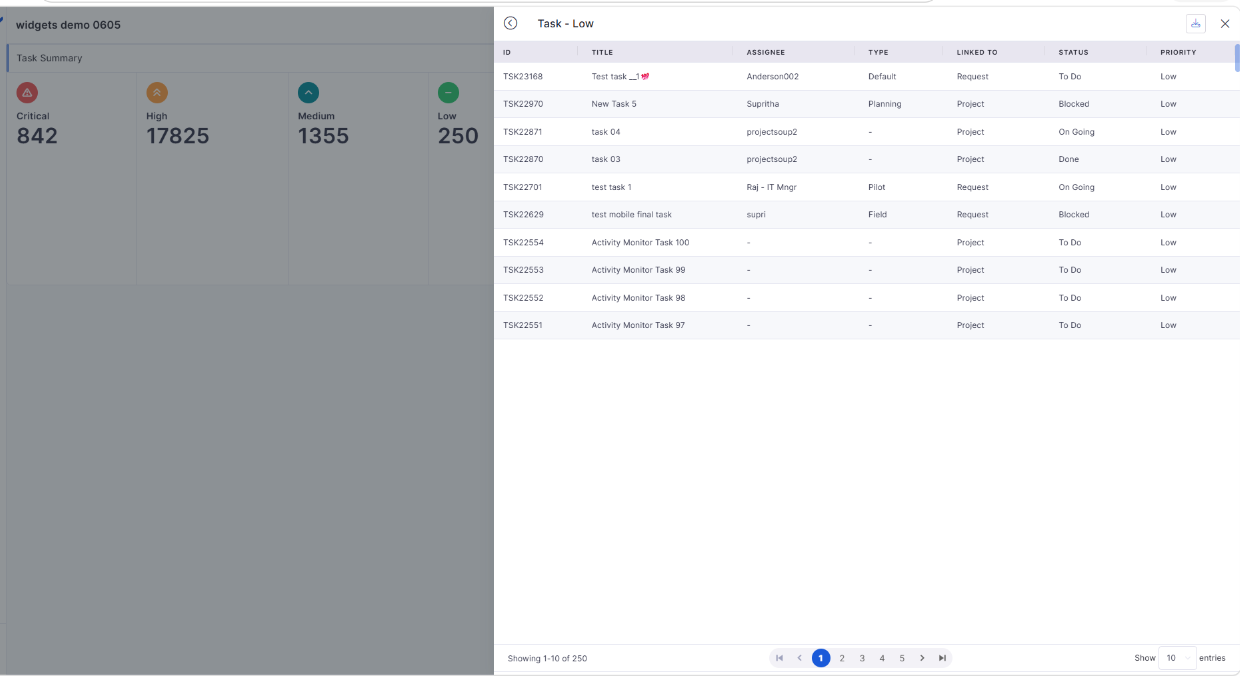
Task Summary Dashboard Widget
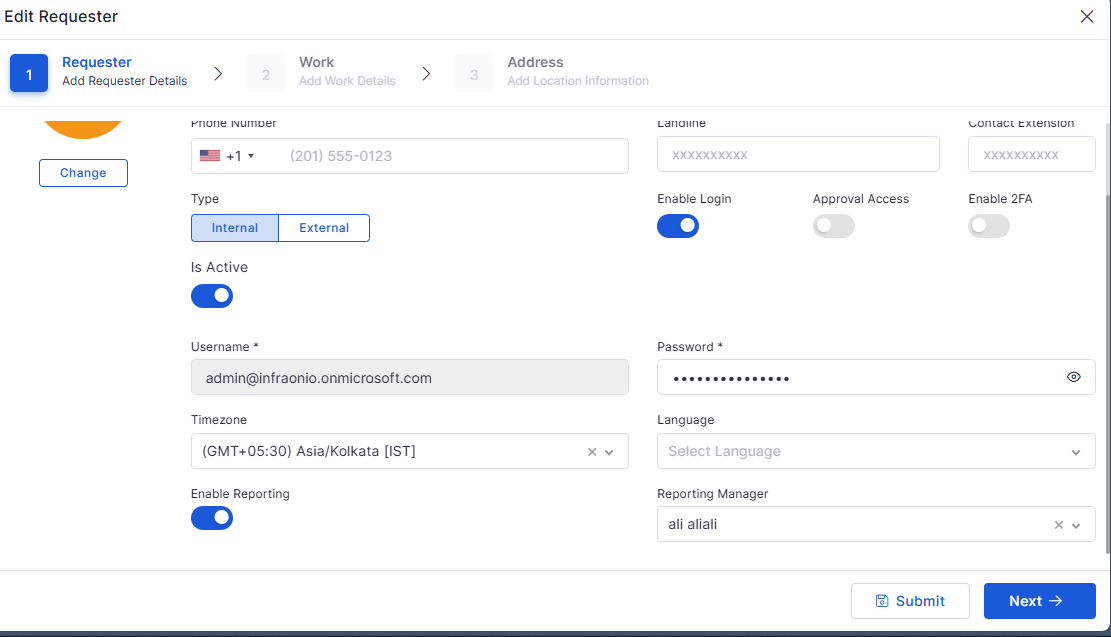
A dedicated Task Summary widget provides greater visibility into task performance.
Monitor task workload from dashboards.
View task distribution across teams and statuses.
Mail Automator
Email Pipeline Enhancements
The Mail Automator has been enhanced to improve email processing reliability and overall system performance.
Optimize inline image handling to eliminate duplicate attachments.
Improve email processing through parallel execution.
Task
Task Management Enhancements
Task Management has been enhanced to improve usability, workflow efficiency, and day-to-day task tracking.
Simplify task management through an improved user experience.
Enhance task tracking across different workflow stages.
Mobile Enhancements
iOS – OCR Support
The iOS application now supports Optical Character Recognition (OCR) to simplify ticket creation.
Extract text directly from captured or uploaded images.
Reduce manual data entry while creating tickets.
Android – Create Ticket with Image (OCR)
Android users can now create tickets directly from images using AI-powered OCR capabilities.
Generate ticket details by extracting text from images.
Review and edit extracted information before submission.
Android – Task Search, Filter & Pagination
Task management on Android has been enhanced with advanced search and navigation capabilities.
Search tasks using relevant keywords.
Apply filters to quickly locate required tasks.
iOS – Task List
The iOS application now includes a dedicated Task List for improved task visibility.
View assigned tasks from a centralized screen.
Monitor task status and progress.
Android – Task List
Android users can now access a dedicated Task List for efficient task management.
View assigned tasks in a centralized list.
Quickly access task information.
iOS – Task Search, Filter & Pagination
Task navigation on iOS has been enhanced to improve usability and accessibility.
Search tasks quickly using keywords.
Filter tasks based on configurable criteria.
🐛 Bugs Fixed
General stability and performance improvements across modules.
Improved overall platform reliability and responsiveness.
Fixed UI inconsistencies and validation issues across multiple modules.
Enhanced synchronization and workflow processing.
Addressed minor issues related to dashboards, reports, procurement, and asset management.
Improved mobile application stability and user experience.
Fixed miscellaneous defects to improve overall usability and system performance.
This release introduces enhancements across ITSM, IT Asset Management, Dashboards, Agentic AI, Procurement, AIOps, Self Service Portal, Enterprise Asset Management, Workflow, Notifications, and Mobile Applications. The updates focus on improving automation, visibility, configuration flexibility, approval management, asset quality, procurement operations, and overall user experience.
Improved performance when generating Asset Allocation reports with large volumes of allocation data.
Fixed widget headings that did not correctly reflect selected group-by options during drill-down.
Eliminates asset collisions caused by invalid or duplicate hardware serial numbers.
Ensures consistent reconciliation even with dynamic IP environments.
Fully configurable within Dashboard settings.
Enforces API call limits based on licensed thresholds.
Sends automated alerts at 90% and 100% usage.
Blocks API calls when usage exceeds allowed limits.
Automatically resets enforcement when the license cycle renews.
Sidebar auto-selects the chosen module type.
Improves submission flow and reduces user navigation steps.
Automatic redirection to the active section after successful submission.
Items
Additional Details
Introduced grid-based line item management with inline editing.
Automatic calculation of totals, discounts, and taxes.
Improved validation and navigation control across steps.
Enhanced performance for large line item datasets.
Approval history captured with comments.
Improves dashboard data visibility and tracking.
Supports role-based visibility.
Meeting creation auto-selects the associated project.
Final Variance (Baseline End – Actual End)
Respects column configuration.
Ensures variance values are calculated and exported accurately.
Reflects the latest task updates in the exported file.
Displays thinking/processing indicators.
Handles unknown queries gracefully.
Stores chat history securely.
Response latency optimized for real-time interaction.