All pages
Powered by GitBook
1 of 1

Loading...

v7.4.4 - February 2026

View the latest features, enhancements, and fixes by release.

Release Cycle: 26th February 2026 Build: Pre-Release Documentation

Overview

This upcoming release introduces enhancements across Inventory Agents, Dashboard monitoring, API Metering & License enforcement, Purchase Order workflow improvements, AI-powered Ticket interactions, Asset export optimization, and advanced grid/search capabilities.

The update also includes multiple stability, reporting, and integration fixes across modules.

Key Updates

Inventory Agents

Persistent Device Identity
  • Introduced a persistent, agent-generated Device GUID for reliable asset identification.

  • Prevents duplicate asset creation during agent reinstallation.

Dashboard

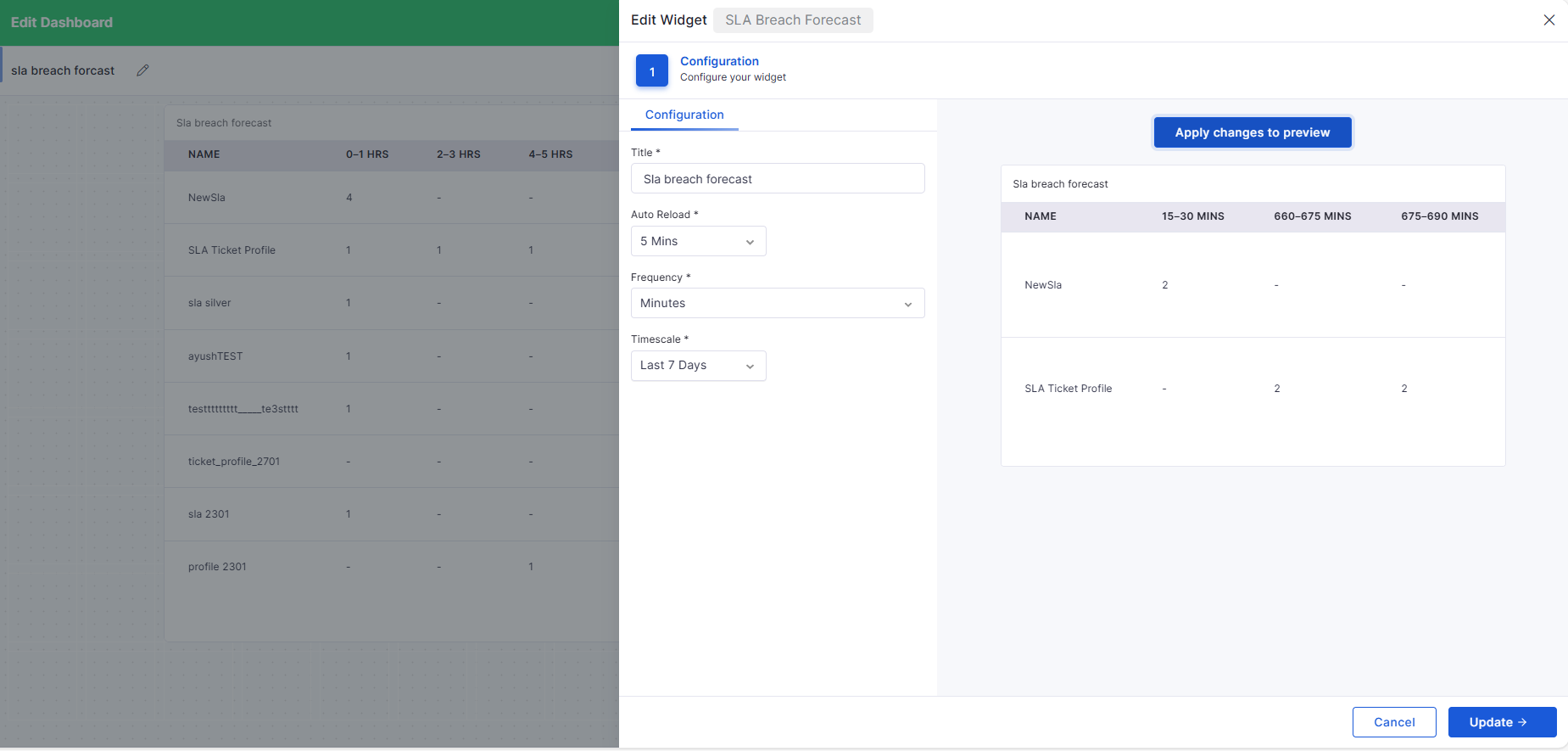
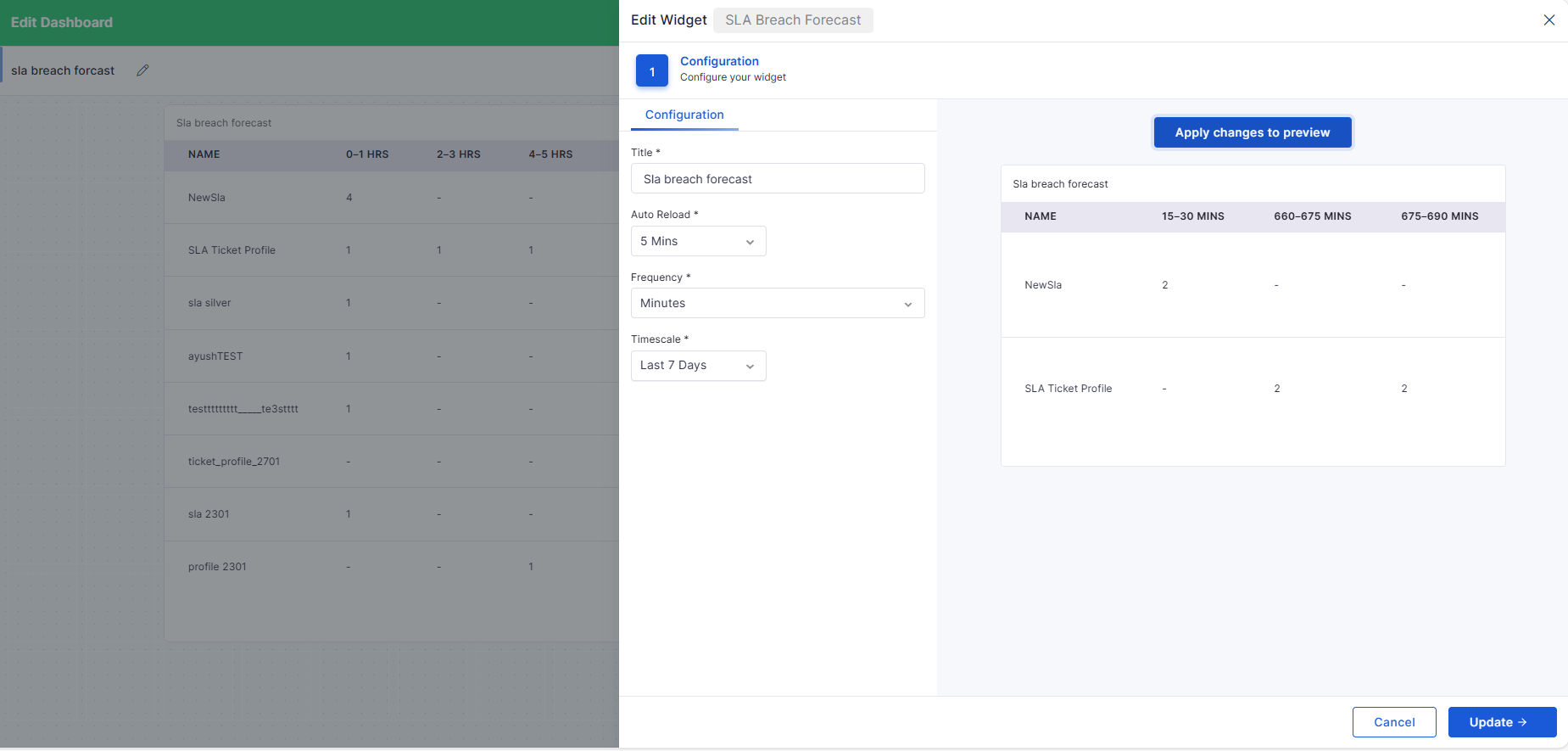
SLA Breach Time Dashboard
  • Added SLA Breach Forecast widget.

  • Displays upcoming SLA breaches grouped by configurable time intervals (minutes/hours/daily).

  • Enables proactive monitoring of tickets that are nearing a breach.

API Metering

API Metering & License Usage
  • Introduced comprehensive API usage tracking and auditing.

  • Captures endpoint, method, IP, organization, timestamp, and status.

Self Service Portal

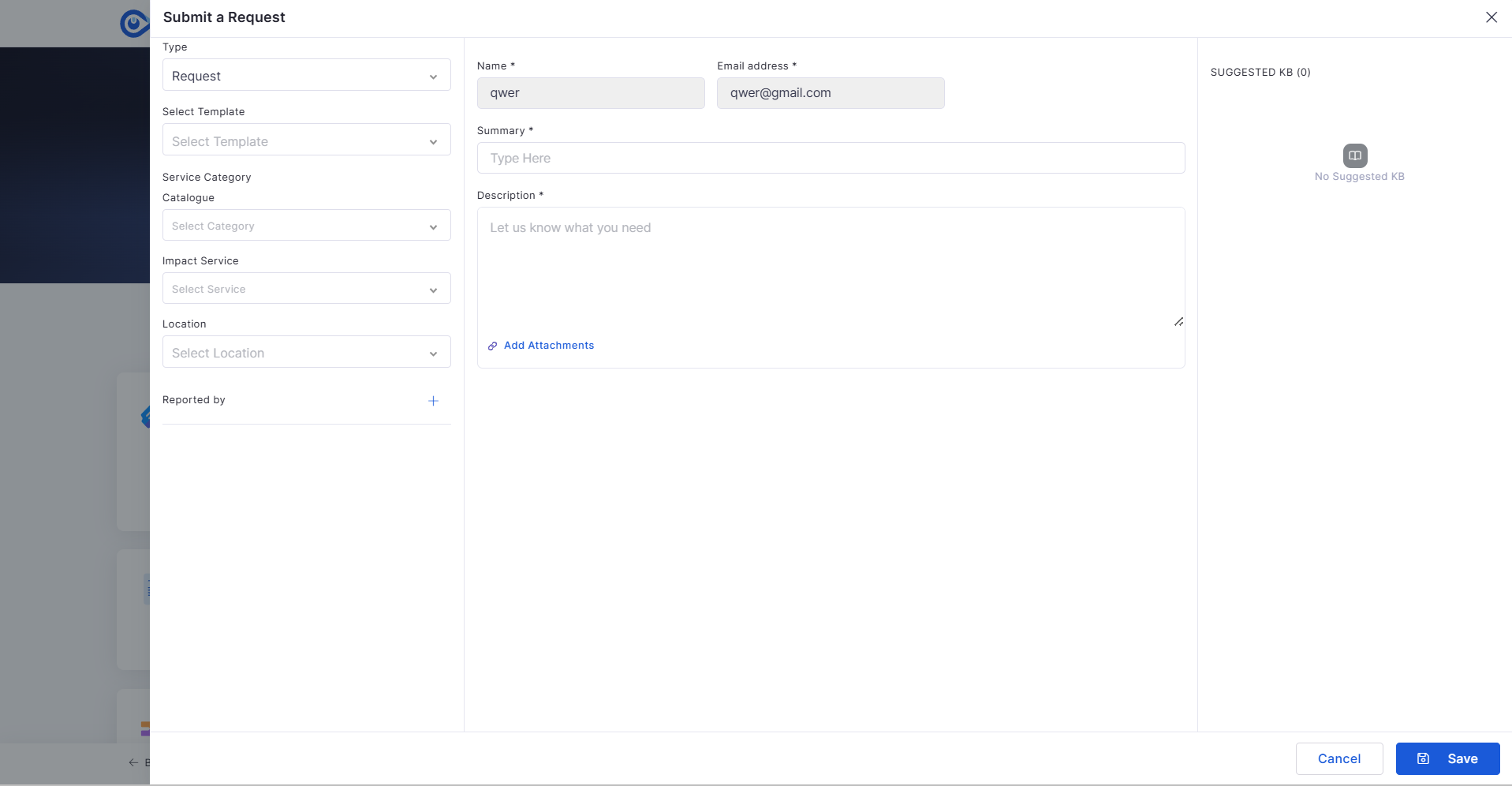
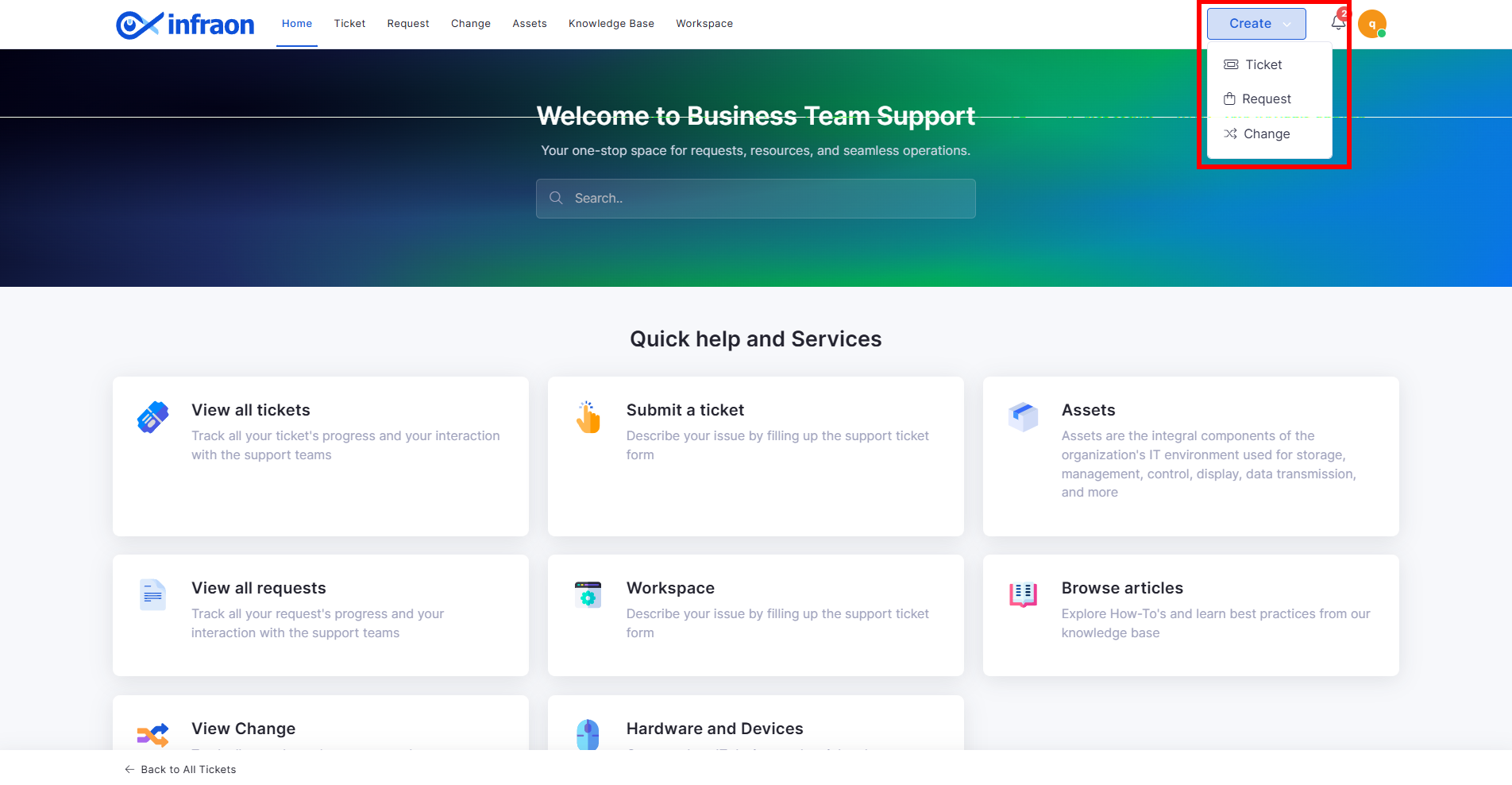
Enhanced “Create” Dropdown for Ticket Submission
  • Replaced static “Submit a Ticket” button with dynamic Create dropdown.

  • Supports Ticket, Request, and Change initiation from a single entry point.

Purchase Order

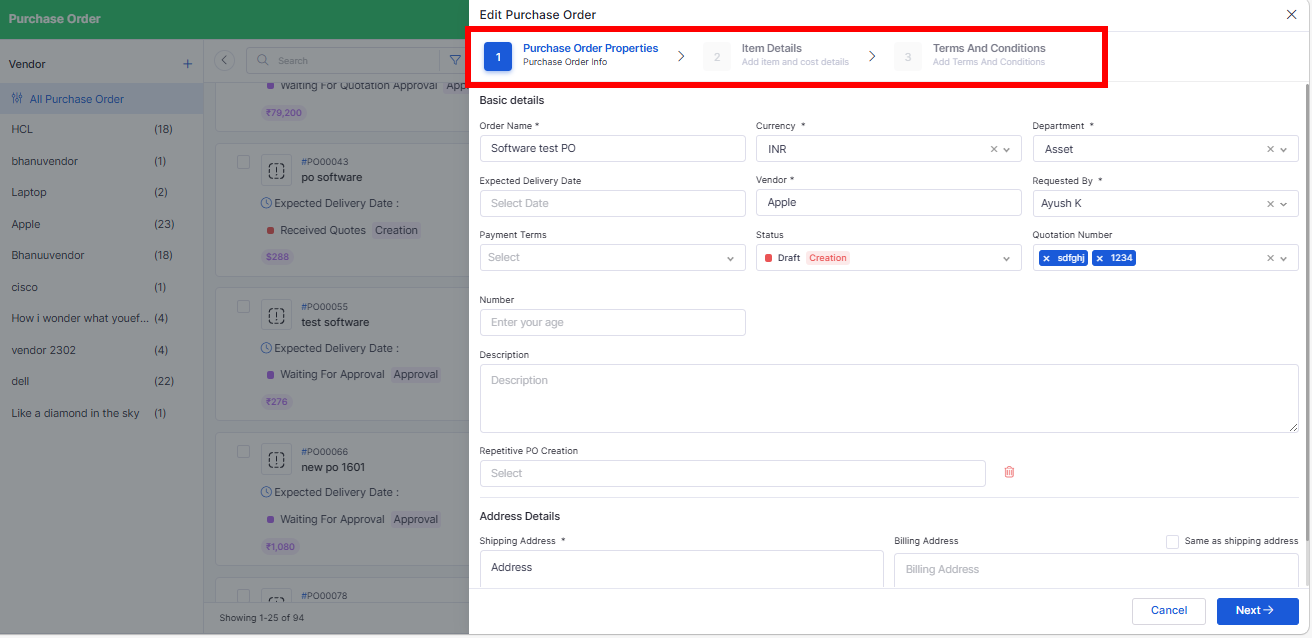
Stepper-Based PO Creation with Grid Line Items
  • Converted PO Add page into structured stepper workflow:

    • Basic Details

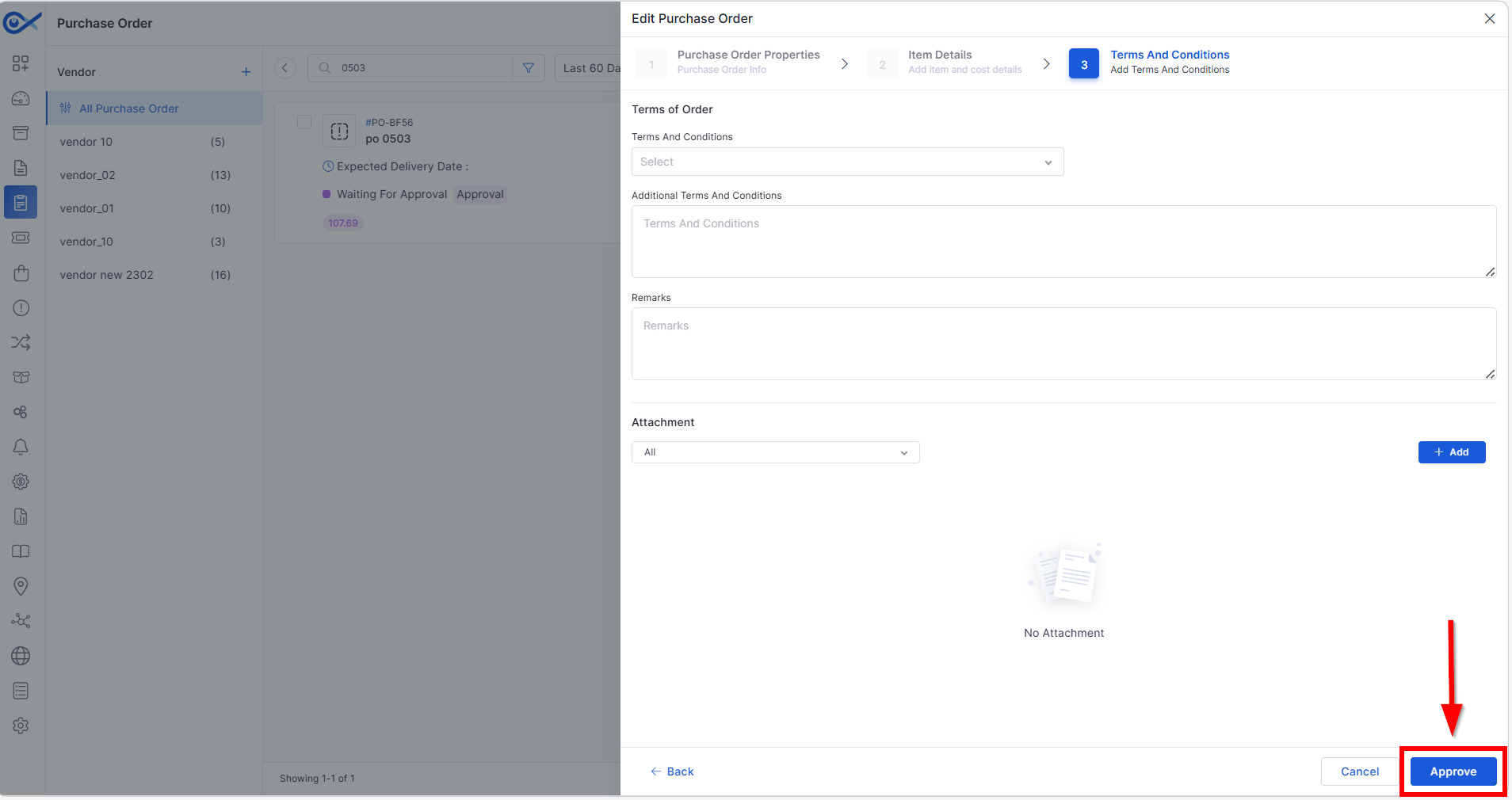
Approval from PO Edit Page
  • Approvers can approve/reject directly from PO Edit page.

  • Eliminates dependency on email-based approval.

  • Supports multi-level approval workflows.

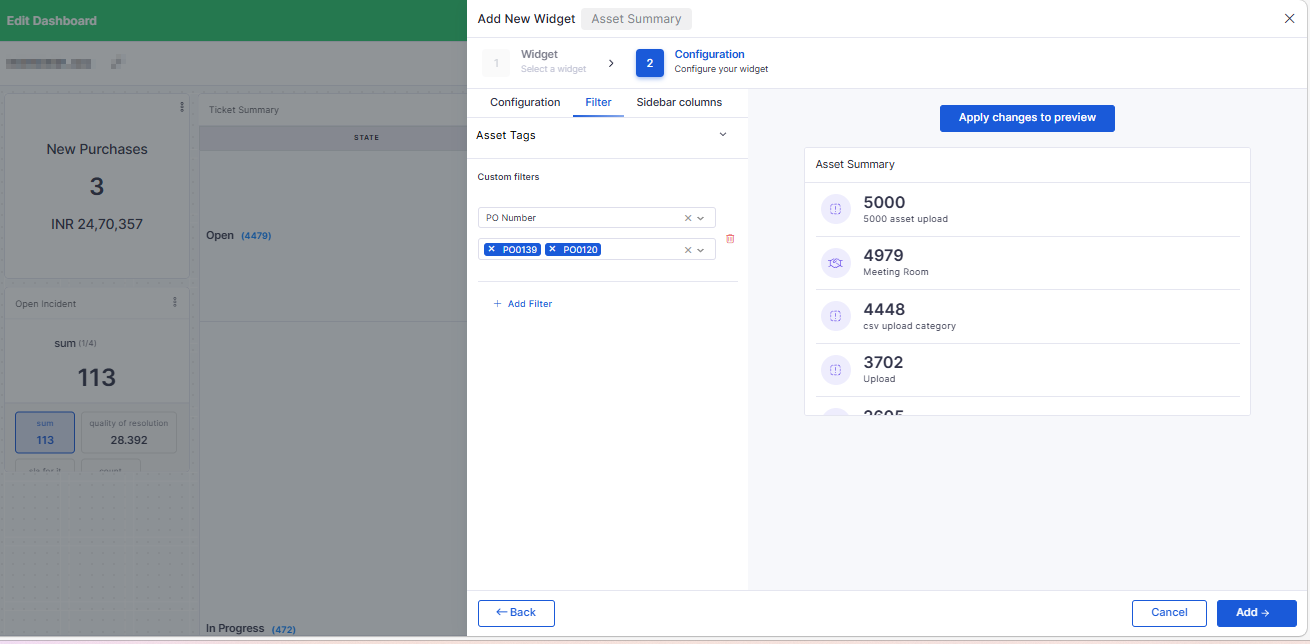
PO Number Filter for Asset Widgets
  • Added PO Number as a filter in the Asset and License Usage widgets.

  • Enables filtering assets linked to specific Purchase Orders.

Project Management

Project Meeting View
  • Added Meeting section in Project View.

  • Meetings can be associated directly with Projects.

  • Displays only meetings linked to the selected project.

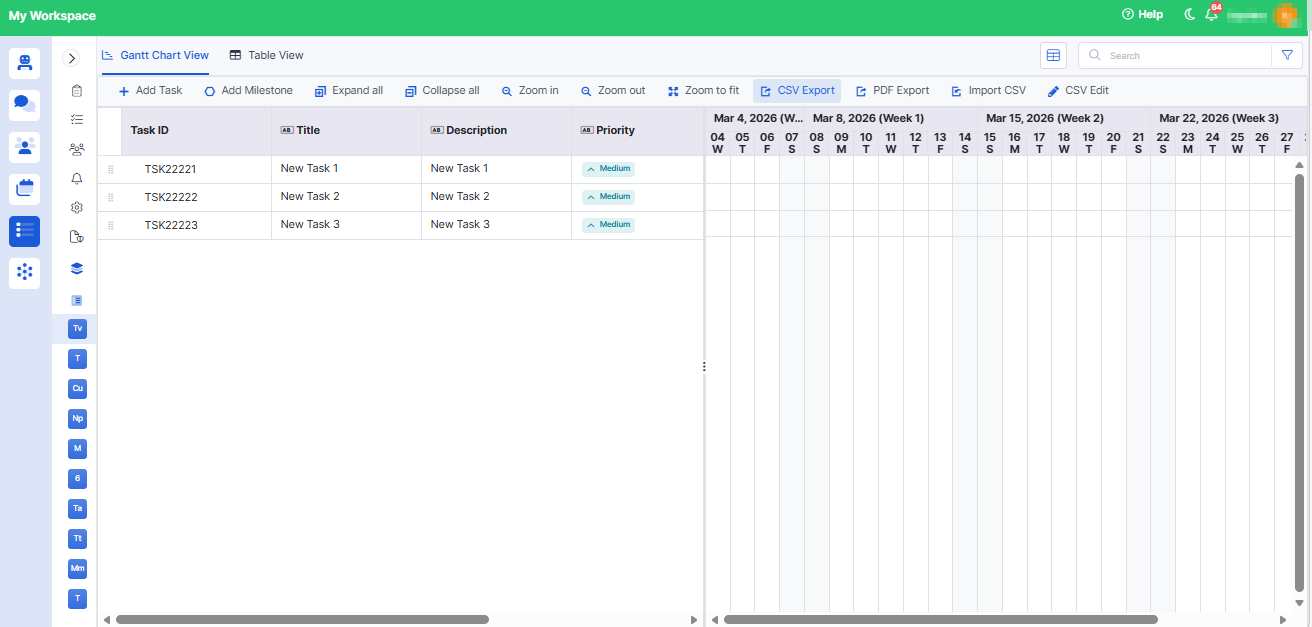
Project Task Export with Start & End Variance
  • CSV export now includes:

    • Start Variance (Baseline Start – Actual Start)

Ticket Management

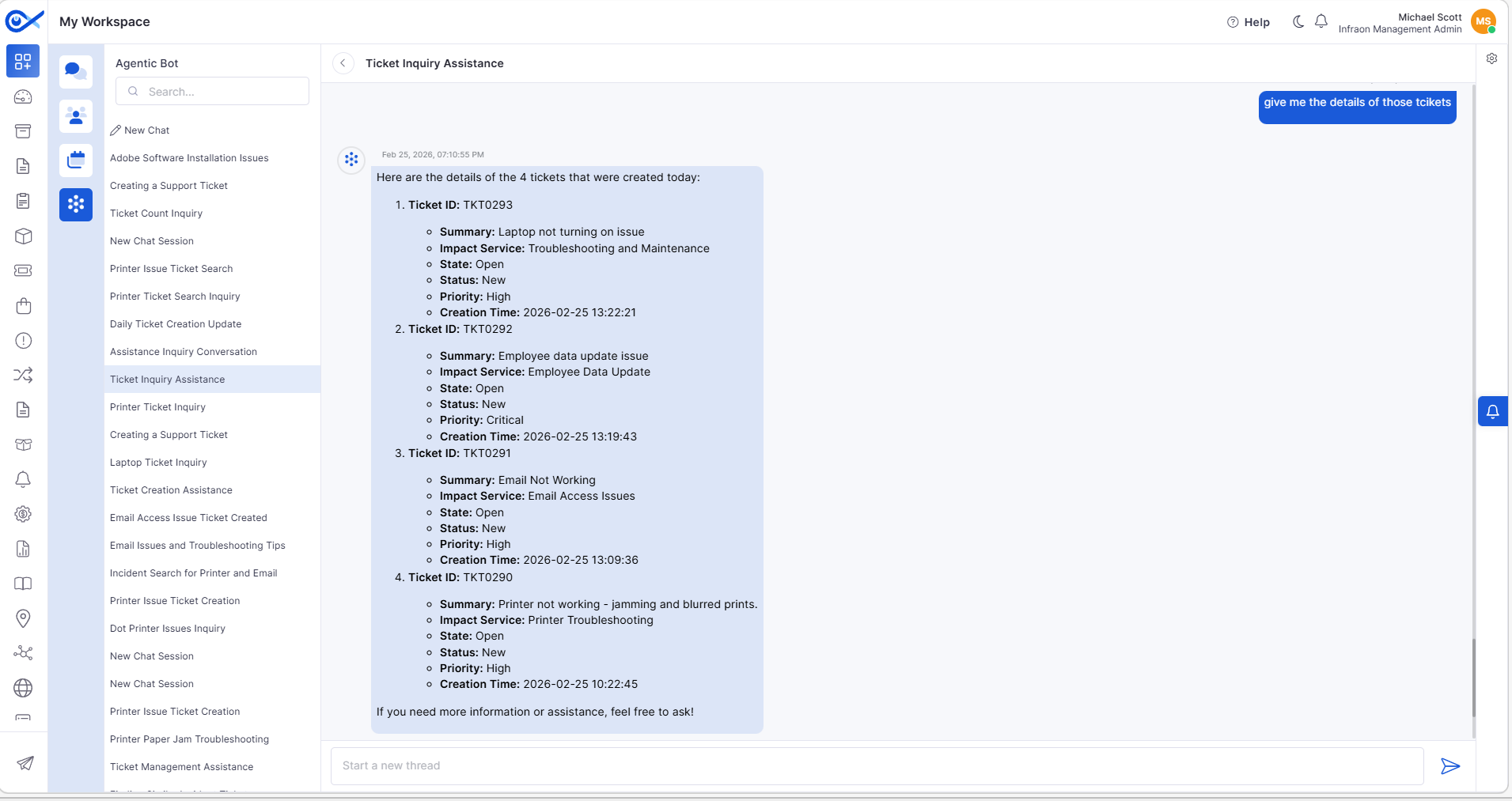
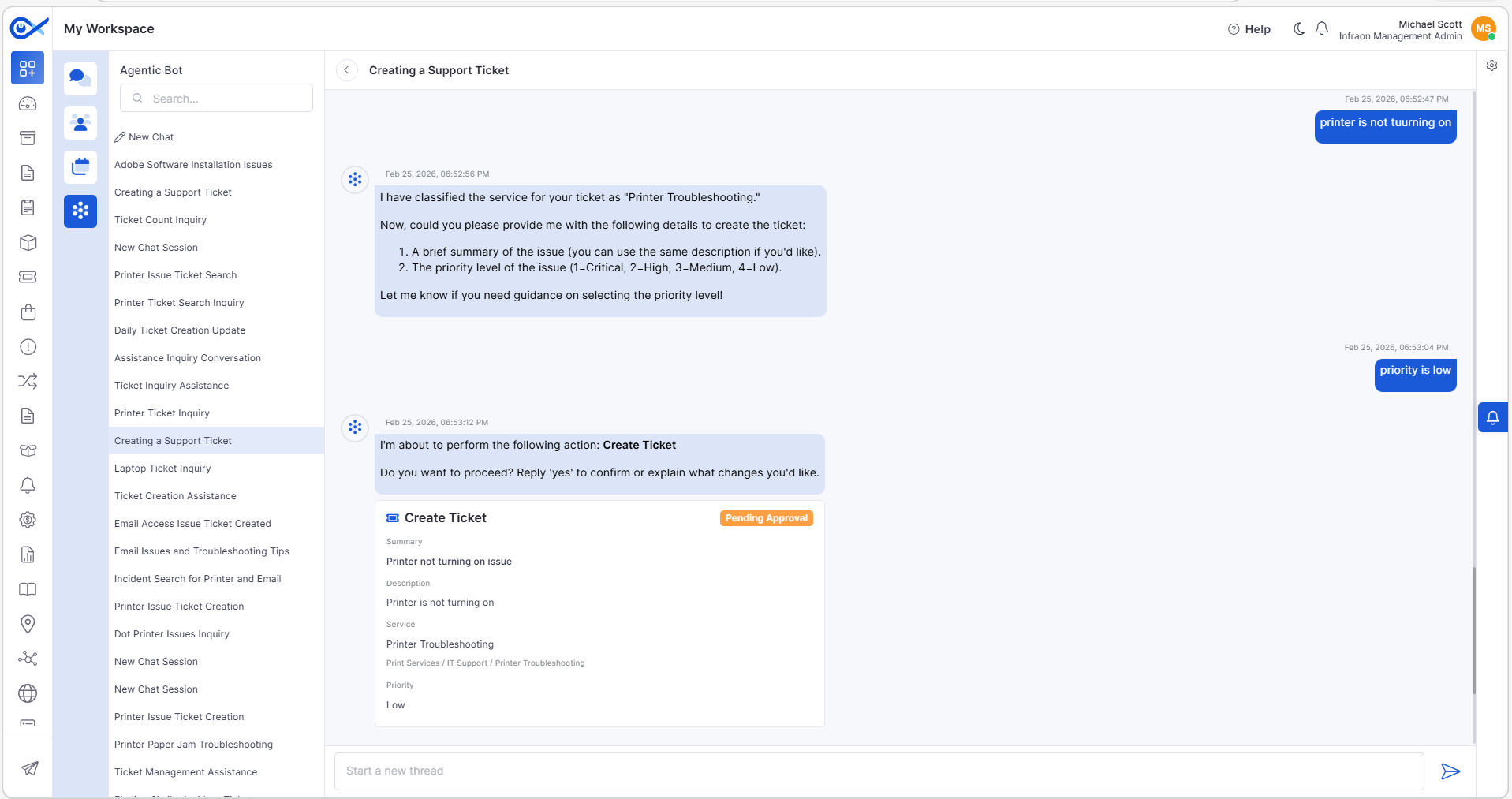
Chat with AI Agent
  • Introduced an AI-powered conversational interface for ticket operations.

  • Supports actions like Create, View, and Update Tickets.

Incident Grid – Custom Fields in Column & Search
  • Workflow-specific custom fields are now available in:

    • Grid Column Selection

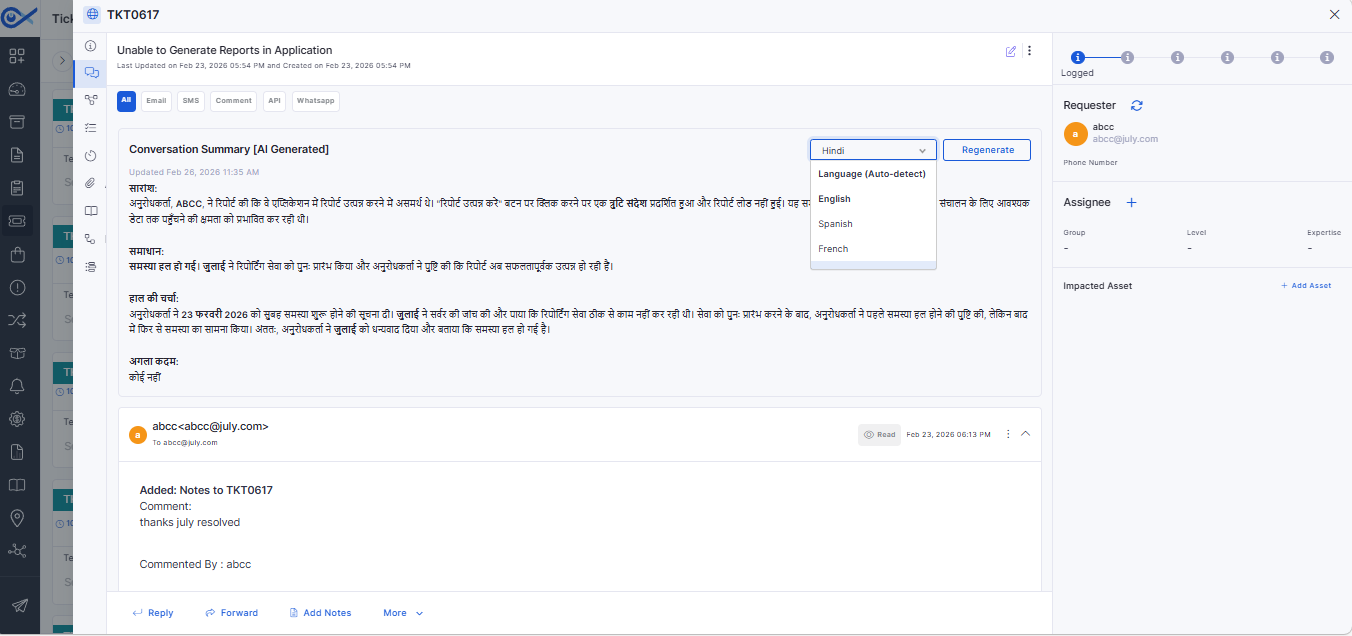
Conversation Summary (AI-Powered)
  • Generates an AI-based summary of ticket/request communications.

  • Configurable per module via Feature Configuration.

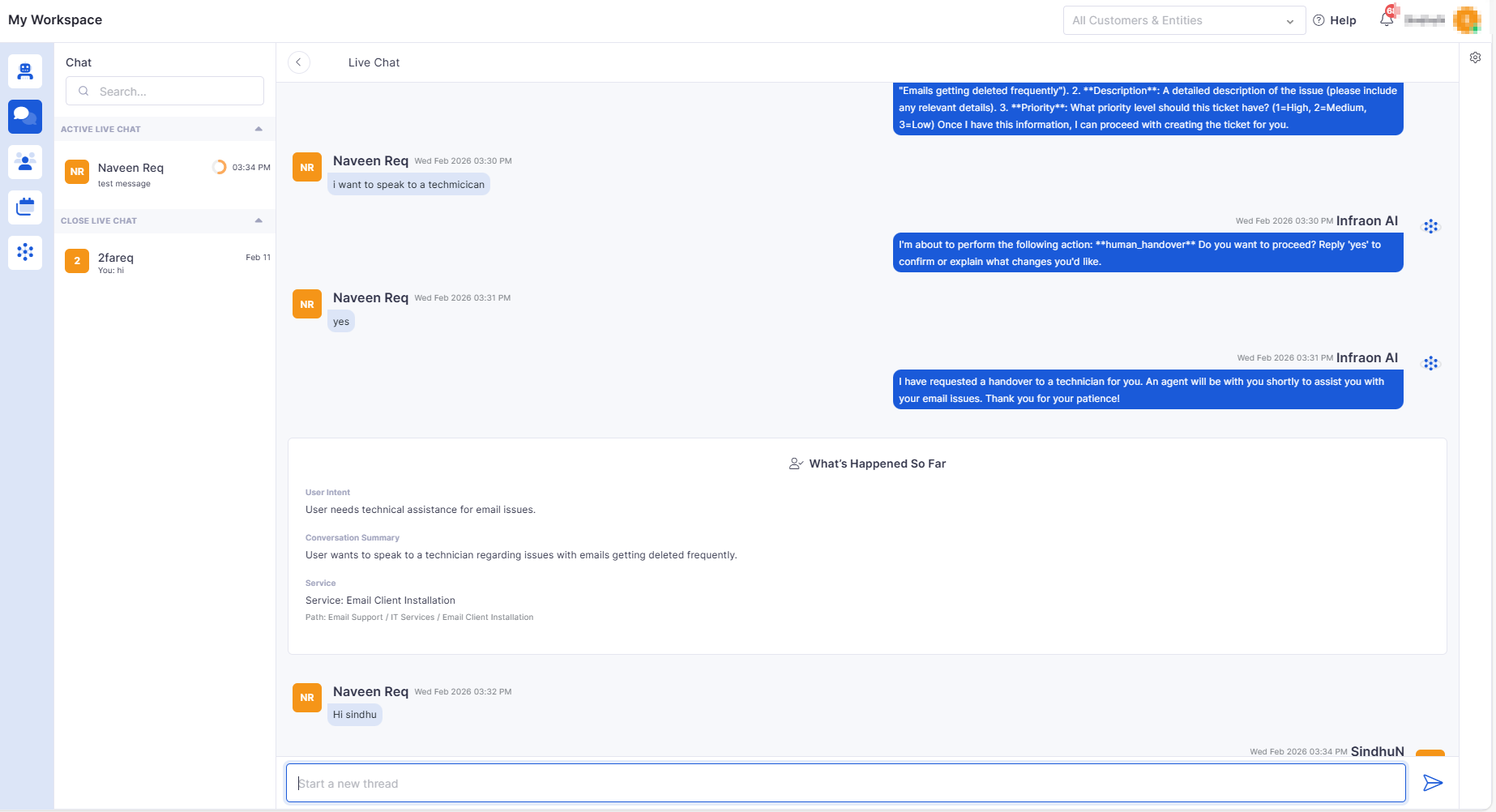
Handover Chat to Technician
  • Enables the requester to transfer the AI chat to a technician.

  • Preserves full chat history and issue context.

🐛 Bug Fixes and Improvements

  • Improved performance in the Ticket sidebar and Account Settings.

  • Resolved Azure AD sync, user count, and license validation issues.

  • Fixed SLA report inconsistencies and missing metric fields.

  • Corrected approval workflow and notification-related issues.

  • Addressed asset visibility and search discrepancies.

  • General stability, UI, and integration fixes across modules.

Eliminates asset collisions caused by invalid or duplicate hardware serial numbers.
  • Ensures consistent reconciliation even with dynamic IP environments.

  • Fully configurable within Dashboard settings.

  • Enforces API call limits based on licensed thresholds.
  • Sends automated alerts at 90% and 100% usage.

  • Blocks API calls when usage exceeds allowed limits.

  • Automatically resets enforcement when the license cycle renews.

  • Sidebar auto-selects the chosen module type.

    • Improves submission flow and reduces user navigation steps.

    • Automatic redirection to the active section after successful submission.

    Items
  • Additional Details

    • Introduced grid-based line item management with inline editing.

    • Automatic calculation of totals, discounts, and taxes.

    • Improved validation and navigation control across steps.

    • Enhanced performance for large line item datasets.

  • Approval history captured with comments.

  • Improves dashboard data visibility and tracking.
  • Supports role-based visibility.

  • Meeting creation auto-selects the associated project.

  • Final Variance (Baseline End – Actual End)
  • Respects column configuration.

  • Ensures variance values are calculated and exported accurately.

  • Reflects the latest task updates in the exported file.

  • Displays thinking/processing indicators.

  • Handles unknown queries gracefully.

  • Stores chat history securely.

  • Response latency optimized for real-time interaction.

  • Global Search
  • Supports operator-based filtering (IN, CONTAINS, etc.).

  • Handles duplicate field labels with workflow tagging.

  • Dashboard drill-down reflects custom field selections.

  • Supports multi-language summary generation.
    • Allows regeneration of summaries.

    • Displays the last updated timestamp.

    • Available in Edit view and Panel view.

    Validates technician availability before handover.

  • Notifies technician upon assignment.

  • Maintains role-based access control.

  • Provides a smooth AI-to-human transition experience.